One phone. Zero ad spend. 3.7 million views in 30 days.
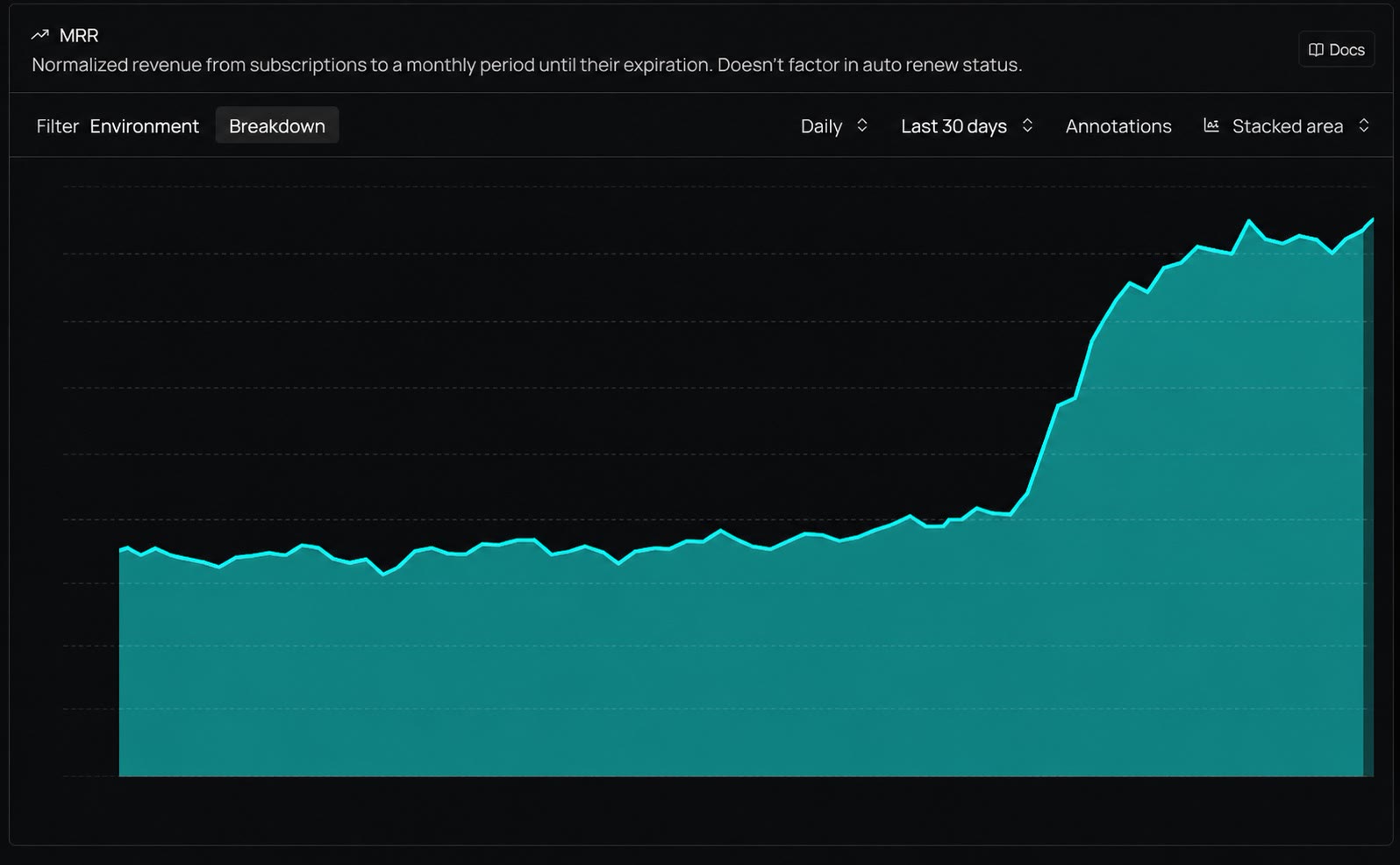
That’s what one app founder pulled out of Instagram trial reels last month. And the result wasn’t just views: about 30,000 attributed downloads, 7,500 new followers and 3x the app’s monthly recurring revenue, with 4x in sight this month.
Plenty of pages get more views and make nothing. This one made money because every step was built for downloads, not reach. Below is the full Instagram app marketing playbook behind it: how the account was set up to reach Americans, how trial reels were unlocked and recycled, the faceless format that converts, the paywall that turned installs into MRR, and how to run all of it at volume with Postiz and an AI agent.
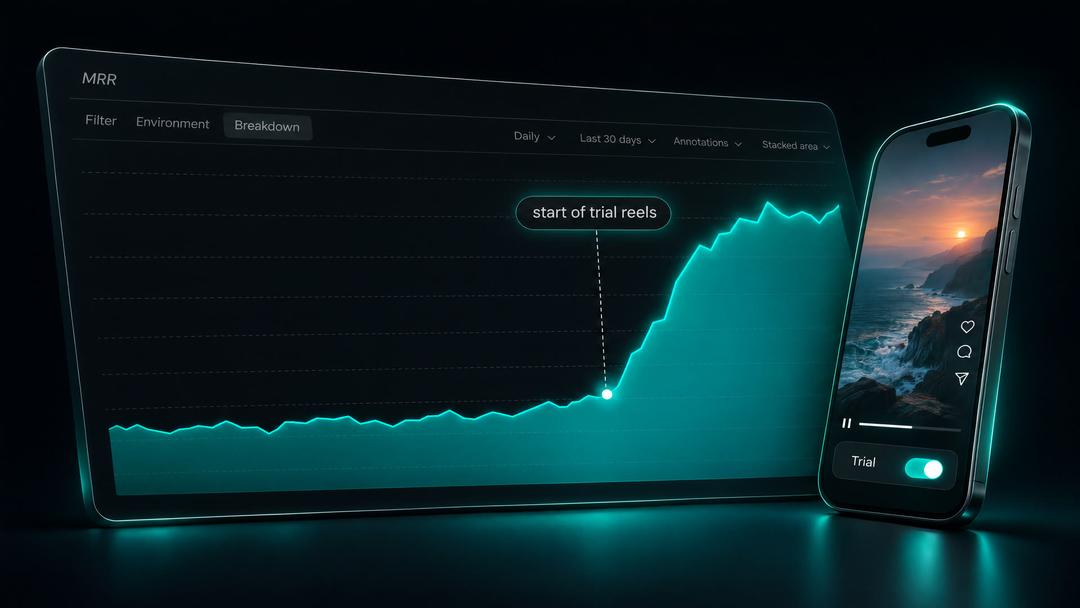
The app’s MRR over the last 30 days. The climb starts when the founder started posting trial reels.
Key takeaways
Reach the country that pays. If less than 50% of your viewers are in the US, expect a weak view-to-download rate. The founder sets up a dedicated “US” phone and trains the account before posting anything.
Trial reels are the current gold rush. They go to non-followers first, so you can test hard without burning out your followers.
Recycle your winners. Once a trial reel passes 100K-500K views, post it up to 5 more times as edited versions.
Make the app the content. Show the app in the first 3-5 seconds. If you removed the app, there should be no video.
Views need a paywall. Test pricing with a paywall tool, without shipping app updates.
It’s a volume game. Batch create, schedule everything in US hours with Postiz, and let an AI agent manage the calendar.
The numbers: 30 days of trial reels
Everything came from one phone volume posting trial reels, with $0 spent on ads.
Metric
Last 30 days
Views
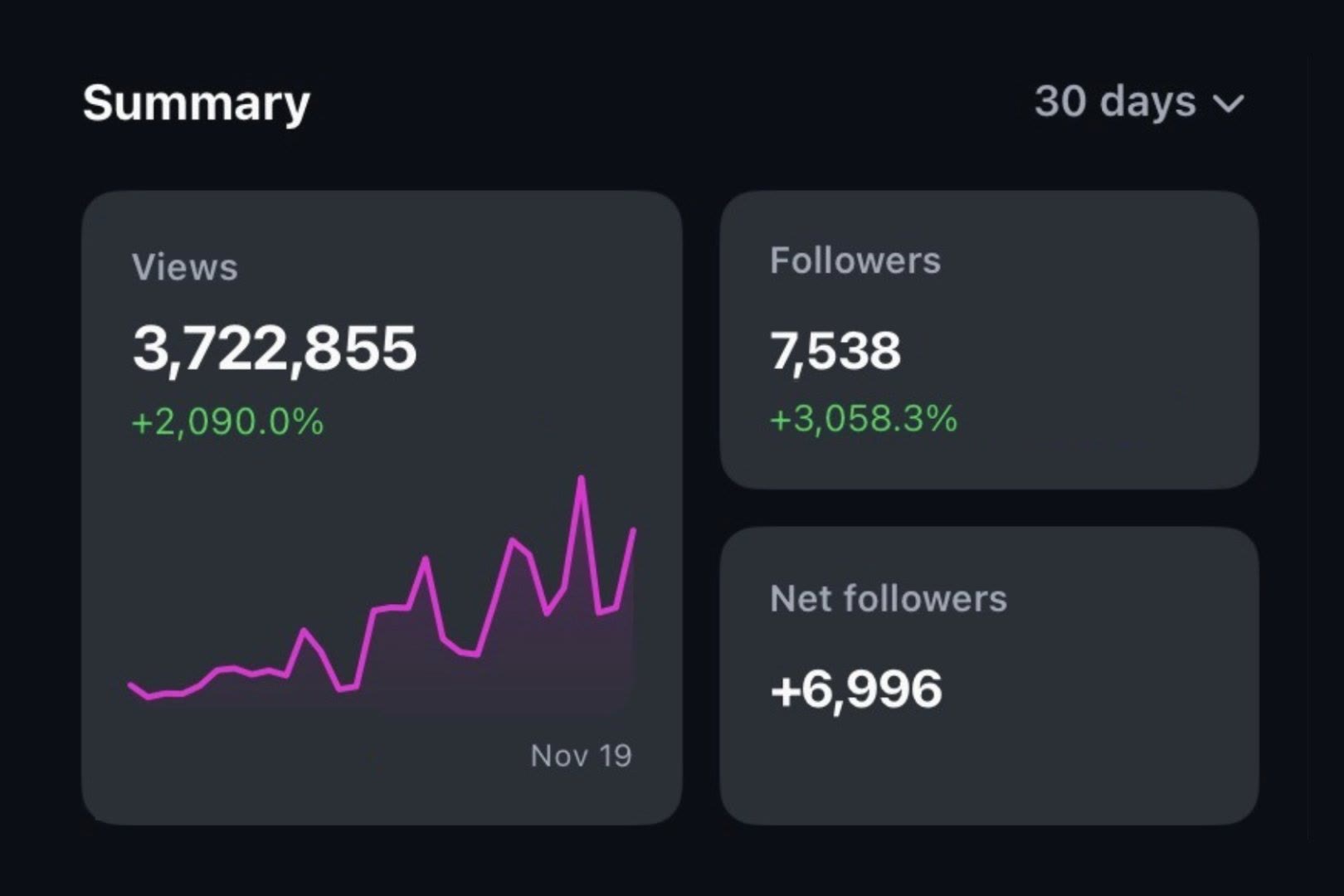
3,722,855 (+2,090%)
Followers
7,538 (+6,996 net)
Attributed downloads
~30,000
MRR
3x, on track for 4x
Ad spend
$0
That works out to roughly 8 downloads for every 1,000 views, which is a strong ratio for organic short form video.
Instagram’s 30-day summary for the account.
What is Instagram app marketing?
Instagram app marketing is using Instagram content, mostly Reels, to get people to download and pay for a mobile app. In 2026 the strongest organic lever is trial reels: Reels that Instagram shows only to non-followers first, so a new account can test dozens of videos and find winners without hurting its main feed.
The playbook has six steps: target the US, unlock trial reels, use a format where the app is the content, convert views with a tested paywall, post at volume, and hand the format off once it works.
Manage all your social media in one place with Postiz
If your US audience is below 50%, don’t expect a high view-to-download rate. You can check it in Instagram Insights → Audience → Top countries.
So before you post a single reel, the account needs a full setup.
Set up a dedicated phone
Keep it simple: give the account its own phone, so nothing on the device says Asia or Europe.
Get a separate iPhone (a cheap used one works) and do a full factory reset.
Set it up in English (US) with the region set to United States. Skip the Apple ID for now and turn off location services.
No SIM or eSIM. Wi-Fi only, airplane mode on.
Connect a US residential proxy (pick a US city like New York or Miami) before you install anything. Residential, not a regular VPN, because VPN IPs get flagged. The founder uses Shadowrocket for this.
Make a fresh email on that phone, then create a new Apple ID with it.
Go to Settings → General → Language & Region → United States. Then Date & Time → turn off “Set Automatically” → pick a US city.
Download Instagram and sign up with the fresh email. Quick check: tap “phone number” first. If it shows +1, Instagram sees you as a US user. Then switch back to email and finish signing up.
Switch to a professional account (Creator) straight away. You need it for trial reels in Step 2.
Keep the device clean: one account per phone, and no follower apps or automation tools on it. The only things that should post for this account are you and an official publishing tool.
Warm up the account for 1-2 days
Before you post anything, use the account like a normal person for a day or two. Not too much interaction. Just search your niche and watch content.
Train the account
Fill your DMs with your ICP. This is the big one. Your DMs should be full of the users you want, because that tells Instagram who you’re trying to reach. Go into comments, find people who match your ideal customer, DM them and have real, longer conversations.
Train your feed. Only watch and engage with US content in your niche.
Follow US theme pages. A community page for your ideal customer is one of the best accounts to follow. It shows Instagram who you are.
Post in US hours. Post when America is awake, not when you are.
Post content that signals “US” (the most important part)
Even with everything above, an account can sit at 20% US. The fix is to post, then analyze what spiked the US share, every single time.
The founder’s biggest finding: mentioning a US celebrity from the niche, or even tagging them, pushes the US share above 80%.
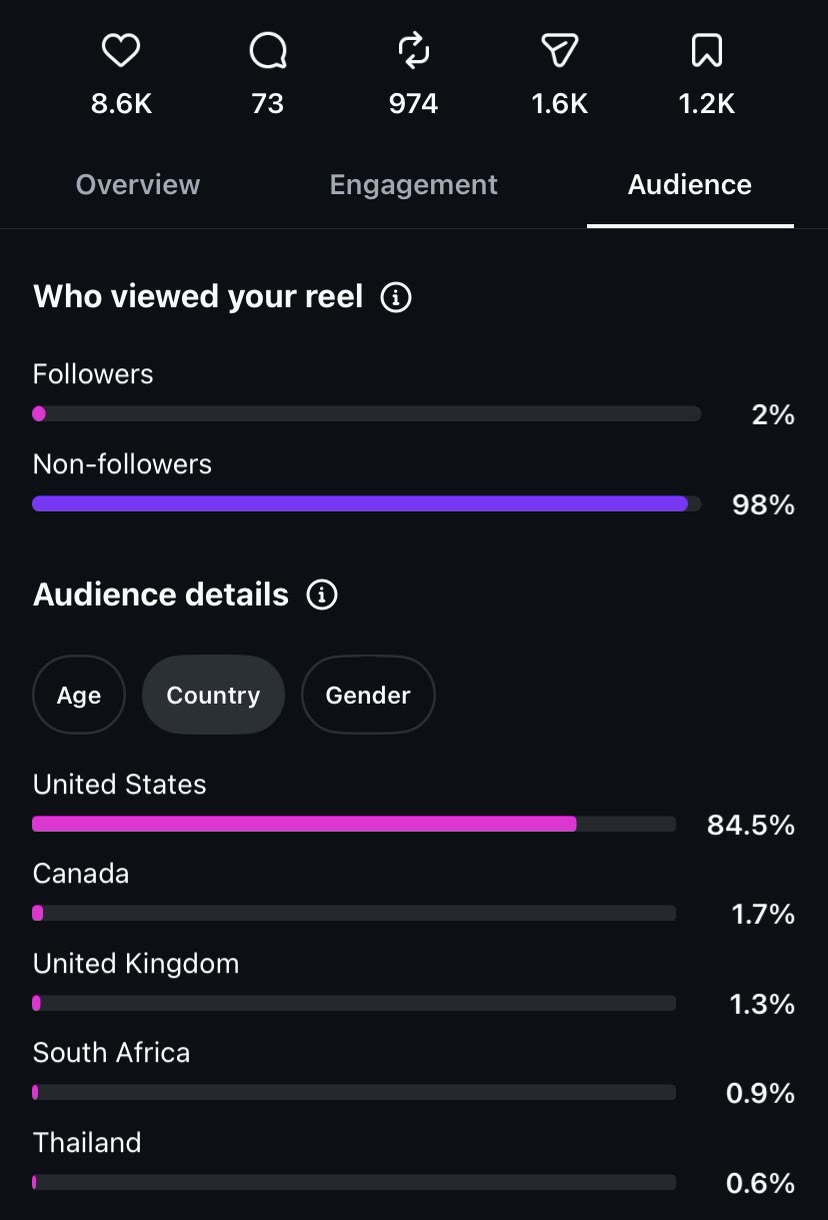
Audience breakdown of a trial reel that mentioned a US artist: 98% non-followers, 84.5% United States.
So mention US celebrities and creators in your niche, and use US keywords in your on-screen text and captions: states, cities and slang. Every part of the video should signal US. Don’t skip this.
Step 2: Unlock Instagram trial reels
Trial reels are the current gold rush for app marketing on Instagram.
Instagram launched trial reels in December 2024. They’re shown to people who don’t follow you first, and your current followers never see them unless you share them. That means you can test as much as you want without burning out your followers. The founder caps it at 10 trial reels per account.
There’s a quiet bonus too. If you’re marketing your own app and you’re worried your relatives will judge you, trial reels let you post without them seeing it.
How to unlock trial reels
At least 200 followers on a professional (Creator or Business) account, or
1,000 followers on a personal account
So switch to a creator or business account. Instagram has adjusted these thresholds before, and the account also needs to be public and eligible for recommendations. If the Trial toggle doesn’t show up, check Settings → Account status.
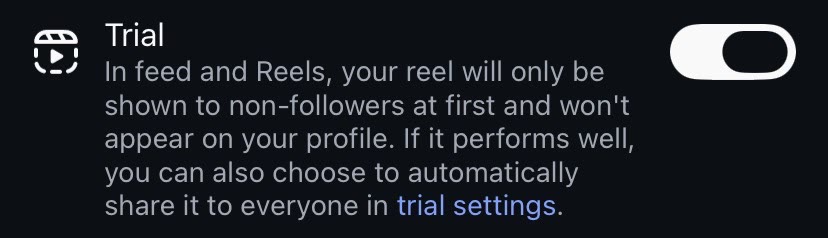
The Trial toggle shows up when you share a reel once the account qualifies.
Getting to your first 200 followers
Getting to 200 is the only annoying part. Founders usually go one of two ways:
Grow organically. Post reels manually, max 2 a day. If you cross 200 followers in a week with your format, perfect.
Buy them. Some founders who want to start posting 10 trial reels a day pay about $5 for 200 followers to skip the wait, and only after 1-2 weeks of posting, because doing it earlier risks a shadowban.
The safer route is organic. Buying followers breaks Instagram’s Terms of Use, and bought accounts are rarely real people in your target market, which works against the US signal you just spent a week building.
The trial reel versions method
Once a trial reel hits 100K-500K views, you’ve won.
Now you can post it up to 5 more times, and roughly 5x the views again, by changing it up. Trial reels keep pushing to new people, so if one went viral, a changed version is like posting it for the first time again.
This is the sauce. Here’s proof from the founder’s own account:
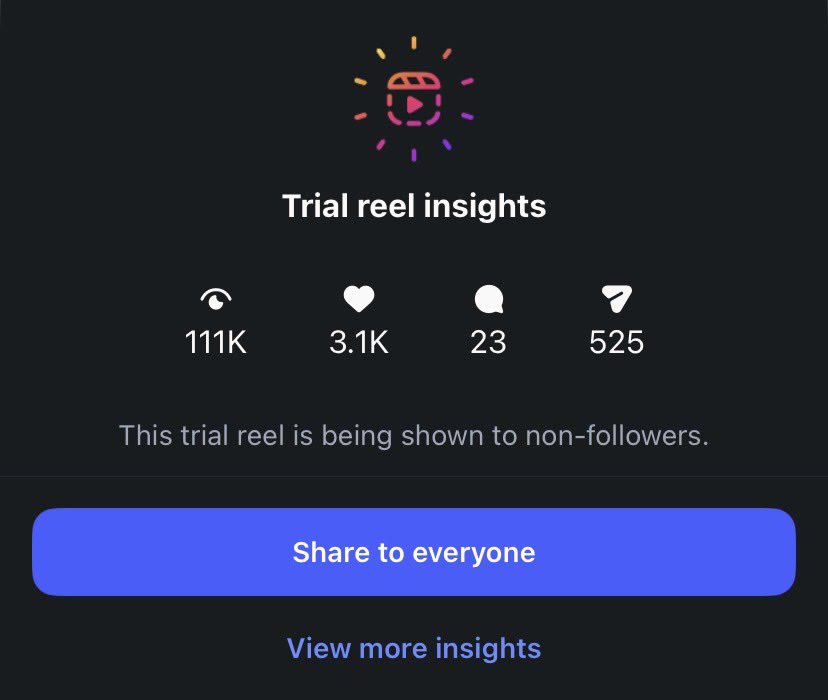
The 5th version of the same video, with the text moved lower, a shorter hook and new audio: 111K views and about 1,000 downloads.
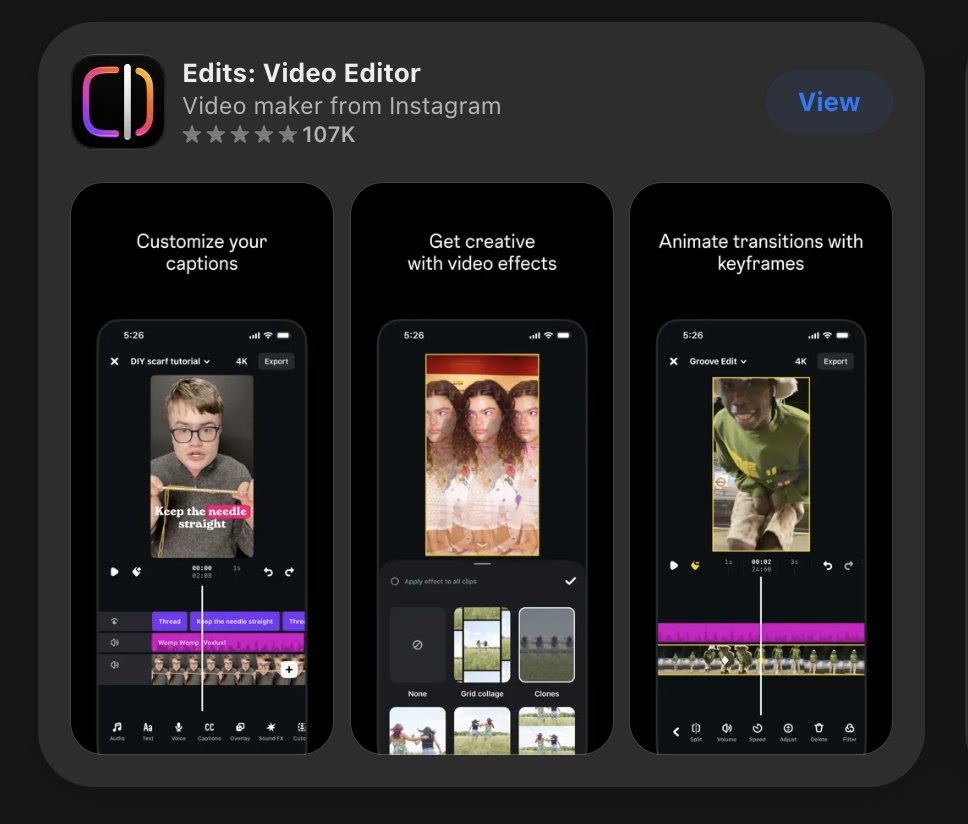
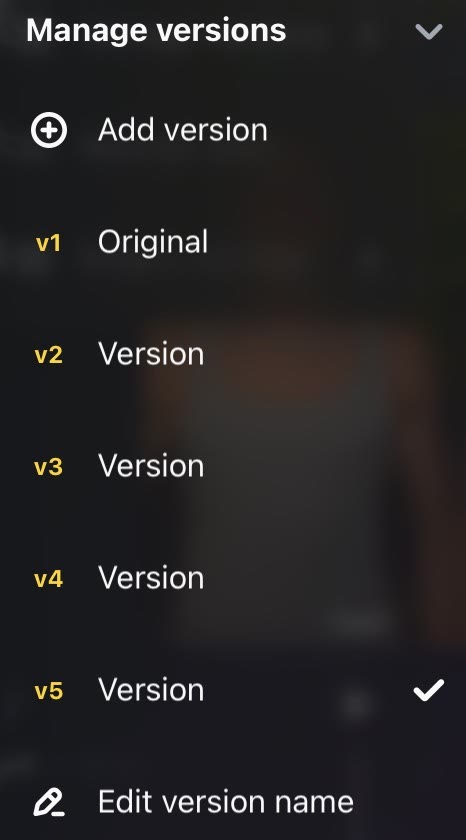
To make versions, use Instagram’s Edits app. It lets you create versions of the same video under Manage versions.
Edits is Instagram’s free video editor.Manage versions in Edits: one original, four variations.
5 edits you can make to the same video:
Mirror it. Tap flip horizontally and that’s your new version.
Change the audio. Swap it for a different trending sound.
Change the hook. Make it shorter or write a different first line with the same payoff.
Change the text. Move it or write it slightly differently.
Change the speed or crop. Speed it up a little (like 1.1x) or zoom in slightly so the frame isn’t identical.
One winning trial reel, five versions. Each one goes out to a fresh audience.
Only move a trial reel to your main feed once it has at least 50K views. There’s no point filling your feed with 1-2K view videos. It fatigues your page.
Make the viral trial reel public. Once it stops growing, tap “Share to everyone” in the trial reel insights. It now shows on your page as your latest video, so out of nowhere you have a 500K video on your profile.
Repost it as a regular reel. A video that already went viral has a high chance of going viral again.
Archive the flops. If the repost flops in the first 1-2 days, archive it. Only the winners stay on your feed.
Your page should look like everything you post hits. Brands and creators you might work with will check your profile before they reach out or reply, and if all they see is low-view reels, they subconsciously look down on you.
Step 3: The faceless format that converts (the double-phone method)
Now the format behind most of those views.
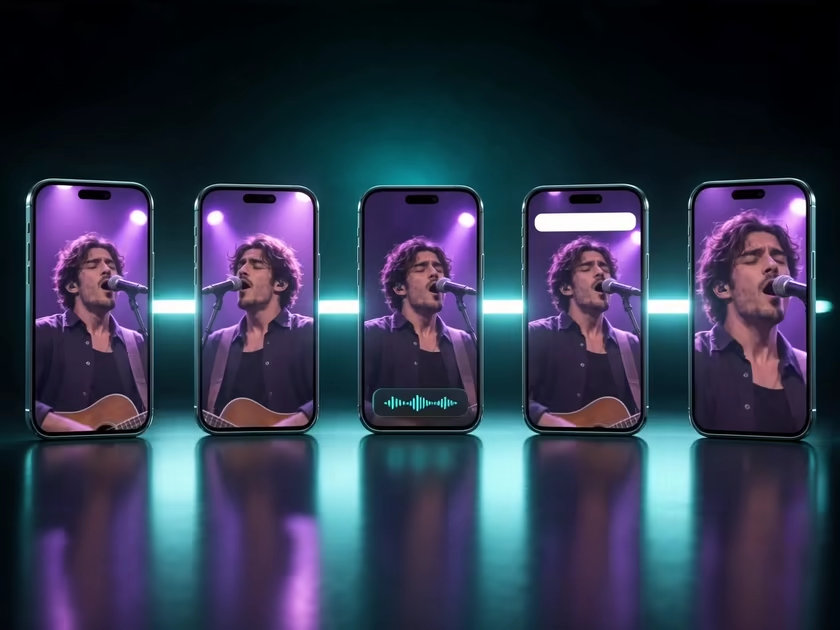
Some context first. The app sits in the Photo & Video category, and its main feature is simple: take a picture, get a quality graphic design. It targets artists, actors and musicians, but the format works for almost any app with a visual result.
The founder keeps the app name and the real videos private to avoid copycats, but rebuilt the exact video 1:1 as a 3D animation with Claude in Blender, so nothing is missing.
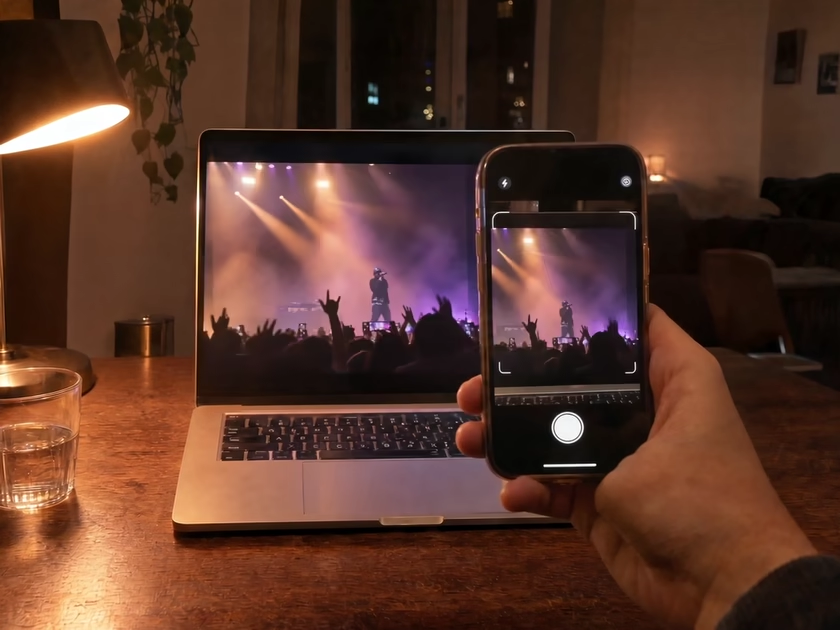
The double-phone setup: one phone films, the other captures the artist on the laptop and runs the photo through the app.
The format, beat by beat:
Laptop: a YouTube video from your niche with a famous American artist, something your audience already watches and cares about. In this case, a popular rapper and his song.
Phone 1: films a POV of the laptop, with phone 2 in the other hand.
Phone 2: takes a picture of the artist live and runs it through the app.
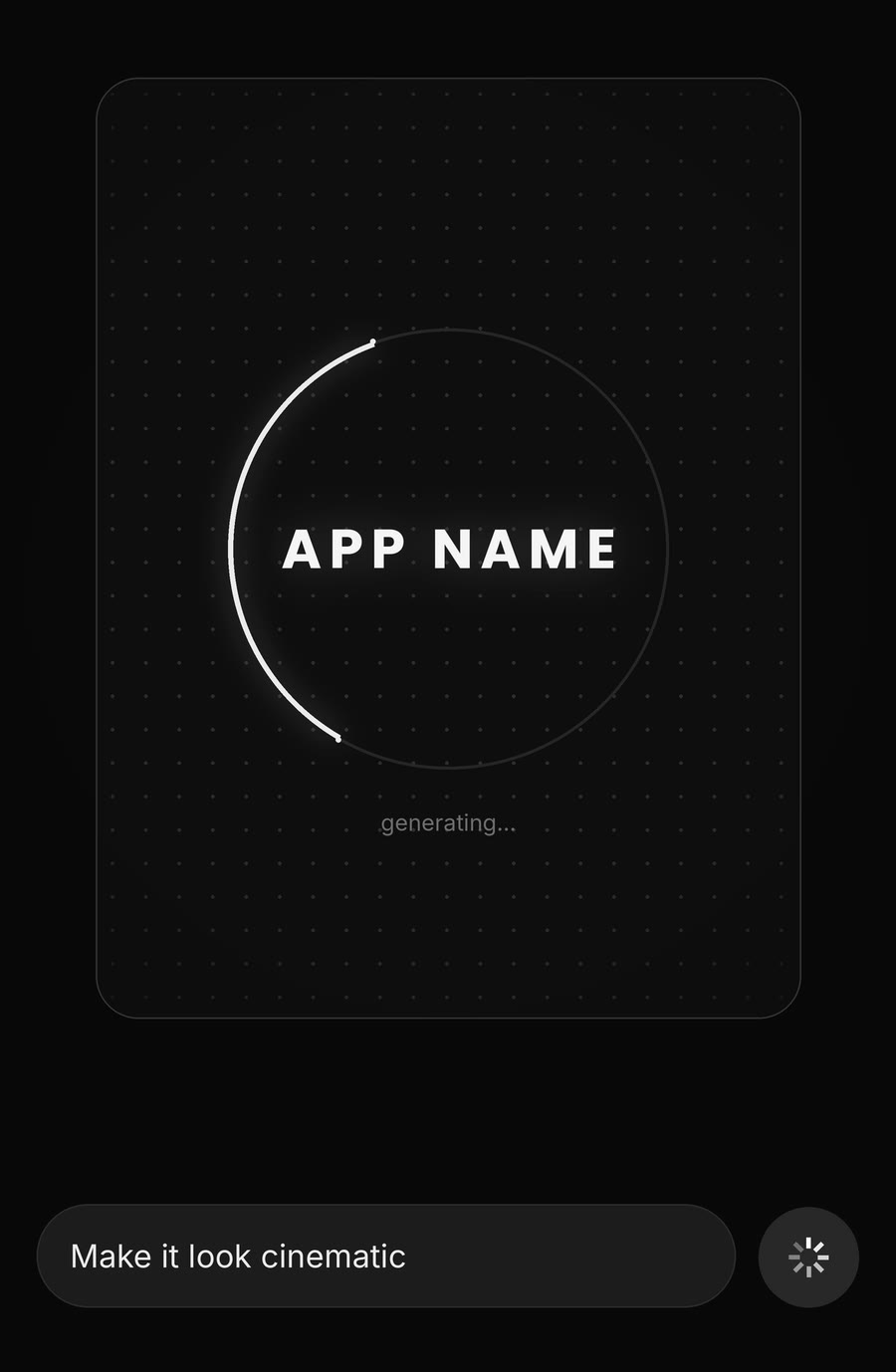
The prompt: a screen recording of the prompt “make this into a graphic design”.
The generation: the loading state, with the app name on screen.
The result: the final design, shown in an edit.
The ending: no CTA, just the text “who is next”. It’s comment bait that drives engagement and hands you free ideas for the next video.
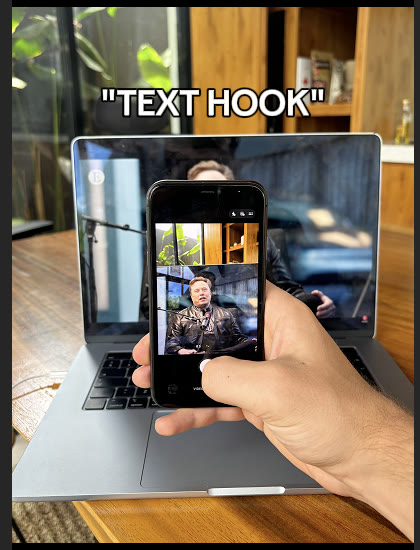
The founder’s 3D recreation of the format. The original uses a real hand, shows the app name and has a sharper edit.
For app founders: it’s the classic AI “prompt + image” POV video, shot like a dropshipping product demo, but moved into a completely different niche.
Why this format always performs
Celebrity + your app = an insane hook rate and a high US %.
The app shows up in the first 3-5 seconds, which is a must for downloads.
Infinite content ideas, because artists (musicians in this case) keep putting out new content.
How to use it for your app
Say you run a looksmaxing app. You can’t film a famous tech CEO in real time, because you’re probably not his friend. So you pull up a 4K YouTube interview of him on your laptop, take a picture of the screen with phone 2 and run the whole format again: the photo, the prompt, the loading state of his face being rebuilt with a 3D model, then the end result where you adjust it by hand. End with “who should I do next”.
The double-phone method is one of the most underrated faceless formats out there. One phone films, the other shows the app working live. Anyone can replicate it, it’s easy to make, and you can even run it as an ad. POV videos convert because the app is on screen within the first few seconds.
One practical note: you’re showing someone else’s footage and face, so keep the clips short and never imply that the celebrity uses or endorses your app.
Step 4: How 3.7M views turned into 3x MRR
3.7M views isn’t a crazy number. Plenty of pages get way more and make nothing. The difference is one rule: the app is the content. If you removed the app from the video, there would be no video.
Here’s the view-to-download checklist:
The app on screen in the first 3-5 seconds. Hook first, then show the app straight away. Here, the laptop is shown and right after the hook the app comes up on the second phone.
A result your niche actually wants. Viewers see a mega star run through the app, which builds hidden trust and authority.
A reason to try it themselves. The viewer should think “I want that for mine as well”. Artists watching want the same design for their own music.
The video is the CTA. If the app is the content, you don’t need to beg for downloads. The ending is just “who is next”.
A high US share. The higher the US %, the higher the view-to-download ratio. A famous American artist keeps it high.
Your branding on the main feature. Put your app name or logo on the feature screen. This one spikes searches and downloads, because people find the app without asking in the comments.
Brand the loading screen. The app name sits on screen during the generation, so viewers know exactly what to search.
The paywall that turned downloads into MRR
Views mean nothing if your paywall sucks. The founder runs paywalls on Superwall, so pricing can be tested without pushing app updates. The current setup splits users 50/50 between two paywalls and adds credits on top:
Paywall
Options
Built for
Split #1 (50% of users)
3-day free trial, then $39.99/year, or start weekly at $9.99/week
Cash on hand
Split #2 (50% of users)
$0.99 trial, then $9.99/week, or start yearly at $79.99/year
MRR
In-app purchases
5 credits for $7.99, 10 for $14.99, 20 for $24.99
Cash on hand
The founder could push MRR higher by running weekly pricing for 100% of users, but this balance keeps cash on hand and MRR growing at the same time.
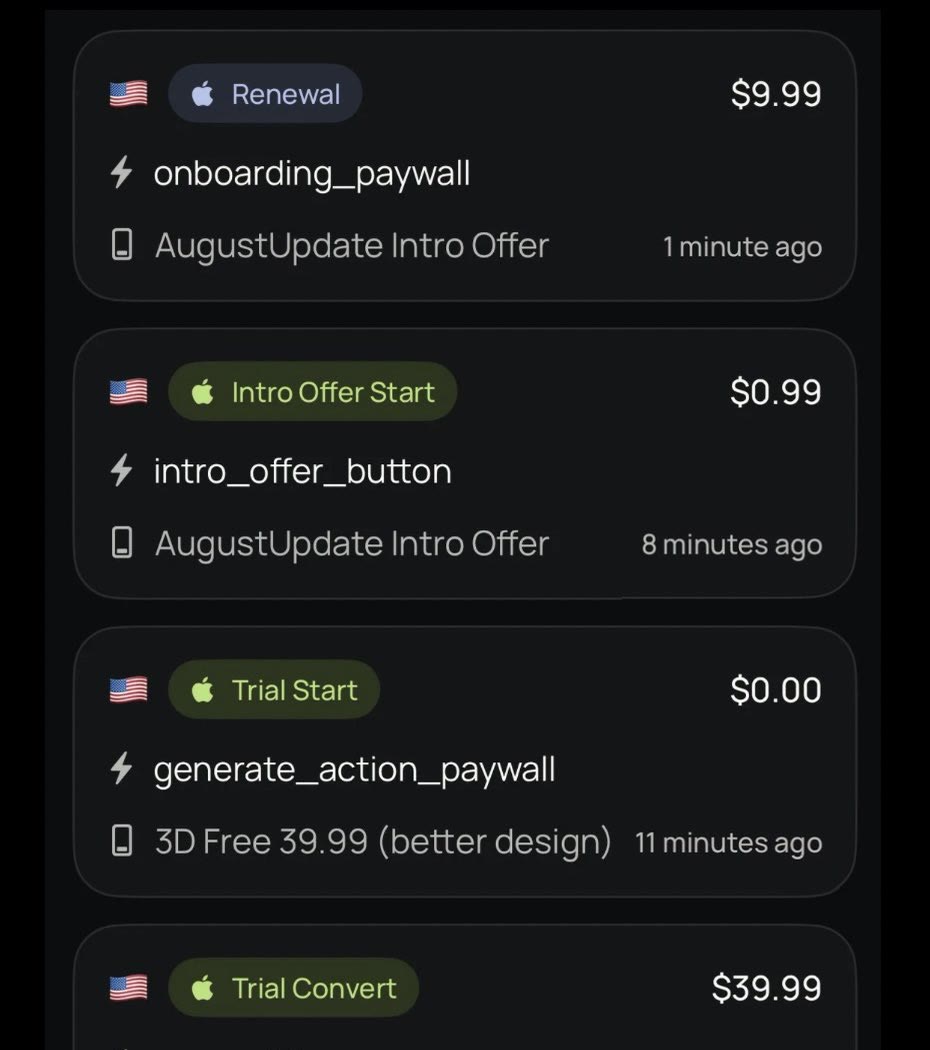
A slice of the live purchase feed: renewals, $0.99 intro offers, trial conversions and credit purchases.
Step 5: Mass posting trial reels with Postiz
This is a volume game. The more you post, the more winners you find to double down on. But uploading every single video by hand is a pain, so the workflow looks like this:
Batch create. Film and edit a full batch in one or two sessions, enough for 2-4 weeks.
Upload everything to Postiz and schedule it.Postiz posts through Instagram’s official API, so it’s not some sketchy bot. Nothing logs into your account with your password or taps through the app for you, which keeps the account safe.
Spread posts across US hours. Every post goes out when the US is awake, not when you are.
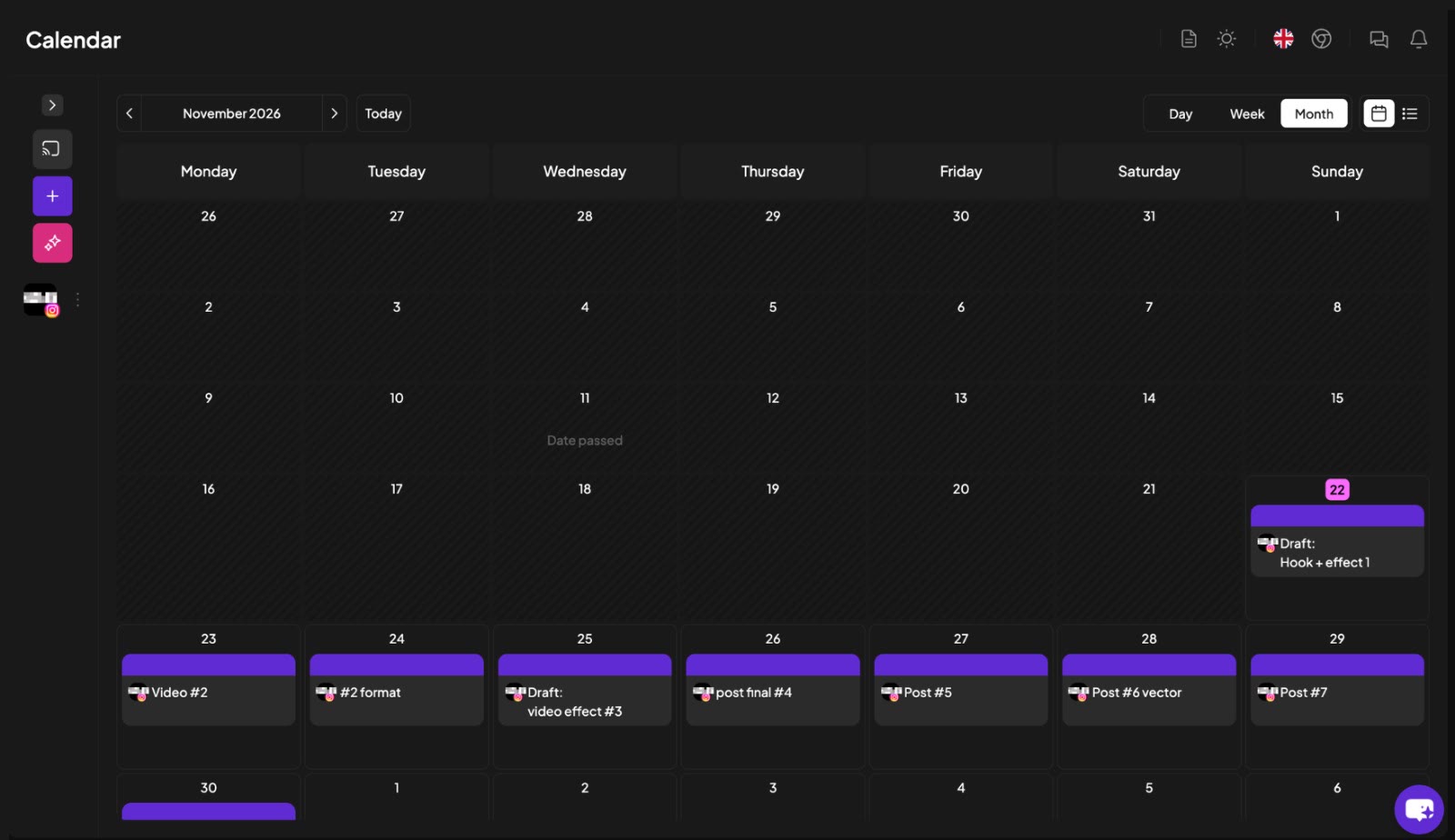
The founder’s Postiz calendar: a reel every day, plus drafts for the next round of tests.
The best part, according to the founder: he rarely has to open Instagram and check anything. Schedule, and let them rip.
Post trial reels straight from Postiz
Postiz supports Instagram trial reels natively. When you create an Instagram post, turn on Trial Reel (share only to non-followers first) and pick a graduation strategy:
Manual: the reel stays a trial until you share it with everyone yourself.
Auto (based on performance): Instagram shares it with your followers if it performs well.
Manual fits this playbook best, because you decide which winners reach your feed (50K+ views). A trial reel has to be a single video, and if Instagram’s own trial reel publishing limit is reached, Postiz tells you, so you can wait or post it as a regular reel.
Let an AI agent run the calendar
This is where the volume game gets easy. Connect Postiz to your AI agent and it can schedule a whole batch of trial reels for you. Use the Postiz connector for Claude, or add the Postiz MCP server to Claude Code:
claude mcp add --transport http postiz https://mcp.postiz.com/mcp-oauth-dynamic
Then hand the agent a brief like this:
I uploaded 14 videos for my app's Instagram account.
Schedule them in Postiz as Instagram trial reels with manual graduation.

Rules:
- 2 posts per day for the next 7 days
- Only between 6pm and 10pm New York time, at least 2 hours apart
- Never put two versions of the same video on the same day
- Captions: max 2 lines, mention the US artist in the video
  and one US city or state
- Save everything as drafts first so I can review the calendar
Your agent fills the calendar in US evening hours. Postiz publishes on time, even when your laptop is closed.
Every second day, check which trial reels crossed 100K views in Instagram, then ask the agent to schedule five versions of each winner. That loop is the whole system.
Step 6: How to outsource the format
Once a format works, you can’t film everything yourself forever. That’s when you hand it off.
Make a CapCut template
Formats like this are hard to copy from scratch. Build the edit once as a CapCut template and share it. Your creators drag and drop their footage in, and every video stays on brand.
Find the right person
Don’t hire a random editor. You want someone who:
is based in the US and has a US Instagram account to post from
is actually into your niche and gets your product
knows basic CapCut
Where to find them:
X. UGC creators and editors live there, so post exactly what you need. The founder’s post asked for 3 US creators into rap and music culture, with a laptop, an iPhone and basic CapCut skills.
Instagram. Once your reels pop off, check who views your stories and who engages. Your next creator is probably already watching, so DM them.
Claude. Ask your AI agent to find creators in your niche and build the lead list for you.
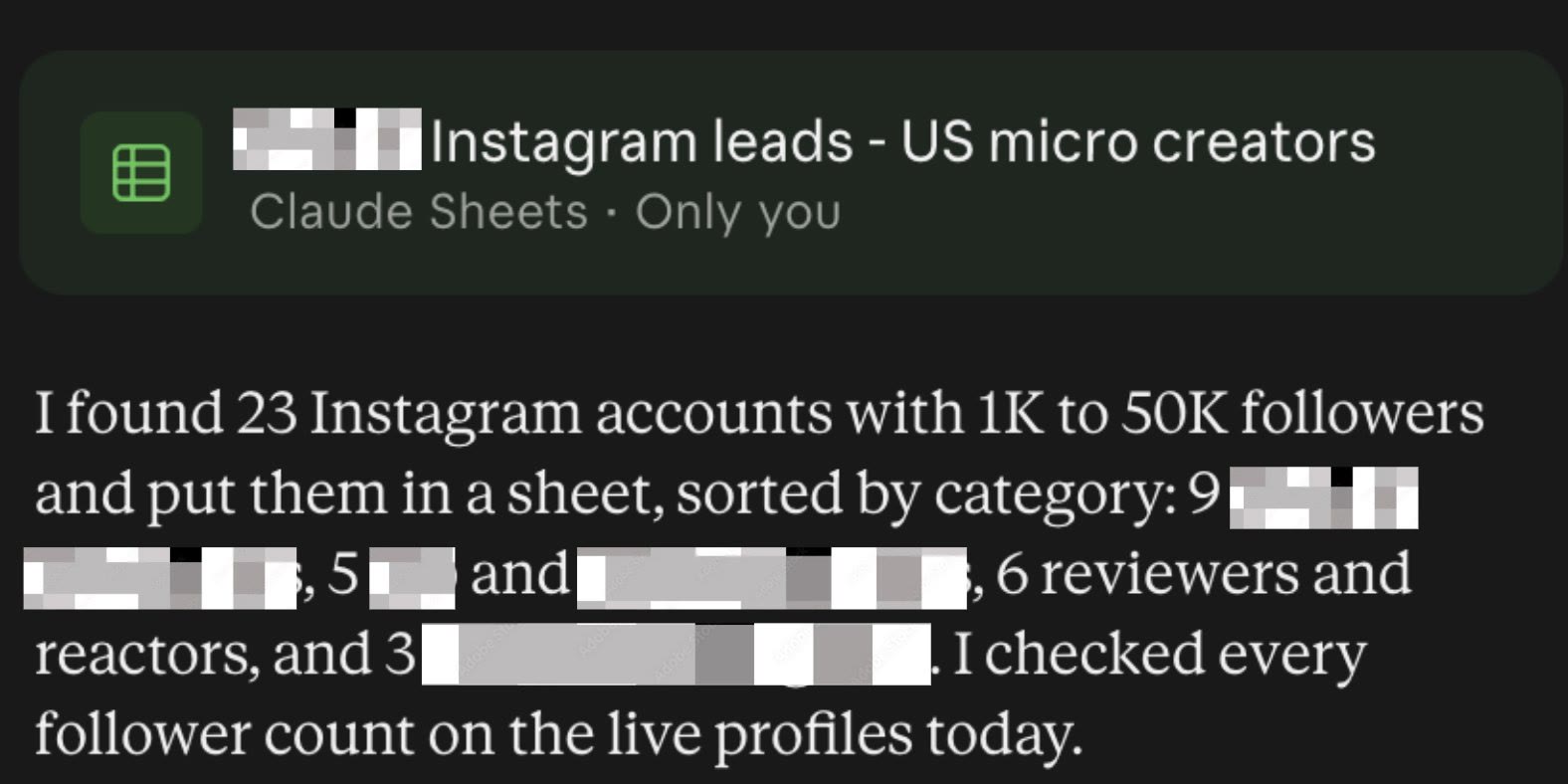
Claude built a sheet of 23 US micro creators with 1K-50K followers, sorted by category, and checked every follower count on the live profiles.Outreach can be this short.
Start with a monthly retainer of about $600-$1,000 for the first month
Add view bonuses on top: $50 past 100K, $150 past 300K and $300 past 500K
Raise the retainer and bonuses as the results keep coming
Minimum risk on your end, and their pay grows with the results, so they actually care.
Turn your best creator into a partner
If someone crushes it for a few months, promote them. They know exactly what a good creator looks like, so let them find new ones, teach them and manage them. Pay them double: they stop editing, and you stop doing any of it yourself.
Or just do it yourself
All of this is 100% possible on your own, and honestly it’s one of the best ways to market an app, because you can test formats fast.
The playbook in 7 lines
Set the account up for the US, so views come from people who actually pay
Unlock trial reels and post as much as you can
When something goes viral, double down with the versions method
Optimize for downloads, not views
A/B test your pricing
Schedule everything with Postiz, and let your agent manage the calendar
Hand the format off once it’s proven
Instagram app marketing FAQ
How do I target a US audience on Instagram?
Set the account up as a US user (US language, region and time zone), warm it up for 1-2 days, train the feed on US content in your niche, post in US hours, and put US signals in every video: US celebrities, cities, states and slang. After every post, check Insights → Audience → Top countries and repeat whatever spiked the US share.
How many followers do you need for trial reels?
The founder unlocked trial reels at 200 followers on a professional (Creator or Business) account. Personal accounts need 1,000. Instagram has changed these thresholds before, and the account must be public and eligible for recommendations.
How many trial reels should you post per day?
The founder posts up to 10 trial reels a day per account. Instagram also has its own trial reel publishing limit, so spread posts across the day and keep regular reels as a fallback.
Do trial reels hurt your main account?
No. Trial reels go to non-followers and don’t appear on your profile unless you share them, so your followers never see the tests. Only move winners with 50K+ views to the main feed.
Can you schedule Instagram trial reels?
Yes. Postiz publishes a video as a trial reel with manual or performance-based graduation, and an AI agent connected to Postiz can schedule a whole batch for you in US hours.
What is a good view-to-download rate for Instagram app marketing?
This account got about 30,000 attributed downloads from 3.7M views, roughly 8 downloads per 1,000 views. The biggest levers are the app on screen in the first 3-5 seconds, a high US share and the app name on the feature screen.
Start your first batch this week
Set up the US phone and warm up the account
Get to 200 followers organically
Film a batch of the double-phone format
Schedule it as trial reels in US hours with Postiz
Views are the easy part. Turning them into MRR takes volume, and volume takes a system.
Try Postiz for free, connect your Instagram account, plug in your AI agent with the Postiz connector and let it schedule your first week of trial reels while you film the next batch.
Credit: this playbook was originally shared on X by Eglitis (@eglitisX), a founder who runs mobile apps.
Learn how financial advisors can use social media to build trust, stay compliant, attract younger investors, and turn online engagement into real clients.