VK Post Scheduler to Schedule VK Posts and Group Updates
Schedule VK posts in bulk, queue updates for your VK groups and community pages, and manage every comment from one dashboard. Postiz's VK post scheduler pairs AI content generation with real analytics, so vk.com publishes at the right time — every time, without babysitting.
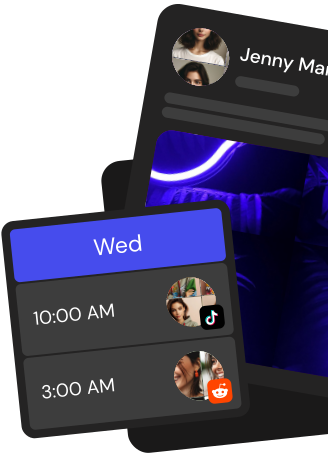
Queue posts to personal VK profiles, public pages, and groups. Pick the exact send time and Postiz pushes to vk.com while you keep building.
AI Captions in Native Tone
Generate VK-ready copy in seconds. The AI writes hooks, long-form descriptions, and hashtag sets that match how Russian-speaking audiences actually engage.
Cross-Post to 28+ Channels
Ship the same idea to VK, Telegram, Instagram, Facebook, X, YouTube, TikTok, and 22 more from one composer, with per-platform edits when needed.
Team Approvals and Roles
Route VK posts through editors, brand reviewers, and clients. Everyone comments in-app and nothing ships to VK until it is approved.
Everything a VK Post Scheduler Should Do
Postiz turns VK into a calm, predictable publishing channel — bulk uploads, group targeting, comment inbox, analytics, and an honest free plan.
Schedule VK Posts in Bulk
Upload a CSV or paste a batch of posts, pick a cadence, and Postiz drips them to VK on the schedule you set — no manual posting, no missed windows.
Post to Groups and Pages
Target specific VK groups and community pages from a single calendar so the right content lands in the right audience every time.
Photos, Videos, and Albums
Schedule image carousels, native video uploads, and album updates with previews of exactly how each post will render on vk.com.
VK Analytics That Make Sense
Track reach, likes, comments, shares, and follower growth across profiles and groups so you can double down on what works on VK.
Unified Comment Inbox
Reply to every VK comment and message alongside your other networks, so community management stops eating half your day.
Take the hassle out of Vk
Draft up to 100 posts in advance and schedule them to go live at the optimal time, leaving you more time to do the things you love (like scrolling through Vk)
Connect your VK account once via OAuth, then compose a post in Postiz, pick a date and time, and attach photos or MP4 videos. Postiz handles the media upload to VK and publishes the post to your wall on schedule from the cloud.
Can Postiz post to VK communities and groups?
Yes. Postiz uses the VK wall.post API with the wall, photos, video, and docs scopes, so you can schedule to your personal profile and any community wall you manage, including public pages and groups.
What media types can I schedule to VK through Postiz?
You can attach photos and MP4 videos. Postiz uploads photos through photos.getWallUploadServer and videos through video.save, then attaches them to the scheduled wall post automatically, up to 2,048 characters of text per post.
Can I cross-post from VK to Telegram, Instagram, and X?
Yes. One Postiz composer publishes the same caption and media to VK plus 30+ channels, including Telegram, Instagram, Facebook, X, YouTube, and TikTok. Each channel can have its own caption variant and preview before the post goes out.
Can I generate VK images and videos with AI inside Postiz?
Yes. The built-in AI agent can write captions, and the image generator plus Veo3 video and Image-Text-Slides modes create media you can attach directly to a VK wall post. You can also build entire posts through the Postiz chat assistant.
Can I reuse evergreen VK content on a recurring schedule?
Yes. Use recurring slots with intervals from 1 day to 1 month, or enable auto-repost to recycle your best-performing VK wall posts. Upload assets to the media library once and reuse them across future schedules.
Does Postiz have a public API, webhooks, and MCP for VK?
Yes. The public REST API lets you schedule VK posts programmatically through POST /public/v1/posts, webhooks (GET, POST, PUT, DELETE) fire on events and work with Zapier or Make, and the Postiz MCP server lets AI assistants like Claude and Cursor schedule VK posts over OAuth.
Can my team collaborate on VK posts in Postiz?
Yes. Multi-workspace support with USER and ADMIN roles lets teammates share a calendar, leave internal comments on VK drafts for feedback, and track per-platform analytics such as reach, engagement, and views from one place.
How do I get started with Postiz for VK?
Sign up on the Postiz cloud, start a 7-day free trial, connect your VK account, and schedule your first wall post from the drag-and-drop calendar. Paid plans include Standard, Pro, Team, and Ultimate tiers when the trial ends.