Discord Post Scheduler to Schedule Discord Messages and Announcements
Schedule Discord messages in bulk, queue channel announcements, and manage every post from one dashboard. Postiz's Discord scheduler pairs AI content generation with real analytics, so your Discord server publishes at the right time — every time, without babysitting.
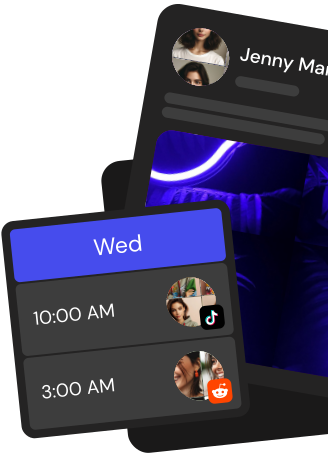
Queue weeks of Discord announcements across multiple channels and servers on a visual calendar. Reorder, duplicate, or reschedule without opening Discord.
AI content built for Discord
Generate Discord-native announcements, event messages, and community updates with the built-in AI writer. Keep every channel on-brand automatically.
Cross-post to 28+ channels
Publish the same announcement to Discord, X, LinkedIn, Telegram, YouTube and more in one click. One scheduler, 28+ channels, zero duplicated work.
Team approvals before publish
Route every Discord announcement through community managers, editors, and clients. Nothing hits the server until the right person signs off.
Everything you need in a Discord post scheduler
Plan, approve, and publish Discord announcements from one workspace. Postiz replaces ad-hoc bots, spreadsheets, and late-night posting with a real Discord marketing tool.
Visual Discord content calendar
See every Discord message, draft, and queued announcement on a month or week view. Drag to reschedule, click to edit, filter by server, channel, or teammate.
Bulk upload and CSV import
Load hundreds of Discord announcements at once from a CSV or spreadsheet. Postiz stages them as drafts so you can review before anything goes live.
AI-powered Discord announcements
Turn a patch note, event idea, or URL into a ready-to-publish Discord message. The AI adapts tone and length to fit each channel's audience.
Analytics that matter
Track reach, reactions, and click-throughs on every scheduled Discord post. See which announcements and send times actually drive community action.
7-day free trial
Start a 7-day free trial, connect your Discord server, and schedule your first announcements in minutes. Pick the plan that fits once your community is set up.
Take the hassle out of Discord
Draft up to 100 posts in advance and schedule them to go live at the optimal time, leaving you more time to do the things you love (like scrolling through Discord)
Yes. Connect your server to Postiz cloud, open the drag-and-drop calendar, pick a text, announcement, or forum channel, write or AI-generate your message, and set the send time. Postiz delivers the scheduled Discord message to that channel automatically, with nothing to install or maintain on your side.
How do I install the Postiz bot on my Discord server?
When you click Add Channel and choose Discord, Postiz sends you through Discord OAuth with the Manage Server scope. Authorize the bot into any server where you have admin rights, and it is immediately available in your calendar. One install covers every text, announcement, and forum channel in that server.
Which Discord channel types does Postiz support?
Postiz reads the channel list from the Discord API and exposes standard text channels, announcement channels, and forum channels. Voice, stage, and category containers are filtered out because Discord does not accept message posts to them. Pick any supported channel per post, and change it for each scheduled message.
Does Postiz support images, embeds, mentions, and Markdown on Discord?
Yes. Attach images and videos from the media library, format text with Markdown in the composer, and tag users or roles with the mention picker that queries your server's roles and members live. Messages go out as native Discord posts with full media rendering and working @mentions, plus @here and @everyone.
Can Postiz post Discord replies as threads?
Yes. Add follow-up messages to any scheduled Discord post and Postiz automatically opens a thread from the original message for the first reply, then appends every subsequent reply into that same thread. It is the simplest way to queue a multi-part announcement or a thread-based daily update.
How do I schedule Discord messages across multiple servers from one calendar?
Connect every server once in Postiz cloud and schedule Discord messages to any supported channel across any server from a single drag-and-drop calendar. Drag posts to reschedule, duplicate announcements across servers, or set recurring posting slots that run from one day up to one month.
Can I automate Discord posting through a public API or MCP?
Yes. Postiz ships a public REST API that lets you create and schedule Discord posts programmatically, plus webhooks for create, update, and delete events you can wire into Zapier, Make, or custom backends. There is also a Postiz MCP server, so Claude, Cursor, and other AI assistants can schedule Discord announcements directly through OAuth.
Can Postiz cross-post my Discord announcement to other networks?
Yes. Write the update once, and Postiz cross-posts it to 30+ channels including X, LinkedIn, Instagram, YouTube, Threads, Bluesky, and Telegram, with per-platform caption variants and previews. Reuse branded short links from the URL shortener and auto-repost evergreen Discord announcements on a recurring schedule.
Can I generate Discord images and videos inside Postiz?
Yes. The built-in AI chat generates captions or whole messages, the AI image tool creates artwork from a prompt, and the AI video tool produces short clips via Veo3 or Image-Text-Slides. Assets land in your media library and attach to a scheduled Discord post in one click.
How much does scheduling Discord messages with Postiz cost?
New workspaces start with a 7-day free trial of Postiz cloud, no commitment required. After the trial, pick Standard, Pro, Team, or Ultimate based on how many channels, workspaces, and AI features you need. All tiers keep the full Discord integration, drag-and-drop calendar, and public API.