YouTube Scheduler to Schedule YouTube Videos and Shorts
Schedule YouTube videos, queue Shorts, and cross-post your content to 28+ channels from one dashboard. Postiz's YouTube scheduler pairs AI content generation with real analytics and team approvals, so every upload hits the right time without babysitting.
Upload long-form videos and Shorts, set titles, descriptions, tags, and thumbnails, then queue them on a visual calendar. Postiz's YouTube scheduler publishes every upload natively at the exact minute you choose.
AI Titles, Descriptions, and Tags
Generate optimized YouTube titles, descriptions, and tag sets with AI built into the composer. Turn one idea into ten variations and pick the hook most likely to earn the click.
Cross-Post Shorts to 28+ Channels
Repurpose every YouTube Short to TikTok, Instagram Reels, Facebook, X, LinkedIn, and more in a single click. One upload, native captions per network, maximum reach.
Team Approvals and Analytics
Route every YouTube video through editor and client approvals, then measure views, watch time, and subscriber growth inside Postiz's analytics dashboard.
A YouTube Scheduler Built for Creators and Teams
Plan, create, approve, publish, and measure your YouTube videos and Shorts without juggling browser tabs. Postiz handles the full workflow for solo creators, agencies, and brand channels.
Visual YouTube Content Calendar
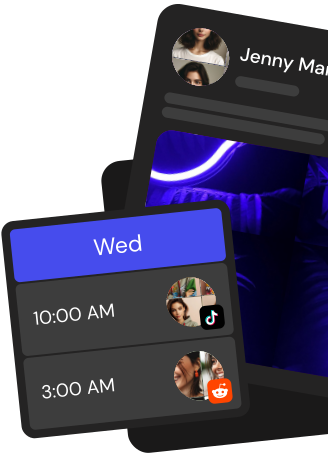
See every scheduled YouTube video, Short, and draft on a drag-and-drop calendar. Rearrange uploads in seconds and spot publishing gaps before they cost you views.
AI Content Generation
Draft YouTube titles, descriptions, chapter markers, and Shorts captions with AI in the composer. Iterate fast, keep your voice, ship more videos per week.
Cross-Posting to 28+ Channels
Send Shorts to TikTok, Reels, X, LinkedIn, Threads, and 23 more channels. Postiz adapts captions per network so every repost feels native.
Team Approvals and Roles
Invite editors, producers, and clients, assign roles, and route every YouTube video through approval before it goes live. No surprise uploads, ever.
YouTube Analytics and Reporting
Track views, watch time, subscriber change, and engagement alongside every other channel. Export white-label reports for clients in a couple of clicks.
Take the hassle out of Youtube
Draft up to 100 posts in advance and schedule them to go live at the optimal time, leaving you more time to do the things you love (like scrolling through Youtube)
Connect your YouTube channel via Google OAuth, upload a video to the Postiz composer, set the title, description, tags, thumbnail, privacy status, and made-for-kids flag, then pick a date and time. Postiz publishes the video natively through the YouTube Data API at the exact moment you scheduled.
Can you schedule YouTube Shorts with Postiz?
Yes. Upload any vertical video under 60 seconds to the Postiz composer, add your caption and metadata, and queue it on the calendar. YouTube automatically classifies qualifying vertical uploads as Shorts, and Postiz publishes them natively at the time you set.
Can I schedule multiple YouTube videos from the calendar?
Yes. Open the Postiz drag-and-drop calendar in week or month view, drop videos or Shorts into the slots you want, then fill in the YouTube title, description, tags, and thumbnail for each one. Postiz queues the batch and publishes every video through the YouTube API on its scheduled date.
Does Postiz schedule YouTube community posts?
Postiz focuses on native YouTube video and Shorts uploads, which the YouTube Data API supports for scheduling. YouTube community posts are not currently offered through the public API for third-party scheduling, so Postiz does not publish them automatically.
Can I cross-post a YouTube Short to TikTok and Instagram Reels?
Yes. Upload the Short once in Postiz, select YouTube, TikTok, Instagram Reels, Facebook Reels, and any other connected channels, then tailor the caption per platform. Postiz publishes a native version to each network from one scheduled post.
Does Postiz track YouTube analytics after scheduling?
Yes. Once you connect a channel, Postiz pulls YouTube Analytics data including views, estimated minutes watched, average view duration, average view percentage, subscribers gained and lost, and likes. Each scheduled video also reports views, likes, and comments so you can measure performance without leaving the dashboard.
Can I schedule YouTube videos through a public API?
Yes. Postiz exposes a public REST API so you can create and schedule YouTube uploads programmatically from your own app, CI pipeline, or workflow tool. Send the video, title, description, tags, thumbnail, privacy status, and scheduled time to the Postiz endpoint and the platform handles the YouTube Data API call for you.
Can an AI assistant schedule my YouTube videos?
Yes. Postiz runs an MCP server so AI assistants such as Claude and Cursor can connect with OAuth and schedule YouTube posts, draft titles and descriptions, and fill in metadata on your behalf. You can also use the built-in AI chat to generate captions and full post copy directly inside the composer.
Can I generate YouTube thumbnails and video clips with AI?
Yes. Postiz includes AI image generation for YouTube thumbnails and AI video generation with Veo3 and image-text-slides modes, so you can create thumbnail art and short video clips inside the composer and attach them to a scheduled upload in one flow.
Can I auto-repost my best YouTube videos?
Yes. Turn on auto-repost for any evergreen YouTube upload and Postiz will re-queue it on the schedule you choose. Combine it with recurring slots (intervals from one day to one month) to keep your channel active without rebuilding the calendar every week.
Can my team collaborate on YouTube posts before they go live?
Yes. Postiz supports multi-workspace organisations with USER and ADMIN roles, so teammates can share a YouTube channel, leave internal comments on draft uploads, and refine the title, description, and thumbnail together before the scheduled publish time.
How do I get started scheduling YouTube videos with Postiz?
Sign up for the Postiz free trial, connect your YouTube channel with Google OAuth, upload your first video, fill in the title, description, tags, thumbnail, privacy status, and made-for-kids flag, pick a time on the drag-and-drop calendar, and Postiz handles the rest through the YouTube Data API.