Telegram Post Scheduler to Schedule Telegram Channel Posts and Messages
Schedule Telegram posts in bulk, queue channel broadcasts, and manage every message from one dashboard. Postiz's Telegram scheduler pairs AI content generation with real analytics, so your Telegram channel publishes at the right time — every time, without babysitting.
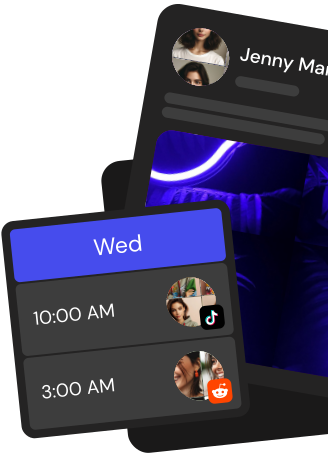
Drag, drop, and queue weeks of Telegram channel posts on a visual calendar. Reorder, duplicate, or reschedule broadcasts without opening the Telegram app.
AI captions built for Telegram
Generate Telegram-native captions, CTAs, and threads with the built-in AI writer. Keep your channel voice consistent across every message you send.
Cross-post to 28+ channels
Publish the same post to Telegram, X, LinkedIn, Instagram, YouTube and more in a single click. One scheduler, 28+ channels, zero copy-paste.
Team approvals before publish
Route every Telegram message through reviewers, editors, and clients. Nothing hits your channel until the right person signs off.
Everything you need in a Telegram post scheduler
Plan, approve, and publish Telegram channel content from one workspace. Postiz replaces spreadsheets, group chats, and half-built bots with a real Telegram marketing tool.
Visual Telegram content calendar
See every Telegram channel post, draft, and queued broadcast on a month or week view. Drag to reschedule, click to edit, filter by channel or team member.
Bulk upload and CSV import
Load hundreds of Telegram messages at once from a CSV or spreadsheet. Postiz stages them as drafts so you can review before anything goes live.
AI-powered Telegram captions
Turn a blog post, URL, or rough idea into a ready-to-publish Telegram message. The AI adapts tone and length to fit Telegram best practices.
Analytics that matter
Track views, click-throughs, and growth for every scheduled Telegram post. See which formats and send times actually move your channel.
7-day free trial
Start a 7-day free trial, connect your Telegram channel, and schedule your first posts in minutes. Pick the plan that fits once your team is set up.
Take the hassle out of Telegram
Draft up to 100 posts in advance and schedule them to go live at the optimal time, leaving you more time to do the things you love (like scrolling through Telegram)
How do I schedule Telegram channel posts with Postiz?
Create a Postiz Cloud account, open BotFather to grab a bot token, add the bot to your Telegram channel or group, then send the /connect command from Postiz to link the chat. Once linked, open the drag-and-drop calendar, pick a time slot, write your message, and click schedule. Postiz delivers the broadcast to your Telegram channel automatically at the chosen moment.
Can I schedule Telegram messages in bulk?
Yes. With Postiz Cloud you can queue many Telegram messages at once directly on the visual calendar by dragging posts into open time slots, or by defining recurring schedule slots from one day to one month. Text posts, photos, videos, and documents can all be lined up across multiple Telegram channels and delivered automatically at the right time.
Does the Telegram scheduler support media and HTML formatting?
Postiz lets you schedule Telegram posts with photos, videos, documents, and media groups of up to 10 files, plus a subset of Telegram HTML including bold (b and strong), italic (i), underline (u), links (a), and paragraphs (p). The composer respects Telegram's 4096-character limit for text and caption formatting on single-media posts.
How do I connect private Telegram channels and groups?
Add your Postiz bot to the private Telegram channel or group, make it an admin so it can delete its own setup messages, and then send the /connect command with the code Postiz shows you. Postiz captures both the chat username (for public channels) and the chat id (for private ones), so public and private Telegram destinations are supported from the same calendar.
Can AI write and illustrate my Telegram posts?
Yes. Postiz includes an AI chat agent that drafts captions or whole posts for your Telegram channel, an AI image generator for custom visuals, and an AI video generator with Veo3 and Image-Text-Slides modes. Generated assets save straight to the media library so you can reuse them across Telegram and the other 30+ connected channels.
Is there an API or MCP server to automate Telegram posting?
Yes. Postiz exposes a public REST API (POST /public/v1/posts) so you can schedule Telegram broadcasts programmatically, and it ships an MCP server so AI assistants like Claude or Cursor can schedule posts through OAuth. Webhooks (GET, POST, PUT, DELETE) let you plug Postiz into Zapier, Make, or your own backend.
Can I cross-post from Telegram to other networks?
Yes. One composer publishes the same message and media to Telegram and 30+ other channels at once, with per-platform captions, previews, and hashtag or mention autocomplete. A branded URL shortener shortens links inside your Telegram messages so you can track clicks consistently.
Does Postiz auto-repost evergreen Telegram content?
Yes. The auto-repost feature recycles evergreen Telegram posts on a rule-based schedule so top-performing broadcasts keep reaching new subscribers without manual copy-paste. Combined with recurring schedule slots, you can keep a Telegram channel active every day.
Can my team collaborate on Telegram content in Postiz?
Yes. Postiz Cloud supports multi-workspace setups with USER, ADMIN, and SUPERADMIN roles, and teammates can leave internal comments on post drafts to iterate on wording before a Telegram broadcast goes live. Per-platform analytics show views, reach, and engagement once the post is out.
How do I try the Telegram scheduler?
Sign up on Postiz Cloud and start with a 7-day free trial. Connect your Telegram channel through BotFather and /connect, then explore the calendar, AI tools, media library, analytics, and public API. Paid tiers (Standard, Pro, Team, and Ultimate) unlock higher limits when you are ready to scale.