Twitch Stream Scheduler to Schedule Twitch Streams and Announcements
Plan your Twitch streams, schedule announcement posts across 28+ channels, and keep your community in the loop from one dashboard. Postiz's Twitch stream scheduler pairs AI content generation with team approvals and analytics, so every go-live lands in front of the right audience.
Plan your Twitch schedule on a visual calendar, then queue announcement posts on X, Discord, YouTube, TikTok, and Instagram so your community knows exactly when you go live.
AI Stream Titles and Captions
Generate Twitch-ready titles, descriptions, and cross-channel captions with AI built into the composer. Turn one stream concept into a full announcement campaign in minutes.
Cross-Post to 28+ Channels
Promote every Twitch stream across X, Discord, Instagram, Threads, YouTube community posts, TikTok, and more in a single click. Postiz tailors each post to the network.
Team Approvals and Analytics
Give your manager, editor, or social team review rights on every Twitch announcement, then track reach, clicks, and engagement across each connected channel.
A Twitch Stream Scheduler That Handles the Full Workflow
From stream planning to cross-platform announcements to post-stream clip repurposing, Postiz gives streamers, esports teams, and agencies one dashboard to run it all.
Visual Twitch Content Calendar
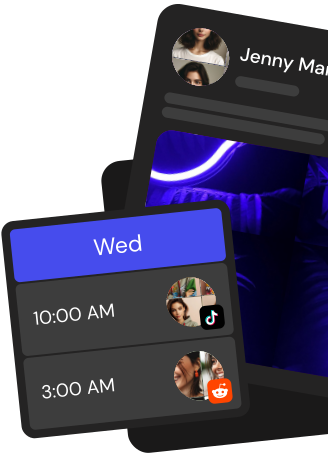
See every scheduled Twitch stream and announcement on a drag-and-drop calendar. Reshuffle going-live plans in seconds and keep your weekly cadence obvious to fans.
AI Content Generation
Draft Twitch stream titles, Discord go-live messages, and clip captions with AI. Iterate fast, ship announcements sooner, keep the hype cycle tight.
Cross-Posting to 28+ Channels
Push stream announcements and highlight clips to X, Discord, TikTok, YouTube Shorts, Reels, Threads, and more with one upload and native captions per network.
Team Approvals and Roles
Invite managers, co-streamers, and agency partners, assign roles, and route every Twitch announcement through approval before it hits your channels.
Analytics and Reporting
Track announcement reach, clicks, and engagement across each channel that promoted your Twitch stream. Export white-label reports for sponsors and clients.
Take the hassle out of Twitch
Draft up to 100 posts in advance and schedule them to go live at the optimal time, leaving you more time to do the things you love (like scrolling through Twitch)
How do I schedule Twitch chat announcements with Postiz?
Connect your Twitch channel to Postiz cloud, open the composer, write a message up to 500 characters, choose Announcement as the message type, pick an announcement color, and set a date and time. At the scheduled moment Postiz delivers the announcement to your Twitch chat through the Twitch Helix API using your moderator permissions.
What can the Postiz Twitch integration actually do?
The Postiz Twitch integration sends two things: regular chat messages and moderator chat announcements. Both are capped at 500 characters, the Twitch chat message limit. Postiz does not post entries on the Twitch stream schedule, create clips, or upload VODs, so use it specifically as a Twitch chat scheduler and announcement tool.
Can I cross-post a stream announcement to X, Discord, and other channels from Postiz?
Yes. In the same Postiz composer you can pick Twitch plus any of 30+ other channels, including X, Discord, YouTube, TikTok, Instagram, and LinkedIn. Each network gets its own caption variant, so a single 'going live' workflow pushes a chat announcement on Twitch and a richer post to your other audiences.
Can Postiz automate recurring Twitch chat messages across a stream?
Yes. Use recurring schedule slots from 1 day up to 1 month, or the auto-repost feature for evergreen content. Queue raid call-outs, sponsor shout-outs, Discord invites, and subscriber reminders, and Postiz fires them at the exact minutes you chose so your chat stays active without manual typing.
How does Postiz help me make Twitch thumbnails and promo assets?
Postiz includes built-in AI image generation from a text prompt and a media library to store reusable stream art, overlays, and promo graphics. Generate a thumbnail, save it in the library, then attach it to the X, YouTube, or Discord variant of your stream announcement, all from the same composer.
Can AI assistants schedule my Twitch announcements for me?
Yes. Postiz ships an MCP server so Claude, Cursor, and other MCP-capable assistants can schedule posts with OAuth. There is also a public REST API at /public/v1/posts, so streaming bots, Stream Deck macros, or your own scripts can queue Twitch chat messages and announcements programmatically.
Does Postiz support webhooks and a URL shortener for stream links?
Yes. Postiz supports GET, POST, PUT, and DELETE webhooks, compatible with Zapier and Make, so you can trigger a Twitch chat announcement from other tools. The built-in URL shortener with branded links keeps sponsor URLs, merch links, and Discord invites tidy and trackable inside the 500-character Twitch chat limit.
Is there a free trial, and can my whole streaming team use one account?
Yes. New Postiz cloud accounts start with a 7-day free trial across Standard, Pro, Team, and Ultimate plans. Multi-workspace support with USER and ADMIN roles lets editors, moderators, and managers share drafts and leave internal comments on scheduled Twitch messages before they go live.