Hashnode Scheduler to Schedule Hashnode Blog Posts on Your Custom Domain
Postiz is a Hashnode scheduler built for developers running personal and team blogs on custom domains. Queue Hashnode blog posts, draft long-form articles with AI, and repurpose each post into X threads, LinkedIn posts, and 28+ more channels — free plan, team approvals, and real analytics included.
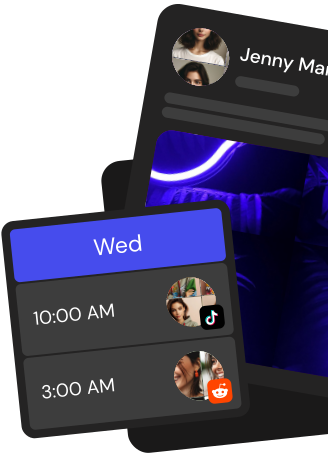
Line up Hashnode blog posts on a visual calendar, plan release week cadence, and keep your dev blog shipping on time.
Schedule Hashnode posts in bulk
Queue batches of Hashnode blog posts with tags, cover images, and series placement set once and reused everywhere.
AI drafts for technical blog posts
Draft outlines, tutorials, and changelogs with the Postiz AI writer, keep your dev voice, and schedule straight to Hashnode.
Team approvals for dev blogs
Invite co-authors and reviewers, require sign-off on every Hashnode blog post, and ship only what the team has approved.
Everything a Hashnode scheduler should handle
Plan, write, schedule, and repurpose Hashnode blog posts without switching tabs or missing a release day.
Personal and team Hashnode blogs
Connect personal blogs and Hashnode team blogs on custom domains, then schedule to any of them from the same workspace.
Repurpose blog posts to 28+ channels
Auto-generate X threads, LinkedIn posts, Bluesky drops, and Threads recaps from each Hashnode blog post you schedule.
AI writing that keeps your dev voice
Tune prompts to your brand and stack, then let the Postiz AI draft technical long-form that still sounds like you.
Editorial workflow and approvals
Run a proper review pipeline with writers, editors, and approvers so every Hashnode post hits with clean copy and accurate code.
Analytics across blog and social
See which Hashnode blog posts drive traffic, which repurposed threads convert, and plan the next release around what works.
Take the hassle out of Hashnode
Draft up to 100 posts in advance and schedule them to go live at the optimal time, leaving you more time to do the things you love (like scrolling through Hashnode)
How does Postiz connect to Hashnode to schedule posts?
Postiz connects to Hashnode through the official Hashnode GraphQL API at gql.hashnode.com using a personal access token. Generate an API key inside your Hashnode developer settings, paste it into Postiz in the cloud app, and Postiz authenticates on your behalf, pulls your publications, and runs the publishPost mutation when each scheduled Hashnode article is due.
Which Hashnode publications can I schedule from Postiz?
Once your Hashnode API key is connected, Postiz fetches up to 50 publications from your account so you can target your personal blog, a team blog, or a publication mapped to a custom domain. Pick the publication when you draft the post and Postiz will send the article to that blog at the scheduled time.
What is the maximum Hashnode post length and format in Postiz?
Hashnode posts in Postiz use markdown and support up to 10,000 characters per article. Write in the Postiz markdown editor, add a title, subtitle, cover image, tags, and an optional canonical URL, and Postiz forwards the content directly to Hashnode without converting it to HTML so your formatting stays intact.
Can I add tags and a cover image to a Hashnode post?
Yes. Postiz ships the full Hashnode tag catalog (JavaScript, React, Python, Web Development, General Programming, and many more) so you can pick tags per post. You can also attach a cover image from the Postiz media library or upload a new one, and Postiz passes it to Hashnode as the coverImageURL when publishing.
Can I cross-post a Hashnode article to other channels from Postiz?
Yes. Postiz supports 30+ channels in a single composer, so after writing a Hashnode article you can spin up tailored variants for X, LinkedIn, Bluesky, Threads, Mastodon, Dev.to, and more in the same flow. Each channel gets its own caption while the Hashnode post keeps its long-form markdown body.
Does Postiz offer AI drafting and AI cover images for Hashnode?
The Postiz AI agent can draft Hashnode article outlines, titles, and full bodies from a short prompt, and the built-in AI image generator can create a cover image for the post. Refine the result in the markdown editor, then schedule it to publish on your Hashnode blog.
Can I set a canonical URL when scheduling a Hashnode post?
Yes. When a Hashnode article is a republish of something already live on your own site, set the original article URL in the Postiz Hashnode settings and Postiz passes it to Hashnode as originalArticleURL so search engines attribute the content to the source.
Can I manage a Hashnode content calendar with a team?
Yes. Postiz gives each workspace a drag-and-drop calendar, recurring time slots, and multi-user access with admin and member roles. Teammates can share feedback on drafts via internal comments before a Hashnode article ships, and the calendar view keeps every publication and cross-post visible in one place.
Does Postiz have an API or MCP integration for Hashnode?
Yes. Postiz exposes a public REST API for programmatic scheduling and an MCP server so AI assistants like Claude or Cursor can schedule Hashnode posts for you through natural language. Webhooks are also available to notify Zapier, Make, or your own endpoints when a Hashnode post is published.
Is there a free way to try Postiz for Hashnode scheduling?
Postiz is cloud-based and starts with a free trial so you can connect your Hashnode API key, schedule articles to your publication, and try the drag-and-drop calendar, AI drafting, media library, and cross-posting before picking a paid tier.