WordPress Scheduler to Schedule WordPress Posts Across Every Site
Postiz is a WordPress scheduler built for writers and teams who run real editorial calendars. Queue WordPress posts across self-hosted and multisite installs, generate drafts with AI, and repurpose each article into X threads, LinkedIn posts, and 28+ more channels — all from one dashboard, with a free plan to get started.
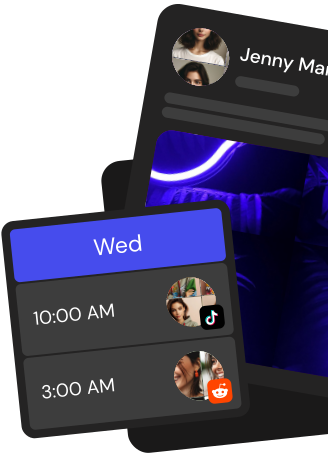
Drag posts across a visual calendar, line up evergreen drops, and keep every WordPress site on a consistent publishing cadence.
Schedule WordPress posts in bulk
Queue dozens of WordPress posts at once with categories, tags, featured images, and custom publish times baked in.
AI drafts built for long-form
Turn briefs into full WordPress articles with the Postiz AI assistant, then polish, schedule, and ship without leaving the editor.
Team approvals for editorial
Invite editors and clients, route every WordPress post through review, and lock the publish button until the draft is approved.
Everything a WordPress scheduler should actually do
From the first outline to the final repurposed thread, Postiz handles the WordPress workflow end to end.
Multisite and self-hosted support
Connect self-hosted WordPress and multisite networks with app passwords, then schedule posts to any site from the same calendar.
Cross-post to 28+ channels
Publish a WordPress article and automatically push summaries, threads, and clips to X, LinkedIn, Threads, Bluesky, and more.
AI writing that matches your voice
Generate outlines, intros, and full drafts with brand tone controls so your WordPress posts read like you wrote them.
Editorial workflow and approvals
Assign writers, editors, and approvers. Track every revision and keep SEO metadata, slugs, and featured images consistent.
Analytics across blog and social
See which WordPress posts drive traffic, which repurposed threads convert, and double down on the topics that actually work.
Take the hassle out of Wordpress
Draft up to 100 posts in advance and schedule them to go live at the optimal time, leaving you more time to do the things you love (like scrolling through Wordpress)
What is a WordPress scheduler and how does Postiz work?
A WordPress scheduler queues blog posts and publishes them at the right time. Postiz Cloud connects to any WordPress site (including self-hosted WordPress) over the WordPress REST API using an application password, then schedules posts with a title, HTML content, a slug, a featured image, and a publish status from one visual calendar.
How do I connect my WordPress site to Postiz?
In Postiz Cloud, add a new WordPress channel and enter three fields: your domain URL, your WordPress username, and an application password generated in your WordPress profile. Postiz verifies the credentials against /wp-json/wp/v2/users/me and, once authenticated, keeps the connection alive with no OAuth app registration required.
Can I publish to any custom post type, not just the default Blog?
Yes. Postiz reads the list of post types from /wp-json/wp/v2/types on your site and lets you pick the target post type when you compose a post. That means you can schedule standard blog posts, pages, or any public custom post type exposed by your theme or plugins.
Does Postiz support featured images, slugs, and HTML content for WordPress posts?
Yes. The composer accepts a title, an HTML body, and an optional featured image. Postiz uploads the featured image to /wp-json/wp/v2/media, auto-generates a clean slug from the title, and sends the post to WordPress with status publish at the scheduled time.
Can Postiz replace a WordPress editorial calendar plugin?
Yes. Postiz Cloud gives you a drag-and-drop week and month calendar for WordPress without installing another plugin. Move posts between dates, preview each post before it goes out, collaborate with teammates in your workspace, and manage the full publishing pipeline alongside your social channels from the same dashboard.
Can I repurpose one WordPress article into posts for X, LinkedIn, Instagram, and more?
Yes. The Postiz AI agent can take a WordPress article and generate a thread for X, a LinkedIn post, an Instagram caption, a Threads post, a Bluesky post, and adapted copy for 30+ other channels, each with per-platform previews. You can also add AI-generated images or videos and schedule everything from the same calendar.
Can I schedule WordPress posts via an API or from Claude, Cursor, or other AI assistants?
Yes. Postiz exposes a public REST API (POST /public/v1/posts) so you can schedule WordPress posts programmatically from your own scripts or automations. Postiz also ships an MCP server with OAuth, which lets Claude, Cursor, and other MCP-compatible assistants schedule Postiz posts, generate images or videos, and list connected WordPress sites directly.
Can agencies manage multiple WordPress sites from one Postiz account?
Yes. Postiz supports multiple workspaces and multiple WordPress connections per workspace, so agencies can schedule posts to every client site from a single calendar. Invite teammates with user or admin roles, reuse assets from the shared media library, and wire Postiz into Zapier, Make, or custom automations through webhooks.
Is Postiz free and how do I start publishing to WordPress?
Postiz Cloud starts with a 7-day free trial, then moves to a paid plan (Standard, Pro, Team, or Ultimate). During the trial you can connect WordPress, schedule blog posts, use the drag-and-drop calendar, generate AI images and videos, shorten links, set recurring posting slots, and auto-repost evergreen content.