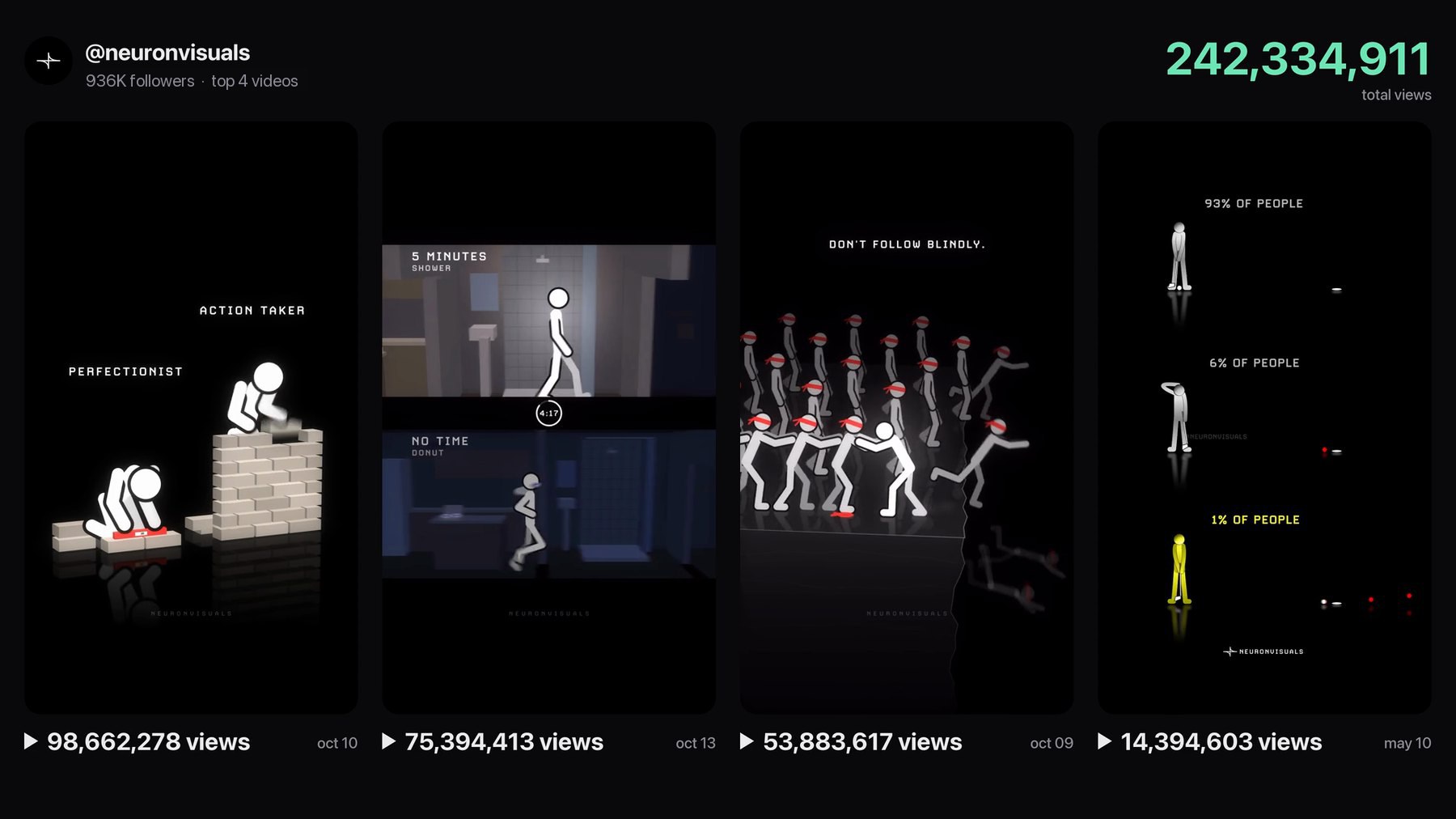
Three videos. One week. 228 million views. That was October on an Instagram page called neuronvisuals, and every one of those videos is a stick figure animation of about 10 seconds on a black background. There is no face, no voice and no camera.
A year ago, a clip like that needed a motion designer and cost anywhere from a few hundred to a couple of thousand dollars. Claude animation changes the math. Claude writes the animation as code, your laptop renders it in a few minutes, and the video costs nothing beyond the Claude subscription you already pay for.
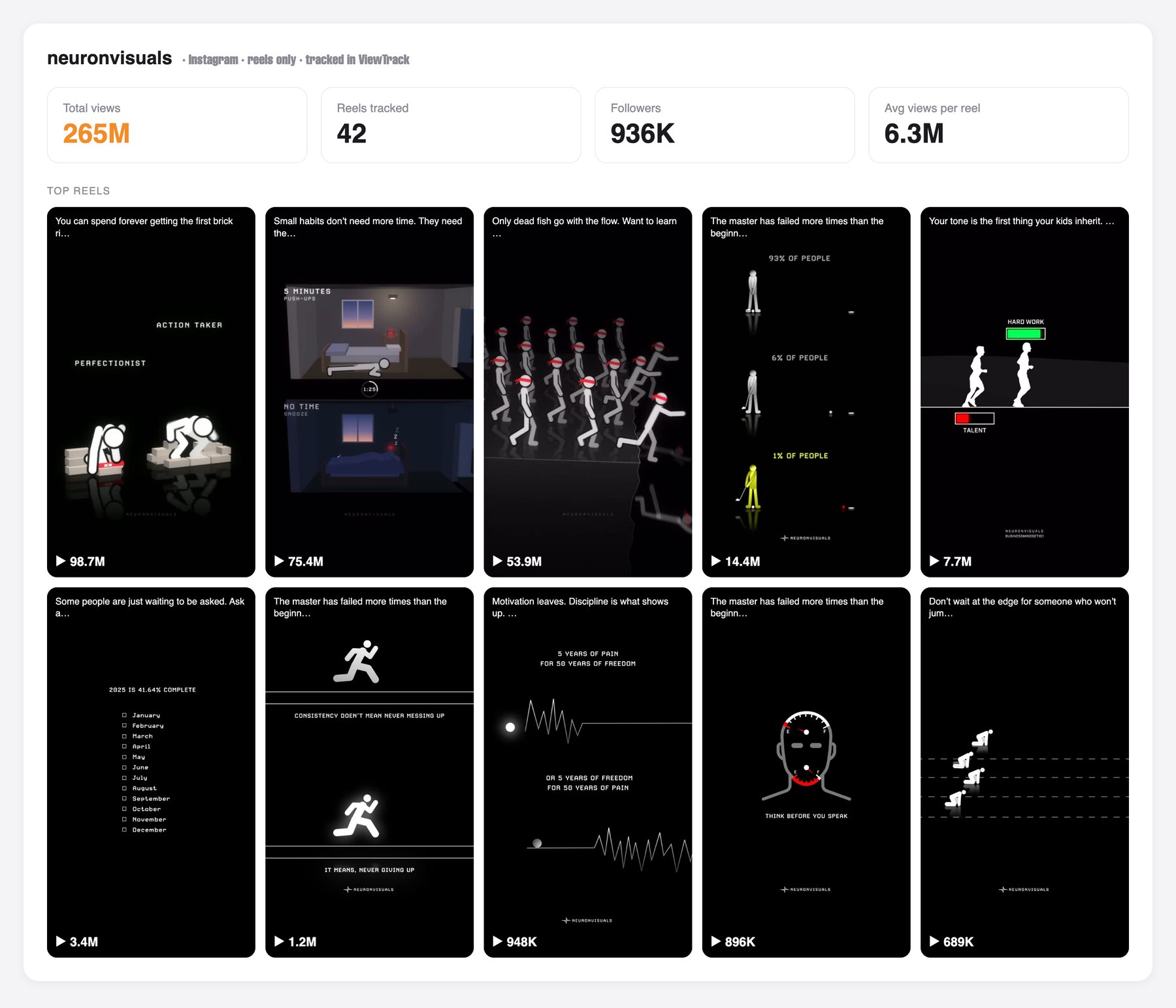
The four most viewed neuronvisuals videos. The top three, posted between October 9 and October 13, add up to 228 million views.
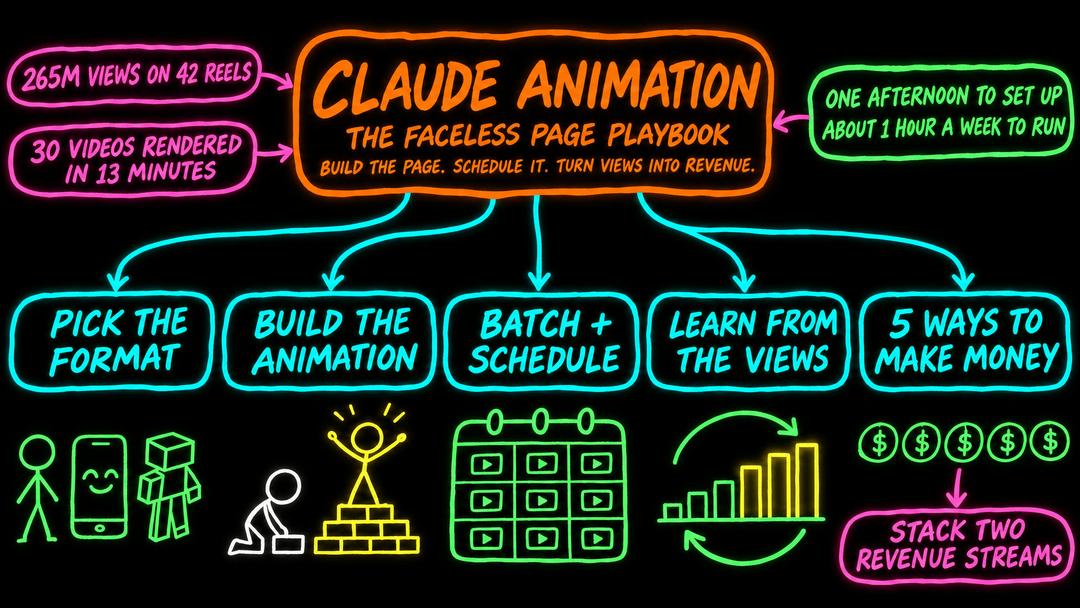
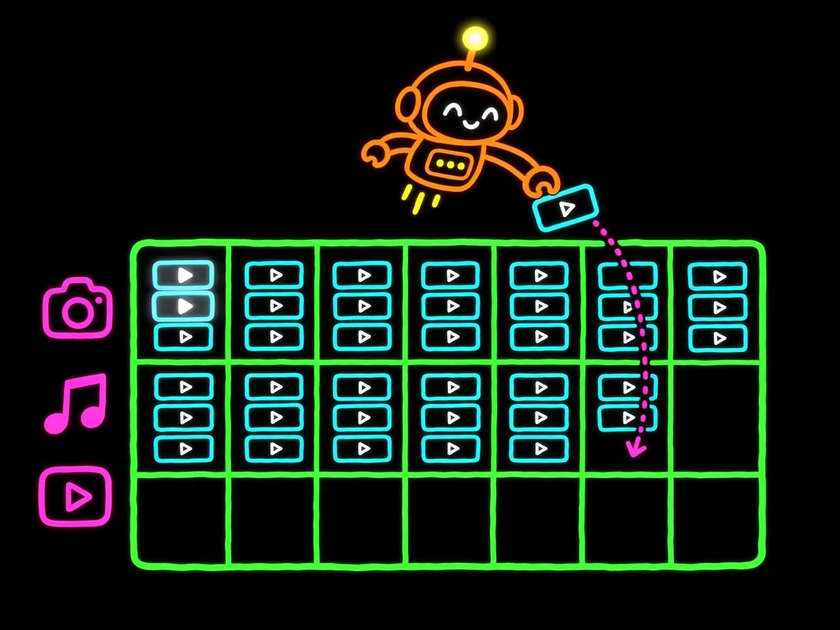
One creator spent a month studying pages like this, then rebuilt the format with Claude Fable 5.2 in a single afternoon. One prompt wrote 30 scenes. One command rendered 30 finished videos in 13 minutes. One sitting in Postiz scheduled 10 days of posts across Instagram, TikTok and YouTube Shorts.
This guide walks through that workflow step by step, with prompts you can adapt to your own niche and the five ways these pages turn views into money.
Key takeaways
The animation is code. Claude writes a Python script that draws every frame and exports an MP4. Once the style is right, a new video is one more entry in a JSON file.
Copy the structure, not the content. The winning format has five repeatable parts. Find them by studying an account’s top 10 videos before you write a prompt.
Batch everything. One prompt writes 30 scenes, and one command renders 30 videos in about 13 minutes.
Style is the hard part. Getting an animation out of Claude takes a minute. Getting your look, and keeping it identical in every video, took most of an afternoon.
A human approves, Postiz ships. Claude fills the Postiz calendar with drafts, three a day on three platforms. Nothing goes live until someone has looked at it.
Views are not revenue. The pages that pass $20K a month stack two income streams, such as a course plus client work.
What is Claude animation?
Claude animation means asking Claude, Anthropic’s AI model, to write code that draws and renders an animated video. A video model generates pixels. Claude writes a script instead, usually in Python, React or HTML, that draws each frame. A tool such as FFmpeg then turns those frames into an MP4 on your own computer.
That difference is what makes it work for a social media page:
It is repeatable. The same script produces the same figures, glow and timing every time. Video models drift from clip to clip, and a page needs every video to look like the same person made it.
It is cheap. Rendering runs on your laptop, so there is no fee per video.
It runs on data. The scenes live in a JSON file. A new video is a new row, not a new project.
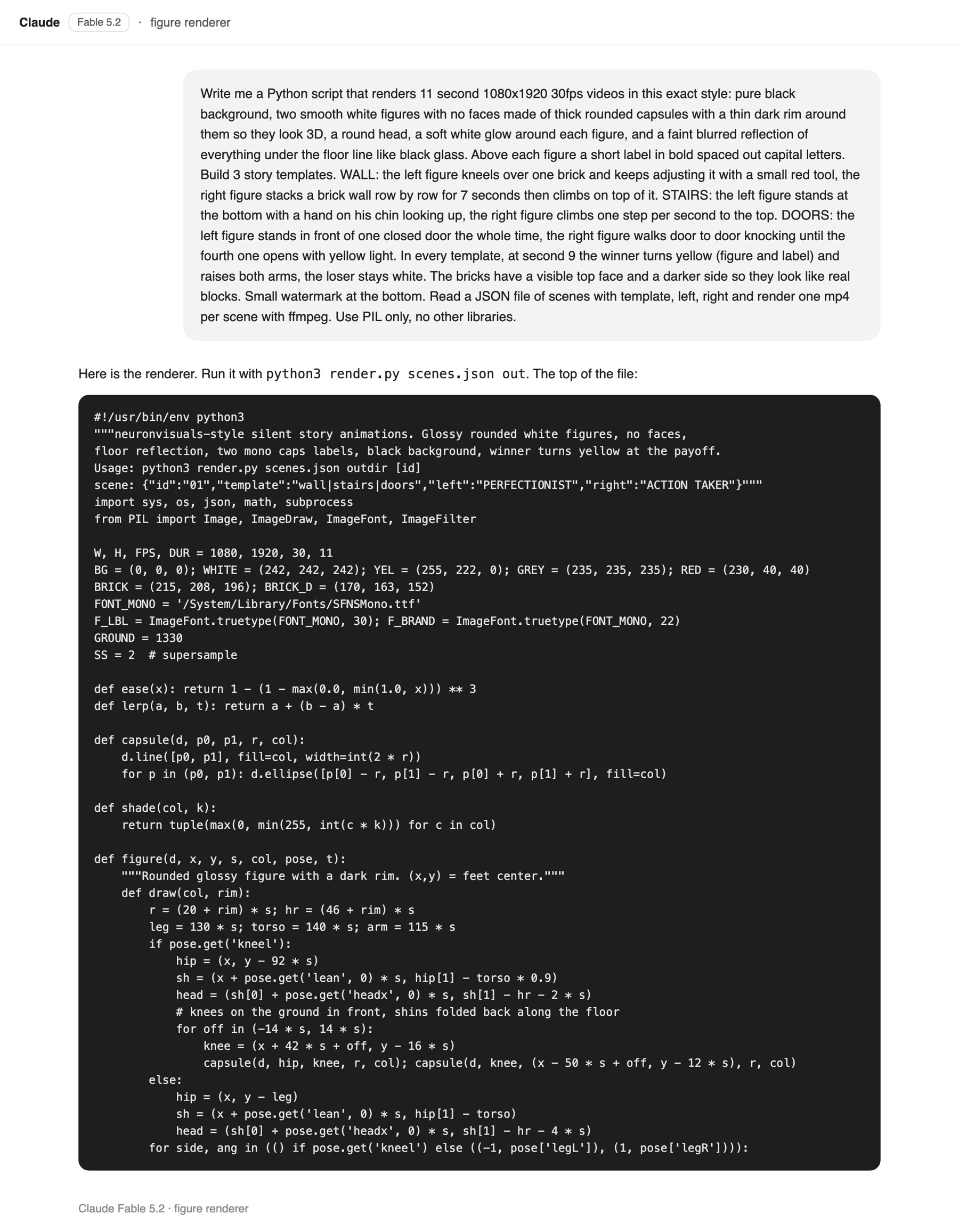
In this workflow, Claude Fable 5.2 wrote a Python script that draws frames with Pillow and encodes them with FFmpeg. Each video is 1080×1920 at 30 frames per second and 11 seconds long, which is 330 frames. Other stacks work too. In our guide to making 30 UGC videos with Claude Code, the editing ran on Remotion, a React framework for video.
Manage all your social media in one place with Postiz
Why animated faceless videos are winning right now
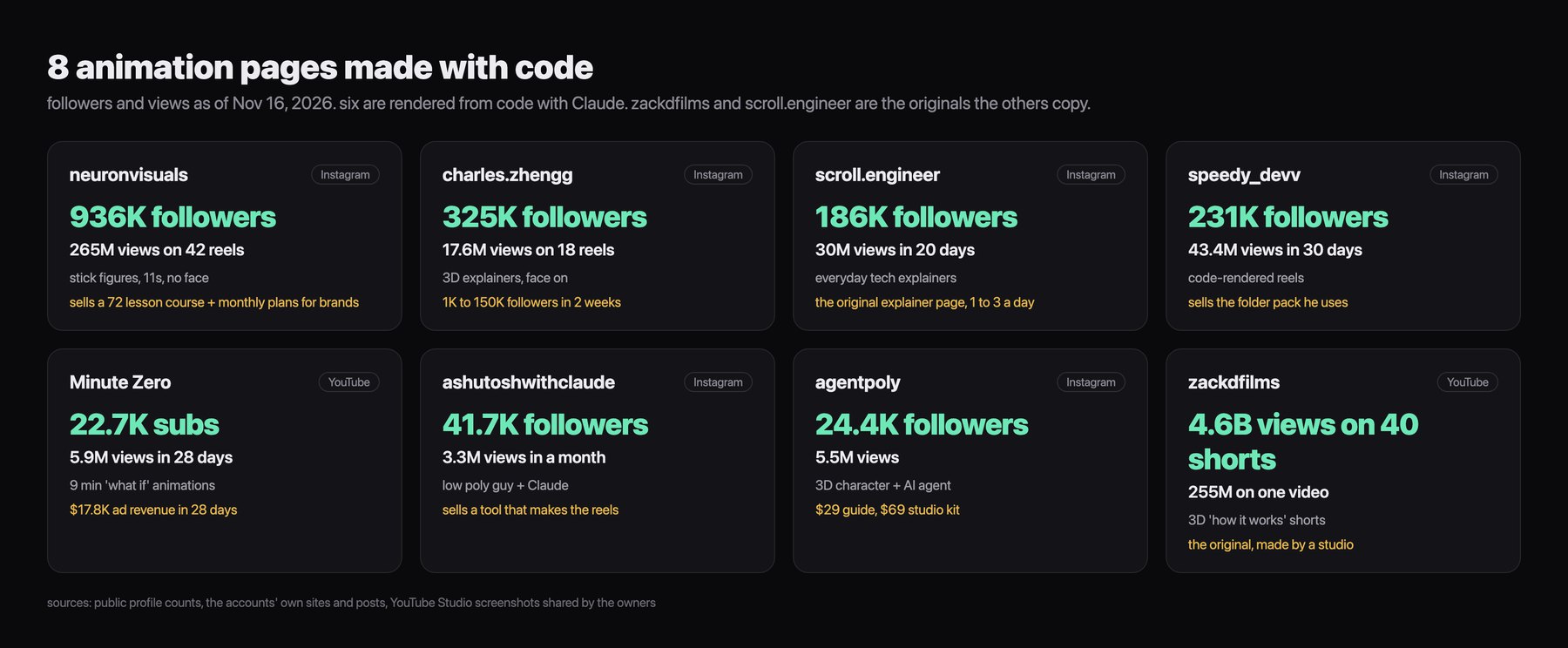
Animation pages may be the most overlooked way to earn millions of views, and neuronvisuals is not a one-off. The creator behind this playbook tracked eight animation pages for a month. By their count, six of the eight render their videos from code with Claude. The other two, zackdfilms and scroll.engineer, are the originals the rest learned from.
Eight animation pages, with followers and views as of November 16, 2026.
Page
Platform
Audience
Views
Format
How it makes money
neuronvisuals
Instagram
936K followers
265M on 42 reels
Stick figures, about 11 seconds, no face
72-lesson course and monthly plans for brands
charles.zhengg
Instagram
325K followers
17.6M on 18 reels
3D explainers with the creator on camera
Personal brand
speedy_devv
Instagram
231K followers
43.4M in 30 days
Reels rendered from code
Sells the project folder behind the reels
scroll.engineer
Instagram
186K followers
30M in 20 days
Everyday tech explainers, 1 to 3 a day
One of the two originals
ashutoshwithclaude
Instagram
41.7K followers
3.3M in a month
Low poly character who talks to Claude
Sells a tool that makes the reels
agentpoly
Instagram
24.4K followers
5.5M
3D character and an AI agent
$29 guide and $69 studio kit
Minute Zero
YouTube
22.7K subscribers
5.9M in 28 days
9-minute “what if” animations
$17.8K ad revenue in 28 days
zackdfilms
YouTube
Not listed
4.6B on 40 Shorts
3D “how it works” Shorts
The other original, made by a studio
These pages run like the slideshow pages and AI talking-head pages you already know. You make a batch in one sitting, then you schedule it. The same logic drives our faceless Shorts automation playbook. What is new is that the video itself is now free.
Step 1: Pick your format
Three kinds of animation pages are working right now. Pick one before you make a single video.
Faceless
No human face ever appears. Think stick figures acting out a lesson, 3D videos that answer one “what if” question, or low poly characters, the simple blocky 3D people you remember from old video games.
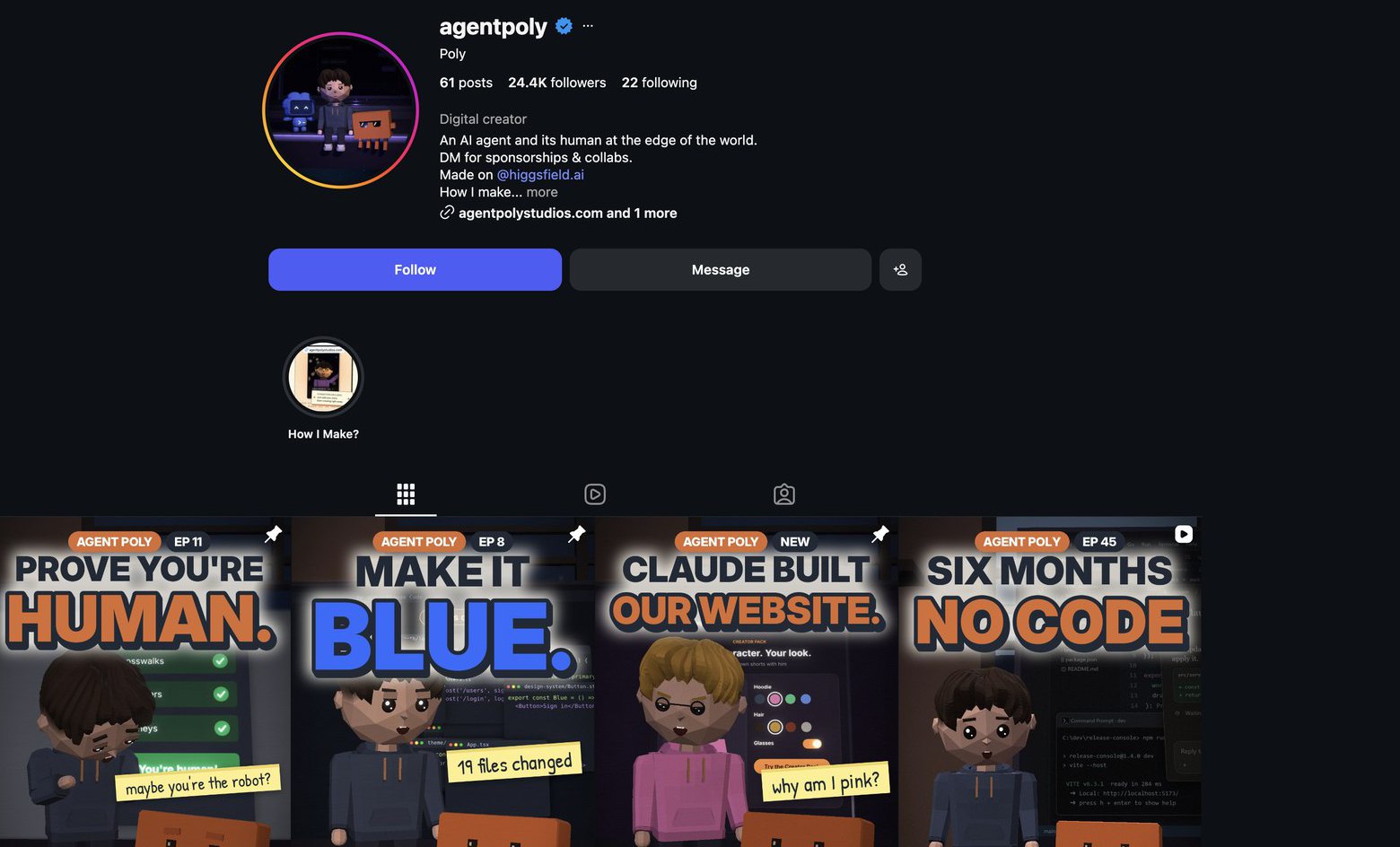
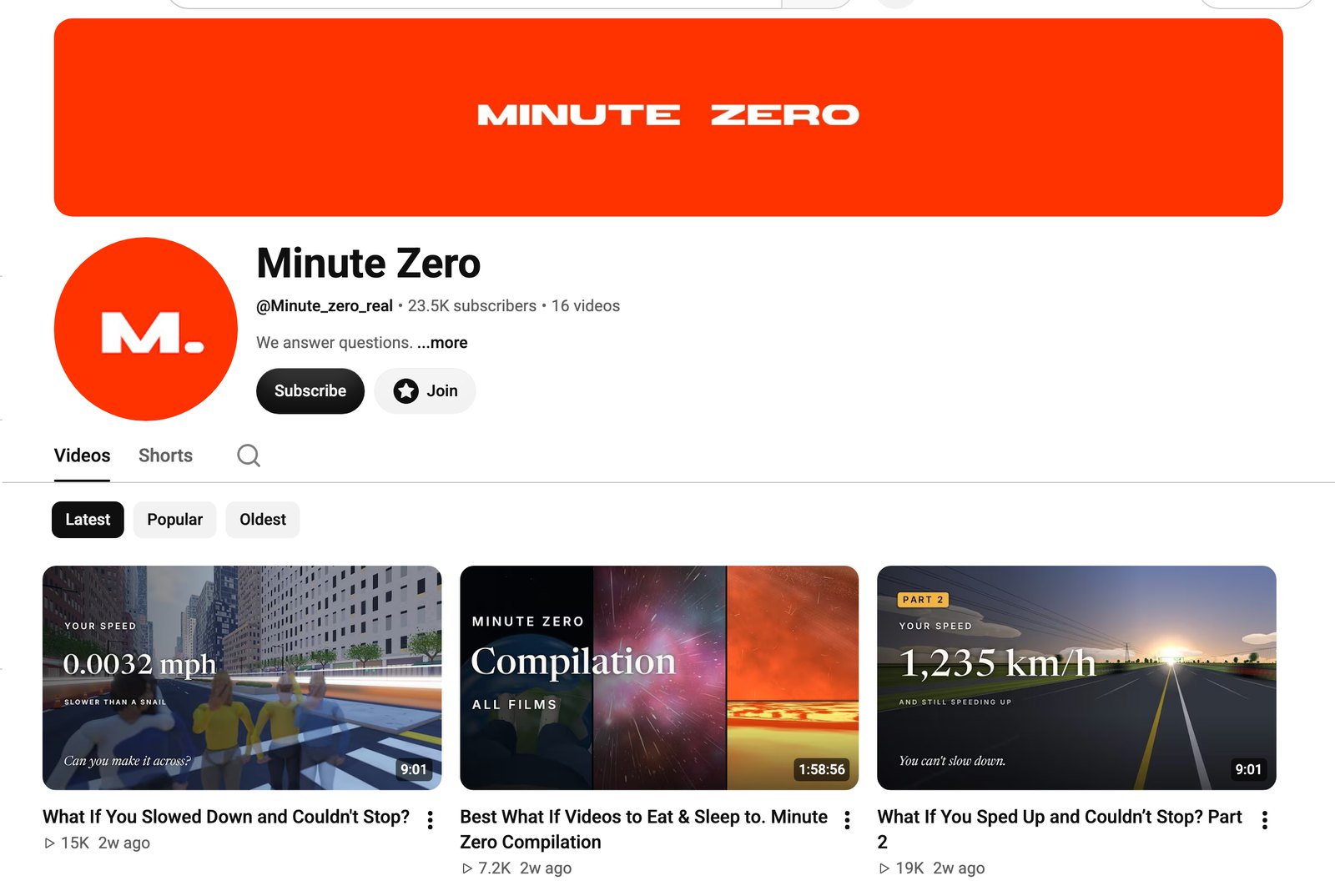
Three pages show the range. neuronvisuals is the stick figure account from the top of this guide, with 936K followers. agentpoly has 24.4K followers, and its owner says the first 10K arrived in one week. The whole page is a blocky 3D character talking to an AI about life at the edge of the world. Minute Zero is a YouTube channel that makes 9-minute 3D videos, each built on one question. In one, a character walks down a street faster and faster until the whole city is a blur.
Faceless is the easiest format to start and the easiest to copy. The money comes from volume: ads, courses, selling the system or putting your app on the last frame.
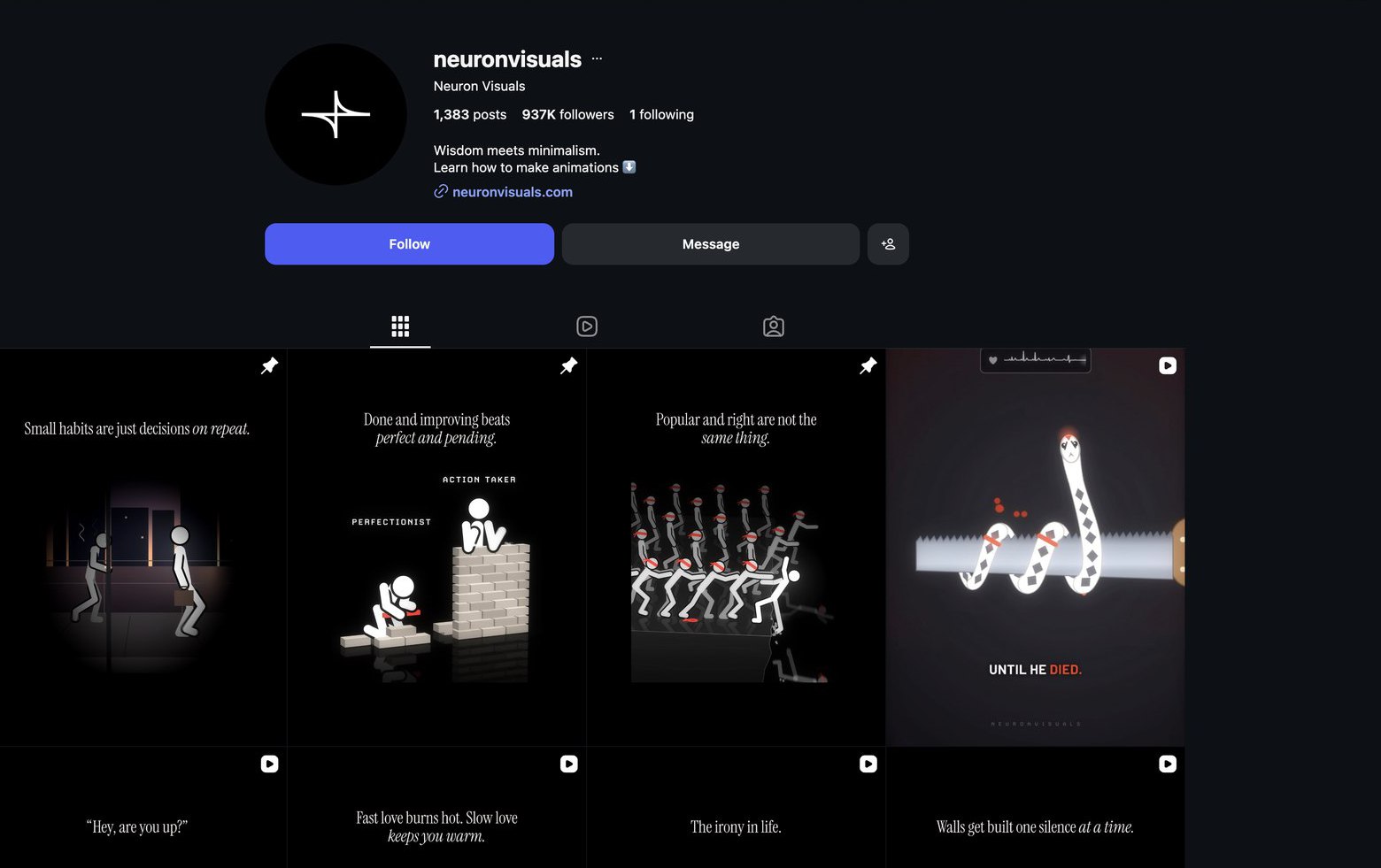
neuronvisuals on Instagram. Every post uses the same stick figure format.agentpoly on Instagram: a blocky 3D character and its AI agent.Minute Zero on YouTube: 9-minute “what if” videos from a channel about a month old.
Face on
These are explainer pages. The whole video is a 3D animation of how something works, such as how the internet works or how your phone knows where you are. The creator appears on camera for a few seconds in the middle to say one line.
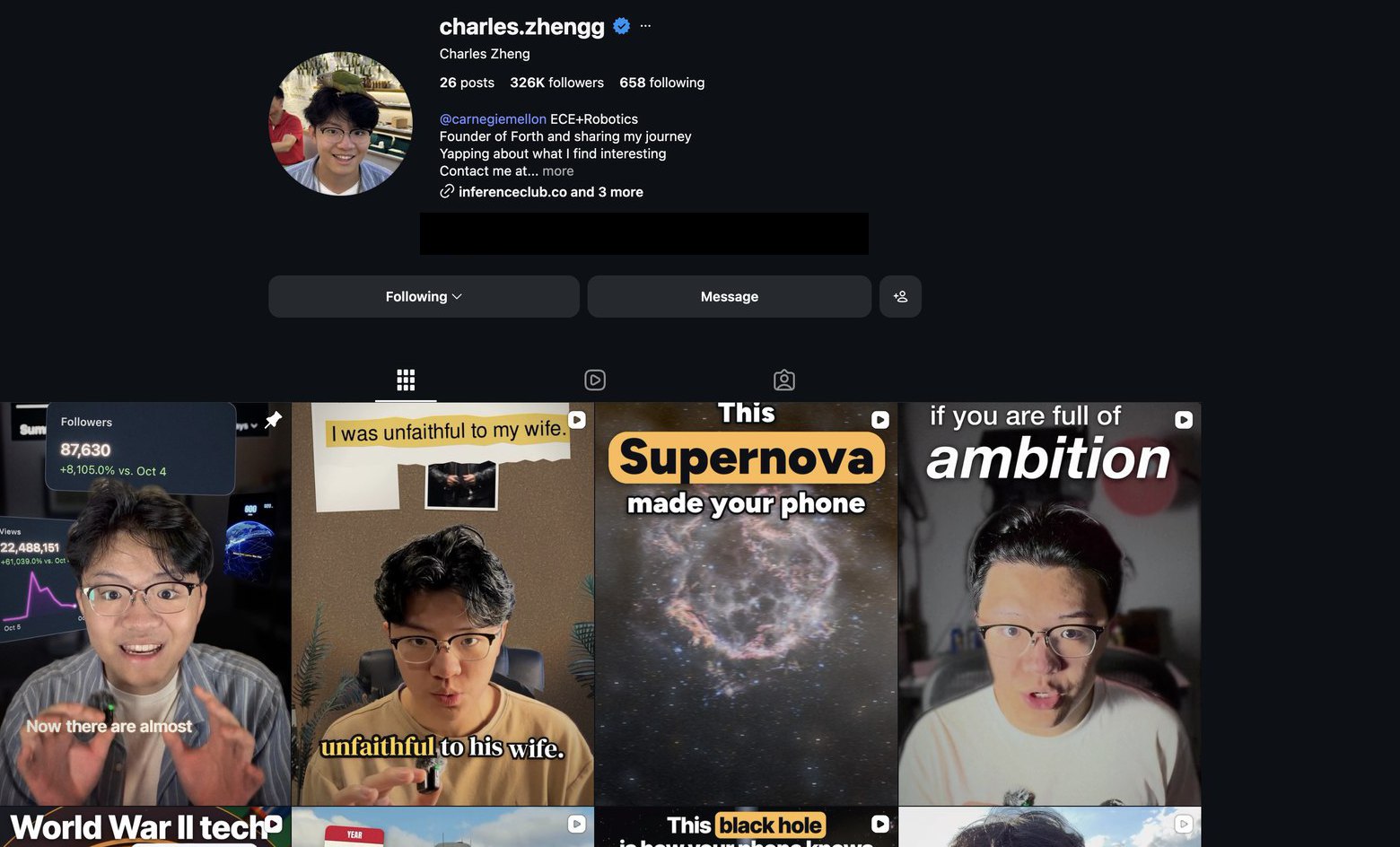
charles.zhengg is the example: 26 posts, 325K followers and 11.6M views on a single reel about how the internet works. The account’s owner says the videos are made with Claude plus a few custom skills, and that the page went from 1K to 150K followers in two weeks.
Face on is harder because you have to record yourself. But people follow a person, and that is what brings brand deals and lets you sell your own products later. If you want a personal brand, this is the format to choose.
charles.zhengg on Instagram: 3D explainers with a few seconds of face time.
The mix
The mix is a character that is clearly not you but has a voice and a personality. People follow the character instead of a face.
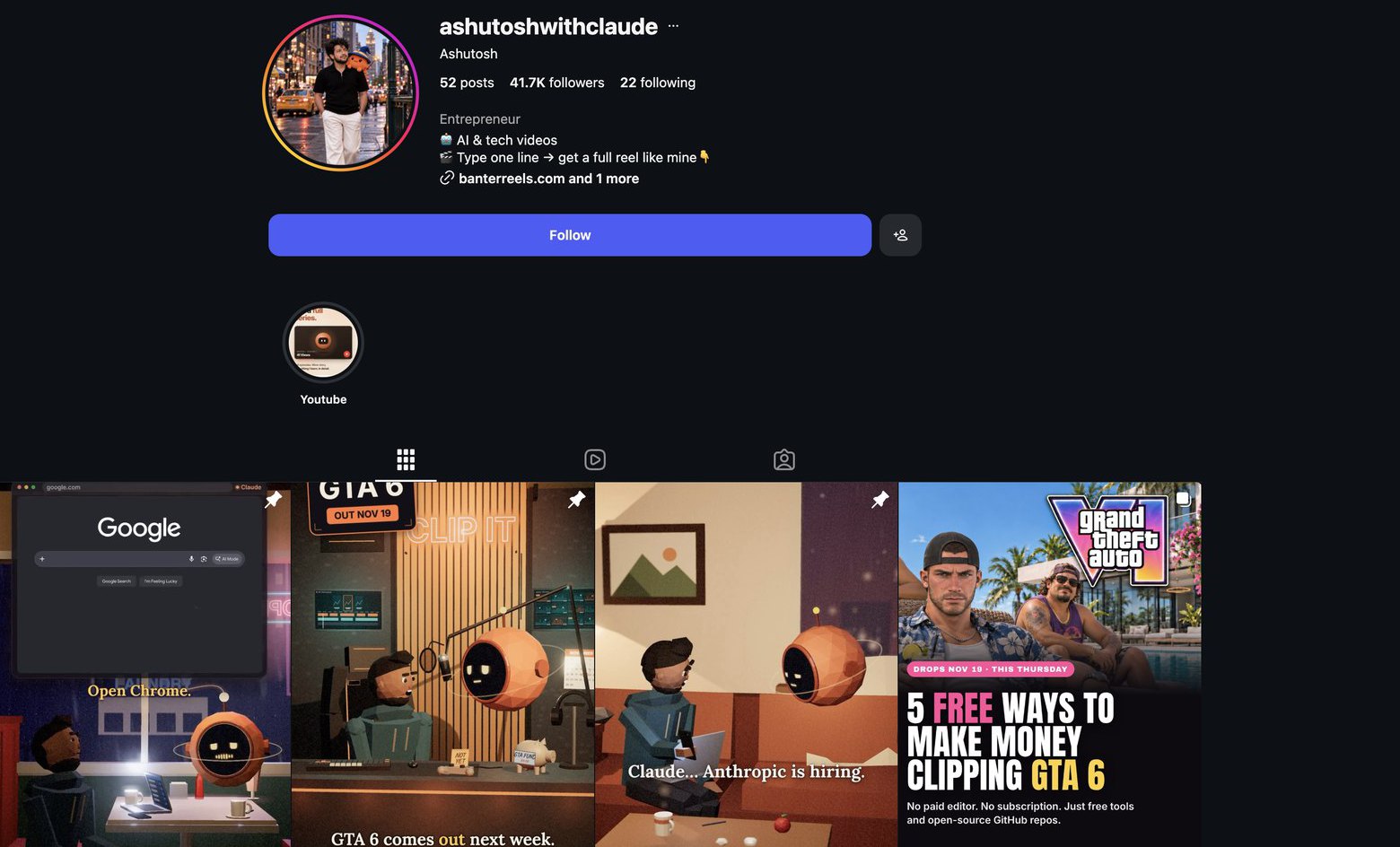
ashutoshwithclaude is a low poly character who sits in front of the camera and asks Claude naive questions, such as how to get hired at the company that makes Claude. The page has 41.7K followers on 52 posts, and its owner now sells a tool that makes the videos for you. You get the volume of faceless with some of the loyalty of a face.
ashutoshwithclaude on Instagram: the character and Claude.
Format
What is on screen
Effort
Best for
Faceless
Stick figures, 3D scenes or low poly characters
Lowest. Nothing to film.
Volume, ads, courses and app installs
Face on
A 3D explainer with you on camera for a few seconds
Highest. You record every video.
A personal brand and brand deals
The mix
A recurring character with a voice and personality
Medium. No filming, but the character needs writing.
Volume with some audience loyalty
This guide uses faceless for the example because it is the fastest to make and has the biggest numbers. Every step below works the same way for the other two. And once the videos cost nothing, you do not have to choose only one. Run a stick figure page, a “what if” page and a face on page at the same time, then let the numbers tell you which one deserves more.
Step 2: Copy the account that is already winning
Do not invent a format. Find the one that already works in your niche and work out why it works.
The creator used ViewTrack, a small tool their team built that lists every video an Instagram or TikTok account has posted next to its view count. You can do the same thing by hand. Open the account on your phone, sort the posts by most viewed and write down the top 10.
The ten most viewed neuronvisuals reels in ViewTrack.
Watched frame by frame, those 10 videos share the same five things:
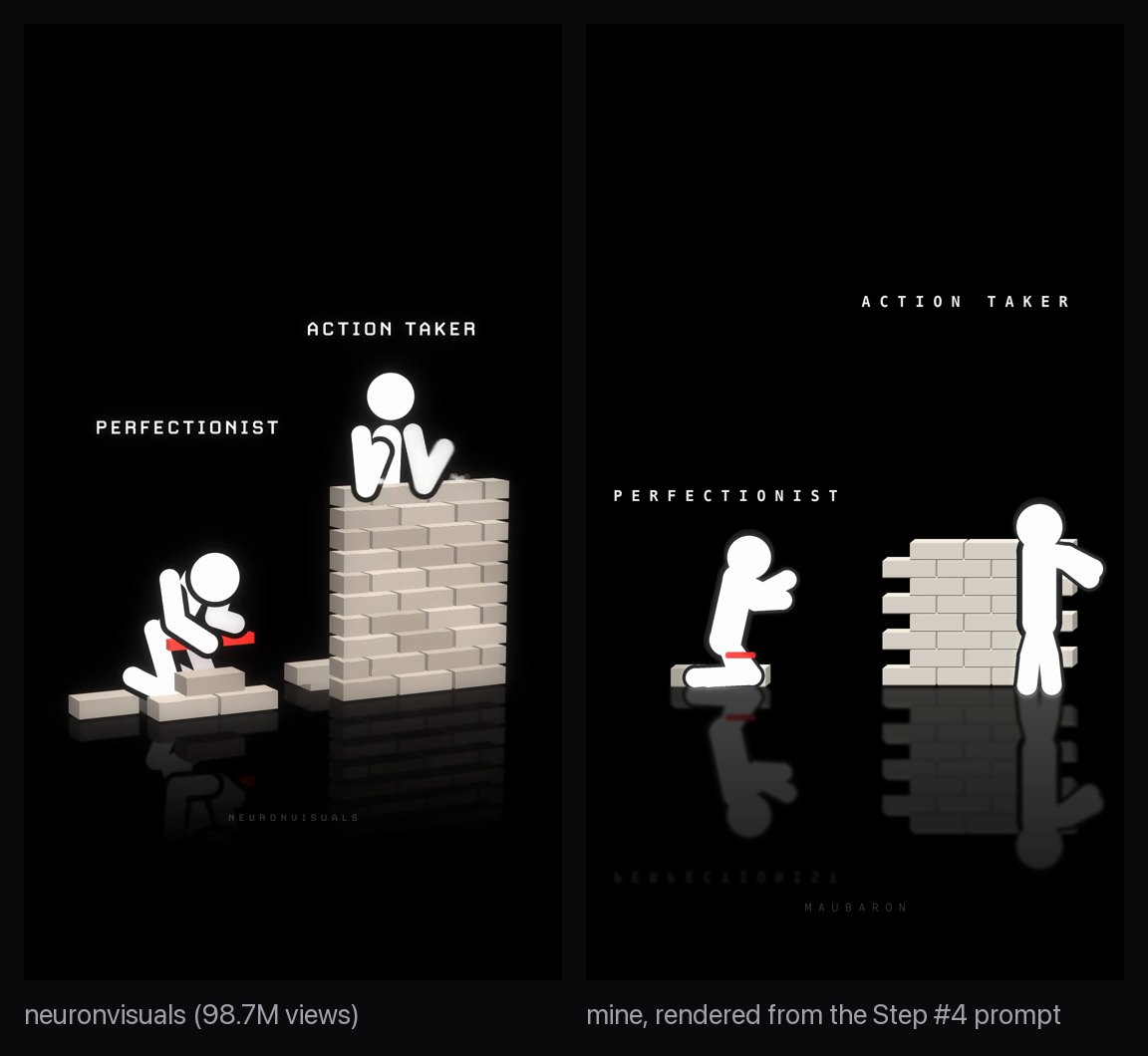
The look. A pure black background and two smooth white figures with no faces. They have thick rounded arms and legs, a soft glow and a faint reflection on the floor, as if they were standing on black glass.
Two labels. Short words in spaced-out capital letters sit above the figures, such as PERFECTIONIST and ACTION TAKER. That is all the text on screen. The sentence goes in the caption.
A tiny silent story. It lasts 8 to 16 seconds, with no voice and a trending sound. For example, the perfectionist keeps fixing the same brick while the action taker builds a whole wall and climbs it.
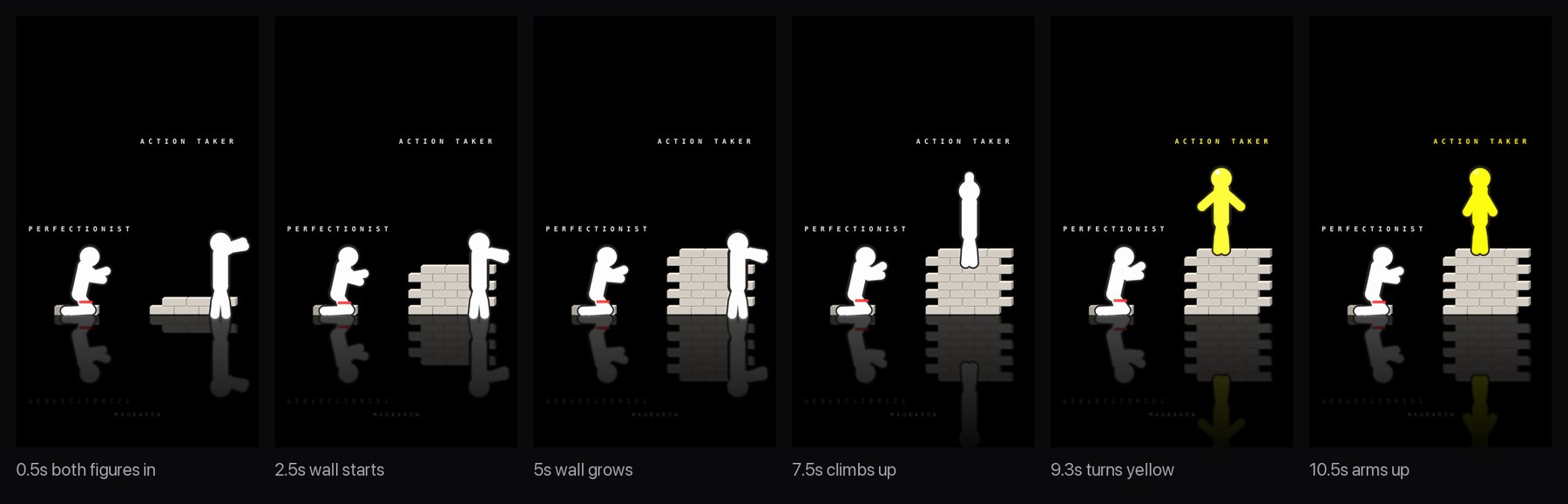
The payoff in the last 2 seconds. The winner turns yellow and raises both arms. The loser stays white.
A one-sentence caption. It states the lesson. On videos that sell the course, it ends with an invitation to comment a keyword.
That is the whole format. The labels name a contrast people already believe. The story proves it in 10 seconds without a single word, so it works with the sound off and in any language. The account has 1,383 posts, and every one the creator checked follows this structure with different props.
One note before you build. Copy the mechanism and make the look your own. Draw your own figures, write your own contrasts and sign the videos with your own watermark.
Step 3: Have Claude write 30 scenes
This is the first of two steps that need taste, and it is where most people go wrong. They pick contrasts their audience does not feel.
Every video is a contrast between two kinds of people your audience already recognizes. You also have to be able to show it with two figures and a prop, such as a wall, a staircase or a row of doors. That way the viewer gets it with the sound off.
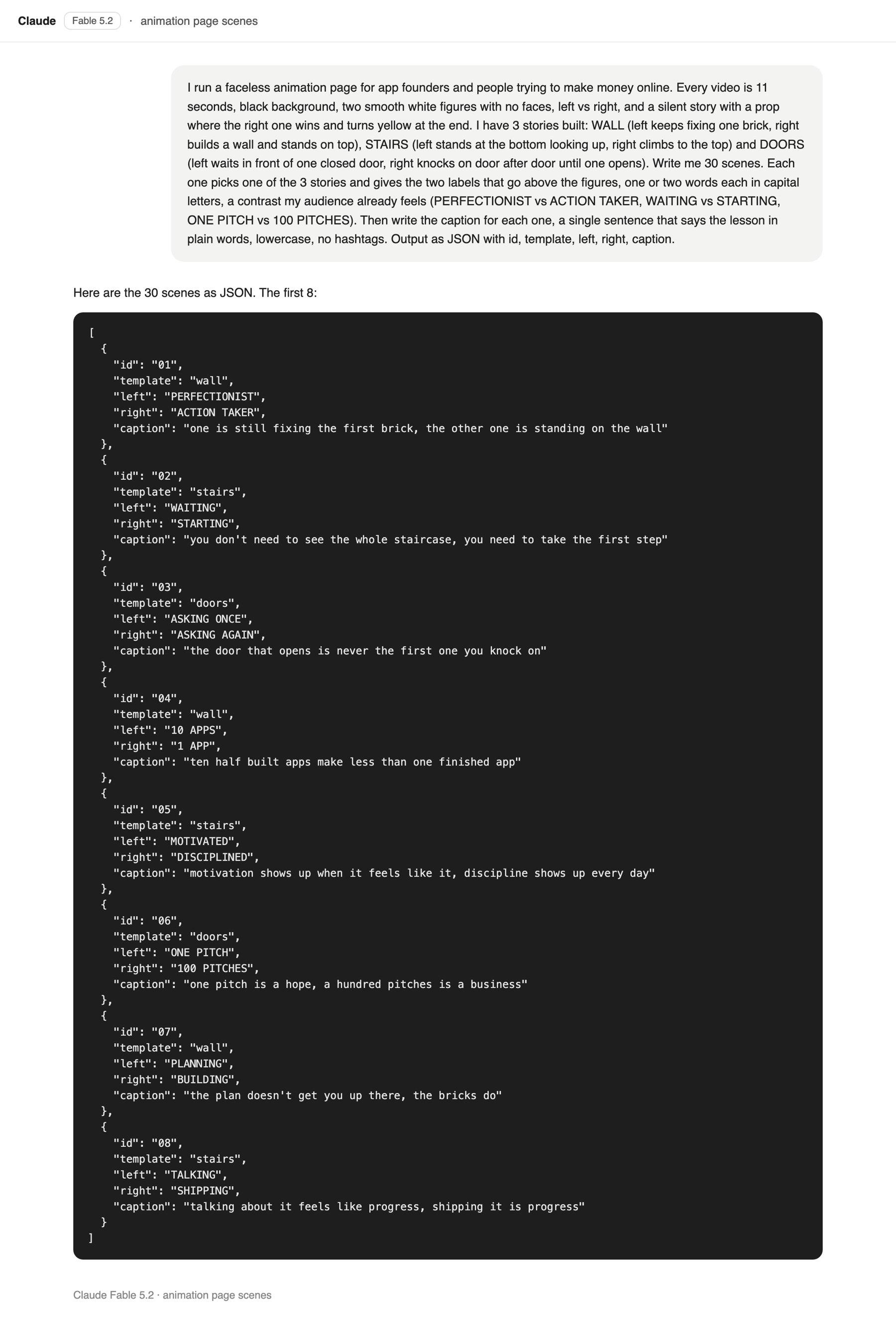
The creator’s page speaks to app founders and people trying to make money online. Here is a prompt in the same shape. Swap in your own audience and paste it into the Claude app with Fable 5.2 selected:
You are writing scenes for a faceless animation page.
My audience: app founders and people trying to earn money online.

Video format (it never changes):
- 11 seconds, black background, two smooth white figures with no faces
- Left figure vs. right figure in a silent story built around one prop
- The right figure wins and turns yellow at the end

Story templates I have already built:
- WALL: the left figure keeps adjusting one brick, the right figure builds a whole wall and stands on top of it
- STAIRS: the left figure waits at the bottom looking up, the right figure climbs to the top
- DOORS: the left figure waits at one closed door, the right figure knocks on door after door until one opens

Write 30 scenes. For each scene:
1. Choose one of the three templates. Use each template 10 times.
2. Write the two labels that sit above the figures. One or two words each, ALL CAPS, a contrast my audience already feels. The pattern looks like PERFECTIONIST vs ACTION TAKER, WAITING vs STARTING, ONE PITCH vs 100 PITCHES.
3. Write a one-sentence caption that states the lesson in plain words. Lowercase, no hashtags.

Return only JSON: a list of objects with id, template, left, right and caption.
Save the answer as a file. It is the only thing you will edit from here on, because in the next step Claude writes a script that reads this file and makes one video per scene.
The Fable 5.2 chat: the prompt and the first 8 of 30 scenes, returned as JSON.
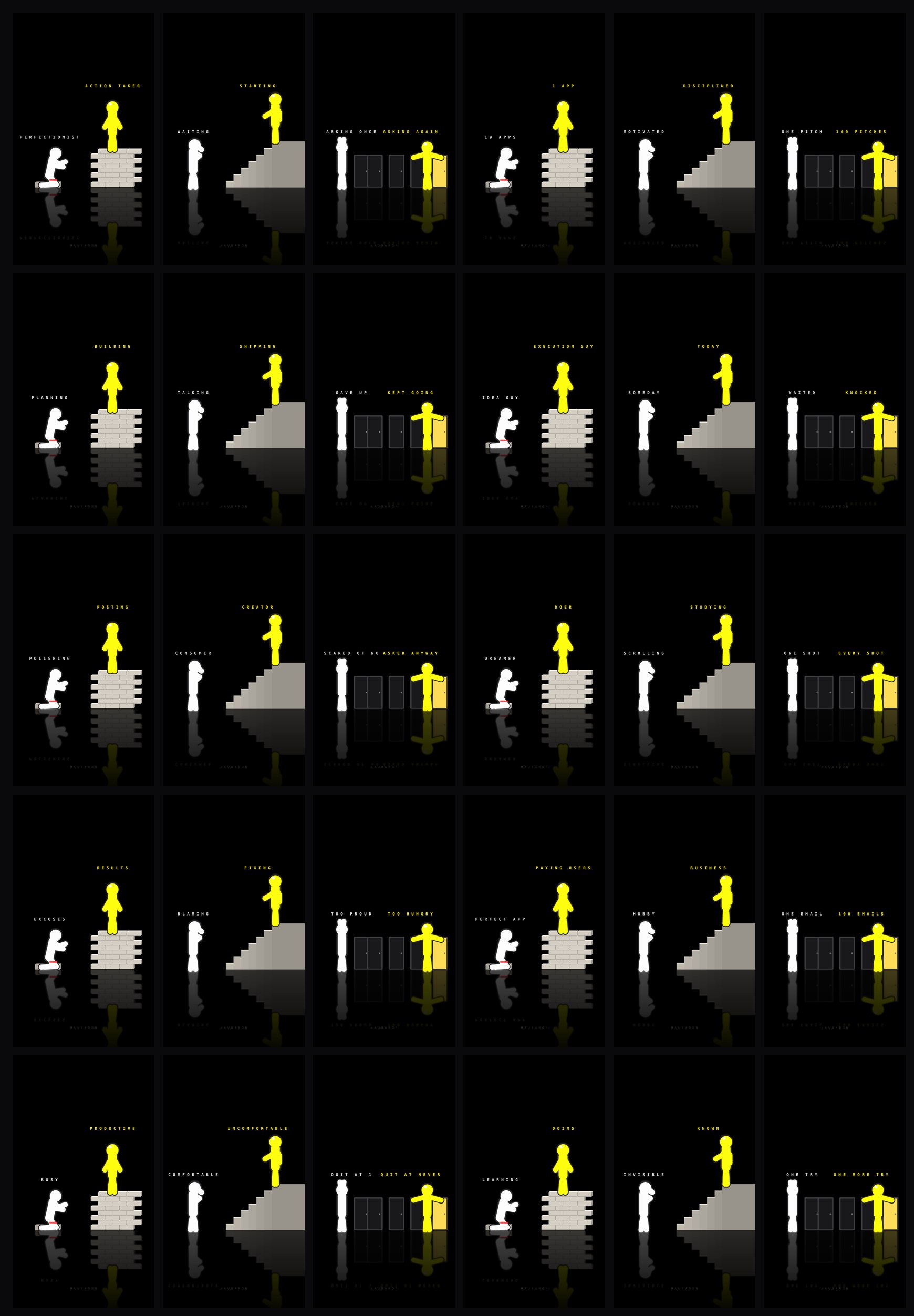
Three of the 30 scenes that came back:
Template
Left label
Right label
The lesson in the caption
WALL
PERFECTIONIST
ACTION TAKER
One is still polishing the first brick while the other stands on a finished wall.
STAIRS
WAITING
STARTING
You only need the first step, not a view of the whole staircase.
DOORS
ASKING ONCE
ASKING AGAIN
The door that opens is rarely the first one you try.
The creator kept all 30, even the weaker ones. At this stage you cannot know which contrasts will hit, and the page will tell you within a week.
Step 4: Have Claude build the stick figure animation
Everyone expects this step to be hard. It is, but not because of the code.
Getting an animation out of Claude is easy. Getting your style out of it is not. You need a clear picture of the finished video before you type a prompt. Then you put your frame next to the one you are learning from and fix one thing at a time. You keep going until every video looks like the same person made it. That part is manual, and you have to stay close to it.
It took most of an afternoon. It is also the only step that works this way. Once the style exists you never do it again, because every later video is the same script with different labels.
Describe the style and the three stories to Claude and ask for a script that renders them. A prompt in this shape does it:
Write a Python script that renders vertical videos: 1080x1920, 30 fps, 11 seconds each.

Visual style (match it exactly):
- Pure black background
- Two smooth white figures with no faces, built from thick rounded capsules, each with a round head
- A thin dark rim around every limb so the figures read as 3D
- A soft white glow around each figure
- A faint, blurred reflection of everything below the floor line, like black glass
- A short label above each figure in bold, widely spaced capital letters
- A small watermark at the bottom

Story templates:
- WALL: the left figure kneels over one brick and keeps nudging it with a small red tool. The right figure stacks a brick wall row by row for 7 seconds, then climbs on top of it. Each brick has a visible top face and a darker side so it looks like a solid block.
- STAIRS: the left figure stands at the bottom with a hand on its chin, looking up. The right figure climbs one step per second until it reaches the top.
- DOORS: the left figure stands in front of one closed door for the whole video. The right figure walks from door to door, knocking, until the fourth door opens with yellow light.

Payoff (every template): at second 9 the winner and its label turn yellow and the winner raises both arms. The loser stays white.

Input and output:
- Read a JSON file of scenes with the fields template, left and right
- Render one MP4 per scene with ffmpeg, 6 videos at the same time
- Use PIL only, no other drawing libraries
The top 40 lines of the renderer Claude wrote.Six frames from the WALL video: both figures in, the wall grows, the climb, yellow at 9 seconds, arms up.
The first version needed one prompt and a couple of rounds of fixes against the reference. The figures were too thin. The labels sat on the heads. The glow lit up the bricks. That is normal. Put the two frames side by side, fix the biggest difference and repeat until the style holds. Rendering one video takes 2 to 3 minutes on a MacBook.
The reference frame on the left and the creator’s render from the Step 4 prompt on the right.
Feedback works best when it is concrete and visual. Send Claude a screenshot of both frames with one correction at a time, such as thicker limbs or more space between a label and a head.
Step 5: Render the whole batch at once
Once the script works, you only touch the JSON file. The one reason to go back to the script is to ask Claude for a new story template so the page keeps feeling fresh.
To run it you need Python on your computer. Ask Claude and it will give you the install commands. Then open a terminal and run one line, which Claude also gives you. In this project it was python3 render.py scenes.json out.
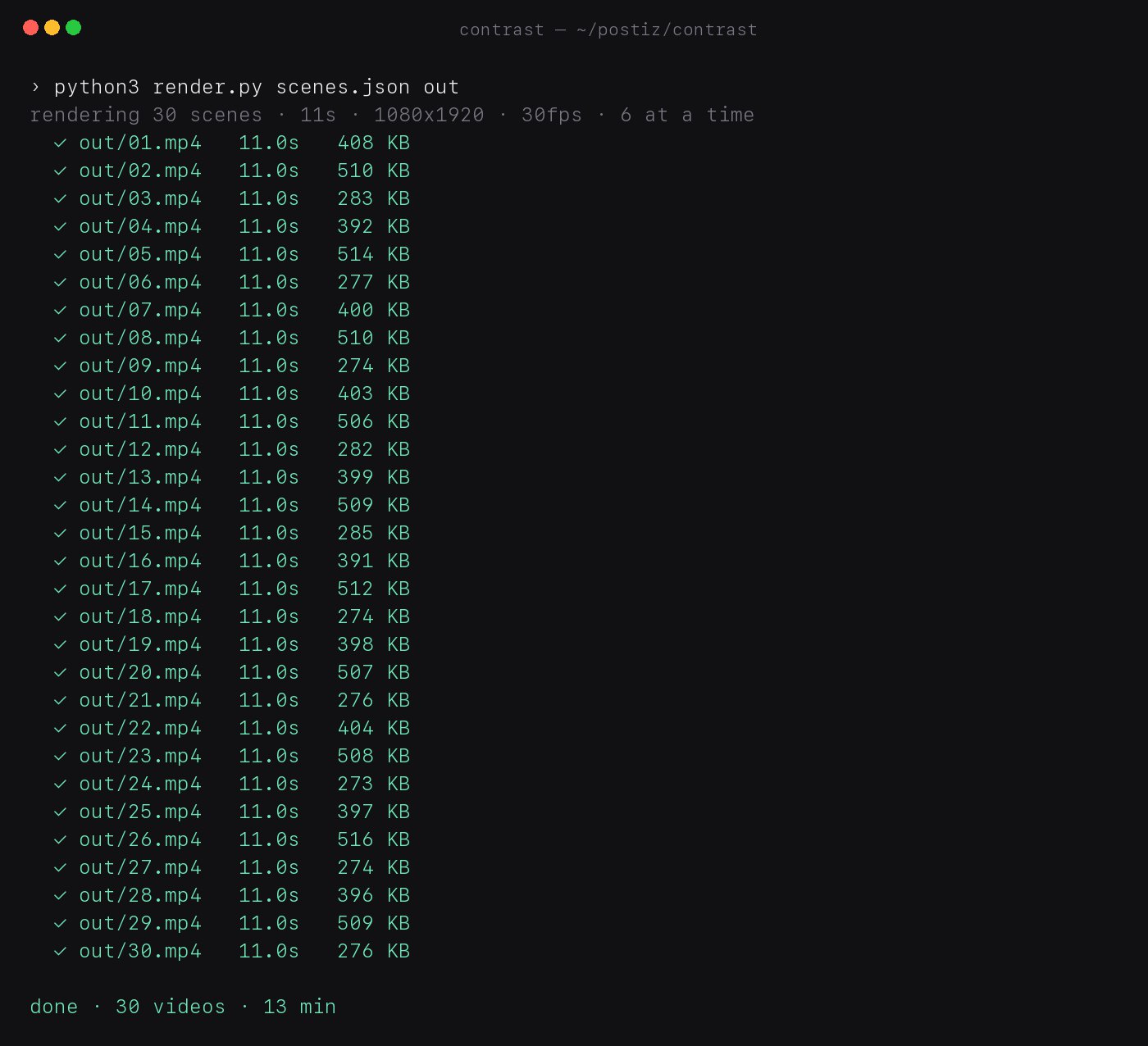
The line in the prompt that says to render 6 videos at the same time matters. It is what let the creator put all 30 scenes in one file, run the script once and get 30 videos of 11 seconds each in about 13 minutes.
The terminal after the run: 30 files in 13 minutes.One script, one command, a whole batch of videos.All 30 videos at the moment the winner turns yellow.
For perspective, the creator puts the price of a hired short-form creator at $500 to $1,000 for 60 videos a month. This run made 30 videos in 13 minutes with nothing but a Claude subscription that was already paid for.
Step 6: Check the first 3 seconds of every video
Do not skip this. The first 3 seconds are all anyone watches before deciding whether to keep scrolling, so they are all you need to check. Look for three things:
Both figures are on screen and doing something by the first second.
The labels are readable on a phone.
Nothing is broken, such as a label touching a head or a figure walking out of the frame.
At 3 seconds each, a batch of 30 takes 90 seconds to review.
Step 7: Write the captions and choose the sound
Each caption has three parts:
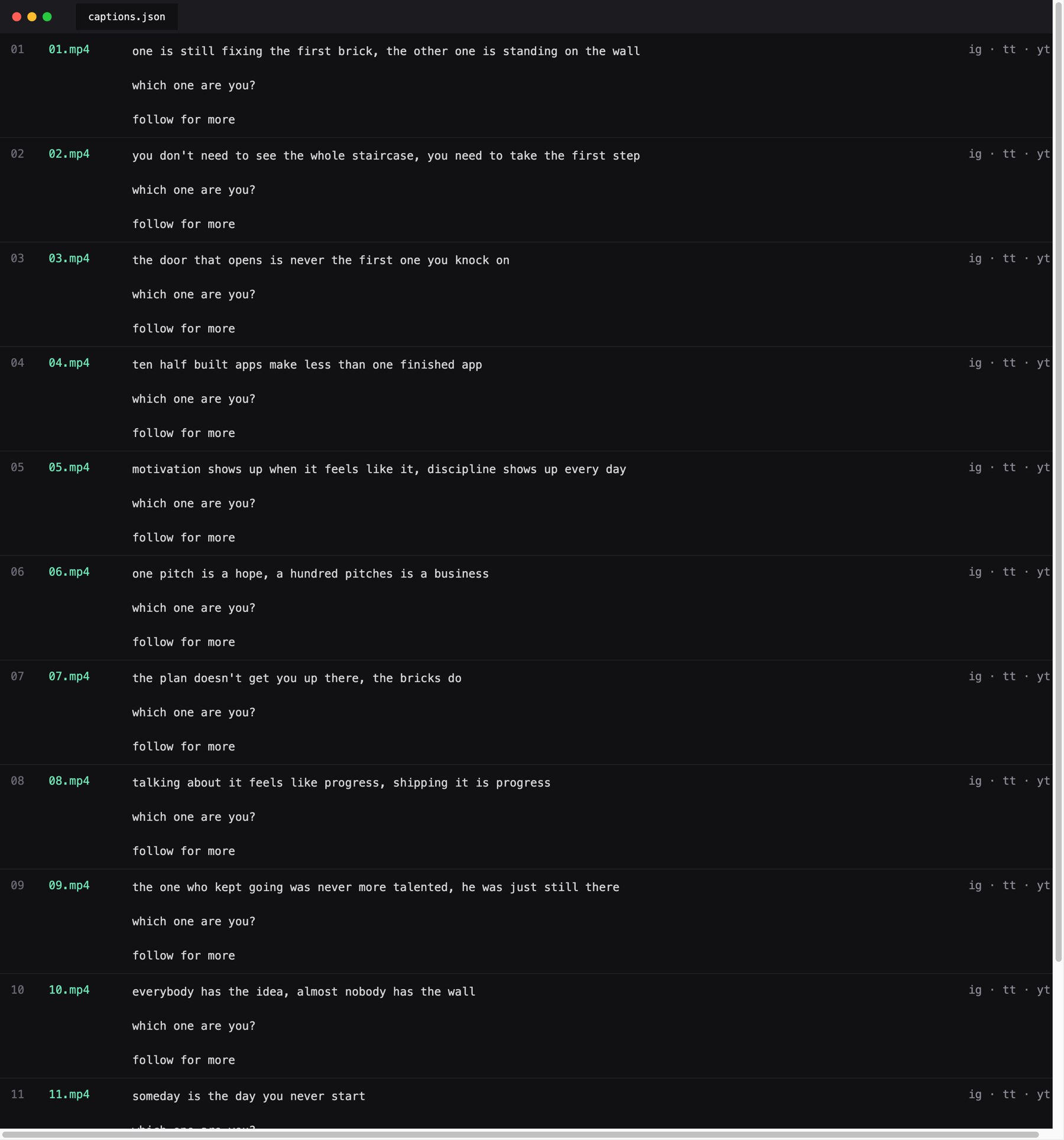
The one-sentence lesson Claude already wrote for that scene in the JSON file.
One question that gets people commenting.
A closing line that matches how you plan to make money in Step 10, such as a course pitch or your app’s name.
For the sound, go back to the account you studied in Step 2. Open its top 3 videos and use the same sounds. That account has already tested them for you.
A scheduler cannot pick a trending sound for you, so the creator split the batch. The 3 strongest scenes went out by hand from the Instagram app with a trending sound. The other 27 went out through Postiz with a free music track that Claude added to every video inside the script.
The captions file: lesson, question and closing line for each video.
Step 8: Schedule all 30 videos with Postiz and Claude
With 30 videos ready, the last thing you want is to upload and schedule each one by hand. The pages that grow fastest post 1 to 3 times a day on Instagram, TikTok and YouTube Shorts. Postiz puts all of those accounts in one calendar.
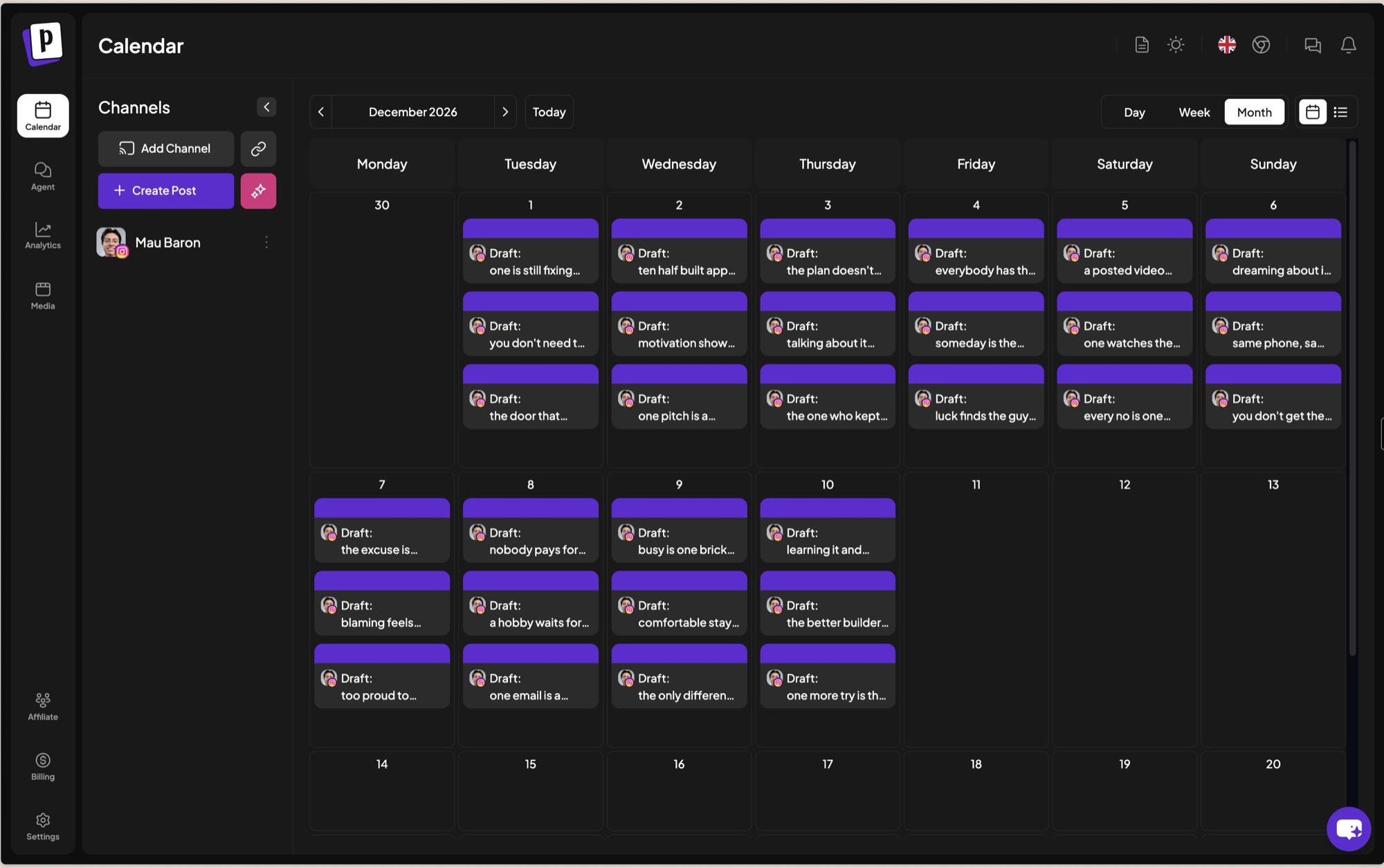
The first time, the creator did it manually. They uploaded the 30 videos once, picked the 3 accounts and spread the posts across the calendar at 3 a day, at the hours the reference account posts. That covers 10 days. Each caption goes in once per video, and the same post goes out to all three platforms.
The Postiz calendar after the first upload: 30 videos, 3 a day for 10 days, all drafts waiting for approval.
This is also what makes several formats possible. Every new page is one more account in the same calendar, so three pages take the same hour of work as one.
You do not have to fill the calendar yourself either, because Postiz plugs into Claude. Add the official Postiz connector for Claude from the Claude directory, or paste the Postiz MCP link as a custom connector. There is no API key. You approve access once with your Postiz account. If the videos sit in a folder on your computer, use Claude Cowork or Claude Code so Claude can read the files. After that, the whole job is one message:
In the folder I shared there are 30 videos named 01 to 30 and a captions file. The caption for each video is the row with the same number.

Schedule them to my Instagram, TikTok and YouTube Shorts accounts:
- Start tomorrow with 3 posts a day at 9am, 2pm and 7pm in my time zone
- Go in order from 01 to 30 so each day gets one wall, one stairs and one doors video
- Use the same caption on all three platforms, with no hashtags
- Save every post as a draft so I can approve it in the calendar

When you finish, tell me the date of the last post so I know when to render the next batch.
Claude fills the calendar with drafts. You approve them.
Keep a human in the loop. The creator still opens the calendar before anything goes live. They no longer fill it by hand, and that is why a page like this can run on about an hour a week.
Step 9: Read the numbers every Monday
The views tell you which scenes work. You only have to look at them every week.
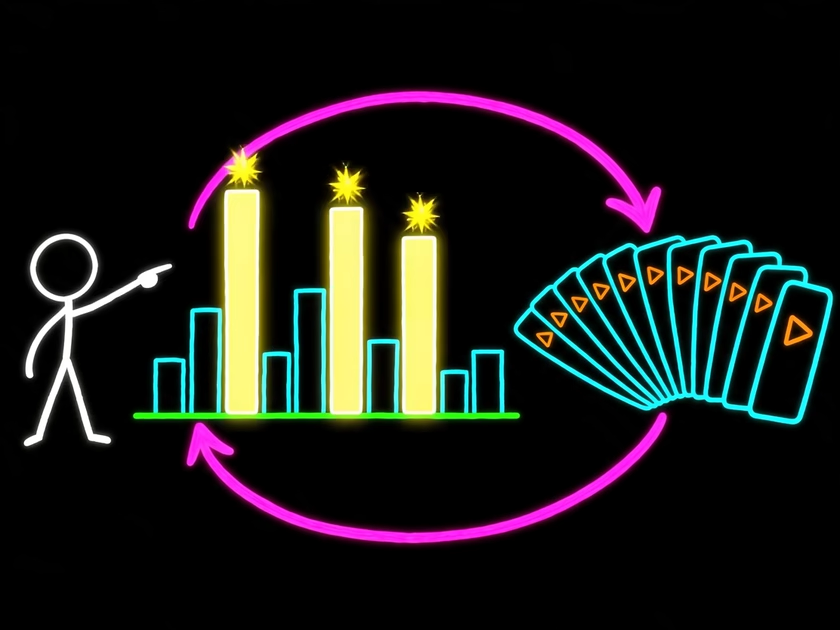
Every Monday, pull the views for each video. The format is so simple that only two things change between videos: the two labels and the caption. So the top 3 videos tell you exactly which contrasts your audience feels most.
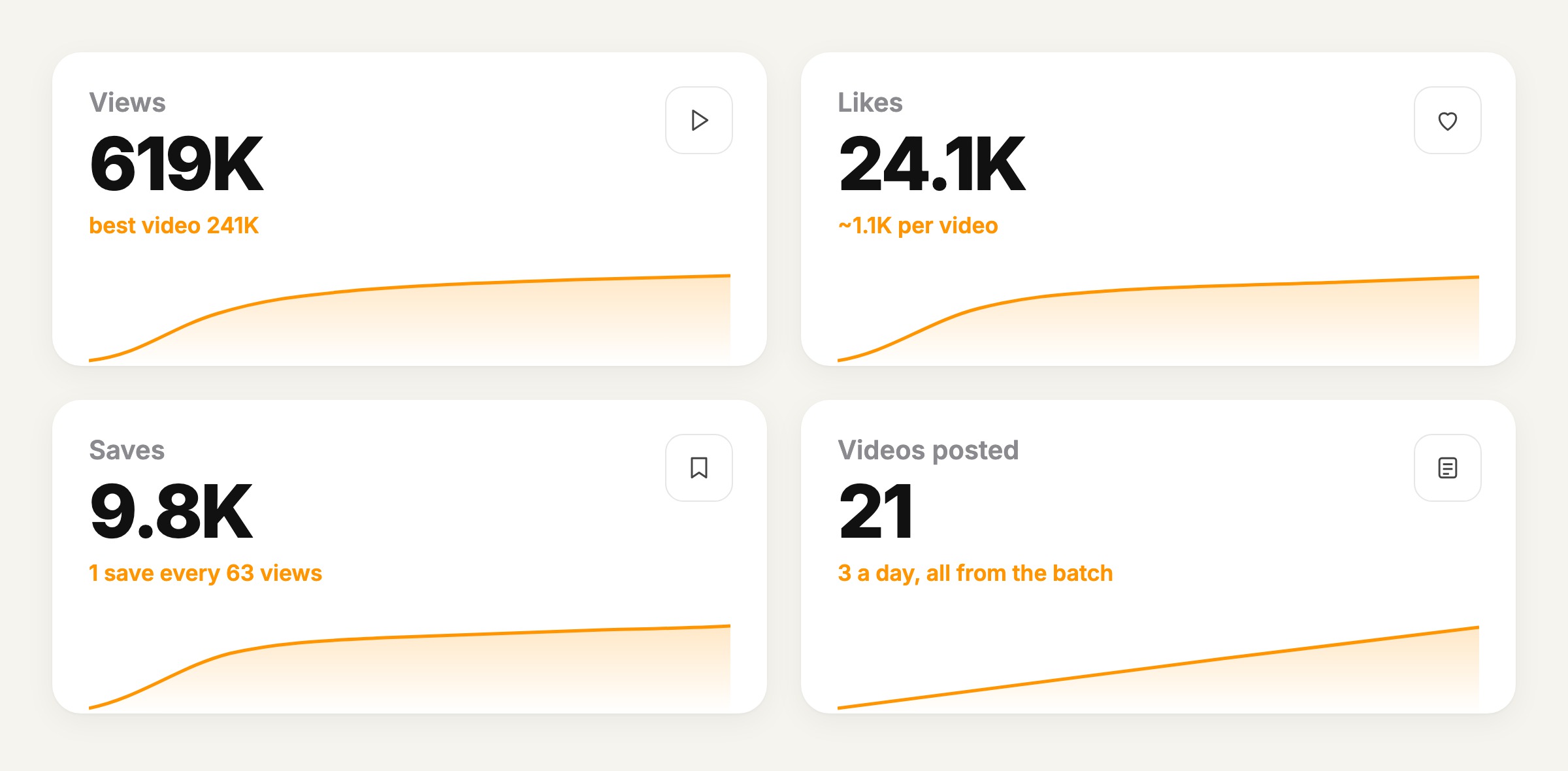
The numbers the creator shared after 21 posted videos: 619K views, 24.1K likes and 9.8K saves, with a best video at 241K.
Send those 3 scenes back to Claude with the prompt from Step 3 and one extra line:
These three scenes got the most views. Write 10 variations of each that keep the same contrast.
Render them, schedule them and do it again next Monday. That loop is the entire page. There is no editing and no filming, which is why one person can run three of these at once.
The Monday loop: find the top 3, make 10 variations of each, repeat.
Step 10: Turn the views into money
Views pay nothing by themselves, so this is the step that matters most. Every page in the table near the top of this guide does it differently.
Sell the system. neuronvisuals sells a 72-lesson course on making the animations, plus a monthly “work with us” plan where it makes the videos for brands. The creator puts that plan at $2,000 or more a month. agentpoly sells a $29 guide and a $69 studio kit that includes the code. ashutoshwithclaude turned the videos into a tool: you type one line and it makes the reel. In all three cases the videos win the followers, and the product is the method behind the videos.
Earn platform money. Minute Zero had 22.7K subscribers when its owner posted a YouTube Studio screenshot showing 5.9M views and $17.8K in estimated ad revenue in 28 days. Shorts pay far less per view than long videos, so if you are on YouTube, make the 9-minute version too. Our guide on how to monetize YouTube Shorts covers the rules.
Make them for companies. Most brands with a social team want 3 posts a day and have nobody to make them. Five companies at $1,000 a month is $60K a year, and the page you already run is the portfolio that closes the deal.
Put your app on the last frame. The creator’s team did this with their own app. The last 2 seconds show the app name, the caption repeats it, and you watch downloads next to views. Adding a name under the yellow winner costs nothing.
Build a personal brand. charles.zhengg went from 1K to 150K followers in two weeks and now has 325K on 26 posts, with a company growing on top of it. When you are the face, people follow you and not the format, so you can sell an app, a course or a service later without starting over.
Any one of these can take a page to a few thousand dollars a month, and sometimes much more. In the creator’s research, the pages that pass $20K a month stack two of them: the course plus the companies, or the ads plus the app. These are figures the page owners have shared publicly, and your results will depend on your niche and your consistency.
What still stays manual
Four jobs stay with a human every week. Together they take about an hour.
Setting the style. This is the hardest part of the page and the one thing you cannot automate. Claude can make an animation in a minute. Deciding what it looks like, and keeping it the same in every video, is on you.
Reading the scenes. Knowing which contrasts your audience connects with is a judgment call, and Claude is not good at it.
Approving every video. It takes 3 seconds each, or 90 seconds for a batch. The same check on the test renders caught the labels on the heads and the climber walking out of the frame before all 30 were rendered.
Picking the niche and the account to learn from.
Job
Who does it
Pick the niche, the format and the reference account
You
Write 30 scenes and captions
Claude
Decide on the style and correct the test frames
You, with Claude making the changes
Render 30 videos
The Python script
Check the first 3 seconds and approve
You
Schedule 3 posts a day on 3 platforms
Claude and Postiz
Choose the top 3 and order new variations
You, then Claude
Everything else happens without you. Claude writes the scenes, the script renders the videos and Postiz posts them. The only thing to open on Monday is the views page.
How to build a faceless animation page with Claude in 10 steps
Pick a format: faceless, face on or the mix.
Find the account already winning in your niche and write down what its top 10 videos have in common.
Have Claude Fable 5.2 write 30 scenes from one prompt.
Have Claude write the animation script, then iterate next to the reference until the style is yours.
Render the whole batch with one command.
Check the first 3 seconds of every video.
Build each caption from the lesson in the JSON file and use the sounds the reference account has already tested.
Schedule 3 videos a day on every platform with Postiz.
Read the views every Monday and order 10 variations of the top 3.
Choose how the page makes money: sell the system, platform ads, client work, your app on the last frame or a personal brand.
The setup took one afternoon, and running it takes about an hour a week. Most people who read this will go back to scrolling these pages instead of building one, because they still think animation costs money. It no longer does. What stands between you and a page is one afternoon at your desk.
FAQ
Can Claude make animations?
Yes. Claude does not output video files directly. It writes code that renders them. In this workflow, Claude Fable 5.2 wrote a Python script that draws each frame with Pillow and exports 11-second vertical MP4 files with FFmpeg. The same approach works with React through Remotion, or with HTML and CSS.
How long does it take to make faceless videos with Claude?
Setup took one afternoon, and most of that time went into matching the visual style. After that, one prompt writes 30 scenes and one command renders 30 videos in about 13 minutes on a MacBook, with six videos rendering at the same time. Weekly upkeep is about an hour.
Do you need to know how to code to make a Claude animation?
No. You need Python installed and a terminal open. Claude gives you the install commands and the single line that runs the script. Your job is to describe the style clearly and compare frames against a reference.
How much does a Claude animation cost?
There is no fee per video, because rendering runs on your own computer. The only cost in this workflow was a Claude subscription the creator already had. Scheduling needs a Postiz account, which you can try for free.
Can Claude schedule social media posts?
Yes, through Postiz. Add the Postiz connector to Claude, approve access with your Postiz account and ask Claude to draft and schedule posts for Instagram, TikTok, YouTube and 30+ other platforms. Ask for drafts, so a human approves every post before it goes live.
How do faceless animation pages make money?
In five ways. They sell the system as a course or a kit, earn platform ad revenue, make videos for companies, promote their own app on the last frame or build a personal brand. The highest earners combine two of them.
How often should a faceless page post?
The fastest-growing pages in this study post 1 to 3 times a day on Instagram, TikTok and YouTube Shorts. A batch of 30 videos covers 10 days at 3 a day. For timing, start with the hours your reference account posts, then check our guide to the best time to post Reels on Instagram.
What size should faceless Reels and Shorts be?
Render them at 1080×1920 pixels, a 9:16 vertical frame, at 30 frames per second. That one file works for Instagram Reels, TikTok and YouTube Shorts. Our Instagram Reel size guide has the full specifications.
Is it OK to copy another page’s format?
Copy the structure, not the content. Two labels, a silent story and a payoff are a pattern anyone can use. The individual videos, characters and watermarks belong to the people who made them. Draw your own figures, write your own contrasts and credit the pages that inspired you.
Give your animation page a publishing layer
Claude writes the scenes. The script renders the videos. You make the calls. What is left is one place that holds every account, every draft and every posting time, and that place is Postiz.
Stop guessing and start growing. This guide explains what a social media content planning tool is and how to choose the right one for your brand in 2026.