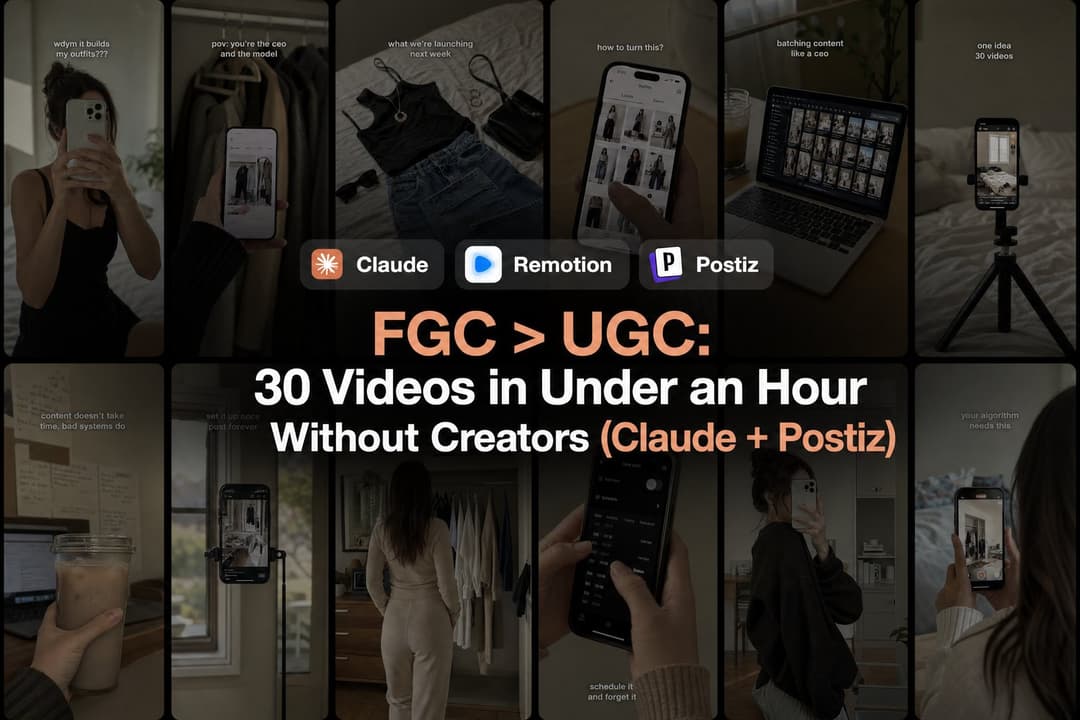
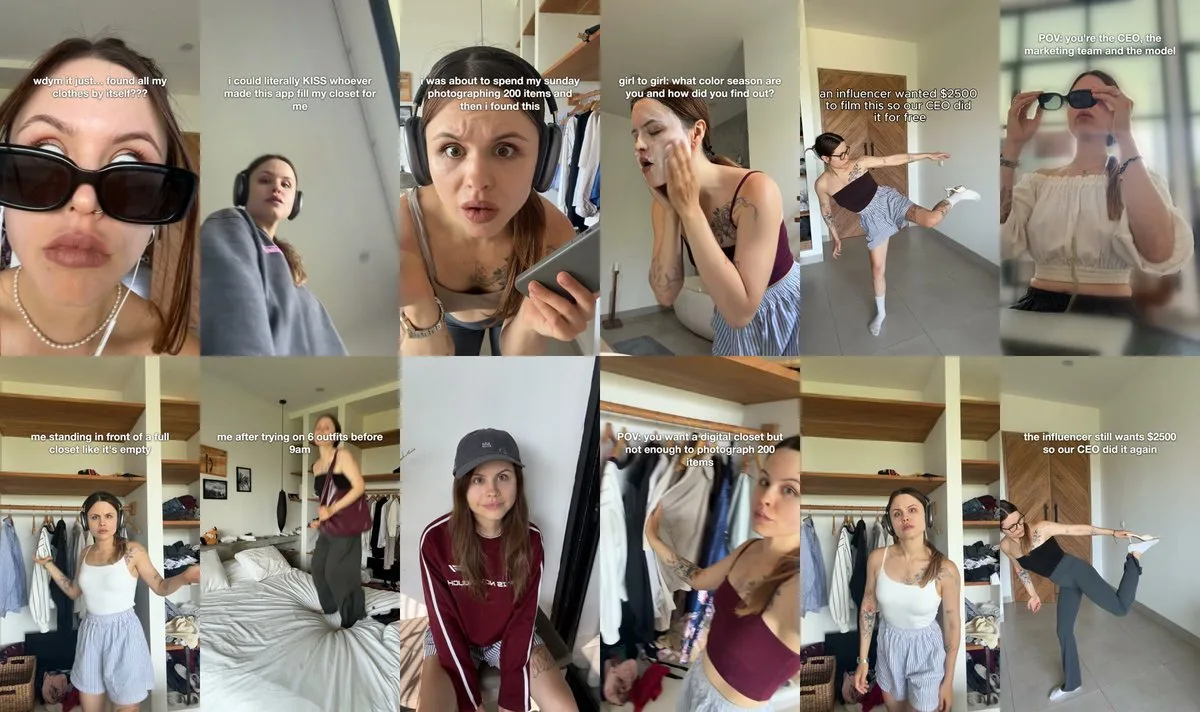
A UGC creator quoted $250 to film a single video for Aesty, an AI stylist app built by two engineers with no marketing team. So the founder filmed it instead, for free. It became the app’s best YouTube Short: 20k views, on an account where 1-2k is normal.
That one video turned into a system run by an AI agent. Claude Code now does the trend research, tells the founder what to film, edits the videos and schedules them through Postiz. The only human job left is being on camera. The last session turned under an hour of filming into 30 UGC videos, which at that creator’s rate would have cost roughly $5,000 to $7,000.
The first week set the pace. Claude analyzed 249 viral app promos and sorted them into 15 hook formats, the founder made 46 videos in 4 days, and the whole thing cost under $10 in scraping. Not a cent went to creators or editors.
Below is the full playbook, from finding hooks that already went viral to turning one hour of filming into dozens of UGC videos. It ends with the question that shows up under every post about running 15+ accounts: how are you not shadowbanned?
Founder-generated videos: a 2-3 second reaction hook, then the app. No creators, no AI videos.
What is founder-generated content (FGC)?
Founder-generated content (FGC) is UGC-style short-form video where the founder is on camera instead of a paid creator. For an app, a typical FGC video is a 1-3 second reaction hook filmed at home, followed by a plain screen recording of the product, set to a trending sound with no voiceover.
On screen it looks exactly like UGC. The difference is who holds the phone, and that difference compounds:
Faster iteration. The founder sees which hooks work and reshoots the same day, without paying for every UGC round or waiting days for a creator to deliver.
More conviction on camera. A creator reads a brief and moves on to the next brand. A founder is showing something they have been building for 220 days. As Aesty’s founder puts it: “Nobody will ever be as excited about my app as I am.”
No trust penalty. AI videos are cheap, but trust drops and audiences are tired of them. AI still works for carousels; in video, it is retreating from organic feeds into paid ads.
Founder-generated content
Paid UGC creators
AI UGC videos
Cost in this case
$0 in creator fees, under $10 of scraping for the first week
$250 quoted for one video
Cheap per video
Testing a new hook
Same day
Days per round
Fast, but viewers notice
Where it works best
Organic TikTok, Reels and Shorts
Scaling formats that already won
Carousels and paid ads
That doesn’t make creators or AI useless. It changes the order: prove the format with your own face first, then hand the winners to creators and theme pages (or an AI UGC workflow) as a brief that already works.
Manage all your social media in one place with Postiz
Film it yourself, photogenic or not. In the team’s tests, the hook decided how a video did. Who was in it mattered far less.
Let Claude Code find formats that already went viral. 717 scraped videos became 249 real app promos and 15 hook formats.
Film for one hour from a shoot page. Claude rewrites the winning hooks for your app and lists every scene, line and reference.
Let the agent edit. Claude picks the best 2-3 seconds of each take, and Remotion cuts the hook into the demo on the beat drop.
Keep only winners. Rate every video top or not top. Winners get variations, the rest get dropped.
Post a lot without tripping filters. Unique captions and files, 1-2 posts a day on fresh accounts, 4-6 hours apart.
Diagnose before you panic. Use view rounds and the 1% engagement rule to tell a shadowban from a bad video.
Let Postiz carry the schedule. The agent books free slots across TikTok, Instagram and YouTube, with platform settings applied through the API.
0. Stop waiting to be photogenic
If what’s stopping you is “I’m not pretty enough” or “my apartment isn’t aesthetic,” the team’s tests say otherwise. The hook decided how a video performed. Who was in it mattered a lot less than anyone expected.
A viral app promo is 2-3 seconds of a face reacting, then a screen recording. The face has to mean it, and nobody means it more than the person who built the app. Nothing is lost either: the formats that win can still go to influencers later, as a brief of exactly what to shoot.
1. What to film: UGC formats that already went viral
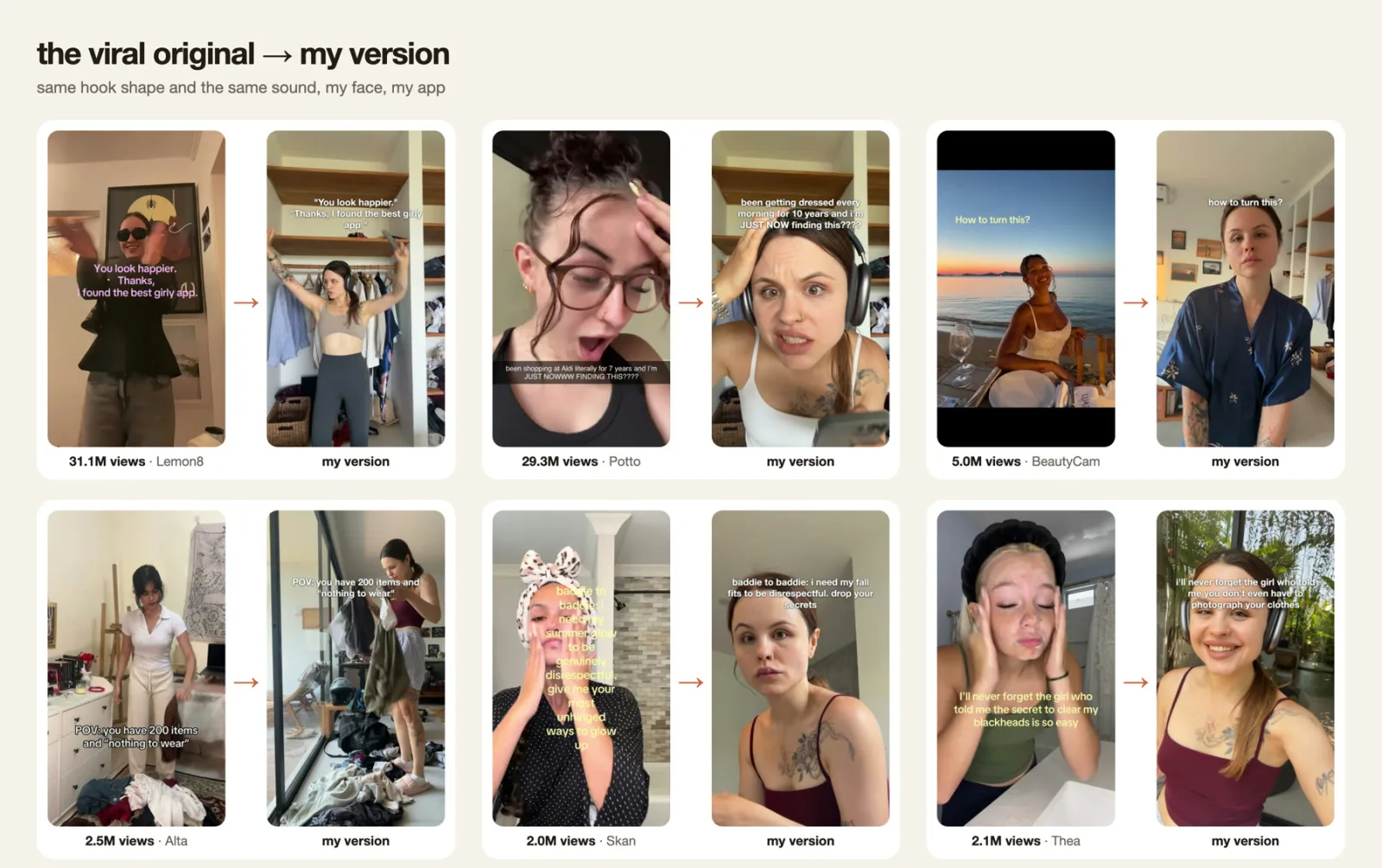
The format that keeps working for apps right now is 1-3 seconds of a person reacting, followed by a plain screen recording of the app. For Aesty, that’s “wdym you don’t have to photograph every piece???”, then the app doing exactly that, with a trend sound and no voiceover, filmed at home.
Before anything was filmed, Claude Code went looking for the videos that already worked:
It searches plain phrases, not hashtags. TikTok (through Apify) and YouTube Shorts (through yt-dlp) get searched with phrases like “outfit app” or “apps for girls,” with only a few hashtags, because hashtag pages can’t be filtered by date or likes.
It keeps only the last 6 months. A hook gets copied across apps within weeks, so older ones are usually used up.
It reads hooks with OCR. TikTok returns no subtitles for most of these videos, so Claude grabs the first frames and reads the hook off the screen.
It groups hooks by emotion. The 249 promos fell into 15 hook formats, including “wdym…???”, “i’ll never forget the girl who…”, “POV: …”, “girl to girl:”, “hot take:” and before/after.
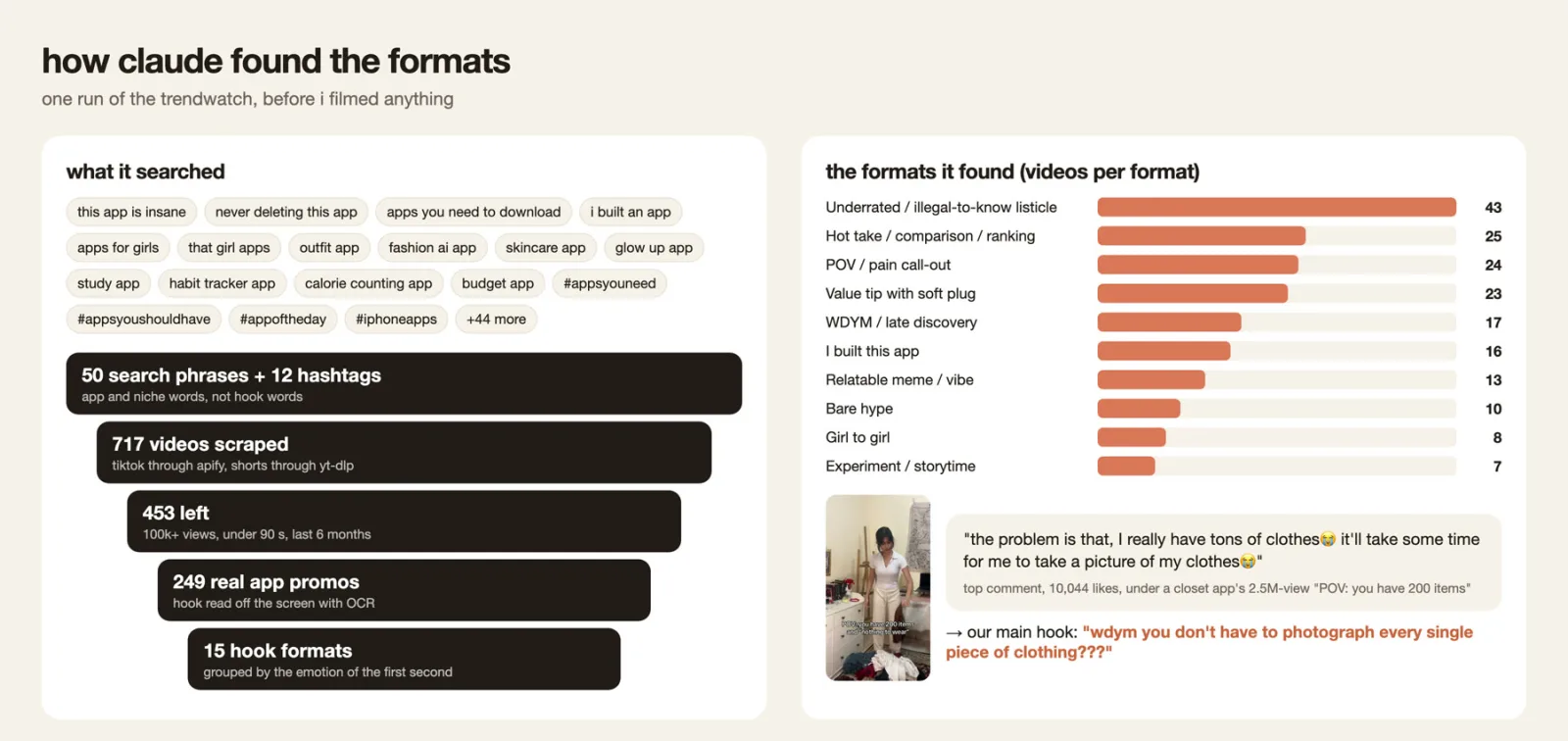
It reads the comments. Under a competitor’s viral “POV: you have 200 items” video (2.5M views), the top comment, with 10,044 likes, asked whether you have to photograph every piece of clothing. Aesty doesn’t make you, so that question became the main hook.
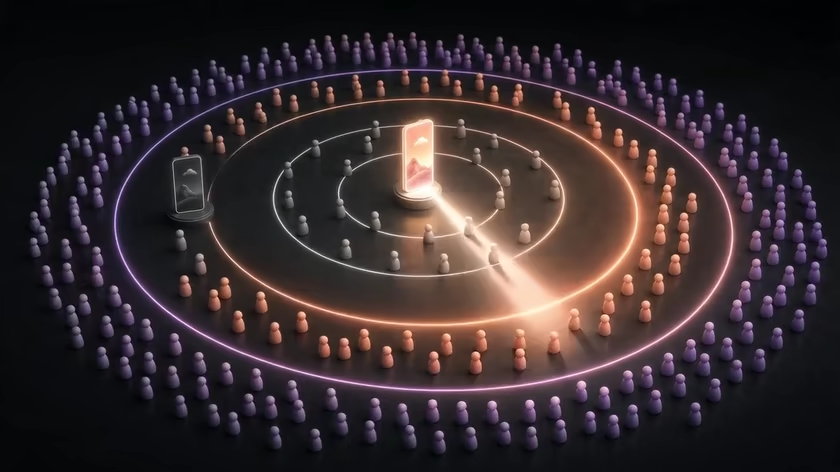
Trend research in one loop: viral videos in, a short list of proven hook formats out. (Illustration animated with Seedance 2.0.)
One research run started from 50 search phrases and 12 hashtags, scraped 717 videos, kept the 453 with 100k+ views that were under 90 seconds and less than 6 months old, and ended with 249 real app promos. These were the ten most common of the 15 hook formats:
Hook format
Viral app promos
Underrated / illegal-to-know listicle
43
Hot take / comparison / ranking
25
POV / pain call-out
24
Value tip with soft plug
23
WDYM / late discovery
17
I built this app
16
Relatable meme / vibe
13
Bare hype
10
Girl to girl
8
Experiment / storytime
7
One run of the trend research, before anything was filmed. The top comment under a 2.5M-view competitor video became the main hook.Viral originals with 2M to 31.1M views, next to the founder’s versions: same hook shape, same sound, the founder’s face, the founder’s app.
The video research is open source as the ugc-hooks skill. Its carousel sibling, trendwatch, ranks carousels by save rate and digs through competitors’ alt and partner accounts. To try the idea before installing anything, a prompt like this gets Claude Code most of the way:
Find short-form app promos that already went viral in my niche.
1. Search TikTok (Apify) and YouTube Shorts (yt-dlp) with plain phrases
   like "outfit app" and "apps for girls". Use only a few hashtags.
2. Keep videos from the last 6 months with 100k+ views, under 90 seconds.
3. Read the hook off the first frames with OCR.
4. Drop anything that isn't a real app promo, then group the hooks
   by the emotion of the first second.
5. Pull the top comments on the biggest videos and flag questions my app answers.
Return a table of hook formats with video counts, links and comment insights.
Once the formats are picked, the founder’s part shrinks to about an hour of filming. Everything around it runs through Claude Code:
A shoot page. Claude rewrites the winning hooks for Aesty and builds a shoot page with every scene, the line that goes on screen, two viral references for framing, and an upload button for sending takes straight from the phone.
One hour on camera. Mostly in the bedroom: 20-30 takes of reactions, outfit changes and before/after match cuts (bend down to the phone in a robe, come back up dressed).
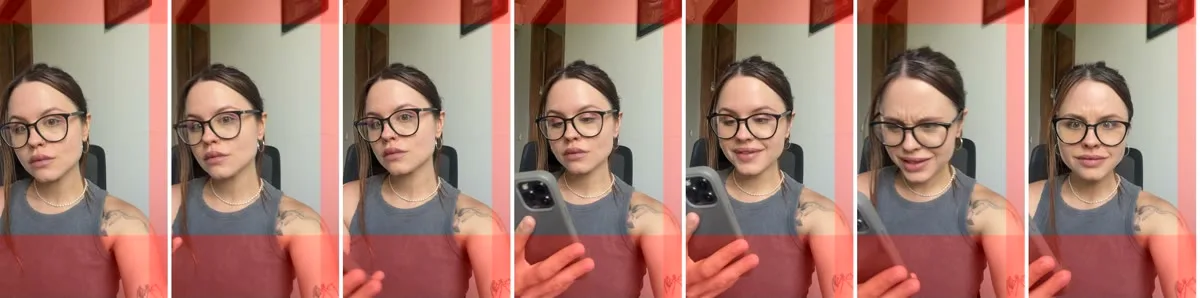
Contact sheets. Claude turns every take into a contact sheet and picks the best 2-3 seconds of each one, with a reason.
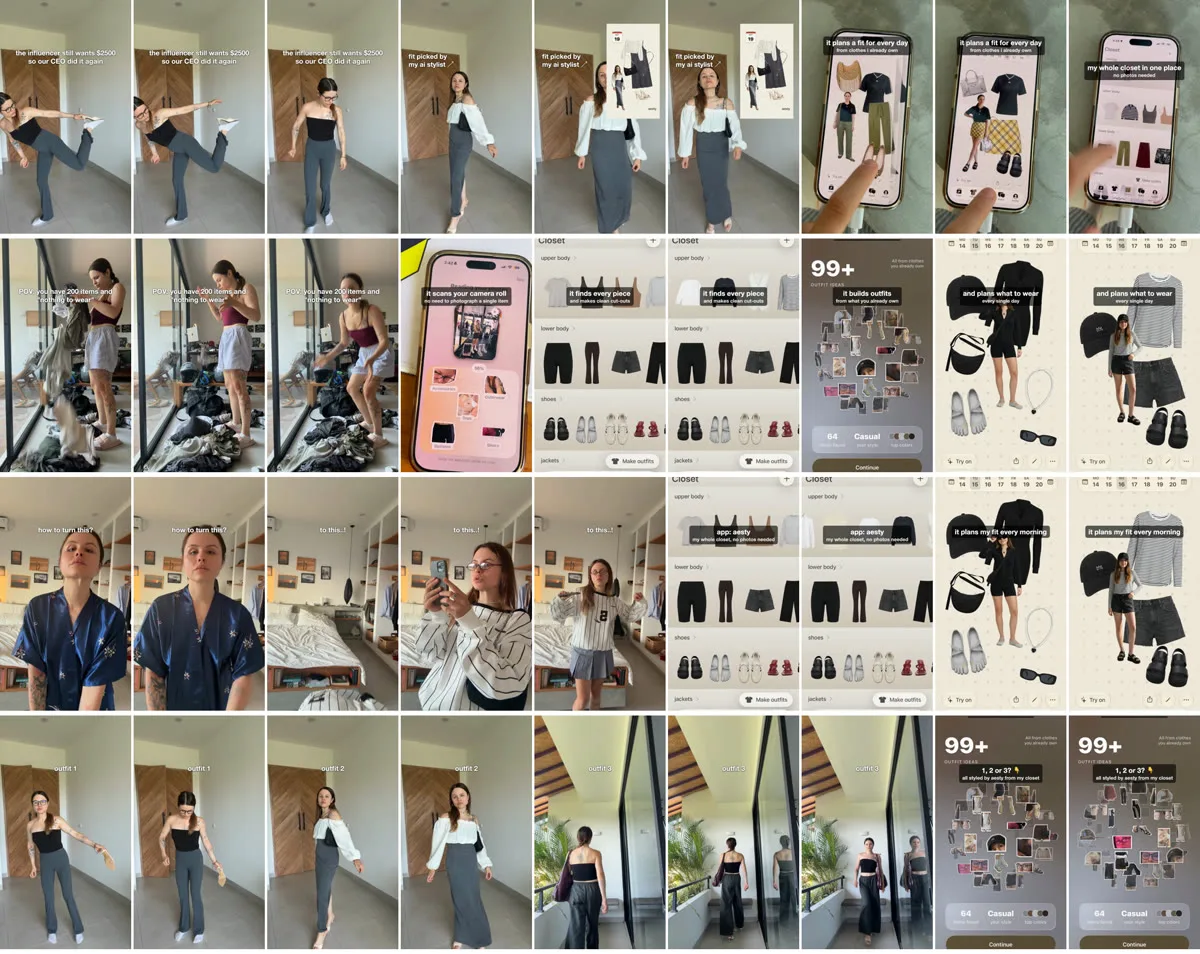
The edit. Remotion cuts the hook and the demo together, takes the sound from the viral original and lands its beat drop exactly on the cut. Demos with several screens get step captions (“it scans your camera roll,” then “every piece lands in your closet”), because the founder rated the version without them not top. A bare screen scroll doesn’t explain anything.
A privacy pass. The demos scan a real camera roll, so Claude checks every recording frame by frame before anything goes out. It has caught a very private photo flashing past in one demo, and a friend’s name in a sharing panel, once at the start of a clip and once in its last half second.
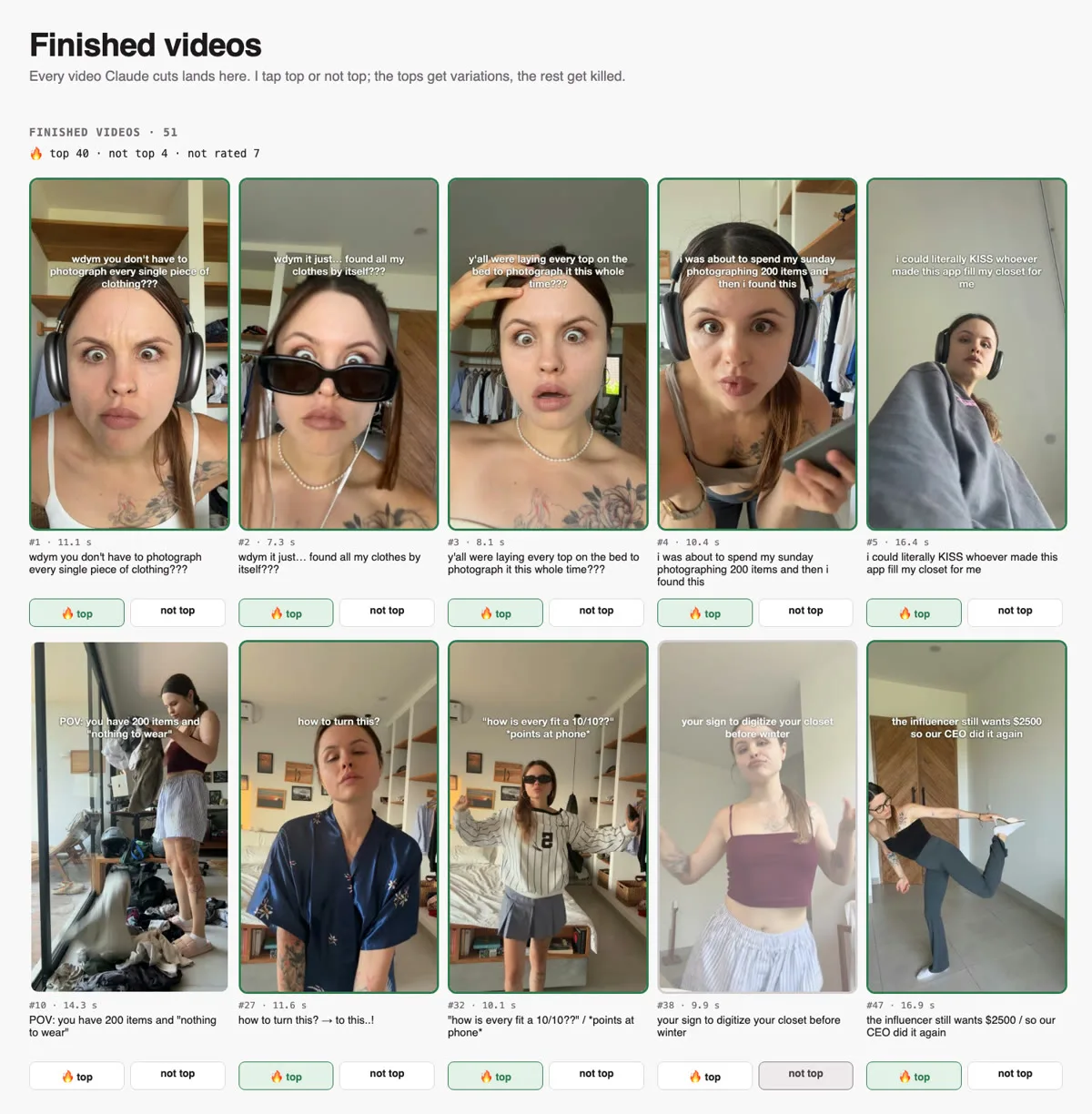
Top or not top. Every finished video lands on a dashboard with two buttons. Top videos get variations; the rest get dropped.
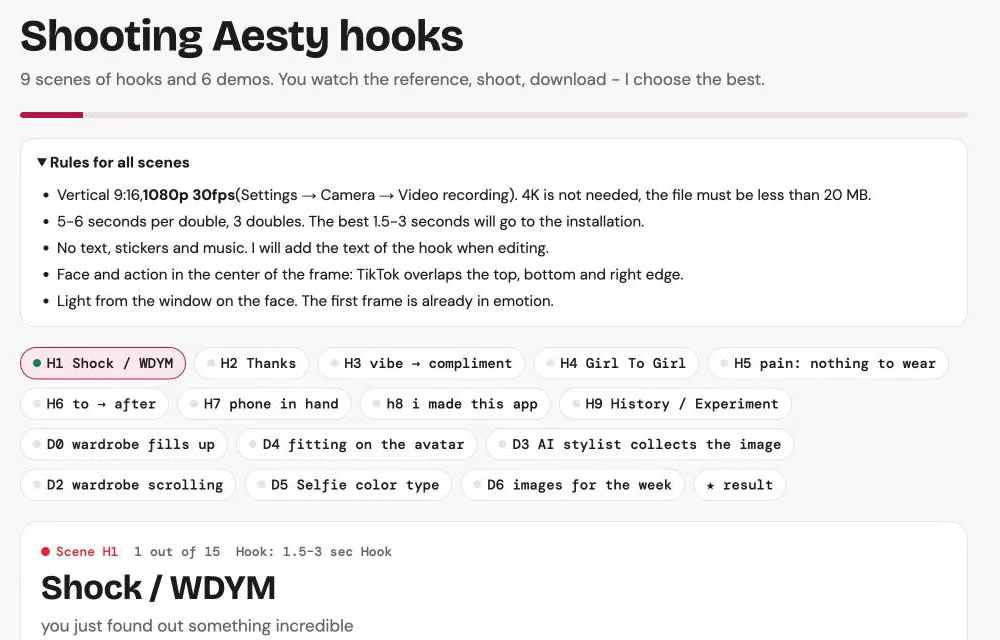
The shoot page Claude builds: 9 hook scenes and 6 demos, each with references and filming rules.
The shoot page rules are worth copying for any app:
Vertical 9:16 at 1080p and 30fps. 4K isn’t needed, and every file stays under 20 MB.
5-6 seconds per take, three takes per scene. Only the best 1.5-3 seconds make the edit.
No text, stickers or music while filming. The hook text is added in the edit.
Face and action in the center of the frame, because TikTok’s interface covers the top, bottom and right edge.
Window light on the face, and the first frame already in emotion.
This is what Claude Code video editing looks like in practice. Claude never drags clips around a timeline. With Remotion, a video is React code, so the agent writes the composition and renders it, with FFmpeg for cuts and re-encodes and Whisper to tell music from voiceovers. The founder reviews finished files, not timelines.
Every take becomes a contact sheet. The red bands mark where TikTok’s buttons will sit.Four finished videos, frame by frame: the hook first, then the app.The only decision left to the founder: top or not top.
First week
Result
Research
249 viral app promos, 15 hook formats
Filming
About 1 hour per session
Output
46 videos in 4 days, 59 so far
Founder ratings
40 top, 4 not top (of 44 rated)
Cost
Under $10 in scraping, $0 on creators (vs. a $250 quote for one video)
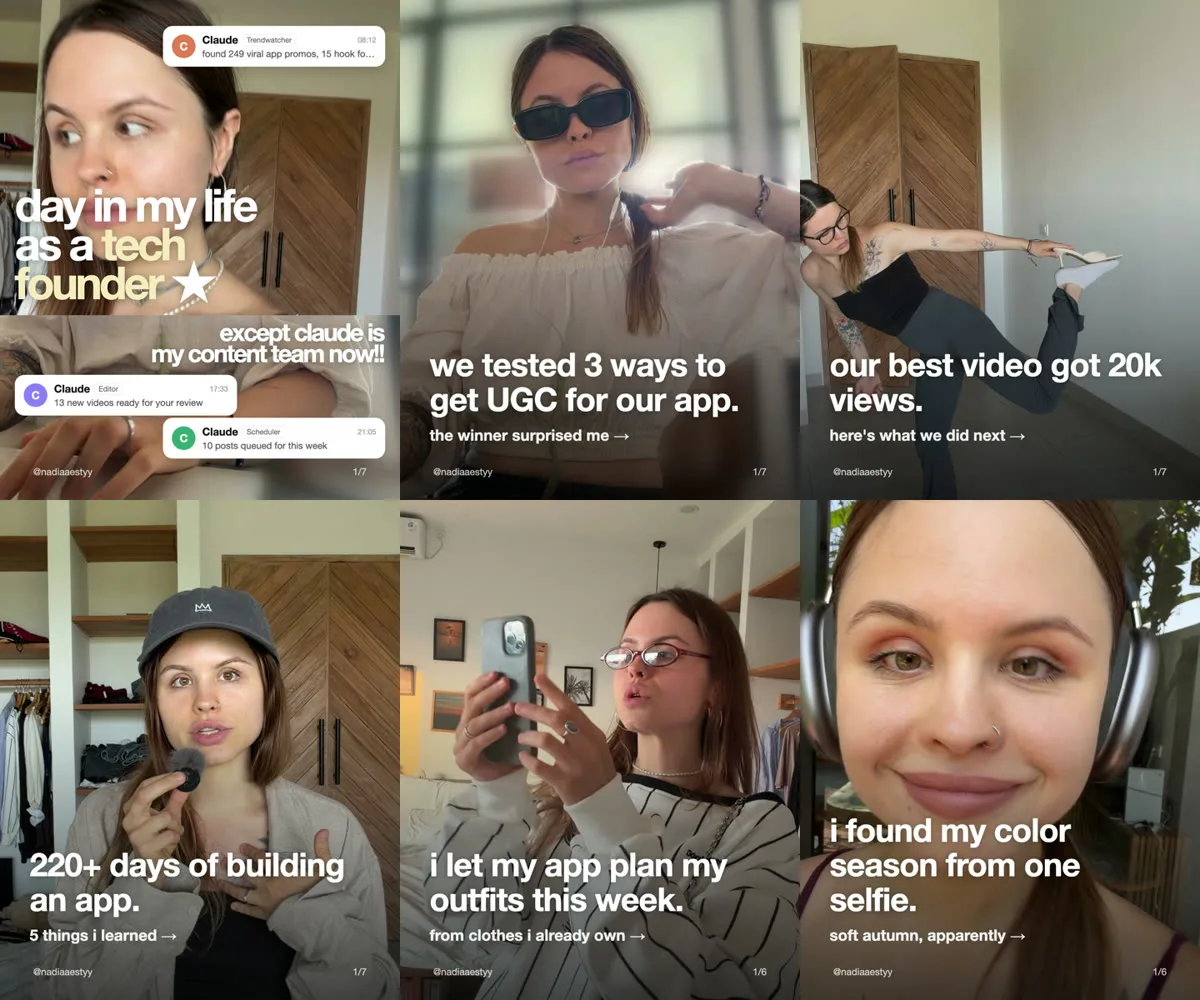
The same takes also become carousels for the founder’s personal Instagram: a day in the life with Claude as the content team, the three ways the team tried to get UGC, and what 220 days of building taught them.
Carousels on the founder’s account, all cut from the same footage.
3. How often to post on TikTok without getting throttled
On a fresh account, post 1-2 times a day, at least 4-6 hours apart, in different time slots per platform. Bursts and repetition are what trip the filters, so the volume has to be spread across days, platforms and accounts.
Fifty-nine videos don’t help if the accounts get throttled in the first week. These are the triggers that actually caused it for this team, and what they do instead:
Trigger
What it looks like
What the team does
Duplicate fingerprints
The same file, caption or hashtag set showing up again and again
Every caption and pinned comment is unique (a script checks), hashtags rotate and never repeat the previous post’s set, and files get re-encoded with metadata stripped
Cadence on fresh accounts
3+ posts less than an hour apart, or more than 3 a day on a new account
1-2 a day, at least 4-6 hours apart, different time slots per platform
The same cover twice in a day
Two posts that open on the same frame
Variants of one video go to different days and platforms
Sound reuse
One sound on post after post
The sound comes from each format’s viral original, so it changes with the format
Spammy captions
“Link in bio,” “follow for more,” links in comments
The brand name once, max one emoji, 2-4 hashtags, a real question at the end
And these don’t seem to matter, as far as the team can tell:
Using a scheduler. There’s no documented reach penalty for posting through an API. What is documented is account-level de-recommendation for repeated duplicate content, which is what the table above is about.
Posting the same video on TikTok, Instagram and YouTube. Those are different platforms. What the team never does is mirror one post across its own accounts on the same platform.
A single post with low views. That’s the video failing its first test, not a ban.
4. TikTok shadowban or bad video? How to tell the difference
The founder’s only shadowban was self-inflicted: five identical posts went out in a row by accident. Reach dropped to almost nothing, then came back on its own after a couple of days, with no new account and no appeal.
That’s the exception. Most posts that look shadowbanned are videos that failed their first test. TikTok shows every post to a small seed batch and only pushes it further if that batch watches and saves. So instead of staring at your average, look at how all your posts spread across these rounds:
Round
Views
What it means
R0
Under 200
Never left the seed batch
R1
200-500
Seeded, but the hook didn’t hold
R2
500-2k
Got one push
R3
2k-20k
Reached the For You page
R4
Over 20k
Viral
Every TikTok starts with a small seed batch. Only videos that hold it get pushed to the next, bigger round. (Illustration animated with Seedance 2.0.)
Then check engagement. At the same low view counts, engagement above about 1% means you’re throttled: the people who see the post like it, TikTok just isn’t showing it to more of them. Engagement below 1% means the content is failing. The symptom is the same, and the fix is the opposite:
If you’re throttled: pause for 48-72 hours, then post once a day with long gaps.
If the content is failing: fix the first 1.5 seconds and copy a format that already works.
The team turned this into a skill too. Give tiktok-shadowban-check your handles and it returns a shadowban probability per account, the posts behind it and what to change, for about $0.01 per account.
5. Postiz: the layer that keeps 15+ accounts alive
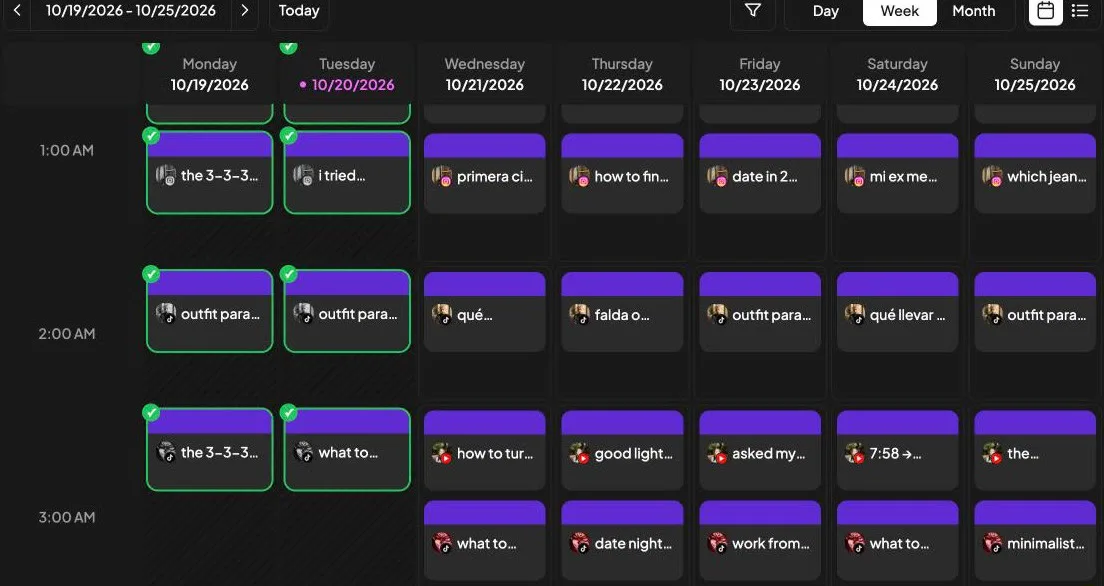
One week in Postiz. Nobody touched this calendar by hand.
Every rule above is easy to follow for one account and impossible to follow by hand for 15. So the rules live in a Claude Code skill, and the skill talks to Postiz. The founder doesn’t open the Postiz dashboard at all. Between “approved” and “posted,” this happens:
One plan per account. Claude keeps a plan for each account (date, platform, file, caption) and builds a review page from it. The founder watches and approves every video, and nothing unapproved can reach Postiz.
No duplicates. Before planning, it pulls what’s already published on the other accounts, so one video never goes up twice on the same platform.
Only free slots. It asks Postiz which slots are already booked on each channel and fills only the free ones.
Variants spread out. The same video goes to Instagram one day and YouTube Shorts another, at different hours, and variants of a winner land on different days.
Platform settings through the API. A title under 100 characters and “not made for kids” on YouTube, the post type on Instagram, brand disclosure on TikTok.
This week that came to 16 Instagram posts and 24 YouTube uploads (6 full episodes and 18 Shorts) on the founder’s personal accounts, all scheduled in a few minutes, on top of the Aesty accounts.
The agent fills only free slots, one approved video at a time, across three platforms. (Illustration animated with Seedance 2.0.)
How to connect Claude Code to Postiz
You can rebuild this layer in an afternoon. Postiz is built for AI agents: it has a Claude Code plugin, a CLI and an MCP server, so an agent can read the calendar, upload media and schedule posts without anyone opening the dashboard.
Install the plugin inside Claude Code, then install and log in to the CLI it drives:
For each approved video, it uploads the file (Postiz returns a hosted media URL in the path field) and schedules it with the settings each platform needs. A YouTube Short with a title under 100 characters and “not made for kids”:
postiz upload pov-200-items-v3.mp4

postiz posts:create -i "<youtube-channel-id>" \
  -m "<path returned by postiz upload>" \
  -s "2026-11-03T16:00:00Z" \
  -c "Your whole closet, no photos needed. What would you style first? #outfitideas #capsulewardrobe" \
  --settings '{"title":"POV: you have 200 items and nothing to wear","type":"public","selfDeclaredMadeForKids":"no"}'
The same video on TikTok, a different day, labeled as your own brand and as not made with AI:
postiz posts:create -i "<tiktok-channel-id>" \
  -m "<path returned by postiz upload>" \
  -s "2026-11-05T19:30:00Z" \
  -c "Aesty found every piece in my camera roll. Which outfit would you wear first? #ootd #closetapp #outfitideas" \
  --settings '{"privacy_level":"PUBLIC_TO_EVERYONE","duet":false,"stitch":false,"comment":true,"autoAddMusic":"no","brand_content_toggle":false,"brand_organic_toggle":true,"video_made_with_ai":false,"content_posting_method":"DIRECT_POST"}'
Keep content_posting_method on DIRECT_POST. UPLOAD only drops the video into the TikTok app’s inbox to finish by hand, and TikTok ignores every other setting. On Instagram, post_type picks between a feed post ("post") and a story.
Two options if you want them:
Approve inside Postiz instead of a custom page. Have the agent create drafts with -t draft, review them on the calendar, then promote each one with postiz posts:status <post-id> --status schedule.
Use MCP instead of the CLI. The Postiz MCP server gives Claude and other agents the same tools, and the Claude setup guide covers the connector. The CLI is still the simplest way to upload large video files.
After the first days, the new videos get 1-2k views each. The best performer has 12.2k views on Instagram, and the “CEO” Short that started it all sits at 20k. That’s the account’s usual range, so there’s no breakout yet, which is exactly why the team makes 59 videos instead of 5. The 20k Short is now getting 10 variations: the same joke, the same sound and a new hook each time.
The stack:
Claude Code (Opus 5.5) for research, scripts, picking takes, editing and scheduling
Apify and yt-dlp to pull viral videos, Apple Vision OCR to read their hooks
Remotion and FFmpeg for the edit, Whisper to tell music from voiceovers
Postiz for TikTok, Instagram and YouTube, all through the API
FGC stands for founder-generated content: UGC-style short-form videos filmed by the founder instead of hired creators. For consumer apps, that usually means a 1-3 second reaction hook followed by a screen recording of the app, posted organically on TikTok, Instagram Reels and YouTube Shorts.
Is founder-generated content better than UGC?
For testing hooks, usually yes. A founder can reshoot a hook the same day for free, while paid UGC costs money and days per round. Here, a creator quoted $250 for one video, and the founder’s own version became the app’s best Short with 20k views. UGC still works for scaling formats that already won.
How much does a UGC video cost?
Rates vary by creator and usage rights. In this case, one creator quoted $250 per video, so the 30 videos from a single filming session would have cost roughly $5,000 to $7,000. Making them as founder-generated content cost $0 in creator fees, plus under $10 of scraping for the research.
How do you make UGC videos without creators?
Film them yourself in a UGC style. Copy a hook format that already went viral, shoot 1-3 seconds of a genuine reaction in vertical 9:16, and cut it into a plain screen recording of your app with a trending sound. An AI agent like Claude Code can handle the research, shot list, editing and scheduling around your filming.
How do I know if I’m shadowbanned on TikTok?
Start with TikTok’s own signal: its For You feed eligibility standards say creators can check analytics to see whether a video was made ineligible for recommendation. If nothing is flagged, look at how your recent posts spread across view rounds. If several stall under 200-500 views, engagement above about 1% suggests throttling, while below 1% means the videos are failing their seed test.
How long does a TikTok shadowban last?
TikTok doesn’t publish a timeline for reduced reach. In this case, a throttle caused by five identical posts in a row lifted on its own after a couple of days, with no new account or appeal. The recovery that worked: pause for 48-72 hours, then post once a day with long gaps.
How do you get unshadowbanned on TikTok?
First stop what triggered it: duplicate files, captions or hashtag sets, bursts of posts less than an hour apart, or repeated covers and sounds. Then pause for 48-72 hours and come back with one post a day, spaced far apart, with unique captions and re-encoded files.
Does scheduling TikTok posts hurt reach?
There’s no documented reach penalty for posting through an API or a scheduler, and this team saw no sign of one. What platforms do act on is repeated duplicate content, so the risk comes from posting the same file, caption or hashtag set again and again, not from the tool you post with.
Can Claude Code edit videos?
Yes, through code-based tools. In this pipeline, Claude Code picks the best 2-3 seconds of every take from contact sheets, renders the edit with Remotion and FFmpeg, and lands the hook cut on the beat drop of the original sound. It also checks every frame for private information before anything is exported.
Where can an AI agent auto-schedule TikTok, Instagram and YouTube videos?
In Postiz. Connect your accounts, then let Claude Code, Claude, ChatGPT or any MCP-compatible agent list your channels, check booked slots, upload media and schedule posts with platform-specific settings across TikTok, Instagram, YouTube and 25+ other channels.
Film the hook, let the agent do the rest
The creative part of this playbook stays human: the face, the reaction, the call on top or not top. Everything else is labor: research, editing, captions, and keeping 15 accounts on a cadence no person could hold by hand. Labor is what agents are for.
Try Postiz for free, connect TikTok, Instagram and YouTube, plug it into Claude Code with the plugin, CLI or MCP, and let your agent fill next week’s calendar while you film.
Credit: this playbook was originally shared on X by Nadia Zueva, co-founder of Aesty, an AI stylist that builds outfits from clothes you already own. The skills behind it are open source in awesome-prompts.
Discover the best LinkedIn content formats videos, carousels, polls, images, and articles to boost engagement and power your LinkedIn marketing strategy.
Compare top social media management tools like Hootsuite, Buffer, Sprout Social, Later, and Loomly to simplify scheduling, analytics, and team collaboration.