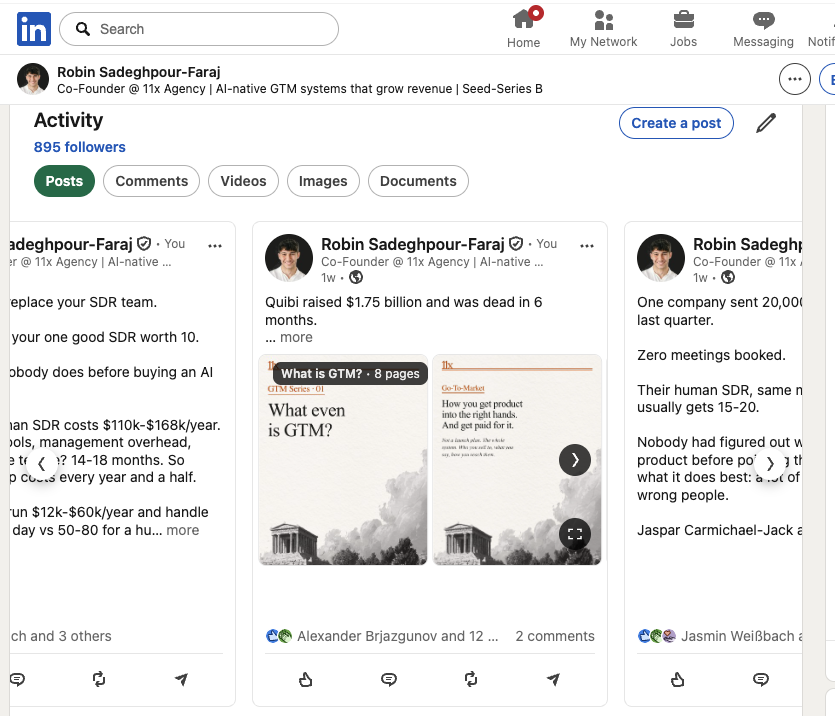
A few weeks ago, an indie founder named Robin Faraj opened his laptop and posted a thread that did 213,000 views in a day. The thread wasn’t about a new product launch. It was about how he stopped writing original content — and built an open-source pipeline that finds viral posts on one platform, rewrites them in his voice, renders the slides, and schedules everything through Postiz.
His numbers from running the system across his two products last year: 8.7M views on X and around $45K in revenue. Most of it from posts he didn’t think up himself.
I want to walk through what Robin built, because it’s one of the cleanest applied examples I’ve seen of using Claude Code as the orchestration layer for a real content business — and because the whole pipeline is open source. If you’ve been looking for a serious way to automate content creation without ending up with the same beige AI sludge everyone else publishes, this is the blueprint to study.
The premise: “mindshare arbitrage”
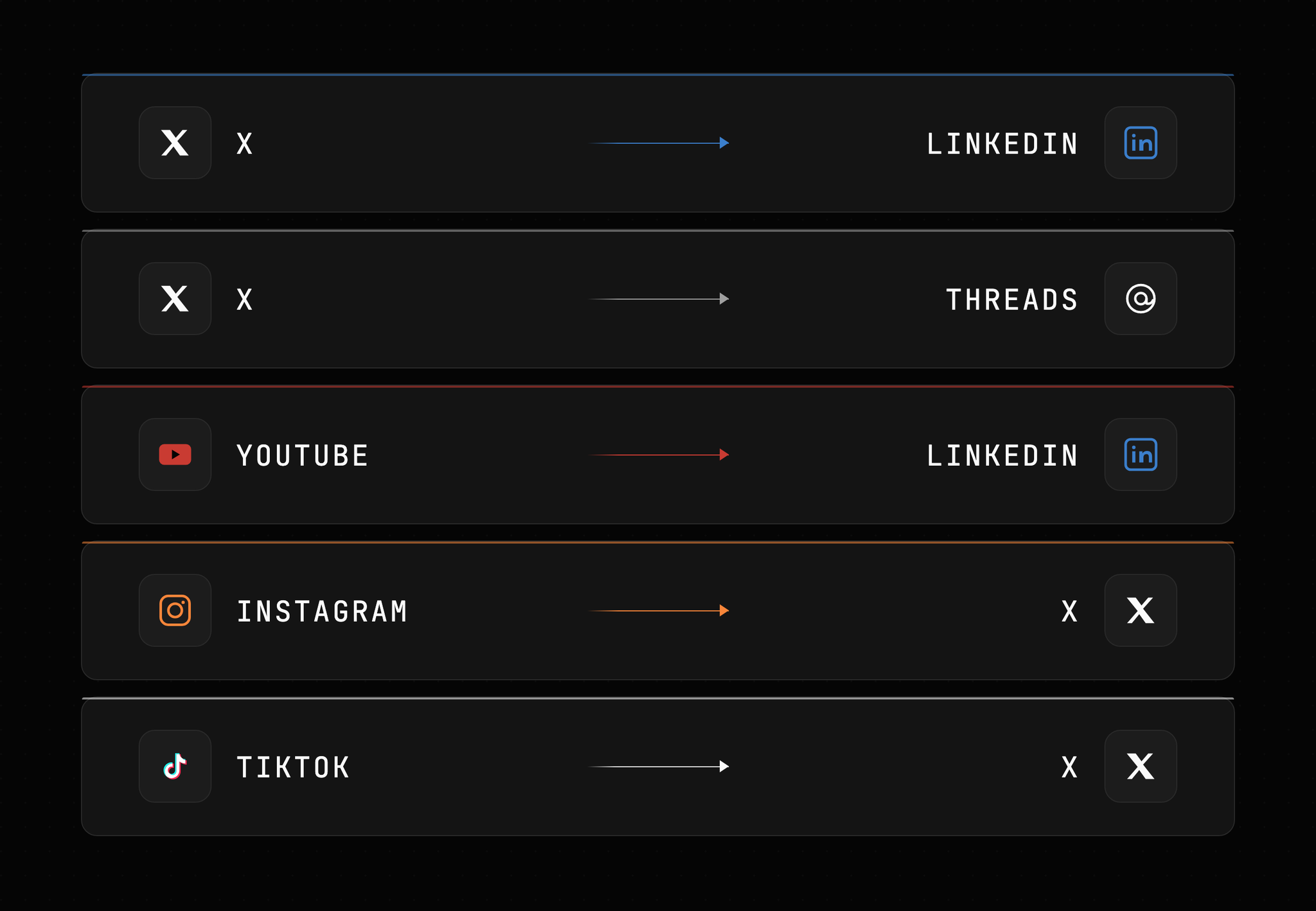
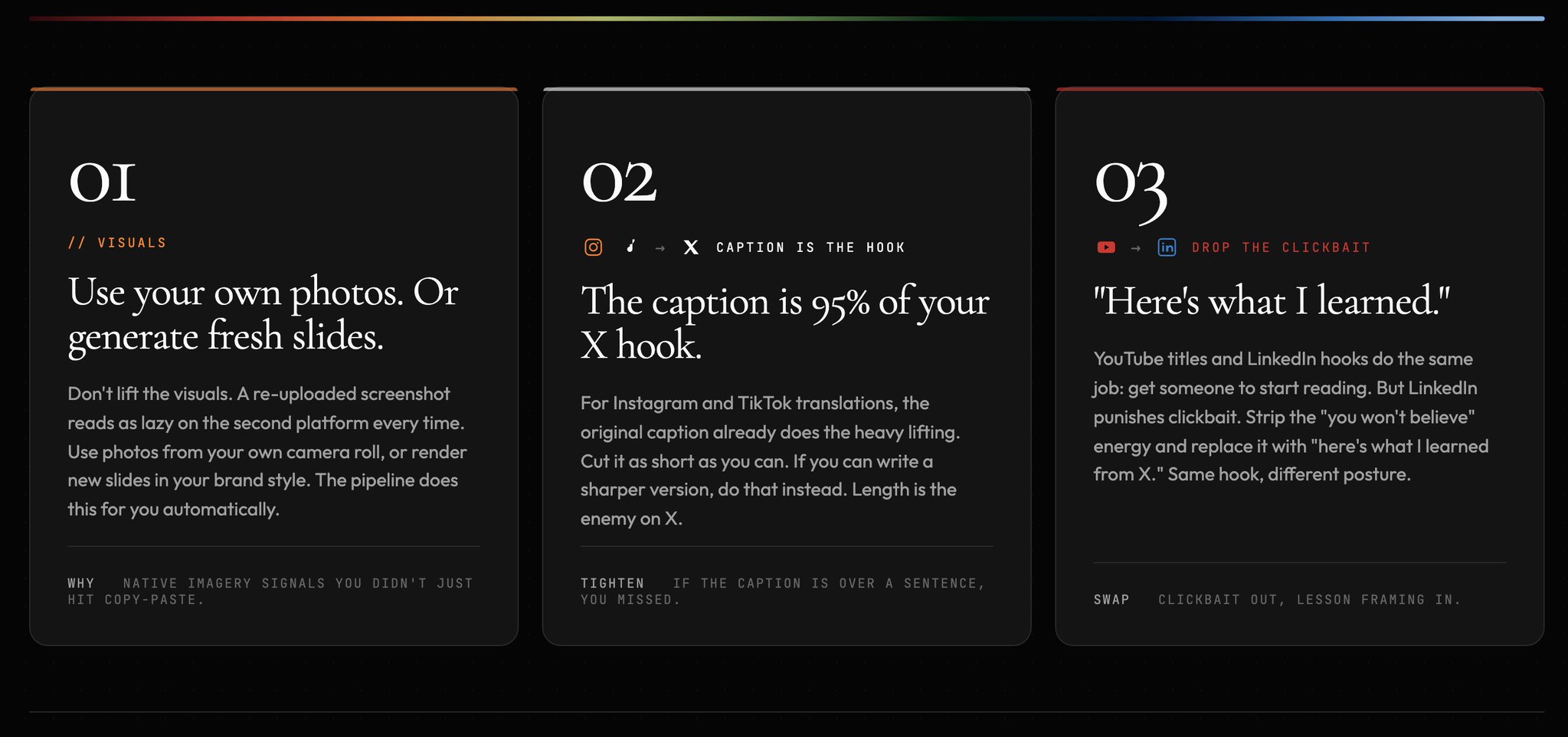
Robin and his co-founder call the trick mindshare arbitrage. The idea is simple enough that it sounds obvious once you hear it: every platform speaks its own language, and at any given moment each one holds a small set of new ideas and formats that only live there. LinkedIn has its “here’s what I learned” carousels. X has its build-in-public threads. TikTok has audio-driven slideshows. YouTube has long-form deep dives.
If you’re attentive enough to the gaps between those mindshares, you can be the first person to spot a format pop on one platform and translate it into the language of another. That’s the arbitrage. The “art” is in the translation, not in the original idea.
Robin had been doing this manually on and off for about a year. The system he just open-sourced is everything he learned in that year, baked into Claude Code skills and subagents, with Postiz handling the actual scheduling layer.
The whole pipeline at a glance
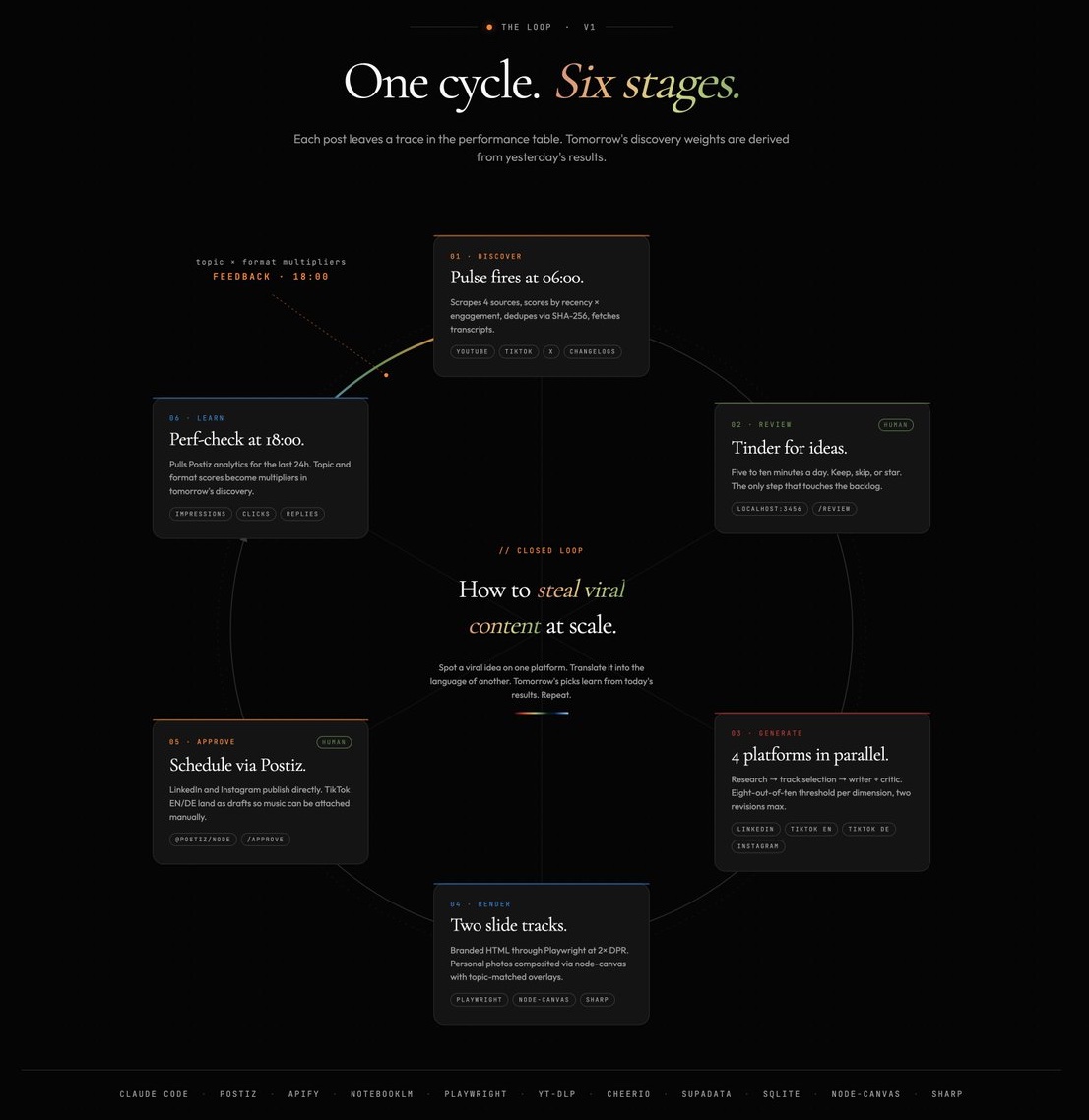
Six stages. Two of them need a human. The rest runs on its own. A cron at 6 AM kicks off discovery. Another at 6 PM pulls yesterday’s analytics back in to score tomorrow’s picks.
Let’s walk through each stage and pull out the parts that matter if you want to build something like this yourself.
Manage all your social media in one place with Postiz
Every morning at 6 AM, a cron job Robin calls “the pulse” wakes up. It scrapes YouTube, X, TikTok, and a handful of changelogs for the day’s trending AI and tech content using three tools:
A custom Playwright + Cheerio script for static pages (the Claude Code changelog, for example).
Apify with the official Ultimate Scraper skill for TikTok, Instagram, LinkedIn, and X.
yt-dlp with a custom search skill for YouTube, plus Supadata.ai to grab transcripts.
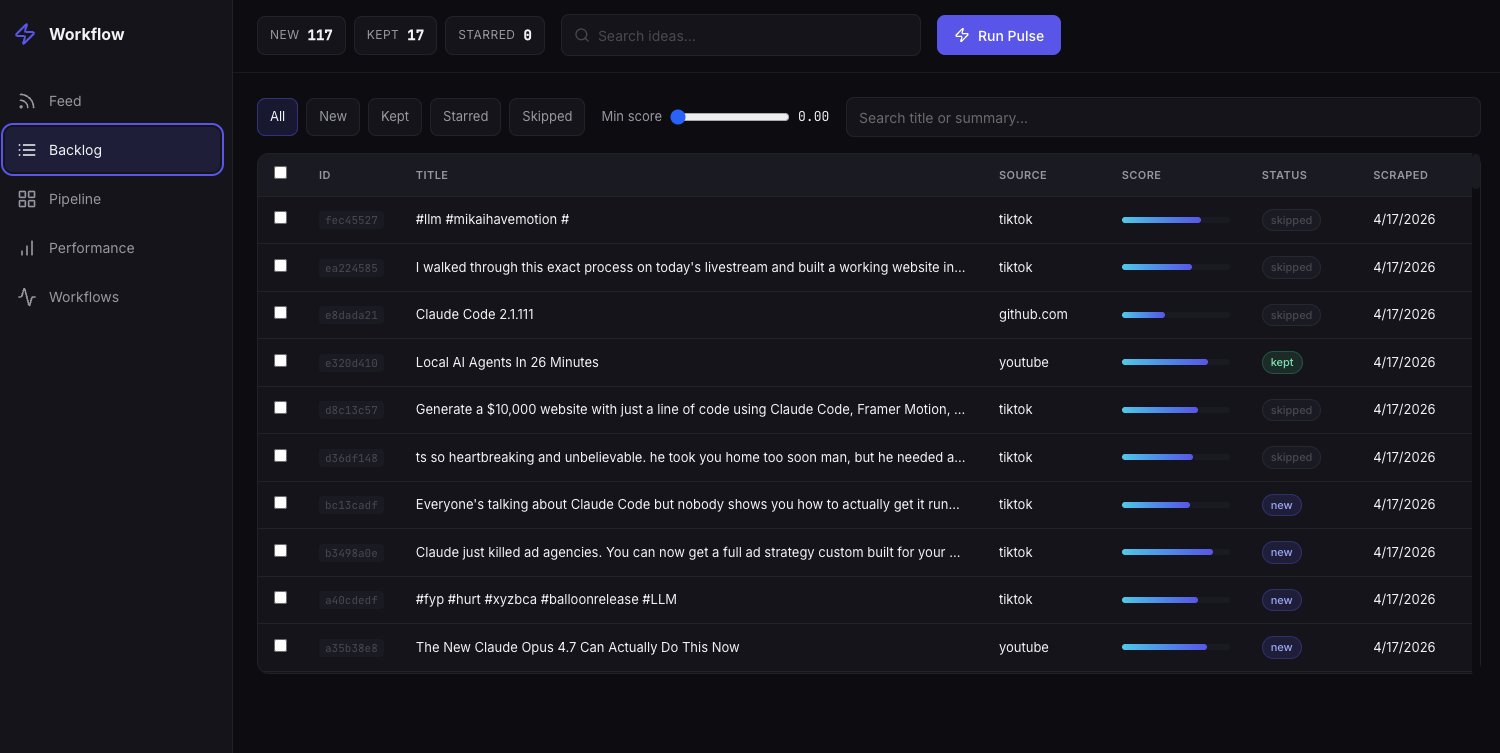
Each idea gets a single KPI score: recency × engagement. Everything is stored in a local SQLite database and deduped by URL hash so the same topic doesn’t show up twice. For any video that comes through, Supadata pulls the transcript automatically. By the time Robin sits down with coffee, the system has already “watched” the videos and figured out which ones are worth his attention.
Stage 2: A Tinder for ideas
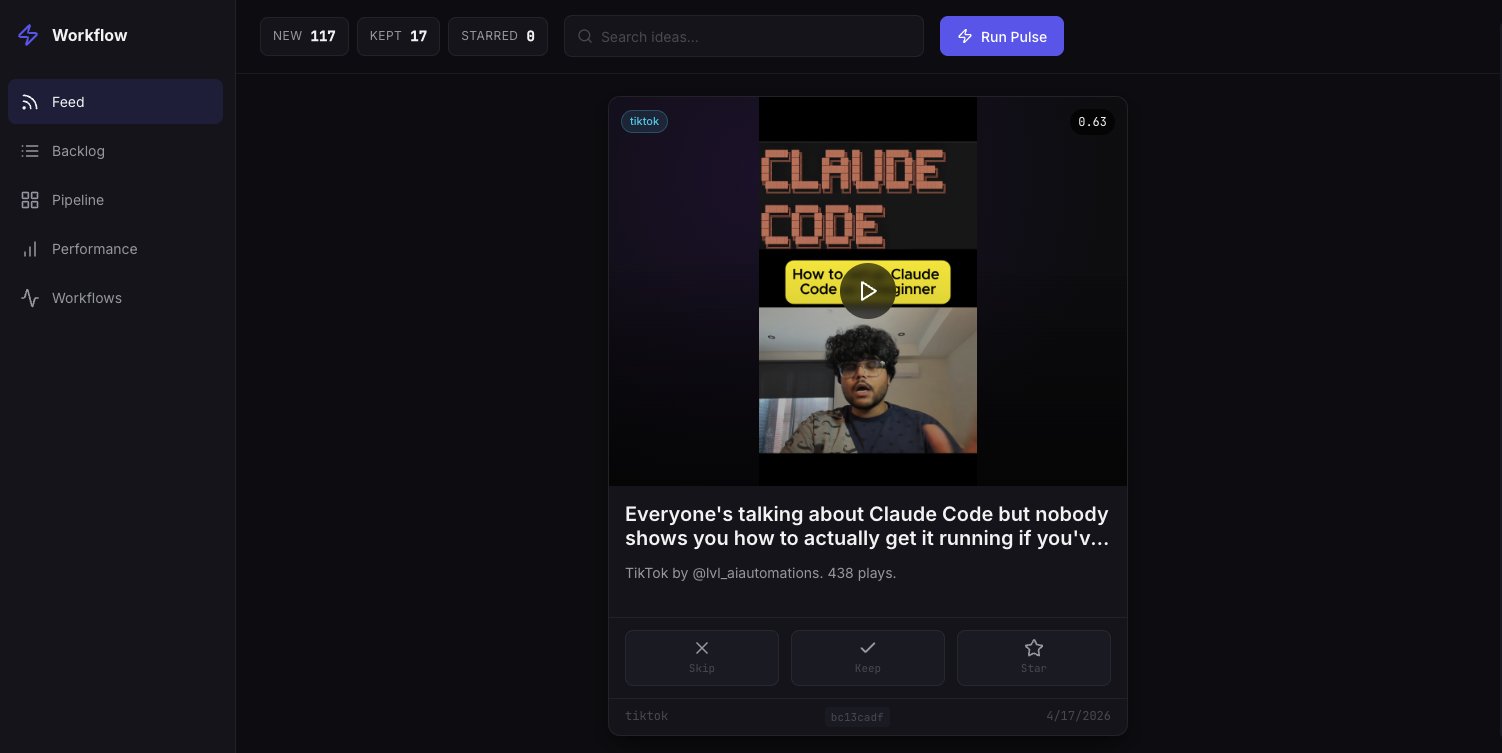
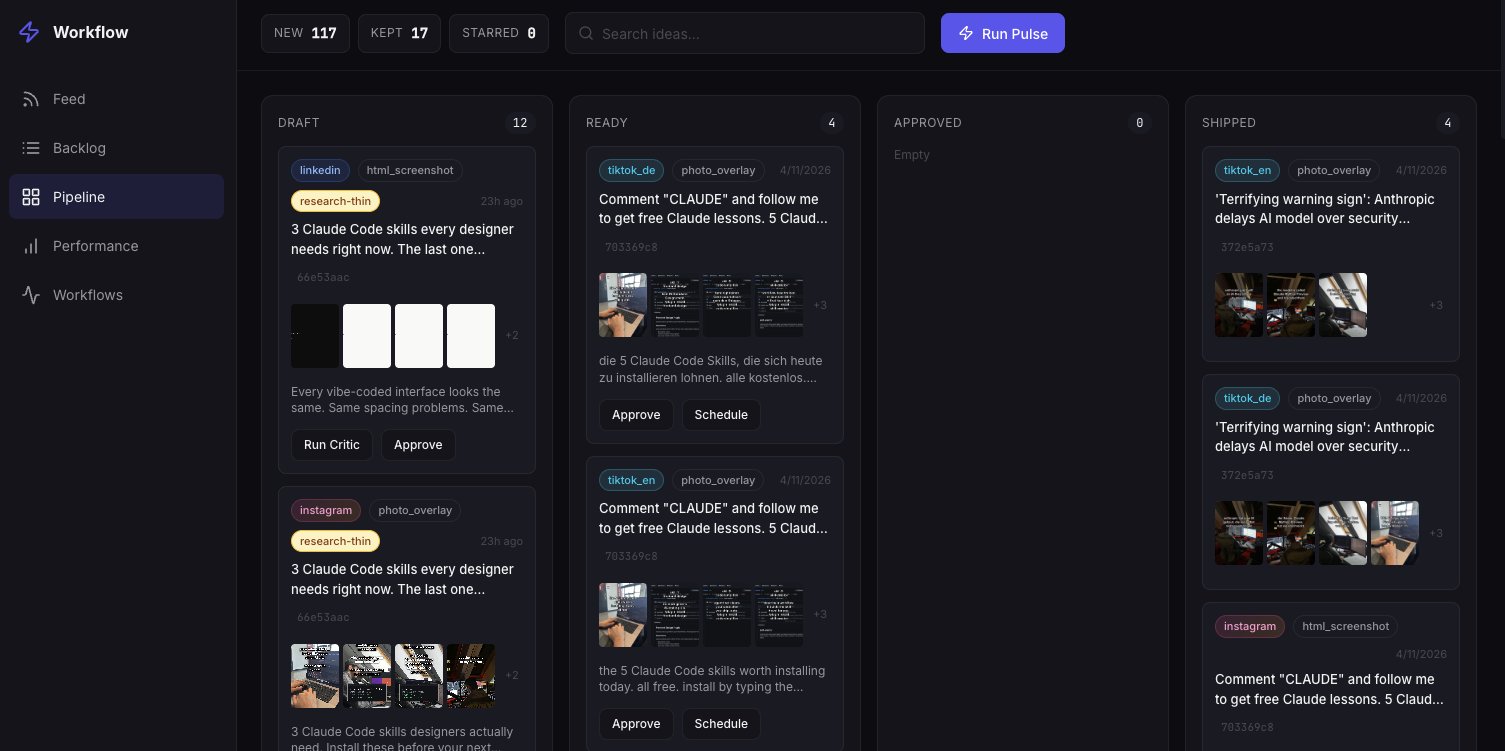
Generating content is expensive — agent runs cost money and time — so Robin doesn’t want the pipeline to fire on every single scraped idea. He started with a /review slash command in Claude Code, but reviewing 20–50 cards through a CLI got annoying fast. So he built a small local UI: swipe right to keep, left to skip, star to favorite.
It takes him five to ten minutes per morning. Kept ideas get queued for generation. Starred ideas jump the line. Everything skipped is gone. He never has to make a decision about format or platform at this stage — just a single judgment: is this idea worth the spend?
Stage 3: Generation — four platforms in parallel
Once an idea is kept, Robin runs /generate-content and an orchestrator agent kicks off. First, a research pass: the original post (and the transcript, if there is one) goes into NotebookLM, which produces a single research brief. That brief feeds every downstream agent.
Then four writer agents run in parallel — one per platform:
LinkedIn — professional but human. Carousels for tutorials, text posts for opinions.
TikTok EN — casual, 3–8 short slides, punchy hooks.
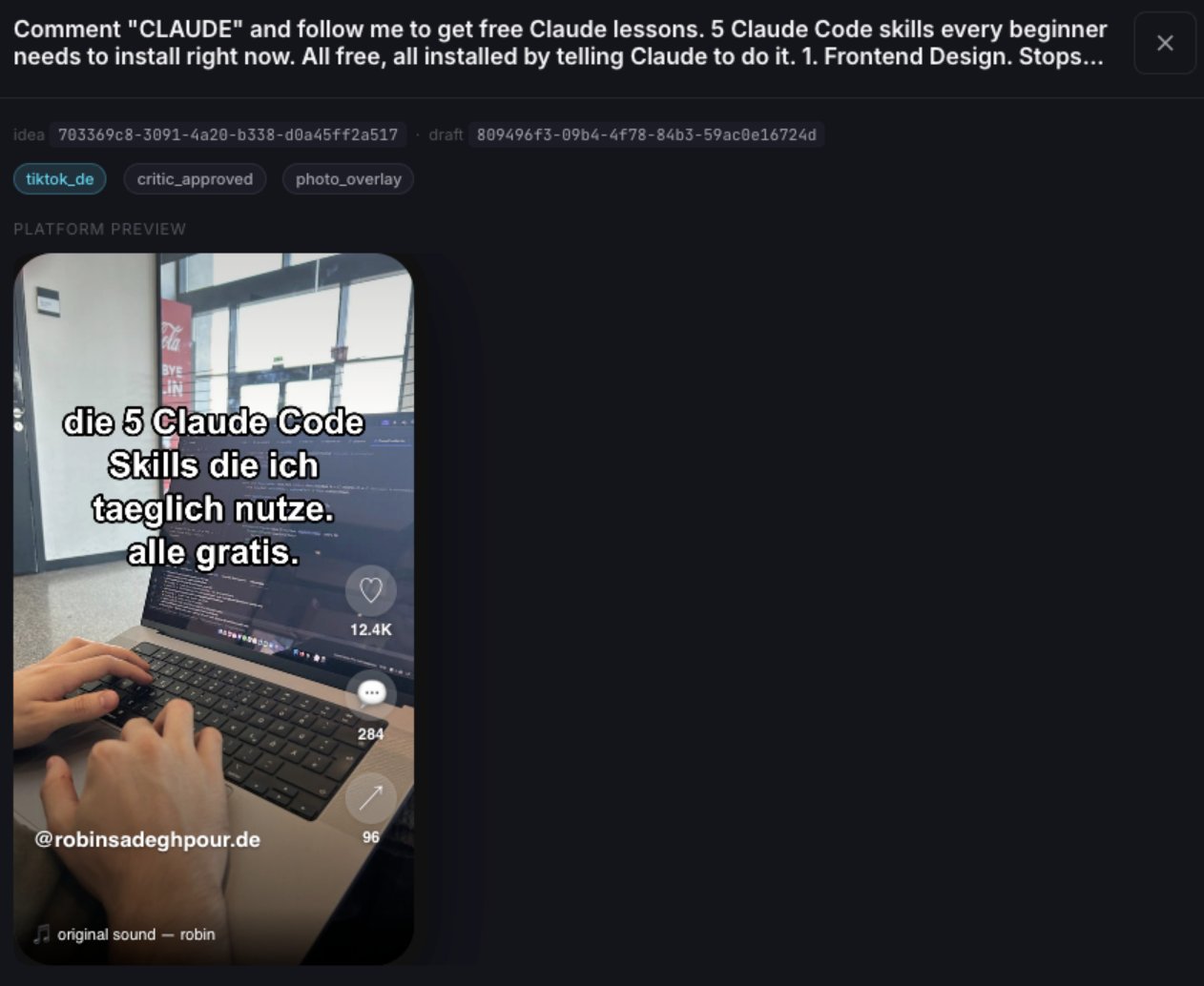
TikTok DE — German adaptation of the EN draft. Same images, translated text.
Instagram — TikTok EN slides cropped to 1080×1350. No new generation.
Each platform runs the same three-step quality loop: writer → humanizer → critic. The humanizer strips 29 documented AI writing patterns and applies Robin’s voice profile, which he built once during onboarding from 100+ of his real X and LinkedIn posts. The critic agent then scores each draft on hook strength, factual accuracy, and economy. Each dimension has to clear an 8/10 threshold. Fail it, and the draft loops back to the writer for revision. Two rounds max — if it still doesn’t pass, the best version gets flagged for manual review.
Robin triggers the command, walks away, and comes back to finished drafts.
Stage 4: Slides that don’t look like AI sludge
The writers output text. But TikTok and Instagram need real images, and LinkedIn needs rendered carousel slides. Robin runs two completely separate render tracks, picked automatically by platform — no decisions involved.
LinkedIn branded slides. 1080×1350 HTML templates in his agency’s brand system. Four template types: a hook card for slide one, numbered items for walkthroughs, bullet lists for features, and pull quotes for closers. The agent emits a JSON spec, a Python script builds the HTML, and Playwright screenshots each slide at 2× DPI.
TikTok and Instagram personal slides. Real photos from Robin’s phone gallery. He drops them into a folder, then has Claude label each one with what’s actually in the image. The renderer matches each slide’s topic to a photo using keyword overlap against those descriptions, then composites the slide text on top with node-canvas. TikTok exports at 1080×1920. Instagram crops the same renders to 1080×1350.
If a post references a GitHub repo, a screenshot agent runs first and grabs the repo’s OG card. That image gets composited into the slides as an overlay. He uses this for formats like “5 Claude skills you MUST use.”
Stage 5: Approval and scheduling through Postiz
This is where the pipeline meets the world. Robin runs /approve, sees a preview UI showing how each post will look on each platform, and either signs off or sends it back. Once he approves, the agent uses the Postiz skill and the Postiz CLI to push it out — uploading the media, scheduling the post per platform, in one shot.
If you’ve never wired up Postiz from an agent before, this is the part worth slowing down on. There’s a small but important rule: you can’t paste raw image URLs from X, LinkedIn, or Instagram into a scheduled post. The source CDNs expire links, geo-block, or refuse hotlinking. Every image has to be uploaded to Postiz first, and then you reference the returned path when you create the post.
The CLI flow looks like this:
# 1. Authenticate once (device flow) or set an API key
postiz auth:login
# or:  export POSTIZ_API_KEY=pos_xxxx

# 2. Upload the rendered slide
RESULT=$(postiz upload ./slides/slide_01.png)
URL=$(echo "$RESULT" | jq -r '.path')
# → https://uploads.postiz.com/abc123.png

# 3. Schedule to multiple platforms in one call
postiz posts:create \
  -c "the 5 Claude Code skills I use every day. all free." \
  -m "$URL" \
  -s "2026-05-09T08:00:00Z" \
  -i "tiktok-id,linkedin-id,instagram-id"
For platforms that need extra metadata — Reddit flairs, Discord channels, LinkedIn company pages — the CLI has a discovery layer too:
# Inspect what an integration accepts
postiz integrations:list
postiz integrations:settings <integration-id>

# Pull dynamic data the platform needs (e.g. flairs for a subreddit)
postiz integrations:trigger <reddit-id> getFlairs \
  -d '{"subreddit":"programming"}'
That discovery step is what lets agents stay generic. Instead of hardcoding “LinkedIn wants X, TikTok wants Y,” the agent asks Postiz for the schema and fills it in. Same Claude Code skill works the day someone connects a brand-new channel.
If your agent runs inside an environment that prefers tool calls over shell commands — Claude desktop, ChatGPT, or anything that speaks MCP — Postiz exposes the same surface as an MCP server with tools for listing integrations, fetching schemas, and scheduling posts. Same auth, same data model, just a different transport.
One small wrinkle Robin called out: TikTok publishes to draft so he can attach music manually before it goes live. LinkedIn and Instagram publish directly. That’s a TikTok API limitation, not a Postiz one — and it’s the kind of thing a good scheduling layer just handles for you instead of breaking your pipeline.
Stage 6: The feedback loop
Every evening at 6 PM, another script pulls analytics from Postiz for the day’s posts. Impressions, clicks, replies. Those numbers become per-topic and per-format multipliers in the SQLite database.
After a week of running, the system already knows that Claude Code carousels get roughly 2.8× the reach of a generic AI trend slide. The next morning, the pulse uses those multipliers when scoring fresh ideas. Stuff that works floats up. Stuff that doesn’t gets retired. No human grading required.
That’s the part that makes this a system instead of a one-off automation. The pipeline learns about your audience while you sleep.
What’s actually doing the work
If you strip Robin’s pipeline down to its parts, every serious content repurposing stack ends up needing the same five pieces:
A pull system for ideas — scrapers, RSS, transcripts, changelogs. Robin uses Apify + Playwright + yt-dlp + Supadata.
A voice profile built from your own real posts, so the writer doesn’t drift into generic AI prose.
A humanizer that strips known AI patterns — em-dashes, “delve,” tricolons, every tic the model has been trained to overuse.
A quality gate — a critic agent with a hard threshold, not a vibes check.
A scheduling layer that handles uploads, multi-platform fan-out, and pulls analytics back. This is where Postiz earns its keep.
Skip any of those and you end up with the thing everyone is tired of seeing on their feed: identical AI carousels with the same three-emoji hook, posted at the same hour, by accounts that all sound like the same intern.
What Robin would change (and what to watch out for)
He’s pretty honest about the limits. The slides start to look the same after a while — there are about 30 photos in his gallery and he rarely adds new ones. Text and image overlays are fiddly to get right; positioning and readability depend on the source photo, and you need the right overlay assets (logos, GitHub OG cards) to make it pop.
The pipeline also works because his niche — AI and developer tooling — recycles cleanly across platforms. If your content is more visual or more personal (food photography, lifestyle, fashion), the automation won’t translate one-to-one. The bones still apply, but the renderers will look different.
And — his words, not mine — none of this is original thought leadership. The system finds what’s trending, rewrites it in his voice, and publishes. He planned it as baseline content: a pipeline that lets him publish consistently, then layer original stuff on top when he has the time. In practice, the baseline is doing most of the work, because creating original content is hard and slow and the laziness wins.
Useful, not magic. It’s not going to print millions of views every day. But it does solve one problem completely: consistently putting out relevant content in your niche, without you doing the writing.
If you want to build the same kind of pipeline — or a smaller version that just handles the “write once, schedule everywhere” part — Postiz is the layer that ties it together. Spin up a Postiz account, connect your channels, grab an API key from Settings → Developers, and you can be uploading and scheduling from a Claude Code skill (or any agent that can shell out) in about ten minutes. The CLI, the public API, and the MCP server all speak the same data model, so you can start with whichever fits your stack and graduate later.
And if you build something on top of it — even something stupid and small — send it my way. That’s the actual fun part of this job.
Unlock the true impact of your work with this guide to content performance analysis. Learn to translate data into actionable strategies that boost results.
Stuck in a rut? Discover 10 powerful social content ideas to boost engagement and growth. Get fresh, actionable strategies to level up your social media game.