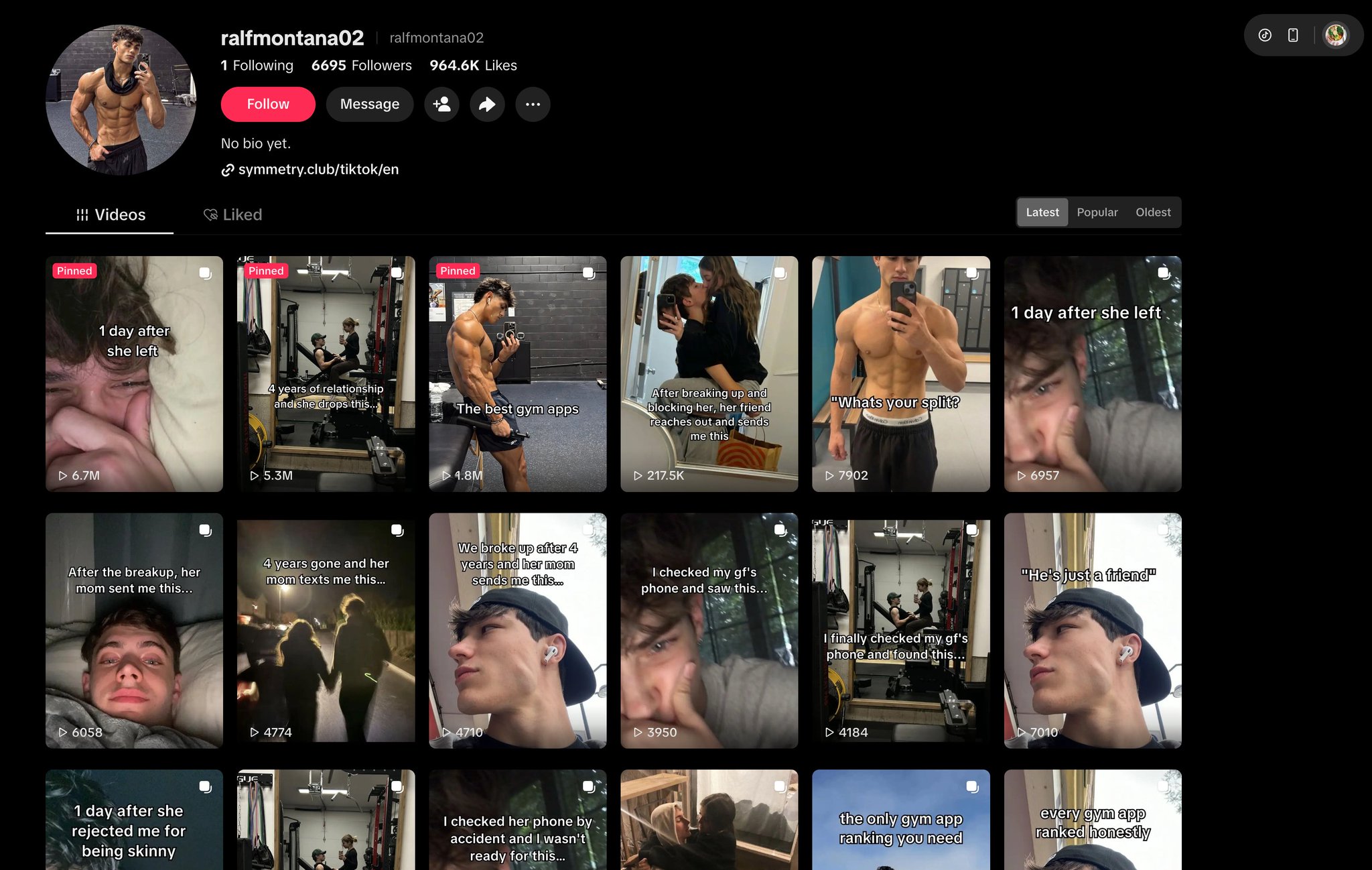
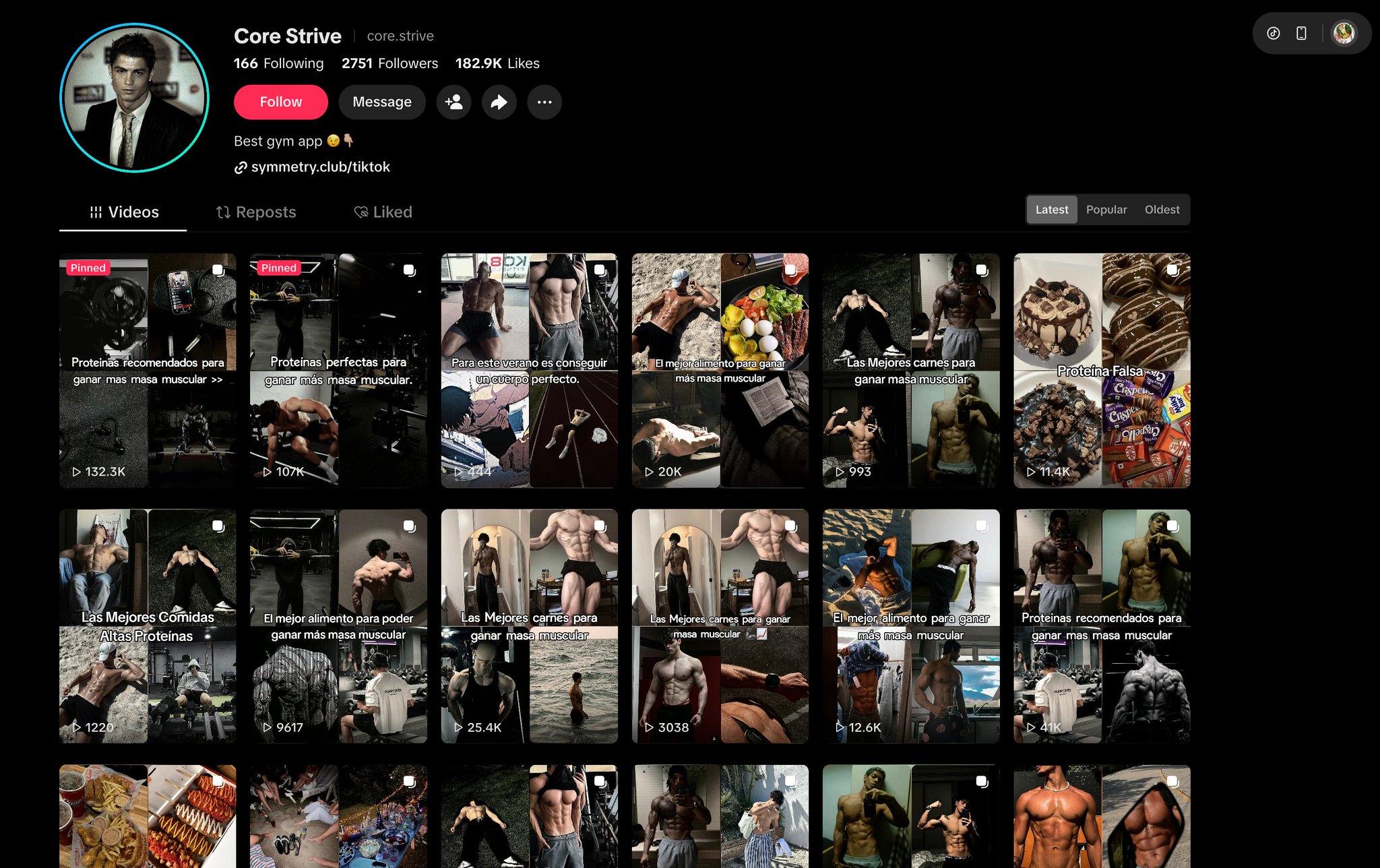
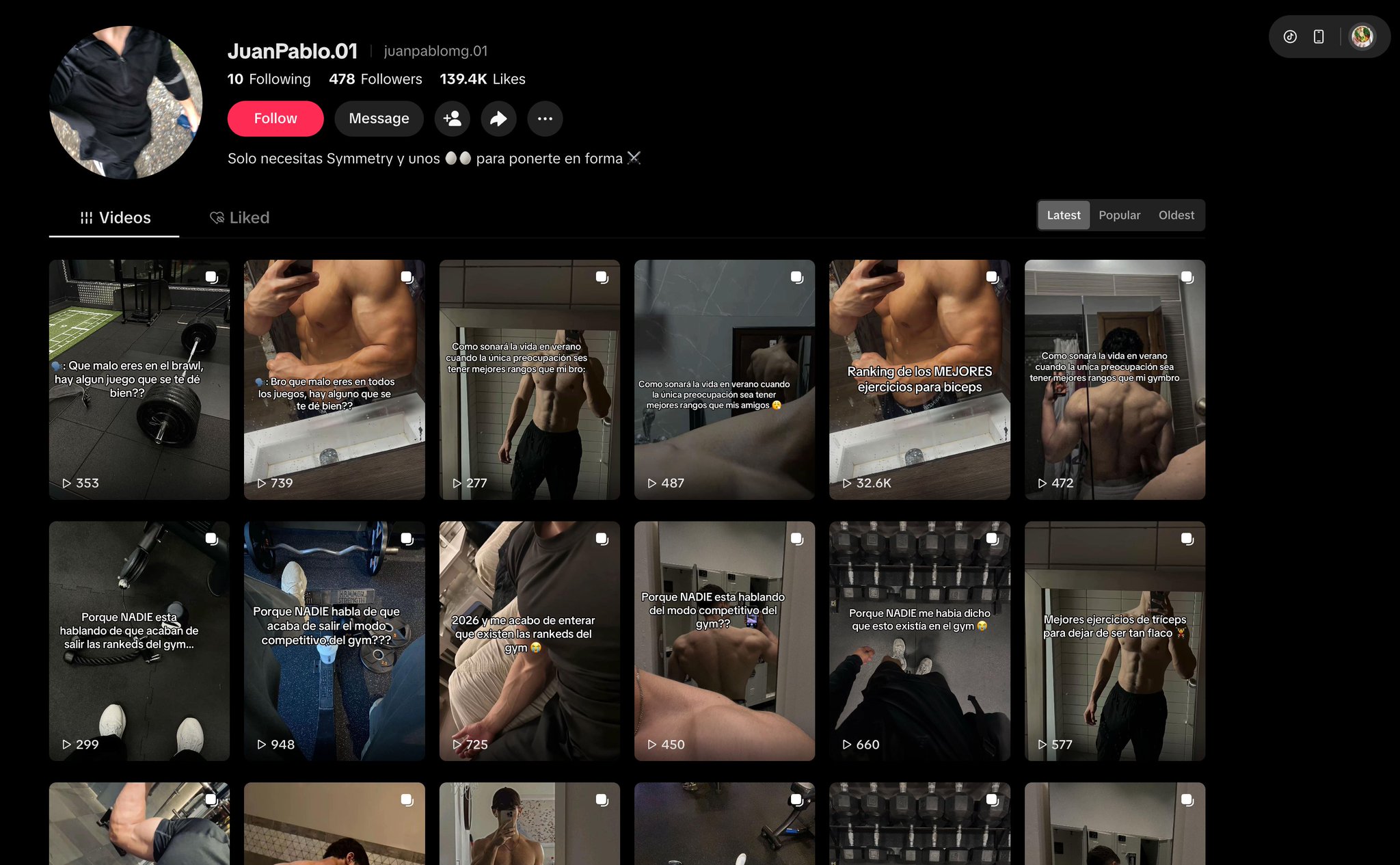
For most creators, “making a TikTok slideshow” means thumbing through camera roll photos at midnight, dragging eight of them into the app, typing a caption that probably won’t land, and praying the algorithm notices. Some weeks it does. Most weeks it does not. And nobody wants to do that twenty times a day for thirty accounts.
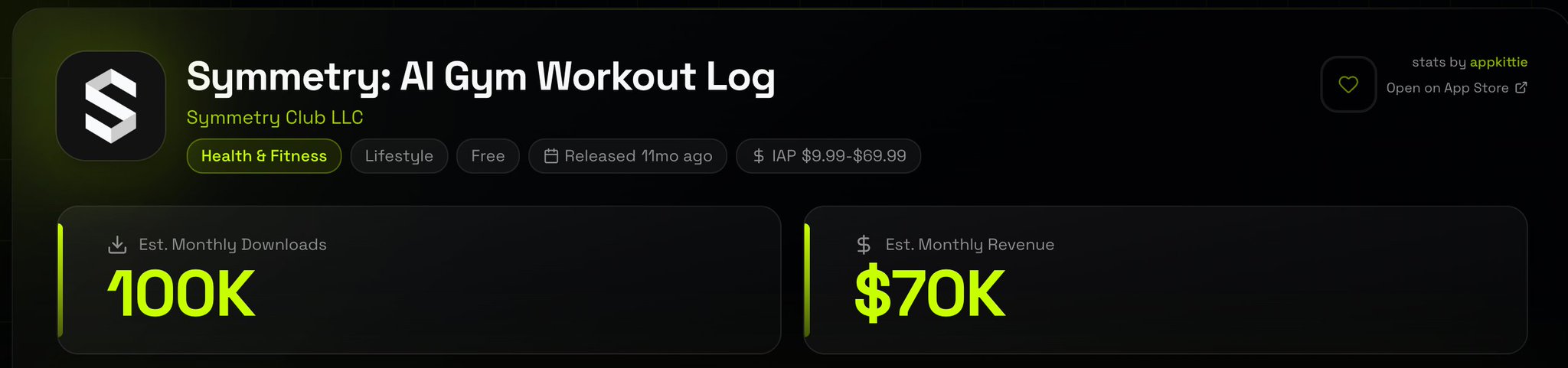
Then there’s Alex Nguyen — an indie hacker building AI apps for a userbase of 370K people — who took one look at TikTok’s aggressive push on slideshow content and decided the assembly line was the actual product. The hooks, the images, the captions, the shadow-ban-proof publishing, the scheduling — every step needed to disappear into a pipeline that runs on a $5 box while he sleeps.
This article walks through how he built it: an autonomous CLI agent (Hermes Agent from Nous Research) chained into Postiz for the publishing layer, with proxy-rotated Pinterest scraping for images, a no-LLM compositor for slide rendering, and a shadow-ban-resistant draft-mode workflow that’s indistinguishable from a human pressing publish from their phone. If you’ve ever wanted a real how to make a slideshow on TikTok guide that ends with you not having to make it again, this is the framework worth copying.
Why slideshows are the highest-leverage TikTok format right now
Before the pipeline, the format. TikTok’s algorithm has been quietly boosting slideshows for months. Alex’s read on the situation is brutal and accurate:
The platform is still pushing slideshows aggressively — cheap content, infinite supply problem on TikTok’s side
No filming, no editing, no face required
The format is hook-driven, so you can A/B test 50 hooks a day without burning out a creator
Draft uploads bypass most of the bot detection that hits the direct-publish API
The bottleneck was never ideas. It was the assembly line. Hook → niche → image direction → eight slide compositions → caption → schedule. Done manually, that’s twenty minutes per post. Multiply by thirty accounts and you’ve invented a full-time job you hate.
The stack: Hermes Agent for the brain, Postiz for the publishing layer
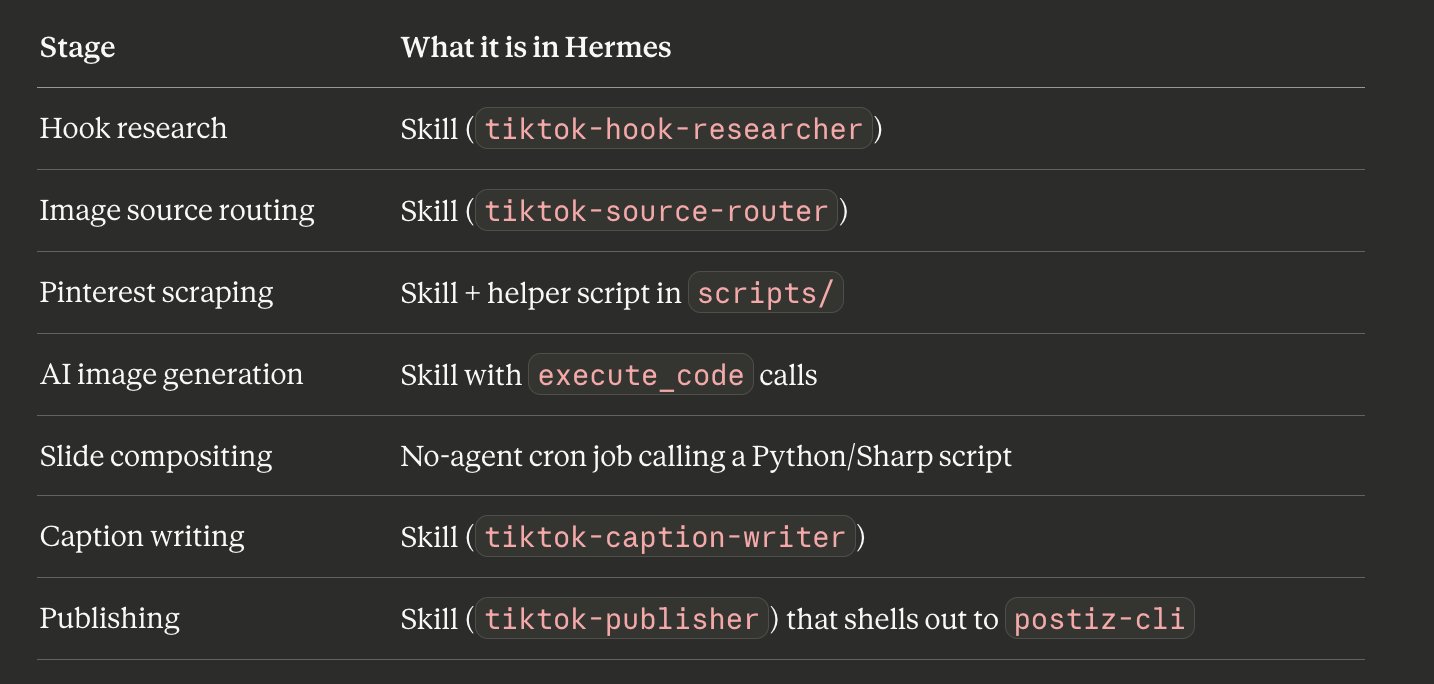
The piece that made the system feasible — and not just a Notion document of intentions — was picking the right orchestrator. Hermes Agent isn’t a framework you npm install and wire together with glue code. It’s an autonomous CLI agent that lives wherever you put it (in this case, a $5 Hetzner box), with built-in skills, cron, MCP support, and subagent delegation already baked in. The whole pipeline becomes a directory of skills that the agent loads on demand plus cron jobs that fire them on schedule. No queue infrastructure. No worker pool to babysit.
Postiz sits at the other end — the part that actually talks to TikTok, manages OAuth refreshes, and pushes the finished slideshow into the account’s draft inbox where it can be published from a real device with a real IP. That last part is what keeps new accounts alive long enough to matter.
Manage all your social media in one place with Postiz
Alex runs Anthropic via OAuth (Max plan) for the agent-heavy stages — hook research, image direction, caption — and a cheaper OpenRouter fallback for high-volume polls. Hermes also supports Nous Portal, OpenAI Codex, DeepSeek, Z.AI, and Kimi out of the box; hermes model walks through each option.
Verify the install:
hermes --tui
> Summarize what’s in this directory.
The next move is the one most tutorials skip: install the gateway as a systemd service so cron jobs run even when nobody is logged in.
hermes gateway install
That daemon ticks the scheduler every 60 seconds and runs due jobs inside fresh, isolated agent sessions.
Step 2: Skills + cron, not workers
Most automation tutorials reach for queues and worker pools. Hermes flips the mental model. The unit of work is a skill — a markdown file in ~/.hermes/skills/ — and the trigger is a cron job that loads one or more skills and runs them in sequence.
Each skill is a markdown file the agent loads on demand. Cron jobs chain them together via a parameter called context_from — more on that in Step 5. The Hermes scheduler runs each job in a fresh, isolated session, so no state corruption leaks between accounts. That matters when you’re running thirty of them in parallel.
Step 3: Build the skills
Skills live at ~/.hermes/skills/<category>/<skill-name>/SKILL.md. The agent can create them itself via the skill_manage tool, or you can author them by hand. Alex does a mix — drafts the structure manually, lets Hermes refine the wording after watching the first few runs.
Hook Researcher skill
mkdir -p ~/.hermes/skills/tiktok/hook-researcher
~/.hermes/skills/tiktok/hook-researcher/SKILL.md:
---
name: tiktok-hook-researcher
description: Generate TikTok slideshow hooks for a given niche, eval, return top 3
version: 1.0.0
metadata:
  hermes:
    tags: [tiktok, content, hooks]
    category: tiktok
---

# TikTok Hook Researcher

## When to Use
When asked to generate hooks for a TikTok slideshow in a specific niche.

## Procedure
1. Read the last 20 winning hooks for the niche from
   `~/.hermes/data/tiktok/hook_performance.jsonl`.
2. Generate 10 hook candidates. Constraints:
   - Under 60 characters
   - Curiosity gap, not clickbait
   - Mix of 3 archetypes: contrarian, listicle, transformation
3. Score each candidate 1-10 on "would a 19yo stop scrolling for this",
   calibrated against the winning hooks.
4. Output JSON to stdout: `{ hooks: [{ text, archetype, score }, ...] }`
   sorted by score descending. Return the top 3.

## Pitfalls
- LLMs default to clickbait. Bias hard against "You won’t believe..." patterns.
- Don’t reuse exact phrasing from the last 20 winners — algorithm penalizes recycled hooks.

## Verification
Output is valid JSON. Top hook has score ≥ 7. All hooks ≤ 60 chars.
Image Source Router skill
This decides Pinterest vs AI image generation per slot — an under-discussed lever for slideshow performance. The wrong source for the wrong niche is what makes feeds feel synthetic.
---
name: tiktok-source-router
description: Decide image source (pinterest or ai_gen) per slide for a TikTok carousel
version: 1.0.0
metadata:
  hermes:
    tags: [tiktok, images, routing]
    category: tiktok
---

# TikTok Image Source Router

## When to Use
After a hook is picked, before image gathering. Decides per slide whether to
source from Pinterest or generate with AI.

## Procedure
1. Read the niche + hook from context.
2. Apply routing rules:
   - Fitness, fashion, food, travel, aesthetic → Pinterest (real photos win)
   - Anime/RPG, fictional characters, abstract concepts → AI gen
   - Mixed niches: cover slide AI gen, body slides Pinterest
3. Output JSON array of 8 routing decisions:
   `[{ slot, source, query_or_brief }, ...]`

## Pitfalls
- Don’t AI-gen fitness transformations. Uncanny valley. Use Pinterest.
- Don’t Pinterest-search for "anime warrior rank up". Doesn’t exist. Use AI gen.
Pinterest Scraper skill (with proxy rotation)
This one needs a helper script because the agent shouldn’t be doing HTTP rotation logic inside its context window.
---
name: tiktok-pinterest-scraper
description: Source TikTok-ready images from Pinterest with proxy rotation and phash dedup
version: 1.0.0
required_environment_variables:
  - name: PROXY_POOL_URL
    prompt: Residential proxy pool endpoint
    help: Bright Data, Smartproxy, or any rotating residential proxy
metadata:
  hermes:
    tags: [tiktok, pinterest, scraping]
    category: tiktok
---

# TikTok Pinterest Scraper

## When to Use
Source router routes a slot to `pinterest`. Need fresh, unique, properly-sized
images for that account.

## Procedure
1. Call `scripts/scrape.py` with the search query and account_id.
2. The script handles:
   - Proxy rotation per request
   - Cookie pool rotation
   - Perceptual hash dedup against the last 30 days for that account
   - Aspect ratio filter (min 1080×1350)
   - S3 upload to MinIO
3. Parse the script’s stdout (JSON list of S3 URLs).
4. If count returned < requested, retry with rephrased query (max 2 retries).

## Pitfalls
- Pinterest rate-limits per IP. Always go through proxy.
- Hamming distance < 5 = duplicate. Don’t relax this threshold.
- Anything < 1080×1350 will look soft on TikTok. Filter at search, not after download.
Slide Compositor — no-agent mode
This stage is fully deterministic. No LLM needed. Hermes has a no_agent mode for exactly this kind of work — the cron tick fires, the script runs, the output flows downstream, and not a single token gets charged to the model.
#!/usr/bin/env python3
"""Composite 8 raw images + hook into TikTok-ready 1080x1920 slides.
Reads job spec from stdin (JSON), writes composited file paths to stdout.
"""
import json, sys
from PIL import Image, ImageDraw, ImageFont
# ...full PIL compositing logic here...

if __name__ == "__main__":
    spec = json.load(sys.stdin)
    output_paths = compose_all(spec)
    print(json.dumps({"slides": output_paths}))
Publisher skill (where Postiz comes in)
Once slides and caption are ready, the Publisher skill hands the job to Postiz. The skill itself is short — most of the heavy lifting is wrapped inside the Postiz CLI.
---
name: tiktok-publisher
description: Upload composited slides to TikTok as draft via Postiz Cloud
version: 1.0.0
required_environment_variables:
  - name: POSTIZ_API_KEY
    prompt: Postiz Cloud API key
    help: Get from postiz.com → Settings → API Keys
metadata:
  hermes:
    tags: [tiktok, publishing]
    category: tiktok
---

# TikTok Publisher

## When to Use
After slides + caption are ready. Uploads as draft to TikTok via Postiz.

## Procedure
1. Read slides paths + caption + account_id from context.
2. Always check account age. If `< 30 days` or `total_posts < 20` → force draft mode.
3. Upload each slide to Postiz first (`postiz upload`), capture the returned `path`.
4. Call `postiz posts:create` with the integration id and the uploaded URLs.
5. Capture postId from stdout. Write to `~/.hermes/data/tiktok/posts.jsonl`.

## Pitfalls
- NEVER direct-publish on a new account. Silent shadow ban inside a week.
- Postiz CLI needs POSTIZ_API_KEY in env. Hermes passes it through automatically.
- Randomize scheduled time within ±90min jitter to kill robotic interval signal.
Step 4: The shadow-ban killer — always draft mode
This is the part most tutorials skip, and it’s the biggest reason new TikTok accounts die quietly in their first month. If an account is less than 30 days old, every post goes out as a draft. No exceptions. No “just this one”.
New accounts on TikTok are on probation, and the algorithm profiles them aggressively. Each of these adds risk points to a hidden bot-likelihood score:
Publishing through the Content Posting API directly → +1
Publish IP not matching the account’s usual device IP → +1
Suspiciously regular posting intervals → +1
Stripped or inconsistent metadata vs. on-device capture → +1
Stack two or three of those on a fresh account and you get a silent shadow ban. No notification. Videos stuck at 50–200 views forever. You’ll think the content is bad. It probably isn’t. The account is dead.
The Publisher skill above hardcodes draft mode for any account under 30 days old or under 20 total posts. Postiz uploads the slideshow as a draft into the TikTok account’s inbox, and an iPhone farm (running WebDriverAgent automation) picks up the draft and taps Publish from a real device with a real IP. To TikTok’s classifiers, it looks like a human pressed the button. Because, structurally, one did.
Warmup protocol
Days 1–7: account does nothing but scroll, like, follow
Days 8–14: post 1 draft per day, published from device 2–4 hours after draft creation
Days 15–30: ramp to 2–3 drafts per day, randomize publish times within ±90 minutes
Day 30+: full pipeline cadence, still draft mode
Hermes cron + Postiz scheduling + iPhone farm device publish = indistinguishable from organic behavior to TikTok’s classifiers.
Step 5: Chain everything with cron and context_from
This is the part that makes the whole thing run unattended. Each pipeline stage is a separate cron job. Job N reads the most recent output of Job N−1 via a parameter called context_from. The chain runs end-to-end without anyone orchestrating it.
Alex builds the chain from a single chat session with Hermes:
hermes --tui
> I need to set up the TikTok pipeline for account acc_42, niche=fitness.
> Schedule the pipeline to run every day at 09:00 UTC.
> Chain: hook research → source routing → pinterest scrape → compose → caption → publish.
> Each stage should use the matching skill and receive context from the previous stage.
Hermes uses the cronjob tool internally to create the chain. The equivalent direct calls — for readers who’d rather author it as code — look like this:
# Stage 1: Hook research, daily at 09:00
cronjob(
    action="create",
    name="tt-hook-acc42",
    schedule="0 9 * * *",
    skills=["tiktok-hook-researcher"],
    prompt="Generate hooks for niche=fitness for account acc_42. Output top 3 as JSON.",
    workdir="/home/alex/tiktok-pipeline",
)

# Stage 2: Source routing, 5 minutes later
cronjob(
    action="create",
    name="tt-route-acc42",
    schedule="5 9 * * *",
    skills=["tiktok-source-router"],
    context_from="tt-hook-acc42",
    prompt="Route image sources for the top hook. Output 8 routing decisions.",
)

# Stage 3: Pinterest scrape
cronjob(
    action="create",
    name="tt-pinterest-acc42",
    schedule="10 9 * * *",
    skills=["tiktok-pinterest-scraper"],
    context_from="tt-route-acc42",
    prompt="For each pinterest-routed slot, scrape unique deduped images. Output S3 URLs.",
)

# Stage 4: Compositor — no_agent mode, pure script
cronjob(
    action="create",
    name="tt-compose-acc42",
    schedule="20 9 * * *",
    no_agent=True,
    script="compose-slides.py",
    context_from=["tt-pinterest-acc42", "tt-hook-acc42"],
)

# Stage 5: Caption
cronjob(
    action="create",
    name="tt-caption-acc42",
    schedule="25 9 * * *",
    skills=["tiktok-caption-writer"],
    context_from=["tt-hook-acc42", "tt-compose-acc42"],
    prompt="Write caption + 4 hashtags for the slideshow.",
)

# Stage 6: Publish
cronjob(
    action="create",
    name="tt-publish-acc42",
    schedule="30 9 * * *",
    skills=["tiktok-publisher"],
    context_from=["tt-compose-acc42", "tt-caption-acc42"],
    prompt="Upload slides + caption as draft to TikTok account acc_42 via Postiz.",
    deliver="telegram",
)
A few things worth flagging:
context_from chains outputs. Hermes reads each upstream job’s most recent saved output from ~/.hermes/cron/output/{job_id}/ and prepends it to the next job’s prompt as context. No databases, no queues, no glue code.
workdir runs the job inside the project directory, which means AGENTS.md, .cursorrules, and any local context files load automatically. Useful when account configs and prompt overrides live in a repo.
no_agent=True on the compositor. Pure deterministic PIL work — no reason to pay for an LLM turn. The script’s stdout becomes the job’s output and chains downstream normally.
deliver="telegram" pings when the publish completes. For the high-value accounts, deliver="all" sends the success ping to every connected channel.
Step 6: Per-stage toolset control (the cost saver)
By default, cron jobs inherit whatever toolsets you configured for the cron platform via hermes tools. But on high-frequency stages, locking the toolset per job is where the cost savings show up.
cronjob(
    action="create",
    name="tt-hook-acc42",
    schedule="0 9 * * *",
    skills=["tiktok-hook-researcher"],
    enabled_toolsets=["file"],  # hook gen only needs file read for past performance
    prompt="...",
)
Hook research doesn’t need browser, terminal, or delegation toolsets — those just bloat the tool-schema prompt on every LLM call. Locking the hook job to ["file"] cut Alex’s hook-gen tokens by roughly 40%. Across 30 accounts × 1 post per day × 30 days, that compounds into real money.
The Pinterest scrape job needs ["terminal", "file"] to call the script. The compositor in no_agent mode loads no toolsets at all (no agent runs). The publisher needs ["terminal", "file"] for the Postiz CLI.
Step 7: Skip the agent when nothing changed
Hermes has a pre-check script pattern that’s perfect for the daily hook job. If the niche performance data hasn’t changed since yesterday, there’s no reason to generate fresh hooks — yesterday’s top three are still the top three.
#!/usr/bin/env python3
import json, hashlib, pathlib, sys

perf_file = pathlib.Path.home() / ".hermes/data/tiktok/hook_performance.jsonl"
state_file = pathlib.Path.home() / ".hermes/state/hook-perf-hash.txt"
state_file.parent.mkdir(parents=True, exist_ok=True)

current_hash = hashlib.sha256(perf_file.read_bytes()).hexdigest()
last_hash = state_file.read_text().strip() if state_file.exists() else ""

if current_hash == last_hash:
    # Nothing new since last run. Skip the agent.
    print(json.dumps({"wakeAgent": False}))
    sys.exit(0)

state_file.write_text(current_hash)
print(json.dumps({"wakeAgent": True, "context": {"perf_updated": True}}))
Attach the script to the cron job via the script parameter. The agent only wakes when performance data actually changed. On a typical day, where Alex hasn’t manually logged anything new, this skips the LLM entirely. Free.
Step 8: Wiring up Postiz (cloud or self-hosted)
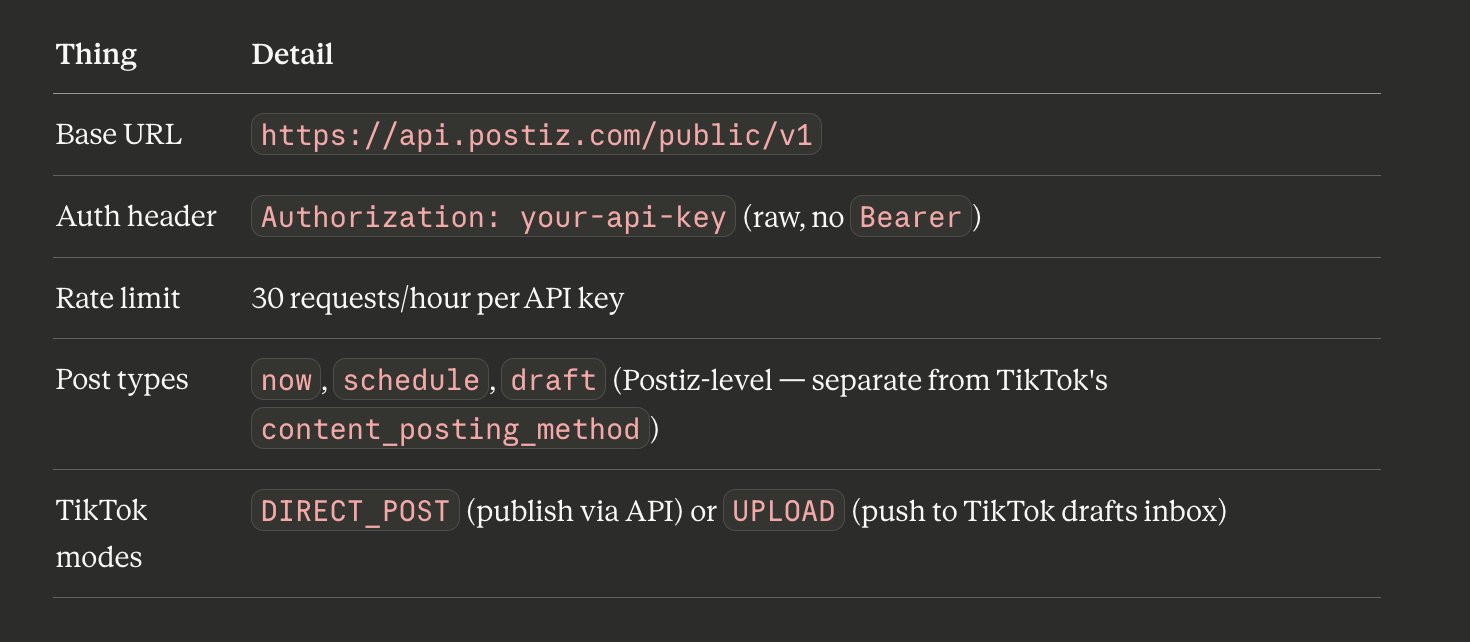
Alex tried self-hosting Postiz in Docker for two months. The cluster spent more time being fixed than building features — OAuth token refreshes failing, the media disk filling up, the schedule worker dying silently overnight. Postiz Cloud at $29/mo bought back roughly five hours a week of debugging. Self-host only if compliance reasons force you there or you’re posting at a volume that justifies it. The cloud has a real rate limit (30 requests/hour per key), but self-hosting eats your hours.
The 60-second setup:
# 1. Sign up at postiz.com, get an API key from Settings → Developers → Public API
# 2. Install the Postiz CLI globally
npm install -g postiz

# 3. Authenticate the CLI
postiz auth:login
# or: export POSTIZ_API_KEY=pos_your_key_here

# 4. Connect your TikTok accounts via the Postiz web UI (OAuth flow)
#    Each connected account = one "integration" with a unique integration_id

# 5. Verify discovery
postiz integrations:list           # lists all connected channels
postiz auth:status                 # confirms credentials are valid
The two-layer mode system (the part that trips people up)
Postiz has its own concept of type: "draft" — that means a post that sits inside the Postiz UI without going anywhere. That is not what the pipeline wants. The desired combination is type: "schedule" with content_posting_method: "UPLOAD", which means Postiz schedules the post, pushes it to TikTok at the scheduled time, but lands it inside the account’s TikTok-side draft inbox where the iPhone farm can pick it up and publish from a real device.
Here’s the actual TikTok settings block Postiz expects when creating a scheduled draft via the public API:
A few field-level notes worth committing to memory:
__type: "tiktok" — required. Postiz uses this to route the payload to the TikTok provider.
content_posting_method — set to "UPLOAD" for the draft-to-inbox flow, or "DIRECT_POST" if you actually want TikTok’s API to publish immediately. New accounts? Always UPLOAD.
privacy_level — accepts PUBLIC_TO_EVERYONE, MUTUAL_FOLLOW_FRIENDS, FOLLOWER_OF_CREATOR, or SELF_ONLY. For the draft inbox flow this is overridden by the eventual device-side publish anyway.
Media URLs — TikTok pulls media via pull_from_url on its side, so every file has to be publicly reachable over HTTPS. postiz upload handles this automatically by returning a CDN-backed URL like https://uploads.postiz.com/<file>. Never pass raw local paths.
Jitter — randomize the date field by ±90 minutes per account to kill the robotic interval signal that classifiers look for.
Same idea expressed through the CLI, which is what the Publisher skill actually invokes inside the cron run:
# Upload each composited slide first
for slide in slides/*.jpg; do
postiz upload "$slide"
done
# Then schedule the carousel with the right TikTok settings
postiz posts:create \
-c "When the algorithm picks your slideshow at 3am 😮💨 #fyp" \
-m "https://uploads.postiz.com/slide1.jpg,https://uploads.postiz.com/slide2.jpg" \
-i "your-tiktok-integration-id" \
--date "2026-05-15T09:30:00.000Z" \
--settings '{"__type":"tiktok","privacy_level":"SELF_ONLY","duet":false,"stitch":false,"comment":false,"autoAddMusic":"no","brand_content_toggle":false,"brand_organic_toggle":false,"content_posting_method":"UPLOAD"}'
Wrong combination = wrong outcome. Always test the publishing path on one warmup account before flipping the whole fleet.
What broke along the way (and what fixed it)
The first batch of hooks didn’t work. Alex ran the pipeline for two weeks blasting a single hook archetype. Numbers stayed flat. The fix was an A/B test of three archetypes per niche with a daily eval loop reading back from TikTok’s view counts — kill the dead archetypes, double down on winners. CTR jumped within a week.
Pinterest beat AI for “authentic” niches. Three months were spent optimizing image-gen prompts for fitness transformation slides. A 50/50 test against Pinterest-scraped equivalents made the answer obvious: Pinterest slides got 2.3x the saves. Real photos hit different. The fix was the source router from Step 3 — route per-niche.
Draft mode is non-negotiable on new accounts. Four accounts died before Alex accepted this. Direct publish on a fresh account = silent shadow ban within the first week. You won’t know until you’ve wasted two months of content on a dead account.
The pattern, generalized
Strip the TikTok-specific details and what’s left is a useful template for any high-frequency content pipeline:
An autonomous CLI agent (Hermes, in this case) that holds the long-running brain.
A flat directory of markdown skills, each owning exactly one job — generate hooks, route images, scrape, compose, caption, publish.
Cron jobs that chain skills via context_from so each stage reads the previous stage’s output without a database.
Deterministic stages flipped into no_agent mode so they never burn LLM tokens.
Pre-check scripts that skip the agent entirely when nothing has changed.
Postiz at the publish boundary, with the right combination of type: "schedule" and content_posting_method: "UPLOAD" for draft-mode workflows on platforms that punish API publishing.
A human-feeling publish step at the end — iPhone farm, real IP, real device — for any platform that still cares.
The whole thing fits on a $5 VPS, costs more in proxies than in LLM calls, and produces a steady stream of slideshow content that looks indistinguishable from a human running thirty accounts very seriously. Which is the point.
Try the publishing layer yourself
If you want to plug the same Postiz publishing layer into your own agent stack — whether you’re running Hermes, Claude Code, a custom orchestrator, or you just want a calendar view that doesn’t make you cry — head over to Postiz. You get 28+ social channels, an open public API for everything in this article, an MCP server for native agent integrations, and a cloud tier that handles the OAuth refreshes so you don’t have to. Start scheduling your TikTok slideshows on Postiz today →
Elevate your strategy with our complete social media audit checklist. A step-by-step guide to optimize profiles, content, and engagement for maximum impact.
Turn your Instagram into a real income source, even with small followers. Discover 8 proven strategies & the beginner's roadmap for 2025. Start earning!
Discover 10 powerful engagement post ideas to boost interaction and grow your audience. This guide provides actionable examples and tips for every platform.