Let's get one thing straight: there's no such thing as a single, perfect profile image size. The "right" dimensions are always dictated by the social media platform you're on.
That said, a solid rule of thumb is to start with a high-resolution, square image. I usually work with 1080×1080 pixels. It’s a great baseline because it scales down beautifully and adapts well to the circular masks and varied display sizes that most networks use today.
A Quick Guide to Social Media Profile Image Sizes
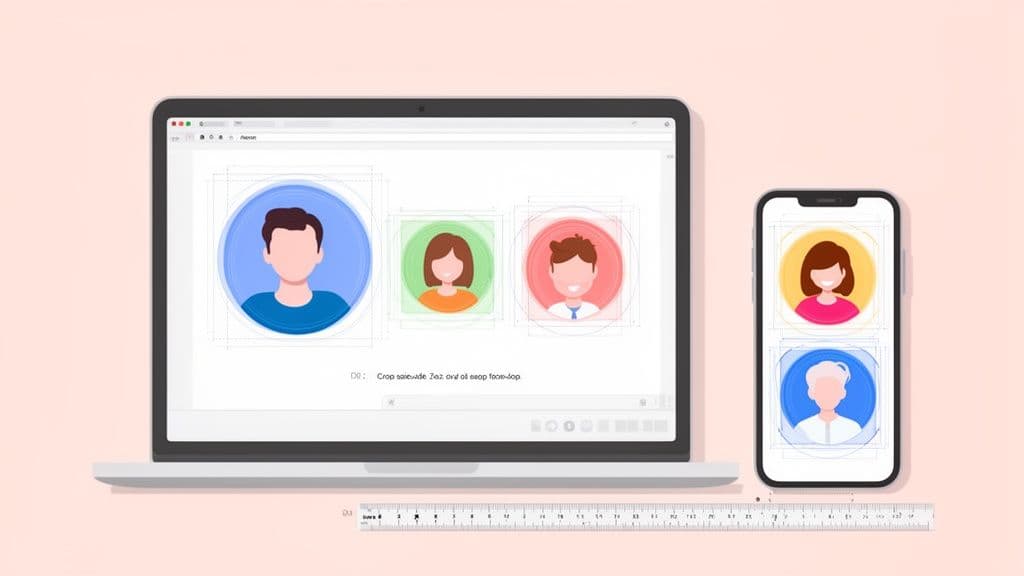
Knowing the specific requirements for each social network is the first step to looking sharp and consistent online. While a large square image is a fantastic starting point, every platform handles and crops photos a bit differently. A picture that looks perfect on your desktop feed might end up pixelated or awkwardly framed on a phone.
This is exactly why you should always upload an image with the highest possible resolution. It gives the platform more pixel data to work with, which means your final avatar will look crisp and clear, especially on modern high-DPI retina screens. You can see how this plays out on specific platforms in our deep dive on the Slack profile picture size; the principles there apply almost everywhere.
To make things easier, here's a quick lookup table with the current specs for the major platforms.
Profile Image Size Quick Reference for 2026
This table summarizes the key dimensions and formats you'll need to create a pixel-perfect profile picture for today's top social networks. Keep this handy when you're creating or updating your brand's assets.
Platform
Recommended Upload Size
Display Size (Desktop/Mobile)
Aspect Ratio
Supported File Types
Facebook
720 x 720 pixels
176 x 176 px (Desktop) / 128 x 128 px (Mobile)
1:1
JPG, PNG, GIF
Instagram
720 x 720 pixels
110 x 110 px
1:1
JPG, PNG
X (Twitter)
400 x 400 pixels
400 x 400 px (Profile) / 48 x 48 px (Feed)
1:1
JPG, PNG, GIF
LinkedIn
400 x 400 pixels
400 x 400 px (Profile) / 48 x 48 px (Feed)
1:1
JPG, PNG, GIF
Pinterest
165 x 165 pixels
165 x 165 px (Profile) / 48 x 48 px (Feed)
1:1
JPG, PNG
TikTok
200 x 200 pixels
200 x 200 px (Profile) / 48 x 48 px (Feed)
1:1
JPG, PNG
Remember, these are minimums and recommendations. As we discussed, uploading a larger square file (like 1080 x 1080 pixels) is almost always a better move, as the platform will simply resize it.
Manage all your social media in one place with Postiz
Beyond just the numbers, there are a few core principles I always follow to make sure a profile image looks professional everywhere. You have to consider the original file size, how the platform will crop it, and the final quality after their compression algorithms do their thing.
This infographic breaks down the three most important factors to keep in mind.
Ultimately, a great profile picture is a balancing act between hitting the technical specs and thinking ahead about how it will be displayed.
Understanding the Safe Zone
Another concept you absolutely have to master is the "safe zone." Since nearly every platform now displays profile pictures in a circle, any important visual information you place in the corners of your square image is guaranteed to get cut off.
Think of the safe zone as the central area of your image that will always be visible after that circular crop is applied. All the good stuff—your face in a headshot, your company logo—needs to be placed squarely within this central circle. If you don't, you risk looking unprofessional.
I've seen it happen time and again: a company uploads a logo where the name extends to the edges of the square file. Once the circular mask is applied, the text becomes an unreadable mess. By keeping your key visual elements centered, you ensure your brand or face is instantly recognizable everywhere, from comment threads to follower lists.
Why Your Profile Image Size Matters
Think of your profile picture as your digital handshake. It’s the face of your brand that shows up with every single post, comment, and interaction, making its quality a critical part of your online identity. Getting the profile image size right isn't just a technical box to tick; it’s a clear signal of your professionalism.
We've all seen it: a profile picture that's blurry, pixelated, or awkwardly cropped. It immediately sends the wrong message. This tiny mistake can weaken your brand's authority and create a sloppy first impression, making potential followers or clients think twice.
Building Trust Through Visual Consistency
On the flip side, a crisp, clear profile picture is a huge part of building trust. When people see the same high-quality image across all your social platforms, it builds familiarity and reinforces that you're a legitimate, professional operation. This consistency makes your brand feel more reliable and your content more authoritative.
It's a simple psychological shortcut. An account with a sharp, well-composed logo or headshot just feels more credible than one with a fuzzy, poorly framed image. That first gut reaction influences everything, from whether someone trusts your advice to whether they bother clicking your links.
In fact, some studies show that optimized profile images can lead to a profile visit increase of up to 30%. People are simply more drawn to clear, professional-looking avatars.
The Strategic Value of a Perfect Avatar
Your avatar is one of your hardest-working brand assets. It pops up everywhere, often in tiny spaces like comment threads, follower lists, and "people you may know" suggestions. If your profile image size isn't optimized for these small scales, it can turn into an unrecognizable smudge, completely erasing your presence.
Here’s why getting it right is so important:
Brand Recognition: A clear image helps you stand out in a noisy feed, making your brand instantly identifiable.
Professionalism: It’s a small detail that shows you care about quality and how you present yourself.
Engagement: A trustworthy avatar can genuinely make people more likely to follow you and engage with your content.
To really get the most out of your visual branding, you should also think about how your image files are discovered. Checking out an ultimate guide to SEO for pictures can help you optimize the image file itself, improving its performance in search results beyond just social media. At the end of the day, treating your profile picture as a strategic piece of your brand is a simple move that strengthens your entire online presence.
Facebook Profile Picture Size
Your Facebook profile picture is your digital handshake. It’s the first thing people see, showing up everywhere from your main page to comments, search results, and Messenger chats. Getting it right is non-negotiable for making a good impression.
While Facebook asks for an image that's at least 360×360 pixels, what people actually see is quite different. Your picture gets resized depending on where they’re looking:
On a desktop computer, it displays at 170×170 pixels.
On a smartphone, it shrinks to 128×128 pixels.
In places like comment threads, it can be as tiny as 32×32 pixels.
A sharp, well-composed profile picture does more than just look good; it builds trust. In fact, some analyses have shown that a professional-looking avatar can lead to a 30% bump in profile visits. If you want to dive deeper into how different image sizes perform on the platform, check out the great data on Facebook image dimensions at dustinstout.com.
Working with the Circular Crop
Here’s the biggest hurdle with Facebook profile pictures: the circle. No matter what square image you upload, Facebook is going to crop it into a circle on your profile and in the news feed. Anything you’ve placed in the corners of your original image will simply get chopped off.
To get around this, you have to think in terms of a "safe zone." Picture a circle right in the middle of your square design canvas—that's where all the important stuff needs to go.
If you're using a headshot: Center your face and leave plenty of space above your head. Otherwise, the top of your head will get awkwardly clipped by the circular frame.
If you're using a logo: Make sure it sits squarely in the middle with a good amount of padding around it. Don't let any key parts of the logo or accompanying text stray toward the corners.
This image shows how Facebook itself illustrates the different display sizes, which really drives home the point.
As you can see, your image needs to look good at multiple sizes and fit perfectly within that circle.
Why You Should Upload a Higher Resolution Image
Even though the minimum is 360×360 pixels, I always recommend uploading a much larger file to "future-proof" your profile. My go-to size is a 2048×2048 pixel square.
Why so big? Facebook actually stores a high-resolution version of your picture. By uploading a large file, you guarantee your image stays sharp and clear on high-DPI displays (like retina screens) and looks great no matter how Facebook changes its display sizes in the future.
Pro Tip: Export your final image as a high-quality JPG or PNG. I lean towards PNG if my logo has transparency, but for photos, a JPG provides fantastic quality at a smaller file size, which helps it load just a little bit faster.
Taking a minute to upload a higher-res file is a small step that keeps your brand looking polished and professional for a long time to come.
Perfecting Your Instagram Profile Picture Size
Your Instagram profile picture is your digital handshake. It’s everywhere—on your profile, in the Stories tray, and next to every single comment you make. In a feed that moves a mile a minute, having a sharp, instantly recognizable avatar isn't just nice; it's necessary for brand recall.
Let's get straight to the numbers. Instagram recommends uploading your profile picture at 320×320 pixels. The platform is incredibly strict about its 1:1 aspect ratio, so your image has to be a perfect square. But here’s the catch: while you upload it at that size, it often appears as small as 110×110 pixels in the app.
That’s a huge reduction in size, and it means that any image with too much going on will just turn into a fuzzy, unrecognizable blob.
Designing for Clarity and Recognition
Because your Instagram avatar is almost always viewed as a tiny circle, simplicity is key. You need to design for a quick glance. Think bold lines, high contrast, and zero clutter. The goal is for someone to know it’s you, even when they're scrolling at lightning speed.
Here are a few practical tips to make sure your profile picture stands out:
Center Your Subject: Whatever the focus is—your face, your logo—place it dead center. This ensures the circular crop doesn't chop off the most important part.
Crank Up the Contrast: A bright subject against a dark background (or the other way around) is far more visible than a muted, low-contrast photo.
Ditch the Details: Forget about small text or complex patterns. They’ll be completely lost. A clean headshot or a simplified logo always works best.
It's not just about aesthetics, either. Some social analytics show that profiles with clear, optimized pictures can see up to a 25% higher follow rate. Why? Because people are more likely to tap on a profile they can easily recognize. For more on how image choices impact growth, check out these social media image guidelines from Onrec.com.
When you're preparing your image in a tool like Postiz, exporting it as a PNG file (under 2MB) is a great move. It preserves transparency, which is perfect if you’re using a logo without a background.
The Pro Move: A High-Resolution Master File
While Instagram's minimum is 320×320 pixels, seasoned pros and smart brands always start bigger. Much bigger. The industry standard is to create your master profile picture file at 1080×1080 pixels.
Working with a larger file gives Instagram’s compression algorithm more visual data to process. The result? A much crisper, cleaner final avatar on your profile. This also future-proofs your brand, making sure your image looks sharp on high-resolution screens and can withstand any future changes to the platform. It’s a simple trick that makes a world of difference.
Getting Your Profile Picture Right on X, LinkedIn, and Pinterest
When we move over to platforms built around professional networking or visual discovery, getting your profile picture just right is as crucial as ever. For networks like X (formerly Twitter), LinkedIn, and Pinterest, your avatar is your calling card. It’s what makes you recognizable in a blur of content, so clarity is key.
Each site has its own quirks, from how they crop your image to special formats for verified accounts. Nailing these details ensures you look sharp and professional, whether you’re attached to a viral post, a job application, or a brilliant new idea. It’s all about building that instant recognition and trust.
X (Formerly Twitter) Profile Picture Size
On X, your profile picture has to do a lot of heavy lifting. The platform officially recommends a 400×400 pixel upload. But remember, it’s going to show up as a tiny icon in the feed, so a simple, high-contrast design is always your best bet.
The most important thing to know about X is how it handles different account types:
Standard Profiles: Your square image will be cropped into a circle. Make sure the most important part of your image—like your face or the core of your logo—is dead center to avoid it getting cut off.
Verified Organizations: If you have that gold checkmark, your profile picture stays a square. This is a great bonus for brands, as it gives you more real estate to display a full logo without worrying about a circular crop.
LinkedIn Profile and Company Page Sizes
LinkedIn is all business, which means a polished, high-quality profile picture isn't just nice to have—it's a requirement. The platform handles personal profiles and Company Pages a bit differently, each with its own image specs. You can dig even deeper into this by checking out the ideal image size for LinkedIn posts.
Pro Tip: For your personal profile, you can’t go wrong with a professional headshot. The most effective ones have your face taking up about 60% of the frame. It’s engaging, looks great even when small, and screams professionalism.
Here are the dimensions you need to remember:
Personal Profile Picture: LinkedIn asks for a 400×400 pixel image. This gets cropped into a circle, so again, keep your headshot centered.
Company Page Logo: For your business page, the recommended size is 300×300 pixels. This logo will be displayed as a square.
Pinterest Profile Photo Size
As a platform that's all about visual inspiration, your Pinterest profile photo sets the tone for your entire brand. The recommended upload size is 165×165 pixels, and just like most other networks, it gets displayed as a circle.
Because everything on Pinterest is judged by its visual appeal, a blurry or awkwardly framed profile picture can really hurt your credibility. Make sure your image is crystal clear and well-centered. A simple logo or a bright, clean headshot works perfectly to create a recognizable icon that encourages people to check out your boards.
Essential Profile Image Tips for TikTok and YouTube
When you’re dealing with fast-moving video platforms like TikTok and YouTube, your profile picture isn’t just a nice-to-have. It’s a core part of your brand identity, showing up everywhere from your channel page to tiny comment icons. If you want to build a loyal audience, that little image has to be instantly recognizable.
Getting the profile image size right from the start is absolutely crucial. These platforms have their own quirks, and your avatar needs to stand out in a crowd of fast-scrolling content. A blurry or badly cropped image just looks unprofessional and will get lost in all the noise.
TikTok Profile Picture Size
TikTok is all about capturing attention in a fraction of a second. Your profile picture is constantly in view—on your profile, next to your comments, and spinning on the 'For You' page. The platform’s recommended minimum profile image size is 200×200 pixels.
Since your avatar is often small and in motion, your design needs to be bold and clear above all else.
Go for High Contrast: Use bright, eye-catching colors or make sure your subject stands out sharply from the background. You want it to pop.
Keep It Simple: A clean headshot or a simplified logo works so much better than a busy, detailed image.
Center Your Subject: Remember, TikTok crops your image into a circle. Make sure the most important part of your image, like your face or logo, is smack in the center to avoid an awkward crop.
The goal here is to create an icon that your viewers can spot immediately, reinforcing your brand with every single video they watch.
YouTube Channel Icon Size
On YouTube, your channel icon is your brand's main calling card across the entire site. While YouTube recommends a high-resolution upload size of 800×800 pixels, you need to understand just how small it often appears to your audience.
When someone is watching a video, your channel icon renders at a tiny 98×98 pixels. That massive size reduction means any complex designs or small text will become a complete blur.
To make sure your icon stays effective, design something that's simple and bold. A clear headshot against a clean background or a simplified version of your logo is always the best bet. Think of it as a tiny, powerful brand stamp. Before you upload, try shrinking your image down to about 100 pixels wide to see if it’s still legible—if it is, you’re on the right track.
Common Questions About Profile Image Sizes
Even when you think you've nailed all the specs, profile pictures can still cause some real headaches. From frustratingly blurry results to confusing error messages, let’s walk through some of the most common issues I see and how to fix them for good.
One of the biggest culprits is the blurry or pixelated profile pic. This almost always happens when you upload an image that’s simply too small. For instance, if you use a 100×100 pixel photo where a platform recommends 400×400 pixels, the site has to stretch your image to fit, which destroys the quality. The golden rule: always start with an image that's at least as large as the recommended size.
And what about those cryptic error messages? Getting a notification about "invalid dimensions" can stop you in your tracks, but it's usually a straightforward fix. If you run into this, our guide on how to resolve invalid image dimensions errors has some specific troubleshooting steps that will get you sorted.
What Is the Best File Format for Profile Pictures?
The classic JPG vs. PNG debate. The truth is, one isn't universally "better" than the other—it all comes down to what your image actually is.
JPG (or JPEG): This is your go-to for any standard photograph, like a headshot. JPGs are brilliant at handling millions of colors while keeping file sizes small, which means your profile picture will load quickly for everyone.
PNG: If your profile picture is a logo or a graphic with sharp lines and text, choose PNG. It’s also the only choice if your image needs a transparent background. PNGs keep those details crisp and clean, avoiding the fuzzy "artifacts" you'd get with a JPG.
A quick word of warning: never use a GIF for a static profile picture. Their color palette is limited to just 256 colors, which will make any photograph look grainy and unprofessional. Stick with JPG for photos and PNG for graphics.
If you're looking to create a great-looking headshot without hiring a photographer, some of the newer AI headshot generator tools can produce surprisingly professional results that are perfect for any social platform.
Why Does My Image Look Bad on Mobile?
Ever upload a picture that looks fantastic on your desktop, only to find it's a blurry mess on your phone? This all comes down to screen density. Modern smartphone screens (often called "retina" displays) have a much higher pixel density than most desktop monitors, packing more pixels into a smaller area.
When you upload a lower-resolution image, it might look fine on a standard screen. But on a high-DPI mobile screen, that lack of pixel data becomes painfully obvious, resulting in a fuzzy, unprofessional look. To make sure your image looks sharp everywhere, always upload a high-resolution file. A 1080×1080 pixel image is a great, safe profile image size that has enough detail to stay crisp on any device.
Ready to stop worrying about image sizes and start scheduling content that looks perfect every time? Postiz has built-in design tools and AI assistance to help you create and publish flawless visuals across all your social channels. Get started with Postiz today!





![Top 11 YouTube Scheduling Tools [2024]](/_next/image?url=https%3A%2F%2Fcms.postiz.com%2Fwp-content%2Fuploads%2F2024%2F08%2FBlog-Post-23.png&w=1080&q=75)