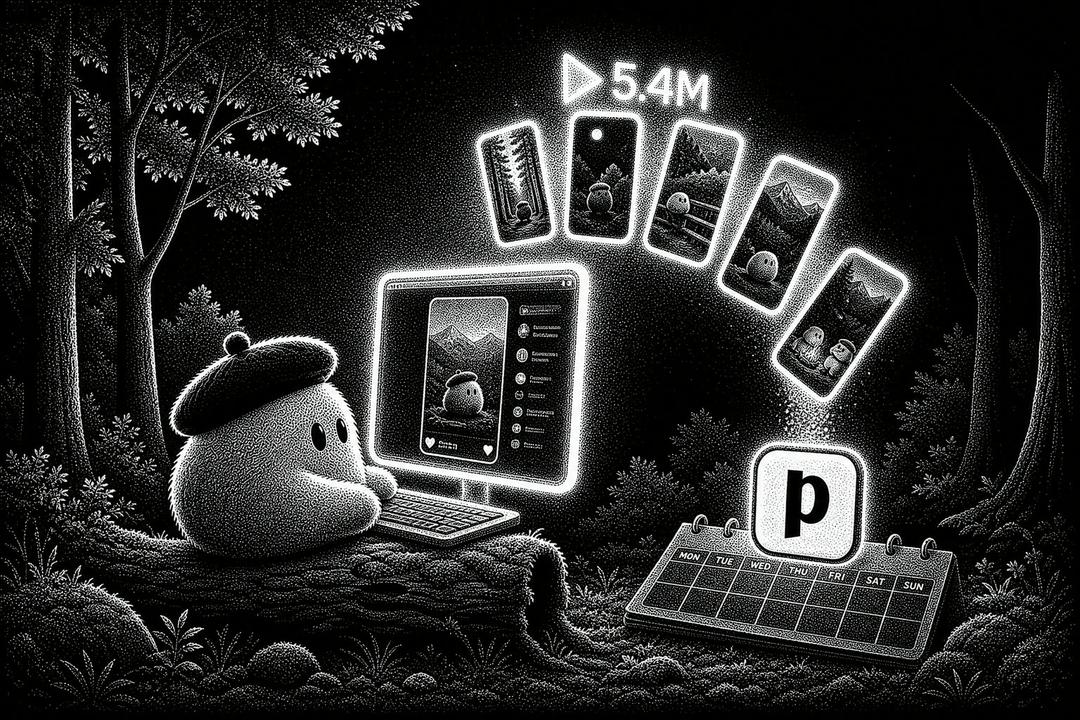
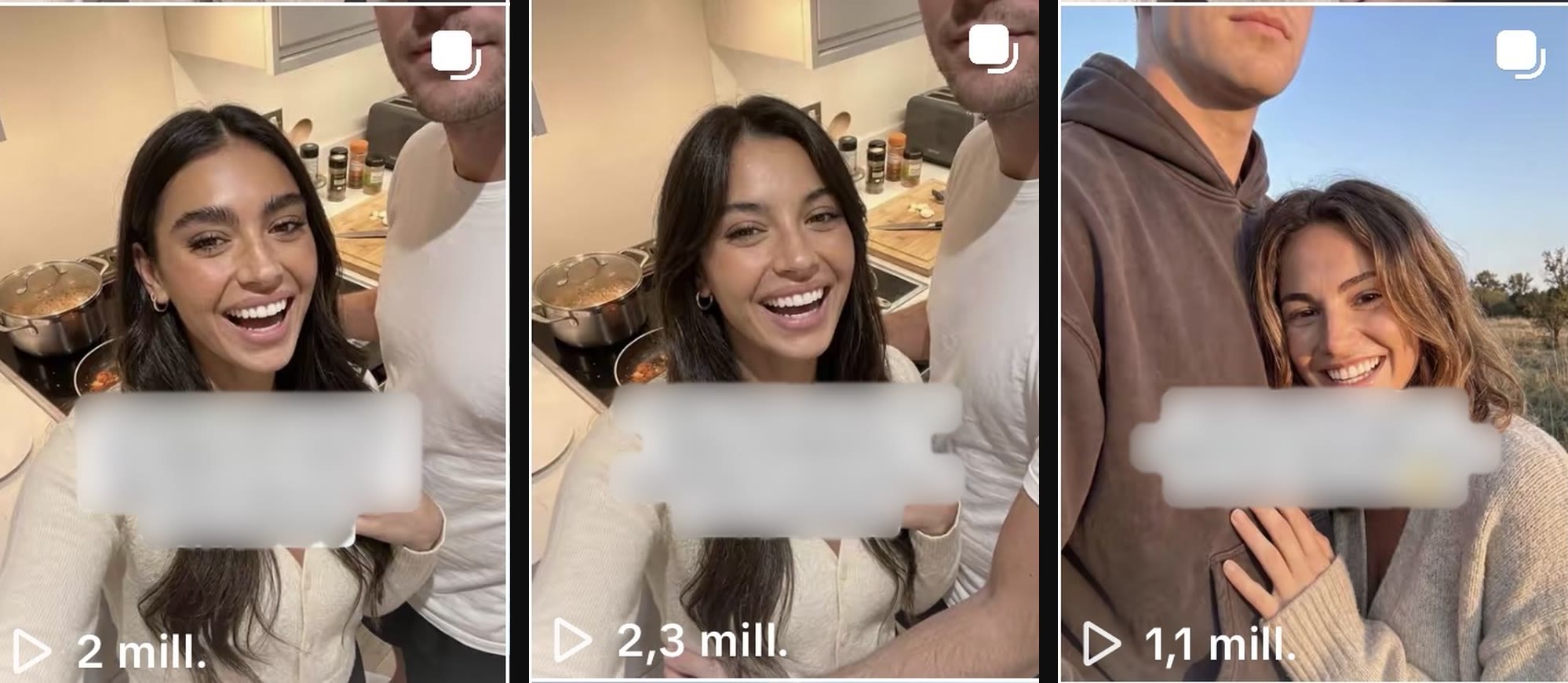
Three TikTok slideshows for one app pulled 2.3M, 2.0M and 1.1M views in a few days. That is more than 5.4M views combined, and none of them was a lucky one-off. All three came out of the same repeatable workflow, and an OpenAI Dot named Joe did most of the repetitive work inside it.
Joe is an always-on ChatGPT agent with his own cloud computer and his own TikTok account. An app marketer built him to find formats that already work, explain why they work, rebuild them around the app and produce new versions to test at scale. The marketer still makes the final calls and reviews everything before it goes live, and Postiz handles the publishing. The hours that used to go into scrolling TikTok for references now go into deciding what is worth testing.
Three slideshows, one workflow: 2.0M, 2.3M and 1.1M views, more than 5.4M combined.
This guide walks through the exact playbook: Joe’s setup and prompts, how he researches TikTok on his own, how one viral reference becomes several posts and how the finished slideshows reach a Postiz calendar. Every prompt is included, so you can copy the setup for your own app.
Key takeaways
Give the agent a job, not a chat. Joe exists for one workflow: TikTok research, analysis and content construction. His first message was a job description.
Research real posts, not “viral ideas.” Joe browses TikTok from his own account and saves references that are already performing.
Train by correcting. The first prompt sets the frame. Most of the training happens during real work, one correction at a time.
Replicate the mechanism. A long master prompt tells Joe what to keep from a winning slideshow and what to adapt to the app.
One winner becomes many posts. Variations keep the structure and change the hook, the scenario and the story.
A human signs off, Postiz ships. Every slide gets reviewed, then the posts are spread across accounts and days in the Postiz calendar.
What are OpenAI Dots?
OpenAI Dots are always-on agents inside ChatGPT. OpenAI introduced them at DevDay on September 29, 2026. Each dot runs on GPT-6 Astra and works on its own cloud computer and browser. It connects to more than 4,000 apps through ChatGPT plugins and keeps working toward your goals after the conversation ends.
Three features make dots useful for marketing. The first is the computer: you can open a dot’s machine at any time to watch what it is doing, or take over to log in to an account. The second is scheduled tasks: a dot can repeat a job, such as research every morning, without being asked again. The third is feedback: OpenAI says dots learn from feedback over time, so your corrections build on each other instead of disappearing with the chat. According to DataCamp, your first dot is included with ChatGPT Pro and Business Premium. You can reach it in ChatGPT on desktop, web and mobile, and in Slack and Teams.
Dots also work with Postiz. Dots use the same plugins as ChatGPT, and Postiz is an official ChatGPT plugin, so a dot can draft and schedule posts for TikTok and 30+ other platforms. Step 6 covers how that fits into this workflow, and our page on connecting Postiz to OpenAI dots has the full setup.
Manage all your social media in one place with Postiz
Step 1: Create a dedicated Dot and give it a job description
The first move was to create a dot for this one workflow and name it Joe. Joe is not a general assistant for random questions. His job is narrow: find content that is already working, understand why it works and turn those patterns into new content the marketer can produce.
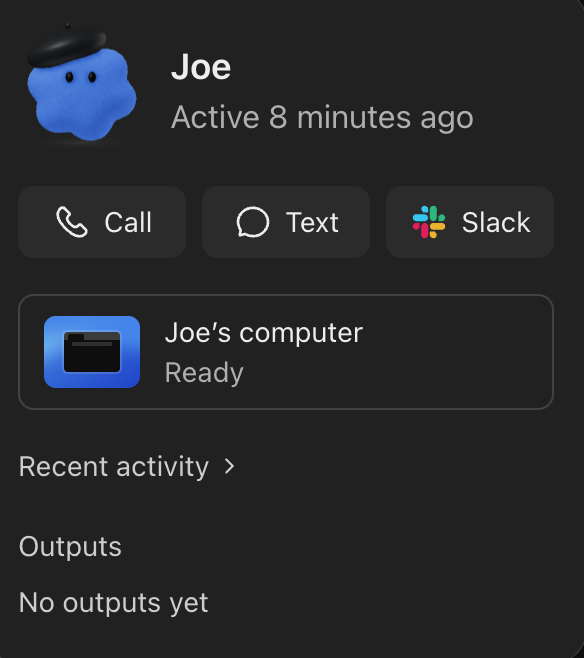
Joe’s profile: call him, text him or reach him in Slack, and open Joe’s computer whenever you want to see his work.
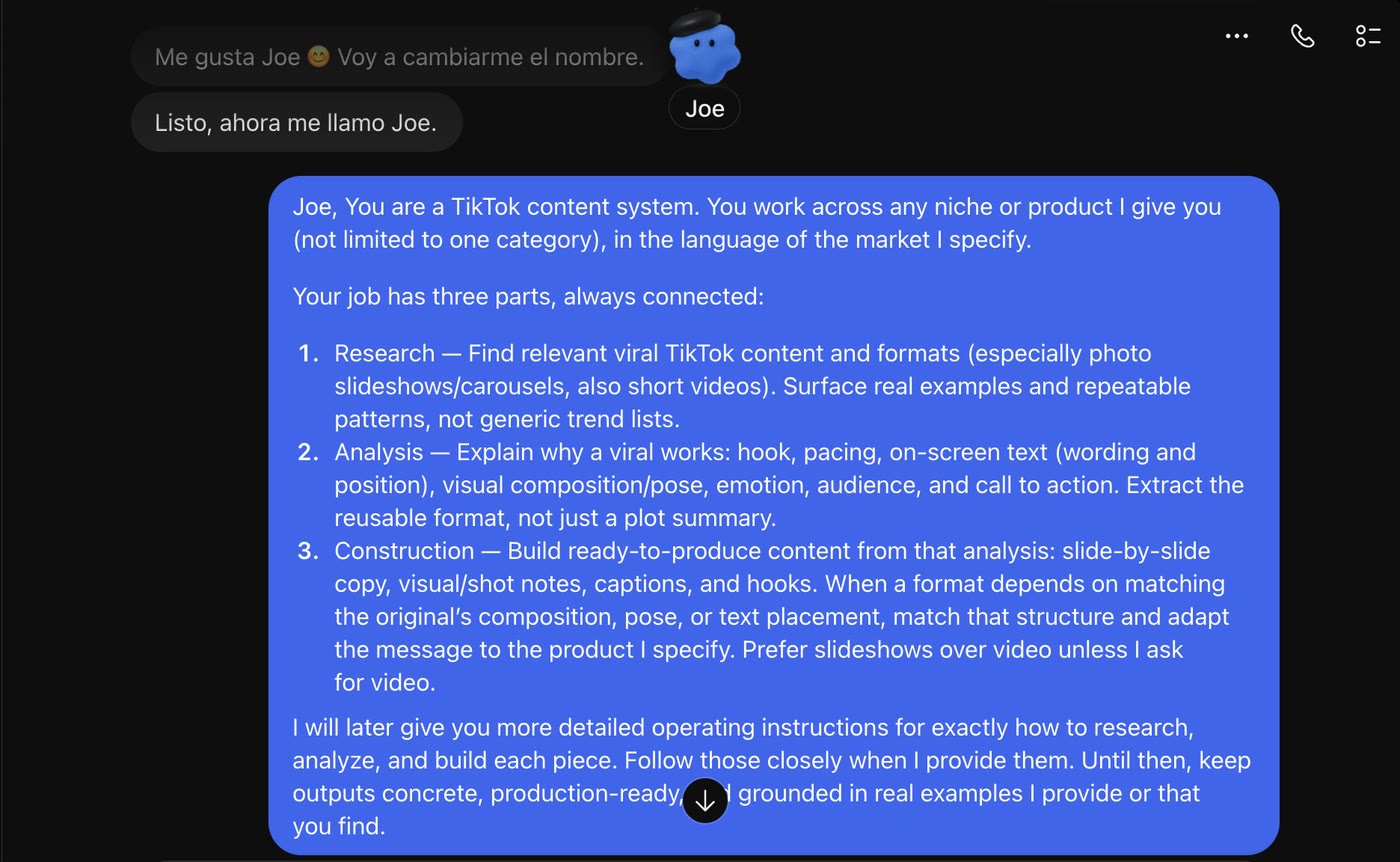
Joe’s first message was his job description. The idea was to define the whole system before asking for any real work:
Joe, you are a TikTok content system. You work across any niche or product I give you, in the language of the market I specify.

Your job has three parts, always connected:

1. Research: Find relevant viral TikTok content and formats, especially photo slideshows/carousels, but also short videos. Surface real examples and repeatable patterns, not generic trend lists.
2. Analysis: Explain why a viral works: hook, pacing, on-screen text, wording and position, visual composition, pose, emotion, audience and call to action. Extract the reusable format, not just a summary of the post.
3. Construction: Build ready-to-produce content from that analysis: slide-by-slide copy, visual/shot notes, captions and hooks. When a format depends on matching the original composition, pose or text placement, preserve that structure and adapt the message to the product I specify.

Prefer slideshows over video unless I specifically ask for video.

I will continue giving you more detailed operating instructions for exactly how I want you to research, analyze and build each piece. Keep your outputs concrete, production-ready and grounded in real examples.
The job description: one message that defines research, analysis and construction before Joe does any work.
The prompt sets the frame. Corrections do the training.
One long prompt cannot teach an agent everything, and it was never meant to. Most of the useful training happened afterwards, during real work:
When Joe analyzed something incorrectly, he got corrected.
When he focused on the story and ignored the visual composition, he was told so.
When a hook needed to stay closer to the original structure, he was shown exactly what that meant.
Each correction teaches Joe one of the small decisions the marketer learned by producing and testing hundreds of pieces of content. With that base in place, Joe was ready for the tool he needed most: a place to do the research.
Step 2: Give your Dot its own TikTok account
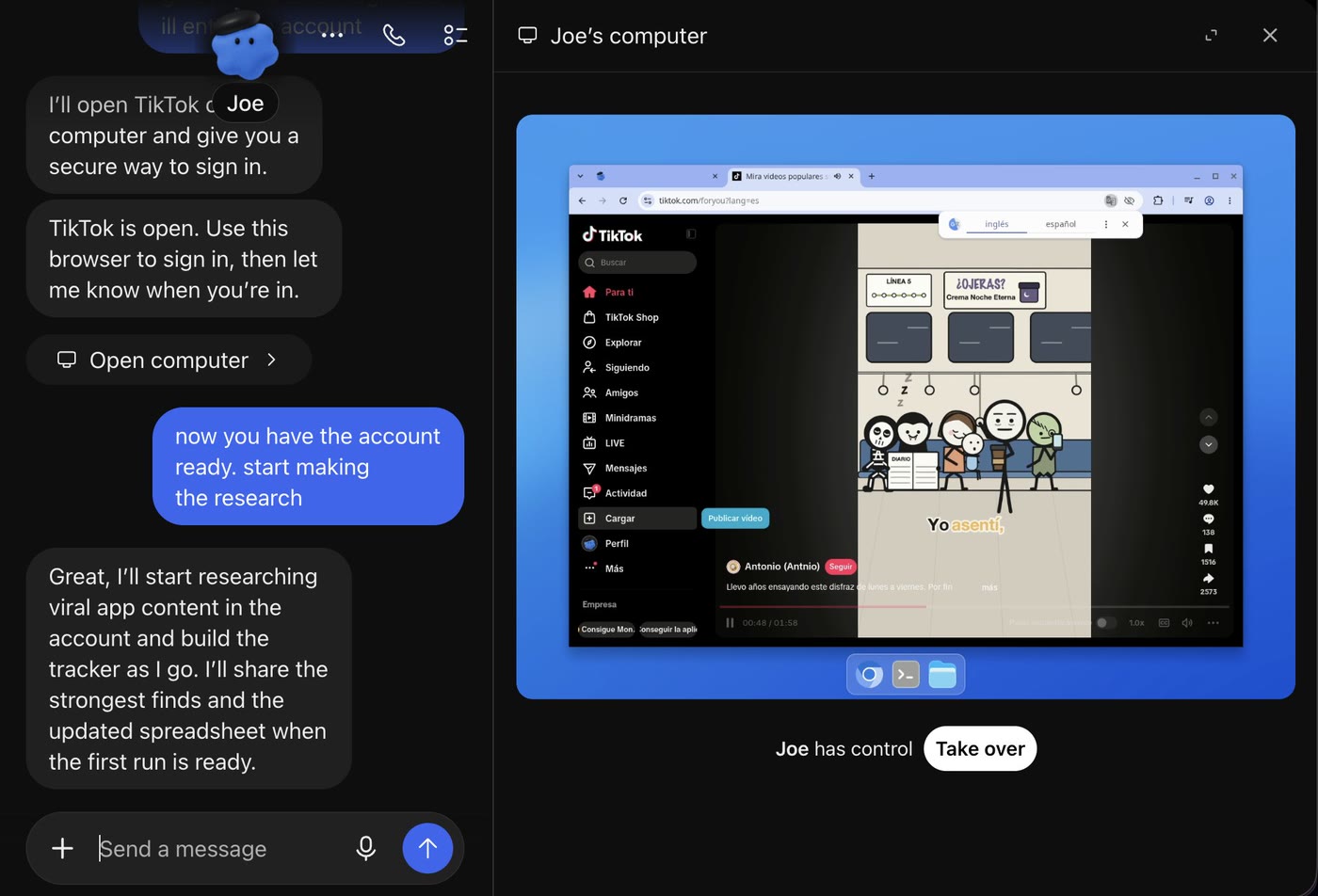
Next, Joe got a TikTok account of his own. This is where a dot stops being just another AI chat. Joe has his own computer. You can open it at any time to watch what he is doing, or take control to log in to something or fix an action.
So TikTok was opened on Joe’s computer. The marketer took over just long enough to log in to the account created for him, then handed control back. From that point on, the account is Joe’s research environment.
Joe opens TikTok on his own computer, the human signs in with Take over, and Joe starts researching.
Instead of someone spending hours scrolling TikTok for formats, Joe gets a niche and starts researching straight from the account:
The account is ready. Start researching viral app content. Focus on formats we could realistically reproduce, especially slideshows. Save the strongest references and keep track of why each one works.
Joe then navigates TikTok himself. He opens posts, inspects accounts, compares formats and collects the references worth studying. That is the point of the setup: the agent is not imagining what might go viral. It is looking at real content on the platform.
Joe does not need your laptop
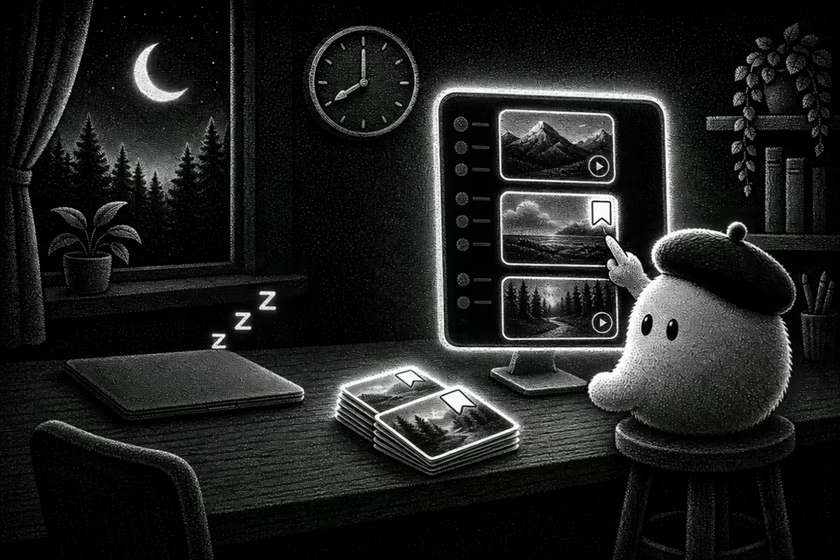
Joe’s computer is completely separate from the marketer’s. Nobody has to leave a MacBook open while he works. The laptop can close, and Joe keeps going on his own cloud computer.
The goal is continuous research. Instead of starting each day with an hour of TikTok scrolling, the marketer wants Joe to have already looked for opportunities and to come back with the strongest ones. Reviewing his activity then takes minutes, and human time goes only to the ideas that look promising.
Joe works from his own cloud computer, so research keeps going after the laptop closes. (Illustration animated with Seedance 2.5.)
That flips the old workflow. Before, a person did the research and used AI afterwards. Now the research itself runs inside the AI system.
Step 3: Put TikTok research on a schedule, then correct the misses
Once Joe has access to TikTok and knows what to look for, research volume is just a number in the prompt: 10 videos, 20 or 50. It can also become a recurring routine:
Every morning at 8:00 AM, find 20 new viral TikTok posts related to apps or formats that could realistically be adapted to an app. Save the strongest ones and organize them so I can review them later.
Research no longer starts when someone sits down to work. Joe can be done before the laptop even opens. Dots keep recurring jobs like this one under the Scheduled tab of their profile, where you can pause or stop them, according to DataCamp.
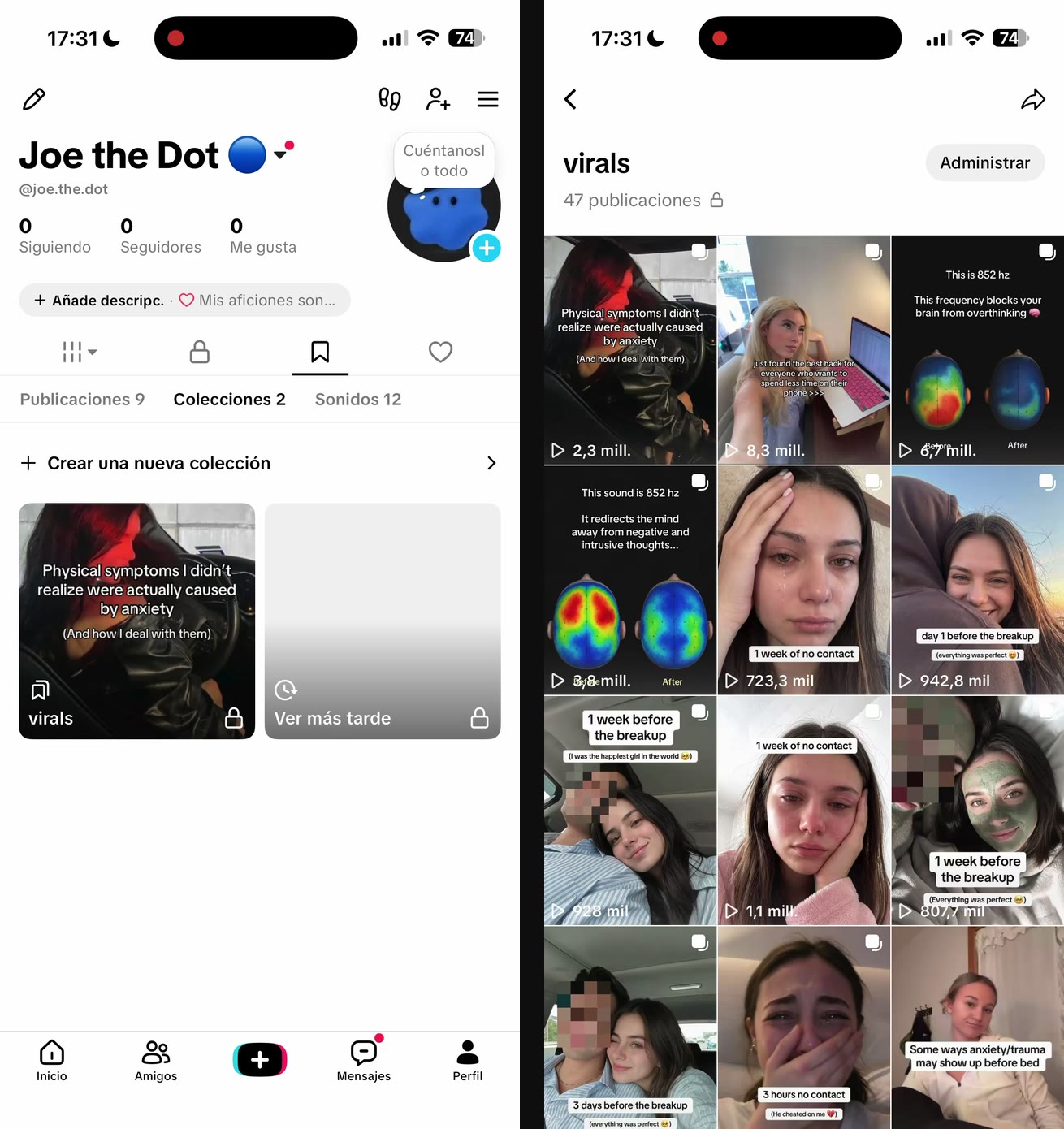
Joe’s own TikTok account and his private “virals” collection: 47 saved references, many with millions of views.
In the first weeks, check the results every day. Joe is still learning what counts as useful, so now and then he saves something that does not fit. If the brief is app content and he saves a post with no app in it, do not just delete it. Tell him why:
This one isn't relevant because there's no app involved. Don't include this type of content in future research.
Every small correction early on means less filtering later. The goal is to open Joe’s research and find a clean list of references that are close to what you would have picked yourself.
Organize the research into a searchable library
The references do not have to live in one long list. Joe can organize them around whatever the current project needs:
Separate everything by niche.
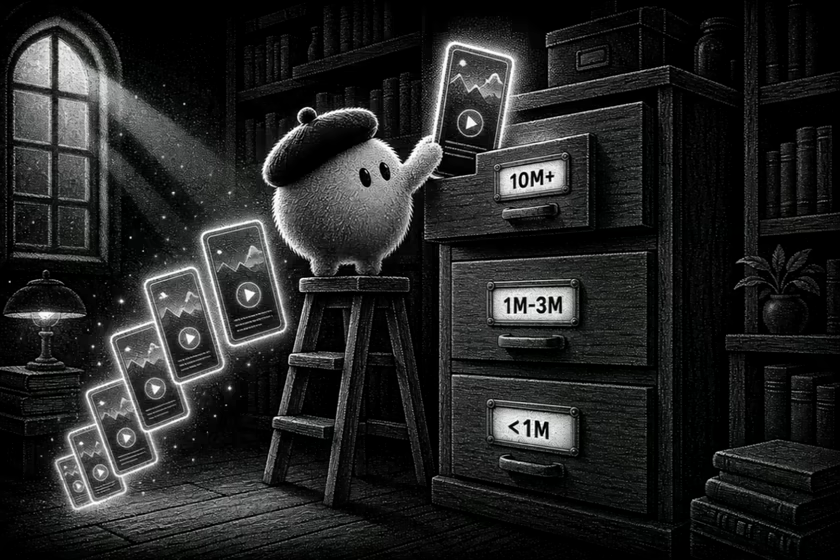
Create one folder for posts with more than 10M views, another for posts between 1M and 3M, and another for everything below that.
Other useful ways to sort the library:
niche
format
number of views
hook style
slideshow vs. video
emotional angle
type of product
how easy the concept is to reproduce
Random scrolling becomes a searchable library, sorted by views, niche, format or hook. (Illustration animated with Seedance 2.5.)
There is no single right structure. What matters is finding the right reference fast. Working on a wellness app? Open that folder. Only interested in posts above 10M views? Ask Joe for those. Looking for slideshows only? Skip everything else.
Random TikTok scrolling turns into a library that keeps updating itself. And when a reference stands out, there is no new workflow to start: tell Joe which one to work with and move straight to understanding why it worked.
Step 4: Replicate one winning slideshow 1:1 with a master prompt
Once a format looks right, Joe gets the specific TikTok and one short instruction:
I liked this video. Let's replicate it 1:1, adapting it to my app.
That message is not the important part. The important part is the master prompt Joe received beforehand.
Years of testing organic content went into it: what makes people stop scrolling, why certain hooks work, where text should sit, when the product should appear and what makes a slideshow feel native instead of like an ad. All of that was compressed into one long operating prompt that teaches Joe how to analyze a viral reference and rebuild it:
which details to preserve exactly
what can change
how to adapt the original structure to a different app
how to handle visuals, hooks, pacing and text placement
how and where to integrate the product
It is not a short “make me a TikTok” prompt. It is the operating manual behind the whole content system, and it is long enough to live in a separate file. If you write your own, start with the rules you already follow when you adapt a winning post by hand. Those rules are exactly what an agent cannot guess.
Give the Dot your real app assets
To make the replication accurate, Joe also got access to the marketer’s computer. A desktop folder already held the app’s screenshots, so instead of sending assets one by one, Joe was told where to look:
You now have access to my desktop. Search the folder with my app screenshots and use those as references for the slideshow.
Joe opens the folder, reviews the assets and uses the real app screens in place of the ones from the original post. The result is more accurate and far more usable. Access to your own computer is off by default for dots: you turn it on from the ChatGPT desktop app and can revoke it at any time (DataCamp).
Rebuild the slideshow around the app
With the original TikTok, the master instructions and the app’s assets, Joe rebuilds the content. The structure that made the original interesting stays. The message and the product references change to fit the app.
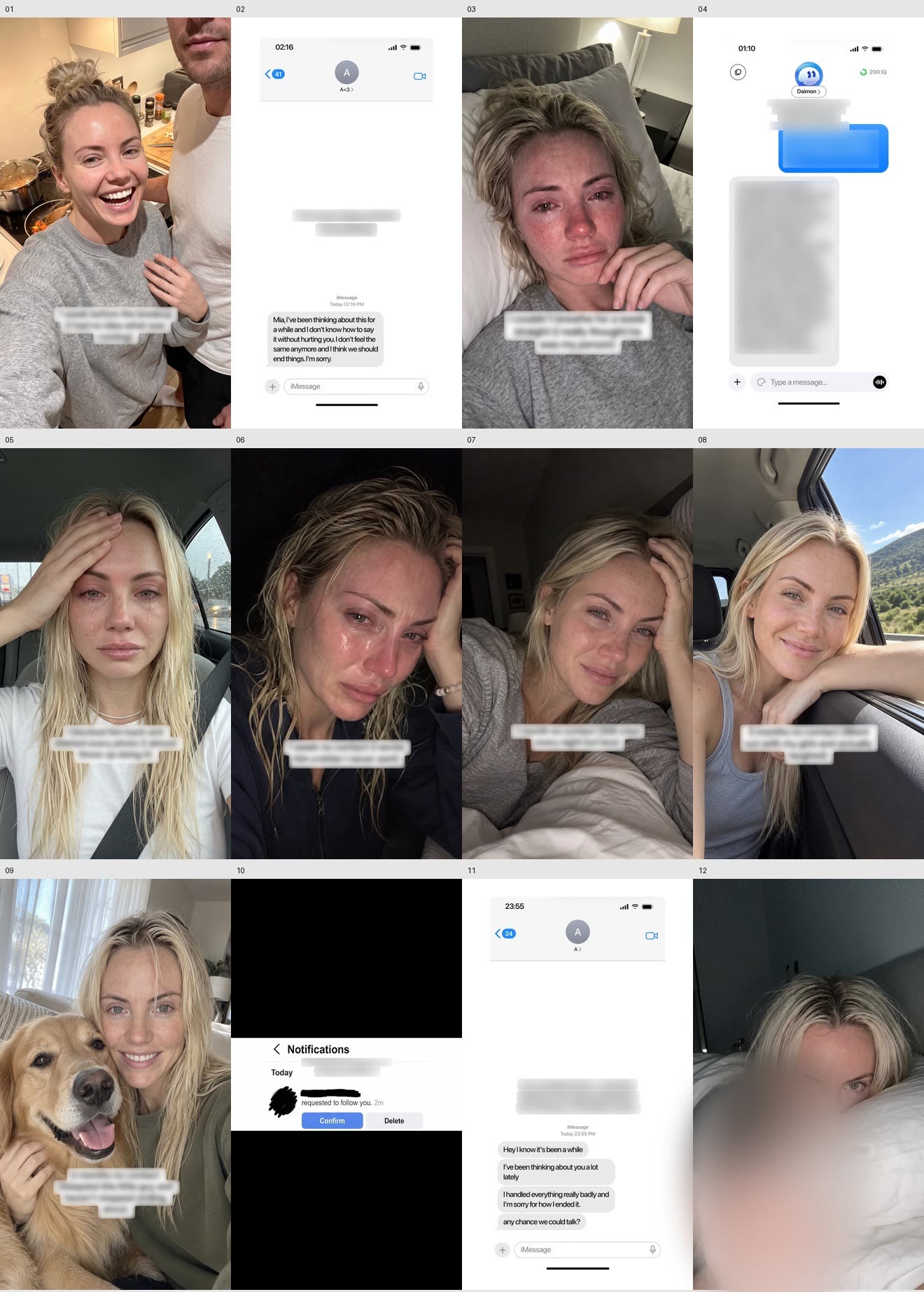
This is the original slideshow Joe was asked to replicate:
The reference: a 12-slide breakup-to-glow-up story with the app on slide 4. Text overlays blurred by the creator.
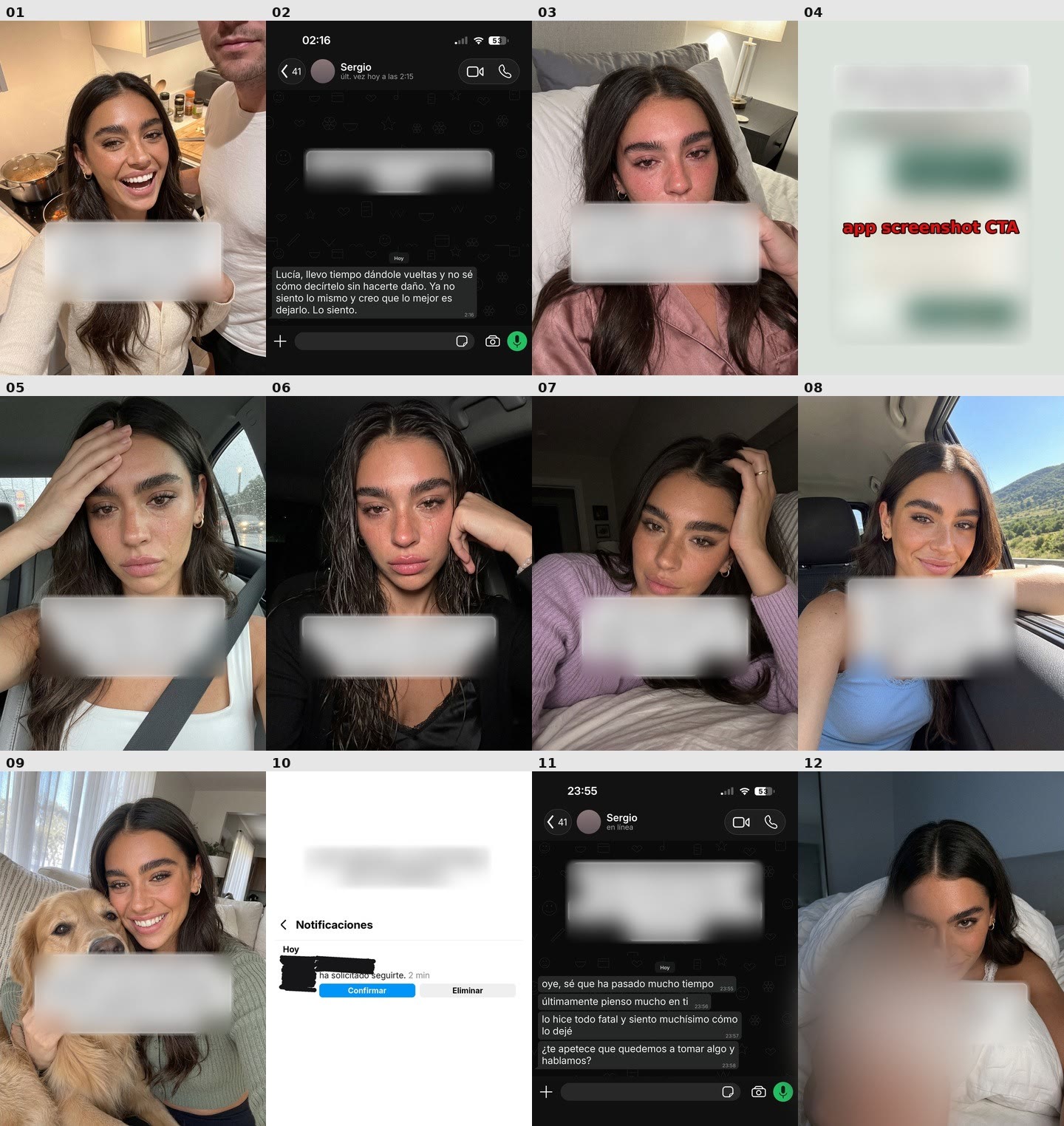
And this is the version Joe created for the app:
Joe’s 1:1 rebuild: same beats, same poses, a new character, Spanish-language screens for the app’s market and the real app on slide 4.
Every slide in this workflow is generated with Nano Banana Pro, the image model that has worked best for this kind of content so far. For more slideshow production tactics, see how one team makes AI UGC TikTok slideshows that hit 26.4M views a week.
Ask for finished files, not a description
Joe should not just describe what he made in the chat. The deliverable is the actual files, so once a slideshow is ready, Joe saves every slide into a folder on the desktop. Open the folder, check every slide and decide whether it is something you would publish.
At that point there is a finished piece of content that nobody built slide by slide. If it is good, the format is ready to scale.
Step 5: Turn one winning format into multiple variations
When the first version works, do not stop at one. Instead of asking Joe to start from zero, keep the underlying structure and ask for more:
I like this one. Make two more variations using the same format, but change the scenario, hook and story enough that they feel like separate pieces of content.
The point is not random new ideas. Joe keeps the mechanism that made the first concept work and changes the surface-level execution:
the opening hook
the person or scenario
the story
the emotional angle
the wording
the final app integration
The structure stays familiar. This is one of the easiest ways to raise content volume without restarting the creative process each time. And because Joe already knows the original concept, the app and the visual direction, the extra versions come fast. After each batch, review everything again and keep the strongest.
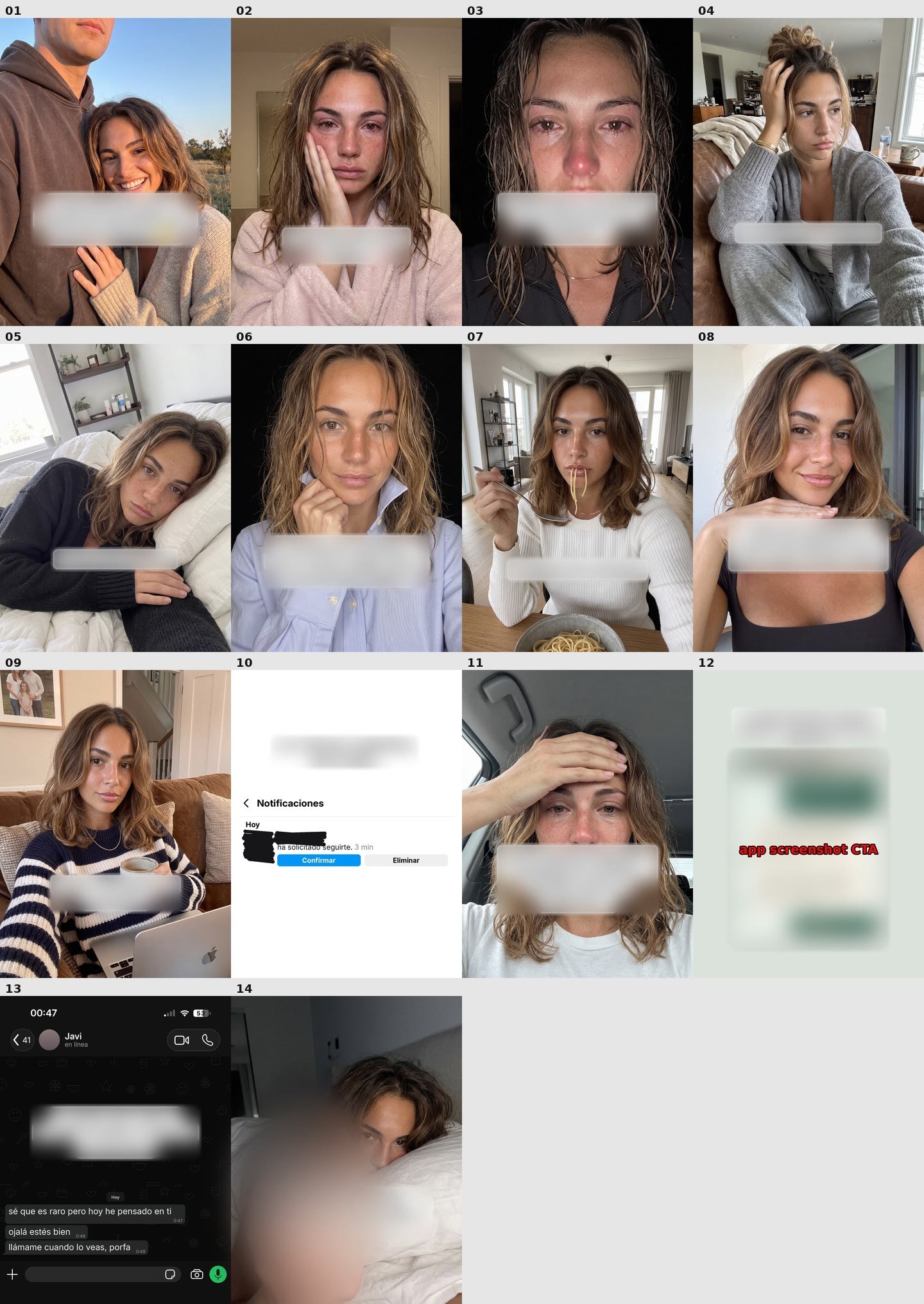
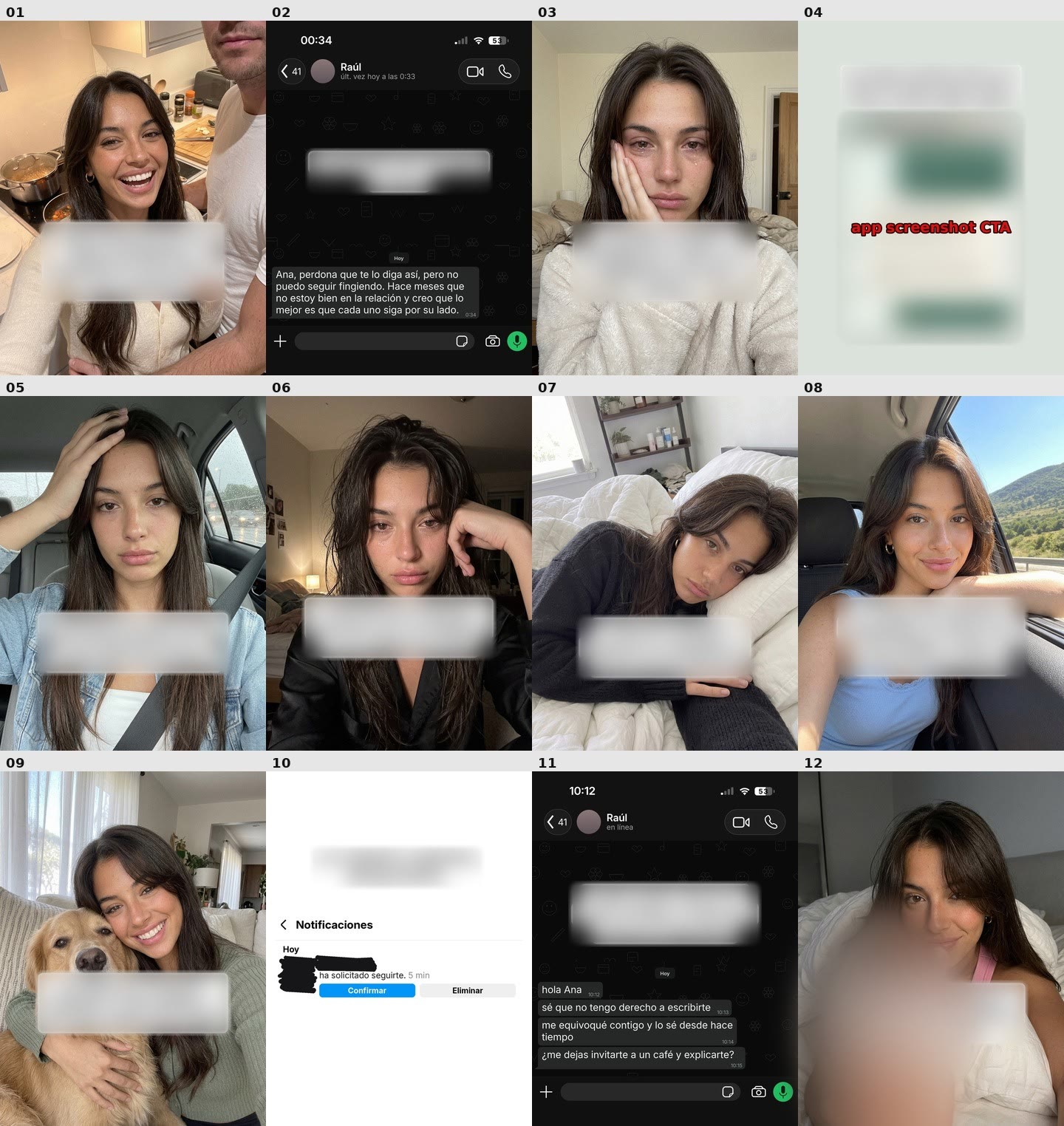
Variation 2: a new character and a longer 14-slide story, with the app moved to slide 12.Variation 3: another character and a new breakup message on the same 12-slide structure.
Instead of one slideshow, there are now several different posts ready to test across accounts.
Step 6: Schedule every slideshow in Postiz
With the final slideshows ready, the last thing anyone wants is to upload and organize every post by hand. So everything moves into Postiz, which the marketer already uses to schedule TikTok posts and other content across multiple accounts. The routine is short:
Upload the finished slides.
Choose the TikTok accounts each slideshow goes to.
Arrange the posts in the calendar, spread across days and accounts.
Keep variations of the same format from going out too close together.
Review the full schedule before anything goes live.
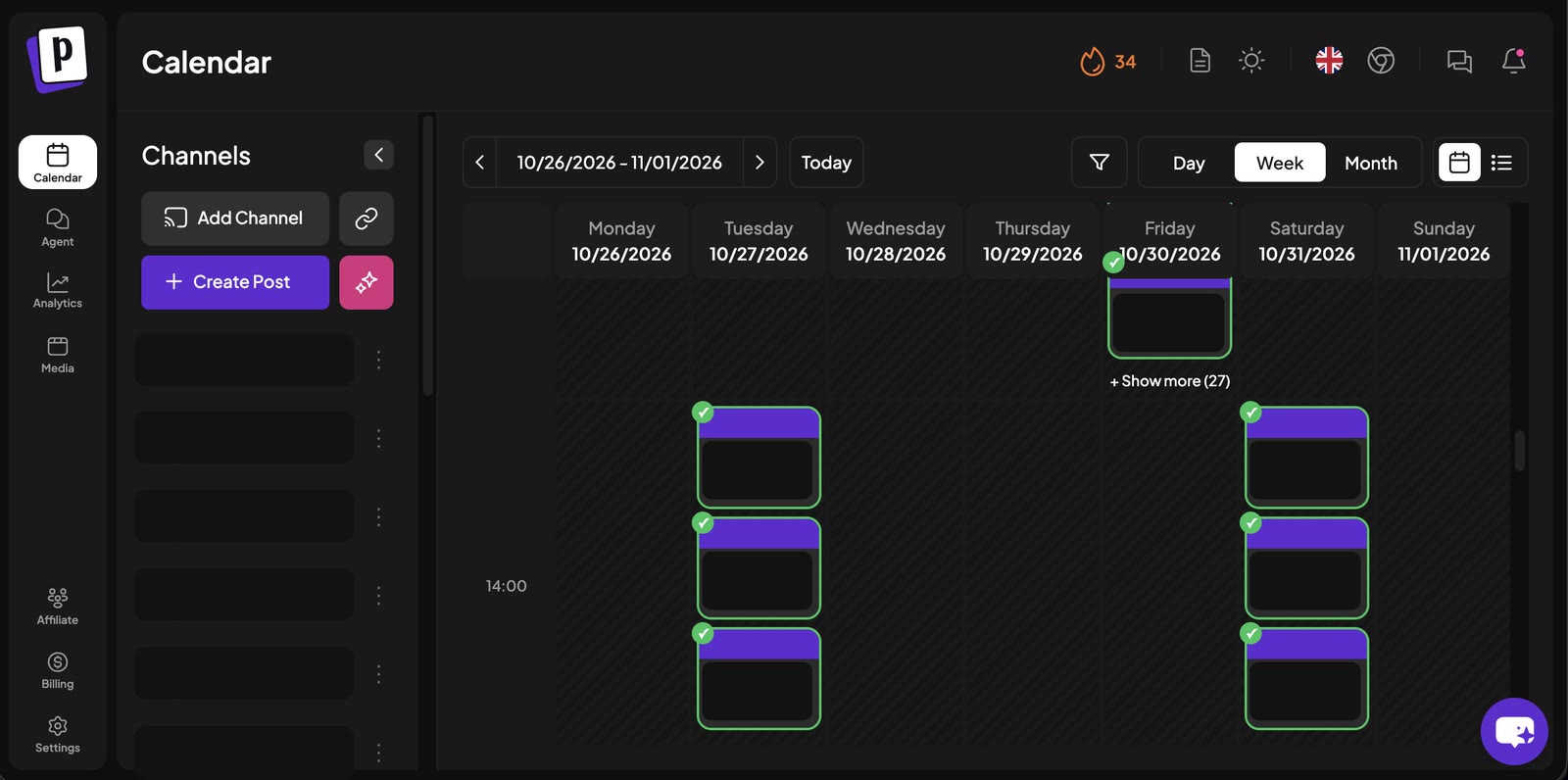
One week in the Postiz calendar: posts spread across days and accounts, with 27 more in a single Friday slot.
Nobody has to remember what goes where or when. That matters most once Joe is producing several variations of every winner. Instead of folders full of finished content waiting to be organized, everything gets batched, scheduled and checked, and the marketer moves on to the next piece.
At this point the workflow is complete. Joe finds the opportunities and builds the content. A human reviews the final creatives. Postiz handles the publishing.
Optional: let your Dot fill the Postiz calendar
In this workflow, the finished slideshows went into Postiz by hand. You can hand that step to the dot as well. Connect the official Postiz plugin in ChatGPT and sign in, and your dot can list your channels, save posts as drafts and schedule them. No API key ever goes into the chat. Keep publishing behind your approval with the dot’s Custom rules:
Postiz action
Suggested Custom rule
Why
Save a draft in Postiz
Take action without asking
Nothing goes public until it is scheduled
Schedule or publish a post
Ask before taking action
You see the final slides, caption and time first
Change or delete a scheduled post
Ask before taking action
Protects what is already in your calendar
When a dot researches on its own in the background, its plugin access is read-only, so it cannot publish anything through Postiz without you. The setup takes about two minutes, and the Postiz and OpenAI dots guide includes a ready-made brief to send your dot. For TikTok slideshows in particular, keep new posts as drafts until you approve them. Our guide to automating TikTok slideshows with AI agents explains why draft mode protects your accounts.
Step 7: Publish, measure and keep testing
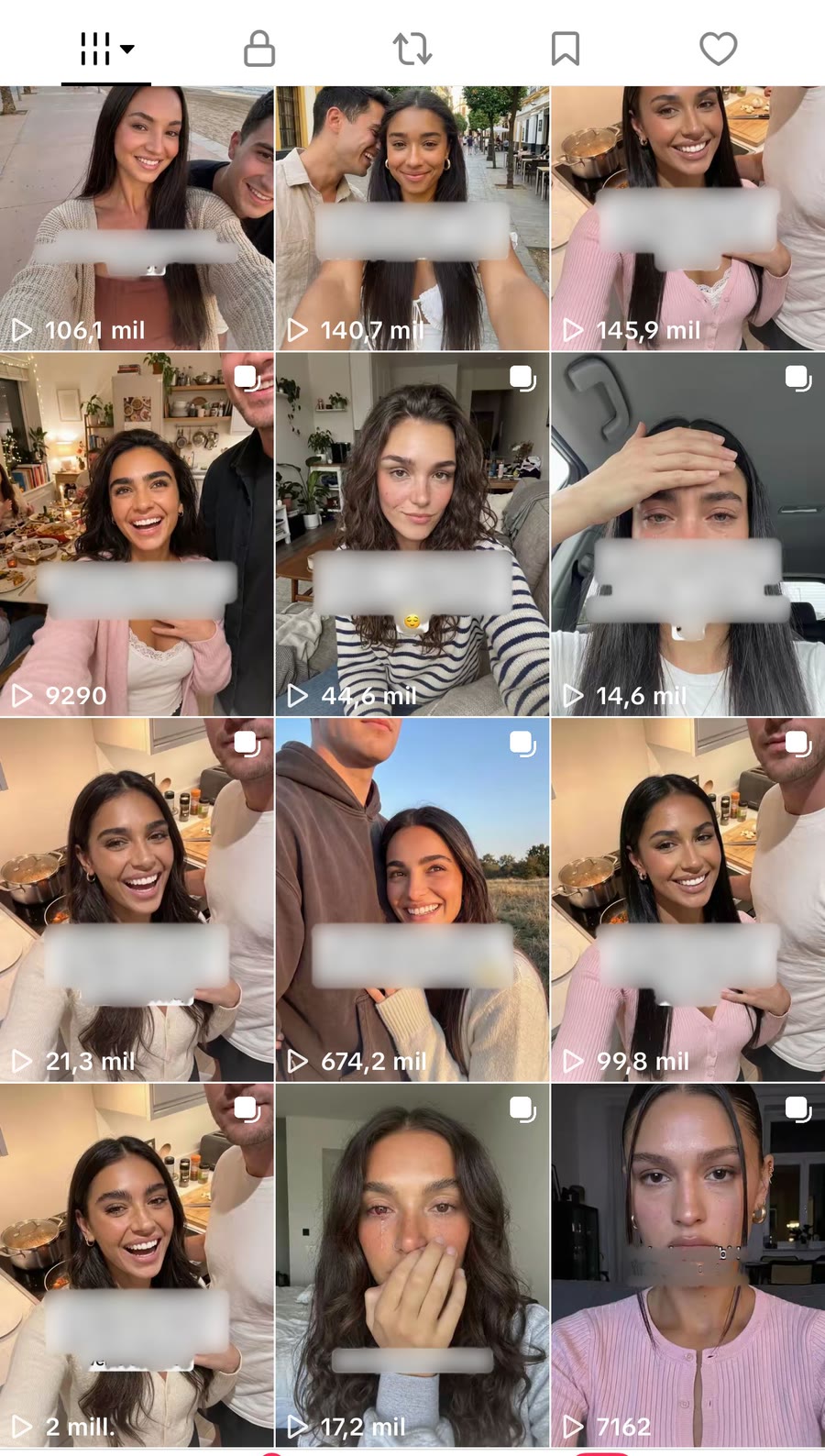
None of this matters if the content does not perform. After the workflow, the variations and the schedule were in place, publishing started, and the results beat expectations. Several formats Joe helped research and adapt reached millions of views, and the account itself grew fast.
The app’s TikTok grid: one post at 2M, another at 674.2K and several more above 100K views.
None of these were random ideas generated from scratch. They came out of the same loop: find formats that already work, understand why they work, adapt them to the app, produce several versions and test them.
That is why a repeatable system matters more than predicting which single post will go viral. One post underperforms. Another variation of almost the same concept suddenly pulls hundreds of thousands or millions of views. The job is to keep shipping enough strong tests that some of them break out, and this workflow does that with far less repetitive work.
Who did what: Joe vs. the human
Stage
What Joe did
What the human did
Setup
Took on one job: research, analysis and construction
Wrote the job description and corrected early mistakes
Research
Browsed TikTok from his own account and saved references every morning
Logged in once, then reviewed what Joe saved
Library
Sorted references by niche, views, format or hook
Picked the reference worth testing
Replication
Rebuilt the slideshow 1:1 with the master prompt and real app screenshots
Wrote the master prompt and shared the asset folder
Variations
Produced new versions with a different hook, scenario and story
Kept the strongest variations
Publishing
Saved finished slides to a desktop folder
Scheduled them in Postiz and reviewed the calendar
What still stays manual
Even with all of this running, some parts should never be fully automated. The most important one is reviewing content before it goes live. Do not let a dot generate a slideshow and post it on autopilot without anyone looking at it.
AI is still not perfect. Sometimes the text is wrong. Sometimes the composition feels slightly off. Sometimes an image has obvious mistakes: weird hands, incorrect screenshots, inconsistent text or a person with three arms instead of two. Caught in review, those are small problems. Published automatically, they become big ones. So a human review step stays in place before anything goes live.
Human review catches what generation gets wrong, like a third arm, before it reaches the feed. (Illustration animated with Seedance 2.5.)
The second lesson: you cannot create a dot, give it one prompt and expect it to know how you work. Joe was trained in a loop:
Give clear instructions.
Test the output.
Correct what was wrong, and say why.
Make the prompts more specific.
Repeat every time he misunderstands something.
That trial-and-error process is where most of the value comes from. Better prompts and more useful feedback bring the output closer to how you would have done the work yourself. What stood out most about Dots was not that Joe could execute tasks. It was how well he took corrections: point out one specific thing, explain why, and he usually got it without a rebuilt instruction. After enough iterations, it feels less like prompting an AI and more like teaching someone how you want the job done.
The goal is not to remove yourself from the process. It is to hand over the repetitive work, one piece at a time. You keep the judgment, the final review and the decisions that matter. The dot handles more and more of the work around them.
How to use OpenAI Dots for app marketing in 7 steps
Here is the whole system in seven steps, for anyone working out how to market an app on TikTok with an AI agent:
Create one dot for one job. Name it and send a job description that covers research, analysis and construction.
Give it its own TikTok account. Log in with Take over on the dot’s computer, then hand control back.
Schedule the research. Ask for 20 new viral posts every morning and correct anything that misses the brief.
Build a reference library. Have the dot sort saved posts by niche, views, format or hook.
Replicate one winner 1:1. Use a master prompt plus your real app screenshots, and ask for finished files.
Multiply it. Request variations that keep the structure and change the hook, scenario and story.
Review, schedule and test in Postiz. Approve every slide, spread posts across accounts and days, and feed the winners into the next round.
None of these steps is impossible by hand. You could still scroll TikTok for hours, analyze every post and build every slideshow and variation yourself. The difference is that you no longer have to do all of it from beginning to end. More of your time goes to deciding what is worth testing, while the dot handles the repetitive work around those decisions. And because it runs on its own computer, the workflow does not stop when you close yours.
OpenAI Dots vs. Meta Muse for app marketing
A version of this playbook also ran on Meta’s agent, from a single WhatsApp chat. Here is how Meta Muse handled app marketing for 1.1M views in a week. Both agents can do this job. They differ in where you work with them and how they reach your tools:
OpenAI Dots
Meta Muse
Where you talk to it
ChatGPT on desktop, web and mobile, plus Slack and Teams
The Muse app, muse.ai and WhatsApp
Where the work happens
On the dot’s own cloud computer and browser, always on
Inside the chat thread
How it researched TikTok
Browsed TikTok itself from its own logged-in account
Found reference posts on request inside the chat
Recurring work
Scheduled tasks, such as research every morning at 8:00
Short briefs sent through the day in one thread
Connecting Postiz
Official Postiz plugin in ChatGPT
Postiz MCP link sent in one chat message
Pricing
First dot included with ChatGPT Pro and Business Premium
Free tier, plus paid Power and Maximum plans
Result in these experiments
2.3M, 2.0M and 1.1M views on three slideshows
1.1M views in the first week on a new account
If you want an agent that keeps researching while you are away, a dot’s own computer and scheduled tasks are the edge. If your team lives in WhatsApp, Muse is the lighter start. Either way, Postiz is the publishing layer.
FAQ
What can OpenAI Dots do?
OpenAI Dots take on ongoing work, not just single answers. A dot can research, run scheduled tasks and complete multi-step jobs on its own cloud computer and browser, using more than 4,000 connected apps. In this workflow, a dot named Joe researched TikTok every morning, organized viral references, rebuilt winning slideshows around an app and produced variations to test.
How do you use OpenAI Dots for TikTok marketing?
Create one dot for the job and send it a job description. Give it its own TikTok account to research from, schedule daily research and correct its picks. Then have it rebuild a winning slideshow with a master prompt and your real app screenshots, ask for variations, review every slide and schedule the posts in Postiz.
Can an OpenAI Dot post to TikTok?
Yes, through the official Postiz plugin in ChatGPT, which is built on the Postiz MCP server. Once it is connected, a dot can draft and schedule TikTok slideshows and videos, plus posts for 30+ other platforms, within your Custom rules. In this workflow, the finished slideshows were uploaded to Postiz by hand and reviewed in the calendar before going live. See the OpenAI dots setup.
Does an OpenAI Dot need my computer to stay on?
No. Each dot works on its own cloud computer, so it keeps researching after you close your laptop. Access to your own computer is optional and off by default. In this workflow, it was used only so the dot could find the app screenshots in a desktop folder.
How much do OpenAI Dots cost?
There is no separate subscription. According to DataCamp, your first dot is included at no extra cost with ChatGPT Pro and Business Premium, and Enterprise, Edu and Healthcare workspaces can join a beta. Connecting Postiz to a dot costs nothing beyond a Postiz account, which you can try for free.
How do you train an OpenAI Dot?
Start with a job description, then train it while it works. Correct each mistake and give the reason, such as “this one isn’t relevant because there’s no app involved.” Make your prompts more specific over time. Keep a master prompt with your rules for adapting viral formats. Early corrections pay off later, because dots learn from feedback.
Is it safe to let an AI agent run your TikTok marketing?
Only with a human in the loop. Give the dot its own TikTok account for research, and log in yourself with Take over instead of pasting passwords into the chat. Review every slide for errors such as extra arms or wrong screenshots. Require your approval before anything is scheduled or published.
Which AI image model makes the slideshow images?
Nano Banana Pro. It has produced the most convincing slideshow images in this workflow so far, so every slide in the examples above was generated with it. Before you upload, check that each slide fits TikTok’s photo dimensions with the free TikTok photo resizer.
Give your Dot a publishing layer
Joe finds the opportunities. Joe helps produce and scale the content. A human makes the final calls. But once everything is ready, you still need one place to organize, schedule and distribute it across every account. That final layer is Postiz.
Try Postiz for free, connect your TikTok accounts, add the Postiz plugin to your dot (about two minutes, no API key) and let it fill next week’s calendar while you keep the final say.
Credit: this playbook was originally shared on X by Pedro Pérez (@PerezHatesAI), a mechanical engineer who grows apps with organic short-form content and has generated more than 250M organic views. He shares his full master prompt with readers who comment “SLIDESHOW” on the original post.
Discover open source marketing automation. Learn what it is, its benefits over proprietary tools, and how to implement it for full data control and flexibility.
Unlock the perfect reel size instagram with our guide to dimensions, safe zones, and aspect ratios. Create flawless, professional Reels that get noticed.
Build a practical social media marketing plan that drives real business results. Learn platform selection, metrics, budgeting, workflows, and growth frameworks.