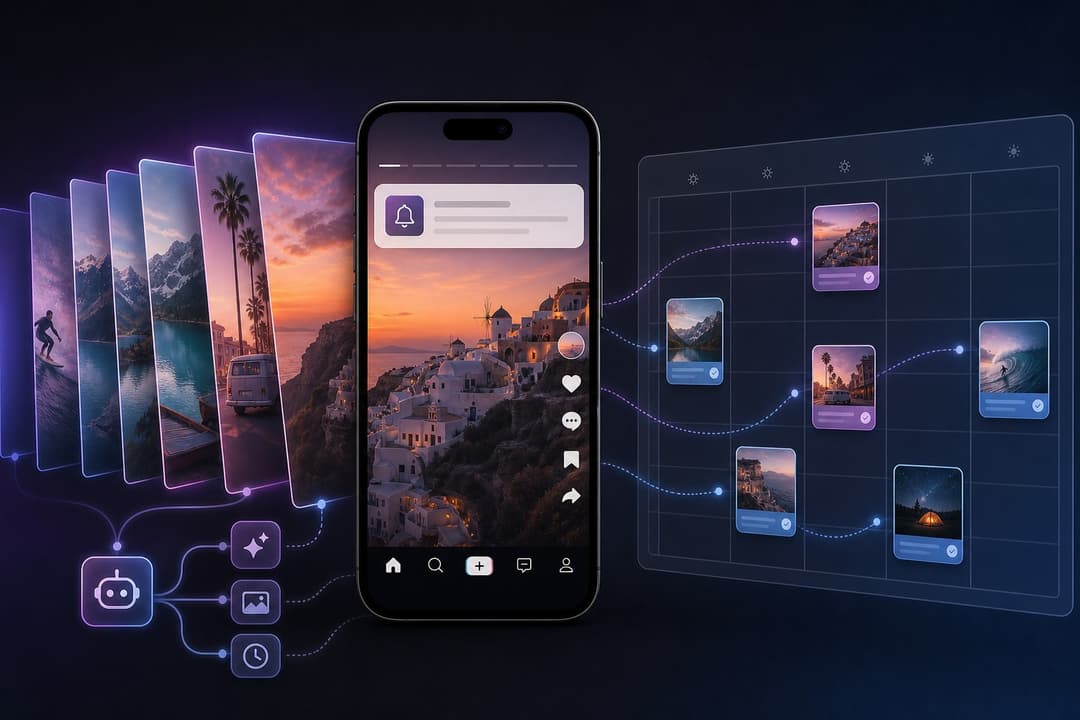
Most people who try AI UGC make the same mistake. They open an image generator, make ten pretty pictures, post them, get 400 views, and conclude the format is dead. Pedro Pérez did the opposite. He spent a week watching what already worked on TikTok, rebuilt it with GPT Image 2.5 and GPT-6 Astra, and then handed the boring part to a ChatGPT agent connected to Postiz. His slideshows now pull more than 26 million views a week.
This article is the full breakdown Pedro published on X in September 2026, edited for clarity and expanded with the Postiz side of the workflow. It covers every step: finding a format that is already working, reverse-engineering why it works, generating the assets, batching a week of content in one sitting, and letting an agent organize and schedule the whole thing.
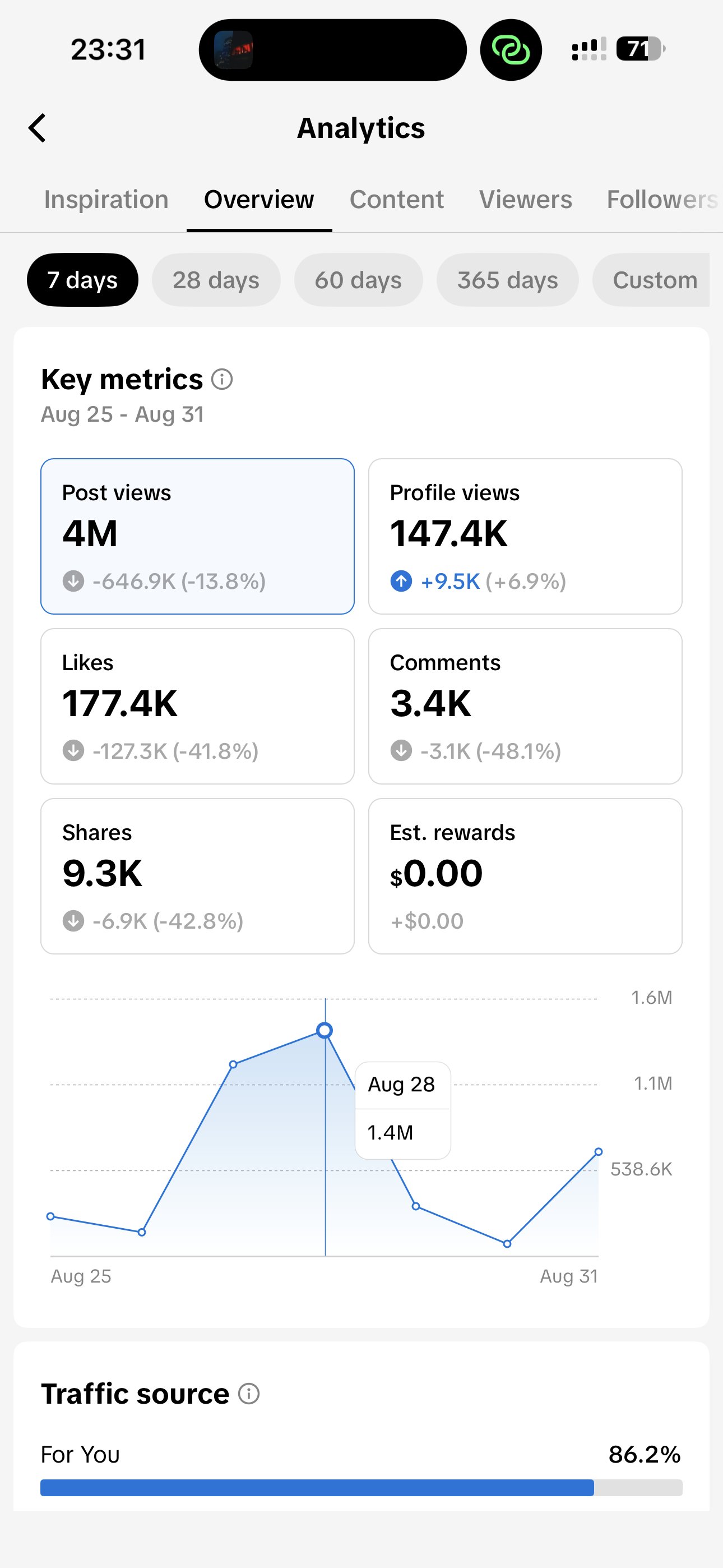
The result first: 26.4M views a week from AI slideshows
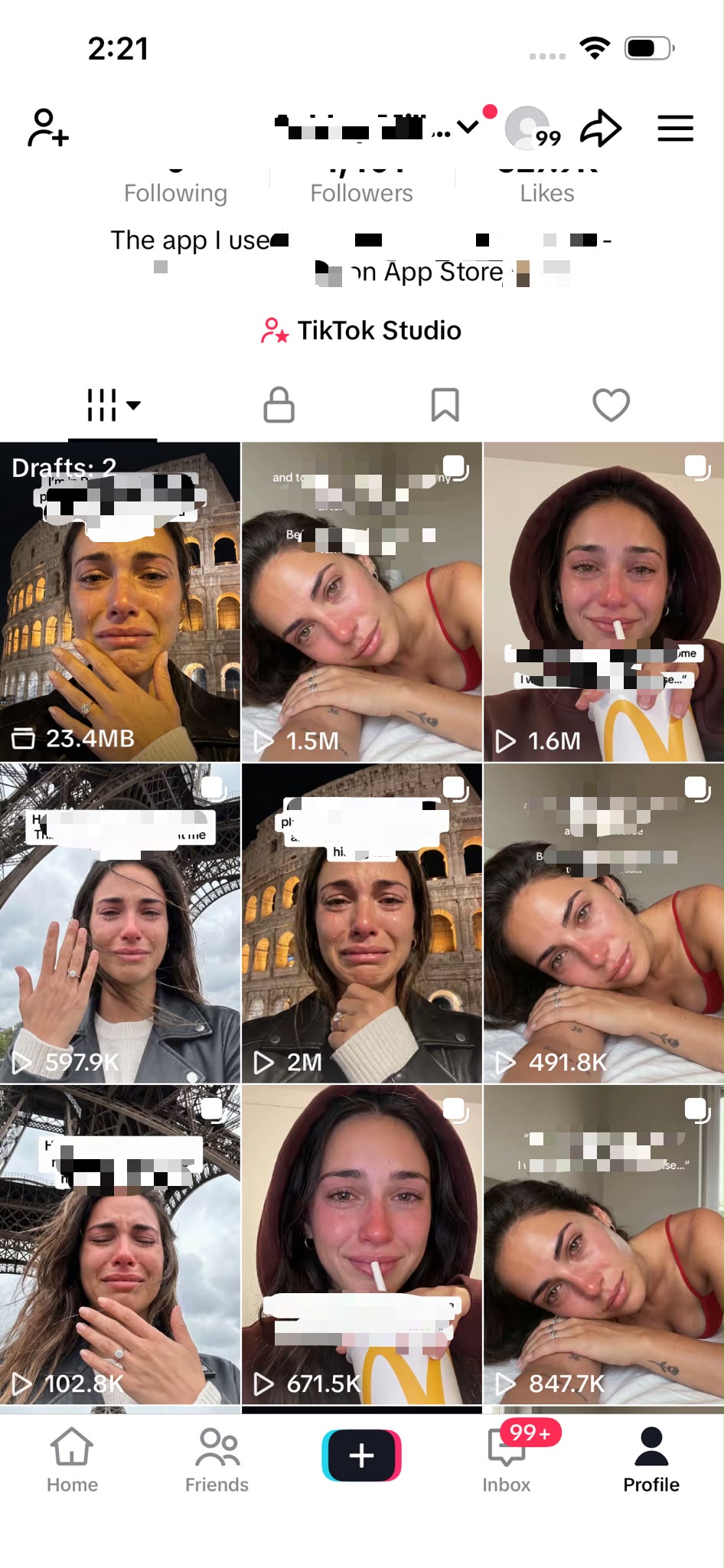
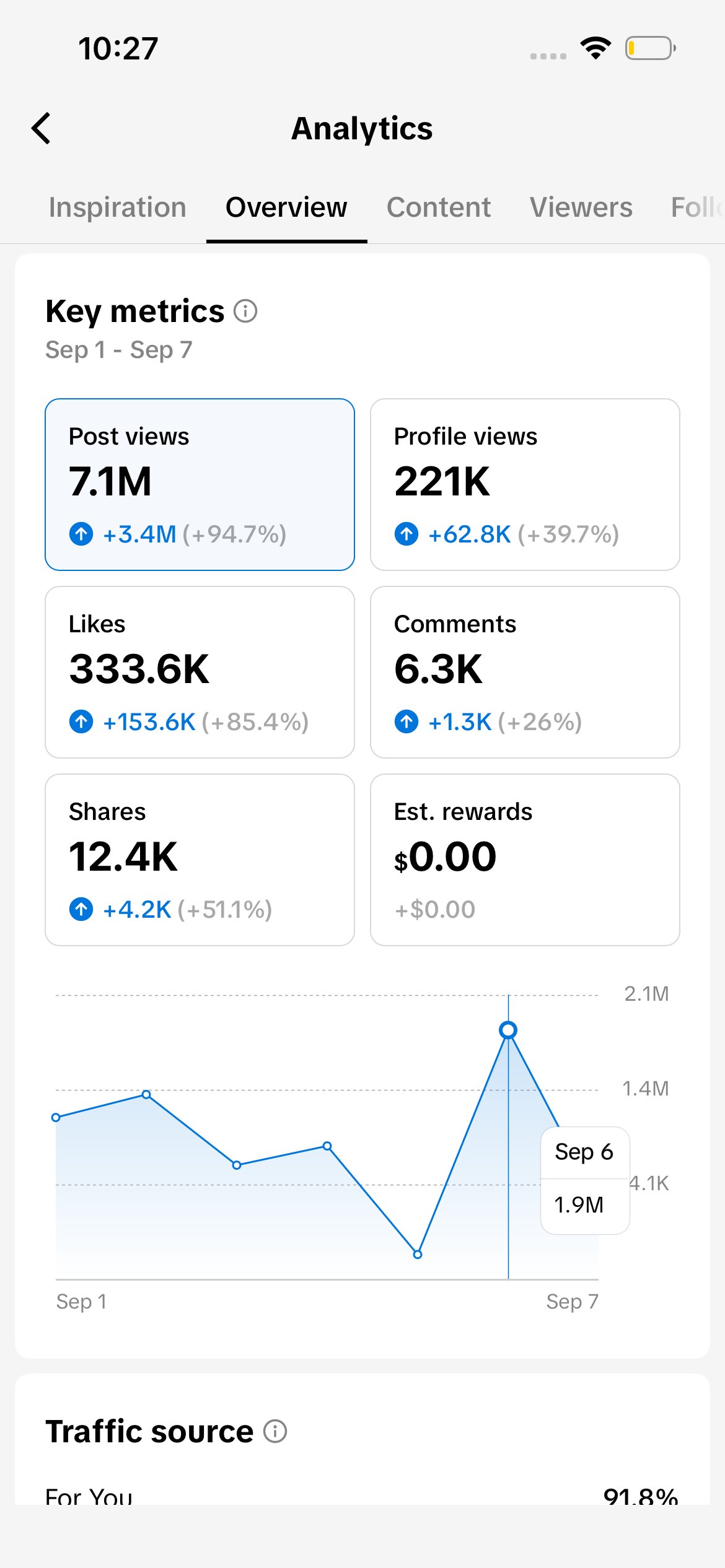
Pedro starts with the numbers instead of a long introduction, so we will too. These are his TikTok Studio analytics for the first week of September 2026: 7.1M post views on a single account in seven days, up 94.7% week over week, with 333.6K likes and 12.4K shares. The week before, the same account did 4M views. Individual slideshows in his drafts folder sit at 1.5M, 1.6M, 2M and 847K views.
None of this came from a lucky viral hit. It came from a repeatable system, and the rest of this article is that system.
Step 1: Find a TikTok slideshow format that is already working
Pedro never starts from a blank page. The first thing he does is look for content that is already winning in the niche he wants to target.
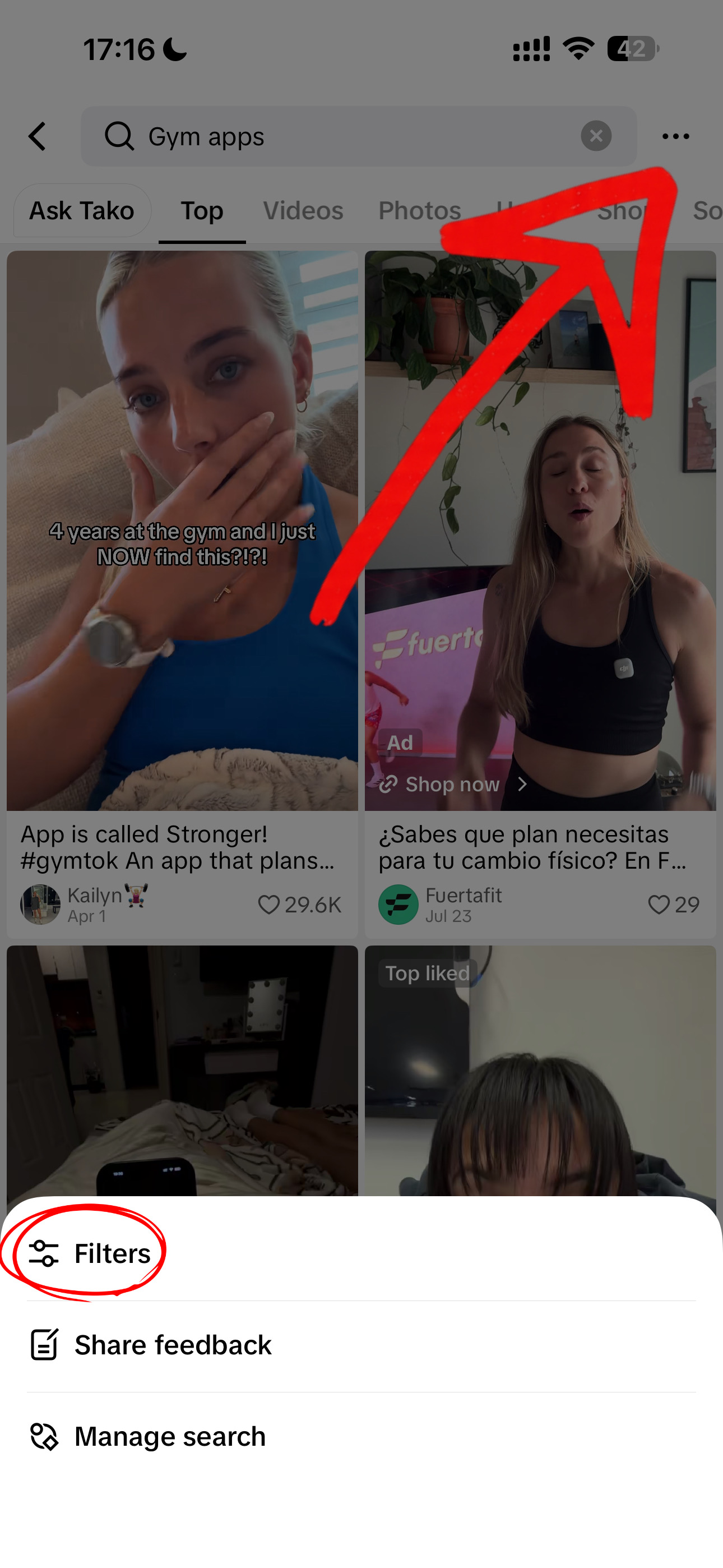
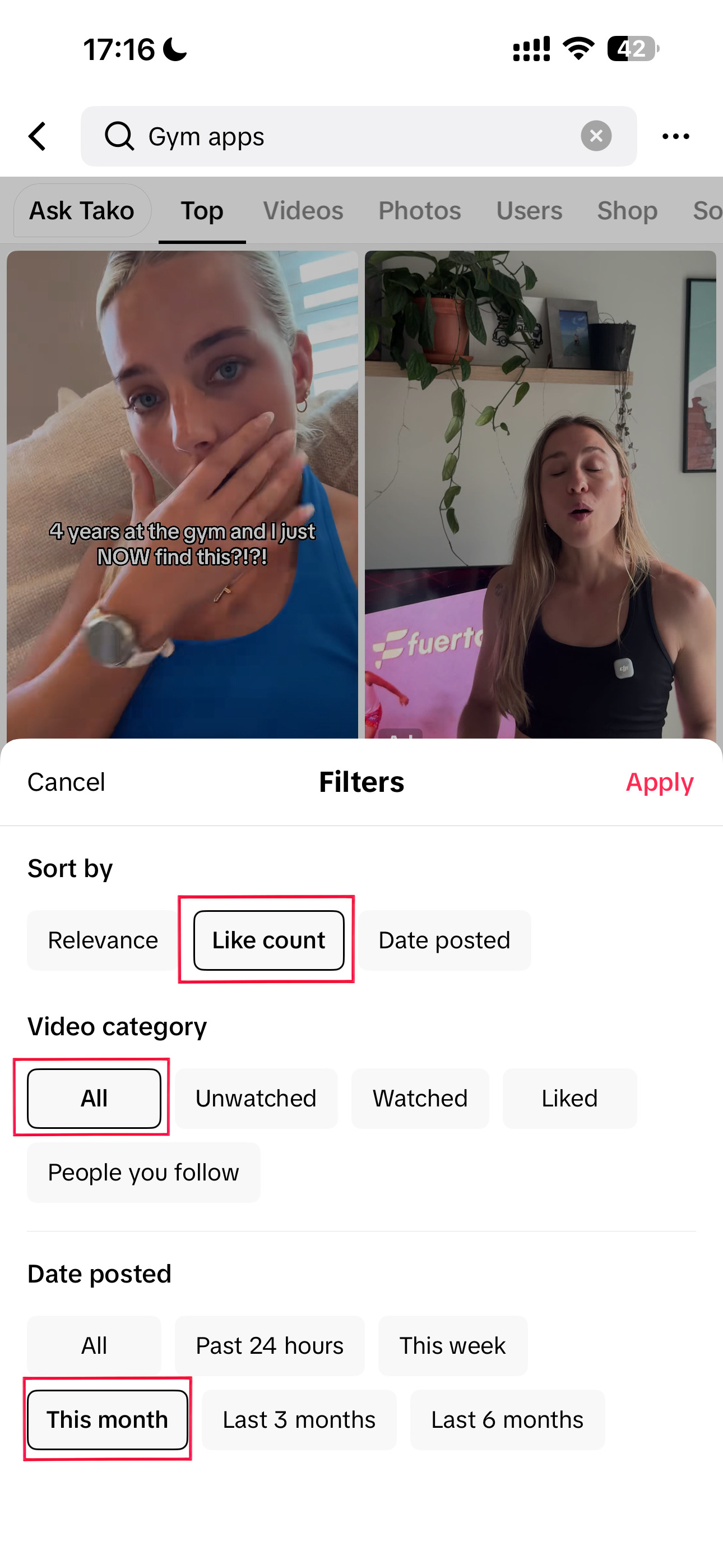
Say the niche is fitness apps. He goes straight to TikTok’s search bar and types terms like “fitness apps,” “gym apps,” or “workout apps.” Then he uses TikTok’s filters to sort by Like count and restrict the results to This month. That combination shows what is working right now, not what worked in 2024.
One of the biggest mistakes he sees is people copying content that went viral a year ago. It may have worked at the time, but there is a good chance the format is saturated by now.
He is also not hunting for one viral video. A single video can blow up because of timing, luck, or a very specific situation. What he wants is a format that keeps working across multiple posts, because that is the signal of a repeatable pattern worth testing.
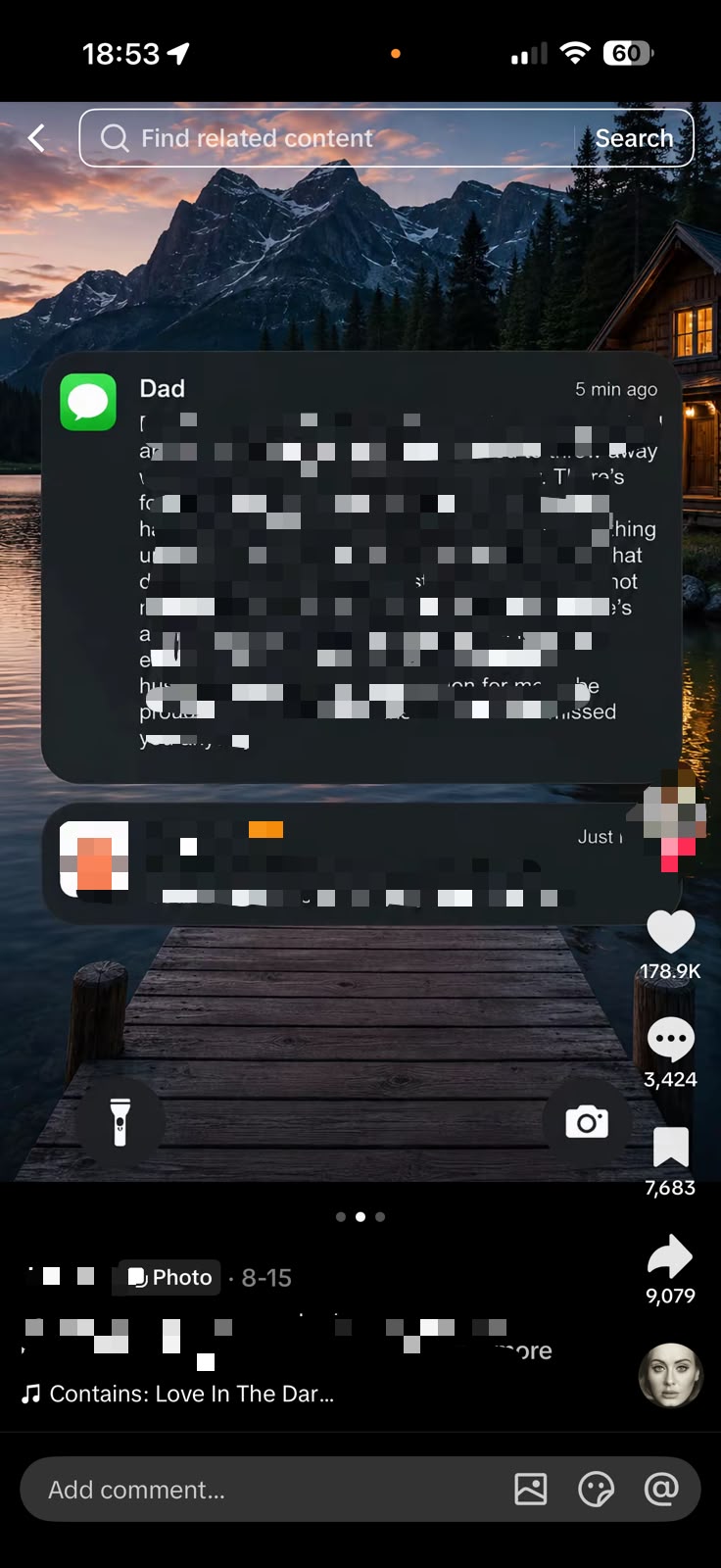
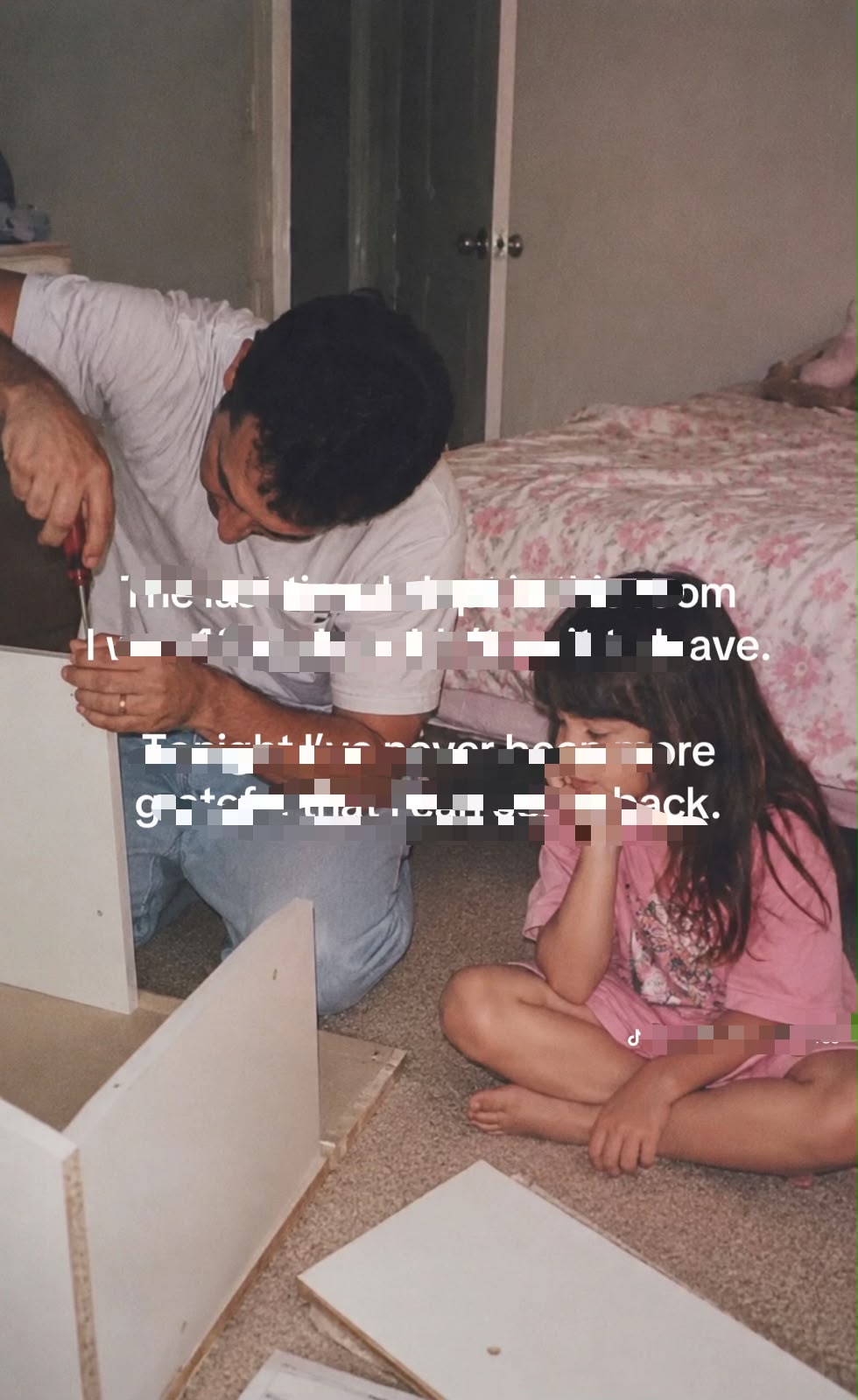
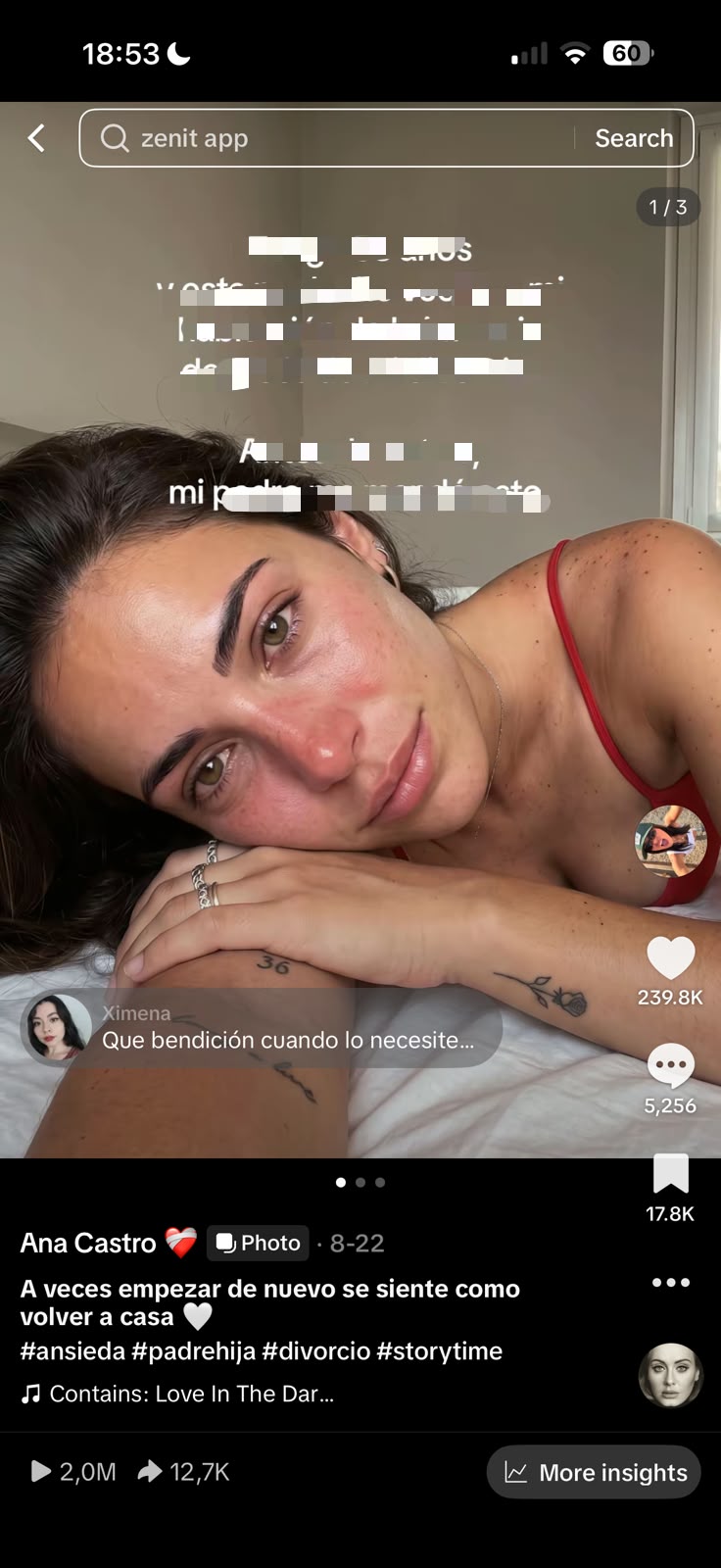
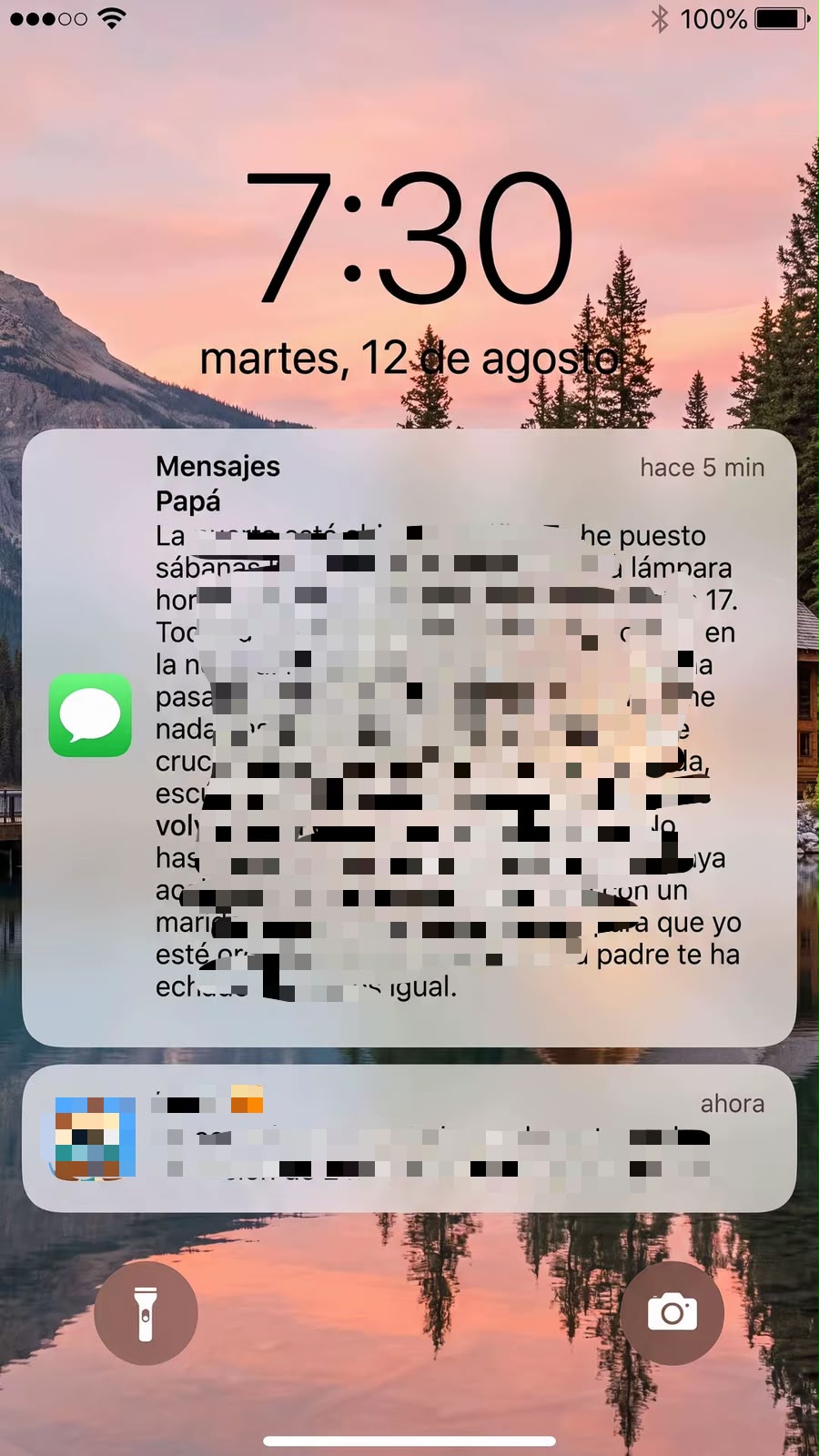
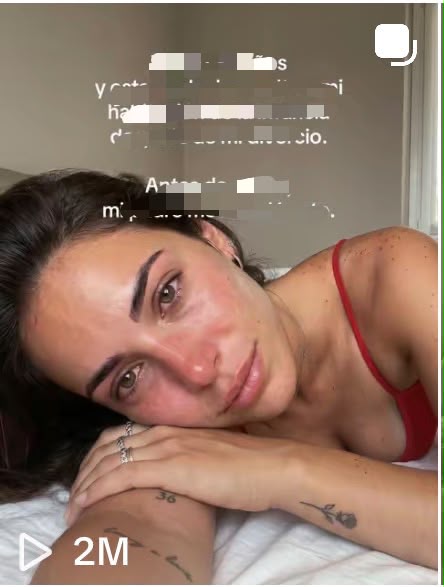
In this case, he found a slideshow built on the notification format, which is everywhere on TikTok right now. This is the one that caught his attention:
It met the three requirements he uses to decide whether a format is worth testing:
It has gone viral repeatedly. He had seen this type of slideshow take off multiple times, which means the format itself is doing the work, not one creator’s luck.
It works across niches. The same structure produces results for completely different audiences, so it is not tied to one topic.
The CTA lives on the second slide. The app is introduced naturally through a phone notification inside the story, instead of the first slide feeling like an ad.
Once he finds something like this, he saves it and moves on to the next step.
Manage all your social media in one place with Postiz
Finding a viral post is only the beginning. The important part is understanding why it worked.
When Pedro finds a slideshow he wants to replicate, he breaks it down piece by piece: the hook, the first image, the avatar or character, the storyline, the number of slides, the pacing, the captions, the CTA, and especially the comments.
The comments are one of the most useful parts of the research. He reads the most-liked comments because they reveal what people actually connected with. He also pays particular attention to the first image and the hook text.
The goal is not to copy the post. He wants to understand the mechanism behind it so he can rebuild the same type of content around his own concept and app, and add his own style.
Music matters too. If the story is emotional or sad, he uses music that reinforces that feeling. He likes sounds that are already performing well, but he would never pick a trending sound that contradicts the story.
Step 3: Deconstruct and replicate the post with GPT Image 2.5
A lot of people think going viral requires an idea nobody has ever seen. In Pedro’s experience it is almost the opposite. You need to identify what is already working, understand why, and create new variations around the same underlying mechanism.
Once he has the content he wants to replicate, he takes it to a custom GPT built specifically for prompt engineering with GPT Image 2.5, the image model he uses throughout this process. He asks it to reverse-engineer the prompt behind each individual image, then pastes that prompt into GPT Image 2.5 to generate his own version.
Two tips that make a big difference here:
Add the original image as a reference. Giving GPT Image 2.5 the competitor’s image as a visual reference helps it recreate the same type of visual while making the changes you need.
Add your own AI avatar as a reference if you want a fully personalized recurring character.
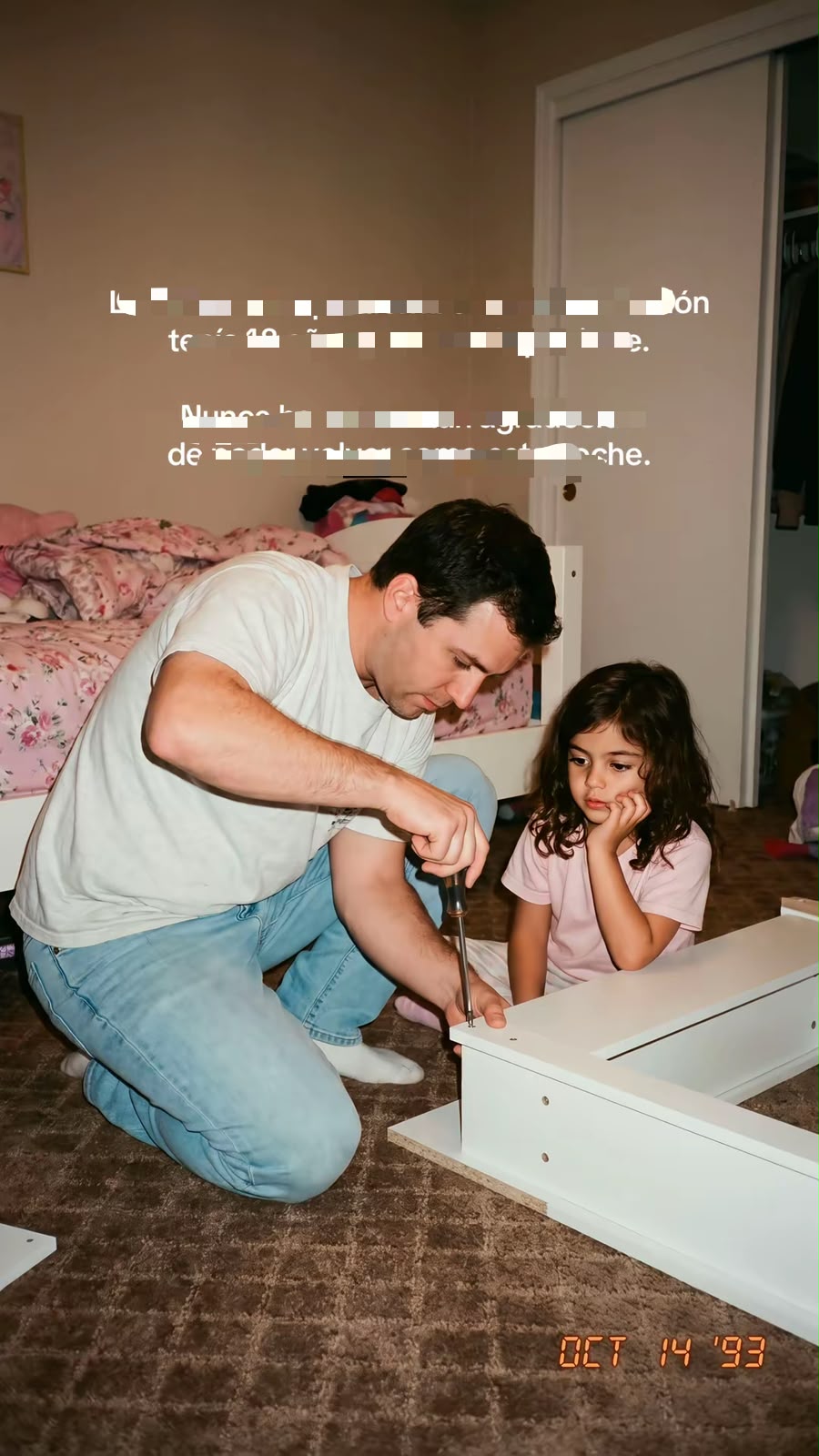
The custom GPT he uses is the GPT Image 2.5 Prompt Builder. Here is what the recreated version of the notification slideshow looks like. It hit 2M views:
And here is a screen recording Pedro shared to prove none of the screenshots are fake:
Step 4: Use GPT-6 Astra as the brain behind the content
Once Pedro has a few examples of content that are already working, he does not start generating random new videos. This is probably the most important part of the workflow: he takes the patterns that are already working and uses GPT-6 Astra to turn them into new concepts.
The goal is not to ask ChatGPT “give me 20 viral TikTok ideas.” That produces 20 generic ideas that sound like they were generated for everyone else. Instead, he wants GPT-6 Astra to understand what is working in his niche, identify the underlying patterns, and create new ideas that follow those patterns without copying the originals.
Feed it real examples
Say he has found 5 to 10 TikToks performing extremely well in the target niche. He gives GPT-6 Astra the examples, explains what he is trying to achieve, and asks it to look at:
The first 1 to 2 seconds
The hook
The type of story being told
How curiosity is created
The progression from slide to slide
The emotional payoff
The CTA
The type of images being used
The pacing
The amount of text per slide
What makes someone want to keep swiping
He does not want a summary of what the videos are about. He wants the model to figure out why someone would stop scrolling and keep watching.
The reverse-engineering prompt
This is the prompt structure Pedro uses:
“I’m going to give you several examples of TikTok slideshows that performed extremely well. Analyze them as a content strategist. Don’t focus only on the topic. Identify the underlying patterns that make them work: hook structure, curiosity loops, pacing, storytelling, emotional triggers, visual progression, payoff and CTA.
After analyzing them, create a repeatable content framework that I can use to generate new concepts without copying the original videos.”
Then he pastes in the actual examples. This is where real examples make the difference. The model is not inventing a strategy from scratch. It is looking at content that has already proven people are willing to watch it.
Step 5: Turn one winning format into dozens of new ideas
Once GPT-6 Astra understands the pattern, Pedro takes it one step further. Instead of asking “give me more ideas,” he asks:
“Using the patterns you identified, generate 20 new slideshow concepts. Each concept should use the same underlying structure but explore a completely different scenario. Avoid repeating the original topics or wording. Prioritize ideas that create an immediate curiosity gap and can be explained through 6 to 10 visual slides.”
Now he has a list of concepts derived from a proven format rather than generic AI ideas.
For example, imagine one of the winning videos is built around: “I thought my boyfriend was cheating on me. Then I found this on his phone.”
He does not want 20 variations of someone cheating. He wants the model to understand the mechanism and apply it to completely different stories:
“I thought my best friend was hiding something from me. Then I saw this photo.”
“My boss called me into his office after work. I had no idea why until he showed me this.”
“My girlfriend told me she was going to sleep early. At 2:14 AM, I received this message.”
Same psychological structure. Completely different content. That is the difference between copying a viral video and reusing a viral format.
Step 6: Batch-create the slideshows with GPT Image 2.5
With a list of slideshow ideas that fit the format, Pedro repeats the image process for each one. At this point he already knows what each slideshow is about, how the story progresses, and what each slide needs to communicate. He just needs to turn those ideas into visuals.
The key is batching production instead of creating one slideshow at a time. If he has 10 to 15 strong ideas, he generates all of them in one session. That gives him 10 to 15 slideshows ready to go, which is enough content to cover an entire week.
He keeps the visual style consistent across the slides within each slideshow while adapting the scenes to the story.
The Pinterest tip
One thing Pedro strongly recommends: use Pinterest images whenever possible, especially images without visible human faces. Around 80% of the images he uses for app marketing come from Pinterest. They feel more organic and native to the format, and in his experience they often outperform overly polished AI-generated visuals because they look like something a real person would naturally come across and share.
The goal is not to spend a whole day making one perfect slideshow. It is to build a repeatable production system that goes from a list of proven ideas to a full week of content in one sitting. Once all 10 to 15 slideshows are finished, the content library is ready, and that is when the agent takes over.
Step 7: Let a ChatGPT agent organize everything and schedule it with Postiz
Once the content is ready, Pedro does not want to manually manage every single post for the rest of the week. With 10 to 15 slideshows he has enough to cover several days, so he gives everything to his ChatGPT agent, along with the context it needs, and lets it decide how to distribute the content across the week.
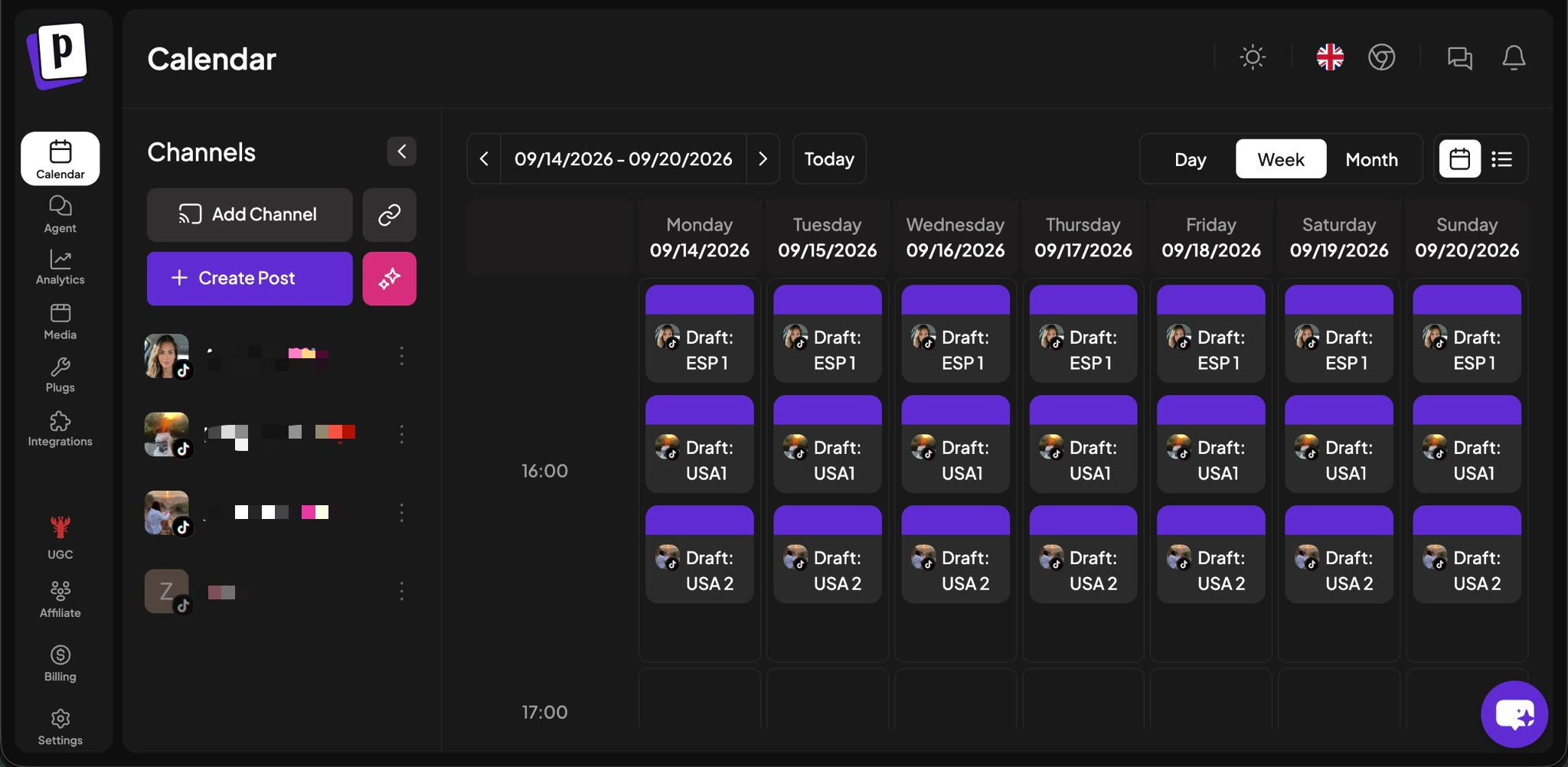
This is where he connects the agent to Postiz. Postiz manages and schedules the content across his social accounts, so the agent prepares everything and pushes it straight into the publishing workflow.
The important part is that he is not asking AI to magically create a successful content strategy. He has already done the difficult part: researched the formats that work, analyzed the patterns behind them, created his own variations, and produced the actual content. The agent exists to take that work and make it easier to manage.
That might sound like a small improvement, but when you publish consistently, the little repetitive tasks add up very quickly. Pedro’s line on it: “I don’t want AI to replace the creative part of the process. I want it to remove as much of the boring, repetitive work as possible.”
Once the system is set up, he can spend a few hours creating the week’s content and leave the distribution organized in advance. If you are already creating AI UGC but still uploading and scheduling every post by hand, this is one of the first things he would automate. Content creation is only half the problem. You also need a system that consistently gets that content in front of people.
How the ChatGPT to Postiz connection works
If you want to copy this part of the setup, here is what it looks like in practice:
Connect ChatGPT to Postiz. Postiz exposes its scheduling tools to ChatGPT through an MCP connector, so the agent can list your channels, upload media, and create posts. Setup instructions are on the Postiz for ChatGPT page.
Give the agent the batch. Drop in the slides for each slideshow, the hook, the caption, and any rules (posting times, how many per day, which account).
Let it schedule as drafts or queued posts. The agent creates one post per slideshow on the Postiz calendar. For TikTok, the TikTok provider settings let you choose between direct publishing and sending the slideshow to your TikTok inbox to finish inside the app, which many creators prefer for slideshows.
Review the calendar once. You get a week view of everything the agent lined up, and you can drag, edit, or delete anything before it goes out.
When a format starts working, Pedro does not immediately move on to something completely different. He creates variations around the winning structure. Same hook, same story. Same character, different details. Same structure, different angle. Same emotion, different context.
That is the key to going viral again and again without relying on luck, and it is one of the main reasons he can generate millions of views repeatedly. He is not reinventing everything from scratch. When something works, he keeps pushing it and testing variations.
The biggest fear people have is that their content will become repetitive or “not creative enough.” But if you have been doing this for a while, you know that this is exactly what you should be doing. His rules:
Any format that gets more than 10K to 15K views is worth replicating with small variations.
Any format that stays below 3K views gets killed immediately and is never tried again.
Here are two pairs of almost identical images from different slideshows that both went viral, so you can see this works over and over again. The first pair hit 3.8M and 1.5M views:
The second pair hit 2M and 962.9K views:
The winners become templates. The losers become data.
Step 9: The complete AI UGC system, from one viral format to a content machine
The biggest takeaway from the entire process is that Pedro does not rely on a single viral video. He relies on a system:
Find formats that are already working on TikTok.
Break them down and understand the mechanism.
Adapt them to your own app or product.
Use GPT-6 Astra to generate new concepts from the pattern, and GPT Image 2.5 to produce the slides at scale.
Batch a full week of slideshows in one session.
Let a ChatGPT agent and Postiz handle organization and distribution.
Look at the results, double down on winners, kill losers, and feed what you learned into the next batch.
Then the process starts again. That is what allows him to generate millions of views repeatedly instead of treating every viral post as a one-off. You do not need to reinvent content every day. You need to find what works, understand why it works, and build a system that reproduces it consistently. Once you have that system, the amount of content you can test becomes the real advantage.
Frequently asked questions
What is AI UGC?
AI UGC is content that looks like organic, user-generated posts (a person’s phone screenshot, a candid photo, a casual story) but is produced with AI image or video models instead of real creators. Brands and app marketers use it because it feels native to platforms like TikTok while being far cheaper and faster to produce at scale than hiring creators.
How do you make a slideshow on TikTok?
Open the TikTok app, tap the plus button, select several photos from your camera roll, and TikTok will offer to post them as a photo slideshow that viewers swipe through. Add text overlays, a sound, and a caption before posting. If you are producing slideshows in batches, a scheduler like Postiz lets you upload the images once and either publish directly or send each slideshow to your TikTok inbox to finish in the app.
Can an AI agent schedule TikTok slideshows automatically?
Yes. Postiz exposes its scheduling API to AI agents through MCP connectors for ChatGPT and Claude, a CLI, and a public API. An agent can upload the slide images, write the caption, pick the posting time, and create the post on your calendar, which is exactly how Pedro distributes a week of content in one step.
How many views does a slideshow need before you replicate it?
Pedro’s threshold is 10K to 15K views. Anything above that gets variations built around the same structure. Anything under 3K views gets killed immediately.
Try the publishing side of this system
The image models will keep changing. The part of Pedro’s system that stays the same is the loop: research, batch, hand off to an agent, schedule, measure, repeat. If you want to plug your own ChatGPT or Claude agent into a scheduler that supports TikTok slideshows, Instagram, YouTube, X, LinkedIn and 25+ other channels, Postiz is built for exactly that, with an MCP connector, a CLI, and a public API. Start scheduling your AI UGC slideshows with Postiz today →
About Pedro Pérez
Pedro grows apps organically with AI content and shares his full process, experiments and prompts in a Spanish-language Skool community he runs with @AlbertoAIcode. He also offers 1:1 consulting for founders who want personalized guidance. Follow him on X at @PerezHatesAI.
Horror content is having a moment on short-form video. Scroll TikTok or YouTube Shorts late enough at night and you'll see the same format on repeat: a whispered creepy story, dim AI-generated illustrations fading between scenes, a cold syn