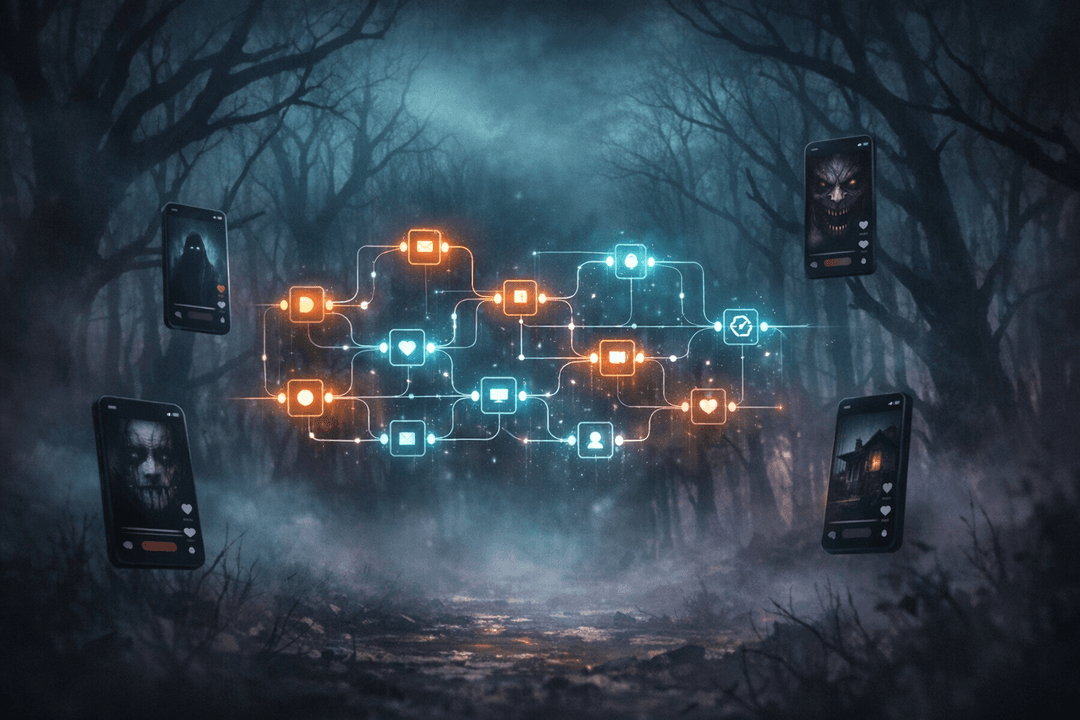
Horror content is having a moment on short-form video. Scroll TikTok or YouTube Shorts late enough at night and you’ll see the same format on repeat: a whispered creepy story, dim AI-generated illustrations fading between scenes, a cold synth pad in the background, captions burned into the frame. The comments are wild, the watch-time is brutal, and at least half of those uploads were never actually filmed — they were generated by a workflow.
A recent walkthrough from the AI Agents A-Z team showed exactly how to build one of those workflows end-to-end, using n8n, a free LLM, Together AI images, and open-source text-to-speech — without spending a dollar on paid APIs. It’s a great look at how far the free AI video generator stack has come. In this article I want to unpack what they built, why it matters, and more importantly — how to close the loop that every one of these tutorials conveniently skips: actually distributing the video across every platform at once.
Because generating a viral-looking scary story in an afternoon is now the easy part. The real bottleneck for creators is publishing.
The pitch: a free, open-source AI horror factory
In their video, the AI Agents A-Z team open with a clip of a finished TikTok — a first-person horror story about a babysitting gig that goes wrong — and point out what bugs most creators about this niche. There are dozens of AI video generators that can do this, but almost none of them are open source, and none of them are truly free. Their fix: a single n8n workflow wired to free-tier models, an open media server, and Reddit as the story engine.
The promise is pretty aggressive: fill out a short form, pick your background music and a voice sample, hit submit, and the graph spits out a finished captioned video ready for upload. No paid APIs, no SaaS lock-in, no per-minute video generation bill. If you’ve ever priced out one of the mainstream AI video generator tools, that last part alone is a big deal.
Where the story actually comes from: Reddit + a nudge to the LLM
The first clever trick is how the workflow gets its raw material. Instead of asking the LLM to invent a scary story from thin air (which tends to produce bland, familiar tropes), the graph reaches into Reddit first, pulls a batch of posts, filters out the short ones, shuffles them, and hands three random entries to the model as “inspiration.” The LLM is then prompted to write a brand-new story in its own voice — but anchored to the flavor, cadence, and detail of real Reddit horror threads.
This is a small detail, but it’s where a lot of AI content fails. “Generate a scary story” gets you something a six-year-old could have written. “Generate a scary story in the style of these three real posts” gets you something that feels like it came from a human who lurks on r/nosleep at 3am. It’s a good reminder of how much of prompt engineering is really just retrieval — giving the model a narrow slice of reality to riff on, instead of asking it to hallucinate a whole world.
The output of that node isn’t a single blob of text either. The LLM returns multiple scenes, and each scene carries two payloads: a story segment that will become narration, and a detailed image prompt that matches it. From here the workflow has everything it needs to turn one story into a full video.
Manage all your social media in one place with Postiz
For every scene, three things happen in parallel. Together AI generates an image in whatever art style you configured. An open-source text-to-speech model (Chatterbox in their example, or ElevenLabs if you’re on their paid tier) produces narration from the story segment using the voice sample you uploaded. And a caption renderer burns word-level subtitles onto the image, giving you that now-unmissable “TikTok captions” look.
If you’ve tried to stitch this yourself with raw FFmpeg and a bag of Python scripts, you’ll appreciate how much infrastructure the team has wrapped into their media server. Art style, caption style, story structure, narration pacing — all of it is configurable from the n8n front end. You don’t touch ffmpeg once. This is why I keep coming back to the point that the 2024/2025 wave of AI agent tooling is less about models getting smarter and more about the glue getting easier. n8n workflow orchestration plus a few specialized services is now enough to replicate what used to need a small video team.
The moment the tutorial ends — and the real work starts
Here’s the bit that jumped out at me. Near the end, almost as a throwaway, they say: “we merge the videos, add the background music, add the color overlay, and optionally, we share the video on TikTok.”
Optionally. On TikTok.
That single word is where most AI content tutorials quietly fall over. You’ve just spent a workflow execution to generate a finished vertical video — gorgeous art, creepy narration, burned-in captions, the whole package. It’s ready to rip. And the suggested destination is one platform. If you’re serious about growing in short-form, that’s a mistake. The same 60-second scary story will do work on TikTok, YouTube Shorts, Instagram Reels, Facebook Reels, Threads, Bluesky, even as a native X video and a Pinterest Idea Pin. Creators who only upload to one channel leave roughly 80% of the potential reach on the table, for zero additional content cost.
This is the gap Postiz is built to fill. You already have the asset. What you actually need is one place where you drop the file once, attach platform-specific captions, schedule it, and walk away.
Closing the loop with Postiz
Postiz is an AI-powered social media management platform that schedules, publishes, and analyzes content across 28+ channels from a single dashboard — including every short-form destination the AI Agents A-Z workflow is producing content for. For a pipeline like this one, there are three clean ways to wire it up, depending on how much of your stack already runs on automations.
1. Keep it in n8n. The workflow already finishes with a rendered MP4. Instead of the “share on TikTok” node being the last step, hand the video off to a Postiz API call. The POST /posts endpoint takes your media and a list of target integrations, and each platform’s specific settings (tiktok, youtube, instagram, x, linkedin, facebook, and so on) are declared inline via a __type field. One HTTP node, every channel, done.
2. Upload via the CLI, schedule from anywhere. For quick iteration while you’re still tuning the art style and captions, the Postiz CLI is faster than fighting forms. postiz upload finished-video.mp4 returns a hosted URL in a second, and postiz posts:create lets you schedule the resulting asset across multiple channels in one command. Useful if you’re batch-generating a week’s worth of horror shorts and want to drop them all into the calendar at once.
3. Let an AI agent do the publishing, too. This is the one I’d reach for if you already like the “workflow” mental model. Postiz exposes an MCP server at https://api.postiz.com/mcp with eight tools — integrationList, integrationSchema, schedulePostTool, generateImageTool, generateVideoTool, and a few others. Plug that endpoint into Claude, Cursor, or any MCP-compatible client and you get a conversational layer on top of the whole platform: “here’s a finished scary story video, schedule it as a TikTok tomorrow at 9pm, a YouTube Short on Thursday, and a Reel on Friday, with captions optimized for each.” That’s not a future pitch — those tools are live today, and they’re exactly how AI agents graduate from demo to actually useful.
If you want to get specific, the schedulePostTool supports drafts, immediate publishing, and scheduled posts, with each platform taking its own settings object. TikTok wants privacy_level, duet, stitch, and a handful of disclosure flags. YouTube wants a title and type. Instagram needs a post_type. Everything else is pretty forgiving. The MCP layer handles the shape of each request so your agent doesn’t have to memorize 28 different API schemas — it just asks for the integrationSchema of the channel it wants to post to and fills in the blanks.
Why this matters for the next wave of AI content
Stepping back from the horror-video example, there’s a broader point. The AI Agents A-Z workflow is a great snapshot of where AI agents are in 2026: open models are good enough, open TTS sounds almost human, image generation is cheap, and orchestration tools like n8n have turned all of it into drag-and-drop building blocks. Creating a finished piece of content is no longer the bottleneck.
What’s left is a distribution problem. Getting the right asset in front of the right audience on the right platform at the right time — consistently, across channels — is the part that still breaks. It’s also the part that most AI content automation tutorials skip, because it’s not glamorous and it’s not a model you can brag about. It is, however, the thing that separates a cool demo on YouTube from a channel that actually grows.
Pairing an n8n workflow like this one with a publishing layer closes that loop. The AI generates; the automation publishes; the calendar keeps you honest. Every scary story the LLM writes tonight can be live on TikTok, Shorts, Reels, and X by morning, each with native captions, native post settings, and native analytics coming back in.
Give it a try
If you want to take the AI Agents A-Z workflow to its full potential — one video, every platform, zero manual uploads — start a free Postiz trial and hook it into your n8n graph, your CLI, or your AI agent of choice. Whether you’re batching a week of horror shorts for TikTok, cross-posting Reels to Instagram and Facebook in one click, or letting an MCP agent handle the whole calendar, Postiz is the piece that turns “I built a cool AI video generator” into “I run a short-form content channel.”
The scary stories write themselves now. Make sure they actually get seen.
Boost your LinkedIn engagement with 10 proven, data-backed strategies. Learn how to craft hooks, post at peak times, use multimedia, and build authentic conversations that grow your reach and visibility in 2025.
Tired of an empty calendar? Our guide to social media marketing for spas offers proven strategies to attract clients, build your brand, and boost bookings.
Wondering why your Reddit post disappeared? Learn the real reasons posts get removed and how to avoid spam filters, AutoModerator, and subreddit rule violations.