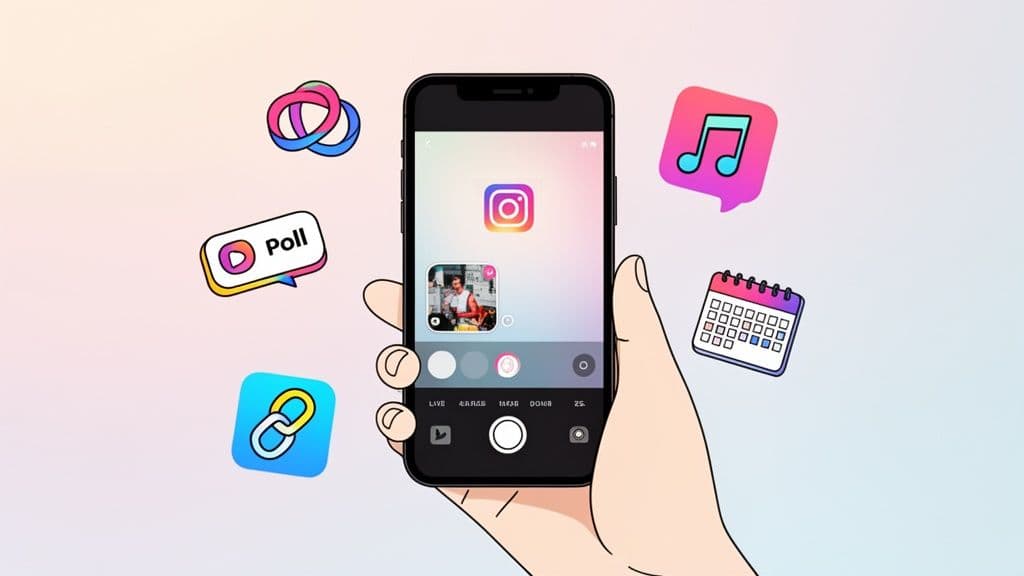
Posting an Instagram Story is surprisingly quick. In less than a minute, you can go from opening the app to sharing a moment with your followers. It all starts with one simple choice: capture content live with the Story camera or upload a photo or video you already have.
Your Quick Guide to Posting an Instagram Story
Ready to jump in? The first thing to understand is the two main ways to get your content into a Story. This isn't just a technical step; it's a strategic choice that shapes how your audience sees your brand.
Think of it this way: using the live camera is perfect for that raw, "in-the-moment" feeling, like taking your followers behind the scenes at an event. On the other hand, uploading from your phone’s gallery is your go-to for more polished content, like a beautifully edited product video or a branded graphic announcing a sale.
Live Capture vs Gallery Upload
So, which should you choose? It really comes down to what you’re trying to achieve. One method gives you spontaneity, while the other offers complete control. Neither is better than the other—it’s all about picking the right tool for the job.
Key Takeaway: Spontaneous moments feel most authentic with live capture, while planned content shines when uploaded from your gallery. A good strategy uses a mix of both to keep your Stories dynamic and engaging.
To help you decide on the fly, here's a quick breakdown of when to use each method.
Live Capture vs Gallery Upload Which Is Right for You
This table breaks down the core differences to help you choose the best approach for your next Story.
Method
Best For
Pro Tip
Live Capture
Spontaneous updates, behind-the-scenes content, and real-time reactions.
This is fantastic for interactive content. Think live Q&As or running a quick poll to get immediate feedback from your audience.
Gallery Upload
Polished graphics, edited videos, product announcements, and curated content.
Get your media ready ahead of time. This is especially helpful if you're repurposing content across multiple platforms.
While you're creating Stories on your phone, remember that posting directly from a computer isn't a native Instagram feature. If you're managing several accounts or work in a team, learning how you can post on Instagram from a desktop with scheduling tools can be a game-changer. For now, though, we'll stick to mastering the mobile app.
Getting Started: Mastering the Instagram Story Creator
So, you're ready to post an Instagram Story. Before you just snap a quick photo and hit "share," let's talk about the tools right inside the Story camera. Most people just tap the shutter button, but if you look along the side of your screen, you'll find a bunch of creative modes that can really make your content stand out.
These aren't just for fun—they’re powerful ways to tell a better story.
Manage all your social media in one place with Postiz
Think of these modes as your creative toolkit. A few of my go-to options are:
Boomerang: This is a classic for a reason. It's perfect for capturing those quick, looping moments—like a toast with friends or the satisfying swirl of a latte. It injects a dose of fun and energy that a static photo just can't match.
Layout: Ever wanted to show a before-and-after or a few different angles of the same scene? Layout is your answer. You can stitch multiple photos together into a single collage right in the app, no extra editing software needed. It’s great for showing off a new outfit from different views or a series of steps in a recipe.
Hands-Free: This one is a lifesaver if you're creating content by yourself. Just tap it once to start recording, and you're free to step back from the phone. I use this all the time for filming quick product unboxings, demonstrating an exercise, or just talking to the camera without having to hold my phone at arm's length.
A Pro Tip from Experience: Always, always shoot for the vertical 9:16 aspect ratio. You want your content to fill the whole screen for that polished, immersive look. Try to keep your main subject in the center, away from the very top and bottom where Instagram's own buttons and text boxes might cover it up.
As you get started, you’ll face one fundamental choice: capture a moment live or upload something you already have. This simple decision sets the tone for your entire Story.
This flowchart breaks it down perfectly. Are you going for something spontaneous and in-the-moment, or something more planned and polished from your camera roll?
Getting comfortable with these initial options and camera modes is the first step toward creating Stories that feel both professional and genuinely you.
Bringing Your Stories to Life with Creative Tools
Alright, you’ve got your photo or video. Now we get to the good part—turning that simple clip into something that grabs people's attention. This is where you can really let your brand's personality shine using Instagram's creative toolkit.
At the top of your screen, you’ll see a handful of icons. These are your best friends for adding flair. You can pop on some text, doodle with the drawing tool, or just swipe left and right to test out different filters. A simple filter can completely change the vibe of a post.
I’ve found that a warm filter can instantly make a shot of a coffee shop feel inviting, while a clean, bold font gives a product announcement that extra professional touch. Don't just stick to one, either. Try layering a filter with a text overlay for a look that’s both stylish and easy to read.
Driving Interaction with Stickers
This is where you turn your Story from a broadcast into a conversation. Tap that little square smiley icon at the top, and you’ll open up the sticker tray. This isn't just about adding cute GIFs; it's your secret weapon for engagement.
Here are a few of the most powerful stickers I use all the time:
Poll & Quiz: These are fantastic for getting quick feedback or just having some fun. A clothing brand could ask, "This dress: yay or nay?" while a personal trainer might drop a quick "Fact or Fiction" quiz about workout myths.
Question: Hosting a Q&A? This is your go-to. Just drop the sticker and let the questions roll in. Answering them in later Stories is one of the best ways I’ve found to build a real connection with an audience.
Countdown: If you're building hype for a product drop or a live event, the countdown sticker is a must. It creates a nice bit of urgency, and your followers can tap it to get a reminder when the time is up.
These aren't just vanity features. Every time someone votes in your poll or answers a quiz, they're telling the Instagram algorithm that your content is interesting. This can seriously help your Stories get seen by more people.
Adding Sound and Driving Traffic
Two stickers, in particular, can make a massive difference: Music and Link.
Adding a popular song with the Music sticker can make your Story feel more current and entertaining. You can search Instagram’s huge library, find the perfect track, and even select the exact 15-second clip you want to play. It’s a quick way to add a ton of personality.
And then there's the Link sticker. This used to be a perk for big accounts, but now everyone has it—and you should be using it. This is how you get people from your Story to your blog, your new YouTube video, or a product page. For businesses, it’s a direct line from a viewer to a potential customer. It’s no surprise that 55.4% of influencers use Stories for sponsored campaigns; it’s a proven way to get results.
As you start adding all these cool elements, just be sure to keep an eye on the overall look. You don't want it to feel too cluttered. For a refresher on getting everything to fit perfectly, check out our guide on the ideal dimensions for an Instagram post.
Strategic Sharing and Privacy Settings
You’ve designed the perfect Story, and you’re ready to post. But hold on for just a second—hitting that ‘Share’ button isn't the final step. The screen that pops up next is where the real strategy comes into play. This is your chance to decide exactly who sees your content and how, which is key to getting the right kind of engagement.
Right before you go live, Instagram gives you a couple of powerful choices. You can push it out to Your Story for all your followers to see, or you can keep it in a tighter circle by sharing it with only your Close Friends.
Curate Your Inner Circle with Close Friends
Think of the Close Friends feature as your VIP list. It’s an incredible tool for building a super-loyal community because you can share content that feels a bit more personal or exclusive.
For example, I’ve seen brands use this to give their biggest fans early access to a sale. Creators often use it to share personal life updates or behind-the-scenes moments that don’t quite feel right for their entire audience. This little bit of exclusivity makes people feel like they’re part of something special and strengthens their connection with you.
Key Insight: Using the Close Friends list isn't about hiding your content. It’s about rewarding your most dedicated followers and making them feel seen. It transforms them from just another viewer into a true part of your community.
Control Replies and Maximize Your Reach
Beyond just choosing your audience, you can also manage how people interact with your Story. A quick trip to your Story settings lets you decide who can reply—everyone, just people you follow, or no one at all. This is a game-changer for managing your DMs and keeping conversations productive.
While you're on the sharing screen, you'll also see an option to share your Story straight to your linked Facebook account. It's a simple, one-tap way to get more eyes on your content without any extra effort.
Finally, make sure "Save to Archive" is turned on in your settings. This automatically saves every Story you post, creating a private library of your content. Later, you can pull from this archive to build out your permanent Profile Highlights, giving your best Stories a much longer life.
How to Boost Your Story Engagement and Reach
So you’ve got the hang of posting an Instagram Story. That’s the easy part. The real question is, how do you get more people to actually watch it from start to finish? It's not magic—it's about understanding what makes both your followers and the Instagram algorithm pay attention.
The single biggest lever you can pull? Consistency. Posting regularly keeps your profile bubble at the front of your followers' Story trays. It’s a powerful signal to Instagram that your account is active and consistently providing fresh content.
But "be consistent" is pretty vague advice. For Stories, it means showing up almost daily. Projections from Instagram engagement trends show that by 2026, accounts with over 100,000 followers will be posting around 60 Stories per month. That's a huge jump from the 10 Stories common for smaller accounts. To stay visible, aim for 1-7 Stories daily.
Craft a Compelling Narrative
One of the biggest mistakes I see is people posting random, disconnected clips. Think of your Stories as a mini-movie, not a photo dump. You need a beginning, a middle, and an end to keep people tapping forward.
Open with a strong hook. Your first one to three Stories are your most important. Grab attention right away with a question, a surprising visual, or a relatable problem. Make them need to know what happens next.
Build the story. Use the next few frames to expand on your hook. This is where you can share behind-the-scenes footage, add context with text overlays, or use stickers to build anticipation.
Deliver the payoff. End with a satisfying conclusion. This could be the big reveal, the answer to your opening question, or a clear call to action, like a link sticker.
A great way to think about it is that each Story frame is like a sentence in a conversation. If you just stop talking mid-thought, your audience will get bored and leave.
When you keep your audience glued to the screen from start to finish, you improve a crucial metric: your completion rate. A high completion rate tells Instagram that your content is worth watching, which can lead to the algorithm showing it to more people.
Of course, what you post is only half the battle. When you post matters, too. Check out our guide on finding the best time to post an Instagram Story to make sure you’re posting when your audience is most active.
Common Questions About Posting Instagram Stories
Even the most seasoned Instagram user runs into a snag now and then. You’ve got the perfect photo ready to go, but a weird glitch or missing feature stops you in your tracks. Don't worry, we've all been there. Let's walk through a few of the most common hiccups.
Ever see a friend using a cool new sticker that you just can't find on your own account? It's incredibly common and usually boils down to one of two things. Before you do anything else, head to the App Store or Google Play. A simple app update fixes this issue 90% of the time. If your app is already current, you might just have to be patient—Instagram often rolls out new features in waves, so your account may not have it just yet.
Why Do My Videos Get Cut Off?
This one gets a lot of people. You upload a great video, only to find Instagram has chopped it up weirdly. That’s because a single Instagram Story slide has a maximum length of 60 seconds. If your video is longer, Instagram will automatically slice it into 60-second segments for you.
A little pro-tip from experience: Don't let the app do the chopping for you. If you have a longer video, it's always better to edit it into meaningful 60-second clips yourself. This way, you control the story's flow and can make sure each segment ends in a way that makes people want to tap to the next one.
How Can I Save My Story Without All the Stickers?
So you've created a beautiful Story, but you want to save the original photo or video to your phone before you add all the GIFs, polls, and text. Saving it after you post means all those interactive elements get saved too, which isn't always what you want.
There’s a simple trick for this:
On the editing screen, before you add any stickers or text, tap the three-dot icon (…) in the top right.
Just hit "Save," and the clean, original media will download straight to your camera roll.
This is perfect for getting a clean copy you can use on other platforms or save for later.
Ready to get your content strategy organized? Postiz is a lifesaver for scheduling, analyzing, and collaborating on social media content from a single dashboard. Start streamlining your workflow with Postiz today!
Build a multi channel marketing strategy that connects with customers everywhere. Learn to boost engagement, drive sales, and achieve measurable growth.