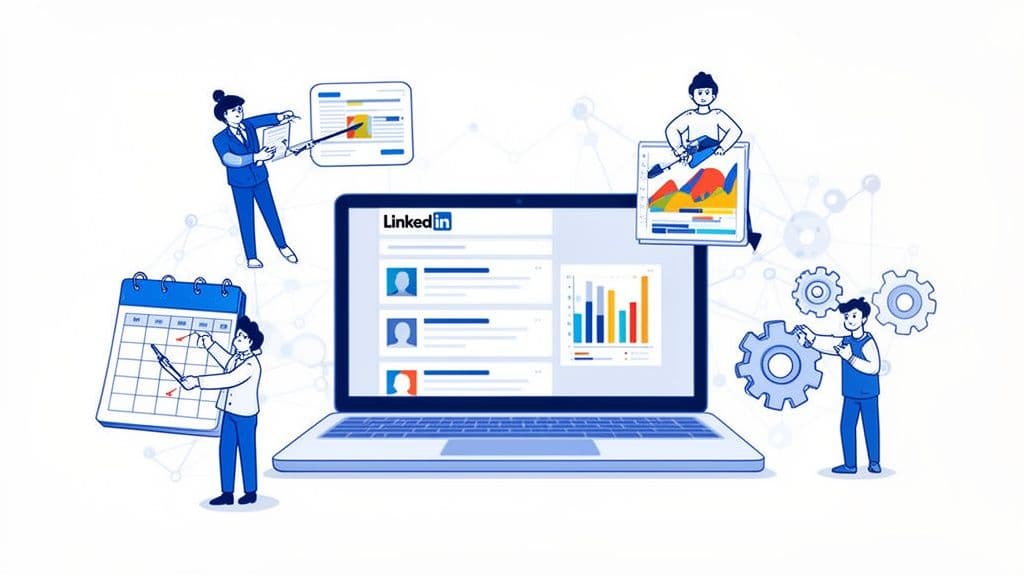
If you're serious about your career or business, managing your LinkedIn presence isn't optional anymore. It's the difference between being a passive observer and becoming a recognized authority in your field. This isn't just about having a polished profile—it's about building a powerful presence that attracts opportunities and drives real growth.
Let's walk through how to do it right.
Why You Can't Ignore LinkedIn Management in 2026
Think of LinkedIn as the world's largest professional conference, happening 24/7. A static, outdated profile is like showing up and hiding in the corner. To get noticed, you need a dynamic strategy—one built on consistent content, real conversations, and a sharp eye on what's working.
The numbers don't lie. With over 1 billion members, LinkedIn is a massive hub of professional activity. More importantly, it’s where business gets done. A massive 80% of B2B leads generated from social media come directly from LinkedIn. It’s no wonder that 87% of B2B marketers consider it their most important platform.
Simply put, your ideal clients, partners, and employers are on LinkedIn, and they're looking for experts. Your job is to be the expert they find.
The Pillars of a Winning Strategy
A successful LinkedIn strategy isn't just about posting randomly and hoping for the best. It's a cohesive system built on a few core pillars. When you get these right, they work together to create a predictable engine for growth.
We can break down a comprehensive LinkedIn strategy into these four essential components. Each one builds on the last, creating a cycle of setup, execution, and refinement.
Pillar
Objective
Key Action
Foundation
Attract and build trust with your target audience.
Fully optimize your personal profile and Company Page.
Content
Establish authority and keep your audience engaged.
Plan and share a mix of educational, brand, and community posts.
Engagement
Build relationships and turn followers into advocates.
Actively participate in conversations and respond to comments.
Analysis
Improve performance and demonstrate ROI.
Track key metrics and adjust your strategy based on data.
Focusing on these areas will move your LinkedIn efforts from a guessing game to a calculated plan.
I see so many people make the same mistake: they treat LinkedIn just like Facebook or Instagram. It's a different world. This platform rewards value and genuine expertise, not just the latest viral trend.
The Smart Way to Manage It All
Trying to juggle all of this manually is a recipe for burnout. That’s where tools like Postiz come in, helping you turn a chaotic to-do list into a streamlined workflow. A good platform lets you plan your content calendar, schedule posts in advance, and analyze your performance all in one place, saving you a ton of time.
As we move through 2026, using technology to work smarter is essential. Knowing the best automation tools on LinkedIn for 2026 can give you a significant edge. And to make sure your great content gets seen, it's crucial to understand how the platform's algorithm works. You can dive deeper into that with our guide on navigating the latest LinkedIn algorithm updates.
Pairing a solid strategy with the right technology is the secret to making LinkedIn work for you, not the other way around.
Manage all your social media in one place with Postiz
Before you even think about content calendars or posting schedules, let’s talk about the bedrock of your LinkedIn strategy. I've seen too many brands jump straight into posting without getting the basics right. A half-baked profile or a sparse Company Page just won't cut it. It’s the first impression you make, and you need it to be a strong one.
Your personal profile and your Company Page are a package deal. They need to work together, look professional, and feel like they belong to the same brand. Get these two elements right, and you'll have a solid foundation to build on.
Nail Your Personal LinkedIn Profile
For so many of us—founders, salespeople, consultants—our personal profile is the real front door. It’s where connections are made and trust is built. If your profile feels generic or incomplete, you're losing opportunities before you even start. A great first move is to learn how to improve your LinkedIn profile to attract recruiters and, more importantly, the right clients.
Here are the non-negotiables I always focus on:
Photo & Banner: Get a professional headshot where you look like someone people would want to work with. Your banner is free advertising space—don’t waste it! Use it to show what you do, display your company logo, or add a tagline.
Headline: Ditch the boring job title. Your headline is your 15-second elevator pitch. Instead of just "Content Strategist," try something like "Content Strategist for B2B Tech | Turning Complex Ideas into Content that Converts." Tell people what you actually do for them.
"About" Section: This is your chance to tell your story. Write it in the first person. Talk about your experience, what drives you, and what kind of work you're passionate about. Keep your paragraphs short and use bullet points to make it easy to skim.
I see this all the time: people write their "About" section like a dry resume summary. Don't. Think of it as the start of a conversation. Show some personality and connect with the person on the other side of the screen.
Build a Company Page That Works for You
While your personal profile builds your individual credibility, the Company Page is your brand's official headquarters on LinkedIn. It’s where you share company news, post jobs, and build a community. The data backs this up: a complete page gets 30% more weekly views.
Ready to make your page a follower magnet? Here’s what to do.
First, fill out every single field. Don't skip the website, company size, industry, or location. LinkedIn's algorithm favors complete pages, and frankly, empty sections just look lazy and unprofessional.
Next, write an "About" section that actually says something. This is your company's pitch. What problem do you solve? Who do you help? Weave in keywords that your ideal customers might be searching for.
Finally, add a custom button to your page. LinkedIn lets you add a call-to-action right at the top. Use it! Send people to your website, a demo request page, or a lead magnet. Give them a clear next step.
Once you’ve got the essentials locked down, you can start using more advanced features like Showcase Pages. These are fantastic for highlighting a specific product line, a major event, or a core part of your business. For example, a marketing agency might create a Showcase Page dedicated entirely to its video production services, with a content feed tailored just for that audience.
By getting both your personal and company presence in order first, you build instant credibility. That way, when you start pushing out great content using a tool like Postiz, it’s landing on fertile ground with an audience ready to engage.
Crafting and Scheduling High-Impact Content
Let's be honest: content is the engine of your entire LinkedIn strategy. You can have the most beautifully polished profile or Company Page, but without a consistent stream of valuable, engaging posts, you’re just shouting into the void. To really move the needle with social media management on LinkedIn, it’s not just what you post, but when and how you post it.
The real goal isn't just to fill empty space on your feed. It’s about publishing content that gets a professional audience to stop scrolling, sparks real conversations, and builds your reputation over time. This means ditching the random, sporadic updates and getting serious with a structured plan for your content.
Planning Your LinkedIn Content Mix
I’ve seen it time and time again: a one-trick pony on LinkedIn quickly gets ignored. To keep people interested, think of your content like a balanced meal. You need a healthy variety of post types to hold your audience's attention and show off everything you bring to the table.
A great LinkedIn strategy usually mixes these key ingredients:
Educational Content: This is where you give your knowledge away. Share how-to guides, break down industry news, offer quick tips, or demystify a complex topic. This is how you become the go-to expert people trust.
Brand & Promotional Content: It's okay to talk about yourself! This is where you announce new services, share company wins, or celebrate career milestones. The trick is to focus on the value and the story behind it, not just a hard sell.
Community & Engagement Content: Spark a conversation. Ask your network a sharp question, run a poll on a trending topic, or give a shout-out to a great client or team member. This is the stuff that builds relationships and makes your page feel like a community.
A great rule of thumb I use is the 80/20 rule. 80% of your content should provide value to your audience (educational and community posts), while only 20% should be directly promotional. This keeps your feed from feeling like a constant advertisement.
To get a handle on organizing all these ideas, our guide on building a LinkedIn content calendar is a great place to start. It will help you map everything out so you're not scrambling for ideas.
Mastering Different Content Formats
In a crowded feed, variety is your best friend. A simple text post can be incredibly effective for telling a personal story, but visuals are proven to stop the scroll.
Make sure you're working these essential formats into your rotation:
Text-Only Posts: Don't underestimate the power of pure text. It’s perfect for sharing a strong opinion, telling a compelling story, or asking a direct question. Use short paragraphs and line breaks to make it easy on the eyes.
Image Posts: It's no secret that posts with images get more love. Use high-quality photos, custom infographics, or branded quote cards. A tool like Postiz can be a lifesaver here, letting you design professional-looking graphics without leaving the platform.
Video Content: Native video—the kind you upload directly to LinkedIn—is a true powerhouse. Short videos with subtitles are gold for sharing quick tips or offering a behind-the-scenes look at your work.
Documents & Carousels: Sharing a PDF as a "carousel" is one of my favorite tactics. It’s a fantastic way to slice up a blog post, presentation deck, or report into a super-engaging, interactive post that people can click through.
The key is to experiment. What works in one industry might flop in another. Pay attention to your analytics and see what your audience actually responds to.
The Power of Smart Scheduling
If I had to name the single most important factor for LinkedIn growth, it would be consistency. But who really has the time to be on LinkedIn, crafting the perfect post every single day? This is where a scheduling tool goes from a "nice-to-have" to an absolute necessity.
Platforms like Postiz let you sit down, batch-create your content for the week or month, and schedule it all to go live at the perfect times. Suddenly, your page is active and engaging even while you’re busy running your business. Some integrated AI assistants can even help you brainstorm ideas or punch up your captions, making the whole process even smoother.
Timing is everything. Recent data shows brands have boosted their LinkedIn posting frequency by 10% since 2023, with most now publishing about 18 times per month. To get the most eyes on your content, try to hit those peak engagement windows—typically Tuesdays through Thursdays, between 10 AM and noon. You can dig deeper into these trends and fine-tune your schedule by checking out the latest LinkedIn posting statistics and benchmarks.
When you combine a smart content plan with a reliable scheduling system, you turn your LinkedIn presence from a passive chore into an active, lead-generating asset. It’s a systematic approach that frees you from the daily pressure and lets you focus on what really matters: building genuine connections.
Sparking Conversations and Growing Your Community
Hitting "publish" on a post is just the starting point. If you really want to make an impact on LinkedIn, you have to move beyond just broadcasting your message and start building a real community. This is how you turn people who passively see your content into genuine fans who champion your brand.
Think of your comments section as a digital version of a coffee shop conversation. When someone takes a moment to share their thoughts on your post, a quick, personalized reply is essential. Forget the generic "Thanks for your comment!"—that's a conversation killer. Instead, use their name, respond directly to their point, and maybe ask a question to keep things rolling.
This simple act does two things: it makes the person feel valued, and it shows the LinkedIn algorithm that your content is creating meaningful discussions, which can give your post an extra boost.
Don't Wait for Engagement to Find You
You can't just post and pray. The best LinkedIn pros are actively out there starting conversations, not just waiting for them to happen on their own page. It’s all about giving value before you ever think about asking for anything in return.
Here are a few tactics I've seen work wonders:
Comment on Posts from Industry Leaders: Follow the heavy hitters in your niche. When they share something interesting, jump into the comments. Don't just "like" it—add your own take, build on their idea, or ask a smart question. This is a fantastic way to get your name and expertise in front of a huge, relevant audience.
Become a Fixture in LinkedIn Groups: Find the groups where your ideal customers or peers are hanging out. The goal isn't to drop links to your own stuff. Instead, focus on answering questions and sharing your knowledge. You’ll quickly build a reputation as the go-to expert.
Ask Great Questions in Your Own Posts: Stop just making statements. Pull your audience into the conversation by ending your posts with an open-ended question. Try something like, "What’s the biggest hurdle you're facing with X right now?" or "What's one tool for Y you couldn't do your job without?" It's a small change that can make a massive difference in your comment numbers.
I always tell my clients to block off 15 minutes every single day just to engage. No posting, no selling. Just read what others are saying and add thoughtful comments. It’s one of the highest-impact things you can do on LinkedIn.
The Power of Showing Up Consistently
Consistency is everything. The LinkedIn feed is a firehose of information—with members viewing over 1.7 million feed updates per minute and pages getting over 2 billion interactions every month. If you want to be seen, you have to be present.
The data backs this up. Comments on LinkedIn recently jumped by 37% year-over-year, and we know that businesses posting at least once a week can see double the engagement. These are just a few of the stats you can find when learning more about social media trends.
But staying that active can feel like a full-time job. This is where you can be smart about your workflow. A tool like Postiz can handle some of the lighter lifts, like auto-liking posts with certain keywords or sending a quick welcome message to a new connection.
This isn’t about faking engagement. It's about letting automation handle the repetitive tasks so you have more time and energy for what truly matters: writing those thoughtful replies, participating in strategic discussions, and building the relationships that actually grow your business.
Analyzing Performance to Optimize Your Strategy
If you're just posting and ghosting on LinkedIn, you're missing the most important part of your social media strategy. The real work begins after you hit publish. It’s all about digging into your performance data to see what’s actually working—and what’s falling flat.
This isn’t about chasing vanity metrics like follower counts. It’s about understanding the numbers that lead to real business outcomes. Let's be honest, you need to stop guessing and start making decisions based on cold, hard facts.
The Metrics That Truly Matter
Both LinkedIn’s native analytics and third-party platforms like Postiz give you a ton of data. It can feel like a lot at first, but you really only need to keep an eye on a few core numbers to get a solid read on your performance.
Focus your attention on these three:
Impressions: This is simply the number of times your post appeared in someone's feed. It's a good measure of reach, but it doesn't tell you if your content was compelling enough to stop the scroll.
Engagement Rate: This is your golden metric. It shows the percentage of people who saw your post and took an action—a like, comment, or share. A healthy engagement rate is the clearest sign that your content is resonating.
Click-Through Rate (CTR): For any post with a link, this tells you how many people actually clicked it. A strong CTR means your copy and call-to-action are hitting the mark and driving traffic.
You'd be surprised how small improvements in one area can create a huge ripple effect across all your metrics.
This is a perfect example of how that works. A 37% increase in comments can help double your overall engagement. In turn, that boost in interaction can get you up to x5 more views. It’s a powerful reminder that focusing on sparking conversations is a fantastic way to amplify your reach.
Turning Data Into Smarter Decisions
Looking at numbers is one thing; knowing what to do with them is another. The real skill is learning to ask the right questions of your data.
The goal isn't just to report on numbers. The goal is to ask, "What is this data telling me to do next?" That's the difference between collecting metrics and using them to grow.
Get into the habit of regularly reviewing your analytics to answer these kinds of strategic questions:
Which content formats are winning? Are your carousels outperforming your single-image posts? Do quick text-only updates get more comments? Let the numbers guide your creative process.
What topics are people leaning into? Look for the themes that consistently earn the highest engagement. That's your audience telling you exactly what they want to see more of.
When is the best time to post? Your audience has unique habits. Dig into your analytics to find the "prime time" when your followers are most active and likely to see your content.
For instance, if you see that your short "how-to" videos consistently get a high engagement rate and a solid CTR to your blog, that's not a coincidence. It's a direct signal to make more of them.
Comparing Content Formats For Better Results
Not all posts are created equal on LinkedIn, and different formats will give you different results. Understanding these nuances helps you build a more balanced and effective content calendar.
To give you an idea, here’s a quick comparison of how different formats generally perform on the platform.
Content Format
Typical Engagement Lift
Best Use Case
Video Posts
High Shares & Views
Perfect for telling brand stories, showing tutorials, or sharing behind-the-scenes content.
Image Posts
2x Engagement Boost
Great for grabbing attention in the feed with quick stats, impactful quotes, or strong visuals.
Document/Carousel Posts
High Dwell Time
Ideal for breaking down complex topics or guides into easy-to-digest slides.
Text-Only Posts
Strong for Comments
Excellent for sharing personal insights, asking questions, and starting genuine conversations.
The best part about using a tool like Postiz is that you can see all of these metrics in one clean dashboard. This makes it incredibly easy to compare, say, the performance of a video post against a carousel from the same campaign.
This kind of side-by-side analysis is what turns good social media management on LinkedIn into great management. It’s how you stop guessing and start building a strategy that gets more effective over time.
Advanced LinkedIn Management for Teams and Agencies
Running your own LinkedIn profile is one thing. But when you're managing multiple client accounts or coordinating a large internal team, things get complicated—fast. Suddenly, you're juggling a dozen passwords, trying to prevent brand messages from getting crossed, and praying no one misses an important comment. The goal isn't just to post; it's to build a system that can grow without descending into chaos.
That’s where a proper collaborative platform becomes non-negotiable. Instead of relying on messy spreadsheets and shared login credentials (a huge security no-no), tools like Postiz bring your entire team and all your accounts into one organized workspace. This lets you assign specific roles and create approval chains, turning a potential free-for-all into a smooth, professional operation.
Getting Your Team in Sync
For an agency, this structure is a lifesaver. You can grant a junior marketer "Draft Only" access, letting them create content that a senior strategist must approve before it ever sees the light of day. It’s a simple but powerful safety net that ensures every single post is on-brand and on-strategy.
You can also divide and conquer by assigning tasks to the right people.
Content Creators: Let them live in the content calendar, drafting posts and prepping visuals without any other distractions.
Community Managers: Give them dedicated access to the social inbox so they can focus on engagement and responding to comments and messages.
Analysts: Assign them to the performance dashboards, where they can pull the data needed for client reports.
When everyone knows exactly what they’re responsible for, there's no more confusion. Important tasks stop falling through the cracks, and you can finally hold people accountable for their specific roles.
I’ve seen agency accounts go silent because the one person with the login went on vacation. A collaborative tool with clear roles eliminates that single point of failure and ensures your clients' pages stay active and professional, no matter what.
Taking Control of Privacy and Security
Let’s be blunt: sharing logins across a team or with clients is a massive security risk. A centralized management platform is the secure way to go, giving your team the access they need without ever handing out sensitive credentials.
For organizations that have to meet strict data compliance standards, like those in finance or healthcare, you can take security a step further with self-hosting. A self-hosted tool like Postiz allows you to keep all your data—and your clients' data—on your own private servers. This gives you maximum control and peace of mind, making it possible to scale your social media management on LinkedIn without ever compromising on security.
Common Questions About LinkedIn Management
When you're trying to master LinkedIn, it's natural to have questions. In fact, I hear the same ones come up time and time again. Let's tackle some of the biggest ones so you can move forward with a clear, effective plan.
How Often Should I Post on LinkedIn?
This is the million-dollar question, isn't it? Forget trying to post multiple times a day. The real goal is consistency. For most brands, posting 3-5 high-quality pieces of content per week is the sweet spot.
This keeps you visible without burning out your team or annoying your followers. We’ve seen pages that commit to posting weekly get double the engagement of those that are sporadic. With the average brand posting around 18 times per month, finding a sustainable rhythm is key. This is where a scheduler really becomes your best friend.
Your audience will start to look forward to your content once you establish a reliable schedule. That's far more powerful than dumping five posts on a Monday and then going silent for the rest of the week.
What Are the Best Content Formats?
The short answer? A little bit of everything. Your best bet is to mix things up to keep your feed interesting.
Posts with a good image get around twice the engagement, and native video is fantastic for shares. But don't sleep on simple, text-only posts—they can be incredibly powerful for sharing a quick thought or asking a provocative question.
If you really want to establish yourself as an expert, long-form articles are the way to go. We've found that pieces in the 1,800-2,100 word range perform especially well for deep dives. The trick is to experiment and let your analytics tell you what your specific audience loves.
Can I Fully Automate My LinkedIn Management?
You can, but you absolutely shouldn't. Thinking you can "set it and forget it" is one of the biggest mistakes I see people make on LinkedIn. The best strategies blend smart automation with genuine human connection.
Use a tool like Postiz for the heavy lifting—scheduling your content calendar, pulling reports, and handling other routine tasks. This frees you up to do what a machine can't: jump into real conversations, build relationships in the comments, and add that personal touch that truly builds a community.
Think of automation as your assistant, not your replacement.
Ready to stop guessing and start building a real workflow for your LinkedIn? With Postiz, you can plan, schedule, and measure everything from one simple dashboard. Give the free trial a spin at Postiz.com and feel the difference it makes.
Stop guessing and start growing. This guide explains what a social media content planning tool is and how to choose the right one for your brand in 2026.