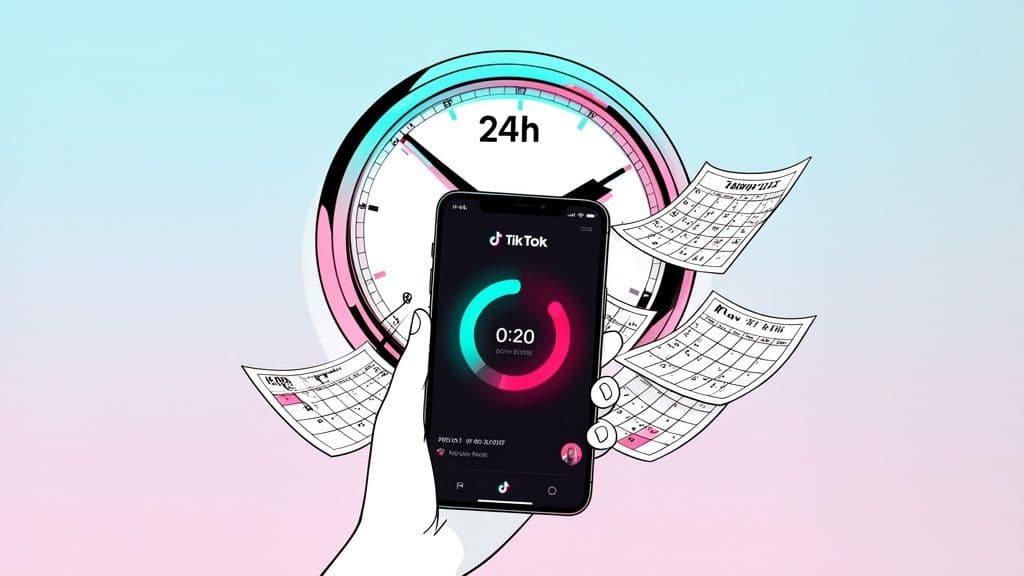
So, you're wondering how long your TikTok Story will stick around? The short and sweet answer is 24 hours.
Think of it like this: your main TikTok feed is your permanent art gallery, but a Story is a flash sale. It’s there to create a buzz, show something off-the-cuff, and then it’s gone. This fleeting nature is exactly what makes Stories so powerful.
The Magic of The 24-Hour Window
TikTok didn’t just pick 24 hours out of a hat. This timeframe is designed to create a sense of FOMO (fear of missing out), pushing your followers to tune in daily so they don’t miss what you’ve shared. It separates the quick, timely updates from your more polished, evergreen videos that live on your profile for months or even years.
This diagram really highlights the difference in how long your content stays visible.
As you can see, Stories are all about immediate impact, while standard videos are built for long-term discovery. But just because a Story vanishes from public view doesn't mean it's deleted forever—it just moves into your private archive.
Why The Short Format Is So Effective
It's not just the 24-hour lifespan that makes Stories work; it's also their length. Each individual Story slide is capped at just 15 seconds. This is a format that's been proven to work time and time again on other platforms, and for good reason. It’s incredibly easy for a viewer to watch a short clip all the way through.
This quick-hit format encourages creators to post more often to stay on their audience's radar. It's a smart play to keep engagement high.
For creators, this means you need a steady stream of content. This is where a scheduler like Postiz becomes a huge help. You can line up these quick, 15-second clips to go out automatically, keeping your profile active without having to live on your phone.
Data consistently shows that videos in the 0-15 second range get 'Very High' completion and share rates. If you want to dive deeper, you can find more data on TikTok video performance that can help you fine-tune your entire content strategy.
Where Your Stories Go After They Disappear
So, what happens when that 24-hour countdown on your TikTok Story finally hits zero? It vanishes from your profile and your followers' feeds, but thankfully, it’s not gone for good.
Instead of being deleted forever, TikTok automatically saves it to a private space just for you. Think of it less as disappearing and more like retiring from the public stage.
This private collection is called the TikTok Story Archive, and it's basically your personal vault of every Story you've ever posted. The best part? It's on by default, so you don't have to lift a finger to start building your own private content library. For creators, this archive is a goldmine—it means all the work you put into that timely content is never really lost.
Manage all your social media in one place with Postiz
Ready to take a trip down memory lane? Your archive is tucked away neatly in your settings, ensuring only you can see what’s inside. It’s a running history of your expired Stories, all organized by date.
Here’s how to get there:
Head to your profile page on TikTok.
Tap the three horizontal lines (the "hamburger" menu) in the top-right corner.
Choose Settings and privacy.
Scroll down to the "Content & Display" section and tap on Archive.
Once you're in, you’ll see a grid or calendar of all your past Stories. This little feature completely changes the game. A Story is no longer a one-and-done post; it’s an asset you can come back to, analyze, and even repurpose down the road.
This ensures that while your audience only gets a fleeting 24-hour glimpse, the value of that content can last a whole lot longer for you. It's the first step toward building a smarter, more efficient content strategy.
How Viewers Interact With Your Stories
So, how do people actually see your Story? When you post one, TikTok puts a distinctive blue ring around your profile picture. It’s a simple but brilliant system.
That little blue circle is your audience's signal that you've shared something new and temporary. It follows your profile everywhere—on the "Following" feed, on your main profile page, and even next to any comments you leave. A quick tap on that glowing icon, and they're instantly watching your Story. This makes your updates impossible to miss without cluttering up the main "For You" page.
This quick-hit format is perfectly designed for how people actually use the app. The average user session on TikTok is a surprisingly long 10.85 minutes, and daily use can hit 95 minutes in some markets. Stories feed right into this habit, giving users a reason to keep checking back for those fleeting, 24-hour updates. You can learn more about how video length plays into this on TrivisionStudios.com.
Tracking Story Views And Reactions
One of the coolest things about Stories is how you can track who’s watching. Unlike a regular video, you get a real-time list of every single person who has viewed your Story while it’s live.
Here’s a quick breakdown of how the engagement works:
Viewer List: You can see who’s watched by tapping the viewer icon in the bottom corner of your Story. Just remember, this list vanishes along with the Story after 24 hours.
Public Comments: Anyone can leave a public comment that other viewers will see, which is great for starting a conversation.
Private Likes: When someone "likes" your Story, it doesn't show up publicly. Instead, you get a private notification—almost like a little nod of approval just for you.
This blend of public and private feedback gives you a fantastic sense of what your audience is connecting with. And if you want to make your Stories even more eye-catching, take a look at our guide on creating better social media graphics to really make them pop.
How To Save And Repurpose Your TikTok Stories
So your TikTok Story is gone after 24 hours… or is it? Just because Stories are temporary doesn't mean your hard work has to vanish into thin air. You actually have a few simple ways to hang onto that content, giving you a goldmine of material to reuse later.
Let's walk through how you can save your Stories, both while they're live and after they've expired.
How To Save A Live Story
The easiest time to save your work is right after you post it. If you've just published a Story and have a good feeling about it, it’s a great habit to download a copy immediately.
Head to your profile and tap your profile picture to view your active Story.
Tap the three dots (…) you see in the bottom-right corner.
Choose Save video from the pop-up menu.
That’s it! The video will download straight to your phone's camera roll. Now you have a clean copy you can share on other platforms or keep for a future video project.
Think of your expired Stories as a treasure chest of content. They're full of B-roll, behind-the-scenes clips, and quick tips you can use later. Saving them means you'll always have something to post, especially on days when you're short on ideas.
Turn Expired Stories Into Permanent Videos
What about those great Stories that have already disappeared? Good news: they're not gone forever. TikTok automatically saves them to your private archive, where you can easily bring them back to life as permanent posts on your feed.
Here’s how to turn an old Story into a new video:
Step 1: Go to your Story Archive. You can find it by going to your Profile, tapping the Menu icon (the three lines), and selecting Archive.
Step 2: Find the expired Story you want to reuse and tap on it.
Step 3: Tap the three dots (…) and select the Post as video option.
This will open the old Story in the regular TikTok editor. From there, you can add a new trending sound, throw on some fresh effects, write a new caption, and post it to your main feed for everyone to see.
It's a really smart way to get more mileage out of your best content. If you want to learn more about this strategy, we've got a whole guide on what content repurposing is and how it can help you grow.
Using The 24-Hour Window To Your Advantage
So, TikTok Stories disappear after 24 hours. That’s not just a fun fact; it’s a powerful feature you can use to your advantage. The short lifespan creates a natural sense of urgency, making Stories the perfect spot for content that needs to grab attention right now without permanently cluttering your main feed.
I always tell creators to think of their Stories as a daily announcement board. It's the ideal place for sharing candid behind-the-scenes moments, running a quick poll, or announcing a flash sale. Because your followers know it won't be around forever, they're more likely to tap in and see what's new. It's your chance to be more raw, authentic, and direct.
Keep The Blue Ring Glowing
One of the simplest yet most effective strategies is to always have that blue ring glowing around your profile picture. A consistently active Story signals that you’re online and engaged, which can seriously boost your profile's visibility and train your followers to check in daily.
Of course, keeping that ring lit 24/7 can feel like a full-time job. That's where a little planning makes all the difference. Using a tool like Postiz to schedule your TikTok Stories in advance means you can maintain a steady flow of content without being glued to your phone. You can create your Stories in one batch and let them roll out automatically, keeping your audience hooked around the clock.
For creators, the goal is simple: maximize engagement within that 24-hour window. The short lifespan means every view and interaction counts. It's not just about how long TikTok Stories last, but what you do with that time.
Smart Strategies For Your Stories
To really make each 24-hour cycle count, you need content that thrives on that "here today, gone tomorrow" vibe. Here are a few ideas that work exceptionally well in the Story format.
Interactive Content: Get your audience involved! Use polls, quizzes, and Q&A stickers for instant feedback. Ask them what they think of a new product or which video idea they want to see next.
Exclusive Sneak Peeks: Build some serious hype for an upcoming video or product launch. Share behind-the-scenes clips that won't be posted anywhere else. This gives your followers a reason to watch your Stories closely.
Time-Sensitive Offers: Nothing drives action like a deadline. Announce a limited-time discount or a flash sale that ends when the Story expires. To make these even stronger, check out our tips on crafting compelling social media call-to-action examples.
And for those days when you're completely out of ideas, the AI-powered tools inside Postiz can help generate quick Story concepts for you. This turns content creation from a daily chore into a smart, manageable part of your growth strategy. Combine these interactive features with smart scheduling, and you'll turn the 24-hour window into your biggest asset.
Frequently Asked Questions About TikTok Stories
We’ve gone through the nuts and bolts of TikTok Stories, but you probably still have a few questions floating around. Let's clear up some of the most common ones people ask about how long Stories really last and how they work.
Can I See Who Viewed My TikTok Story After 24 Hours?
No, you can’t. Once that 24-hour clock runs out, the list of who viewed your Story vanishes right along with it.
Think of it like a guest list for a party that only lasts one day. While the party's happening, you can see everyone who shows up. But once it's over and the doors close, that list is gone for good. This is why it’s so important to check in on your Story's performance while it’s still live. Those insights are as temporary as the Story itself!
Does Deleting A TikTok Story Remove It From The Archive?
Yes, it does. If you manually delete a Story before it has a chance to expire naturally, it's gone forever. It will not get saved to your private archive.
The archive only saves Stories that complete their full 24-hour cycle. It’s TikTok’s way of filing away your content after it has served its purpose on your profile. If you cut its life short, it never makes it to the filing cabinet.
Can I Extend The 24-Hour Duration Of A TikTok Story?
Unfortunately, there's no way to extend the 24-hour lifespan. That time limit is a core feature of the format, making it feel immediate and in-the-moment, unlike a permanent video post.
But what if you create a Story that’s just too good to let go? You have a couple of solid workarounds:
Repost it as a new Story. Just download the video to your phone and re-upload it. This starts a fresh 24-hour countdown.
Post it to your main feed. This gives it a permanent home on your profile where anyone can find it, anytime.
This is a great little hack for giving your best content a second life. A fleeting update can easily become a permanent fixture on your profile.
Ready to stop worrying about disappearing content and start building a reliable presence? With a tool like Postiz, you can schedule your Stories and permanent videos, and even cross-post to your other social channels automatically. Take control of your content calendar and keep your audience hooked 24/7. You can check out Postiz to get started.
What are the dimensions of an Instagram post? This 2026 guide covers every format—square, portrait, Reels, and Stories—to help you optimize your content.
Horror content is having a moment on short-form video. Scroll TikTok or YouTube Shorts late enough at night and you'll see the same format on repeat: a whispered creepy story, dim AI-generated illustrations fading between scenes, a cold syn