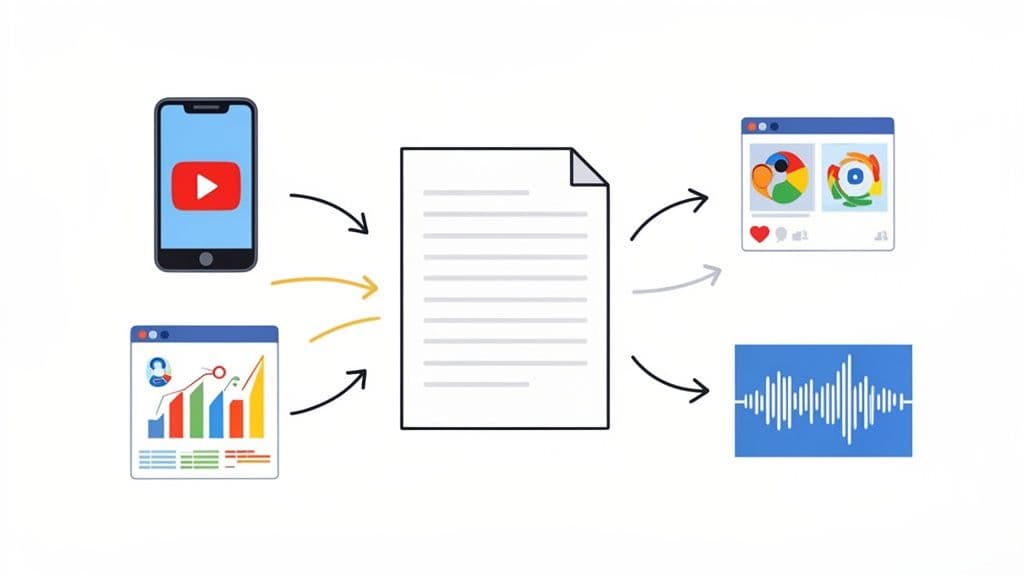
Ever heard the phrase "work smarter, not harder"? That’s the entire idea behind content repurposing. It’s a strategy for taking one great piece of content and transforming it into many different formats to reach people on various platforms.
What Is Content Repurposing Anyway?
Think of it like this: you spend Sunday afternoon roasting the perfect chicken. You could just serve the roast for dinner. Or, you could use that same chicken to make sandwiches for lunch, a hearty soup for a cold evening, and a fresh salad to round out the week.
That’s what content repurposing is all about. You take one "main dish"—your core content—and get as much mileage out of it as possible.
This isn’t just lazy copy-pasting. It’s about thoughtfully adapting your best work for different audiences and the platforms they hang out on. The person who loves watching quick videos on TikTok might never read your detailed blog post, but a 60-second video that hits the highlights? They’ll eat that up.
Repurposing multiplies the value of your work. One core idea, originally presented in a single format, can be transformed to fuel your content calendar across multiple channels for days or even weeks.
This isn't some niche tactic, either. It’s become a go-to for smart marketers. Data from HubSpot reveals that 48% of social media marketers share repurposed content across platforms with a few tweaks. That’s a whole lot more than the 34% who feel they have to create something totally new for every single channel.
Repurpose vs. Recycle vs. Create New
It’s easy to get these terms mixed up, but knowing the difference is crucial for planning your content effectively. Let's quickly clear up what each one means.
Repurposing is about changing the format. You take a blog post and turn it into a video script, an infographic, or a podcast episode. The message is the same, but the package is completely different.
Recycling is simpler. This is just re-sharing old content, maybe with a quick update to a stat or a new caption. Think of it as putting a "greatest hit" back at the top of your feed.
Creating new content is exactly what it sounds like—starting from scratch with a brand-new idea. It requires a full-on effort from research to final design.
To make it even clearer, here’s a quick reference table showing how these three approaches stack up.
Repurpose vs Recycle vs Create New Content
Approach
Definition
Example
Repurpose
Adapting existing content into a completely new format.
Turning a webinar recording into a series of blog posts.
Recycle
Updating and re-sharing an existing piece of content.
Tweeting an old but still-relevant article with a new caption.
Create New
Developing original content from scratch with a new idea.
Writing a brand new research report on an emerging trend.
Each strategy has its time and place, but repurposing is where you’ll often find the biggest return on your creative investment.
Manage all your social media in one place with Postiz
So, you know what content repurposing is. But the real game-changer is understanding why it's one of the smartest strategies you can have. This isn't just a bonus task for a slow afternoon; it’s a fundamental shift in how you get better results with less burnout.
Repurposing turns a piece of content from a one-off performance into a lasting asset. Instead of constantly running on the hamster wheel of creation, you build a library of valuable material you can tap into over and over again. It’s all about making your best work, work harder for you.
Maximize Your Time and Resources
Let's be real: creating great content from scratch takes a ton of time, energy, and often, money. Repurposing is how you multiply the return on that initial effort.
Think of a single, hour-long webinar. In the old way of thinking, it's just one asset. But with a smart repurposing workflow, that one recording can fuel your marketing for days or even weeks. It can become:
A week’s worth of social media clips: Pull out the best 60-second insights for TikTok, Instagram Reels, and YouTube Shorts.
A detailed blog post: Transcribe the key points, then flesh them out with more context and examples.
A compelling email newsletter: Share the top takeaways with your subscribers to drive them back to the full video or the new blog post.
Quote graphics: Turn the most powerful one-liners into eye-catching, shareable images for platforms like LinkedIn and Twitter.
Suddenly, one big creative push populates your entire content calendar. You're not cutting corners—you're strategically amplifying your value.
Repurposing is the opposite of burning out. It’s a sustainable system that respects your time and amplifies your best ideas, ensuring they reach the largest possible audience without demanding you create something new every single day.
Reach New Audiences on Their Preferred Platforms
Your audience isn't a monolith. They’re scattered across different platforms, each with their own preferences. Some people love digging into a long article, while others only have time for quick videos or want a podcast for their commute.
Repurposing lets you meet people where they are.
By simply changing the format, you make your core message accessible to people who might have never seen the original piece. A dense, data-filled whitepaper might be perfect for a C-suite executive on LinkedIn. But when you transform its key findings into a simple, visual infographic, it suddenly becomes perfect for a much wider audience on Instagram or Pinterest.
Strengthen Your SEO and Brand Authority
Repurposing also weaves a powerful web of content that boosts your authority and helps with search engine optimization (SEO). When you turn one blog post into a YouTube video, a podcast, and a handful of social media updates, you’re creating multiple assets that can all link back to your original article.
All those internal links tell search engines that your website is a hub of deep expertise on that subject. The financial upside is real, too. For example, one study found that converting webinars into blog posts can deliver a 32% average improvement in returns. You can dive into more content marketing statistics to see just how big the impact can be.
Alright, you know why repurposing matters. Now for the fun part: how to actually do it. Let’s move past the theory and look at the real-world strategies that top creators use to get the most out of every single piece of content they make.
This isn't about just copy-pasting your work across different platforms. It's about a mindset shift. You need to start seeing your finished content not as an endpoint, but as a goldmine of raw material. Once you make that mental leap, you'll unlock a sustainable way to create content without burning out.
The Pillar-To-Pieces Model
One of the most effective methods I've seen is the Pillar-to-Pieces model. It's simple, really. You start with one big, foundational piece of content—your "pillar." This is your masterpiece, the most in-depth, valuable thing you've created on a topic.
Your pillar content could be things like:
An ultimate guide or a really long, detailed blog post
A data-rich research report or an industry whitepaper
A full-length webinar or a deep-dive video podcast
A thorough case study packed with results
Once you have that strong pillar, you start breaking off smaller "pieces." Think of it like a tree: the pillar is the trunk, and the pieces are all the branches and leaves that stem from it. Each small piece can stand on its own, but it also points back to the main asset.
The Pillar-to-Pieces method turns one major creative effort into a cascade of content. One webinar doesn't just produce one video; it creates quote graphics, audiograms, short video clips, a summary blog post, and an email newsletter.
Let's say you just hosted a one-hour webinar. That single recording can be sliced and diced into:
Five short video clips (1-2 minutes each): Pull out the best moments and you’ve got perfect content for Instagram Reels, TikTok, and YouTube Shorts.
Ten quote graphics: Find the most powerful statements, put them on a branded template, and you're ready for Instagram and Pinterest.
A detailed blog post: Get the webinar transcribed, then clean it up and add more detail. Boom, a new article.
A Twitter thread: Take the main points and break them down into a bite-sized, engaging thread.
This strategy ensures your biggest time investments pay off again and again. It also lets you share your best ideas on all the different platforms where your audience actually hangs out.
Your Content Repurposing Cheat Sheet
To make this even clearer, think of it as a simple input-output system. You put one type of content in, and you get several new types out. This table breaks down some of the most common transformations.
Original Content Type
Repurposed Format 1
Repurposed Format 2
Repurposed Format 3
Long-Form Blog Post
Twitter Thread
Short Explainer Video
Email Newsletter
Video Interview
Podcast Episode (audio)
Quote Graphics
Blog Post Summary
Webinar
Short Video Clips
Infographic
LinkedIn Article
Case Study
Success Story Snippets
Testimonial Graphics
Short "Results" Video
Podcast Episode
Audiogram Clips
Blog Post with Transcript
Quote Carousel for Insta
This isn't an exhaustive list, but it gives you a fantastic starting point. The next time you create a piece of pillar content, pull up this table and ask, "How many of these can I create from what I just made?"
The Format Shifting Method
Another great approach is what I call Format Shifting. This is less about breaking things down and more about changing the state of your content—like turning water into ice or steam. You take something that performed well and simply change its format to reach a new audience.
A huge part of this is getting your content seen on new platforms. For example, knowing the best practices for reposting content on LinkedIn can expose your work to an entirely new professional audience, dramatically extending its lifespan and reach.
The trick is to figure out why the original was a hit. Was it a compelling story? Shocking data? A powerful tutorial? Whatever the "magic" was, your job is to translate it into a new medium. If a blog post went viral for its awesome data, turn that data into a beautiful infographic. If a podcast resonated because of a heartfelt story, adapt that story into an animated video.
By mastering these simple models, you stop thinking like a content creator who is always on a hamster wheel. Instead, you become a strategic content amplifier, working smarter to reach more people and build a stronger brand with the amazing assets you already have.
How To Build Your Repurposing Workflow
Even the best strategy is just an idea without a system to back it up. A solid, repeatable workflow is what turns content repurposing from a chore you do now and then into a core part of your creative engine.
This isn’t about piling more work onto your schedule. It’s about building a simple process that makes your life easier and transforms one great piece of content into a steady stream of value for your audience.
Step 1: Start With a Content Audit
First things first: take a look at what you’ve already got. A content audit sounds technical, but it’s really just about sifting through your existing library to find the "pillar" pieces that are begging to be repurposed. The best way to do this? Let your audience’s past behavior be your guide.
You're looking for the content that really hit home. Check your analytics for:
High Engagement: Which posts racked up the most comments, shares, and saves?
Top Traffic: What articles or videos are still bringing people to your site, even months later?
Evergreen Value: Which pieces offer advice that’s just as relevant today as the day you published it?
These high-performers are your goldmine. They’ve already proven they connect with your audience, which makes them the perfect candidates to be reimagined in new formats.
Step 2: Map Formats to Platforms
Once you've picked out your pillar content, it's time to play matchmaker. The goal is to figure out which new formats will shine on which platforms. This is where you break down your big idea into smaller, bite-sized assets and tweak the format for each channel.
As you can see, a single long-form blog post (your pillar) can spin off into a whole family of content—a handful of tweets, a script for a short video, an infographic, and more.
The trick is to adapt your core message for each platform’s unique vibe without sounding like a broken record. A LinkedIn post should feel professional and insightful, while a TikTok video on the same topic should be quick, punchy, and visual.
Think about why someone is on a specific platform. Are they scrolling Instagram for a quick tip, or are they on LinkedIn looking for in-depth professional advice? Tailoring your approach is key. You can get more ideas for this in our guide to content workflow management.
Step 3: Create a Promotion Schedule
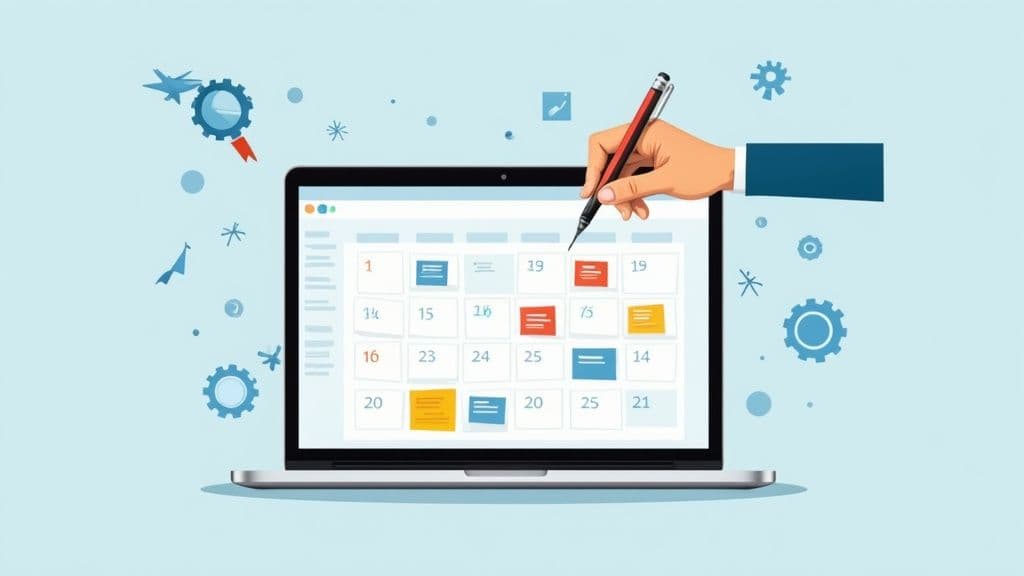
Finally, don't just create all this great new content and dump it online at once. That's a recipe for overwhelming your audience. Instead, map out a promotion schedule to stagger the release and give every single asset its moment in the spotlight.
A simple schedule might look something like this:
Day 1: Publish the main pillar blog post.
Day 2: Share a short video clip on Instagram and TikTok that teases a key takeaway.
Day 4: Post an infographic with interesting stats on Pinterest and LinkedIn.
Day 7: Send out an email to your subscribers highlighting the top three lessons and linking back to the full article.
This approach creates a steady drumbeat of content, keeping your brand visible and consistently driving traffic back to your most valuable assets. You’ve successfully turned a single burst of creativity into a week-long marketing campaign.
Having a solid strategy is one thing, but actually doing the work is another. This is where the right tool can make or break your content repurposing efforts, turning a manual headache into a smooth, efficient process. A platform like Postiz can become your central hub for everything, saving you tons of time and making your content work much harder for you.
Instead of bouncing between a dozen different tabs and apps, Postiz brings your entire workflow under one roof. Think of it less as just another tool and more as your command center for content. It's built from the ground up to make repurposing feel natural and fast, taking care of the tedious bits so you can focus on being creative.
From Manual Grind to Automated Flow
We’ve all been there—manually tweaking and scheduling the same piece of content for every single social platform. It’s a notorious time-waster. A tool like Postiz gets rid of that grind by building the key steps of repurposing right into your scheduling workflow. This simple shift can save you hours of busywork, helping you squeeze more value out of every article, video, or podcast you create.
Here's how Postiz starts to feel like a central dashboard for all your repurposing tasks.
As you can see, it’s about having one organized view to plan, adapt, and publish your content everywhere, without the usual chaos of manual cross-posting.
Features Built for Smart Repurposing
Postiz is more than just a scheduler; its features are designed to make the whole idea of content repurposing a practical, everyday reality for your team. The goal is to let you run your entire strategy without ever needing to leave the platform.
Here are a few key features that make this possible:
AI Assistant: Need a fresh caption or a quick summary of a long blog post? Just drop your original content in, and the assistant will whip up platform-specific text in seconds.
Cross-Posting Scheduler: This is a big one. You can push your content to all your networks at once, but with unique captions tailored for each. Write something professional for LinkedIn, a quick quip for Twitter, and an engaging question for Instagram—all while scheduling the same core image or link.
Built-in Design Tools: No need to fire up a separate graphics editor. You can quickly turn a key statistic into a sharp-looking graphic or resize an image for a Story right inside your workflow.
When you use a unified tool like Postiz, your repurposing strategy and your day-to-day execution finally click together. Instead of being a separate, time-sucking chore, repurposing just becomes a natural part of how you publish content.
Putting these functions together means you can go from a single blog post to a full week's worth of social media content in minutes, not hours. For a detailed walkthrough of how this works in practice, you can check out our guide on how to schedule a post using these features.
Common Questions About Content Repurposing
Even with a solid plan, you're bound to have some questions once you start repurposing content. It's one thing to understand the theory, but another to see how it works day-to-day.
Let's walk through some of the most common hurdles people face. Getting these sorted out will give you the confidence to dive in and make it work.
How Do I Repurpose Without Being Repetitive?
This is the number one fear I hear, but it’s easy to get around. Just remember the golden rule: repurposing is about reformatting, not just reposting. Your audience won't get bored if you're adapting the core idea for each platform, not just copy-pasting it.
Think of your main content piece as a core ingredient, like a chicken. You wouldn't serve a whole roasted chicken for dinner every night. Instead, you might use the leftovers for chicken tacos one night and chicken noodle soup the next. It’s the same ingredient, but a completely different experience.
To keep your content feeling fresh, always focus on:
Changing the Format: A deep-dive blog post can become the script for a YouTube video. A podcast conversation can be sliced into a dozen quote graphics for Instagram. A customer case study can transform into a punchy, results-driven Twitter thread.
Adjusting the Tone: The professional voice you use for a LinkedIn article can become fun and casual for a TikTok video. You’re speaking the native language of each platform.
Highlighting Different Angles: A single webinar is packed with insights. Pull out one quick, actionable tip for an Instagram Reel, then expand on a more complex point for a separate LinkedIn post.
The goal is to add new value every time. As long as you’re doing that, your audience will see it as helpful, not repetitive.
What Is The Right Amount Of Change For A New Platform?
There’s no magic number here. A good rule of thumb is to change just enough so the content feels like it was made for that platform. You're not just cross-posting; you're truly adapting.
The content is changed "enough" when it no longer feels like it was borrowed from somewhere else. It should blend right into the feed, giving the audience exactly the kind of experience they expect on that specific channel.
For instance, if you're turning a blog post into an Instagram carousel:
Break it down: Squeeze your main ideas into 5-7 visually appealing, bite-sized slides.
Make it visual: Use strong images, bold text, and a design that stops the scroll.
Keep it simple: The text on each slide needs to be minimal—short, sweet, and easy to read on a phone.
Always ask yourself this one question: "If I saw this on my feed, would it feel natural here?" If the answer is yes, you've hit the mark.
How Do I Know If My Repurposed Content Is Working?
You have to track your results, otherwise you're just guessing. The metrics you watch should tie directly back to the original goals you set for your repurposing efforts.
Keep a close eye on these key performance indicators:
Engagement Rates: Is the repurposed version getting more action (likes, comments, shares)? Compare the handful of comments on a blog post to the flood of engagement on a video clip you made from it.
Traffic and Click-Throughs: Are your social media snippets actually sending people back to your main content, like a blog post or landing page? Check your analytics.
Time Saved: This isn't a direct metric, but it’s a huge win. Note how many new pieces of content you're creating from a single source. Seeing one blog post turn into 10 different social posts makes the efficiency gains crystal clear.
When you start comparing the performance of your repurposed pieces to the content you create from scratch, you'll quickly see how much time and effort you're saving.
Ready to stop the manual grind and start repurposing your content the smart way? Postiz brings your entire workflow together with an AI assistant, cross-posting scheduler, and built-in design tools. Start amplifying your content today by signing up at Postiz.com.
Elevate your strategy with our complete social media audit checklist. A step-by-step guide to optimize profiles, content, and engagement for maximum impact.
Learn how to schedule a post in Postiz to save time and boost engagement. This guide covers everything from setup to advanced tips for your social media.