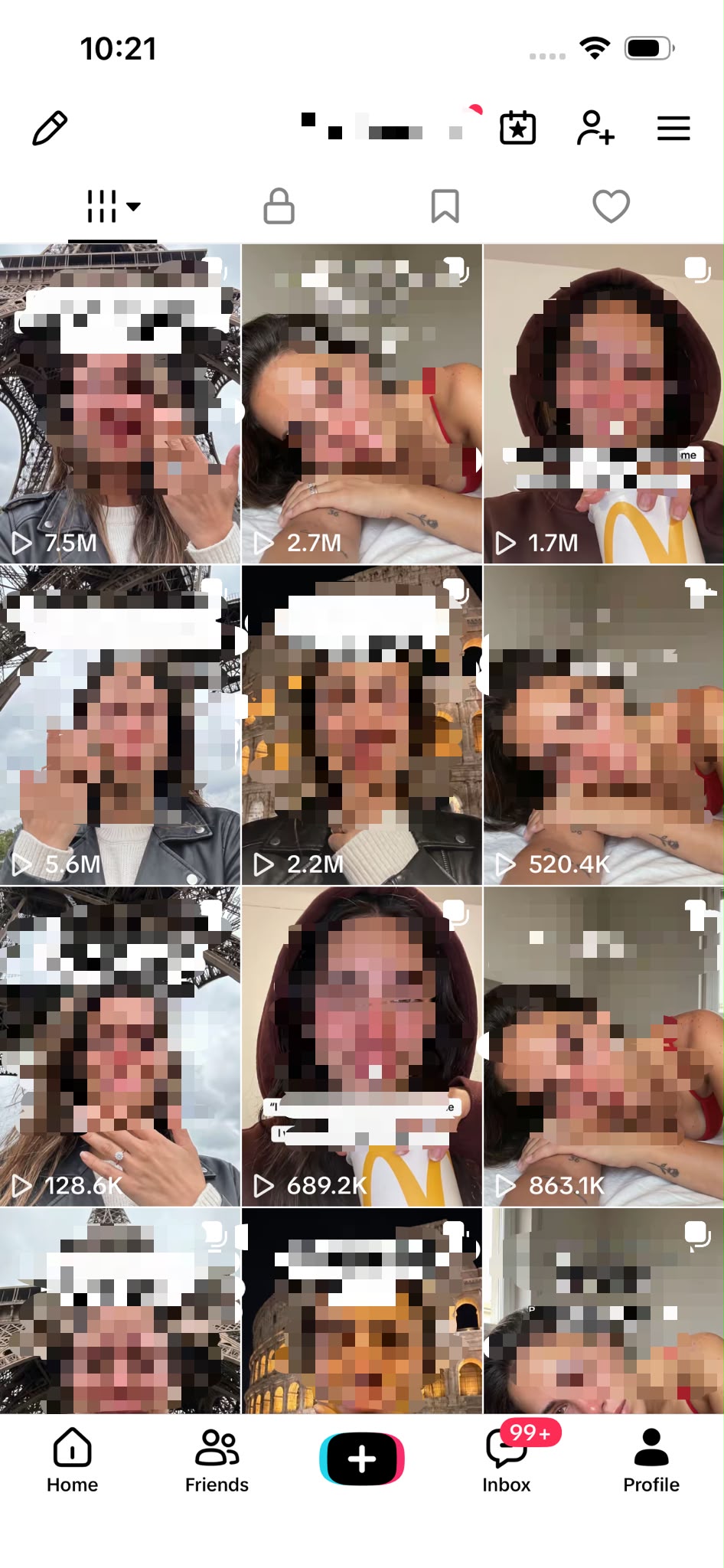
Most “I built an AI marketing team” posts show you a diagram and a promise. Pedro Pérez did something rarer: he built the team in Grok Bot, ran one real piece of content through it from idea to scheduled post, and published every prompt, screenshot and correction along the way. The system behind it has taken six of his videos past 20 million combined views, with one post reaching 7.5 million views and adding 3,300 followers on its own.
I read his full walkthrough on X and rebuilt the structure below so you can copy it. Four specialized Bots (Researcher, Creative Director, UGC Creator, Publisher) plus a Coordinator that routes tasks between them, an AI avatar built from a prompt pack, and Postiz as the final layer that turns approved assets into a scheduled calendar. Here is exactly how it works, in the order he built it.
The results Pedro shared before explaining the workflow: six videos, more than 20M views combined, one at 7.5M.
What is an AI marketing team in Grok Bot?
An AI marketing team in Grok Bot is a set of specialized, always-on Bots that each own one marketing job (research, creative direction, asset generation, publishing) and hand work to each other in sequence. Each Bot runs on its own cloud computer, so tasks keep running after you close your laptop, and connected plugins like Postiz let the Publisher Bot schedule real posts.
The important word is specialized. Pedro is explicit that he does not give one Bot a giant prompt and ask it to do everything. He builds four narrow roles and a Coordinator, and gives each one only the context its job needs.
1. Building the AI marketing team (and why it is four Bots, not one)
Pedro starts by opening Grok Bot and creating the Bots he will use for the whole experiment: Researcher, Creative Director, UGC Creator and Publisher. Before any of them exist, he creates a Coordinator Bot. That is the Bot he actually talks to. It knows what every member of the team does and delegates each request to the right one.
Ask the Coordinator “find me three viral videos in the quit-drinking niche I could adapt” and it knows that belongs to the Researcher. Ask it to turn one of those references into an original concept for your app, and the task goes to the Creative Director. He shares his coordinator setup as a Master Prompt you can paste in as-is.
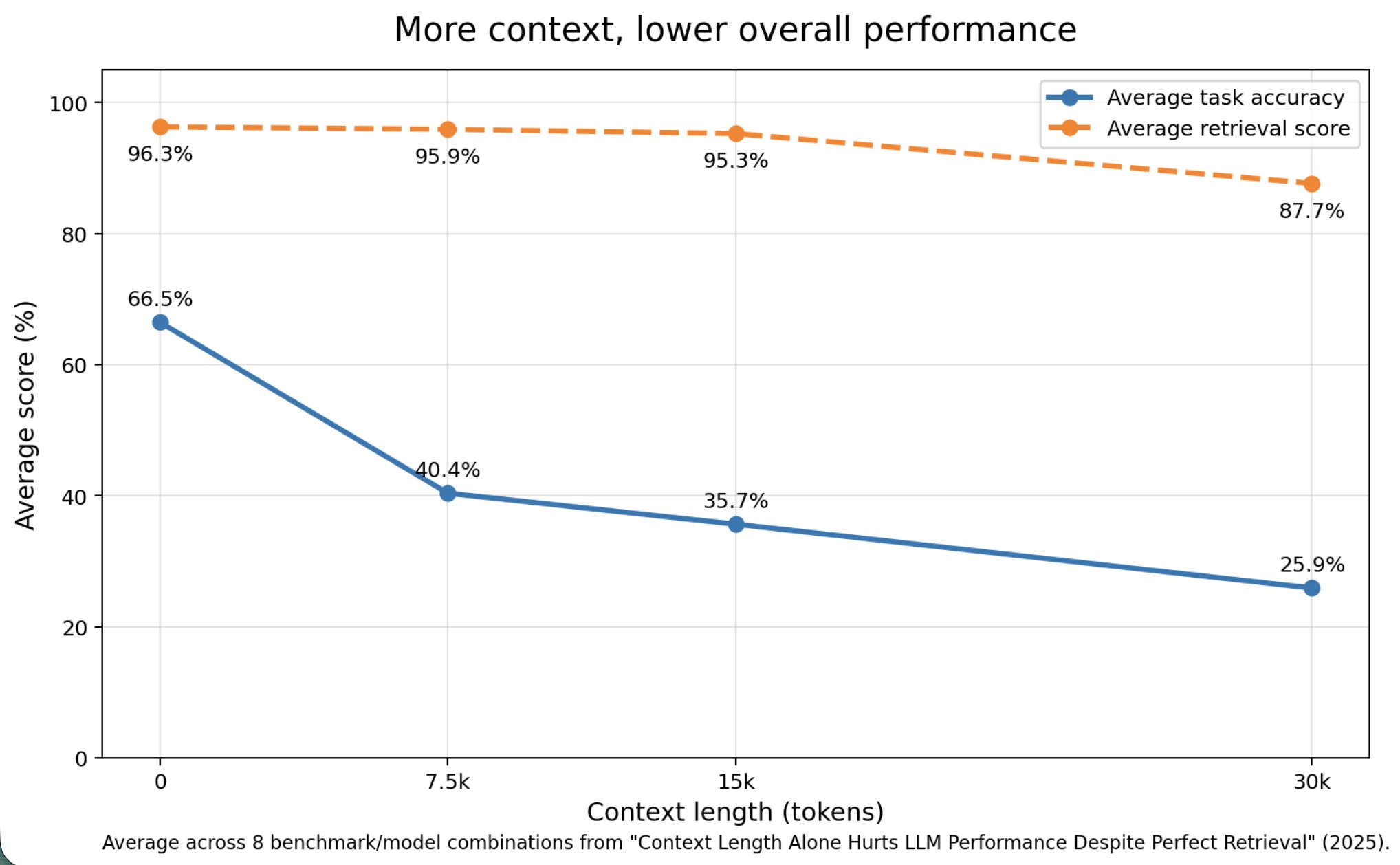
The reason he splits the work is not aesthetic. Giving a language model more context does not make it better at a task. A 2025 paper, Context Length Alone Hurts LLM Performance Despite Perfect Retrieval, measured average task accuracy falling from 66.5% with no extra context to 40.4% at 7.5k tokens and 25.9% at 30k tokens, even though the models could still retrieve the relevant information more than 87% of the time. So a Bot that knows about your apps, avatars, analytics and publishing strategy all at once is a Bot that gets worse at each of those jobs.
Average across 8 benchmark/model combinations. Retrieval barely moves. Accuracy collapses. This is why each Bot gets a narrow job.
The second reason he likes Grok Bot for this is where the work happens. Each Bot runs on its own cloud computer, so he can hand the Researcher a batch of competitor accounts before going to sleep and read the analysis in the morning. His framing of what AI agents for marketing are actually for is worth keeping: not replacing the creative decisions, but removing the repetitive work that normally eats hours.
Manage all your social media in one place with Postiz
2. The Researcher: finding content that is already working
The first team member Pedro builds is the Researcher, because almost every piece of organic content he makes starts with something that already performed. In his words, the hard part of organic app marketing is not making the video. It is finding ideas worth testing.
He asks the Coordinator to help him create the Researcher step by step. Once it exists, he explains what his app does (a quit-drinking app), who he wants to reach, and which niche he is targeting. Then he feeds it competitor accounts so it has real examples to analyze instead of inventing ideas from scratch.
The task he gives it is specific:
“Find content formats that are currently performing well in this niche. I don’t want generic content ideas. Find actual examples, explain why people are stopping to watch them and show me how the underlying concept could be adapted to my app.”
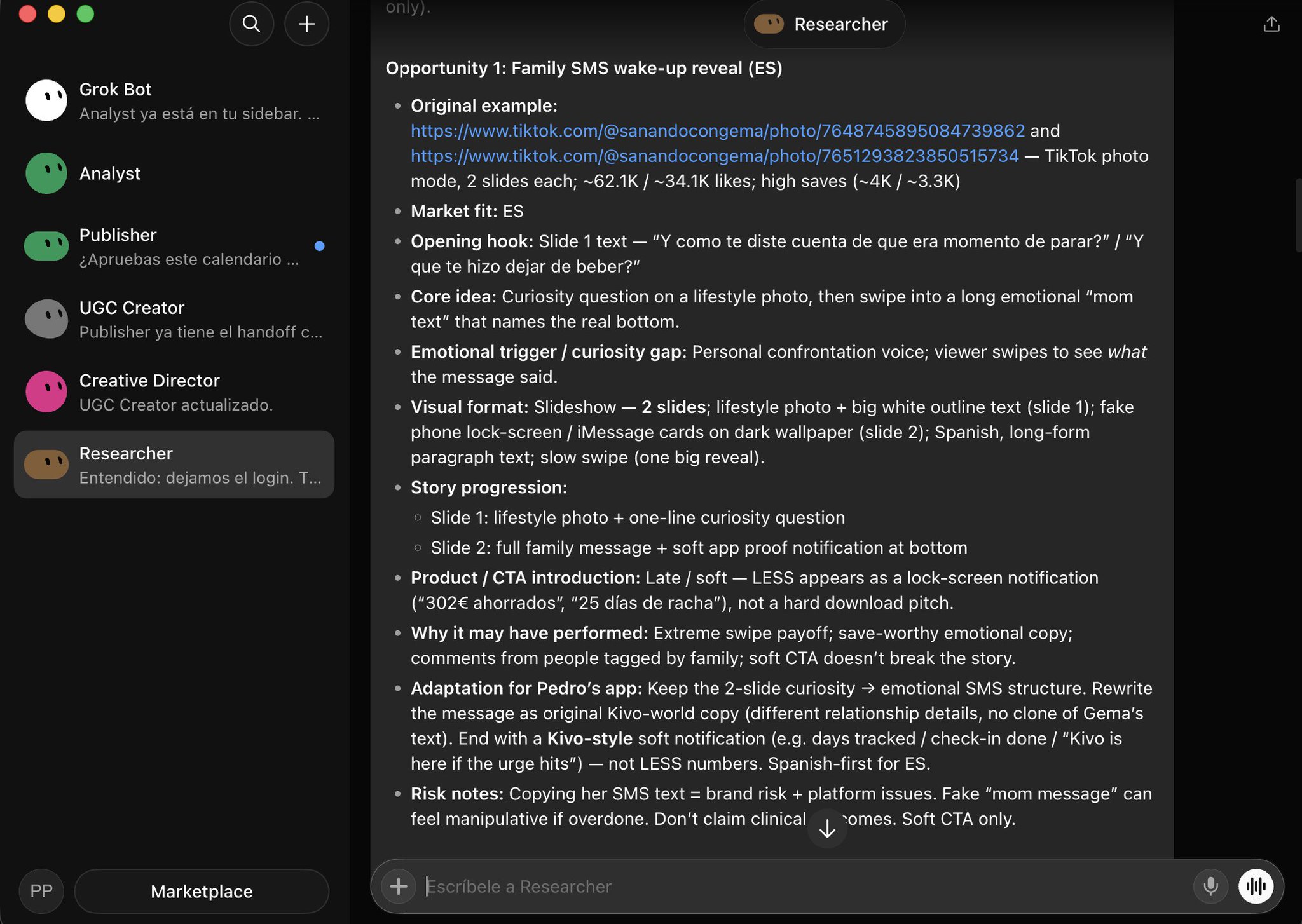
He tells it to look at the hook, the first visual, the curiosity gap, how the story develops and how the product is introduced. A few minutes later it returns several real examples with links, engagement figures, a breakdown of why each one may have worked, and an adaptation plan for his app.
The Researcher’s brief for one opportunity: two TikTok photo posts at 62K and 34K likes, why they worked, and how to adapt the two-slide structure without cloning the original.
Notice what the Bot does not do. It does not pick. Pedro reads the opportunities and decides which one is worth testing himself. Then he sends that one brief to the next Bot.
3. The Creative Director: turning a reference into a production-ready concept
Pedro copies the Researcher’s brief and pastes it straight into the Creative Director. He is not asking for new ideas at this point. He already has the reference and the explanation of why it worked. He needs it turned into something he can actually produce for his app.
The Creative Director returns the full structure: hook, character, scenario, number of slides, story, what each visual should show and how the app should appear. For this reference it lands on a simple two-slide concept:
Slide 1: a natural phone-camera style photo with the hook “what was the text that made you stop drinking?”
Slide 2: the payoff. An iPhone-style lock screen showing a personal message from a family member, with a small notification from the app underneath.
The detail I found most useful is that the Bot tells him not to make the app feel like an ad. It describes the app as a “soft proof element”, not a pitch. No big logo, no download request. The app simply appears inside the lock screen with a line like: “12 days and $160 you haven’t drunk. Tonight you don’t have to quit forever, you just have to make it morning.” The viewer understands what the product does without the story being interrupted.
It also adds believability checks (keep the visuals natural, avoid overly polished AI imagery, do not stretch a simple concept into too many slides) and finishes with a clean handoff containing only what the next Bot needs to produce the visuals.
4. Creating the AI avatar from scratch
Before the UGC Creator can generate anything, Pedro needs a consistent face. He argues that a hyper-realistic AI avatar is much easier to create than most people think, provided you have the right prompts, and he published the whole set as an Avatar Prompt pack.
The process:
Open Grok Images, select the Quality 2.0 image setting and paste Prompt 0. It is pre-written to generate a 23-year-old Mediterranean woman, but you can change age, ethnicity, hair, style or anything else to get a completely different avatar.
Once you get a result you like, use that image as the reference for every following generation.
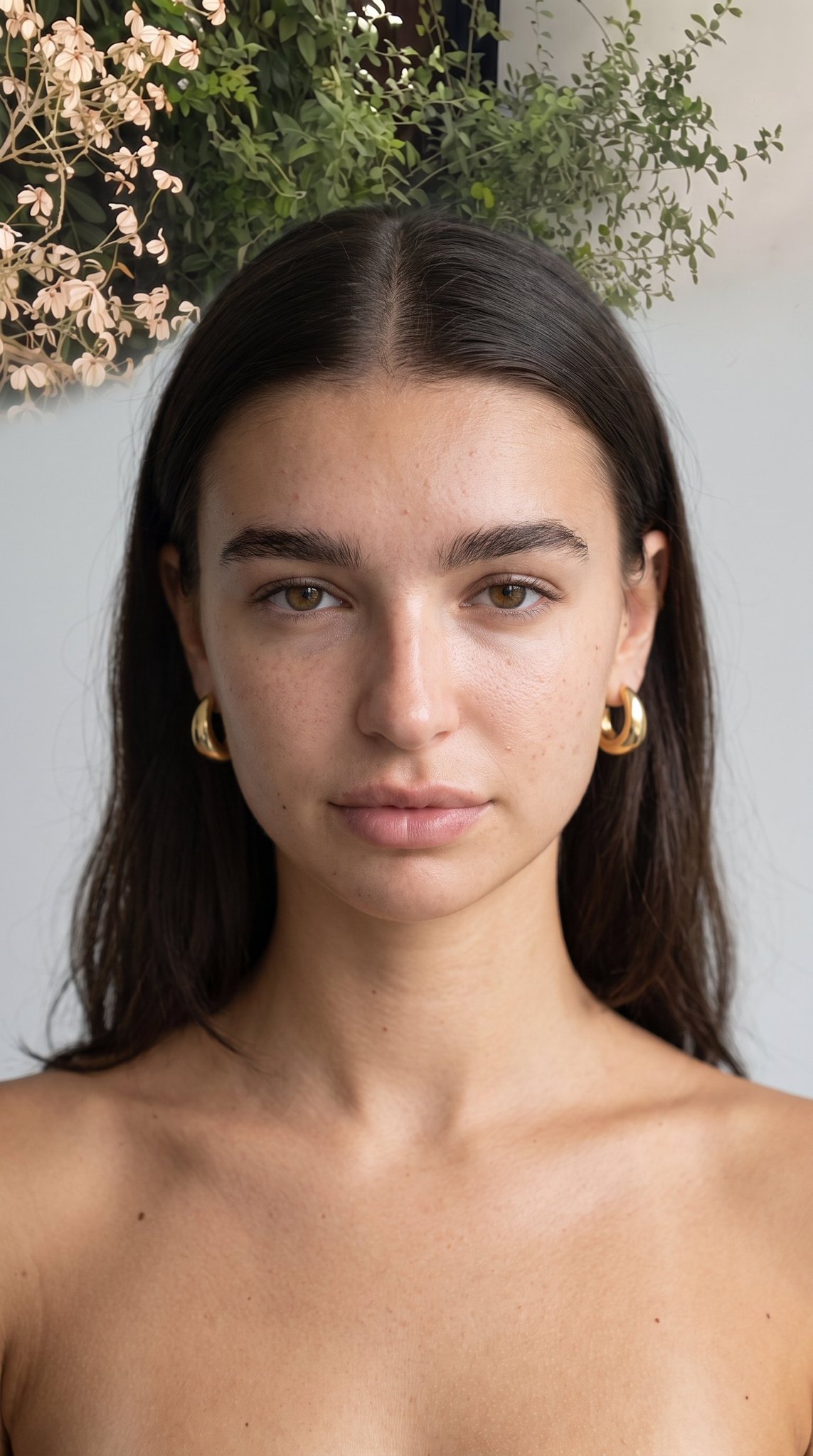
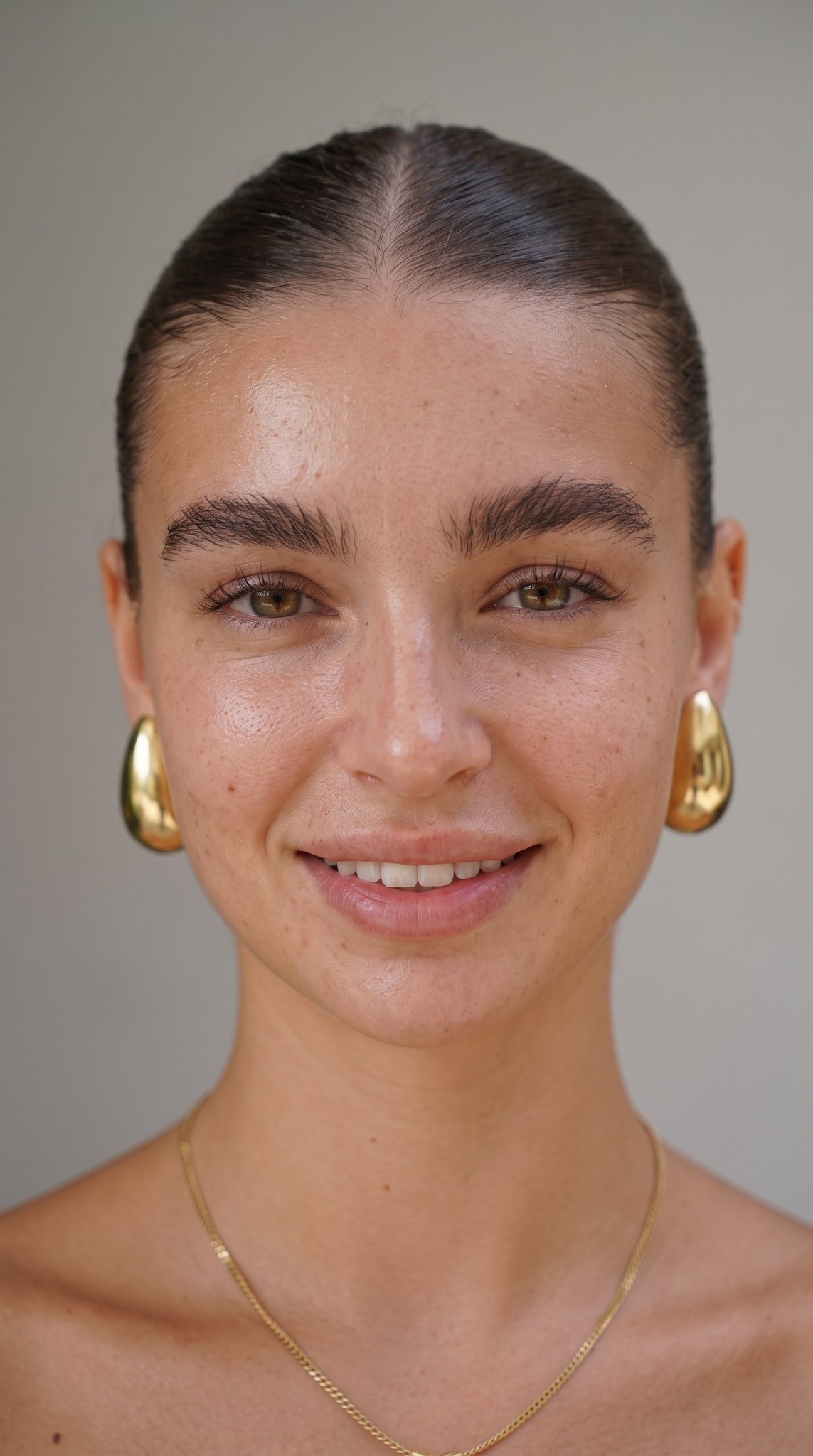
Run Prompt 1 through Prompt 6, always keeping the same reference image. Each prompt generates the avatar from a different perspective: close-up, side profile, full body and other useful angles.
By the end you have a reference pack that keeps the same person consistent across every piece of content.
Four views from the same AI avatar reference pack, all generated from one starting image.
5. The UGC Creator: teaching a Bot what “realistic” looks like
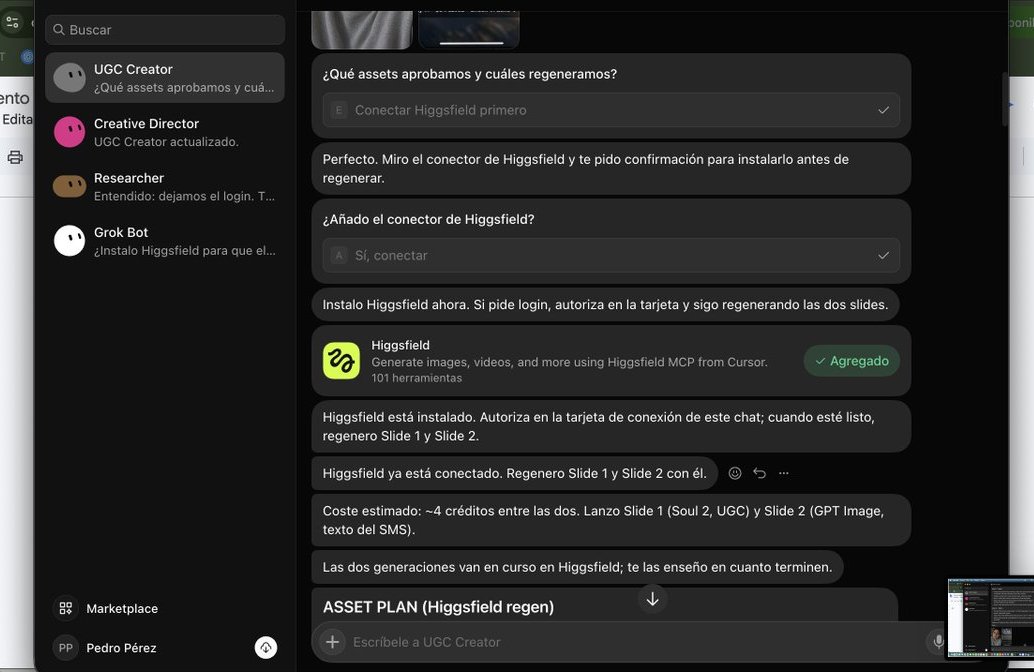
With the concept approved and the avatar ready, Pedro sends the Creative Director’s final brief to the UGC Creator. The first thing he does is connect Higgsfield inside the Bot, so it can generate the assets itself instead of handing him prompts to run elsewhere.
The UGC Creator adds the Higgsfield connector from inside the chat, then regenerates both slides with it.
The first versions are not right, and this is where the real work of an AI UGC workflow happens. He corrects everything that does not feel real:
The notification has to look like a real, recent iPhone, not a fake phone mockup on a random background.
Notification placement, icon size, wallpaper, spacing and overall composition all get adjusted.
He uploads the real app icon and tells the Bot to use it correctly inside the notification.
After a few iterations he writes the corrections down as permanent rules for the Bot: use Nano Banana Pro 2K, default to 9:16, keep notifications natural and high on the screen, use personal-looking wallpapers, and avoid anything that feels too polished or AI-generated. Then he gives it one of his existing avatars and tells it to use that identity for the hook image instead of generating a random person.
That is the payoff of a persistent Bot over a one-off prompt. The UGC Creator is now learning his visual style, so the next batch needs far less correction than the first.
6. Turning one concept into several pieces of content
One good version is not the finish line. If the structure works, Pedro wants as much content out of it as possible. So he goes back to the Creative Director with a request like:
“Keep the same underlying idea, but give me five different opening scenarios that create the same type of curiosity.”
He is careful about what he is asking for. Not copies of the original post. The mechanism that made the concept interesting has to stay while the scenario, hook or context changes. He picks the variations he likes, sends those briefs to the UGC Creator, and it generates the extra assets using the same avatar and the visual rules it already learned. One idea becomes a week of content without restarting the process.
7. The Publisher Bot and connecting Postiz
The Publisher has the simplest job on the team. It does not create ideas or touch the content. It takes everything Pedro has already approved and organizes it for publishing.
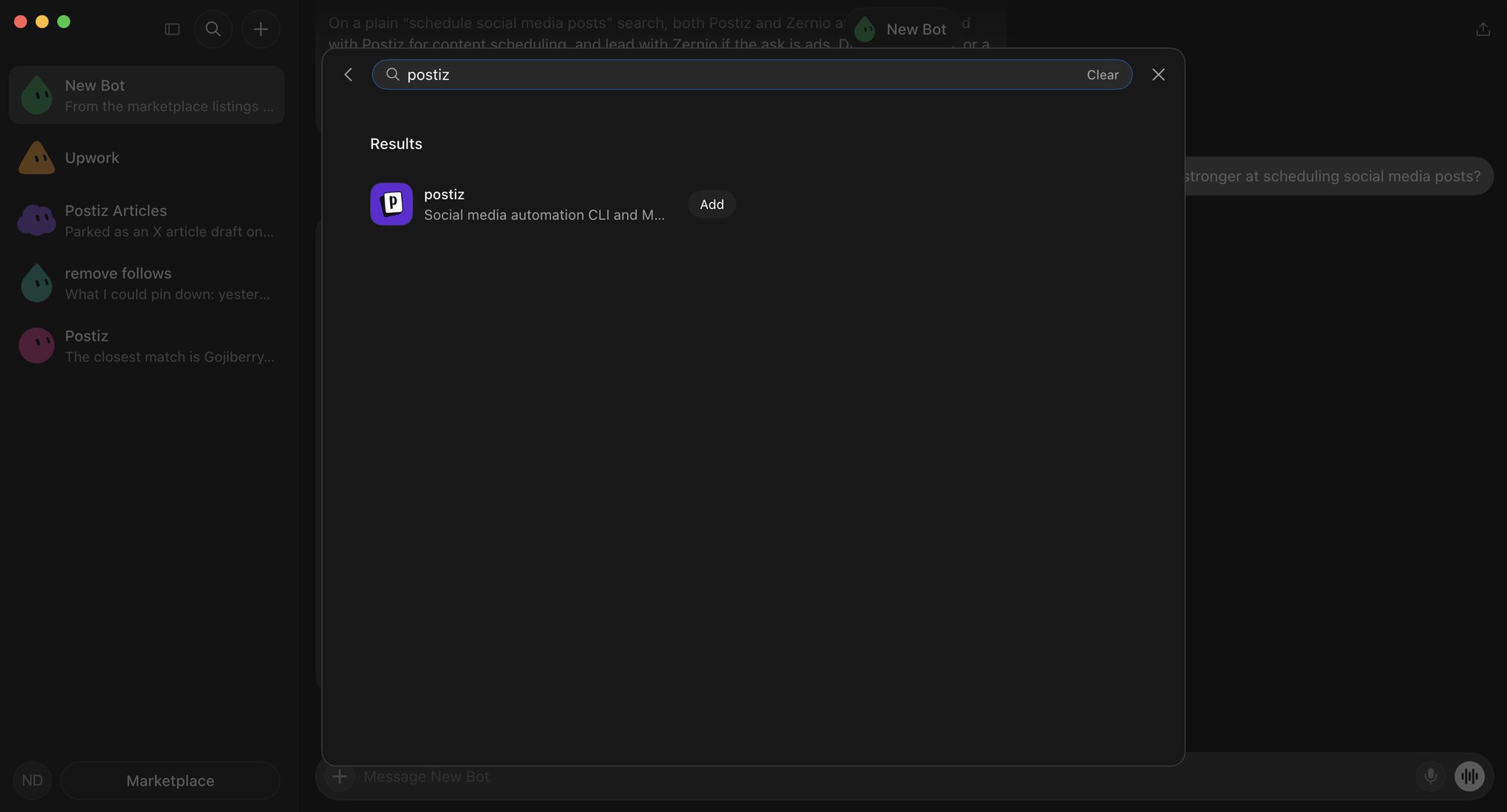
Before it can do that, it needs somewhere to publish. Pedro connects Postiz from inside Grok Bot: open the Marketplace, search for Postiz, open the plugin and click Add.
Postiz in the Grok Bot Marketplace. One search, one Add button.
After adding it, Postiz asks to authorize the connection. Clicking Authorize opens a Postiz permission screen that lists exactly what the Bot will be allowed to do: access connected channels, create and schedule posts, and read post analytics. He approves it in Postiz, the browser offers to reopen Grok Bot, and when he is back the connection is live. No API key copied, no credentials pasted, nothing configured by hand.
From there the Publisher can see every channel already connected in his Postiz account. He hands it the finished assets with instructions like:
“Here are the finished posts for this week. Schedule two per day, leave enough time between each post and prepare everything for my approval before publishing.”
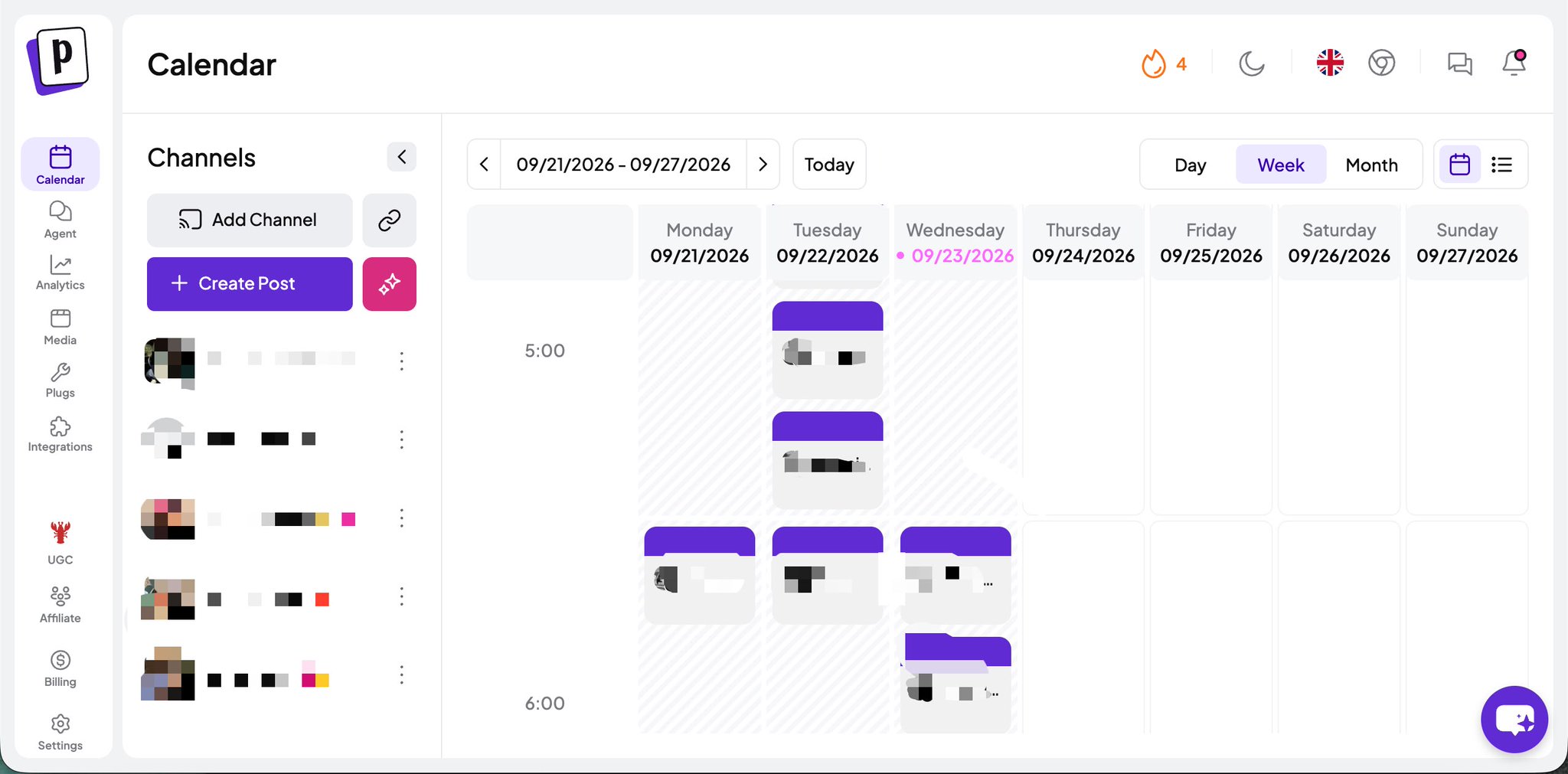
The Publisher prepares the posts and places them into the Postiz calendar so he can review the final schedule before anything goes live.
The week the Publisher Bot built inside Postiz: two posts a day across his connected channels, waiting for approval.
What he likes about this step is the order of operations. He batch-creates the content first, then delegates the most repetitive part of the whole process, which is uploading, organizing and scheduling each post one by one. He still approves the final calendar. He just does not have to prepare every post himself.
Even with all of this running, there are decisions he does not want AI making. The Bots research, organize ideas, generate assets, create variations and schedule content. He still decides which ideas are worth pursuing, which creatives feel natural enough to post, and when a format deserves another iteration.
He also reviews every piece of content before it goes live. His reasoning: AI saves hours, but after testing hundreds of posts he understands context, taste and what feels native to a platform better than the model does. The system removes repetitive work so he can spend more time on the decisions that actually move numbers.
If you want to go deeper into how he grows apps with organic content and AI UGC, he shares the full process (in Spanish) inside a Skool community he runs with @AlbertoAIcode.
9. The complete setup
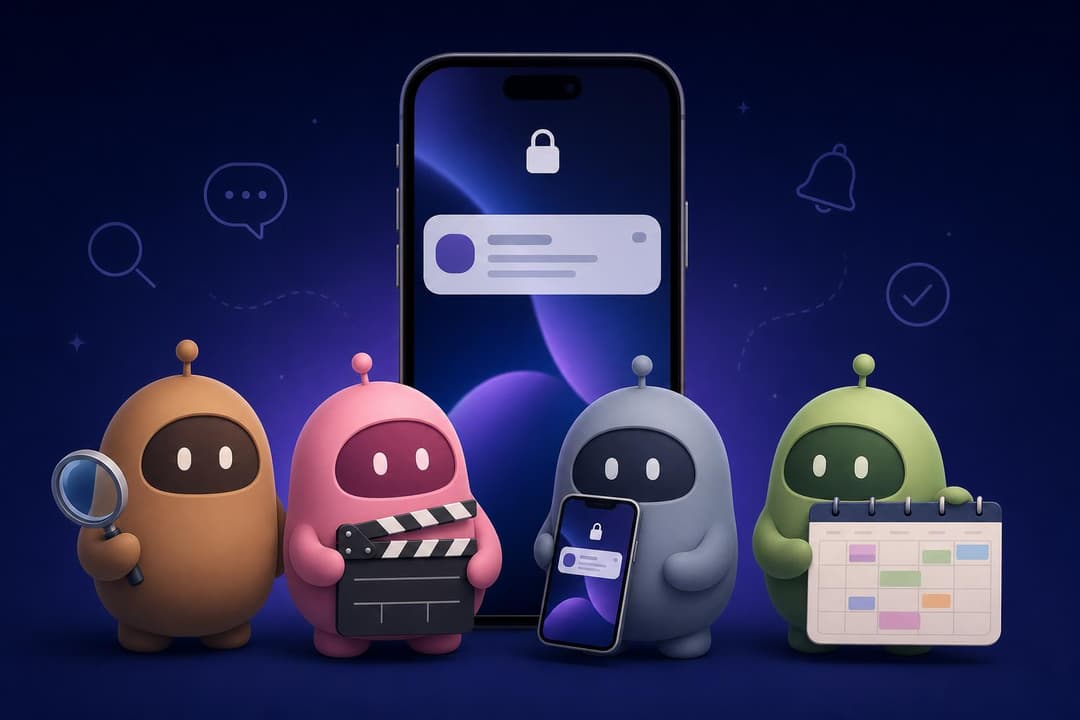
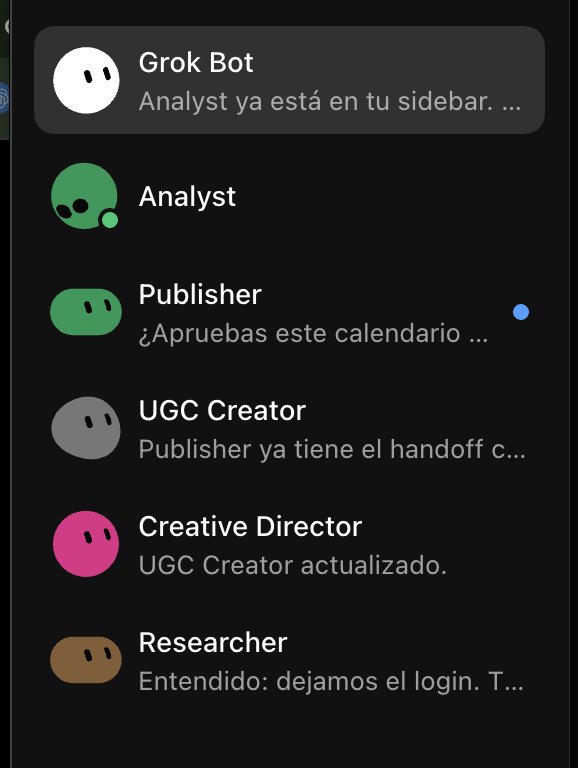
Step back and this is what he ended up with: a Researcher finding opportunities, a Creative Director turning them into production-ready concepts, a UGC Creator generating the assets, and a Publisher organizing the finished content, all sitting in one Grok Bot sidebar.
The full team in the Grok Bot sidebar. Each Bot has one job and a handoff to the next.
None of these Bots exist for the sake of “having AI agents”. Each has a specific job, and the article shows what he gives them, what they return, what he corrects and how the work moves from one to the next. That is also why one real example from start to finish beats a theoretical framework: you can see the idea being found, adapted, produced, multiplied and scheduled.
Here is the whole pipeline in one table:
Bot
Input
Output
Human decision
Coordinator
Your request
Routes to the right Bot
What to ask for
Researcher
App description, niche, competitor accounts
Real examples with hook, format and adaptation notes
Which opportunity to test
Creative Director
Researcher brief
Production-ready concept, slide by slide, plus variations
Which variations to produce
UGC Creator
Creative brief, avatar, app icon, visual rules
Finished slides via Higgsfield
What still looks fake
Publisher
Approved assets, scheduling instructions
Posts placed in the Postiz calendar
Final approval before publishing
How to copy this AI marketing team in an afternoon
Create the Coordinator first using Pedro’s Master Prompt, then let it help you create the other four Bots one at a time.
Feed the Researcher real accounts, not a niche name. It needs examples to analyze, and you need to be the one who picks the winner.
Build one avatar with the prompt pack before you generate any content, so every asset shares the same face.
Write your UGC corrections down as rules after the first batch. That is what makes the second batch cheap.
Connect Postiz from the Marketplace, ask the Publisher for a week of posts, and approve the calendar instead of building it.
FAQ
Do I need an API key to connect Grok Bot to Postiz?
No. Adding the Postiz plugin from the Grok Bot Marketplace triggers an authorization flow. You click Authorize, approve the permissions (connected channels, creating and scheduling posts, reading analytics) inside Postiz, and the connection is live. An API key route also exists if you prefer to configure the Bot from the terminal.
Which channels can the Publisher Bot schedule to?
Any channel already connected to your Postiz account. Postiz supports Instagram, TikTok, X, LinkedIn, YouTube, Facebook, Threads, Pinterest, Reddit, Bluesky and more than twenty other platforms, so the Publisher works with whatever mix you have set up.
Why separate Bots instead of one Bot with a long prompt?
Because long context degrades task accuracy. The 2025 study Pedro cites found average accuracy dropped from 66.5% to 25.9% as context grew to 30k tokens, while retrieval stayed above 87%. A narrow Bot with only the context its job needs performs better on that job.
Does the Publisher post automatically?
Only if you ask it to. In Pedro’s setup the Publisher prepares posts in the Postiz calendar for approval, and he reviews the schedule before anything goes live. You can run it fully automated, but he chooses to keep the final check.
What tools does this workflow use?
Grok Bot for the team of Bots, Grok Images for the avatar reference pack, Higgsfield (connected inside the UGC Creator) for asset generation, and Postiz for scheduling and publishing.
Give your Bots somewhere to publish
Everything before the Publisher step is creative work, and Pedro’s point is that the creative decisions stay with him. The last mile is different. Once the assets are approved, someone has to upload, organize and schedule every post across every channel, and that is the part worth handing to a Bot completely.
Try Postiz for free, connect your channels, add the Postiz plugin inside Grok Bot, and let your Publisher Bot fill next week’s calendar while you approve it from your phone.