You already know you can schedule YouTube Shorts. It's built right into YouTube Studio—just upload your video, add your title and description, and when you get to the "Visibility" screen, hit Schedule and pick your time. Simple.
But let's talk about why this is such a game-changer.
Why Scheduling YouTube Shorts Is a Growth Superpower
Before we get into the nitty-gritty of how to do it, it's really important to understand that scheduling isn't just a neat little time-saver. It’s one of the most powerful tools you have for growing your channel consistently. The YouTube algorithm absolutely loves a regular posting schedule, and let's be honest, scheduling is the only sane way to keep that up without burning out.
Think about it. If you're a small business owner or a marketing agency juggling a dozen other tasks, you can't just drop everything to post a Short at the perfect time.
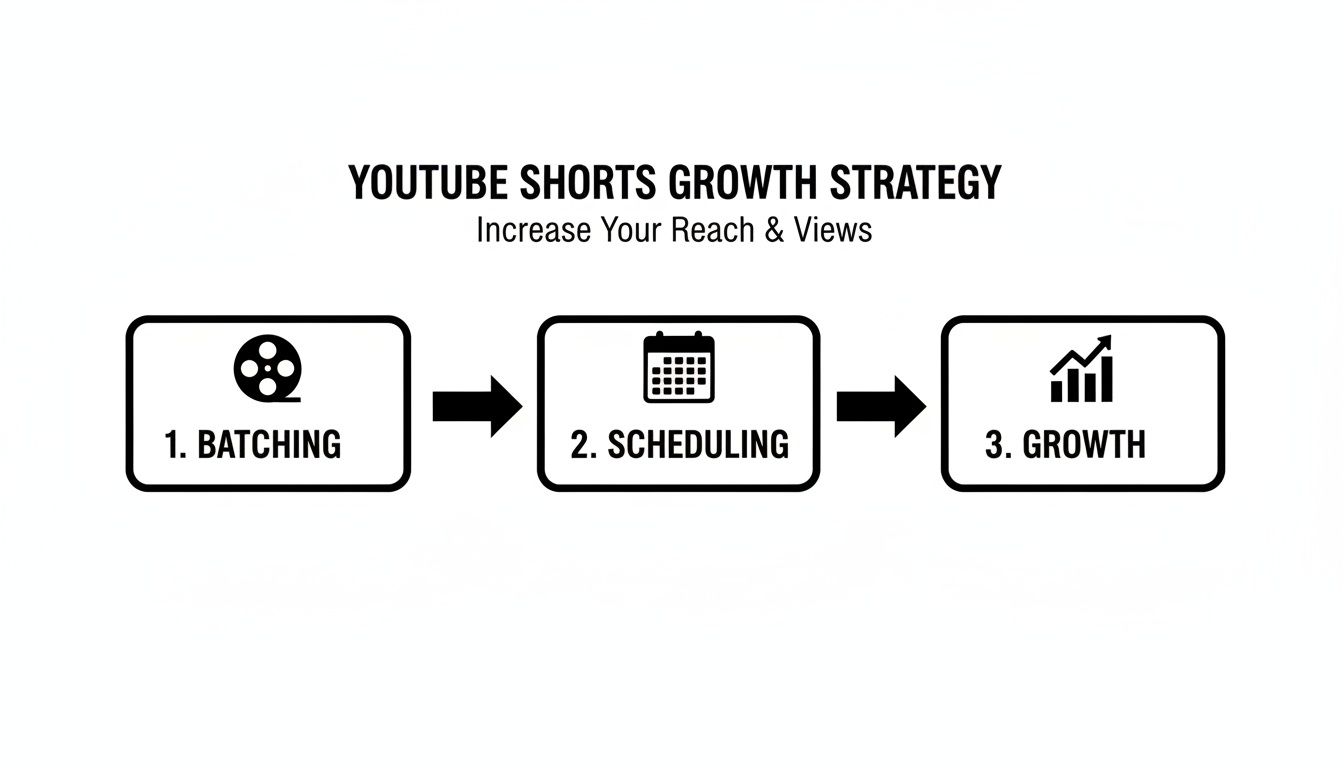
That's where batching comes in. You can film and edit a week's worth of Shorts in one afternoon, then load them up and schedule them to drip out at the best times. This changes everything.
Feed the Algorithm: You're giving YouTube a predictable, steady diet of content, which often leads to better visibility and reach.
Post at Peak Times: Your audience might be most active at 7 PM, but you might be busy with family. Scheduling lets you be "live" when it matters most, not just when you're free.
Boost Your Quality: When you aren't rushing to get a video out today, you have more breathing room to plan, film, and edit better content. Quality almost always improves when you remove the last-minute panic.
Free Up Your Brain: It gives you back the mental space to think about bigger things—like new video ideas, engaging with your comments, and figuring out what your audience actually wants.
The real magic of scheduling is that it lets you stop being reactive. Instead of scrambling every day, you become a strategist who's intentionally planning for growth and engagement. This is how the pros do it.
For a lot of creators, the easiest way to schedule Shorts is to use the tool YouTube already gives you. You don't need any fancy third-party apps—everything is built right into the YouTube Studio you already know. It’s the perfect no-fuss method, whether you're just starting out or you've been at this for years.
The process is basically the same as uploading a regular long-form video, but with a couple of key differences you need to nail down first.
Manage all your social media in one place with Postiz
Before you even think about hitting that upload button, you need to make sure your video file is actually a Short in YouTube's eyes. It’s simple, but overlooking this can cause headaches. YouTube will automatically flag your video as a Short if it meets two conditions:
It's short: The video has to be 60 seconds or less. No exceptions.
It's vertical: It needs a vertical or square aspect ratio. The gold standard is 9:16.
Get these two things right, and the rest of the process is a breeze. It’s also a good idea to have your title, description, and tags figured out beforehand so you can just copy and paste them in.
The Upload and Scheduling Workflow
Once you start the upload, you'll go through the usual steps. On the "Details" page, you'll plug in your title and description. Don't sleep on this part! Even for Shorts, a catchy title is what makes people stop scrolling in the feed.
The real magic happens on the "Visibility" screen. This is where you tell YouTube exactly when you want your video to go live.
Instead of just clicking "Public," you'll want to select the "Schedule" option. A little calendar and time-picker will pop up, letting you pinpoint the exact date and time for your Short to be published.
Quick Tip: Pop into your YouTube Studio settings and double-check your time zone. It’s a tiny detail, but getting it wrong can mean your Short drops at 2 AM instead of 2 PM, completely missing your audience when they're most active.
It helps to know what all the visibility options mean:
Private: Only you and specific people you invite can view it.
Unlisted: Anyone with the direct link can watch, but it won’t show up on your channel or in search results.
Scheduled: Your video stays private until the time you've picked. Then, it automatically flips to public.
This entire workflow isn't just about convenience; it’s a core part of a sustainable growth strategy.
By batch-creating your Shorts and then scheduling them out, you build a content machine that keeps your channel consistently active. And consistency is everything.
The Shorts world is booming, growing from 1.5 billion monthly users in 2022 to a projected 2.3 billion in 2025. It racks up over 70 billion daily views. With 6.5 million creators uploading every month, you can't just post whenever you feel like it. A smart scheduling strategy is what separates the channels that grow from the ones that don't. You can dig into more of these numbers and discover more YouTube Shorts statistics and trends on Voomo.ai.
Scheduling Shorts Straight From Your Phone
Let's be real—for most of us, our phone is our entire content creation studio. We film, edit, and upload all from the palm of our hand. The great news is you don't have to be chained to a desk to keep a consistent posting schedule. Figuring out how to schedule YouTube Shorts right from your phone is a total game-changer, especially when you're on the go. The process is pretty similar to the desktop version, but the mobile app has its own little quirks.
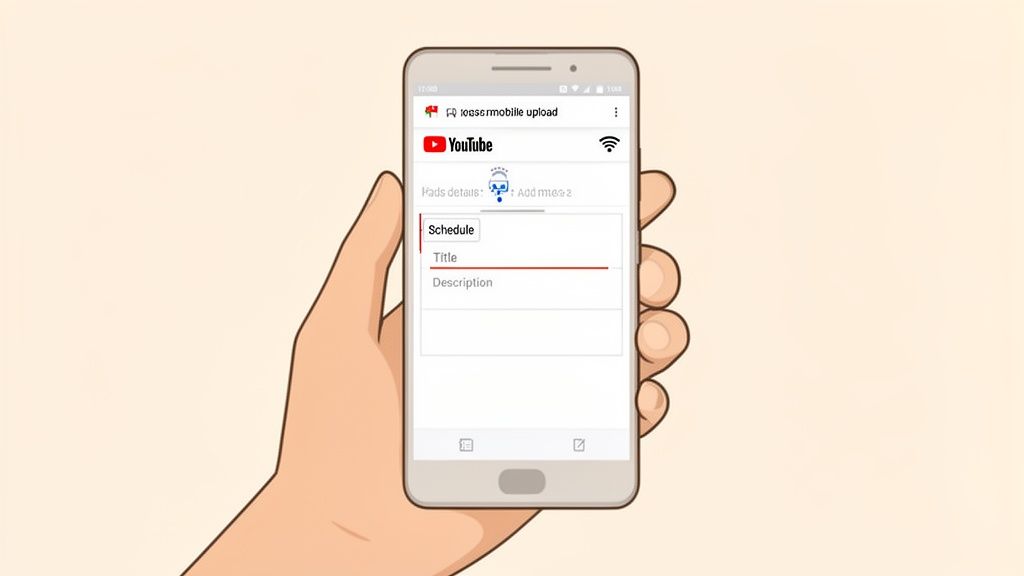
Let’s walk through how it’s done. Fire up the YouTube app and tap that big plus (+) icon at the bottom. You can either select "Create a Short" to film something new or hit "Upload a video" to grab a clip you’ve already polished up.
After you've picked your video and added any music or text overlays, tap "Next." This takes you to the final details screen where all the scheduling magic happens.
Finding the Scheduling Option
This is where a lot of creators get stuck. Once you’ve added your title, look for the "Visibility" setting—it’s probably defaulted to Public. Go ahead and tap on that.
Instead of the big menu you see on a desktop, a small pop-up appears with a few choices. Here's what to do next:
Choose the Schedule option from the list.
A new screen will pop up, letting you pick the exact date and time.
Lock in your time and hit Done.
Once you've set the schedule, the app will bring you back to the details screen. All that's left is to hit "Upload Short," and your video will patiently wait in the queue, ready to launch at just the right moment.
A quick heads-up from experience: A spotty internet connection is the enemy of mobile uploads. If your Wi-Fi or data is unreliable, wait to start the upload until you know you have a solid connection for a few minutes. A failed upload right before it's supposed to go live can really mess up your content calendar.
A Few Mobile-Specific Tricks
Scheduling from your phone is super convenient, but a few simple habits make it even easier. I always recommend having your title and a handful of go-to hashtags copied to your clipboard before you even start the upload process. It saves you the headache of fumbling with the tiny keyboard.
And one last thing: triple-check the date and time before you hit that final upload button. It’s surprisingly easy to tap the wrong day on a small calendar. Once you nail this mobile workflow, you can batch, upload, and schedule an entire week of Shorts from anywhere. Who needs a laptop?
Using Third-Party Tools for Advanced Scheduling
Let's be real: YouTube Studio's built-in scheduler is a great free tool, but if you're serious about content, you'll outgrow it pretty fast. Anyone juggling Shorts, Reels, TikToks, and other social media knows the pain of logging into five different apps just to post one video. This is exactly why dedicated scheduling tools like Postiz are so essential for anyone trying to scale their content.
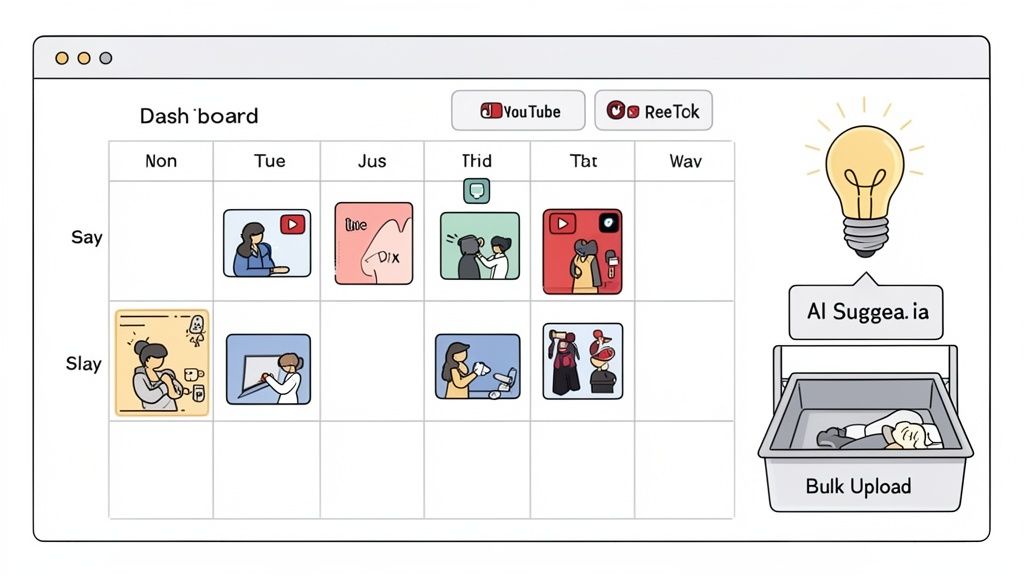
Think of these platforms as your social media command center. Instead of hopping between platforms, you get a single dashboard to plan, schedule, and analyze everything. For creators, brands, and especially agencies, the time saved is a game-changer.
A More Powerful Scheduling Workflow
The beauty of these tools lies in their simplicity and power. You connect your YouTube channel and other social accounts, bulk-upload your videos, and then visually map out your entire content calendar. Imagine seeing a week's worth of Shorts laid out right next to your planned Instagram posts.
This bird's-eye view transforms scheduling from a chore into a strategic advantage. You can instantly spot gaps in your content, ensure you're not posting similar videos back-to-back, and build a consistent story across every platform.
Plus, you get access to features that YouTube Studio simply doesn't offer. Here are a few that make a huge difference:
AI-Powered Assistance: Get smart suggestions for catchy titles, descriptions, and hashtags that actually help your Shorts get discovered.
Bulk Uploading: This one is a lifesaver. Drag and drop a whole folder of videos and schedule them out in minutes, not hours.
Cross-Platform Analytics: Finally, you can see how a piece of content performs on YouTube versus Instagram versus TikTok, all in one place. This gives you a much clearer picture of what your audience really wants.
The real win with a third-party tool isn't just about scheduling. It's about centralizing your entire short-form video strategy. When you can repurpose a winning video for TikTok, Reels, and Shorts from one dashboard, you multiply your reach with a fraction of the effort.
Is a Third-Party Scheduler Right for You?
If you’re managing more than just a single YouTube channel or trying to build a brand across multiple social platforms, then yes, it's absolutely worth it. To help you decide, here’s a quick breakdown of how YouTube’s native tool compares to a more robust third-party scheduler.
YouTube Native Scheduler vs Third-Party Tools Like Postiz
While the free native scheduler is perfect for getting started, a dedicated tool is an investment in efficiency and smarter strategy.
The short-form video market is massive—70% of YouTube channels that upload monthly now post Shorts, which are projected to hit 200 billion daily views in 2025. This is a huge opportunity you don't want to miss. For anyone needing advanced features, this social media management tools comparison is a great resource to find the right fit.
Ultimately, using a more powerful scheduler is about working smarter. If you're ready to explore what's out there, check out this guide to some of the best social media scheduling tools on the market.
Finding the Perfect Time to Schedule Your Shorts
Knowing how to schedule YouTube Shorts is a great first step, but it's only half the puzzle. The other, far more important piece is knowing when to schedule them.
Dropping an amazing Short when your audience is asleep is like telling a great joke to an empty room. To really get the views you deserve, you need to stop guessing and start digging into the data.
Your best friend here is your very own YouTube Analytics. This isn't about following some generic advice you read online; it's about listening to what your specific viewers are already telling you.
Uncovering Your Audience's Habits in Analytics
First things first, head over to your YouTube Studio and find the "Analytics" tab on the left. Once you're in, click over to the "Audience" tab. This is where you'll strike gold. Look for a chart called "When your viewers are on YouTube."
This little chart is a visual map of when your audience is most active. The darker the purple bars, the more of your viewers are online. You're looking for those deep purple clusters—those are your personal prime-time slots.
For example, you might see that your audience is always online between 6 PM and 9 PM on weekdays, but they show up much earlier on a Saturday. This data is your custom-built roadmap for scheduling.
Pro Tip: Try scheduling your Shorts to go live about an hour before these peak times kick in. This gives the YouTube algorithm a little runway to index your video and start pushing it out just as your audience starts scrolling.
General Guidelines and Global Considerations
While your channel's data is always the best guide, general traffic patterns can give you a solid starting point, especially if your channel is still new and doesn't have a lot of viewer history yet.
Generally, we see Shorts engagement peak between 2 PM and 4 PM EST on weekdays in the US. Globally, with over two billion users, the algorithm often gives a boost to content uploaded during high-traffic windows, like evenings in India (7-10 PM IST). In fact, channels that schedule Shorts for these prime times see 5.91% higher engagement rates than long-form videos. You can discover more insights about these YouTube Shorts statistics on AllOutSEO.com.
If you have a global audience, pay close attention to where your viewers are coming from in your analytics. You might be surprised to find a large following in a completely different time zone. If that's the case, you'll want to try a split strategy:
Post some Shorts for your primary audience's peak viewing time.
Schedule others that align with your secondary audience's evening hours.
This way, you're not leaving a huge chunk of your potential viewership behind. For a deeper look at timing, we put together a complete guide on finding the best time to post on YouTube Shorts. The key is to experiment with these different windows, keep an eye on your first-hour view count, and adjust your schedule based on what works.
Of course, here is the rewritten section with a more natural, human-written tone.
Common Questions About Scheduling YouTube Shorts
Even the most organized creators run into questions and the occasional snag. It’s just part of the process. When you're figuring out how to schedule YouTube Shorts, a few common worries seem to pop up for everyone. Let's clear the air and tackle those head-on so you can build your content calendar with confidence.
Can You Edit a Scheduled Short Before It Goes Live?
Yes, you absolutely can! And honestly, it’s a lifesaver.
We’ve all been there—you schedule a Short, walk away, and then the perfect title or a killer keyword pops into your head an hour later. Or maybe you just spot a pesky typo in the description. As long as your video hasn't gone public, you can jump back in and tweak whatever you need.
Here’s how you do it:
Head over to your YouTube Studio.
Click on the Content tab in the left-hand menu.
You’ll see your video in the list with a “Scheduled” status next to it.
Just hover over it and click the little Details pencil icon.
From that screen, you can change the title, description, tags, and even push the scheduled time back or forward. Just don't forget to hit Save before you leave. This kind of flexibility is a massive advantage, letting you polish everything right up to the last minute.
Heads up: The one thing you can't do is swap out the actual video file. If you realize you uploaded the wrong version, you'll have to delete the scheduled post and start the upload process all over again.
What Happens If a Scheduled Upload Fails?
It’s frustrating, but it happens—especially if you’re uploading from your phone on a spotty Wi-Fi connection. If an upload gets stuck or fails to process before its scheduled time, don't worry. YouTube won't publish a half-baked or broken video to your channel. It will just sit in your content library with a "failed" status.
When this happens, the best thing to do is act fast.
Delete the failed upload so it doesn't clutter up your channel. Then, get on a stable internet connection and re-upload it right away. If you're running close to your ideal posting time, it's far better to publish it a little late than not at all. A slight delay won't kill your video's performance, but missing a scheduled post can break the consistency your audience (and the algorithm) expects.
Does Scheduling Shorts Hurt Your Views?
This is probably the biggest myth out there, and it’s time to put it to rest. Scheduling your YouTube Shorts has zero negative impact on your views. The YouTube algorithm couldn't care less whether you hit "Publish" manually or set it to go live ahead of time. It treats both videos exactly the same.
What the algorithm actually cares about is consistency and whether people are watching and engaging with your content. Scheduling is simply a tool to help you nail both of those things.
By scheduling, you can drop your content precisely when your audience is most likely to be scrolling, which can give your views a nice initial boost. More importantly, it helps you stick to a regular posting rhythm, which signals to YouTube that you're a reliable creator. The real danger to your views isn't scheduling—it's posting erratically or at 3 AM when your target audience is fast asleep.
Ready to streamline your entire social media workflow? With Postiz, you can manage everything from scheduling Shorts to tracking analytics in one spot. Bulk upload your videos, get smart AI title ideas, and control all your channels from a single dashboard. Take charge of your content by checking out Postiz today.
A breakdown of the Claude Code + Claude Skills workflow that replaces a social media team — and how to close the loop with a publishing layer that actually ships posts.
How to change instagram to business account - Discover how to change instagram to business account with our 2026 guide. Unlock powerful analytics, contact
Build a small business content marketing strategy that drives real growth. Learn to create content that converts, measure ROI, and connect with your audience.