Coming across a subreddit you strongly disagree with can be frustrating. But disagreement alone is not a reason to report an entire community. Reddit’s reporting system is designed for serious, systemic violations of its platform-wide rules, not for unpopular opinions, edgy humor, or communities you simply don’t like.
Reporting a subreddit is a significant step, and using it incorrectly can waste time or undermine legitimate moderation efforts. To do it properly, you need to understand the difference between bad takes and bad communities, what qualifies as a sitewide policy violation, and how Reddit administrators actually evaluate reports. This guide walks you through when reporting a subreddit is appropriate, how to recognize clear violations, and how to build a report that Reddit’s safety team can realistically act on.
Quick Answer
You should only report a subreddit if it consistently violates Reddit’s sitewide Content Policy, such as promoting violence, hate, harassment, or non-consensual content. Disagreeing with opinions, humor, or politics is not grounds for reporting an entire community.
Knowing When to Report a Subreddit
Before you jump to the report button, it’s important to understand who you’re reporting to and why.
Subreddit moderators handle violations of community-specific rules
Running into a toxic comment on Reddit is common. That alone does not justify reporting an entire subreddit.
To escalate to admins, you need to show that:
The behavior is widespread, not isolated
The community encourages or rewards it
Moderators fail to act, or actively participate
A single hateful comment might be removed by responsible mods. A subreddit where hateful content is consistently upvoted, defended, and repeated points to a systemic problem.
Pay close attention to moderation behavior:
Are rule-breaking posts removed?
Are mods silent, dismissive, or complicit?
Do moderators participate in the behavior themselves?
If the mod team is enabling the issue, your case becomes significantly stronger.
On platforms like Twitter, heated opinions are often tolerated differently, but Reddit’s community-driven structure sets a higher bar. This breakdown of Reddit vs Twitter shows why moderation expectations vary so widely.
Gathering the Right Evidence for Your Report
Calling a subreddit “toxic” isn’t enough. Reddit admins require clear, organized proof of repeated violations.
Think of this like building a case file. Without evidence, a report is an opinion. With evidence, it’s actionable.
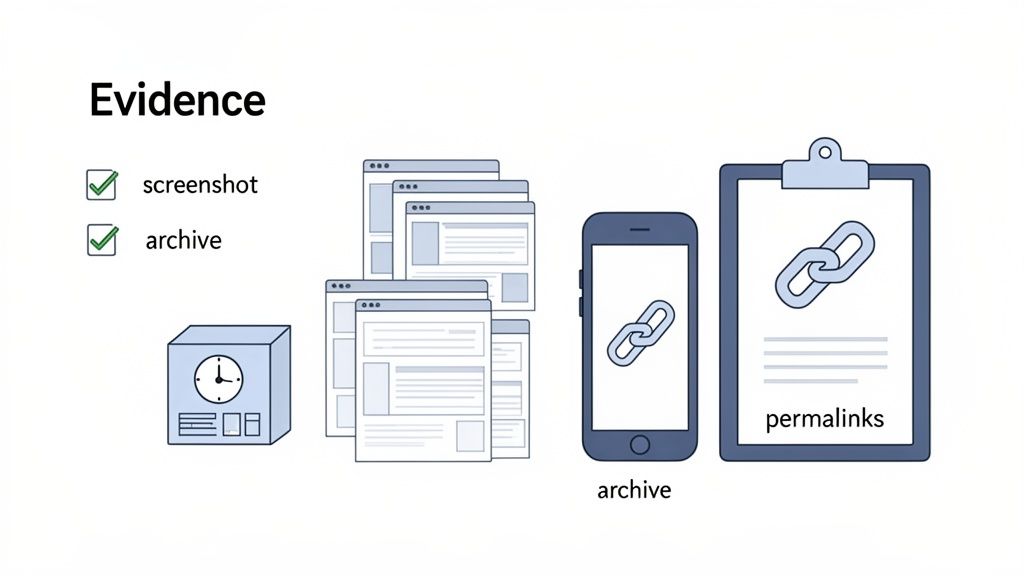
Screenshots Are Your Best Friend
Screenshots are often the strongest form of proof, especially since content can disappear quickly.
Best practices:
Don’t edit screenshots (no cropping, highlighting, or annotations)
Capture full context (username, timestamp, vote count, full text)
Ensure clarity (no blur, no cut-off text)
Create a Permanent Record with Archive Links
Content on Reddit can vanish in an instant. A user can delete their comment, or a moderator can remove a post, and suddenly your proof is gone. Archiving the links to the worst violations is your insurance policy against this.
Archiving creates a permanent, time-stamped snapshot of a webpage that lives on, even if the original content gets deleted from Reddit. It’s definitive proof that something existed at a specific point in time.
Services like the Wayback Machine (archive.org) or archive.today are perfect for this. Just copy the URL of the Reddit post or comment, paste it into the archive site, and save the resulting link. When you submit your report, include these archived links alongside your screenshots for a truly bulletproof case.
It’s All About Showing a Pattern
A single offensive post rarely gets an entire subreddit shut down. To get the admins’ attention, you need to show that the rule-breaking isn’t just a one-off incident—it’s part of the community’s culture. You’re looking for a pattern of abuse.
Gather multiple examples from different users over several days or weeks. This demonstrates that the problem is systemic and not just one bad actor. As you collect your evidence, try to avoid engaging with the content yourself. It’s better to observe and document from a distance. Understanding community norms, even toxic ones, is key; some of the principles of how to promote content on Reddit without being spammy can actually offer insights into what admins look for in both positive and negative user behavior.
I recommend keeping everything organized in a simple text document. For each piece of evidence, save the permalink and a quick note about which specific policy it violates. This little bit of prep work will make your final report to the admins much more compelling.
Alright, you’ve got your evidence compiled and you’re ready to take action. Let’s walk through how to file a report using a desktop browser, which is honestly the easiest way to get it done.
You can’t just click a button to report an entire community, but you can use Reddit’s official report page to get your concerns directly in front of the site admins. This is where all that evidence gathering you did will pay off.
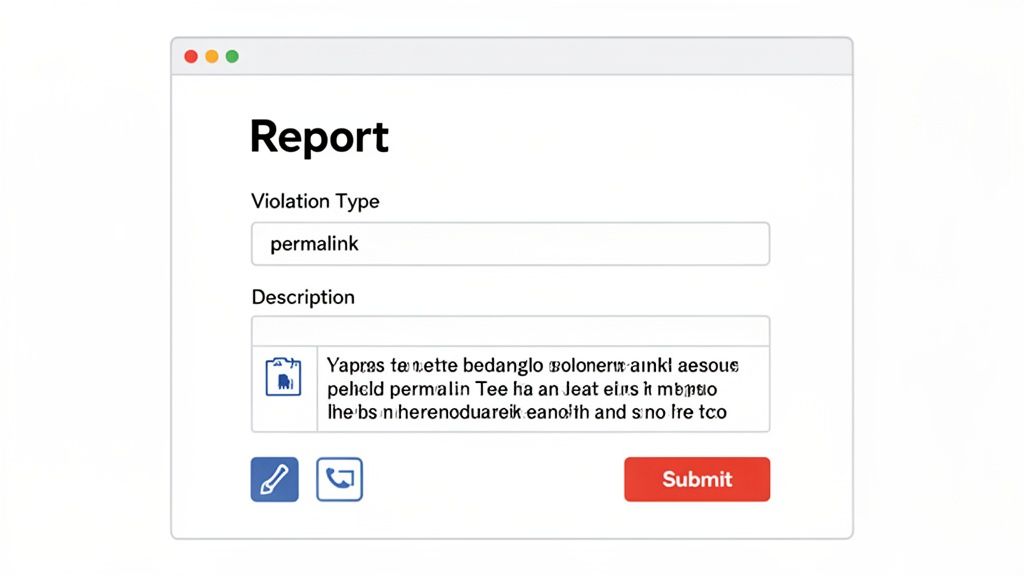
Making Your Way Through the Report Form
When you open the report page, you’ll be greeted by a few dropdown menus. Think of this as pointing the admins in the right direction.
First, select a general category that fits your issue. A good starting point is usually “I want to report spam or abuse.” This will open up more refined options.
From there, you’ll need to get more specific. If the subreddit is coordinating attacks on others, “It’s targeted harassment” is a solid choice. If it’s a hub for bigotry, go with the hate speech option. Just pick the one that best describes the core problem with the community.
Presenting Your Evidence
Now for the most important part: providing the proof. The form will ask you for links to the specific posts or comments that violate Reddit’s rules. This is where you’ll use the list of permalinks and archived links you prepared.
You can submit up to 10 links per report, so you need to be strategic.
Lead with your strongest proof. Start with the most undeniable, clear-cut violations of Reddit’s Content Policy.
Demonstrate a pattern. Use examples from several different users to show this isn’t just one or two bad apples—it’s a community-wide problem.
Highlight moderator misconduct. If you have links showing mods encouraging, participating in, or ignoring the rule-breaking, make sure those are at the top of your list.
The “Additional Information” box is your chance to tell the story. Don’t just dump a list of links. You need to connect the dots and explain why the entire subreddit is the issue, not just a few posts.
Writing a Compelling Summary
In that text box, you’ll need to summarize the problem. Keep it brief, factual, and to the point. Ditch the emotion and stick to the evidence. The easier you make it for the admins to understand the situation, the better.
Here’s a sample you can adapt for your own report:
“The subreddit r/[SubredditName] is consistently used to [describe the behavior, e.g., organize harassment against users of another community]. The links I’ve provided show a clear pattern of this from multiple accounts. The mods are also involved, as shown in [Link to mod comment/post], where they enable this behavior. The entire community seems built around violating Reddit’s policy against harassment and needs to be reviewed.”
This template is direct and gives context to your evidence. Once you’ve filled everything out, give it a quick proofread, and hit submit. Your report is now in the admins’ queue.
How to Report a Subreddit on the Reddit Mobile App
Reporting a subreddit from your phone is, frankly, a bit of a pain. The official Reddit app makes it easy to flag individual posts or comments, but it completely lacks a built-in feature for reporting an entire community. This is a real headache when you stumble across a toxic subreddit while you’re away from your computer.
But don’t worry, there’s a solid workaround.
The trick is to sidestep the app entirely and use your phone’s web browser to pull up Reddit’s desktop reporting page. This gives you access to the full-fledged reporting tools, letting you submit a detailed, evidence-backed report just like you would on a PC. It works perfectly on both iOS and Android.
Pulling Up the Desktop Report Form
First thing’s first: open up your mobile browser—Safari, Chrome, whatever you use.
Instead of going to the main Reddit homepage, which will just try to boot you back into the app, go directly to Reddit’s report page: www.reddit.com/report.
This direct link forces the desktop version of the report form to load. It’ll look a little squished on your phone screen, but it’s the exact same interface you’d see on a computer. You’ll have all the dropdown menus and text boxes needed to build a proper report.
From there, the steps are the same:
Pick the main abuse category that fits the problem.
Drill down to the specific policy the subreddit is violating.
Paste in the permalinks to the posts and comments that prove your case.
This is, by far, the most effective way to get a real report filed from your phone.
Gathering Your Evidence on Mobile
Collecting proof on a phone takes a little bit of juggling, but it’s totally doable. When you’re in the app and see a post or comment that breaks the rules, just tap the Share button, then hit Copy Link. That saves the direct link (the permalink) to your phone’s clipboard.
Pro Tip: I always keep a notes app handy for this. As I find problematic content, I paste each permalink into a new note and add a quick description of what it is. This keeps all my evidence organized in one place, ready for me to copy over to the report form in my browser.
Screenshots are just as vital on mobile, especially since problematic content can disappear quickly. Use your phone’s native screenshot function to grab images of anything that proves the subreddit is a problem. They’ll save right to your photo gallery, and you can upload them to an image-hosting site later if needed.
Yes, the process is a bit clunky. But it ensures your report is just as complete and effective as one sent from a desktop. Timeliness really matters, and platforms seem to be responding faster these days. While there’s no guarantee, many user reports get a response within 24 hours. By using this mobile workaround, you can take action the moment you spot a problem. You can see more Reddit statistics to get a broader picture of the platform’s trends.
What to Do When a Report Isn’t Enough
Sometimes, firing off an official report to Reddit’s safety team isn’t the right move. While that’s the go-to for major, platform-wide rule-breaking, other situations are better handled with a more targeted approach. Knowing your options can get you a much faster resolution and, frankly, make your time on Reddit better.
Not every frustrating post or annoying user warrants a full-blown report to the admins. Many issues are best solved right at the community level or by simply using the tools Reddit gives you to control your own experience.
Contacting Moderators Through Modmail
Think of a subreddit’s moderators as the local sheriffs. They’re volunteers who manage their own community, and they set their own rules that often go far beyond Reddit’s basic sitewide policies. If you see a post that’s off-topic, spammy, or just plain low-effort according to that sub’s guidelines, messaging the mods is your best first step.
Sending a message via Modmail is the direct line. Just go to the subreddit, look for the moderator list in the sidebar, and you’ll find a “Message the mods” button. Keep it simple and polite: provide a link to the post or comment and briefly mention which of their community rules you think it breaks.
This is almost always faster for community-specific problems because you’re talking directly to the people who can remove the content immediately. Reporting a local rule violation to the admins won’t accomplish much—they’re focused on sitewide policy, not whether a post belongs in r/mildlyinteresting.
If you’ve already been banned and believe it was a misunderstanding, this guide on how to get unbanned from a subreddit explains the best way to appeal respectfully and increase your chances of reinstatement.
Using the Block Feature for Immediate Relief
When the problem isn’t a whole community but one specific user, the block button is your best friend. If someone is harassing you, flooding your inbox with unwanted DMs, or just consistently being a jerk in your replies, blocking them provides an instant fix.
Here’s what blocking someone actually does:
You won’t see their posts or comments anymore.
They can’t send you private messages or chat requests.
Their profile will be hidden from you, and yours from them.
Blocking is about curating your own experience and protecting your own sanity. It doesn’t get the user punished or remove their content for others, but it instantly scrubs them from your version of Reddit.
Treat this as a personal safety tool, not a punishment. If the user’s behavior also crosses the line into violating Reddit’s harassment policies, you should absolutely report their specific comments or messages in addition to blocking them.
When to Contact Reddit Admins Directly
Reaching out to the admins directly is the nuclear option, reserved for the most serious and complex problems. This is for situations where the standard report form just doesn’t cut it—maybe you’re dealing with a pattern of moderator abuse across several subreddits, or an issue so complicated you can’t explain it with a few links.
You can do this by sending a Modmail to the admins via the r/reddit.com subreddit. This is a high-level channel, so don’t use it lightly. Only go this route when you have a well-documented case of severe, systemic policy violations that the normal reporting channels have failed to address.
Choosing the right course of action can be tricky, but it usually comes down to the scope of the problem. Are you dealing with a local issue, a personal conflict, or a sitewide threat?
This table breaks down the best tool for each job.
Choosing the Right Action on Reddit
Action
Best For
What It Does
Expected Outcome
Contact Mods
Violations of a specific subreddit's rules (e.g., off-topic posts, spam).
Notifies the community's volunteer moderation team.
Quick removal of content that breaks local rules.
Block User
Personal harassment or unwanted interactions from one person.
Removes a specific user's content from your view and stops DMs.
Immediate improvement of your personal Reddit experience.
Report Subreddit
Widespread violations of Reddit's sitewide Content Policy.
Submits an official complaint to Reddit's safety team for review.
Potential admin action against the community, from a warning to a ban.
Ultimately, using the right tool for the job saves you time and leads to a much better outcome. For community-specific rule breaks, start with the mods. For personal conflicts, use the block button. Reserve admin reports for the big stuff that threatens the platform’s integrity.
Unlike platforms such as Instagram, Reddit operates on community-first moderation, which is why strategies that work elsewhere often fail here. This comparison of Reddit vs Instagram for business highlights just how different the rules of engagement really are.
What to Expect After You Report a Subreddit
So you’ve sent your report off into the Reddit-verse. What happens now?
The first thing you’ll probably see is an automated message popping into your inbox. This is just a quick confirmation that your report was received—think of it as a digital receipt. A real person hasn’t reviewed it yet, but it’s officially in the queue.
Now comes the hard part: waiting. Reddit’s safety team is swimming in reports, so it can take a while for them to get to yours. They’ll be checking your evidence against Reddit’s sitewide Content Policy to see if the subreddit crossed a line.
Understanding Potential Outcomes
Don’t expect a detailed breakdown of the investigation. For privacy reasons, Reddit keeps its process under wraps. The outcome will depend entirely on how severe the rule-breaking is and how often it’s happening.
Here are a few things that could happen:
A Warning: The subreddit’s mods might get an official slap on the wrist from the admins, telling them to clean up their community.
Quarantine: This is a more serious step. A quarantined sub is hidden from search results and public feeds, and anyone trying to visit gets a warning they have to click through. It basically puts the community in a time-out.
An Outright Ban: For the worst offenders—communities built around harassment, hate, or illegal activity—Reddit will bring down the banhammer and shut the whole thing down.
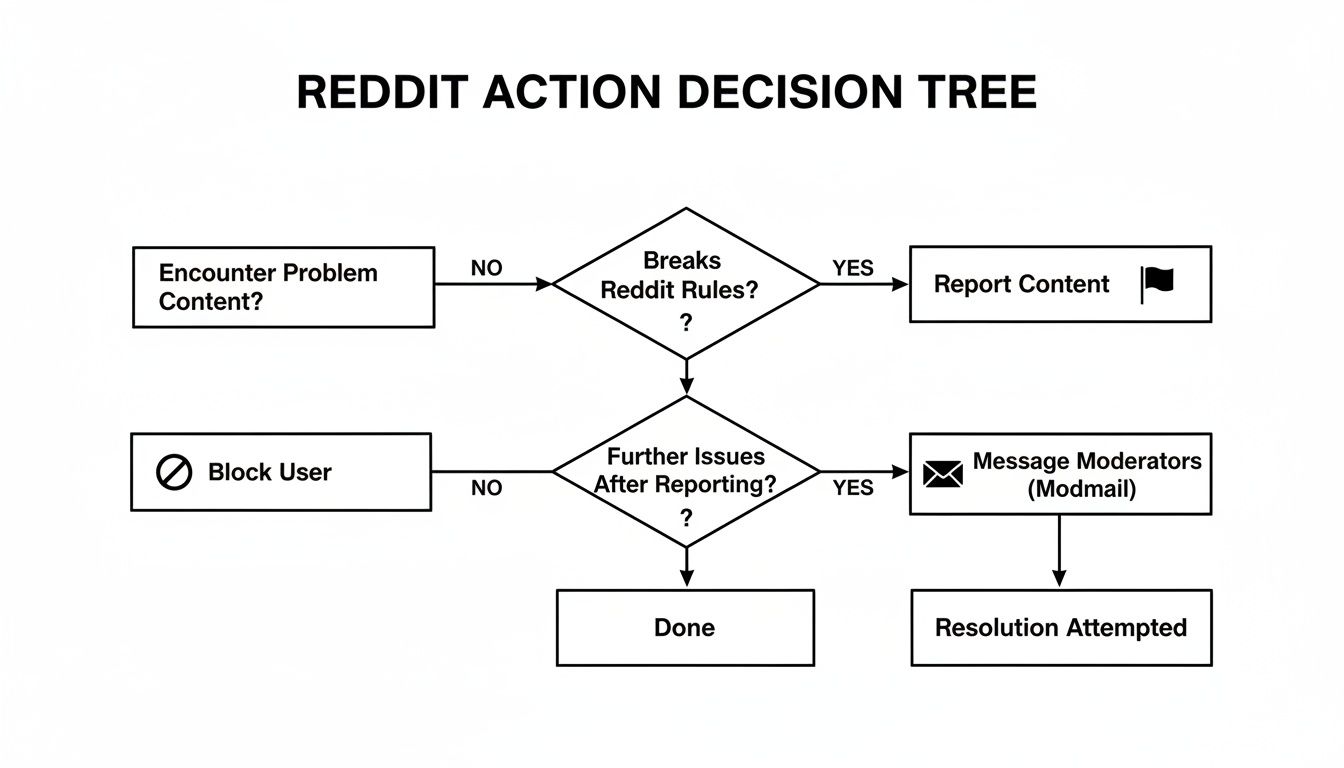
This decision tree gives you a good visual of how things might play out, whether you’re dealing with a bad-apple user, a lazy mod team, or a whole subreddit gone rogue.
As you can see, reporting directly to the admins is just one tool in your toolkit for handling problematic content.
Following Up on Your Report
Eventually, you’ll receive a final message about the outcome. It’s often pretty generic, either saying they took action or that they didn’t find a violation. It can be frustrating if you feel like nothing happened, especially if the bad behavior continues.
Don’t give up.
Think of your report as a single data point for Reddit’s safety team. If the problem keeps going, keep documenting new evidence and submitting it. A consistent pattern of reports, especially from different people, sends a much stronger signal that something is seriously wrong.
If you feel the situation is urgent or was completely overlooked, you could try using Reddit’s help channels, but your best bet is usually to build a stronger case. Collect more evidence and file another, more detailed report. Getting a feel for why Reddit removes posts can also give you a better sense of what admins are looking for.
Got Questions About Reporting a Subreddit? Let’s Clear Things Up
When you’re thinking about how to report a subreddit, a few common questions usually pop up. It’s always a good idea to know the answers before you dive in.
Will They Know It Was Me?
Nope. When you file a report, it’s completely confidential. The mods and members of the subreddit you’re reporting will never be notified about who sent it.
The only people who see your username are Reddit’s own administrators, and they keep that information private. This is a huge relief because it means you can report problematic content without worrying about backlash or harassment from that community.
What if I Don’t Have a Reddit Account?
You can still take action, even without an account. The usual reporting tools are only for logged-in users, but you can always email Reddit’s support team directly for serious violations.
Just make sure your email includes the subreddit’s name, a clear explanation of which rules are being broken, and direct links to the posts or comments that serve as evidence.
If you manage Reddit content at scale, using tools that respect Reddit’s posting limits and community rules matters. You can schedule Reddit posts safely using Postiz while staying aligned with platform restrictions.
Managing communities and content requires the right tools. Postiz offers a powerful, agent-ready platform to schedule posts, analyze performance, and collaborate effectively across all your social channels. Discover a smarter workflow at https://postiz.com.
Discover the best time to post on Reddit for engagement. Our guide reveals data-backed strategies and peak hours to help you maximize visibility and upvotes.
Discover the best days to post on social media in 2025 to boost engagement. Learn tips and insights to optimize your posting schedule and grow your audience.