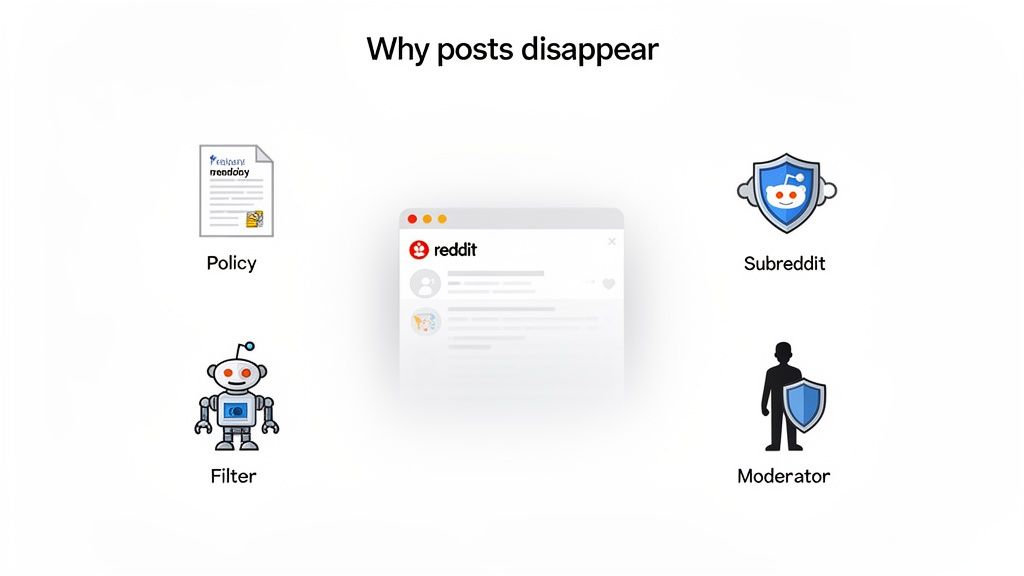
It’s a feeling every Redditor knows. You pour your energy into crafting the perfect post, hit submit, and… poof. It vanishes without a trace. It’s frustrating, but it’s rarely random. Reddit removes posts for four key reasons, and figuring out which one tripped you up is the first step to making sure it never happens again.
By the end of this guide, you’ll know exactly why Reddit removes posts, how to diagnose the cause in minutes, and how to post confidently without triggering filters or moderators.
Why Was My Reddit Post Removed? (2-Minute Checklist)
Did I include a link? (Yes → check spam filter & domain bans)
Is my account under 30 days old?
Did I follow title format exactly?
Did I add required flair?
Did I post during a restricted day?
Decoding Why Your Reddit Posts Disappear
When a post gets taken down, it’s not just bad luck. It’s a clear signal that your content missed the mark somewhere, whether it was flagged by a bot or a human. The best way to think about Reddit is not as a single site, but as a massive collection of individual communities, each with its own culture and specific set of expectations.
This guide will break down exactly why posts vanish and give you a practical playbook to keep your content live. We’ll go beyond the why and get straight to the how—how to diagnose the problem, fix it, and build a smarter posting strategy.
The Four Layers of Reddit Moderation
Every single post you submit has to navigate a gauntlet of checks and balances. If it fails at any stage, it can get removed, and often you won’t even get a notification. These layers all work in concert to keep communities on-topic and safe.
Here’s a quick look at the main reasons your content might get removed and who’s responsible.
Quick Guide to Reddit Post Removals
If your post disappeared without explanation, this table helps you quickly identify who removed it and why.
Banned keywords, low karma, new account, specific links.
Manual Moderator Action
Community Moderators (volunteers)
Content that is low-effort, a repost, or a judgment call.
In most cases, removals happen before a human ever sees your post. That’s why understanding automated filters is critical.
Let’s dig a little deeper into what each of these means for you.
Reddit’s Sitewide Policies: These are the big, non-negotiable rules for the entire platform. Think of them as federal law. They cover serious offenses like spam, harassment, and sharing illegal material.
Subreddit-Specific Rules: These are the local laws. Each subreddit is a mini-kingdom with its own rules created by its volunteer moderators. They can dictate anything from post titles to what topics are allowed.
Automated Filters: This is your first line of defense (and a common culprit). Reddit’s own spam filter works alongside AutoModerator, a bot that communities configure to automatically remove posts containing certain keywords, links, or from users with low karma.
Human Moderator Actions: Finally, the volunteer mods of a community can manually remove anything they believe violates the rules. They make the judgment calls that a bot can’t.
I’ve seen it a thousand times: the most common mistake people make is treating all subreddits the same. A brilliant post that gets hundreds of upvotes in r/marketing could be instantly deleted from r/smallbusiness for being too self-promotional. Context is everything.
Once you understand how these four layers work together, you can stop reacting to removals and start being proactive. The goal isn’t just to sneak past the filters; it’s to create content that genuinely adds value to the communities you’re a part of. That’s how you turn a deleted post into a viral one.
Manage all your social media in one place with Postiz
Before a human moderator ever sees your post, it has to survive Reddit’s automated gatekeepers. These systems are the first line of defense against spam and rule-breaking content, and they’re the most common reason a post quietly vanishes without warning.
If your post disappears seconds after you hit “submit,” chances are it never reached a human at all.
Why Automated Filters Remove Posts So Often
Here are the most common red flags that will get you into trouble:
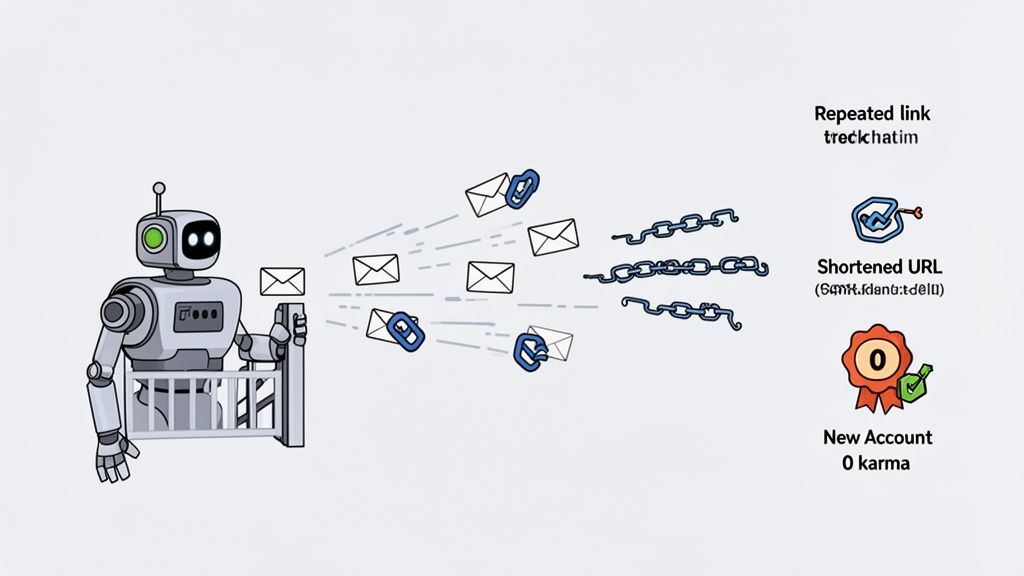
Posting Too Fast: Dropping the same link or a very similar post across multiple subreddits in a short time is the fastest way to get flagged. To the algorithm, this is classic spam behavior.
Using URL Shorteners: Services like bit.ly or tinyurl are a huge no-no. They’re often used to disguise sketchy links, so Reddit’s filter is extremely wary of them. Always use the full, direct URL.
New or Low-Karma Accounts: If your account is brand new or has barely any karma, the system sees you as a risk. It will often “shadowban” or filter out your posts until you’ve built up a track record of good engagement.
Linking to Banned Domains: Sometimes, an entire website gets a bad reputation from being spammed across Reddit. If your link goes to one of these “soft-banned” domains, your post will be automatically removed.
Spam isn’t just a minor issue; it’s the main reason Reddit takes down content. In fact, Reddit’s own data shows that a whopping 57.5% of all takedowns by admins were for spam and content manipulation. This is where posting patterns matter just as much as content quality. Even good posts can get filtered if they’re published too close together or follow a repetitive schedule. If you plan content ahead of time, spacing posts properly is critical. Using a structured Reddit post scheduler helps maintain a natural posting rhythm, avoid spam-like bursts, and stay consistent without triggering automated filters.
Key Takeaway: Reddit’s spam filter cares about how you behave, not what you intended. Acting like a normal community member matters more than writing a perfect post.
The Power of AutoModerator
If your post clears Reddit’s sitewide spam filter, it still has to pass AutoModerator, a bot configured individually by each subreddit.
This is why the same post can be approved in one community and removed instantly in another.
🤖 What AutoModerator Looks For
Think of AutoModerator as a subreddit’s personal rule enforcer. Moderators program it to remove content that doesn’t match their exact standards.
Common AutoModerator Rules
Think of AutoModerator as a subreddit’s personal bouncer. The moderators have programmed it to look for very specific things to keep the community clean and on-topic.
You’ll run into rules like these all the time:
Banned keywords Some subreddits automatically remove posts containing certain words or phrases to prevent scams, promotions, or low-quality discussions.
Minimum account age or karma Many communities require your account to be a certain age or have a minimum amount of comment karma before you’re allowed to post.
Strict title formatting Some subreddits enforce rigid title structures. One missing tag or bracket is enough to get your post removed instantly.
Blocked links Affiliate links, competitor sites, or low-quality blogs are often banned outright.
Getting past these automated systems isn’t about finding a secret trick. It’s about genuinely trying to be a good contributor. When you understand what these bots are looking for—low-effort, disruptive, and spammy content it becomes much easier to create posts that sail right through.
Mastering Subreddit Rules and Moderator Expectations
Once your post reaches human moderators, context becomes everything. Each subreddit is its own ecosystem, with unique norms, priorities, and tolerance levels.
A post that thrives in one community can be removed instantly in another, even if the topic is identical.
⚠️ The Biggest Mistake People Make
Treating all subreddits the same.
Moderators don’t remove content because it’s “bad.” They remove it because it doesn’t fit their community.
Your Pre-Post Intelligence Checklist
Before posting anywhere, take a few minutes to understand the environment.
✅ Do This Before You Submit
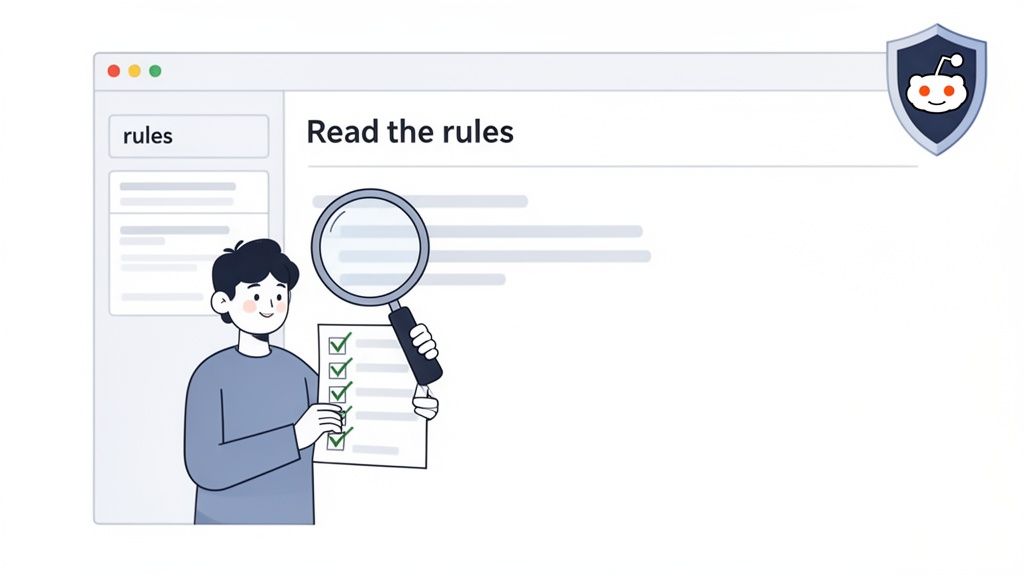
Read the sidebar and wiki This is mandatory. Rules about self-promotion, formatting, and allowed content live here.
Sort by “Top” posts This shows you what the community actually values. Look for patterns in tone, length, and format.
Check comment culture Some subs expect serious, technical discussion. Others lean casual or humorous. Match the tone.
Spotting the Unwritten Rules
Beyond official rules, every subreddit has cultural expectations you’re expected to respect.
Common Unwritten Rule Violations
Posting promotional content without prior engagement
Ignoring required title tags like [Question] or [OC]
Posting the wrong content on theme-specific days
Reposting content that’s already been discussed recently
Breaking these won’t always trigger a warning. Your post will just disappear.
Interacting with Moderators the Right Way
If your post gets removed, how you respond matters more than the removal itself.
What To Do
Use Modmail, not DMs
Be polite and concise
Ask how to fix the issue, not why they’re “wrong”
What Not To Do
Reposting immediately
Arguing publicly
Sending emotional or demanding messages
Moderators are volunteers. Respect earns answers. Entitlement earns bans.
Building a Proactive Strategy to Keep Your Posts Live
The best way to deal with getting a post removed is to stop it from happening in the first place. When you’re proactive, Reddit stops feeling like a minefield and starts being a predictable place to connect with people.
If you’re approaching Reddit as part of a long-term growth channel rather than a one-off promotion, having a clear plan matters. This Reddit marketing strategy for SaaS companies breaks down how to build presence, earn trust, and promote content without fighting Reddit’s moderation systems.
It all starts with your account. Forget the shortcuts and so-called “karma farming” tricks. The real goal is to become a genuine member of the communities you want to post in. When you do that, you build trust with both the users and Reddit’s own automated systems.
Build Your Account Authentically
A brand-new account with zero karma dropping a link is the reddest of red flags for any spam filter. Before you even think about sharing your own stuff, you have to build a foundation of credibility. That means earning karma the old-fashioned way: by actually participating.
Your mission, should you choose to accept it, is to find a handful of subreddits related to your interests or industry and just start contributing. Answer questions. Offer a unique perspective. Share a relevant story. The goal is to give more than you take.
Focus on Comment Karma First: AutoModerator and human mods often see comment karma as more valuable because it proves you’re part of the conversation, not just a link-dropper. Aim for at least 100-200 comment karma before you start submitting your own posts.
Be a Real Person: Ditch the one-word replies like “Cool” or “This.” Write comments that actually add something to the discussion. A single, well-thought-out comment that gets a dozen upvotes is worth more than twenty lazy ones.
This isn’t about gaming the system. It’s about proving you’re a human who’s here to add value. A healthy account history is the first and most important step to avoiding those frustrating automated removals.
Craft High-Value Content That Serves the Community
Once your account has some history, it’s all about what you post. The golden rule of Reddit is simple: provide value before you ask for anything. Self-promotion is only really accepted when it’s wrapped in a gift of genuine helpfulness.
If promotion is your end goal, the safest approach is to adapt your content to Reddit instead of linking out immediately. This guide on how to promote content on Reddit without being spammy explains practical ways to share links while staying within community norms.
So instead of just posting a link to your latest blog, think about how you can adapt that content for the Reddit audience.
Create a Detailed Text Post: Write a full guide, a “how-to,” or share some unique data right there in a text post. You can then drop your link at the very end as a source or for “further reading.”
Start an Engaging Discussion: Frame your content as a question. For example, instead of posting a link titled “My New Tool for Marketers,” try asking, “What’s the most repetitive task in your marketing workflow you wish you could automate?” This sparks a real conversation and gives you a natural opening to mention your solution.
Pro Tip: Aim for your post to be 90% value and 10% promotion, at most. If someone can get everything they need from your post without clicking your link, you’ve hit the sweet spot. Moderators and users alike will respect you for it.
Run a Pre-Flight Checklist Before Posting
Even with a great account and amazing content, one tiny mistake can get your post zapped. To prevent this, make a quick mental checklist you run through every single time you hit “submit.” This five-minute check can save you hours of headaches.
Re-Read the Rules: Did you skim the sidebar and wiki for any recent changes? Rules evolve.
Check for Flair: Does this subreddit require post flair? Forgetting this is a super common reason for automatic removal.
Review the Title: Does it follow the required format? Any banned words or phrases?
Examine Your Link: Is it a clean, direct URL? Never, ever use link shorteners.
Assess the Timing: Are you posting on a “Text-Only Tuesday” or during another subreddit event?
This little bit of discipline takes the guesswork out of posting and dramatically cuts down your chances of an accidental rule break. Of course, just preventing removals is only half the battle; there are many strategies for effectively leveraging Reddit to actually achieve your goals.
Use Scheduling Tools to Maintain Consistency
Finally, a huge part of a proactive strategy is showing up consistently. A natural posting rhythm builds trust and helps you fly under the radar of spam filters that get suspicious of sudden bursts of activity.
This is where a scheduling tool can be a game-changer—not for spamming, but for smart, planned execution. A tool like Postiz lets you map out your content and schedule posts for the best times in different communities, all without having to be glued to your screen 24/7. This consistency shows you’re an active, reliable part of the community.
If you want to learn more, check out this guide on how to schedule Reddit posts the right way. It’s all about building momentum and establishing your presence in a way that feels organic and valuable.
What to Do When Your Post Is Removed Anyway
Even when you follow all the rules, it can still happen. You pour your effort into a post, hit submit, and then…poof. It’s gone. The real test isn’t avoiding removals altogether—it’s knowing how to handle them professionally when they occur. Panicking or getting defensive with the mods is a surefire way to get on their bad side.
Think of it as a learning opportunity. A removed post is just feedback in disguise. Your first move is to stay calm and do a little detective work. The reason for the removal is almost always there if you just know where to look.
First, Investigate the Removal
Before you even think about contacting anyone, you need to understand why your post was taken down. Firing off a message to the moderators without doing your own homework shows you don’t respect their time. The vast majority of removals are automated and come with an explanation.
Start by checking these three places for clues:
Your Inbox: The AutoModerator bot will often send you a private message explaining exactly which rule your post broke. This is the most common and helpful place to find answers.
Comments on Your Post: Sometimes, especially with manual removals, a moderator will leave a “stickied” comment on the post itself explaining their decision.
Post Flair: Some subreddits use a special flair to mark removed posts, like “Removed: Rule 4.” This points you directly to the guideline you missed.
If you find a clear reason, your job is simple: acknowledge the mistake and move on. Don’t try to repost a slightly edited version unless the removal message specifically invites you to.
Communicating with Moderators Like a Pro
If you’ve checked everywhere and still come up empty-handed, it’s time to reach out. The only proper way to do this is through Modmail. Never, ever send a direct message or chat request to a moderator’s personal account.
Your goal here is to be polite, concise, and respectful. Show them you’ve already done your research and aren’t just there to complain. A good message proves you’re trying to be a valuable member of their community.
Here’s a simple template you can adapt that I’ve found works wonders:
Subject: Question about a removed post
Message:
Hi mods,
My post titled “[Your Post Title Here]” was recently removed, and I’m hoping to understand why so I can avoid making the same mistake again.
I’ve double-checked the subreddit rules and my inbox but couldn’t find an automated message. Could you please let me know which rule it might have violated?
Thanks for your time and all the work you do here.
This approach is effective because it’s humble, shows you made an effort, and frames the conversation around learning, not arguing.
What Not to Do Under Any Circumstances
How you react to a post removal says everything. One wrong move can turn a minor slip-up into a permanent subreddit ban. To protect your account and your reputation, never do any of the following:
Delete and Immediately Repost: This looks like you’re trying to sneak past the mods. If the first post was removed, the second one will be too—and it will probably come with a warning or even a ban.
Argue Publicly: Don’t start a debate with a moderator in the comments of another post. It’s unprofessional and makes you look combative in front of the whole community.
Be Demanding or Rude in Modmail: Remember, moderators are volunteers. Cursing at them or demanding they reinstate your post is the fastest way to get yourself muted or banned.
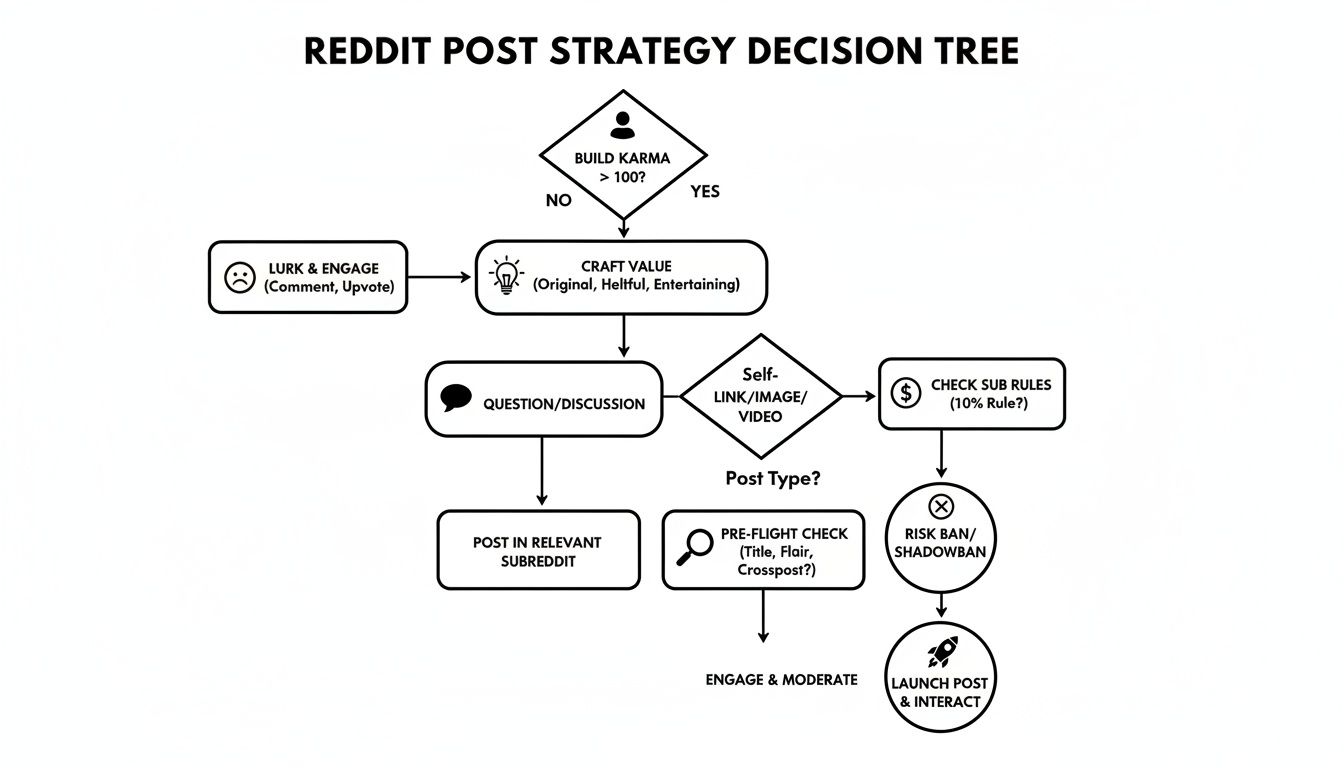
The best-case scenario is avoiding this situation entirely. The flowchart below outlines the proactive steps—from building karma to pre-flight checks—that form a solid Reddit strategy.
Ultimately, a successful Reddit presence is built on genuine contribution, not just following the rules to the letter. Handling a post removal with grace is a huge part of that. It shows moderators you respect their community and are someone worth keeping around.
Common Questions About Reddit Post Removals
Even when you think you’ve got everything right, a post can suddenly disappear. It happens to everyone. Let’s tackle a few of the most common head-scratchers people run into with Reddit post removals.
My Post Was Removed for Low Karma, but I Can’t Post to Get Karma. What gives?
Ah, the classic Reddit catch-22. This stumps so many new users, but there’s a simple way out of it: stop trying to post and start commenting instead. This is how Reddit is designed to work—you build your reputation through conversation first.
Find some big, friendly subreddits where the posting rules aren’t quite so strict. Think places like r/AskReddit, r/casualconversation, or any community built around a hobby you enjoy. Your goal isn’t to promote anything, but just to add good comments to other people’s posts.
The quickest way to get that initial karma is by answering questions where you actually know the answer. A few genuinely helpful comments will earn you way more karma than dozens of low-effort replies like “This!” or “lol.” Just focus on being a positive part of the community, and you’ll hit the 50-100 karma you need for stricter subreddits before you know it.
Can I Actually Get Banned from Reddit for Having Posts Removed?
Yes, you can, but it’s not an automatic thing. A couple of accidental removals won’t get you in hot water, especially if you’re new and learning the ropes. The real danger comes from a clear pattern of ignoring the rules.
If you keep breaking the same rule in a specific subreddit over and over, the moderators are very likely to ban you from their community. It’s their house, their rules.
Worse yet, if you repeatedly violate Reddit’s big, sitewide policies—things like spam, harassment, or trying to manipulate votes—across multiple subreddits, Reddit’s own admins can suspend your entire account. That’s why it’s so important to take every removal notice seriously.
Look at it this way: if a moderator takes the time to tell you what you did wrong, that’s free advice. Ignoring it tells them you’re not there to contribute in good faith, and that’s a fast track to getting your account shut down.
How Can a Scheduler Like Postiz Help if Reddit Hates Automation?
This is a really important distinction. Reddit’s systems are built to hunt down spammy and manipulative automation, not thoughtful scheduling. A good scheduling tool like Postiz is designed to keep you on the right side of that line. It’s about being efficient, not deceptive.
In fact, using a scheduler the right way can actually prevent post removals. Here’s how:
It keeps your posting rhythm natural. A scheduler helps you space out your posts so you don’t look like a bot that just dumped the same link in ten different subreddits in five minutes. This more organic-looking pace is far less likely to get you flagged.
It helps you post at the right time. You can schedule your content to go live when a subreddit is most active, even if that’s in a different time zone. This makes your activity look like a real person participating at normal hours.
It safely manages multiple accounts. If you’re a marketer or agency juggling a few different accounts, a scheduler keeps that activity separate and prevents Reddit from linking them and flagging you for “inauthentic behavior.”
It all boils down to how you use the tool. You’re still the one creating the content and picking the right communities. The scheduler just acts like a personal assistant handling the logistics, making sure everything is done in a way that respects the platform and its users.
Ready to build a smarter, more consistent Reddit strategy that keeps your posts live? Postiz provides the tools you need to schedule content, manage your presence, and analyze performance without triggering spam filters. Streamline your workflow and focus on creating great content. Learn more at https://postiz.com.