Ever tried to build a following on Reddit? If so, you've probably felt the pain of posting manually. The platform is notorious for not having a built-in post scheduler, which means you have to be online at the perfect moment to catch your audience. It's a frustrating, time-consuming process, and it’s the main reason so many creators and marketers just can't seem to get any traction.
The Hidden Cost of Posting by Hand
Trying to grow on Reddit without a solid posting strategy is a losing game. You might get lucky with a post here and there, but you'll never see consistent results. The problem is that Reddit's whole structure is built around timing and community rhythm. To succeed, you need to be precise, and that's nearly impossible to pull off when you're doing everything by hand.
This isn't just about saving a few minutes. It's about being effective. When you’re chained to your keyboard, you’re always reacting, always trying to keep up. You're not actually guiding your content strategy; you're just trying not to miss the boat.
You're at the Mercy of the Clock
Everyone who uses Reddit knows about the "golden hours"—those peak times in the morning and evening when everyone is scrolling. But what if you’re a marketer in New York trying to hit the primetime slot for an audience in Australia? You’d have to post in the middle of the night. Manual posting forces a terrible choice on you: lose sleep or lose engagement.
Miss that prime window, and your post gets buried before anyone even sees it. A post that could have hit the front page at 8 AM might completely fizzle out if you post it at 2 PM. It’s a constant battle against time zones and user habits, and it’s exhausting.
The Bottom Line: On Reddit, timing is almost everything. If you can't schedule posts to hit those key engagement windows, you're hamstringing your content from the very start.
The Fast Track to Burnout
Trying to manage multiple subreddits or a few different accounts manually? It's a surefire recipe for burnout. Every single post needs a carefully crafted title, the right flair, and an eye for the specific rules of that community. The whole process is slow, repetitive, and mentally draining. You end up spending more time on the busywork of posting than on creating great content.
This is where Reddit’s limitations really hurt. The lack of a native scheduler is a massive pain point for anyone trying to build a presence. You're forced to post one by one, with a mandatory 10-minute wait between posts, which can turn into hours of work every day. It’s why third-party schedulers like Postiz have become so essential, helping over 30,000 Redditors schedule their content without the late-night stress. If you want to dive deeper, you can learn more about the best Reddit post scheduler tips and see what automation can do.
This manual grind just leads to frustration. You pour hours into it but get very little back, and you start to think, "Reddit just doesn't work for me." But it's not Reddit that's broken—it's the manual method.
The solution isn't to work harder; it's to work smarter. You need tools that can handle the logistics for you. That way, you can get back to what actually matters: creating content that people love and building real connections in the communities you care about.
Manage all your social media in one place with Postiz
Choosing the Right Reddit Scheduling Method for You
So, how should you actually schedule your Reddit posts? There’s no single "best" way—it really comes down to your goals, your budget, and how comfortable you are with a bit of tech. Are you a solo creator trying to post more consistently, a marketing agency juggling a dozen clients, or a developer who wants to build something from scratch?
Each of these paths leads to a different tool. Let's walk through the main options so you can figure out which one makes the most sense for your workflow.
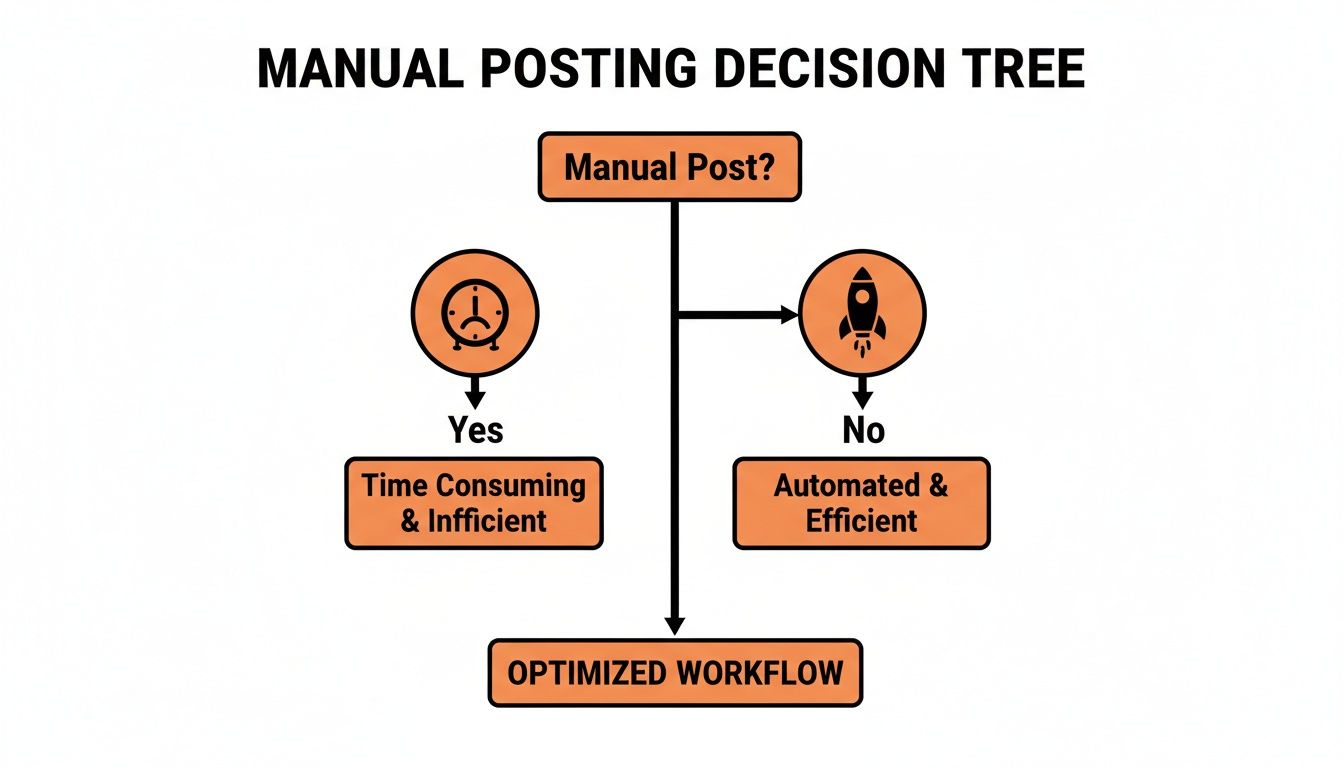
The first big decision is simple: keep posting manually or embrace automation. This decision tree lays it out pretty clearly.
As you can see, if you're serious about growth and efficiency, automation is the only way to go.
To help you decide, I’ve put together a simple comparison table that breaks down the most common methods.
Comparing Reddit Post Scheduling Methods
This table offers a side-by-side look at the three primary approaches to scheduling Reddit posts. Use it to quickly match your needs, skills, and budget to the right solution.
Method
Best For
Key Features
Technical Skill Required
All-in-One Platform
Agencies, marketing teams, serious creators
Analytics, team collaboration, content AI, multi-account
Full customization, complex automation, data integration
High
Each of these methods has its place. The key is to be honest about your resources and what you’re trying to achieve on the platform.
All-in-One Management Platforms
If you treat Reddit as a core marketing channel, an all-in-one platform is your mission control. These tools are much more than just schedulers; they’re complete management hubs.
Platforms like Postiz, for example, are built for people who need to work efficiently at scale. You'll often find powerful extras bundled in:
AI content assistants to help you whip up better titles or rephrase your copy.
Built-in analytics that go deep, tracking things like upvote speed and comment sentiment.
Team collaboration tools, which are a lifesaver for agencies with shared calendars and post-approval workflows.
This is the right choice for marketing teams and serious creators who need to manage multiple accounts or run coordinated campaigns. The time you save and the data you gain make the investment worthwhile.
Dedicated Reddit Schedulers
Don't need all the bells and whistles? A dedicated scheduling tool is probably your best bet. These are laser-focused on one thing: getting your post published at a specific time. And they do it really well.
They're usually much more affordable than the bigger platforms, making them perfect for solopreneurs, small business owners, or anyone who just wants to automate their posting without a steep learning curve. You solve the main problem—posting at the right time—without paying for features you'll never touch.
The biggest win with dedicated schedulers is their simplicity. You can have your first post scheduled in less than 5 minutes, instantly freeing you from having to be online at odd hours.
For those who love to tinker and want complete control, there's always the Reddit API. This route involves writing your own script, usually in a language like Python, to automate tasks directly with Reddit.
This is definitely the territory of developers and tech-savvy marketers. The upside is that you can build literally anything you can imagine. For instance, you could create a bot that:
Automatically cross-posts your content to another subreddit once it hits 500 upvotes.
Pulls data from a news source to create a new discussion thread every morning.
Monitors for specific keywords and schedules a response post.
The catch is the complexity. You need programming knowledge, an understanding of API authentication, and the patience to maintain your script when Reddit makes changes. It's the most powerful option by far, but also the most demanding.
A Practical Walkthrough for Scheduling Reddit Posts
Alright, theory is one thing, but let's get our hands dirty. This is your step-by-step guide to scheduling your first Reddit post using a platform like Postiz. We’re going to walk through everything from the initial setup to crafting a post that’s ready to grab attention. The goal? Turn a repetitive task into a smart, automated part of your strategy.
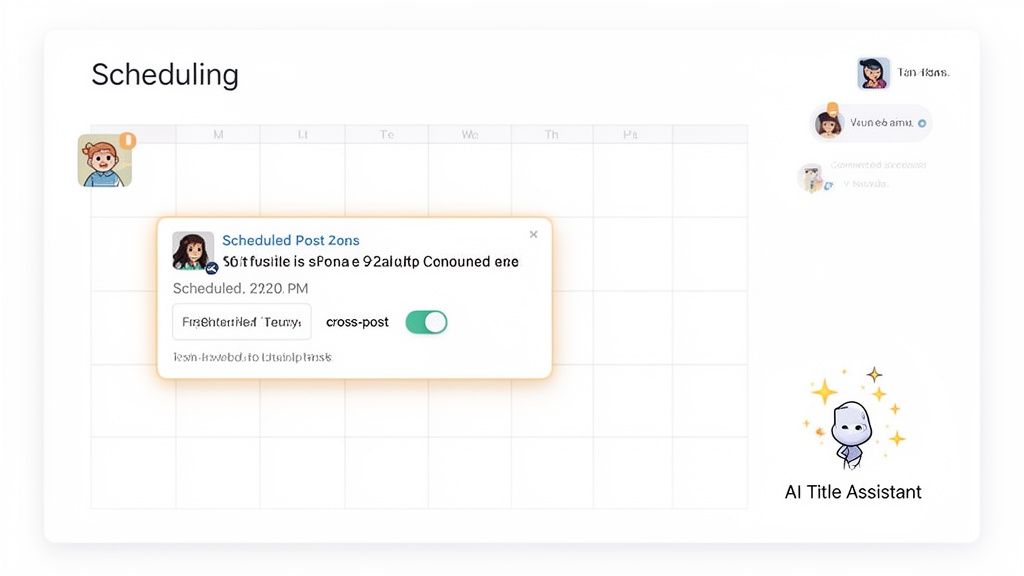
A good scheduler's dashboard, like the one you see here, makes the whole process feel intuitive. Everything you need—the calendar, the post editor, even AI helpers—is in one place. This is what makes scheduling feel seamless instead of like you're juggling a dozen different browser tabs.
Connecting Your Reddit Account
First things first, you need to give the scheduling tool permission to post for you. Don't worry, this is perfectly safe. Reputable platforms use Reddit's official API, which means they never ask for or see your password.
Look for an "Add Account" or "Connect Profile" button. It's usually easy to spot on the main dashboard or in the settings.
Pick Reddit from the list of social networks. This will take you to a secure login page on Reddit.com.
Authorize the tool. Reddit will show you exactly what permissions the app is requesting, like the ability to "submit" posts. Just click "Allow."
That’s it. Your Reddit account should now pop up in your dashboard, ready to go. This one-time setup usually takes less than a minute. If you want a more detailed look at these initial steps, check out our guide on how to schedule a post with Postiz.
Crafting Your First Scheduled Post
Now for the fun part: creating the post. When you open the post editor, you'll see familiar fields for the title, body text, and the subreddit you want to post in.
Start by selecting the Reddit account you just linked. Next, pick the target subreddit from a dropdown menu. The best tools will actually pull that subreddit's rules and available flairs right into the editor, which is a huge time-saver. No more clicking back and forth to remember if "Memes" are only allowed on Mondays.
Drop in your title and content. This is where modern schedulers really show their value. Instead of just giving you a plain text box, they often come with powerful tools built right in.
AI Title Assistant: Having trouble with a catchy headline? An AI assistant can spit out several options based on your post's content. It’s perfect for getting past writer's block or even for A/B testing different angles.
Integrated Image Editor: Many platforms include a simple design tool. You can create a quick graphic with text overlays or filters without having to fire up Photoshop or Canva.
Pro Tip: Your post's title is everything. I always recommend spending 80% of your creative energy on the title and 20% on the body. A killer title earns the click, and great content keeps them reading.
Once your post looks good, hit the schedule button. A calendar will appear, letting you pick the exact date and time you want it to go live. Choose your slot, confirm, and your post is officially in the queue.
Advanced Scheduling Tactics
Just setting a post to go live later is a game-changer, but the real magic happens when you dive into more advanced automation. These are the features that help you build a truly sophisticated content strategy.
For instance, agencies I've worked with get a ton of value from collaboration tools. Features that let you assign roles and automatically post to different subreddits at specific times are a must. Think text-based posts on weekdays between 9-11 AM EST and image posts on Saturday mornings.
Here are a few more advanced tactics to try out:
Recurring Posts: If you run a weekly "Free-for-all Friday" thread or a monthly Q&A, this is for you. Set up the post once and tell the tool to publish it automatically every week or month. It guarantees consistency for your community.
Strategic Cross-Posting: You can get more eyes on your content by posting it to multiple relevant subreddits, but dropping it everywhere at once looks spammy. A good scheduler lets you build in delays. Post to r/marketing at 9 AM, then have it automatically cross-post to r/smallbusiness a few hours later. It looks way more organic.
Content Queues: Instead of scheduling every single post for a specific time, you can just add content to a queue. The tool will then publish from that queue based on a schedule you've already set (e.g., twice a day at 10 AM and 6 PM). This "fill it and forget it" approach is perfect for evergreen content.
By using these features, you're moving beyond simple automation. You're building a reliable content engine that works for you 24/7. This is how you schedule Reddit posts like a pro and turn manual work into a predictable system for growth.
Mastering Reddit Timing and Subreddit Etiquette
A scheduling tool is just the first step. It gets your post live, but it won't make people care. The real magic happens when you understand the rhythm of Reddit—knowing when to post and how to become a part of each community's unique culture.
This is what separates the posts that vanish without a trace from the ones that rocket to the front page.
Finding Your Golden Posting Hours
Ever notice how some posts take off while others just sit there? Timing is a huge factor. The conventional wisdom, backed by data, points to sweet spots between 9-11 AM and 2-4 PM EST on weekdays. This is when a huge chunk of Reddit’s 97.2 million daily active users are most active.
But that's just a starting point. Think of it as a general weather forecast—useful, but not specific to your neighborhood.
Every subreddit has its own pulse. A community like r/personalfinance is likely buzzing on a Tuesday morning when people are at their desks thinking about money. Meanwhile, a gaming subreddit probably hits its peak on a Friday night.
Here’s a pro tip: try scheduling your post about 30 minutes before the peak time. This gives it a chance to get a few early upvotes, building momentum just as the main crowd logs on.
Learn the Culture, Read the Rules
Timing gets you in the door, but etiquette lets you stay. Each subreddit is its own little world with its own set of rules, both written and unwritten. Ignoring them is the fastest way to get your post deleted or your account outright banned.
Before you even think about scheduling, just be a lurker. Spend some time reading the top posts, checking out the comments, and—most importantly—reading the sidebar. It's your guide to fitting in.
Key Takeaway: Treat each subreddit like you're a guest at a dinner party. Observe, listen, and understand the vibe before you try to become the center of attention.
The sidebar is critical. Some communities have strict rules, like "No Self-Promotion Tuesdays" or mandatory flair for all links. If you schedule a promotional post for a Wednesday in that sub, it’ll be gone in seconds. All your work, wasted.
Common Mistakes That Scream "Spammer"
When you automate posts, it’s incredibly easy to come off as a bot or a spammer if you aren't careful. To make sure your scheduled content feels like it belongs, avoid these classic blunders:
Dropping Links and Running: Just posting a link to your latest blog post is a huge turn-off. You have to provide value first. Instead of, "Check out my new app," try something like, "I built an app to help with [specific problem], and I thought this community would have some great feedback."
Forgetting Flair: Flair is how many subreddits categorize content, and many use bots to auto-remove posts without it. Good scheduling tools let you add flair when you create the post. Use it.
Copy-Pasting Everywhere: Blasting the exact same post with the exact same title across five different subreddits is a massive red flag. Tailor your title and description for each community. Finding the right audience is half the battle, so it's worth exploring the fastest-growing subreddits to discover new places where your content might thrive.
Once you’ve got timing and etiquette down, you can level up by incorporating proven strategies to increase social media engagement. When you combine smart scheduling with genuine participation, your content won't just be posted—it'll be welcomed.
How to Analyze Performance and Refine Your Schedule
Scheduling your Reddit posts is only half the battle. If you just "set it and forget it," you're missing the most important part: learning what actually works. To really get good at this, you need to get into a rhythm of posting, analyzing the results, and tweaking your approach.
It's easy to get excited about upvotes, but they don't paint the full picture. A post can get a ton of upvotes and still not drive the conversation or engagement you're looking for. The real goal is to understand why certain posts take off, and that means digging into the data.
Key Metrics to Track
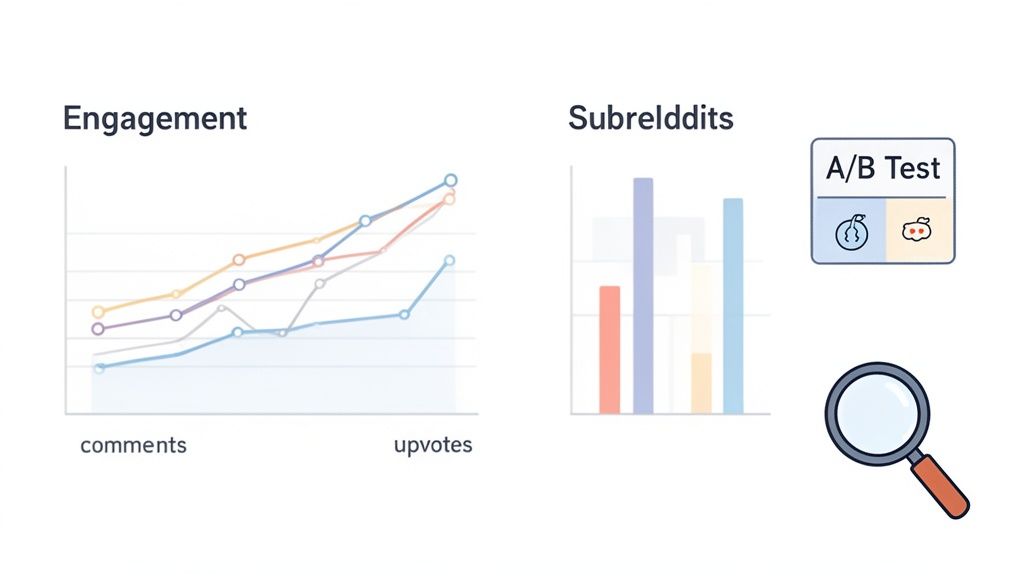
Go beyond the vanity metrics. The numbers that truly matter tell you how people are interacting with your content. Most good scheduling tools have a built-in analytics dashboard that lays all this out for you.
Here are the core metrics I always keep an eye on:
Comment Volume: This is huge. A high comment count means you've sparked a real conversation, which is often far more valuable than a pile of upvotes. It shows people are genuinely engaged.
Upvote-to-View Ratio: This metric reveals how compelling your post is at a glance. Think about it: if 10,000 people see your post but only 50 bother to upvote, your headline or image probably isn't grabbing them. A high ratio is a sign of sticky, resonant content.
Upvote Velocity: How fast did your post get its first 100 upvotes? On Reddit, a strong start is everything. It's what gets you seen and pushes you onto the "Hot" page. Tracking this helps you pinpoint the exact times when a subreddit is most active.
Focusing on these deeper metrics helps you shift from simply dropping content into a void to actually understanding how a community ticks. This is how you build a schedule that’s backed by real data, not just guesswork.
Use Data to Refine Your Content Calendar
Once you start tracking this stuff, you'll see patterns emerge. The analytics dashboard in your scheduling tool becomes your guide to what the community wants. You can finally start answering the important questions.
For instance, you might discover that your infographics in r/dataisbeautiful crush it on Sunday mornings, but your long-form analysis posts in the same subreddit do way better on Wednesday afternoons. That kind of specific insight is pure gold.
This data gives you the power to run some simple, yet incredibly effective, experiments.
A/B Testing for Continuous Improvement
A/B testing isn't just for marketers optimizing landing pages—it's a perfect tool for getting your Reddit strategy dialed in. The idea is simple: post two similar things with one small difference and see which one performs better.
Here are a few A/B tests you can run to get started:
Title Variations: Post the same link or image at the same time on two different weeks. First, try a title that asks a question (e.g., "What's the most underrated travel spot you've visited?"). Next week, try a statement-based title (e.g., "This is the most underrated travel spot I've ever visited."). See which style gets more comments.
Timing Experiments: Got a great piece of content? Post it in the same subreddit at 8 AM EST one week and 7 PM EST the next. Compare the upvote velocity. This is how you find your true "golden hour" for a specific community.
Format Tests: Does the r/woodworking community prefer a gallery of images showing a finished project or a short video of the process? Schedule one of each and let the engagement numbers tell you what to focus on next.
This cycle of posting, measuring, and refining turns scheduling from a chore into a powerful growth strategy. Every post teaches you something new, helping you make the next one even better.
Got Questions About Scheduling Reddit Posts?
Even with a solid plan, a few questions always pop up when you start scheduling posts on Reddit. It's smart to be cautious. Let's clear up some of the most common ones so you can schedule with confidence.
Are Third-Party Reddit Schedulers Safe?
Yes, but with a big caveat: stick to reputable tools. A good scheduling platform like Postiz will never ask for your Reddit password. Instead, it uses Reddit's official API to securely link to your account, which is the approved and safe way to grant access.
The real danger isn't the tool—it's how you use it. If you start spamming the same link across 20 different subreddits, you're going to get flagged or banned, scheduler or not. The tool is just a way to manage your time; the quality of what you post is still on you.
How Many Times a Day Should I Schedule Posts?
There's no golden rule here, and honestly, posting more is rarely better. The goal is to become a recognized, valuable member of a community, not to dominate the feed.
For a busy subreddit, one or two really good, well-timed posts a day is plenty. In smaller, quieter communities, you might find that posting just once every few days is more effective.
Always, always check the subreddit's rules. Many have explicit limits on posting frequency to keep spam down. Your goal should be to add value, not noise.
Can You Schedule Comments and Replies?
Nope, and for a good reason. Most scheduling tools focus only on new posts because genuine engagement happens in the comments. Automating replies is a fast track to getting called out as a bot and losing all credibility.
Think of it this way: schedule your main posts to free up your time. Then, use that extra time to manually jump into the comments, answer questions, and have real conversations. That's where you build your reputation.
What if a Subreddit's Rules Change After I've Scheduled Something?
This is a fantastic question and it highlights why you can't just "set it and forget it." Moderators can update rules anytime—maybe they'll require a new post flair or ban a certain type of link. If your scheduled post violates a new rule, it'll get removed.
The best practice is to check in on the rules of your key subreddits every couple of weeks. A good scheduler will let you easily edit, pause, or delete anything in your queue, giving you the flexibility to adapt on the fly and make sure your content is always welcome.
Ready to put manual posting behind you and start scheduling like an expert? Postiz offers everything you need to build an efficient Reddit strategy, from AI title suggestions to performance analytics. Get started with Postiz today and turn your manual efforts into automated growth.
Tired of guessing? Learn how to calculate, track, and prove your social media ROI with real-world examples and actionable strategies that show real impact.