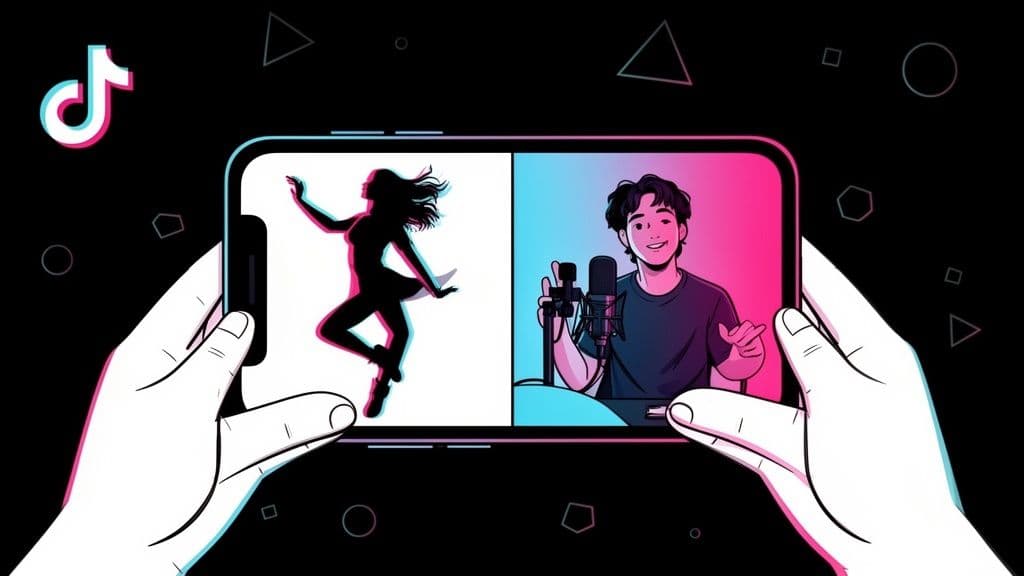
Ready to jump into a conversation on TikTok? Creating a Duet is one of the best ways to do it. You just find a video you love, hit the Share arrow, and tap the Duet button.
That simple action pulls you into a split-screen view where your video appears right alongside the original. It’s an awesome feature for reactions, challenges, and collaborations. Just remember, the original creator has to have Duets enabled for their video first.
Your Quick Guide To Making A TikTok Duet
Duets are really the heart of what makes TikTok feel so connected and alive. It’s about more than just watching; it's about participating. When you get the hang of making a Duet, you unlock a huge part of the platform's potential for growing your own audience.
The whole process is incredibly intuitive, designed to get you from viewer to creator in just a few taps. But before you dive in, there are a few ground rules to know.
Permissions Are Key: You can't Duet just any video. The option will only be there if the original creator has allowed it. If you don't see the Duet button, it’s because they’ve turned it off in their privacy settings.
The Split-Screen Format: By default, your recording shows up on one side and the original video plays on the other. This is perfect for those classic side-by-side reaction videos or singing a harmony.
It’s All About The Original Audio: When you Duet, your new video automatically uses the sound from the original clip. You can talk or sing over it, but you can’t swap it out for a different song from TikTok’s music library.
The Core Steps To Your First Duet
The fact that it’s so easy to create a Duet is why it's such a massive engagement driver. It’s not just a gimmick; it’s a core feature that fuels trends. You'll find that many of the most viral videos are built on collaborative features like Duets, which account for a huge slice of all interactions on the platform. If you want to dig deeper into the data, you can find more insights on TikTok collaboration trends.
To make things crystal clear, we've broken down the key actions into a simple table. Think of this as your cheat sheet before we get into the more advanced tips for making your Duet truly stand out.
A great Duet doesn't just copy—it adds a new layer. Your reaction, commentary, or creative addition is what makes the content compelling and unique to you.
Here’s a quick rundown of the entire process from start to finish.
Manage all your social media in one place with Postiz
Browse your "For You" Page or search for a video you want to interact with.
Look for videos with open-ended questions or clear calls to action like #duetthis.
Tap Share
On the right side of the screen, tap the arrow icon labeled 'Share'.
If the video has many shares, it's likely a good candidate for a Duet.
Select Duet
From the bottom row of options, find and tap the 'Duet' button.
The button will be grayed out or missing if the creator has disabled Duets.
Record
The split-screen editor will appear. Press the red button to record your video.
Use the layout options on the side to change the split-screen style for more visual flair.
Once you’ve got these basics down, you’re ready to start experimenting. The real fun begins when you start putting your own creative spin on things.
Why Duets Are a Game Changer for Growth
Think of TikTok Duets as a shortcut to getting noticed. Instead of starting from scratch, you get to jump into an existing conversation, placing your video right alongside a creator who already has an established audience.
For smaller accounts, this is huge. A single, clever Duet with a viral video can be the rocket fuel your channel needs, sometimes bringing in thousands of new followers overnight. You're not just screaming into the void; you're tapping directly into an audience that's already proven to be interested in that specific niche or trend.
Amplify Your Reach and Engagement
The magic of Duets really lies in their community-focused nature. When you participate in a Duet chain or react to a popular video, you're not just making content—you're connecting. This interaction signals to the algorithm that you're part of a larger trend, often leading to far more engagement than you'd get on a solo post.
Since they first appeared back in 2018, Duets have become a core part of the TikTok experience. This really took off during the 2020 pandemic, with some data suggesting that videos using the Duet feature pulled in up to 2.5 times more views than standard uploads. You can dive deeper into the history and impact of Duets on TikTok to see just how powerful they've become.
A Duet is a conversation starter. You’re not just re-sharing content; you’re adding your voice to it, inviting interaction and building a sense of community around a shared interest or joke.
This collaborative format is perfect for all kinds of content. Some of the most effective uses I've seen are:
Reaction Videos: Capture your genuine shock, laughter, or awe in response to another clip.
Adding a Punchline: Take a good video and make it great with your own comedic twist at the end.
Showcasing a Skill: Duet a "how-to" video to show yourself trying the skill, whether it's a new recipe, a makeup tutorial, or a DIY project.
Singing Harmonies: Find a musician's video and add your own vocal layer to create something new together.
Build Community and Go Viral
By dueting a video, you're essentially telling the algorithm, "Hey, I'm part of this trend!" This immediately helps TikTok understand who to show your video to. If you jump on a trending sound or challenge, your chances of landing on the coveted For You Page skyrocket. If you're curious about the mechanics behind what makes content pop off, this Tiktok Advertising Guide offers some great insights into visibility on the platform.
Ultimately, Duets turn you from a passive scroller into an active creator. They provide a direct path to new audiences and are a must-use tool for anyone serious about growing on TikTok.
And if you want to explore other ways to team up with creators, don't miss our full guide on how to collaborate on TikTok.
Mastering the TikTok Duet Editor
Recording your side of a Duet is only half the battle. The real creativity kicks in when you get to the TikTok editor—this is your chance to turn a simple reaction into something that truly pops.
Don't just rush to hit the record button. Once you’re in the Duet screen, you'll see a whole menu of tools on the right. Take a minute to get familiar with them. These are the ingredients you’ll use to cook up a fantastic Duet.
Choosing Your Duet Layout
The first thing you’ll want to decide is your layout. How you split the screen can completely change the vibe of your video. Just tap the Layout icon to see your options.
Left & Right: This is the classic, side-by-side format. It’s perfect for commentary, dance challenges, or any video where you and the original creator share the spotlight equally.
React: This option puts your video in a small, picture-in-picture window that you can drag around. It's my go-to for capturing a genuine, live reaction because it keeps the focus on the original video while still showing your response.
Top & Bottom: This layout stacks the videos vertically. It works really well when you want to add a different perspective or provide extra context above or below the original clip. If you're looking for more tips on making the most of the vertical format, our guide on vertical video dimensions has you covered.
Green Screen: This is where things get really fun. Green Screen places the original video in your background, so it looks like you’re right there in the action. The creative possibilities are pretty much endless with this one.
Jumping on a trend with a Duet is a proven way to get more eyes on your account. It’s a simple formula: find a popular video, add your unique spin, and watch your visibility grow.
Perfecting Your Audio and Visuals
Let’s talk audio—it’s absolutely critical. By default, TikTok plays the original video’s sound, but you need to make sure your own audio cuts through clearly.
You'll see a Mic icon on the right. Tap it to turn on your microphone. When it's on, TikTok will record your voice along with the original audio. Lean in close to your phone and speak up to make sure your commentary is crisp and easy to hear.
Pro Tip: Before hitting record, find a quiet space. I can't tell you how many otherwise great Duets are ruined by background noise. A dog barking or a TV show blaring can be enough to make someone scroll right past your video.
Once your audio is sorted, it's time to add some visual flair. Don't be afraid to use filters to match the mood of the original video. You can also add timed text to land a punchline or provide subtitles for your commentary.
Stickers and other effects are your friends here. They add a layer of personality that helps your video stand out on a packed For You Page. The more you experiment with these tools, the more you'll develop a signature style that makes your Duets uniquely yours.
Choosing Between a Duet and a Stitch
It’s easy to get TikTok’s Duet and Stitch features mixed up. On the surface, they both let you collaborate with other videos, but they work in fundamentally different ways. Picking the right one is crucial—it can be the difference between a video that lands perfectly and one that just feels… off.
Let's break down what makes each tool unique so you know exactly which one to grab for your next big idea.
Think of a Duet as a real-time, side-by-side conversation. Your video and the original play at the exact same time on a split screen. This format is all about direct reaction and simultaneous interaction.
A Stitch, on the other hand, is more like a creative handoff. You clip up to five seconds from someone else's video and place it at the very beginning of your own. That clip becomes the intro or setup for your original content that follows.
When to Use a Duet
The split-screen magic of a Duet is perfect when your reaction needs to happen in lock-step with the original video. It’s all about creating a shared moment where both videos are equally important.
I’ve seen Duets work brilliantly for things like:
Dance-Alongs: You and the original creator hitting the moves side-by-side. It’s the classic way to join a dance challenge.
Live Commentary: Offering your play-by-play on a sports clip, fact-checking a life hack, or just reacting to a wild video as it unfolds.
Musical Collabs: Adding a harmony to a singer’s video or playing an accompanying instrument.
"This You?" Moments: Calling someone out by placing their new video next to an old one that tells a different story.
A Duet is your best bet when your video is in direct dialogue with the original. The goal is to add a new layer of commentary, comedy, or skill through that simultaneous interaction.
When a Stitch Is the Better Choice
Now, a Stitch is a whole different ballgame. You use it when you need to set the stage before delivering your main point. That initial clip is just the prompt; the real star is what you bring to the table afterward.
Stitches are incredibly effective for:
Answering Questions: A creator asks, "What's a weird fact you know?" You stitch their question and then launch into your fascinating answer.
Building on a Joke: You can take the setup from someone else’s video and add your own surprising punchline.
Tutorials and Fixes: Stitching a video of someone struggling with a recipe, then showing them the right way to do it.
Storytelling: Using a short, intriguing clip as the perfect hook to kick off a longer story of your own.
Knowing when to use a Stitch versus a Duet is a huge part of mastering video creation on TikTok, and it’s a detail many people overlook.
TikTok Duet vs Stitch Feature Comparison
To make the choice even clearer, let's put them head-to-head. While both are collaborative tools, their format and purpose are miles apart. Understanding these differences will help you decide which one fits your creative vision.
Feature
Duet
Stitch
Format
Your video plays alongside the original in a split-screen.
Your video plays after a short clip from the original.
Best For
Reactions, commentary, and simultaneous interactions.
Answering questions, adding context, and building on a concept.
Video Length
Your recording is limited to the length of the original video.
You can record a full-length TikTok after the initial clip.
Creative Goal
To add to or react to something in real-time.
To use a clip as a jumping-off point for your own idea.
Ultimately, your choice comes down to one question: Are you trying to talk with the video or talk about it? If you're talking with it, use a Duet. If you're using it as a starting point to talk about something, a Stitch is the way to go.
Getting Your Duet Seen: How to Optimize for Maximum Reach
You’ve filmed the perfect reaction, and your timing is flawless. But your job isn't over once you're done editing. Hitting "post" without a clear strategy is like throwing a message in a bottle out to sea—you just have to hope someone finds it.
Let's make sure they do. The final few moments before you publish can be the difference between a few dozen views and a viral hit. It’s all about making your Duet easy for the algorithm—and your future fans—to find.
Write a Caption That Sparks Conversation
Think of your caption as prime real estate, not just a place to dump hashtags. Your goal here is to stop the scroll and get people talking.
A killer caption usually does one of two things: it either adds a layer of context or it asks a question that viewers feel compelled to answer. For instance, if you're dueting a video of a questionable cooking "hack," you could write, "Okay, be honest… has this ever actually worked for anyone? Tell me in the comments!"
A great caption pulls people in. By asking a question or sharing a bold take, you're not just showing them a video; you're inviting them into a discussion. The TikTok algorithm absolutely loves that engagement.
Don't forget that the first line is all people see before they have to tap "more." Make it pop. It needs to be just interesting enough to make them want to read the rest and, more importantly, stick around for your whole video.
Master Your Hashtag Game
Hashtags are the road signs that tell the TikTok algorithm who to show your video to. Just slapping #fyp on there and calling it a day isn't a strategy; it's a lottery ticket. For consistent results, you need a balanced mix.
I've always found that a blend of broad, niche, and video-specific tags works best.
Broad Tags: These are the big ones with massive volume, like #duet or #fyp. They get your video into a huge pool of viewers, but it's a crowded one.
Niche Tags: This is where you find your people. Think #booktok if you're a reader or #DIYprojects if you're a crafter. The audience is smaller but way more engaged.
Video-Specific Tags: These get super descriptive, like #bakingfailreaction or #lordoftheringsduet. They attract viewers looking for exactly what you made.
So, if you Duet a hilarious dog video, your mix could be #fyp (broad), #dogsoftiktok (niche), and #funnydogreaction (specific). This gives your video three different avenues for discovery.
Always Tag the Original Creator
This one is non-negotiable. Seriously. You must tag the original creator in your caption by typing "@" and then their username. It does two hugely important things.
First, it’s just good manners. It gives them the credit they deserve. Second—and this is key for your growth—it pings them with a notification. If they see your Duet and like it, they might comment or even share it. A share from a big creator can send a massive wave of new viewers your way.
Want to learn more about what gets videos noticed? Check out our guide on how to get more views on TikTok for some extra tips.
Common Questions About TikTok Duets
As you start making Duets, you're bound to run into a few tricky spots. It's a pretty straightforward feature, but it definitely has its quirks. Let's walk through some of the most common questions I see from creators.
Why Can’t I Duet a Certain Video on TikTok?
Ever found the perfect video, tapped the "Share" button, and… the Duet option is just gone? It’s not a bug with your app; it's all about permissions.
The original creator gets to decide how people can interact with their videos. If you can't find the Duet button, it’s because they’ve set their permissions to limit it.
They have three options for their videos:
Everyone: Anybody on TikTok can create a Duet with this video.
Friends: Only people you follow who also follow you back (mutuals) can Duet.
No One: The Duet function is turned off completely for that clip.
If the option is missing, the best thing to do is respect the creator's choice and find another video. A great little trick is to search for hashtags like #duetme or #duetthis. You'll find a ton of creators who are actively looking for people to collaborate with.
Can I Use My Own Sound in a TikTok Duet?
Yes, you can, but there's a small catch. When you create a Duet, the audio is automatically pulled from the original video, and you can't swap it out for a different track from TikTok’s music library.
What you can do is layer your own voice on top of the original sound. Before you hit record, just look for the Microphone icon on the right-hand menu and tap it.
This lets you record your own audio over the original clip. It's fantastic for adding commentary, singing a harmony part, or just giving your live reaction. Just keep in mind that your voice will be mixed with the original audio—it won't replace it.
This is where the magic happens. Your commentary, a clever joke, or a unique insight is what turns a simple reaction into something truly valuable for viewers. It's how you make the Duet yours.
How Do I Find Good Videos to Duet?
Honestly, your "For You" Page is your best hunting ground. While you're scrolling, just keep your eyes peeled for videos that feel like they're practically asking for a response.
I always look for content that:
Asks the audience a direct question.
Presents a strong opinion you can either agree or disagree with.
Shows a cool skill or a life hack you can try yourself.
Is part of a bigger trend or challenge that's going around.
A good strategy is to find a video that leaves a "gap" for you to fill. It could be the punchline to a joke, a different point of view, or even just your genuine, gut reaction. The best Duets feel like they complete the original video.
Does Dueting Help You Get More Followers?
It absolutely does. In fact, Dueting is one of the most powerful organic growth tools on the platform. When you Duet a video, especially one from a creator with a big following, you're basically getting a warm introduction to their entire audience.
Think about it: if your Duet is funny, smart, or adds something new, people who liked the original video are very likely to tap over to your profile to see what you're all about. This sends a huge signal to the TikTok algorithm, helping it learn what your content is about and show it to more people who will love it. It's a fast track to finding your community.
Ready to get your content strategy organized? With Postiz, you can schedule your Duets, see how they perform, and handle all your social media from one simple dashboard. Start planning your content with Postiz today and turn your creative ideas into consistent growth.
Why does my instagram story look blurry - Frustrated? Discover exactly why does my Instagram story look blurry and get step-by-step fixes. Learn optimal
One indie builder hit a $0.0002 CPM by automating faceless YouTube Shorts across TikTok, YouTube and Instagram. Here's the scrape-stitch-schedule playbook — and how to build the scheduling layer with the Postiz API, CLI, and MCP.