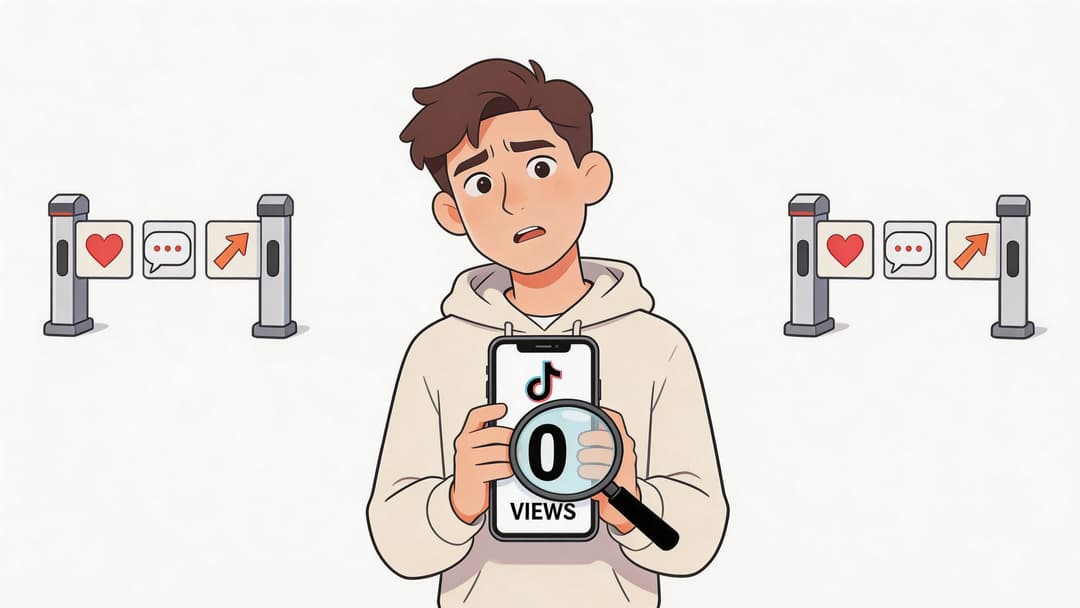
You post a video you worked hard on. You check after a few minutes. 0 views.
You refresh again. Still nothing.
That moment is frustrating because it feels personal. You start wondering if TikTok hates your account, if you got shadowbanned, or if your content is worse than you thought. Usually, the answer is less dramatic. A zero-view TikTok is often a sign that something in the process stalled, not proof that you're a bad creator.
The most useful way to handle this is to stop guessing. Treat it like a diagnosis. Start with the easy technical checks. Then look at account health. Then look at whether the video itself gave TikTok enough reason to keep distributing it.
If you've been searching why is my tiktok not getting views, a calm process matters more than random hacks. That's how creators move from panic to progress, and it's also how sustainable social media growth usually happens.
That Sinking Feeling When Your TikTok Gets Zero Views
A zero-view post can make you want to delete everything and start over. Don't do that yet.
TikTok is not a simple publish-and-broadcast platform. It acts more like a checkpoint system. A video can get delayed, held for review, miscounted, or stopped early before it reaches a meaningful audience. From the creator side, all of those problems can look the same at first. The view counter sits there and refuses to move.
That confusion is what makes this problem so stressful. You can't fix what you haven't identified.
A better approach is to ask one question at a time:
Is this a display glitch?
Is the post public?
Did upload processing fail?
Did my account trigger a trust or spam issue?
Did the content fail TikTok's early test?
When creators panic, they usually choose the most extreme explanation first. The smarter move is to rule out the boring explanations before you blame the algorithm.
Most low-view problems become easier once you stop treating TikTok like magic. It has gates, filters, and tests. Your job is to find out where your video got stuck.
Understanding the TikTok Algorithm's Two Gates
The easiest way to understand TikTok distribution is to picture a venue with a guard at the door and a host inside.
The guard decides whether your video gets in at all. The host decides whether it gets introduced to more people.
Gate one is the screening check
TikTok uses a two-phase distribution process. In the first phase, the platform screens videos for issues such as AI-generated content flags, duplicates, or low quality problems. If the video passes, it can move to a small test audience. If it doesn't pass, it may get 0 views because distribution never really starts, according to this breakdown of TikTok's two-phase system.
Many creators often get confused here. They think posting means immediate reach. On TikTok, posting often means "submitted for review and testing."
That explains why a video can be visible in your profile but still not get traction.
Common reasons a video can struggle at this gate include:
Duplicate feel. The content looks too similar to something already circulating.
Low-quality presentation. Poor visuals, weak formatting, or a post that looks unfinished.
Guideline risk. Hashtags, captions, or content elements that raise moderation concerns.
Trust issues from account behavior. Rapid automation or spam-like posting patterns can make the platform more cautious.
Manage all your social media in one place with Postiz
If your video clears the first gate, TikTok doesn't push it to the whole platform. It sends it to a small test audience capped at around 200 views, and for newer accounts that testing period can last 24 to 48 hours before broader distribution happens, as noted in the same source above.
This is the part creators often call "the algorithm," but it's really an audition.
TikTok watches what that first batch of viewers does. Do they keep watching? Do they swipe away immediately? Do they like, comment, or watch to the end? Those early reactions shape what happens next.
Consider this simple perspective:
Stage
What TikTok is asking
First gate
Is this safe, original enough, and worth testing?
Second gate
Do real viewers show enough interest to justify wider reach?
If early viewers lose interest fast, TikTok doesn't need a second opinion. It limits distribution.
Practical rule: Your first viewers are not just watching. They're voting on whether TikTok should keep spending attention on your video.
A common example helps. Say you post a tutorial, but the opening two seconds are slow. The first people who see it swipe away before they understand the payoff. Even if the middle of the video is useful, TikTok may never send enough people there to find out.
This video gives a helpful visual explanation of how TikTok distribution works in practice:
Why new accounts feel hit hardest
New accounts usually have less trust. TikTok has less history to work with, so it behaves more cautiously.
That doesn't mean a new account can't grow. It means the platform needs more proof before it expands your reach. If you're posting from a fresh account, a delay doesn't automatically mean failure. It may mean your video is still in that early decision stage.
This is why random advice like "just use trending audio" often disappoints people. Trends can help, but they don't replace the basic requirement of passing both gates.
If you're asking why is my tiktok not getting views, this is the core idea to remember: your video first needs permission to enter distribution, then it needs evidence to stay in it.
The Zero-View Emergency Checklist Quick Fixes
Before you diagnose account quality or creative strategy, check the simple stuff. A lot of creators waste hours worrying about shadowbans when the core issue is a glitch, a privacy setting, or a failed upload.
Start here.
Check whether this is only a view counter glitch
TikTok can show 0 views even when a video is live and getting engagement. Backend sync failures can affect up to 30% of new uploads, and views may backfill after 2 to 24 hours. The same analysis notes that toggling privacy from Private to Public resolves the issue in 95% of instances, and clearing the app cache fixes 70% of performance-related distribution halts according to Shortimize's analysis of TikTok zero-view glitches.
That means your first question is not "Why do I have no audience?" It's "Is the counter telling the truth?"
Signs it's probably a glitch:
Friends can view the video even though your count says zero
Likes or comments appear before views do
The post link opens, but analytics seem delayed
If that's happening, don't rush to delete the post.
Run the five-minute technical sweep
Go through these in order.
Confirm the video published Make sure it isn't still sitting in drafts or stuck in processing.
Check privacy settings If the video isn't public, distribution will be limited.
Open the video from another account or ask a friend You want to know whether this is a visibility problem or a reporting problem.
Toggle privacy settings If the post is public, switch it temporarily, then switch it back to public to force a re-index.
Clear TikTok app cache Corrupted temporary files can interfere with app behavior.
Look for processing trouble
A video can appear posted while still being functionally stuck. If the shared link gives errors or the video seems unavailable on load, the issue may be processing rather than performance.
Use this quick decision guide:
Symptom
Most likely issue
Likes/comments appear but views don't
Counter glitch
Video won't open consistently
Processing or indexing issue
Only followers can see it
Privacy setting problem
Nothing appears anywhere
Upload failed or distribution halted early
Wait a little before making a drastic move. A stuck counter and a dead post are not always the same thing.
What not to do right away
Creators often make things worse by reacting too fast.
Avoid these early mistakes:
Deleting immediately. If TikTok is still syncing or testing, deleting removes the chance to recover.
Re-uploading the same file over and over. That can create duplicate-content problems.
Posting several replacements quickly. That can make your behavior look spammy.
The point of this checklist is simple. Rule out the obvious first. If your video is public, accessible, and not bugged, then you can move on to a deeper diagnosis with much more confidence.
Diagnosing Deeper Account Health and Content Issues
If the emergency checks didn't solve it, the next question is harder. Did TikTok stop the post because of the account or the content?
That distinction matters. A weak video and an unhealthy account can both lead to low or zero visibility, but the fixes are different.
Start with TikTok Studio signals
When creators talk about being shadowbanned, they're often describing a pattern, not a confirmed label. The more practical move is to look at your account's signals.
One of the clearest signs is zero impressions in analytics. Many zero-view problems come from a video failing TikTok's initial moderation screen because of AI generation flags, low uniqueness, or guideline issues. Creators can often spot this in TikTok Studio, and one creator-focused analysis says 55% of 0-view complaints come from Phase 1 failures, while videos with content similarity below 70% uniqueness are often deprioritized before reaching a test audience, according to this creator analysis on TikTok 0-view failures.
If your analytics show your content isn't getting impressions at all, that's a different problem from a video that got impressions but weak engagement.
Look for patterns across your recent posts
One underperforming video doesn't prove anything.
A pattern does.
Ask these questions:
Are all recent uploads underperforming, or just one?
Did this start after you changed posting behavior?
Have you reused the same concept, footage, or caption structure repeatedly?
Did you use hashtags that could trigger moderation review?
If the drop is account-wide, trust and compliance issues become more likely. If it's only one video, the issue may be specific to that post.
Spam signals are easier to trigger than creators think
TikTok doesn't just judge what you post. It also pays attention to how you behave.
Rapid-fire uploads can create a spam pattern. One source notes that safer posting habits are 1 to 4 videos per day maximum, spread out, and that extremely fast upload behavior can crush reach, according to the earlier Post Bridge analysis already discussed.
That doesn't mean you should become scared of consistency. It means you should avoid looking automated or chaotic.
A few examples:
Uploading several near-identical clips in a short window
Posting many videos in a burst after being inactive
Reposting the same content with tiny edits
Using aggressive automation too early on a new account
A healthy TikTok account looks like a real creator using the app normally, not a machine trying to brute-force reach.
Audit the content for originality and compliance
Honesty helps at this stage.
Sometimes creators say a video is original because they edited it themselves. TikTok may judge originality differently. If a post feels stitched together from recycled ideas, reused footage, copied captions, or trend clones without a fresh angle, it may not get much help from the platform.
Run this audit:
Check
What to review
Originality
Is the concept or execution meaningfully yours?
Repetition
Have you posted very similar versions recently?
Caption and hashtags
Anything risky, misleading, or low-quality?
Visual quality
Is the first frame clear and intentional?
Account behavior
Have you posted in a way that looks spammy?
This stage takes patience because the fix is rarely instant. If account trust dropped, you'll usually need a stretch of clean, original, steady posting to rebuild it.
How to Create Content That Passes the Algorithm's Test
Once the technical and account problems are ruled out, content becomes the deciding factor.
Creators often focus only on aesthetics at this point. TikTok cares more about response. A beautiful video that loses attention immediately can fail the test faster than a simpler one that creates curiosity.
The first seconds decide whether the test continues
Your opening needs to answer one silent question for the viewer: why should I stay?
That answer can come from a bold statement, a visual surprise, a useful promise, or a tension point that makes the ending feel necessary. Slow setup hurts you here. Long intros hurt you. Throat-clearing hurts you.
Better openings usually do one of these:
Start mid-result. Show the finished outcome before the explanation.
Open with a direct problem. "If your TikToks keep getting stuck at zero views, check this first."
Create a gap. Present something incomplete so the viewer wants closure.
Use movement with purpose. Not random motion. Motion that signals payoff is coming.
If you're running out of fresh angles, a list like 12 social media content ideas to go viral can help you brainstorm formats that create curiosity without copying other creators.
Keep people moving toward the end
Passing the first few seconds isn't enough. The rest of the video needs to make completion feel natural.
A good short-form structure often looks like this:
Hook
Clear promise
Fast proof or explanation
Ending that resolves the tension
That structure works because each part earns the next one.
Technical presentation matters too. If your framing, formatting, or export settings are awkward, the viewer feels friction before they even judge the idea. That's one reason creators should pay attention to platform-friendly formatting like the guidance in this overview of TikTok video size and ratio.
Don't ignore comment replies
A lot of creators spend all their energy on the upload and almost none on what happens after.
That's a mistake.
A creator-focused analysis points out that many people underestimate comment-response strategy. TikTok reads strong comment-reply loops as a sign that the content has value, and creators who fail to respond promptly often miss an important distribution signal, according to this discussion of TikTok comment engagement and view growth.
That means your job doesn't end when the post goes live.
Try this instead:
Reply to early comments while the post is still gaining momentum
Ask simple follow-up questions to extend the conversation
Turn useful comments into a reason for another video
Avoid empty replies that don't move the interaction forward
Good TikTok content isn't just watchable. It creates a reason for the viewer to react, then gives you a reason to react back.
When creators ask why is my tiktok not getting views, they're often thinking only about discovery. But distribution and community are tied together. TikTok isn't only testing whether people watch. It's also testing whether people engage.
Using Analytics and Scheduling for Consistent Growth
A recovered video is nice. A repeatable system is better.
Creators usually improve faster when they stop treating every post as a separate mystery and start looking for patterns in their own data. Analytics show what your audience responds to. Scheduling helps you act on that information consistently.
What to watch in your analytics
You don't need to overcomplicate this.
Look at a few practical patterns:
Which openings keep getting views beyond your usual baseline
Which topics produce comments instead of silent watching
Which posts attract profile visits
Which publishing times seem to produce faster early movement
That gives you a working map of what your audience wants from you.
A simple review habit helps. At the end of each week, compare your recent posts and ask:
Signal
What it may mean
Strong early views but weak engagement
The hook worked, but the content didn't satisfy
Decent watch behavior with more comments
Topic is resonating and worth repeating
Low performance across multiple posts
Timing, packaging, or account trust may need attention
One breakout post in a theme
You may have found a repeatable content lane
Consistency is easier when posting is planned
Creators often know what to do but fail on execution. Life gets in the way. You miss the best time to post. You forget to publish. You scramble for ideas and end up posting something rushed.
One option in that category is Postiz, an open-source social media scheduling platform that supports content planning, publishing, analytics, collaboration, and cross-posting. In practical terms, a tool like that can help you queue content, review performance in one place, and keep your posting behavior more consistent instead of reactive.
Build a recovery rhythm
A creator recovering from low views usually needs steadiness more than intensity.
A healthier rhythm often looks like this:
You review what worked
You pick a few repeatable formats
You post on a manageable schedule
You respond to early engagement
You adjust based on results instead of emotion
That workflow does two things. It reduces panic, and it makes your account look more stable over time.
The best part is that consistency makes diagnosis easier. If your process is controlled, you can see what changed. If your process is random, every result feels random too.
Your TikTok View Recovery Action Plan
When a post stalls, use the same order every time. That keeps you from jumping to wild conclusions.
Start with the fastest checks. Move to the deeper ones only if needed.
The order matters
If you skip straight to "the algorithm hates me," you'll waste time.
Use this checklist instead.
Step
Action Item
What It Solves
1
Confirm the video published and isn't stuck in drafts or processing
Rules out failed posting
2
Check whether the video is public and visible from another account
Rules out privacy issues
3
Look for signs of a counter glitch, such as likes or comments appearing before views
Distinguishes display problems from real distribution issues
4
Toggle privacy settings and clear app cache
Helps with indexing and app-related errors
5
Review analytics for impressions in TikTok Studio
Shows whether the video reached any audience at all
6
Audit recent posting behavior for spam patterns or repetitive uploads
Identifies trust-related reach issues
7
Review the content for originality, quality, and compliance risk
Identifies early filtering problems
8
Improve the hook, structure, and engagement prompts on future videos
Increases the chance of passing the test phase
9
Study your analytics weekly and repeat winning formats
Builds long-term consistency
Use one bad post as evidence, not a verdict
One low-view video doesn't define your account.
Treat it like feedback. If the issue was technical, you've learned what to check first. If the issue was account health, you've learned what behavior to clean up. If the issue was content, you've learned where your packaging or retention needs work.
That mindset matters because TikTok rewards creators who keep refining. It doesn't reward panic.
Save a short version of your troubleshooting steps in your notes app. When emotions are high, having a script keeps you from making rushed decisions.
If you're still asking why is my tiktok not getting views, the answer is usually hidden in the process above. Not in a secret hack. Not in a rumor. In the process.
Frequently Asked Questions About TikTok Views
Should I delete and re-upload a TikTok with zero views
Not immediately.
If the problem is a temporary glitch or delayed processing, deleting too quickly can remove a post that might have recovered on its own. Check visibility, privacy, and analytics first. Re-uploading the exact same file repeatedly can also create new problems if the platform reads it as duplicate or low-value content.
How long should I wait before troubleshooting
Use judgment based on what you see.
If the post has interactions but the view count looks wrong, waiting a bit makes sense because display glitches can resolve later. If the video isn't visible, won't open, or clearly failed to publish correctly, start troubleshooting sooner.
Does a new account get fewer views
Often, yes in practical terms.
New accounts usually have less trust history, so posts may move more cautiously through review and testing. That doesn't mean a new account is doomed. It means patience and clean posting habits matter more early on.
Can scheduling tools hurt TikTok reach
A scheduling tool by itself isn't automatically the problem.
What matters more is how you use it. If your posting behavior becomes spammy, repetitive, or overly automated, that can create issues. If the tool helps you post steadily, review performance, and stay organized, it can support a healthier workflow.
What matters more, hooks or engagement
You need both, but in sequence.
The hook earns the first few seconds. Engagement helps prove the video deserves more reach after that. A strong opening gets you into the test. Audience response helps you survive it.
If you want a cleaner way to plan TikTok posts, organize your content calendar, and track performance without juggling several tools, Postiz is one option to explore. It combines scheduling, analytics, collaboration, and content workflow tools in one place, which can make it easier to stay consistent while you rebuild reach.
The 2026 Pinterest strategy creators are actually seeing growth from: real keyword research, three targeted boards, six pins per post, and a one-week scheduling rotation. Here is the full playbook — and how to automate it with an AI social media agent.
Learn how to build a powerful content calendar in Excel to plan, track, and optimize your marketing. Includes real-world templates and SEO tips for 2025.
Discover the top 8 tools to find the best hashtags for nature. Boost your reach and engagement with our comprehensive guide to hashtag tools and strategies.