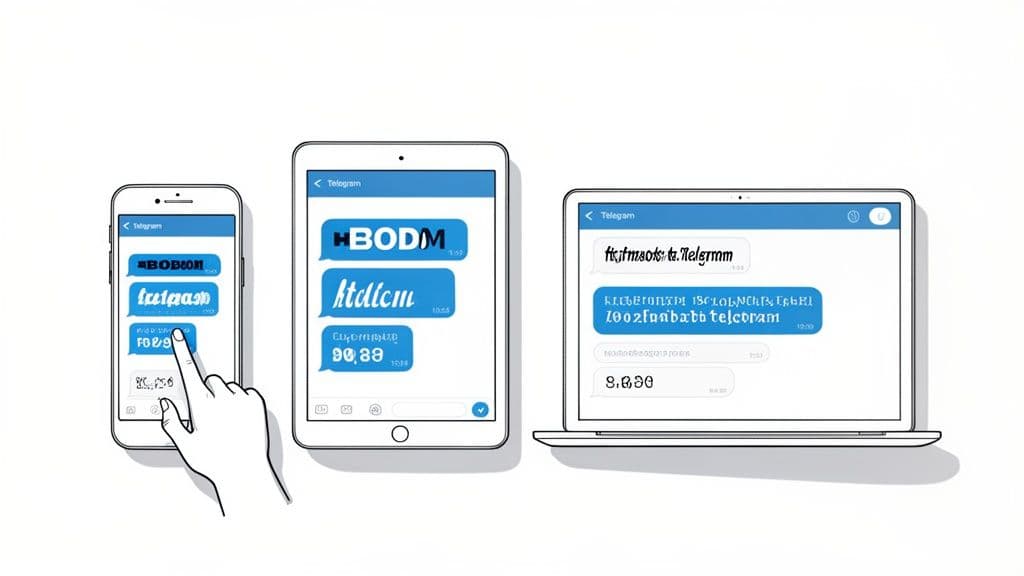
Looking to change up the text in your Telegram chats? You're in the right place. You can instantly make the app's overall font bigger or smaller right in the Chat Settings. You can also format individual messages with bold, italic, and monospace text using built-in tools on any device.
For those truly custom, eye-catching styles, you'll want to use an external font generator.
A Quick Guide to Customizing Your Telegram Text
Ever wished your Telegram messages were just a bit easier to read, or maybe had a little more personality? Customizing your text is one of the fastest ways to make the app feel more like your own. It's not just about aesthetics; it's about making your conversations clearer and more comfortable.
This guide cuts right to the chase, showing you how to get immediate results. We'll focus on the three main ways you can change how your text looks:
Adjusting the App's Font Size: A simple, app-wide tweak for better readability.
Using Built-in Formatting: Quick shortcuts for adding emphasis with bold, italic, and more.
Using Font Generators: The go-to method for adding unique and creative font styles to your messages.
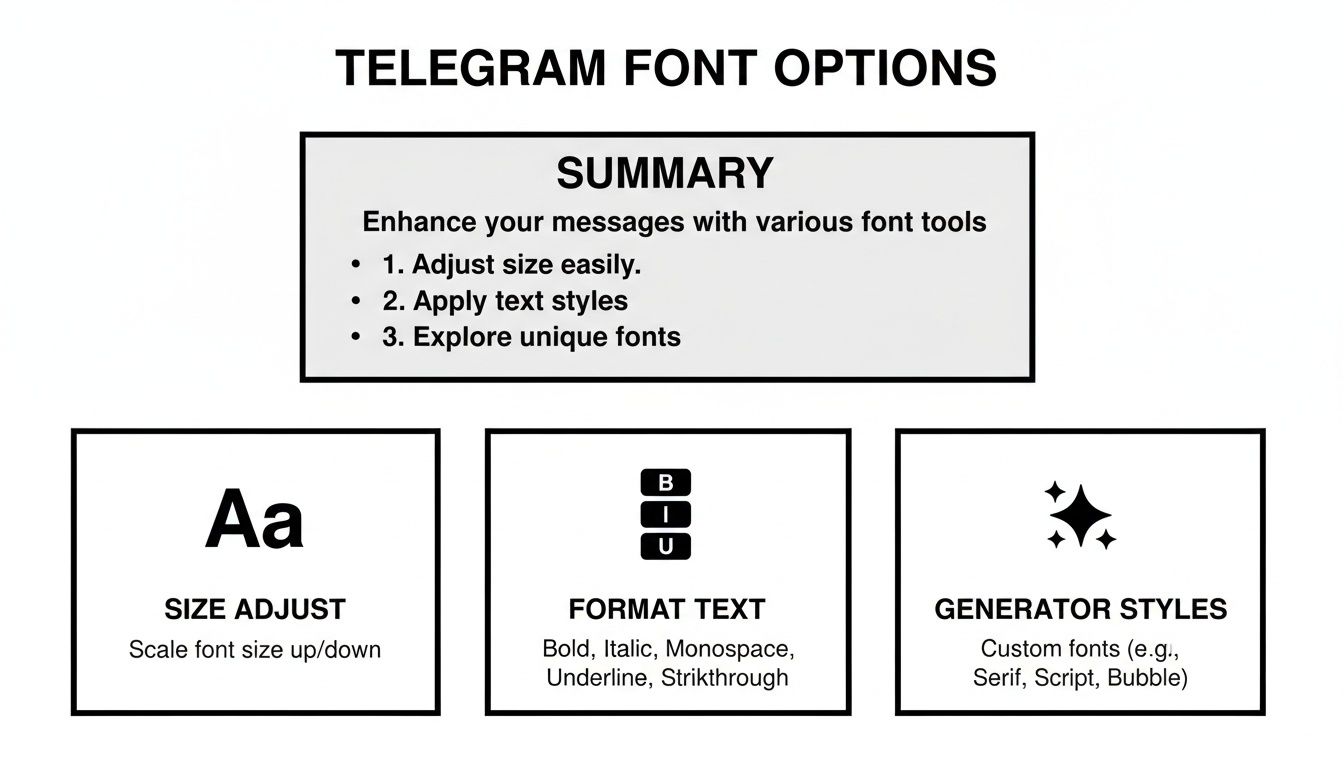
This handy infographic breaks down the different options you have at your fingertips.
As you can see, you have control over function (size), emphasis (formatting), and pure creativity (custom styles).
Why Bother Customizing Your Text?
With Telegram's user base continuing to grow, even small personalizations can make a big difference in how you use the app. The easiest place to start is right inside your Chat Settings or Appearance menu. From there, you can adjust the message text size with a simple slider, making an immediate impact across all your chats.
Pro Tip: These simple adjustments are more than just cosmetic. A well-placed bolded phrase can prevent misunderstandings in a busy group chat, while a slightly larger font size can significantly reduce eye strain during long conversations.
Mastering these basic skills gives you the power to make quick, noticeable improvements to your daily chats. If you're managing a channel, you might also find our guide on Telegram analytics useful for getting deeper insights.
To give you a quick overview, here's a table summarizing your options for tweaking fonts in Telegram.
Telegram Font Customization At a Glance
Customization Method
What It Does
Best For
Available On
App Font Size
Changes the size of all text within the app
Improving overall readability and reducing eye strain
Android, iOS, Desktop
Built-in Formatting
Applies bold, italic, monospace, etc. to specific words
Emphasizing points, sharing code, or adding structure to messages
All platforms
External Font Generators
Creates unique, stylized text to copy and paste
Making messages stand out, creative expression, fun chats
All platforms (via copy/paste)
Each method serves a different purpose, from practical readability tweaks to purely creative flair. We'll walk you through how to use each one.
Manage all your social media in one place with Postiz
Telegram's built-in formatting tools are your secret weapon for making messages pop. Forget plain text—these native features work flawlessly across all your devices, letting you add emphasis and structure right from the chat window. Once you get the hang of them, it’ll completely change how you communicate.
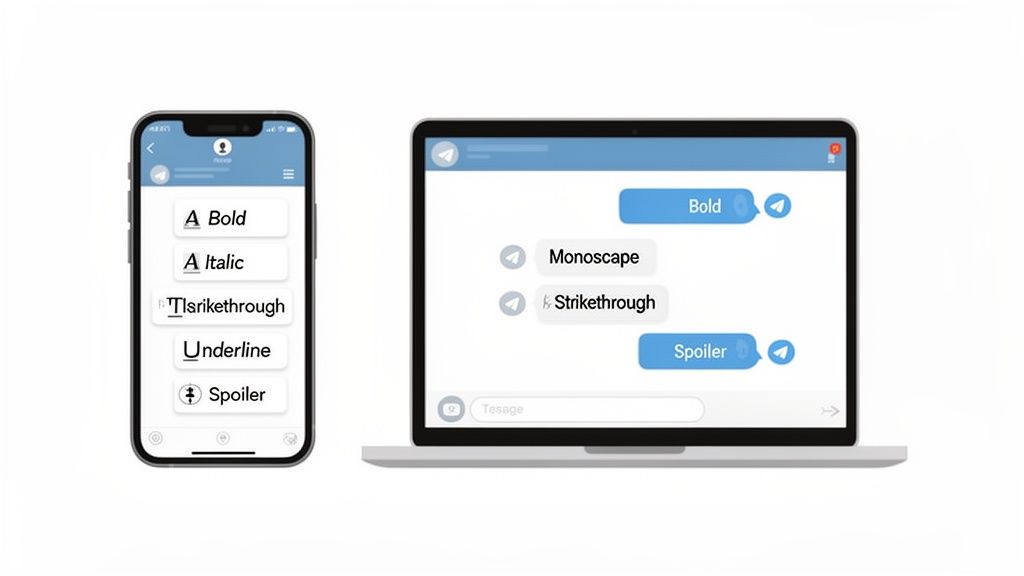
On your phone, it’s incredibly straightforward. Just type out your message, then press and hold the text you want to tweak. A little menu will appear with all the goodies: bold, italic, strikethrough, and a few others.
This focus on a smooth user experience really pays off. When Telegram updated the mobile formatting toolbar in 2025 to be more accessible, engagement in channels shot up. In fact, 61% of business channels reported a boost in monetization, and the use of bold text alone jumped by 40%. You can dive deeper into these platform updates and their impact on monetization to see the full picture.
More Than Just Bold and Italic
While bold and italic are the go-to options for emphasis, Telegram gives you a much richer toolkit. Each format serves a different purpose, turning your plain messages into well-structured communication.
Monospace: This one's a lifesaver for sharing code, terminal commands, or any text where precise spacing is crucial. It keeps everything perfectly aligned and distinct from your regular message.
Strikethrough: Great for showing a correction or edit in a group chat without deleting the original thought. It’s also handy for crossing off items on a shared to-do list or just adding a bit of sarcastic humor.
Spoiler: A brilliant feature for discussing the latest movie or TV show finale. It blurs the text, so anyone who hasn't seen it yet has to tap the message to reveal the content. No more accidental spoilers!
Desktop Shortcuts for Power Users
If you spend a lot of time on the Telegram Desktop app, keyboard shortcuts are your best friend. They’re the fastest way to format text without taking your hands off the keyboard, and they’ll feel instantly familiar if you’ve ever used a word processor.
Quick Tip: Just wrap your text with the right symbols as you type. For example, **your text** makes it bold, __your text__ (or *your text*) makes it italic, and ~~your text~~ creates a strikethrough. It’s the most efficient way to format messages on the fly.
Adjusting Font Size for Better Readability
While formatting individual messages is great for emphasis, changing the overall font size can transform your entire Telegram experience. If you spend a lot of time in the app, a simple size adjustment is one of the easiest ways to boost comfort and cut down on eye strain.
Thankfully, this is a universal feature you can find on any version of the app.
No matter if you're on a phone or your computer, you'll find the font size control in a similar spot, usually tucked away in the Settings menu.
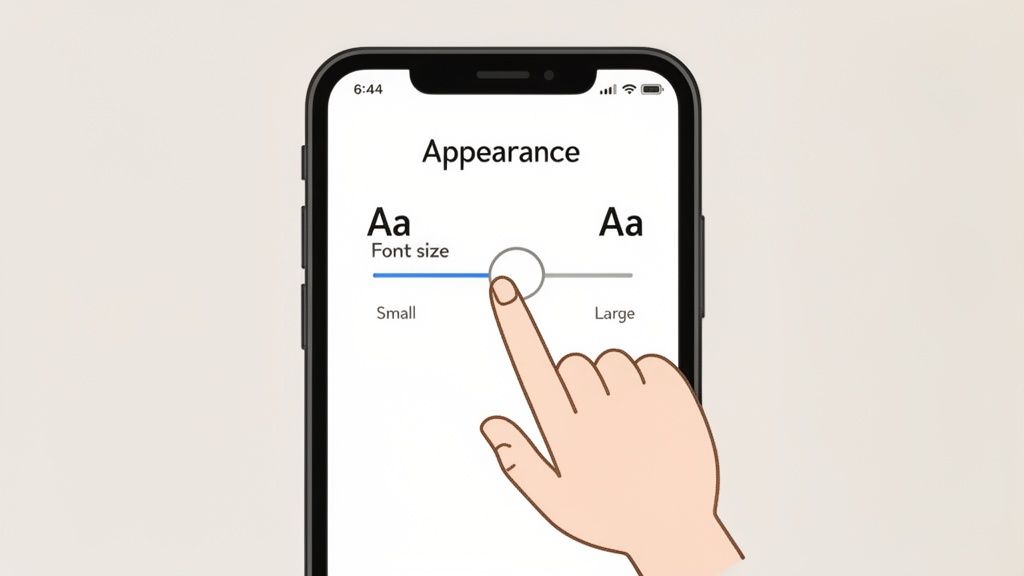
On iOS & Android: Head to Settings and then look for Appearance (iOS) or Chat Settings (Android). You'll see a slider labeled Message Text Size.
On Desktop: Click the "hamburger" menu (the three lines), go to Settings, and then find Chat Settings. The font size slider is right there.
As you move the slider, you'll see a live preview of how your messages will look. This makes it super easy to land on the perfect size that feels just right.
From my experience, a small bump can make a huge difference. I find that moving from the default 16pt to 17pt or 18pt hits a sweet spot for easy reading without making everything feel too crowded.
Platform-Specific Nuances
While the process is pretty much the same everywhere, there are a few little quirks to keep in mind. For instance, some custom themes use a slightly bolder font, which can change how a specific size looks and feels.
If you're using the Telegram X client, you'll find it has its own dedicated font size changer designed to improve readability. On the desktop app, you have even more control—you can navigate to settings and themes to pick a new font family entirely from a list of defaults.
For anyone facing specific reading challenges, simply adjusting the size might not be enough. Exploring additional tools and strategies, like those found in guides to the best apps for dyslexia, can offer even more support.
Using Third-Party Tools for Creative Font Styles
While Telegram's built-in formatting is fantastic for clear, professional messages, sometimes you just want to add a bit of personality. Since you can't install your own font files directly into the app, the community came up with a pretty clever workaround: third-party font generators.
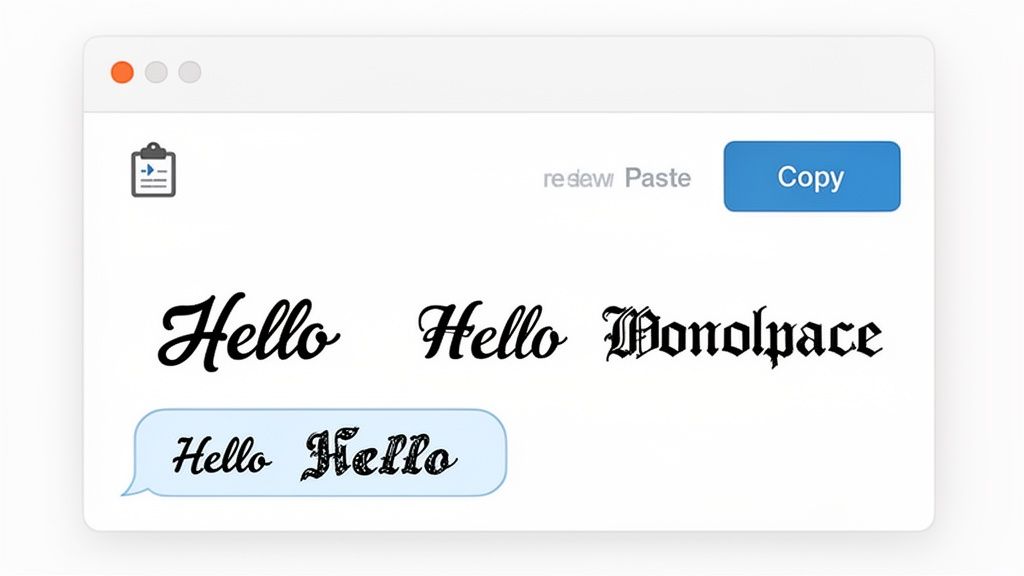
These are just simple websites that take your plain text and convert it into cool styles using special Unicode characters. It’s like a copy-and-paste magic trick, turning a standard "Hello" into something like 𝕳𝖊𝖑𝖑𝖔 or 𝐻𝑒𝓁𝓁𝑜. The best part? It's incredibly easy to do, no tech wizardry needed.
How Font Generators Work
Getting these fancy fonts into your chat is a simple copy-and-paste job. You don't have to download or install anything.
Just pop open a font generator website, type in your message, and you'll see a whole list of styles appear. Find one that catches your eye, hit the copy button next to it, and then paste it right into your Telegram chat. That's it. Send it off and watch your friends wonder how you did it.
This desire for more expressive text isn't new; it has grown significantly. Font generators really took off after 2025, and Google Trends data from that year shows interest in 'calligraphy fonts' hitting an all-time high. It points to a broader demand for creative styles that people can easily use in their favorite apps.
The Good and The Bad of Generated Fonts
While this method opens up a world of creative possibilities, it’s not without its quirks. It's important to know what you're getting into.
Key Takeaway: What you're copying isn't a "font" in the traditional sense. It's actually a sequence of special Unicode characters. This means they might not show up correctly on all devices, sometimes appearing as empty boxes (□□□), especially on older phones.
Here are a few other things to keep in mind:
Accessibility Can Be an Issue: Screen readers, which help visually impaired users, often struggle to interpret these special characters, potentially making your messages unreadable for them.
Display Problems: Your cool font might look perfect on your phone but appear broken or completely different on an older computer that doesn't support those specific Unicode characters.
Searchability: Text written in these unique styles often isn't searchable within Telegram. If you're trying to find an important message later, you might be out of luck.
If you're looking for truly unique styles that go beyond what Telegram offers, you could even explore platforms like the AI Typography Ascii Image Generator. By understanding the pros and cons, you can decide when it's the right time to use these fun styles. For more ideas, take a look at our guide on other great social media content creation tools.
Using Bots for Automated and Styled Messages
If you're managing a busy channel or running a business on Telegram, formatting every single message by hand just isn't practical. This is where bots come in. They're a game-changer for sending out perfectly styled messages automatically, ensuring your communication is always professional and consistent.
Think about it: you can program a bot to send announcements where key details are always bolded, or product updates with clean, clickable buttons instead of messy URLs. This goes way beyond just making text look good; it transforms how your audience engages with your content. Every message perfectly reflects your brand, and you don't have to lift a finger.
Keep Your Brand Looking Sharp, Automatically
For businesses, especially in e-commerce, this kind of automation is a lifesaver. A bot can manage everything from sending styled order confirmations to blasting out promotional messages. It’s a core part of building a great community and running effective marketing campaigns on Telegram.
This approach is more than just a convenience—it's incredibly scalable. Over 210,000 brands are now running their loyalty programs exclusively on Telegram, and bots handle 27% of all e-commerce service conversations with custom-styled text. You can find more details on these powerful Telegram marketing strategies on crmchat.ai.
Using bots creates a reliable, hands-off system for all your important communications.
How to Set Up Your Styled Message Bot
Getting a bot up and running does take a little initial setup, but the time you'll save makes it more than worth it. The basic process usually looks something like this:
Find the right bot: You can start with a well-known management bot like Controller Bot or even create your own if you're technically inclined.
Create your message template: This is where you'll define how your messages look using Markdown or HTML for formatting.
Set the trigger: Tell the bot when to send the message. This could be on a fixed schedule, in response to a specific command, or when a new user joins.
This automated workflow ensures that every message you send out meets the same high standard of quality. If you want to dive deeper into this kind of efficiency, our guide on how to automate social media posting shares some similar principles that you might find useful.
Got Questions About Telegram Fonts?
When you start digging into Telegram's font options, a few common questions tend to pop up. Let's tackle some of the most frequent ones I hear.
Can I Use My Own Font Files (Like .TTF) in Telegram?
The short answer is no. Telegram doesn’t let you upload your own font files, like .TTF or .OTF, on any version of the app—not on Android, iOS, or the desktop clients.
Your options are limited to what's built into the app itself. This means you can play around with themes, which change the overall look, and you can always adjust the message text size in the chat settings. If you're after a truly custom look, your best bet is using an external font generator. These websites convert your text into special Unicode characters that you can just copy and paste.
Why Do My Custom Fonts Sometimes Show Up as Empty Boxes?
Ah, the classic "box" problem (☐☐☐). If you paste in some fancy text and your friend just sees a row of empty squares, it's a Unicode issue. It simply means their device or operating system doesn't know how to display those specific characters.
This happens a lot with older phones or devices that haven't been updated in a while. To be safe, maybe send a quick test message to a friend before you blast out a new font style to a big group or your entire channel.
Are the Font Options Different in Telegram X?
Yes, there are some subtle differences. Both the main Telegram app and the experimental Telegram X client share the same basic formatting tools like bold and italic, and both let you change the font size.
Where they differ is in the details. Telegram X is often a testing ground for new features, so it sometimes offers more granular control over the interface, including a wider range of theme and appearance settings. These can indirectly affect how your text looks and feels within the app.
Ready to take your social media management to the next level? Postiz offers an all-in-one platform with AI-powered content creation, automated scheduling, and in-depth analytics to help you grow your audience. Start streamlining your workflow today.
Create high-quality content faster with AI. Learn how AI-powered content creation simplifies your workflow, boosts productivity, and helps you plan, write, and design smarter.
Postiz OAuth 2.0 lets your app schedule posts, list integrations, and pull analytics on behalf of any Postiz user. Full flow, Node.js example, and real-world use case.