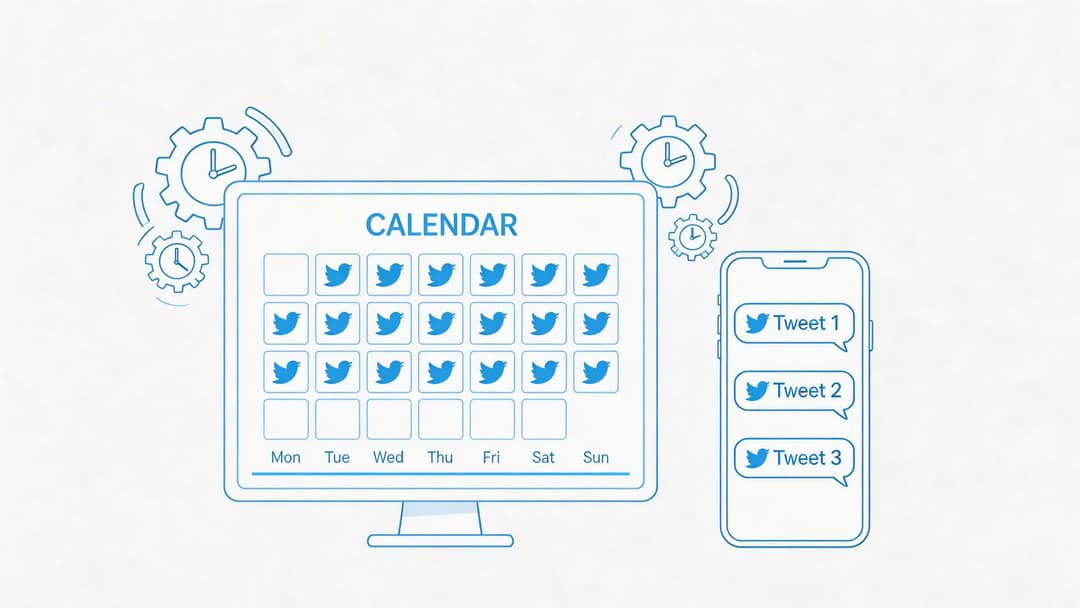
You probably know the pattern. A good tweet idea hits while you’re between meetings, in a cab, or halfway through another task. You open X, write fast, post it, and move on. Later that day you do it again. Then two days pass and nothing goes out.
That rhythm feels active, but it’s hard to scale. Manual posting turns content into a series of interruptions. It also makes quality uneven. Some posts get care, others get whatever attention you had left.
A twitter post scheduler fixes the obvious problem, which is timing. The bigger win is workflow. When the scheduler becomes the center of your system, you stop treating social as a last-minute chore and start running it like an engine. Ideas get captured, posts get built in batches, visuals stay on-brand, approvals stop living in chat threads, and performance starts shaping the next round of content instead of getting ignored.
Beyond Random Tweets The Shift to Strategic Scheduling
Teams rarely begin with a broken strategy. They start with good intentions and no system.
A founder writes sharp posts when inspiration shows up. A marketer remembers to promote a launch on one platform but forgets the follow-up thread. An agency team stores ideas in docs, screenshots, Slack messages, and someone’s phone notes. Content still goes out, but not in a way you can repeat week after week.
That’s the point where scheduling changes from a convenience to an operating habit.
A twitter post scheduler isn’t just there to publish on Tuesday morning while you’re in a meeting. It gives you one place to decide what’s worth posting, when it should go live, how often you want to show up, and who needs to review it before it’s public. It shifts your team from reactive posting to planned distribution.
Random posting creates activity. Strategic scheduling creates consistency.
The teams that make this work don’t obsess over filling every slot on the calendar. They build a repeatable loop. Plan themes. draft posts. prepare assets. schedule in batches. review results. adjust the next batch.
If your current process feels messy, start by getting the planning side under control with a simple social media content planning template. The scheduler works better when the ideas feeding it are organized before anyone starts clicking dates and times.
Building Your Content Foundation Before You Schedule
A scheduler filled with weak content won’t save you. It just helps you publish weak content on time.
Primary work starts before the calendar. You need a small set of themes your audience expects from you, a practical way to turn those themes into post ideas, and a cadence your team can maintain.
Manage all your social media in one place with Postiz
Most growing accounts do better with a few repeatable lanes than with endless novelty. Your pillars are the subjects you can speak on with credibility and consistency.
A simple setup usually includes a mix like this:
Core expertise: What you want to be known for. For a SaaS founder, that might be product lessons, onboarding mistakes, or customer research.
Proof and process: Behind-the-scenes work, operating notes, workflows, and decisions.
Point of view: Opinions, industry takes, and pattern recognition.
Audience utility: Checklists, frameworks, short tutorials, and templates.
Personality: Light personal observations that make the account feel human.
If you don’t have these written down, your feed gets pulled toward whatever seems urgent that day. That’s when content starts to feel random.
A clear set of pillars makes ideation easier, delegation simpler, and review faster. This is also where a resource like content pillars for social media helps teams define what belongs in the feed and what doesn’t.
Turn one keyword into a week of posts
Blank-screen syndrome wastes more time than scheduling ever does. AI ideation is useful here, but only if you use it like a starting point, not a substitute for judgment.
A practical prompt workflow looks like this:
Pick one keyword or topic Use something narrow like “customer onboarding” or “creator burnout,” not a broad category like “marketing.”
Ask for multiple angles Request contrarian takes, beginner mistakes, tactical threads, quick-win tips, polls, and quote-post ideas.
Sort by pillar Put each idea into one of your core themes. If it doesn’t fit, drop it.
Rewrite in your own voice The first draft from AI is rarely the final post. Tighten claims, remove generic phrasing, and add specifics from your own work.
Bundle ideas into formats One strong topic can become a single tweet, a short thread, a poll, a graphic post, and a cross-platform version for LinkedIn.
Practical rule: If an idea only works once, it’s content. If it can become a recurring format, it’s a system.
Set a cadence you can sustain
Posting frequency matters, but consistency matters more than bursts of effort followed by silence. Research on Twitter posting frequency found that accounts posting 1 to 3 times daily tend to achieve stronger growth than accounts posting less or more than 5 times, and 2 to 4 posts per day is a practical sweet spot for most users (Tweet Archivist’s posting frequency guide).
That doesn’t mean every account should rush to fill four daily slots. It means your scheduler should support a rhythm your team can keep up without lowering quality.
Here’s a clean planning model:
Content type
Suggested role in the week
Short opinion posts
Keep the account active and conversational
Educational threads
Build authority and save-worthy content
Visual posts
Increase clarity and brand recognition
Polls or prompts
Spark replies and lightweight engagement
Evergreen repurposed posts
Fill gaps without reinventing everything
The goal is reliability. Followers learn what to expect. Your team knows what needs to be produced. The scheduler stops being a holding bin for random thoughts and becomes the execution layer for a real content plan.
Crafting Engaging Posts and Visuals in One Place
Planning gives you direction. Teams frequently lose speed during creation.
The common problem isn’t a lack of ideas. It’s tool switching. Copy gets drafted in one app, visuals in another, revisions happen in chat, and scheduling happens somewhere else. That handoff chain slows everything down and creates sloppy posts.
Write for scanning, not just reading
People don’t approach X with full attention. Your posts have to earn the second line.
A few writing habits consistently help:
Lead with the point: Don’t warm up for three lines. Put the claim, lesson, or tension first.
Break threads cleanly: Each post in a thread should carry one clear idea. Don’t cram multiple sub-points into a single tweet.
Use simple formatting: Short lines, strong spacing, and natural progression improve readability.
Avoid vague takeaways: “Consistency matters” is forgettable. A concrete observation or direct instruction is easier to engage with.
Hooks also need variety. Questions work. Contrarian statements work. Specific mistakes work. Direct lessons from recent work often work best because they sound lived-in.
For teams making lots of graphics, a reference library of strong social media graphics helps keep visual standards consistent across campaigns.
Pair text with visuals that clarify the idea
Visuals shouldn’t just decorate a tweet. They should do one of three jobs:
Visual type
Best use
Branded quote card
Reinforce a strong one-line idea
Simple diagram
Explain a process or framework
Screenshot or example
Show proof, not just tell
Carousel-style image set
Break a topic into steps
Light illustration
Add recognition to repeatable series
A lot of teams overdesign X graphics. They add too much text, too many colors, and too many competing elements. In practice, simpler assets tend to be easier to understand on mobile and easier to batch-produce.
Keep copy, design, and scheduling connected
Integrated tools prove helpful. Instead of treating writing, design, and publishing as separate projects, keep them in one workflow.
If your platform includes AI image generation and a built-in editor, use those features to remove friction, not to flood the calendar with generic art. Generate a draft visual, edit it with your logo or text overlay, then attach it to the post while the idea is still fresh. That cuts down on missing assets, duplicate files, and version confusion.
A unified creation flow also helps with recurring formats. If your team runs weekly breakdowns, founder notes, or product tips, save those layouts as templates. Then the creative work shifts from rebuilding every asset to updating the message.
Good visual workflows don’t just save time. They protect consistency when more people start contributing.
When that happens, your twitter post scheduler becomes more than a timer. It becomes the place where ideas turn into finished assets, ready to publish without a last-minute scramble.
Mastering Your Twitter Post Scheduler Workflow
Native scheduling inside X is fine for occasional use. It lets you pick a time and send a post later. That’s useful if you’re publishing one announcement or queuing a thread before you log off.
It falls short once your workflow gets real. You need drafts, reusable formats, a queue, approvals, recurring content, visibility across the week, and a cleaner way to manage more than one account or brand voice.
Native scheduling versus a real workflow
Here’s the trade-off in plain terms:
Need
Native X scheduling
Third-party scheduler
Schedule one post for later
Yes
Yes
Manage a content queue
No
Yes
Reuse evergreen posts
No
Yes
Save templates and drafts
Limited
Yes
Coordinate approvals
No
Yes
Analyze timing performance
No
Yes
Cross-post to other platforms
No
Yes
That difference matters because scheduling isn’t one action. It’s a chain of actions that needs to stay organized.
A third-party tool earns its place when it removes repeated manual work. That can mean a queue for evergreen tweets, thread scheduling with proper intervals, or a calendar view that helps your team spot content gaps before the week starts.
Build a weekly queue, not a pile of one-off posts
One of the cleanest systems is to split content into two groups.
Evergreen content goes into a queue. These are durable posts that can run again later with light edits. Think frameworks, lessons, FAQs, and educational snippets.
Timely content gets scheduled on specific dates. These include launches, trend reactions, news commentary, partnerships, and event-based posts.
That setup keeps your feed moving even when the week gets chaotic.
A tool like Postiz can support this structure with scheduled posts, queues, thread support, drafts, and cross-channel planning from one interface. That’s useful when your team wants one place to manage both planned content and the posts that need a more hands-on review.
Use timing as a workflow decision
A scheduler becomes much more valuable once timing stops being guesswork. A large 2026 analysis of more than 700,000 posts from 50,000 Twitter accounts identified Wednesday at 9 AM as a peak engagement slot, with broader strong windows between 8 to 11 AM and 3 PM on weekdays (Upvote Club analysis). That same source notes the first hour after publication as especially important for broader distribution.
You don’t need to chase every generic best-time recommendation. You do need a starting point, and a scheduler lets you act on that starting point consistently instead of relying on memory.
A strong operating habit looks like this:
Batch on one day: Draft and load the coming week in one sitting.
Use fixed slots first: Pick a handful of dependable weekday publishing windows.
Reserve open space: Leave room for live posts when something timely happens.
Review before lock-in: Check spacing, creative variety, and tone before the queue goes live.
Scheduled content should handle your planned communication. Live posting should handle relevance.
Run a simple testing cycle
A lot of teams schedule content and never improve the system because they never isolate variables. They change timing, format, and topic all at once, then can’t tell what worked.
A better approach is to test timing deliberately. A documented protocol suggests a 4-week process: Week 1 uses a baseline of 3 to 4 posts per day at generic peak times, Weeks 2 and 3 test 3 to 4 new slots while content stays consistent, and Week 4 ranks the top slots by engagement rate, with 80% of scheduled content placed in the winning times and 20% left open for live topics (XBeast scheduling strategy).
That framework works because it’s manageable. You’re not rebuilding your strategy every day. You’re making one variable easier to evaluate.
Don’t ignore adjacent content operations
Teams that use a twitter post scheduler often also distribute audio, video, newsletters, or platform-specific promos. If your workflow includes music releases, podcast clips, or creator campaigns, it’s worth looking at how other platforms handle scheduled publishing. This roundup of SoundCloud scheduling tool options is useful because it highlights the same operational issue we run into on X: the tool matters less than the repeatable workflow behind it.
The practical lesson is simple. If publishing is still dependent on memory, availability, or last-minute energy, it will stay inconsistent. A scheduler solves that only when you use it as part of a disciplined weekly system.
Automating Engagement and Cross-Platform Strategy
Scheduling posts is a good start. It’s still only one layer of the work.
The bigger efficiency gain comes when you automate the repetitive actions around publishing. Not fake engagement. Not spam. Just the operational tasks your team does over and over, often badly, because they’re rushing.
Automate the work that doesn’t need judgment
Some tasks deserve manual attention. Replies to customers. Sensitive brand moments. Partnership conversations. Those stay human.
Other tasks can be systemized:
Recurring publishing actions: Reposting evergreen content, filling queue gaps, and sending approved assets at set times.
Monitoring triggers: Tracking mentions, keywords, or priority accounts so your team sees relevant conversations faster.
Low-risk engagement routines: Surfacing posts that are worth responding to, rather than making someone hunt for them manually.
Cross-platform handoffs: Sending adapted versions of the same core message to different channels without endless copy-paste work.
If your team is still doing those steps by hand, the bottleneck isn’t creativity. It’s operations.
A broader operations mindset helps here too. This guide on how to automate repetitive tasks is useful because it frames automation as process design, not just software setup. That’s the right way to think about social workflows.
Use automation to support real engagement
Auto-like and auto-comment features need restraint. Used carelessly, they make an account feel robotic. Used carefully, they can help a team stay present around specific conversations or communities.
The test is simple. Ask whether the automation helps your team notice relevant conversations and respond faster, or whether it creates generic activity no one values. If it’s the second one, skip it.
A better use case is selective support:
Automation type
Good use
Bad use
Auto-retweet
Amplify approved partner or brand-safe content
Reposting everything from a keyword feed
Auto-like
Signal attention in tightly defined communities
Liking broad, irrelevant posts at scale
Auto-comment assistance
Queue prompts for a human to customize
Posting canned comments everywhere
Cross-posting
Adapt proven themes for each platform
Dumping identical copy on every channel
Repurpose once, publish many times
Strong content usually deserves more than one life. A twitter thread can become a LinkedIn post. A poll can become a story prompt. A product insight can become a visual card for Instagram or Facebook.
The mistake is assuming cross-posting means duplication. It doesn’t. It means preserving the core idea while changing the packaging.
For agencies and SMB teams, this matters because one campaign often supports multiple channels. If your scheduler can hold the original post, the adapted versions, the publishing dates, and the approvals in one place, your team spends less time moving assets around and more time improving the message.
That’s where the scheduler shifts again. It stops being a Twitter-only utility and starts acting like a distribution layer for your broader content operation.
Analyzing Performance to Refine Your Schedule
A schedule is only useful if it gets smarter over time.
Many teams publish consistently and still plateau because they never close the feedback loop. They look at likes, say a post “did fine,” and move on. That leaves timing, format choice, and audience behavior mostly unanswered.
Focus on decision-making metrics
Vanity metrics aren’t useless, but they’re incomplete. A post with visible likes may still be poor at driving profile visits, link clicks, saves, or meaningful replies.
For scheduling decisions, the metrics that usually matter most are:
Engagement rate: Helps compare posts with different impression counts.
Impressions: Useful for spotting timing effects and reach patterns.
Link clicks: Important when traffic is the goal.
Follower movement after posts: Helpful for identifying themes that attract the right audience.
Performance by format: Single tweet, thread, visual, poll, or repurposed post.
Look at these in combination. A thread may produce fewer likes than a short take but more profile visits. A visual post may earn broad reach but weak clicks. The scheduler’s analytics should help you connect those outcomes to timing and format, not just summarize activity.
Build a heat map from your own data
Generic advice is a starting point. Your own account history is better.
A reliable method is to create a 7×24 grid that covers 168 weekly time slots, then populate each slot with average engagement rates from at least 4 to 6 weeks of post data, using color coding from green for the top 20% of performance to red for the bottom 20% (Tweet Archivist schedule analytics).
That sounds more technical than it is. In practice, you’re asking one question: when does this audience respond best to this account?
A useful review rhythm looks like this:
Export or gather recent post data Keep content types reasonably comparable when possible.
Group by day and hour Don’t evaluate random timestamps one by one.
Look for clusters, not isolated winners One standout post can distort the picture.
Mark under-tested slots If you barely posted there, don’t overinterpret the result.
Schedule new tests into uncertain areas Use the next month to fill in the gaps.
Your audience doesn’t care about “the best time to post” in general. They respond at the times that fit their habits and your content style.
Treat analysis like a feedback loop
This is the gap in a lot of scheduler advice. It tells you when to post, but not how the tool should help you learn from what happened after the post.
A stronger workflow asks:
Which time slots work for educational posts versus opinion posts?
Are thread results improving because of timing, or because the hook got better?
Which evergreen posts deserve another run?
Which formats look weak only because they were published into poor windows?
Are cross-platform results pointing to a timing mismatch by channel?
That last one matters more than many teams realize. If a topic lands on LinkedIn but not on X, the problem might be packaging, timing, or both. A scheduler with useful analytics should make those comparisons easier to spot.
Make small adjustments, not dramatic swings
Teams often overcorrect. One weak post goes out on Friday afternoon and suddenly Friday is banned forever. One thread pops off at an unusual hour and now the whole schedule gets rebuilt around a single outlier.
A better practice is steady refinement. Keep most of your schedule stable. Test a few new slots. Compare similar post types. Revisit your heat map after enough new content has gone live.
That’s how scheduling becomes an advantage instead of a habit. You stop relying on broad internet advice and start publishing based on evidence from your own audience.
Frequently Asked Questions About Twitter Schedulers
Is a twitter post scheduler safe to use?
Yes, if you use a reputable tool and follow platform rules. The primary risk usually isn’t the act of scheduling. It’s using aggressive automation that makes the account look spammy or low quality.
Stick to workflows that help you publish consistently, manage drafts, and review content before it goes live. Be careful with any engagement automation that removes human judgment.
Should I schedule everything or still post live?
Use both. Scheduled posts should carry your planned communication. Live posting is still useful for trends, event reactions, customer conversations, and moments when speed matters.
A healthy mix prevents the account from feeling mechanical. It also gives your team room to respond to what’s happening without abandoning the content calendar.
Can I schedule threads?
Yes. A good scheduler should let you build a thread as one unit, review it in order, and set it to publish without manually sending each post. That matters because thread quality often drops when people try to assemble it in a rush.
Before scheduling, read the thread from top to bottom on mobile. Most thread issues are obvious when you view them as a reader instead of as the writer.
How far ahead should I schedule posts?
Far enough to reduce stress, not so far that the feed becomes rigid.
For many teams, a weekly batch works well. It gives you structure without making the content feel detached from current conversations. Longer lead times can work for evergreen campaigns, but leave room to edit or replace posts if priorities change.
What if my audience is global?
Simpler tools frequently struggle. For global audiences, schedulers should automatically calculate posting times across time zones, handle daylight saving changes, and account for regional behavior differences, which is a complexity often underaddressed in lighter tools (PostEverywhere on X scheduler gaps).
If you manage accounts with followers across regions, don’t assume one “best time” will cover everyone. Review where your audience is concentrated and decide whether one account needs staggered publishing windows or whether specific campaigns should be timed region by region.
Should I recycle evergreen tweets?
Yes, with judgment. Evergreen content often deserves another run, especially if it teaches something durable.
Don’t repost the exact same wording on an obvious loop. Refresh the hook, adjust the creative, or turn the idea into a new format. Reuse should feel intentional, not lazy.
What’s the biggest mistake teams make with schedulers?
They treat the scheduler like a parking lot instead of a system.
Posts get loaded in without a clear theme, no one reviews the weekly mix, timing never gets refined, and analytics never change the next round of content. The tool isn’t the problem. The missing workflow is.
If you want one place to handle planning, drafting, scheduling, cross-posting, and performance review, Postiz is an option worth evaluating. It’s an open-source social media scheduling platform with AI-assisted content creation, built-in design support, automation features, analytics, and self-hosting for teams that want more control over their workflow and data.
Tired of guessing? Learn how to calculate, track, and prove your social media ROI with real-world examples and actionable strategies that show real impact.