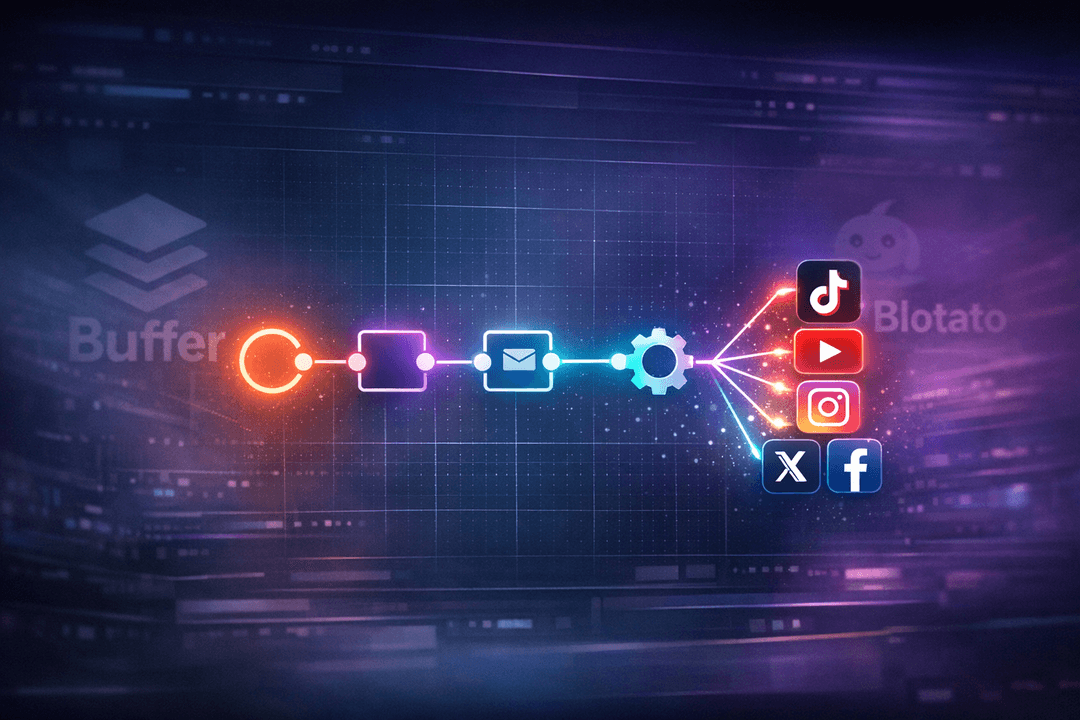
If you’ve been paying Blotato, Buffer, or any of the other SaaS social media schedulers for an API plan, you probably already know the feeling — you’re being billed per post, per channel, per seat, and somehow the bill keeps climbing the moment your automation actually starts working. A recent walkthrough from the AI Agents A-Z team made the rounds for suggesting a very direct fix: ditch the per-post pricing entirely, wire n8n into a real social media scheduling API, and push unlimited posts to TikTok, YouTube, Instagram, and every other channel without touching a paid credit.
The tool they picked for the job is Postiz, and the workflow is genuinely simple — simple enough that it’s worth walking through what they demoed, and then showing how to skip the infrastructure headache entirely and run the same thing on Postiz cloud with nothing to deploy. That’s the version most creators actually want: a free social media scheduler with a public API, an n8n template on top, and cross-posting to every major platform out of the box.
The pitch: one API, every platform, zero per-post pricing
The opening of their video frames it pretty bluntly. Scheduling content to social platforms, they argue, should not cost you a subscription per channel plus per-API-call fees. It should be one account, one API key, and whatever your imagination and your n8n instance can throw at it. In their example that’s Instagram, TikTok, and YouTube — but the same n8n node pattern extends out to LinkedIn, Facebook, X, Bluesky, Threads, Pinterest, and the rest of the 28+ channels Postiz supports.
This is the part that makes it a real buffer alternative, not just another scheduler. Most schedulers either cap your post volume, charge per seat, or lock the API behind an enterprise plan. A public API that’s part of the default plan flips the model: your automation graph is the scheduler, and the tool becomes a thin publishing layer. That’s what unlocks the “unlimited scheduled posts” claim — the cost of scheduling one post or ten thousand is identical at the API level.
Getting the Postiz public API key
The first thing the AI Agents A-Z team do is grab their Postiz API key. On the Postiz cloud dashboard this takes about fifteen seconds: open Settings → Public API, hit Reveal, and copy the key. That’s it. You don’t stand up a server, you don’t need a VPS, you don’t need to know what Coolify is. The API is the same whether you’re on a free plan or a team plan — it’s just part of the product.
Back in n8n, the workflow expects that key on an Authorization header. They name the header authorization, paste in the key, and point the request nodes at the Postiz API base URL — https://api.postiz.com for cloud — instead of any self-hosted domain. From here, every downstream node in the graph can call Postiz endpoints as the authenticated user: uploading media, listing connected integrations, scheduling posts, pulling analytics, anything the platform can do in the UI.
Two things worth noting about that key. First, it inherits whatever integrations you’ve already connected in the Postiz dashboard — so if you’ve logged in through Instagram, TikTok, and YouTube once, your n8n workflow suddenly has access to post to all three, no extra setup. Second, the same key works with Postiz’s MCP server if you’d rather let an AI agent drive the scheduling conversationally; we’ll come back to that in a minute.
Manage all your social media in one place with Postiz
Walking through the graph from top to bottom, the pattern is very clean.
The first node downloads the video from wherever it lives — their example uses a direct URL, but in production you’d wire this up to whatever is producing content for you: a Drive folder, an AI video generator, a finished edit out of CapCut, a previous node in a bigger automation chain. The second node uploads that media to Postiz, which is a single POST /upload call that returns an id and a path — both of which you’ll need later.
Next comes the integration discovery step, and this is the small design choice that makes the whole workflow reusable. Instead of hardcoding which accounts to post to, the graph calls GET /integrations to retrieve everything currently connected to the user’s Postiz account. The response lists each integration with its id and type — tiktok, youtube, instagram-standalone, and so on. A switch node then branches per platform, because each platform has its own required settings: TikTok wants privacy_level, duet, stitch, and a handful of disclosure flags; YouTube wants a title and a type; Instagram wants a post_type. Nothing exotic, just platform rules encoded in JSON.
In the AI Agents A-Z demo they only wire up the YouTube branch on screen, but they’re explicit that adding the others is literally the same pattern with a different settings block. If you’ve ever tried to do this directly against the native TikTok, YouTube, and Instagram Graph APIs, you know how much pain that one design decision removes.
Scheduling the post — and a small gotcha
With the upload done and the integration chosen, the graph builds the JSON body for the actual schedule call. This is where the video slows down, because the body structure is the part most people get wrong the first time.
The request hits POST /posts with a type of schedule and a date set to one day after the current time. It carries the integration ID for the destination, the text content of the post, and — here’s the gotcha they flag — the media is passed via an image field even when the upload is a video. That naming is a quirk of the Postiz data model: all media attachments go through the same property regardless of whether they’re stills or clips, and the platform-side settings object is what actually tells the provider this is a YouTube upload with a title. When the workflow fires, the call returns a scheduled post entry and the title shows up correctly on the YouTube side. That’s the end of the core loop.
Once you’ve seen it work for one platform, the rest is arithmetic. The same template with five switch branches lets you cross-post a single asset to TikTok, Shorts, Reels, Facebook, and X with one automation run. With twenty-eight branches, you’ve got every channel Postiz supports.
Where this workflow really opens up
The last beat of their walkthrough is the one that matters most for anyone thinking about scale. This n8n template, they point out, isn’t the automation — it’s the building block.
Drop this into a bigger graph and you’ve got a content pipeline: one trigger, one asset, every platform. Common variations include:
An AI agent that scrapes a Reddit subreddit, drafts captions with an LLM, and pushes a short-form video to TikTok, Shorts, and Reels on a daily cron.
A Make or Zapier flow that watches your CMS for a new blog post and auto-generates a LinkedIn carousel plus an X thread plus a Threads version.
A batch job that takes a week of pre-rendered clips from your AI video generator and schedules them across the month, one per day, staggered across channels.
A customer-support bot that, when it sees a user question trending, drafts a social reply and queues it as a scheduled post for your team to approve.
The common thread in all of those is that the social media scheduling API isn’t the interesting part anymore — it’s the boring, reliable plumbing that lets the interesting part (the AI agent, the scraper, the CMS hook) actually reach an audience.
Skip the n8n template and let an agent do it
If you’re already comfortable with n8n, the template above is the fastest way to get going. But it’s worth mentioning there’s a second path that’s even less code: the Postiz MCP server. Postiz exposes an MCP endpoint at https://api.postiz.com/mcp with a small set of tools — integrationList, integrationSchema, schedulePostTool, generateImageTool, generateVideoTool, and a couple of helpers. Any MCP-compatible client (Claude, Cursor, ChatGPT, or your own agent framework) can talk to it using the same public API key.
This is what we mean when we talk about an AI social media agent in practice. Instead of building an n8n graph, you point your agent at the MCP URL and say something like “here’s a video, schedule it on TikTok tomorrow at 9pm, on YouTube Shorts Thursday morning, and on Instagram Reels Friday at lunch.” The agent calls integrationList to see what’s connected, fetches the settings schema for each platform, fills in the right fields, and schedules three posts. No YAML, no JSON by hand. It’s the same public API underneath — just a conversational layer sitting on top.
For teams already building AI agent automations, this is usually the right choice: you get the n8n-style flexibility without maintaining an n8n instance, and the agent naturally handles edge cases like “Instagram needs a different aspect ratio” or “TikTok requires a disclosure flag for paid content.”
Why this is the real RIP-Blotato moment
Stepping back from the specific demo, the reason this pattern gets so much attention is that it reframes what a scheduler actually is. Blotato, Buffer, Hootsuite, Later — they were all built as destinations. You log into the dashboard, you drop in your posts, you pay for the privilege. The API, when it exists at all, is an afterthought with strict limits.
A Postiz-plus-n8n setup flips that. The scheduler becomes infrastructure — something your automation, your AI agent, or your CMS calls. The dashboard is there when a human needs it, but for the 95% case of “publish this asset to these channels at this time,” the whole thing is an API call. Pricing by seat or by post stops making sense in that world, which is why a free tier with an unlocked public API is such a big deal: it matches how content actually gets produced in 2026, where most of the pipeline is already AI-assisted and the only remaining manual step is hitting schedule.
The AI Agents A-Z walkthrough is a great starting point, and the template is free to download from their GitHub. Pair it with a Postiz cloud account and you have, legitimately, a free social media scheduling API with no per-post cost, no infrastructure to manage, and no ceiling on how far you can push it.
Try it yourself
If this is the setup you’ve been hoping someone would build, the good news is you can have it live in about ten minutes. Create a free Postiz account, connect your social channels, reveal your public API key from Settings → Public API, and drop it into the AI Agents A-Z n8n template — or point your favorite AI agent at the Postiz MCP server and let it handle the scheduling on your behalf.
One API, every major social platform, and no more per-post pricing. That’s the quiet death of the scheduler-as-destination era — and a very good reason to stop paying for Blotato and Buffer.
A step-by-step breakdown of how one developer built a fully automated TikTok slideshow marketing pipeline using AI agents, Postiz scheduling API, and a physical Android phone to grow an iOS app from zero to 100+ downloads.
Tired of marketing chaos? Discover how marketing workflow management software streamlines tasks, boosts team productivity, and delivers measurable results.
Struggling to figure out how to get views in Instagram? Our 2026 playbook offers a step-by-step system for predictable growth with Reels, hooks, and analytics.