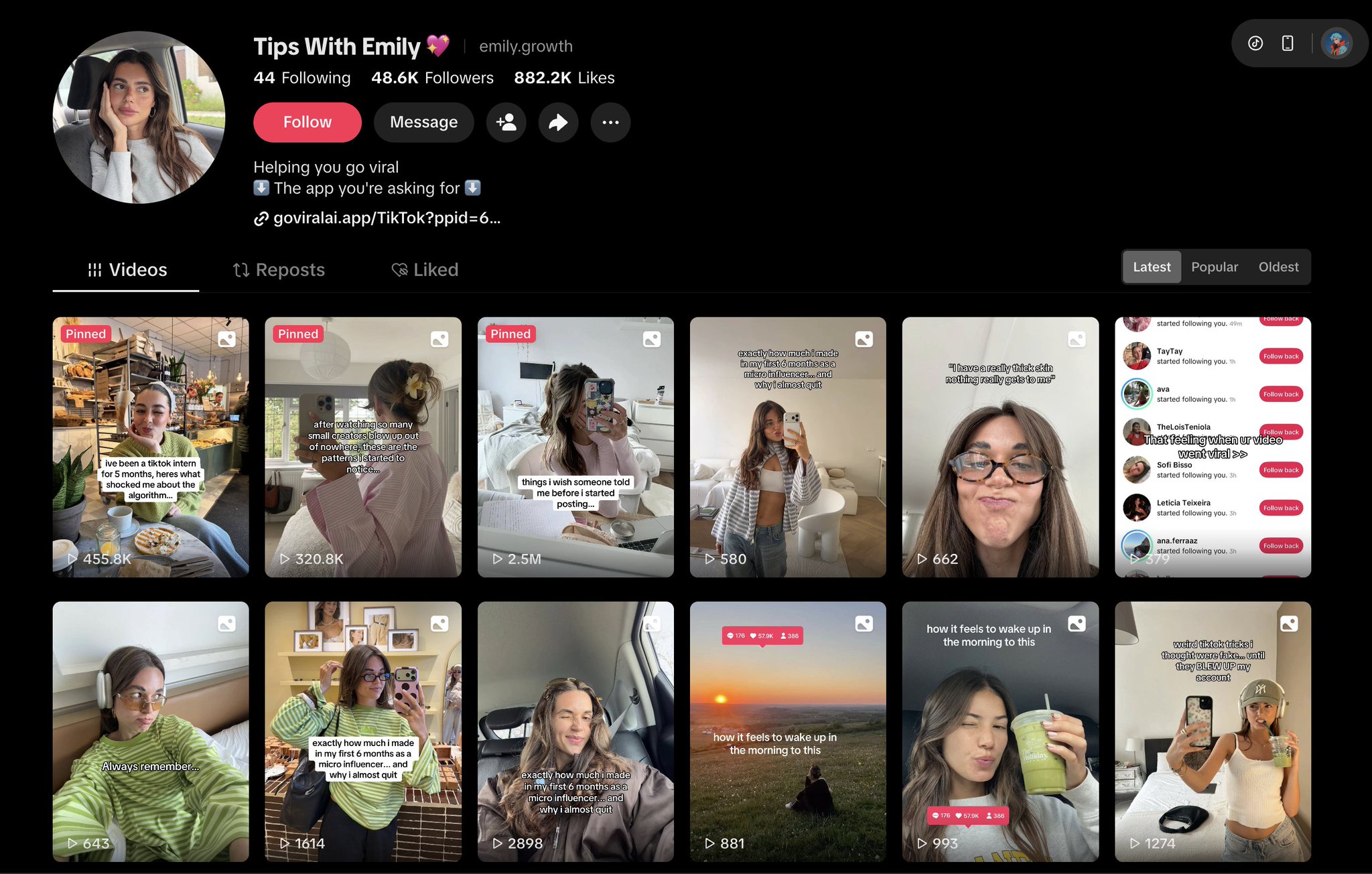
Download without a watermark
Two services remove the TikTok watermark and let you save videos locally so Claude Opus 4.7 can analyze them:
- Copy the TikTok video link
- Paste it into snaptik.app or ssstik.io
- Download the “Without Watermark” version
Save these locally. They become the raw input for the next step.
Step 2: Extract hooks with Claude Opus 4.7
This is the single highest-leverage step in the pipeline. Most creators skip it because they think they can guess. They cannot. Claude Opus 4.7 released in 2026 and is currently Anthropic’s strongest multimodal model for analyzing screenshots and slideshow imagery.
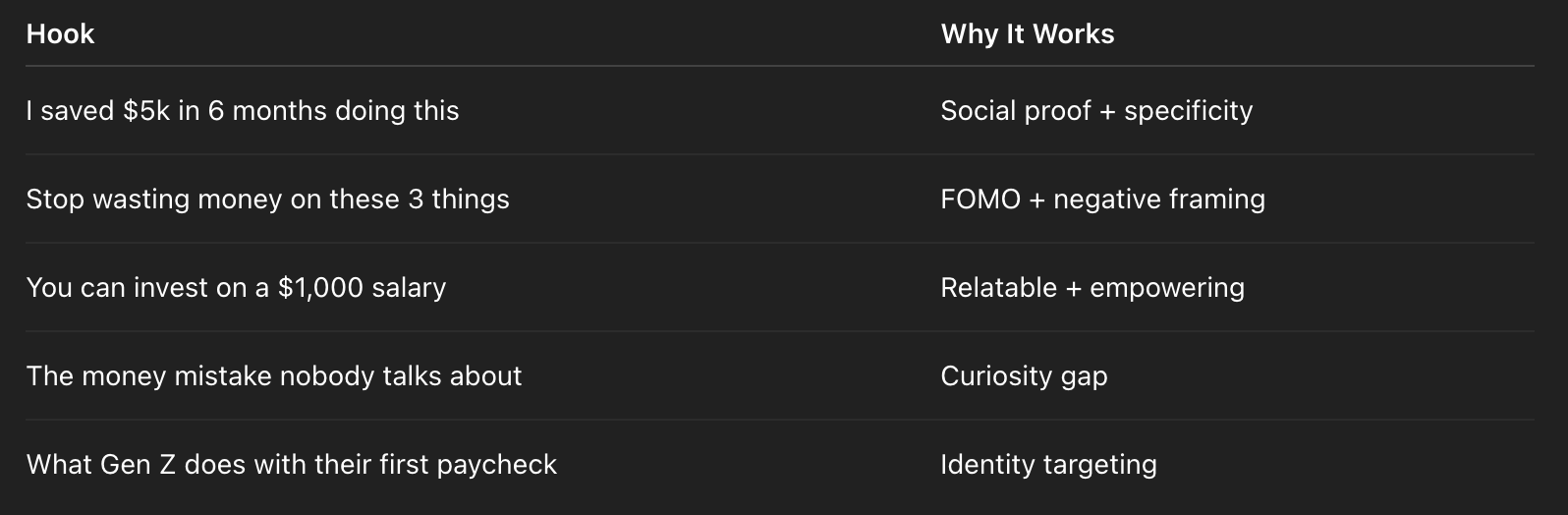
Upload the saved slideshow (or screenshots of each slide) into Claude and run this prompt:
Analyze this TikTok slideshow and:

1. Identify the main hook used in the first slide
   (focus on text overlay, headline, and visual framing)

2. Explain why this hook works
   (curiosity / pain point / surprise / relatability)

3. Break down the hook structure
   (e.g., number + outcome, negative framing, identity targeting)

4. Write 5 similar hook variations for the niche [YOUR NICHE HERE]
   - Each hook under 10 words
   - Format: a question OR a strong statement
   - Avoid generic openers like "Did you know"

Output as a numbered list, one hook per line.
If you only have text (no images), a slimmer prompt works just as well:
Here is the content of a viral TikTok slideshow in the niche [NICHE]:
[PASTE CONTENT HERE]

Task:
- Identify the core hook from the first slide
- Write 7 hook variations for a similar slideshow
- Each hook must trigger one of 3 emotions:
  curiosity / FOMO / empathy
- Max 8 words per hook
- Include a short explanation of why each hook works
Build a hook library over time
Every hook Claude returns should go into a database. Alex recommends Obsidian or a Google Sheet with columns for niche, emotion category, hook text, and the source video. After 100 hooks you have a creative asset that most paid SaaS tools charge a subscription for. After 500, you have a competitive moat.
Bonus prompt: extract Pinterest search queries from the same slideshow
While the slideshow is still in Claude’s context, chain this follow-up prompt:
Now look at the visual style of this slideshow:

1. Describe the color palette, lighting, and overall aesthetic
   (dark/moody, bright/clean, luxury, minimal, etc.)

2. What kind of images would work as slideshow backgrounds
   for the hooks you just wrote?

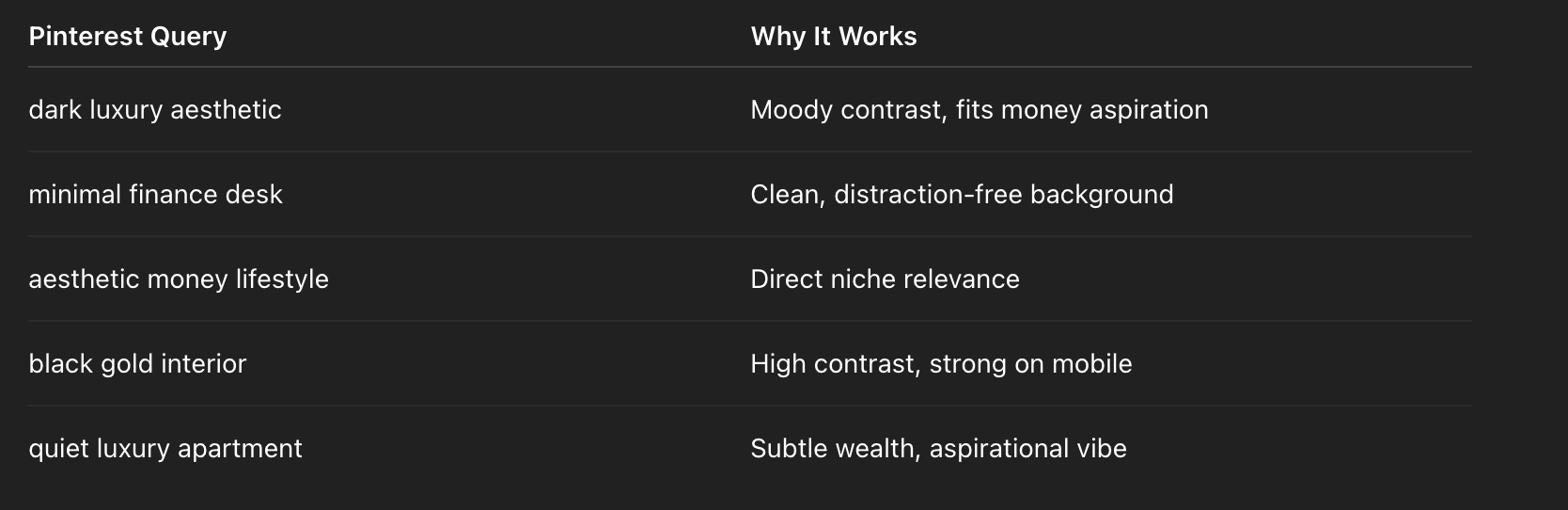
3. Give me 5 specific Pinterest search queries to find those images
   - Format: short keyword phrases, 2–4 words each
   - Optimized for Pinterest search, not Google
You now have hooks and visual direction in a single chat session. Copy the search queries directly into Pinterest.
Step 3: Collect images from Pinterest
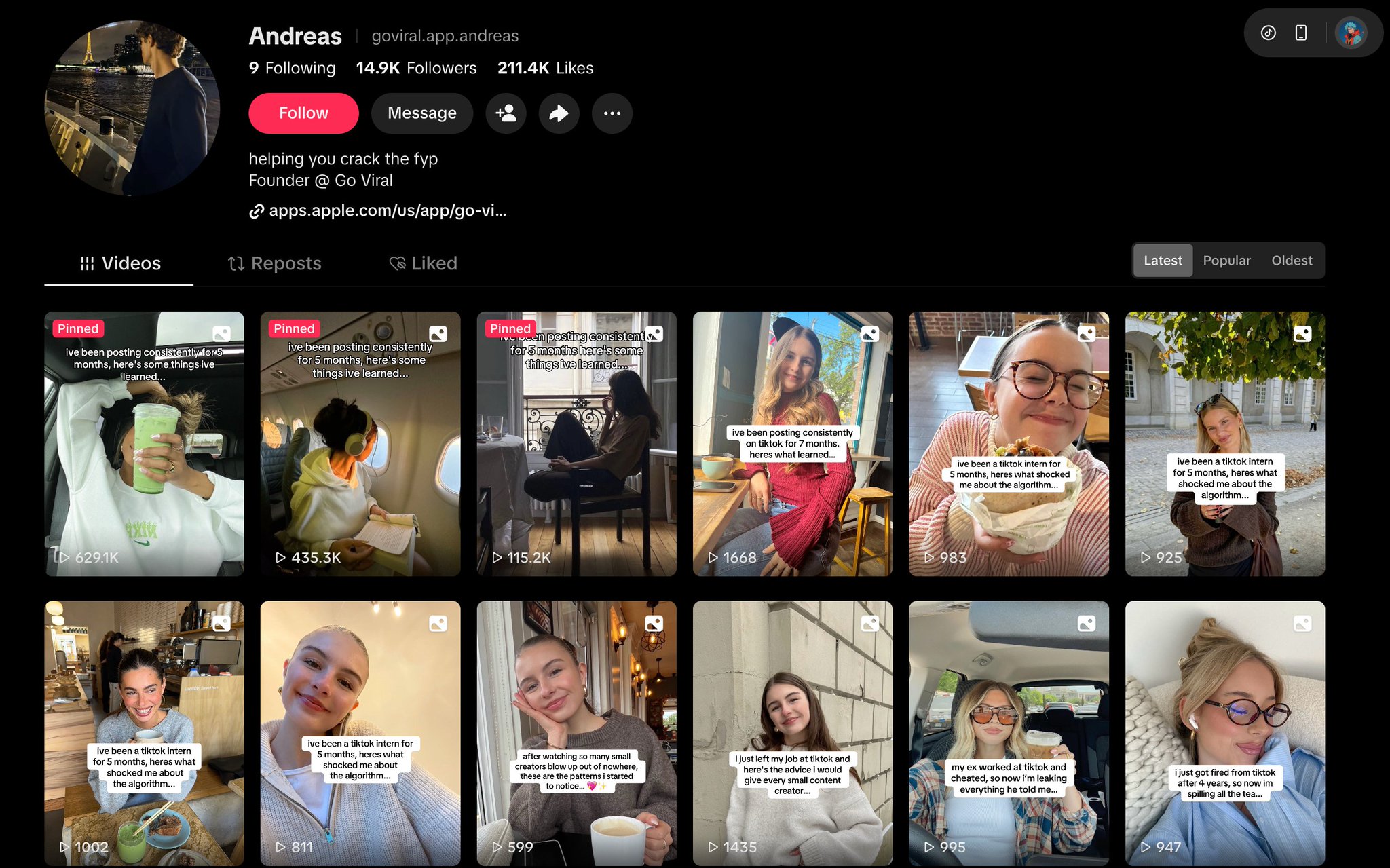
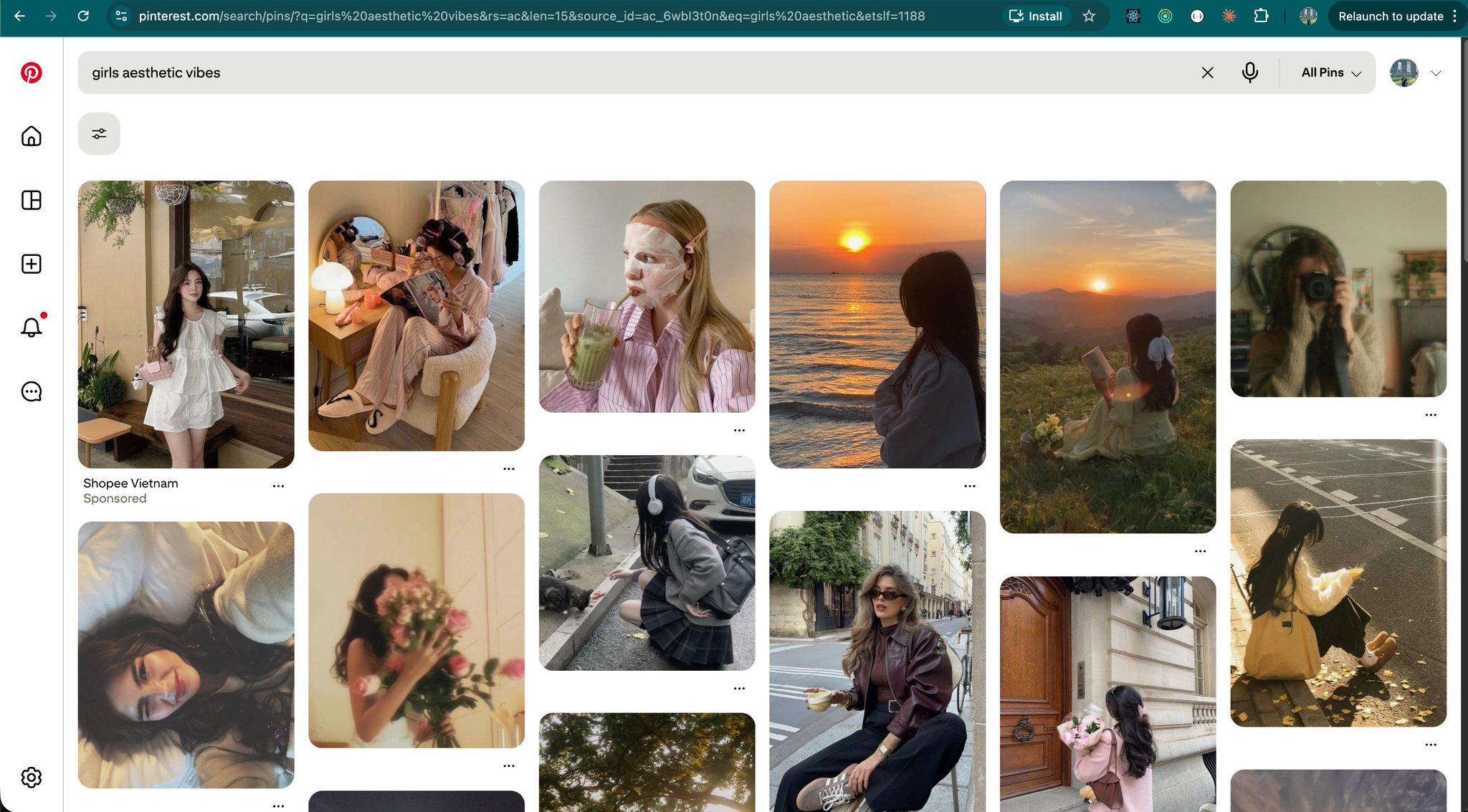
Pinterest is the most underrated asset in the creator stack. It is effectively an unlimited library of moody, aesthetic, emotionally-charged photography that outperforms AI-generated images by a wide margin in TikTok A/B tests. Viewers detect Midjourney output within half a second, and TikTok’s algorithm appears to downrank it.
What makes a good slideshow background
- Ratio: prefer portrait or 9:16. Landscape works but gets cropped.
- Color: bold and high contrast. TikTok’s feed is visually saturated, so pastels disappear.
- Existing text: minimal. Your overlay needs breathing room.
- Emotional register: match the hook. Money hook means lifestyle photography. Fitness hook means action shots.
Download options, from manual to fully automated
Option 1: PinDown Chrome Extension. One click, full resolution download.
Option 2: Right-click save. Open the image full-size, right-click, save.
Option 3: Scripted bulk download. For full automation, use a Python downloader:
# pinterest_downloader.py
import requests
from pathlib import Path

def download_image(url: str, filename: str, folder: str = "pinterest_images"):
    Path(folder).mkdir(exist_ok=True)
    response = requests.get(url, stream=True)
    if response.status_code == 200:
        with open(f"{folder}/{filename}.jpg", "wb") as f:
            for chunk in response.iter_content(1024):
                f.write(chunk)
        print(f"Downloaded: {filename}")

urls = [
    "https://i.pinimg.com/originals/...",
    "https://i.pinimg.com/originals/...",
]

for i, url in enumerate(urls):
    download_image(url, f"image_{i+1:03d}")
Organize by niche folders so your canvas script can pull the right set per post:
pinterest_images/
  ├── finance/
  ├── fitness/
  └── lifestyle/
Step 4: Generate slides programmatically with Node.js Canvas
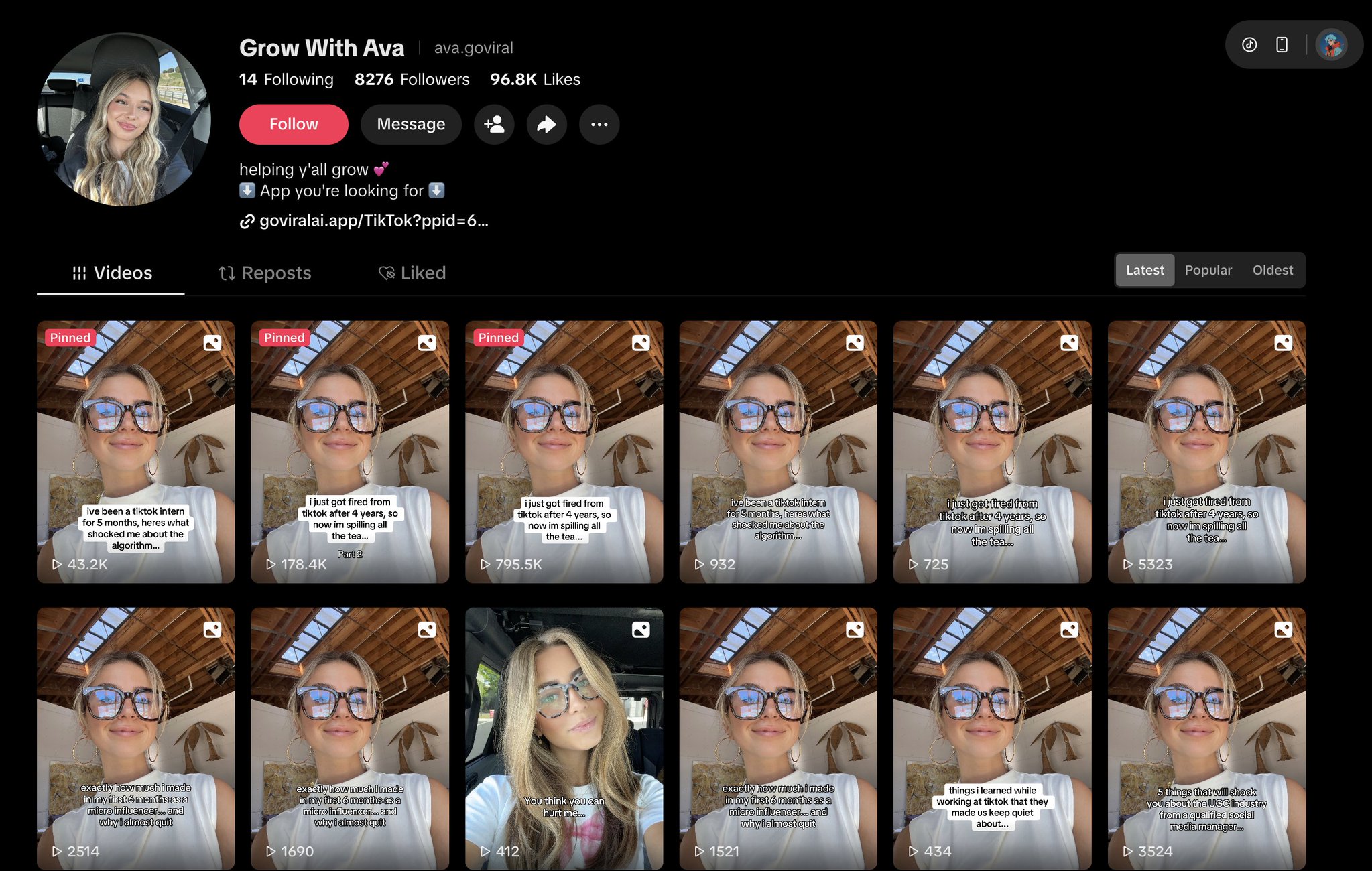
Instead of opening Canva and dragging text boxes, overlay hook text onto Pinterest images with a Node script. Output: 1080×1920 PNGs ready for TikTok, generated in seconds.
Install the dependencies
mkdir tiktok-slide-gen && cd tiktok-slide-gen
npm init -y
npm install @napi-rs/canvas sharp
@napi-rs/canvas is a native Rust-based Node.js canvas implementation. It is faster than the classic node-canvas library and does not require a headless browser.
Slideshow structure that works
Slide 1: HOOK        (text overlay on strongest image)
Slide 2: Problem / Setup
Slide 3: Point 1
Slide 4: Point 2
Slide 5: Point 3
Slide 6: CTA         (Follow, Save, Comment, Download)
The generator script
// generate-slides.js
import { createCanvas, loadImage, GlobalFonts } from '@napi-rs/canvas'
import { writeFileSync, mkdirSync } from 'fs'
import { join } from 'path'

const OUTPUT_DIR = './output'
const CANVAS_W = 1080
const CANVAS_H = 1920
const OVERLAY_OPACITY = 0.52
const OVERLAY_COLOR = '0,0,0'

const slides = [
  {
    imagePath: './pinterest_images/finance/image_001.jpg',
    lines: [
      { text: 'I saved $5k in 6 months', size: 88, weight: 'bold', y: 860 },
      { text: 'doing this one thing', size: 72, weight: 'normal', y: 970 },
    ],
  },
  {
    imagePath: './pinterest_images/finance/image_002.jpg',
    lines: [
      { text: 'Most people spend', size: 64, weight: 'normal', y: 820 },
      { text: 'before they save.', size: 64, weight: 'bold', y: 910 },
      { text: "Here's why that's a trap.", size: 56, weight: 'normal', y: 990 },
    ],
  },
  // ...more slides
]

function wrapText(ctx, text, maxWidth) {
  const words = text.split(' ')
  const lines = []
  let current = ''
  for (const word of words) {
    const test = current ? `${current} ${word}` : word
    if (ctx.measureText(test).width > maxWidth && current) {
      lines.push(current)
      current = word
    } else {
      current = test
    }
  }
  if (current) lines.push(current)
  return lines
}

async function generateSlide(slide, index) {
  const canvas = createCanvas(CANVAS_W, CANVAS_H)
  const ctx = canvas.getContext('2d')

  const img = await loadImage(slide.imagePath)
  const scale = Math.max(CANVAS_W / img.width, CANVAS_H / img.height)
  const drawW = img.width * scale
  const drawH = img.height * scale
  ctx.drawImage(img, (CANVAS_W - drawW) / 2, (CANVAS_H - drawH) / 2, drawW, drawH)

  ctx.fillStyle = `rgba(${OVERLAY_COLOR},${OVERLAY_OPACITY})`
  ctx.fillRect(0, 0, CANVAS_W, CANVAS_H)

  const PADDING = 80
  const MAX_TEXT_W = CANVAS_W - PADDING * 2

  for (const line of slide.lines) {
    ctx.font = `${line.weight} ${line.size}px sans-serif`
    ctx.fillStyle = '#ffffff'
    ctx.textAlign = 'center'
    ctx.textBaseline = 'middle'
    ctx.shadowColor = 'rgba(0,0,0,0.75)'
    ctx.shadowBlur = 12
    ctx.shadowOffsetY = 4

    const wrapped = wrapText(ctx, line.text, MAX_TEXT_W)
    const lineHeight = line.size * 1.2
    wrapped.forEach((l, i) => {
      ctx.fillText(l, CANVAS_W / 2, line.y + i * lineHeight)
    })
  }

  mkdirSync(OUTPUT_DIR, { recursive: true })
  const outPath = join(OUTPUT_DIR, `slide_${String(index + 1).padStart(2, '0')}.png`)
  writeFileSync(outPath, canvas.toBuffer('image/png'))
  console.log(`✓ ${outPath}`)
}

async function main() {
  for (let i = 0; i < slides.length; i++) {
    await generateSlide(slides[i], i)
  }
}

main().catch(console.error)
Run it with node generate-slides.js, and the output/ directory fills with six ready-to-post PNGs.
Drive the generator from JSON
Once the script works, extract the slides array into slides-config.json so non-developers on a content team can edit copy without touching code:
import { readFileSync } from 'fs'
const slides = JSON.parse(readFileSync('./slides-config.json', 'utf-8'))
Pair this JSON with the Claude Opus 4.7 hook output and you have a deterministic pipeline: hooks.json → slides-config.json → PNG renders → scheduled posts.
Step 5: Schedule with the Postiz Agent CLI
Once the PNGs exist, the next job is scheduling. This is where most DIY pipelines fall over: creators end up with a folder of 30 images and no system to post them at the right time without manually opening TikTok 30 times.
Postiz Agent CLI is the piece that closes the loop. It is a Node-based command-line tool that talks to the same Postiz API used by the web app, so every command is scriptable and every response is structured JSON.
Install and authenticate
# Install globally
npm install -g postiz

# Authenticate (OAuth2 device flow opens a browser window)
postiz auth:login

# Verify it worked
postiz auth:status
For headless environments, set an API key instead. Grab it from Settings → Developers → Public API in the Postiz dashboard:
export POSTIZ_API_KEY=your_api_key_here
# Persist it across shells
echo 'export POSTIZ_API_KEY=your_api_key_here' >> ~/.zshrc
Connect TikTok and grab the integration ID
Every posts:create call needs an integration ID. Go to app.postiz.com → Integrations → Add Channel → TikTok, authorize with your TikTok account, then run:
postiz integrations:list
The CLI returns JSON. Copy the id field:
[
  {
    "id": "clx9abc123",
    "provider": "tiktok",
    "name": "My TikTok Account",
    "picture": "https://..."
  }
]
Upload the slides and schedule a post
# Upload each PNG, capturing the returned CDN URL
SLIDE1=$(postiz upload ./output/slide_01.png | jq -r '.path')
SLIDE2=$(postiz upload ./output/slide_02.png | jq -r '.path')
SLIDE3=$(postiz upload ./output/slide_03.png | jq -r '.path')
SLIDE4=$(postiz upload ./output/slide_04.png | jq -r '.path')
SLIDE5=$(postiz upload ./output/slide_05.png | jq -r '.path')
SLIDE6=$(postiz upload ./output/slide_06.png | jq -r '.path')

# Schedule the slideshow — each -m flag adds another slide
postiz posts:create \
  -c "I saved \$5k in 6 months doing this 💰 #personalfinance #moneytips" \
  -m "$SLIDE1" -m "$SLIDE2" -m "$SLIDE3" -m "$SLIDE4" -m "$SLIDE5" -m "$SLIDE6" \
  -s "2026-04-21T09:00:00Z" \
  -i "clx9abc123"
Useful follow-up commands:
# List scheduled posts
postiz posts:list

# Inspect TikTok-specific settings (privacy, duet, stitch, etc.)
postiz integrations:settings clx9abc123

# Delete or reschedule
postiz posts:delete <post-id>
postiz posts:status <post-id> --status draft
Batch-schedule an entire week from JSON
The real win is batching. Drop a week of posts into a JSON file and iterate:
// batch-schedule.js
import { execSync } from 'child_process'
import { readFileSync } from 'fs'

const INTEGRATION_ID = process.env.TIKTOK_INTEGRATION_ID
const schedule = JSON.parse(readFileSync('./schedule.json', 'utf-8'))

for (const post of schedule) {
  const slideFlags = post.slides.map(slide => {
    const result = JSON.parse(execSync(`postiz upload ${slide}`).toString())
    return `-m "${result.path}"`
  }).join(' ')

  execSync(
    `postiz posts:create \
      -c "${post.caption}" \
      ${slideFlags} \
      -s "${post.scheduledAt}" \
      -i "${INTEGRATION_ID}"`,
    { stdio: 'inherit' }
  )
}
// schedule.json
[
  {
    "slides": ["./output/mon_01.png", "./output/mon_02.png", "./output/mon_03.png"],
    "caption": "I saved $5k in 6 months doing this 💰 #personalfinance",
    "scheduledAt": "2026-04-21T09:00:00Z"
  },
  {
    "slides": ["./output/tue_01.png", "./output/tue_02.png", "./output/tue_03.png"],
    "caption": "Stop putting money in these 3 things 🚫 #moneytips",
    "scheduledAt": "2026-04-22T09:00:00Z"
  }
]
Run once, walk away. An entire week of posts is live in the queue.
Step 6: Post as a draft to stay off TikTok’s spam radar
This is the detail that separates creators who last from creators who get shadow-banned in week three. TikTok’s anti-spam heuristics are aggressive. Posts pushed via API from a server IP, at robotic intervals, with no prior in-app interaction, get flagged. Reach collapses. Accounts get restricted. In worst cases, the account is flagged for commercial intent and deprioritized across the whole feed.
The fix is a hybrid workflow: automate everything up to the point of publish, then tap the post button yourself from your phone.
Why drafts work and direct API posting does not
| Signal |
Direct API publish |
Draft + manual tap |
| Source IP |
Server / datacenter |
Residential mobile network |
| Timing |
Exact-to-the-second intervals |
Human-irregular |
| Pre-post interaction |
None |
App open, scroll, tap |
| Algorithmic fingerprint |
Bot-like |
Human |
The hybrid flow
[generate-slides.js]       → PNG slides
       ↓
[postiz posts:create -t draft]  → Postiz stores a draft, does not publish
       ↓
[Notify mode push at peak time] → Phone notification
       ↓
[TikTok app → Drafts → Post]    → Human-tapped publish
Two ways to ship a TikTok draft via Postiz
Option A: Draft inside Postiz. Use the -t draft flag and Postiz holds the post in its own system without sending anything to TikTok:
postiz posts:create \
  -c "Your caption #fyp" \
  -m "$VIDEO_URL" \
  -s "2026-04-20T10:00:00Z" \
  -t draft \
  -p tiktok \
  --settings '{
    "title": "Video title",
    "privacy_level": "PUBLIC_TO_EVERYONE",
    "duet": false,
    "stitch": false,
    "comment": true,
    "autoAddMusic": "no",
    "brand_content_toggle": false,
    "brand_organic_toggle": false,
    "video_made_with_ai": false,
    "content_posting_method": "DIRECT_POST"
  }' \
  -i "tiktok-integration-id"
Promote it to the publish queue when you are ready with postiz posts:status <id> --status schedule.
Option B: Push to the TikTok Inbox as an in-app draft. Set content_posting_method to UPLOAD instead of DIRECT_POST. At the scheduled time, Postiz pushes the media into the TikTok app’s draft Inbox, where you open the app, review, and tap publish:
postiz posts:create \
  -c "Caption shown when you open TikTok app" \
  -m "$VIDEO_URL" \
  -s "2026-04-20T10:00:00Z" \
  -p tiktok \
  --settings '{
    "privacy_level": "SELF_ONLY",
    "content_posting_method": "UPLOAD"
  }' \
  -i "tiktok-integration-id"
Option B is what Alex recommends for new or under-30-day-old accounts, since the publish action genuinely originates from a phone on a residential network.
Configure Notify mode in the Postiz dashboard
For creators who want Postiz to handle the calendar and the reminder without calling the API directly:
- Go to the Postiz dashboard and open New Post
- Select TikTok, add caption and schedule time
- Under Publish mode, choose Notify (not Direct Post)
- Save
At the scheduled time, Postiz sends a push notification: Time to post your TikTok! Open the app, find the waiting draft, tap Post. No server fingerprint, full automation up to that point.
Troubleshooting the common failure modes
Error: POSTIZ_API_KEY environment variable is required
The key is not exported in the current shell. Add it to ~/.zshrc or ~/.bashrc:
echo 'export POSTIZ_API_KEY=your_key_here' >> ~/.zshrc
source ~/.zshrc
postiz integrations:list returns []
TikTok is not connected yet. Open app.postiz.com → Integrations → Add Channel → TikTok and authorize.
postiz upload fails
Usually an expired API key or oversized file. Compress first with pngquant:
pngquant --quality=80-90 output/slide_*.png --ext .png --force
Scheduled post did not publish
Run postiz posts:list and inspect the status field. A status of failed usually means the TikTok OAuth token expired. Re-authenticate in the Postiz dashboard and reschedule.
What this stack actually costs
| Component |
Role |
Monthly cost |
| TikTok |
Distribution |
Free |
| SnapTik / SSSTik |
Watermark-free download |
Free |
| Claude Opus 4.7 |
Hook extraction |
~$20 for heavy creator use via Claude.ai, or API metered |
| Pinterest |
Image source |
Free |
| Node.js + @napi-rs/canvas |
Slide generation |
Free (open source) |
| Postiz |
Scheduling, calendar, analytics |
Free |
| Postiz (cloud) |
Managed version |
Free tier available; paid starts low |
Creators replacing Buffer + Canva + a custom script save roughly $40–$80/month and gain an unlimited post ceiling.
FAQ
Does TikTok penalize scheduled posts?
TikTok penalizes patterns, not scheduling itself. The problem is server-origin API posts at rigid intervals. Using Notify mode or draft uploads, where the final publish comes from the phone, avoids the penalty entirely.
Why Claude Opus 4.7 instead of ChatGPT or Gemini for hook analysis?
Claude Opus 4.7 handles multimodal slideshow analysis with strong grounding in visual detail. For this specific use case (describing text overlays and visual styles on multiple stacked images), it produces more actionable output per prompt than most alternatives. GPT-5 and Gemini 2.5 also work; the prompts in this article are model-agnostic.
How many posts per week is realistic?
Creators running this pipeline routinely ship 20–30 posts per week per account. The bottleneck is not generation, it is the two-minute manual tap at publish time if you are using Notify mode.
Can this work without self-hosting?
Yes. The Postiz hosted plan exposes the same API and CLI. Self-hosting matters mostly for teams that want data residency or have strict privacy requirements.
Do I need Pinterest Premium?
No. The free tier is enough. Premium mainly unlocks analytics for creators who pin their own content, not for users who download images.
Does the Postiz MCP server support this workflow?
Yes. If you run an AI agent that speaks Model Context Protocol, the Postiz MCP server exposes the same actions as the CLI (integrationList, schedulePostTool, generateImageTool, and more). Point your agent at https://api.postiz.com/mcp with a bearer token and it can schedule posts directly.
The real unlock is the schedule, not the tool
Every piece of this workflow is interchangeable. SnapTik can be swapped for another downloader. Claude Opus 4.7 can be replaced by GPT-5 for hook extraction. The Node canvas script can be rewritten in Python. Pinterest can be replaced by Unsplash.
What cannot be swapped out is the cadence. The creators who dominate TikTok slideshows are the ones who publish daily, every day, for months. Automation only matters because it makes that cadence sustainable. Alex’s pipeline works because it reduces the per-post cognitive cost from “design something from scratch” to “approve a draft and tap Post.”
Start automating your TikTok slideshows today
Postiz is the agentic scheduling platform that holds the whole pipeline together. It supports TikTok, Instagram, LinkedIn, X, Reddit, YouTube, and 22 other channels out of the box, and the same CLI and MCP server that schedules TikTok slideshows also runs your entire cross-posting strategy.
Spin up an account at postiz.com and try the Agent CLI in ten minutes. The free tier is enough to schedule a full week, the self-hosted version removes every limit, and the API is the same as the one in this guide.
Stop publishing one slide at a time. Ship a week at once.