AI Agents Now Run My Entire Marketing Operation — Here’s How I Set It Up
2026 is the year personal AI assistants stopped being a novelty and started becoming operational infrastructure. You hook an assistant to your services, and it handles everything from drafting emails to negotiating your gym membership over WhatsApp. The shift happened fast, and as someone building an agentic social media platform, I had a front-row seat.
Earlier this year, tools like OpenClaw emerged — AI assistants that connect to your Telegram, sit on your computer, and automate tasks end to end. At Postiz, we saw a massive spike in usage because scheduling and editing posts through an AI agent became trivially easy. We added 2,000 new customers in a single month.
That’s when I realized: this isn’t a trend. AI agents managing your marketing workflow is becoming the default. Here’s exactly how I built a system where AI agents handle content creation, scheduling, retention, and SEO — with minimal manual intervention.

The Core Problem: One-to-Many vs. Many-to-Many Collaboration
Personal AI assistants like OpenClaw work brilliantly for individuals. But companies don’t work in isolation. I recently hired a DevRel (a real human), and immediately ran into a coordination problem.
If I use OpenClaw and my DevRel uses their own AI assistant, neither of us can see what the other’s agent is doing. I might ask my agent to create UGC videos for TikTok, but there’s no way for my DevRel to review, comment on, or improve them through their own workflow.
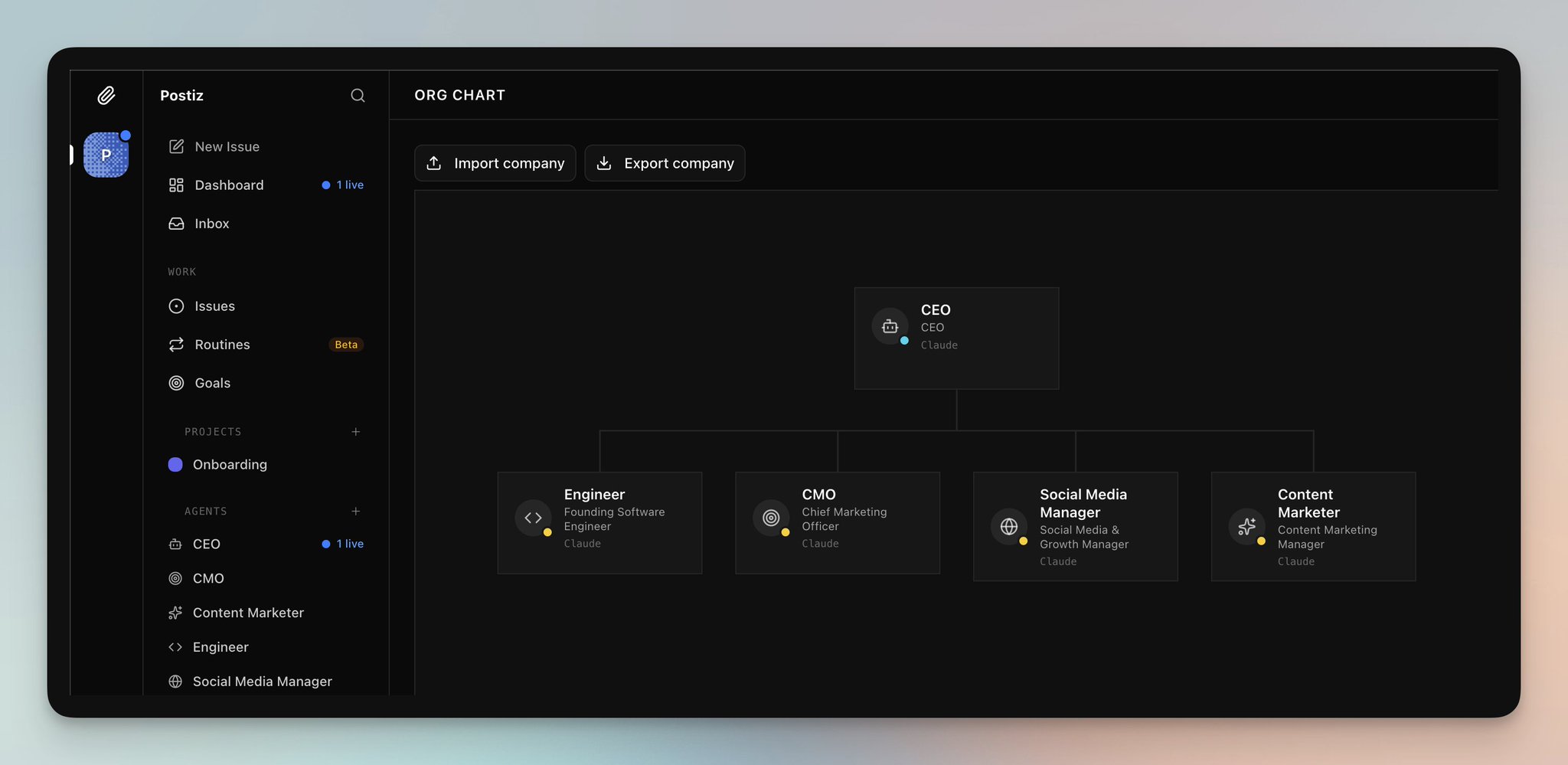
What you actually need is a system where your entire team collaborates with AI — passing tasks back and forth, with the AI sometimes giving you tasks too. This is where agent orchestration platforms like Paperclip change the game. Paperclip lets you set up an org chart of AI agents, each with defined roles (CEO, CMO, Content Marketer, Social Media Manager), all working together on shared goals.
Skills: Teaching Your AI Agent What to Do
If you’ve seen The Matrix, you know how Neo downloads Kung Fu straight into his brain. Skills work exactly like that for AI agents. A Skill is a structured Markdown file you give to an agent so it understands a specific tool or workflow.
For example, installing the Postiz Skill teaches your agent how to schedule posts, upload media, and manage integrations across 28+ social media channels. The installation is a single command:
npx skills add gitroomhq/postiz-agent
Select Claude Code as your target, and the skill automatically installs. You can also set up environment variables directly in Claude Code to authenticate with Postiz:
export POSTIZ_API_KEY=your_api_key
export POSTIZ_API_URL=https://api.postiz.com
Once authenticated, your agent can list your connected social accounts, create posts, upload media, and schedule content — all through natural language commands. The more Skills you install, the more capable your agent becomes. Here’s the stack I run:
- Postiz — scheduling and publishing posts to 28+ social channels
- agent-media — generating UGC-style pictures and short-form video
- Larry — creating slideshows optimized for TikTok and Instagram Reels
- Virlo — finding trending topics across TikTok, YouTube Shorts, and Instagram Reels
- GStack — ensuring your marketing copy doesn’t sound robotic (no more “delve” or “navigate the landscape”)
How to Automate Social Media Content Creation with AI Agents
Here’s the exact workflow I use to generate and schedule TikTok content on autopilot. The setup takes about 15 minutes, and then it runs daily with minimal oversight.
Step 1: Connect Your Social Accounts to Postiz
Sign up at Postiz and connect your social media accounts. Postiz supports TikTok, Instagram, LinkedIn, X/Twitter, YouTube, Reddit, Facebook, Pinterest, Threads, and more. You can verify your connected integrations with the CLI:
postiz integrations:list
This returns a JSON list of all connected accounts with their integration IDs — your agent needs these IDs to schedule posts to specific channels.
Step 2: Define Your Agent’s Goal
In Paperclip, I created a specific goal for my CMO agent:
I have a fitness account connected to Postiz. Check the latest fitness TikTok trends using Virlo, then generate videos with agent-media or create slideshows with Larry. Schedule them to TikTok via Postiz. If it’s a slideshow, schedule as a draft so I can add music manually in TikTok. Use consistent characters across all videos. Create a GitHub issue for each video you produce.
The agent then starts producing content. Behind the scenes, when it schedules a post, it uses the Postiz CLI:
# Upload the video first (required for TikTok)
VIDEO=$(postiz upload ./generated_video.mp4)
VIDEO_URL=$(echo "$VIDEO" | jq -r '.path')

# Schedule the post
postiz posts:create \
  -c "Your caption here" \
  -s "2026-04-20T18:00:00Z" \
  -m "$VIDEO_URL" \
  -i "your-tiktok-integration-id"
Step 3: Set Up a Daily Routine for AI Learning
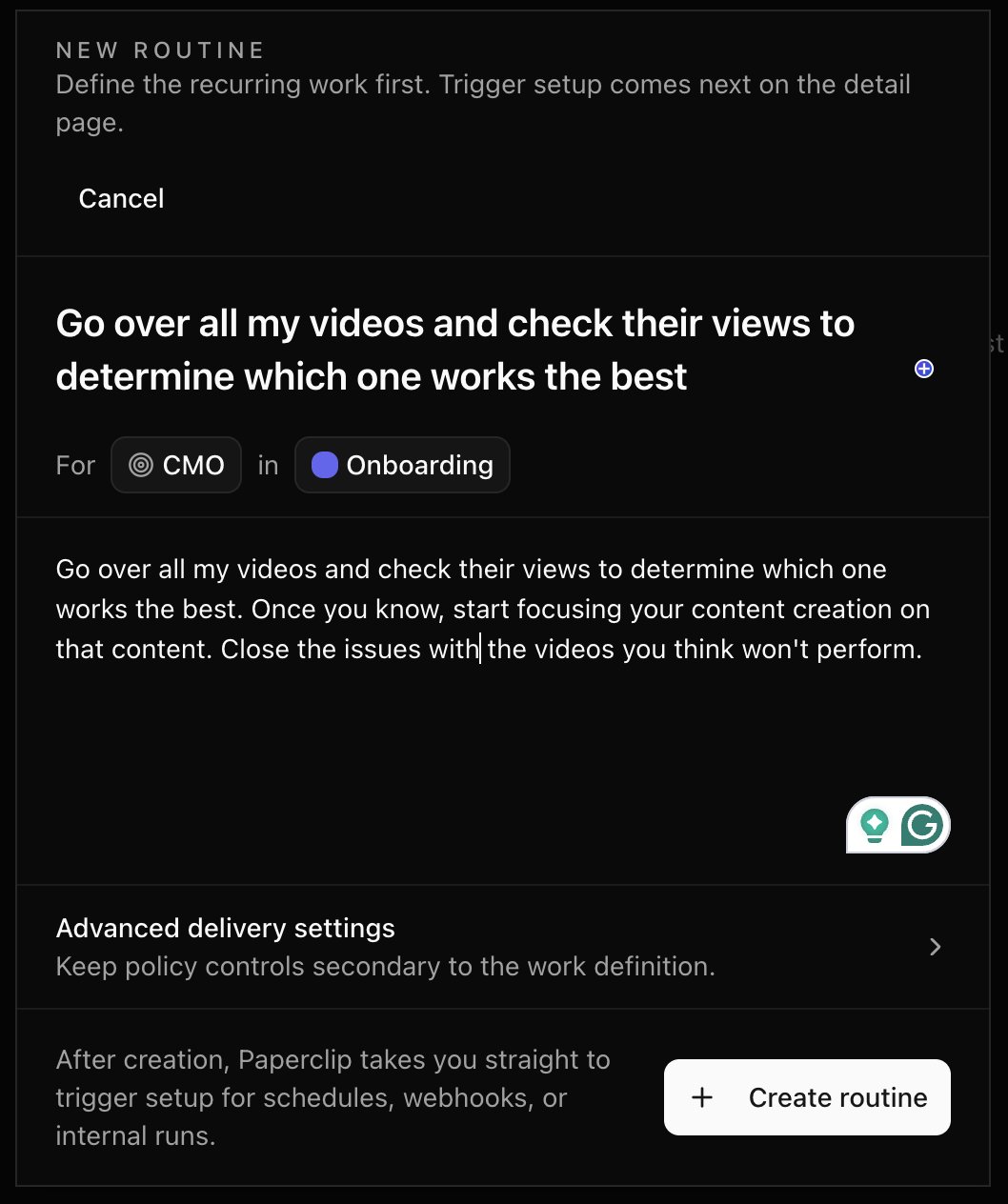
The first batch of videos won’t go viral — if it were that easy, everyone would do it. The real power comes from creating a feedback loop. I set up a routine in Paperclip that runs daily:
Go over all my videos and check their views to determine which one works the best. Once you know, start focusing your content creation on that content. Close the issues with the videos you think won’t perform.
This is why each video needs its own GitHub issue. Without that tracking, the agent has no memory of what worked. The issue becomes the agent’s learning log — you can add your own comments about what you liked or didn’t like, and the agent incorporates that feedback into future content.
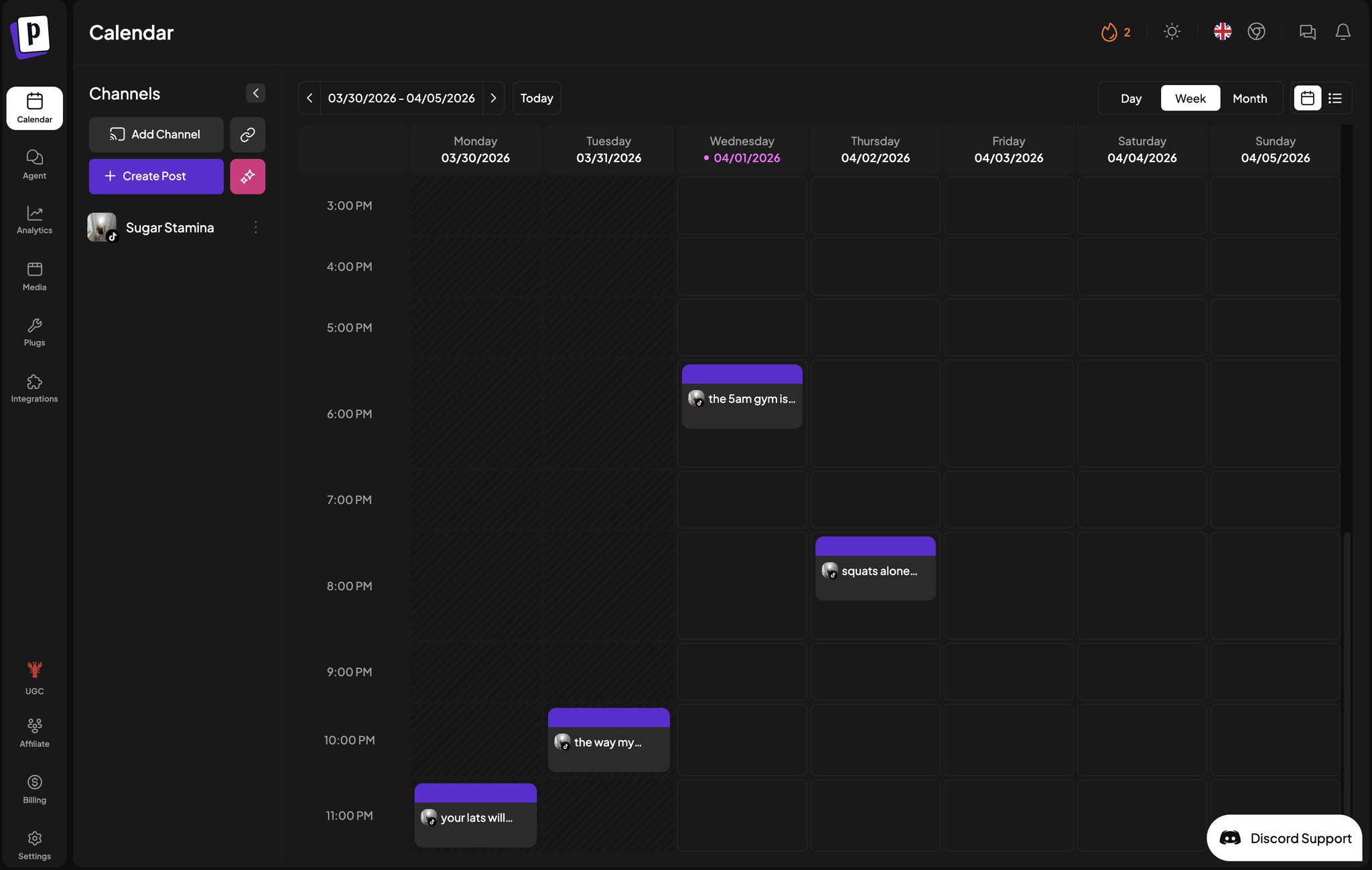
For slideshows, don’t auto-post to TikTok. Instead, schedule them as drafts in Postiz, then manually post through TikTok’s app so you can add trending audio. The Postiz calendar gives you a clear view of everything that’s queued up.
Automating Customer Retention with AI Agents and Product Updates
Retention beats acquisition every time. One of the most effective retention tactics is keeping users informed about product updates — maybe you just shipped the exact feature they’ve been waiting for.
The setup combines GitHub (where your commits live) with Postiz (where your announcements go). Here’s how it works:
Connect Your Internal Channels
In Postiz, connect your community channels: Discord, Telegram, Slack. Then add a newsletter Skill for your email platform (MailChimp, Beehiiv, Klaviyo, or similar). Add a GitHub Skill to Claude Code as well.
Create a Routine
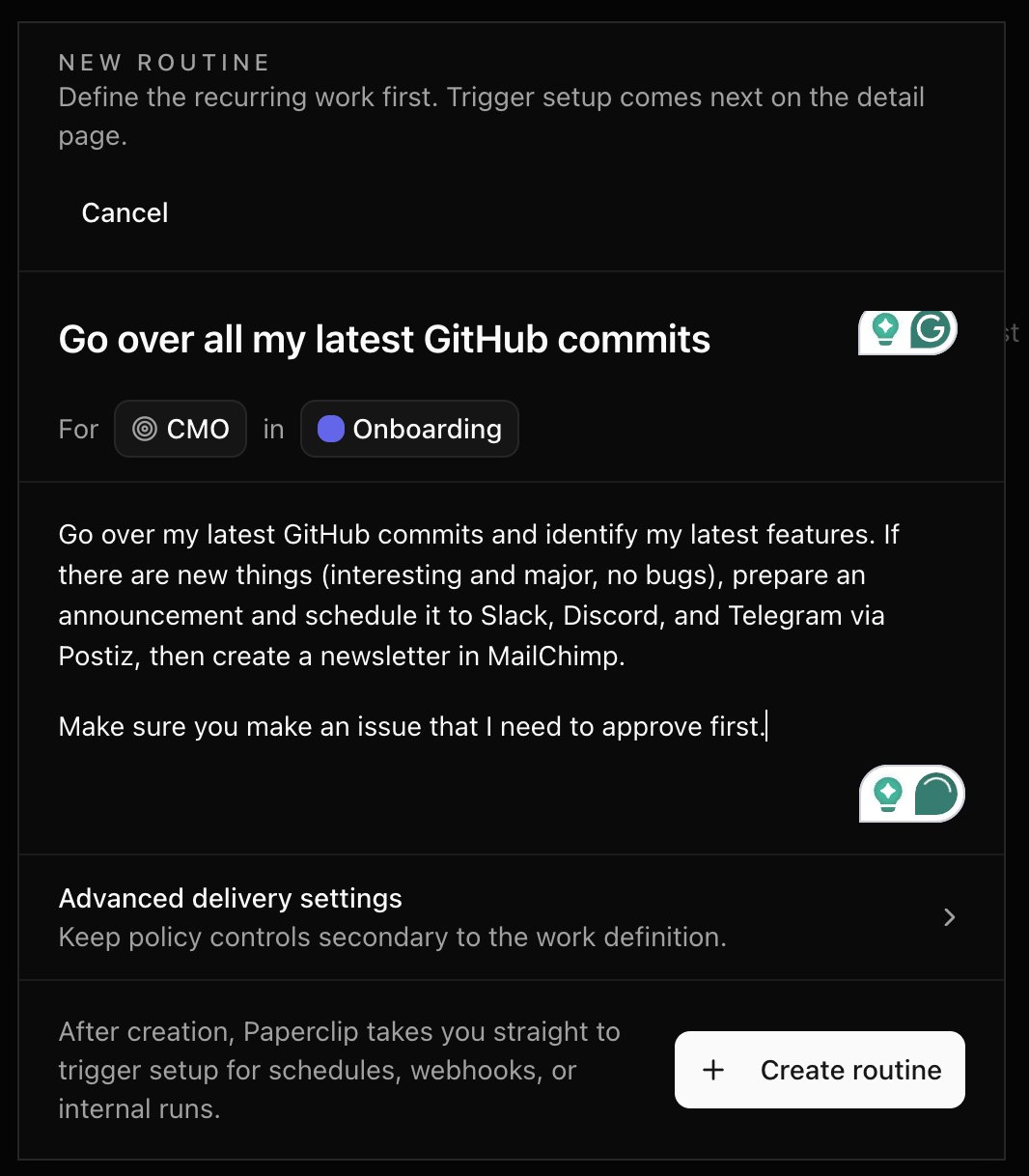
Set up a routine in Paperclip for your CMO agent:
Go over my latest GitHub commits and identify new features. If there are interesting and major changes (no bug fixes), prepare an announcement and schedule it to Slack, Discord, and Telegram via Postiz. Then create a newsletter draft in MailChimp. Make sure you create an issue that I need to approve first.
The approval step matters. You might want to add screenshots, refine the messaging, or bundle multiple updates into one announcement. You can also schedule these as drafts in Postiz so you can polish them in the visual editor before they go live.
AI-Powered SEO: Turning Code Commits into Organic Traffic
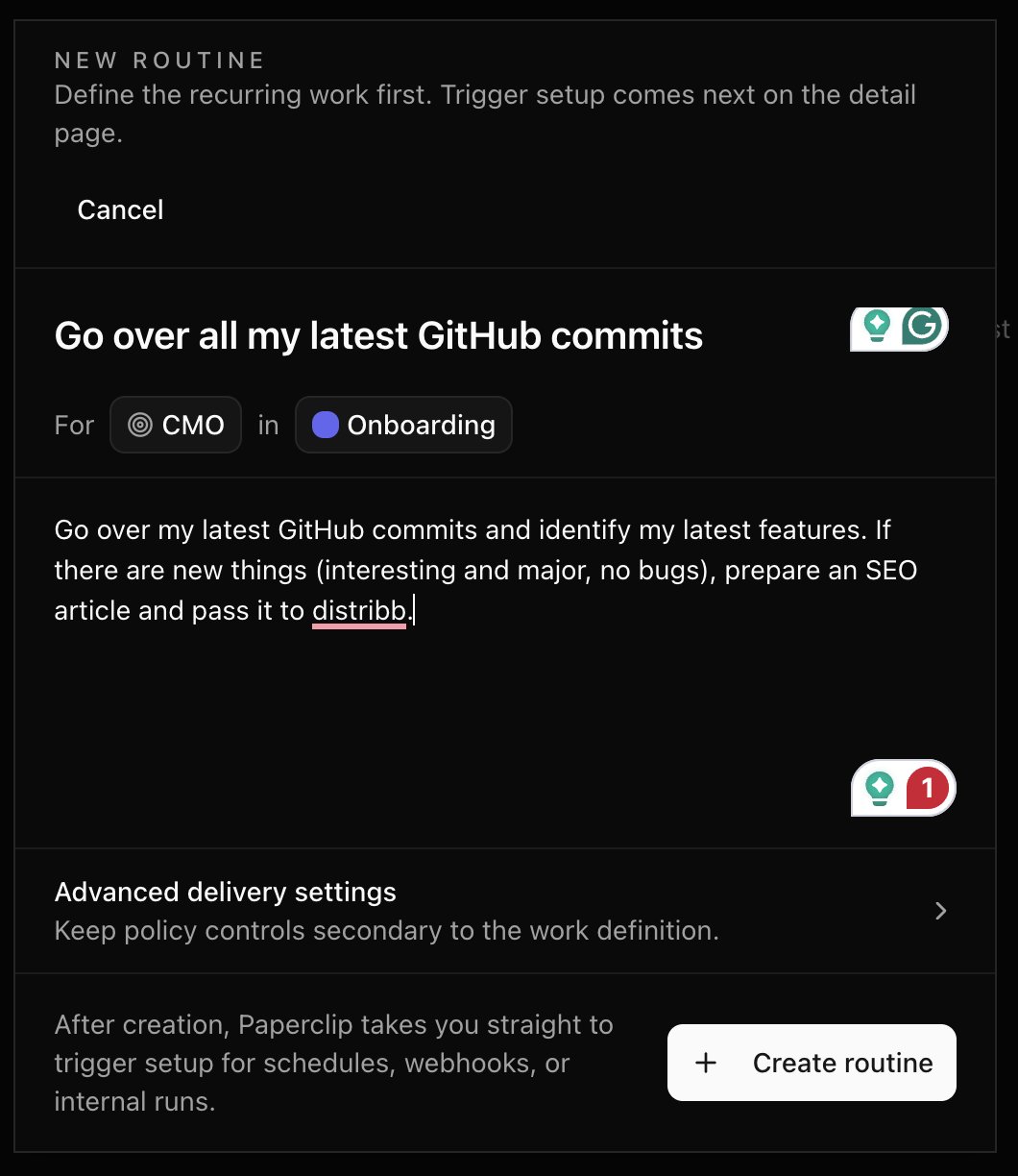
The same GitHub-to-content pipeline works for SEO. Hook up your repository, and when meaningful features ship, your agent can generate SEO-optimized articles about them.
For this workflow, I use a dedicated SEO platform alongside the Postiz Skill. The agent monitors GitHub for significant commits, drafts articles based on the changes, and submits them for SEO optimization — including keyword targeting, meta descriptions, and structured formatting.
The advantage of using a dedicated SEO service rather than writing raw blog posts is threefold: they optimize the content for search engines, handle publishing to your CMS (WordPress, Webflow, etc.), and enrich articles with proper formatting, images, and structured data. Much like how AI analytics dashboards give hiring teams data-driven decision-making, SEO platforms give your content team automated optimization at scale.
The Technical Foundation: Postiz API, CLI, and MCP
Whether you’re using Paperclip, Claude Code, or building your own automation, Postiz provides three ways to integrate:
REST API
The Postiz public API lives at https://api.postiz.com/public/v1. Authenticate with your API key and you can create, schedule, and manage posts programmatically:
curl -X POST https://api.postiz.com/public/v1/posts \
  -H "Authorization: your-api-key" \
  -H "Content-Type: application/json" \
  -d '{
    "type": "schedule",
    "date": "2026-04-20T10:00:00.000Z",
    "posts": [{
      "integration": { "id": "your-integration-id" },
      "value": [{
        "content": "<p>Your post content here</p>",
        "image": []
      }],
      "settings": { "__type": "x" }
    }]
  }'
The API is rate-limited to 30 requests per hour, so batch your posts when possible.
CLI (Command Line Interface)
Install the Postiz CLI globally and authenticate via OAuth or API key:
npm install -g postiz
postiz auth:login
From there, you can manage everything from the terminal — listing integrations, uploading media, creating posts, and even building Twitter/X threads with multiple -c flags:
postiz posts:create \
  -c "Thread 1/3: Here's what I learned..." \
  -c "Thread 2/3: The key insight was..." \
  -c "Thread 3/3: Try it yourself at..." \
  -s "2026-04-20T10:00:00Z" \
  -d 2000 \
  -i "your-twitter-id"
MCP (Model Context Protocol)
For Claude Desktop, Claude Code, or Cursor users, Postiz offers an MCP server. Add this to your MCP configuration:
{
  "mcpServers": {
    "postiz": {
      "url": "https://api.postiz.com/mcp/your-api-key"
    }
  }
}
The MCP server exposes tools for listing integrations, getting platform-specific schemas (character limits, required settings), generating AI images, creating videos, and scheduling posts. Your agent can simply say “post this to LinkedIn tomorrow at 10am” and the MCP handles the rest.
Getting Started: Your First AI Marketing Automation in 15 Minutes
Here’s the quickest path from zero to an automated marketing pipeline:
- Sign up for Postiz at platform.postiz.com and connect at least one social media account.
- Get your API key from Settings in the Postiz dashboard.
- Install the Postiz Skill in Claude Code:
npx skills add gitroomhq/postiz-agent
- Set your environment variables:
POSTIZ_API_KEY and optionally POSTIZ_API_URL.
- Test it: Ask Claude to “list my Postiz integrations” — if it returns your connected accounts, you’re ready.
- Create your first automated post: Tell Claude to “write a post about [topic] and schedule it to [platform] for tomorrow at 10am.”
From there, add more Skills (Virlo for trend research, agent-media for video creation, Larry for slideshows) and set up routines that run daily. Each iteration teaches the AI what content performs best for your audience.
What’s Next for AI-Driven Marketing
We’re still in the early innings. Right now, the agent creates content based on your instructions and learns from engagement data. The next step is agents that proactively identify opportunities — spotting trending topics before they peak, A/B testing post formats automatically, and adjusting publishing schedules based on real-time analytics.
The businesses that adopt AI marketing automation now will have a compounding advantage. Every day of data makes the agent smarter, every feedback loop tightens the content quality, and every automation frees up human time for strategy and creativity.
Ready to put your marketing on autopilot? Try Postiz free for 7 days and see how AI agents transform your social media workflow. Connect your accounts, install the Skills, and let your AI marketing team get to work.