Getting your server discovered on Discord isn't just about tweaking settings; it's about building a place people actually want to find and stick around in. Before you even think about promotion, you have to lay the groundwork. A server that's engaging, well-organized, and offers real value from the second someone joins is the real secret to growth.
Building a Server Worth Discovering
Let's be blunt: promotion is useless if your server is a confusing mess. You can't get people to discover a place that isn't worth discovering in the first place. When new members pop in and immediately leave because they don't know what to do or where to go, all your marketing efforts are wasted. Mastering how to build online community is the true first step.
This is all about creating an environment that encourages people to not just join, but to stay, chat, and eventually invite their own friends. That's how you turn an empty server into a thriving hub.
Find Your Unique Niche
The best Discord servers have a laser-focused purpose. Instead of a generic "Gaming Community," think smaller and more passionate. What about a server for "Indie Horror Game Fans" or one dedicated to "Competitive Valorant Strategy"? A specific niche acts like a magnet for people who are genuinely invested in the topic.
Ask yourself what makes your idea special. What can you offer that a dozen other servers don't already? That specificity is your biggest advantage in a very crowded space.
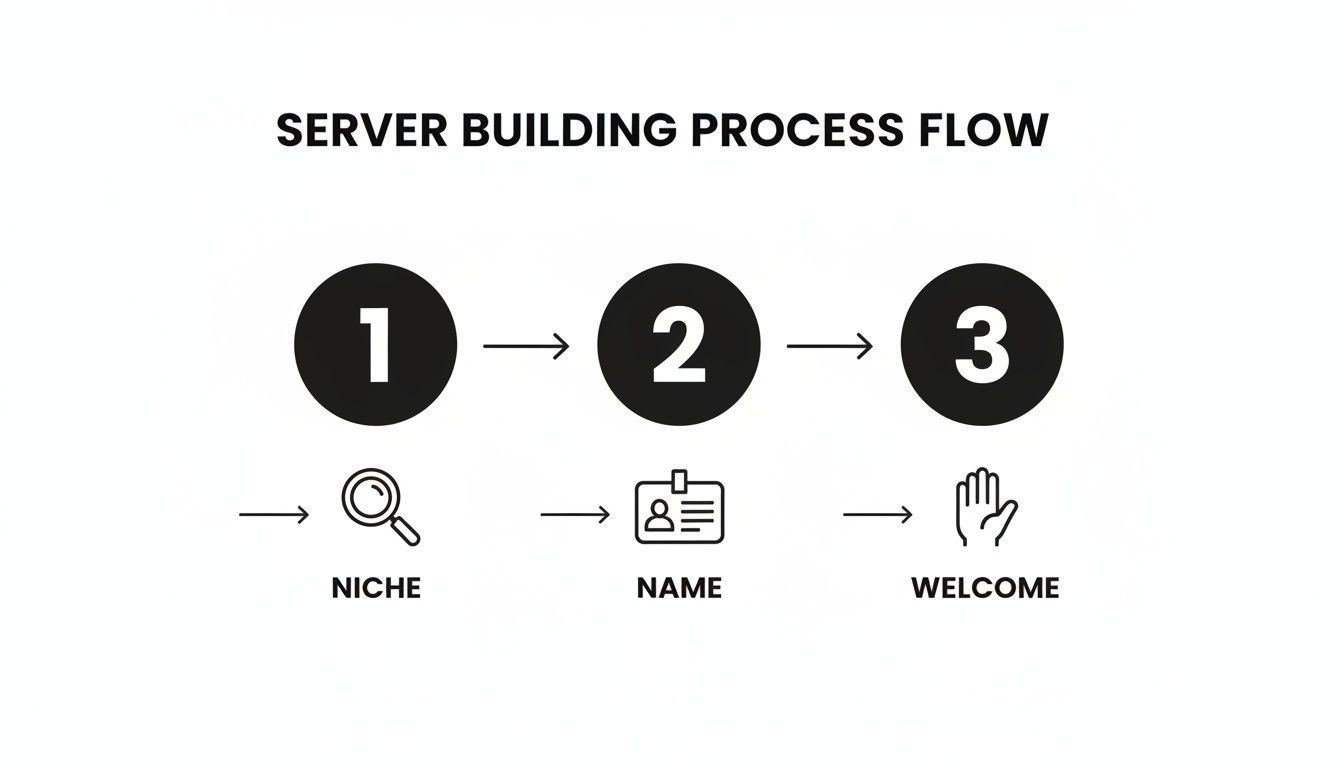
This simple flow chart really breaks down the core of getting a server ready for new members.
As you can see, it all starts with a solid idea (your niche) before you ever get to branding or thinking about the member experience.
Craft a Memorable First Impression
Your server's name and description are your first handshake. A great name is catchy, easy to spell, and tells people what you're about. The description needs to be just as clear, explaining the server's purpose and who it's for. Remember to sprinkle in keywords that people might actually be searching for.
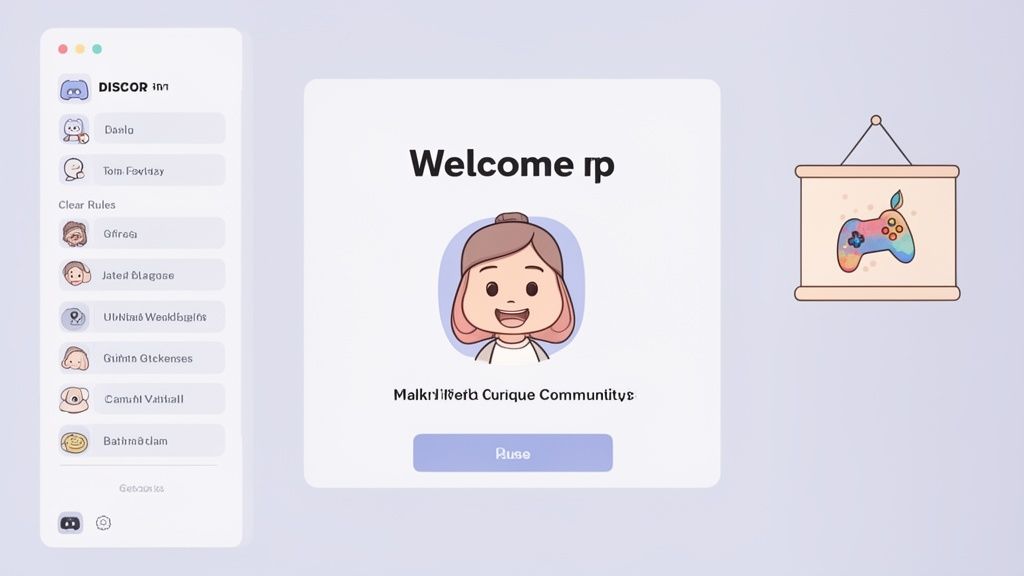
The Welcome Screen is another make-or-break element. It needs to do three things right away:
Set the tone: A warm, friendly greeting goes a long way.
Give directions: Point new people to crucial channels like #rules or #introductions.
State the purpose: Briefly explain what the community is all about.
This initial experience shapes a new member's entire perspective. A polished welcome tells them your server is well-run and worth their time. For a deeper dive into these strategies, our guide on how to build online communities is a great next step.
Manage all your social media in one place with Postiz
Nothing sends a new member running faster than a chaotic channel list. A logical, intuitive layout is non-negotiable.
Group your channels into clean categories with simple names. Critically, don't overwhelm people with dozens of empty channels on day one. It's much better to start with a few essential ones and add more as the community and conversations grow organically.
A server with a clear structure, an engaging welcome, and a defined niche isn't just user-friendly—it's also what Discord's algorithm looks for when considering servers for official Discovery. Think of it as building for both people and platforms.
For instance, a server for writers might have categories like "Getting Started," "Workshops & Feedback," and "Off-Topic Chat." This keeps things tidy and helps everyone find their way.
Before you start pushing your invite link everywhere, running through a quick pre-launch checklist ensures you’ve covered these foundational bases.
Essential Pre-Launch Discovery Checklist
Checklist Item
Why It Matters for Discovery
Pro Tip
Defined Niche & Purpose
Helps attract the right members who are likely to be active and engaged.
Write a one-sentence mission statement for your server. If you can't, it might be too broad.
Clear & Catchy Server Name
Your name is your brand. It needs to be memorable and relevant to your topic.
Check if the name is already taken on major server listing sites to avoid confusion.
Optimized Description
This is your elevator pitch. It should include keywords and clearly state the server's value.
Ask a friend who knows nothing about your server to read the description and explain it back to you.
Configured Welcome Screen
Guides new members and reduces confusion, leading to higher retention rates.
Use custom emojis in your Welcome Screen tasks to make them more visually appealing.
Logical Channel Structure
A clean layout prevents overwhelm and helps users find conversations easily.
Start with fewer than 10 channels. You can always add more based on community demand.
Established Rules Channel
Sets expectations for behavior and makes moderation much easier down the line.
Use a bot like MEE6 or Dyno to require members to react to the rules before they can chat.
Getting these elements right is what separates a server that's ready for growth from one that will struggle to keep the members it gets.
While sharing invite links externally drives a huge chunk of new members (around 40%), getting your server eligible for Discord's own Discovery feature can completely change the game. Servers that make it can see 5x the visibility, putting them in front of a massive, built-in audience.
Making Your Server’s Profile Impossible to Ignore
Once you've got a solid foundation in place, it’s time to focus on your server’s “digital storefront.” This is all about making your server look appealing and, more importantly, easy for people to find. Think of it like SEO, but for your Discord community.
Your profile—from the server icon and name right down to the description—is your first impression. It's your chance to tell potential members what you're all about and what they can expect inside. A good profile doesn't just list topics; it sets a vibe.
Let's dive into the small tweaks that make a huge difference in how many people find your server.
Nail Your Keywords and Tags
Keywords are your bread and butter. These are the exact words your ideal members are typing into the search bar. You need to get inside their heads. Are they looking for "Valorant LFG," a hub for "indie game developers," or maybe a "cozy gaming" hangout?
Start by brainstorming all the core topics your server covers. If you run a community for digital artists, your keyword list might look something like this:
Got your list? Now, weave those terms naturally into your server description. Don't just stuff them in—that feels robotic. Write a compelling, human-sounding paragraph that explains what makes your server special while also hitting those important search terms.
Pro Tip: The right tags can literally double your traffic. Data from top server directories shows that gaming servers using descriptive tags like 'competitive' or 'chill vibes' can attract up to 2x more organic traffic. You can dig into more Discord gaming trends at CoopBoardGames.com to see what’s working.
Tags are the quick-hitting, scannable version of your keywords. Discord gives you a bunch of slots for these, and you should absolutely use every single one. A good strategy is to mix broad tags with a few niche, specific ones to cast the widest possible net.
Design a Visual Identity That Stands Out
Before anyone reads your server name, they see your icon. A blurry, low-res, or confusing icon is an instant turn-off. It needs to be crisp, clear, and recognizable, even when it’s just a tiny circle in someone's server list.
For instance, a server dedicated to a specific game could use a cool, stylized version of an in-game item. A community for book lovers might use a clean, modern graphic of an open book. Whatever you choose, make it look professional and on-brand.
Your server banner is another piece of prime visual real estate. Use it to:
Display your server name and a catchy tagline.
Showcase custom art that perfectly captures your community's theme.
Announce a big event or a special welcome message.
Think of your icon and banner as a one-two punch. The icon grabs the initial attention, and the banner reels them in with more personality and context.
Get a Custom Vanity URL
A custom vanity URL (like discord.gg/yourservername) is so much more than just a link—it's a branding statement. It looks way more professional and trustworthy than a random jumble of letters and numbers.
This simple detail has a huge impact on perception, especially when you're sharing your link on social media, in YouTube descriptions, or on other forums.
It's also way easier for people to remember, type, and share. A simple, memorable URL removes one more piece of friction for someone looking to join. When you're trying to get your server discovered, every little advantage counts, and a clean URL is an easy win that boosts your credibility from the very first click.
Driving Growth with Off-Platform Promotion
Relying on Discord's built-in Discovery feature alone is a bit like opening a shop but forgetting to put up a sign. To get real, sustainable growth, you have to go out and bring people in from other corners of the internet. This off-platform promotion is absolutely essential for building early momentum and is a cornerstone of any smart server growth strategy.
Think of your social media profiles as funnels leading new members right to your server's doorstep. The trick isn't to just spam your invite link everywhere. Instead, you want to create content that feels right at home on each platform while gently guiding people toward your community.
Find Your Tribe on Social Media
You can't just copy and paste your promotional content across every platform. What works wonders on TikTok—like a quick, funny highlight reel—will likely fall flat on Reddit. Likewise, a detailed, thoughtful post that gets tons of traction in a specific subreddit would be totally ignored on Instagram.
You have to meet potential members where they already hang out. Running a server for artists? You should be living on platforms like Instagram, Behance, and Pinterest. If you’re building a gaming community, focusing your energy on Twitch, X (formerly Twitter), and relevant subreddits is a no-brainer.
Here’s a quick look at how to approach it:
Reddit: Find subreddits related to your server's niche (like r/gamedev or r/writing). The key here is to become a real, contributing member before you even think about posting a link. Share helpful advice, join conversations, and only drop your server link when it genuinely adds value.
TikTok & Instagram Reels: Short-form video is king. Create snappy clips showcasing funny moments from your server, quick tutorials, or awesome community projects. A simple "Join us for more!" with a link in your bio can be surprisingly effective.
X (Twitter): Jump into conversations using relevant hashtags. Post server updates, run polls to engage your followers, and interact with creators in your space. X is perfect for real-time engagement and building a public identity for your community.
This is a core part of what a real promotional push looks like. For a much deeper dive into the specifics, our guide on how Discord marketing works breaks down how to build out a full-blown strategy.
Get Listed on Server Directories
Think of server listing sites as the Yellow Pages for Discord communities. Getting your server on popular directories like Disboard and Top.gg is non-negotiable if you want people to find you. These platforms get a massive amount of traffic from users who are actively searching for new servers to join.
Just adding your server isn't enough, though. You’ve got to make your listing pop.
A great listing doesn't just describe your server—it sells the experience. Use a sharp-looking banner, fill out every single tag slot with relevant keywords, and write a compelling description that spells out exactly what makes your community a must-join.
Don't forget to keep your listing active. Most of these sites have a "bump" feature that temporarily pushes your server back to the top of the search results. Bumping regularly—many sites let you do it every few hours—can make a huge difference in your visibility over time.
Team Up with Other Communities
Partnering up with other server owners or content creators is one of the fastest ways to grow your member count. Look for communities in a similar niche that aren't direct competitors. For instance, a server for "Minecraft Builders" could team up with one dedicated to "Minecraft Redstone Engineers." It’s a perfect match.
This creates a win-win, exposing both of your communities to a fresh, highly relevant audience that's likely to be interested.
Here are a few ways to structure a collaboration:
Mutual Shout-Outs: The simplest approach. You each agree to feature the other's server in an announcements or partners channel.
Joint Events: Co-host a game night, a workshop, or a friendly competition. This cross-pollinates your member bases in a fun and organic way.
Creator Partnerships: If there’s a YouTuber or streamer whose audience is a perfect fit for your server, reach out. Offer them a special role or even a dedicated channel for their followers in exchange for a shout-out.
When you approach potential partners, always lead with what's in it for them. A partnership is a two-way street, and showing you've put thought into the mutual benefit makes a "yes" far more likely.
External Promotion Channel Comparison
Choosing the right platforms for promotion can feel overwhelming. This table breaks down some of the most popular options to help you decide where to focus your efforts.
Platform
Best For
Content Strategy
Expected Impact
Reddit
Niche, interest-based communities
Value-driven posts, genuine participation in relevant subreddits
High-quality, engaged members, but slower initial growth.
TikTok/Reels
Broad audiences, gaming, memes, art
Short, high-energy videos, trends, community highlights
High potential for viral reach and rapid member influx.
X (Twitter)
Real-time engagement, news, creator communities
Quick updates, polls, sharing community content, hashtag campaigns
Good for brand building and steady, consistent growth.
Twitch
Gaming communities, live-event focused servers
Live streams, chatbot integration, creator collaborations
Direct funnel for a creator's audience, highly engaged new members.
Steady stream of users actively looking for new servers.
Ultimately, the best approach is a mix-and-match. Start with one or two channels that feel like a natural fit for your community's vibe, master them, and then gradually expand your reach.
Turning New Members into an Active Community
Getting someone to click that "Join Server" button is a great feeling, but honestly, that’s just the beginning. The real magic—and the secret to sustainable Discord server discovery—is what happens the moment they land inside. A server that’s dead silent is a turn-off; one that's buzzing with conversation becomes a magnet, making people want to stick around and even invite their friends.
Think about it: the journey from a curious newcomer to a core community member starts instantly. A confusing or quiet welcome is the quickest way to lose someone you just worked hard to attract. The goal here is to make every person feel seen, guided, and genuinely excited to jump into the conversation.
Designing a Flawless Onboarding Experience
Your first interaction with a new member sets the tone for everything that follows. A smooth, well-planned onboarding process can skyrocket your retention by showing people exactly where to go and what to do. It completely bypasses that awkward "what do I do now?" moment that makes people close the window.
A fantastic starting point is Discord's own "Welcome Screen" feature. This lets you hand-pick key channels and write a little blurb about each one. It’s like giving a mini-tour.
#introductions: Give new folks a clear, low-pressure spot to say hi.
#rules: Make sure everyone is on the same page with your community guidelines from day one.
#announcements: Point them straight to the channel where all the important updates live.
#help-desk: Offer a dedicated place to ask questions about how the server works.
This simple setup gives a new user an immediate path to follow, turning them from a passive lurker into an active participant right away.
Hosting Events People Actually Attend
Scheduled events are the heartbeat of an active community. They create a reason for people to show up at the same time, turning your server from a passive chat log into a real destination. The trick is to be consistent and offer some variety.
And you don't need to overthink it! Events don't have to be huge, complicated productions. Simple, recurring hangouts are often the most effective for building routines and friendships.
For instance, a gaming server could easily host:
Weekly Game Nights: Pick a game that’s popular with your members and make it a regular thing.
Community Q&As: Bring in a special guest or just have the server mods hang out and answer questions.
Creative Workshops: If your server has an artistic vibe, host a drawing session or a writing sprint.
The secret to getting people to show up? Promotion. Announce events early, use event-specific roles so people get notifications, and create a dedicated channel to build hype. A good social media community manager knows that organizing and promoting these gatherings is crucial for building a thriving space.
Automating Engagement with Bots
Bots are so much more than just moderation tools; they're your secret weapon for engagement. They can handle the repetitive stuff while adding layers of fun that keep people coming back.
Bots make your server feel alive, even when you're not there. A simple level-up message from a bot can be that little dopamine hit that encourages a member to send one more message, sparking a whole new conversation.
Using bots that reward activity is a brilliant move. Leveling systems, for example, give members a real sense of progression and status, making them feel more invested in the community.
Some of the most popular engagement bots can help you:
Assign Roles Automatically: Welcome bots can greet new members and instantly give them a starting role.
Create a Leveling System: Bots like MEE6 or Arcane award users with XP for chatting, unlocking new roles and perks as they level up.
Manage a Server Economy: Fun bots can add a virtual currency that members earn through activity, which they can then spend on things like custom roles.
These automated systems create a steady hum of low-effort engagement that makes your server feel way more dynamic. If you're new to this world, checking out a guide on how to add bots to a Discord server is the perfect first step. By combining a great onboarding flow, regular events, and smart bot use, you’ll build an environment that not only keeps members around but makes your server a place worth discovering.
Using Server Insights to Refine Your Strategy
You can’t grow a server sustainably by just guessing what works. You need to make informed decisions, and that’s where Discord's built-in Server Insights becomes your best friend. Flying blind with your promotion is a quick way to burn out. Digging into your analytics lets you stop throwing spaghetti at the wall and start doubling down on what actually gets people to join and stick around.
Think of Server Insights as a health report for your community. It shows you exactly where new members are coming from, how long they’re staying, and which channels are actually getting used. This data is pure gold.
It helps you move from a scattergun approach to a more precise, targeted strategy, making sure every ounce of effort you put in contributes to real growth.
Decoding Your Acquisition Channels
Your first stop should be the "Growth & Activation" tab. This is where you see the origin story of your new members. It breaks down joins from Discovery, various server listing sites, or even specific invite links you’ve created and shared.
This is where you start finding real, actionable information. Let’s say you see a huge spike in joins from that custom invite link you dropped in a specific subreddit. That’s a massive green light. It’s telling you that subreddit’s audience is a perfect fit for your server’s vibe.
The lesson here is simple: if a promotion channel is working, pour more fuel on that fire. Don't spread your efforts thin across ten different platforms if one is delivering 80% of your new, engaged members. Identify your winners and focus your energy there.
On the flip side, if an invite link you've been pushing on X (formerly Twitter) for weeks has only brought in a couple of people, it might be time to pull back or completely rethink your approach on that platform.
Monitoring Member Retention and Engagement
Getting people through the door is only half the job. The "Engagement" tab in Server Insights shows you how good you are at keeping them. Here, you’ll find crucial metrics like member retention rates and a list of your most active channels.
High retention is a fantastic sign of a healthy, welcoming community. If you see that 70% of new members are still active after their first week, give yourself a pat on the back—your onboarding and initial experience are clearly working.
But what if your retention numbers are low? That’s a signal to do some detective work.
Are your rules clear and easy to find? People might be bouncing because the server isn't what they expected or they're confused.
Is your welcome process engaging? A server where nobody greets new arrivals can feel pretty cold and unwelcoming.
Are conversations actually happening? Check which text and voice channels get the most traffic. If everyone is crammed into one channel while the others are ghost towns, it might be time to prune the dead ones or host events to get people talking.
Translating Data into Actionable Steps
Data is meaningless if you don't do anything with it. The goal is to create a continuous feedback loop: promote, analyze what happened, refine your strategy, and then do it all again. By listening to what Server Insights is telling you, you can make smarter, more effective decisions.
Here's a practical example. Imagine you run an art community. Your insights show that your #general channel is buzzing 24/7, but your #showcase channel is completely dead.
That data is screaming that there's a problem. Maybe members are too shy to share their work, or the channel is buried. You could then try a few things:
Host a weekly art prompt in the #showcase channel to get the ball rolling.
Pin a friendly message that clarifies the rules and encourages everyone, from beginners to pros, to share their art.
Feature the best submissions of the week in your #announcements channel to give artists a well-deserved spotlight.
Using analytics to spot these friction points allows you to make targeted improvements that solve real problems. This iterative process is how you build not just a big server, but a genuinely active and sustainable community.
Common Questions About Discord Server Discovery
When you're trying to grow a Discord server, a lot of questions pop up along the way. Even with the best plan, it's easy to hit a few common roadblocks. This section tackles some of the most frequent questions server owners ask when trying to get more eyes on their community.
Think of it as your go-to FAQ for server growth. We’ll get straight to the point and give you the clear answers you need to overcome those hurdles.
How Many Members Do I Need for Discovery?
This is probably the number one question on everyone's mind. To get listed on Discord's official Server Discovery tab, your server has to clear a few hurdles, with member count being the biggest one. You need at least 500 members just to be eligible for consideration.
But hitting that number isn't an automatic pass. Discord's team also wants to see real, healthy activity. They look at engagement and retention to make sure your server is a thriving community, not just a list of silent users. It's a tough milestone to hit, which is why your initial focus should always be on building a solid, engaged community through other promotional efforts first.
What’s More Important: Bumping or Tags?
This is one of those classic "it's not one or the other" situations. Both bumping and tags are crucial for getting noticed on server listing sites like Disboard or Top.gg, but they serve completely different purposes.
Tags are your server's long-term search engine. They are how people actively looking for a community like yours will find you. If your tags aren't right, you're basically invisible.
Bumping is all about a short-term visibility boost. It shoots your server listing to the top of the page for a brief period, catching the attention of anyone browsing at that moment.
The way I see it, tags help the right people find you over time, while bumping helps more people see you right now. You absolutely need a strong foundation of relevant tags first; consistent bumping then acts as a megaphone for that foundation.
Skipping one means you're missing out on potential members. Nail down your tags first, then get into a regular rhythm of bumping your server.
Can I Pay to Promote My Discord Server?
Absolutely. Paid promotion is a valid strategy, but it requires a bit of planning. You can't just pay Discord to feature you in the native Discovery tab. Instead, you're investing in external advertising to funnel people directly to your server invite.
Here are a few of the most common ways people do it:
Social Media Ads: Running targeted ads on platforms like Reddit, Instagram, or X (formerly Twitter) works wonders if you have a good handle on who your ideal member is.
Influencer Sponsorships: Partnering with a creator in your niche for a shoutout can lead to a huge influx of high-quality members who already trust that person's recommendations.
Premium Listings: Many server directories have paid options that pin your server to the top of their lists, giving you constant exposure for a monthly fee.
Just remember, paid ads only work if you're sending new people to an already awesome and engaging server.
How Often Should I Post on Social Media to Promote My Server?
The key here is consistency, not just sheer frequency. Spamming "Join my server!" five times a day is a fast track to getting muted or unfollowed. The smarter approach is to provide value first and pitch your server second.
I always recommend the 80/20 rule. Make sure 80% of your posts are genuinely useful, entertaining, or interesting to your target audience. The other 20% can be direct invitations to your server, announcements about events, or highlights of cool conversations happening inside.
This strategy helps you build a genuine audience of people who actually care about what you're doing. When you finally do ask them to join, they'll be far more likely to check it out because you've already proven you're a valuable voice in their community, not just an advertisement.
Ready to manage all that social media promotion without the headache? Postiz is an open-source social media scheduling platform that helps you plan, publish, and analyze your content across all your channels. With AI-powered tools and robust collaboration features, it's the perfect way to build your community and drive server growth efficiently. Learn more and get started at https://postiz.com.
Stuck for what to post? Discover 10 creative social media post ideas for business to boost engagement, build trust, and drive growth. Get started today!