Postiz can now work with n8n to schedule all your social media posts.
If you’re new to Postiz, here’s a quick guide explaining how a social media scheduler works.
You can schedule posts to: X, LinkedIn, BlueSky, Instagram (Learn how to schedule Instagram Stories here), Facebook, TikTok, YouTube, Pinterest, Dribbble, Telegram, Discord, Slack, Threads, Lemmy, Reddit, Mastodon, Warpcast, Nostr and VK.
Tired of your automation tools feeling like black boxes? Connecting Postiz and n8n is simpler than you think, thanks to the n8n-nodes-postiz community node. Once installed, you can effortlessly schedule social media posts from any n8n workflow directly into your Postiz channels. This guide will walk you through setting up the integration, building your first workflow, and exploring advanced use cases to bridge the gap between your automated tasks and team communication.
Why Automate Your Social Posts with Postiz + n8n
Publishing content manually sounds simple until your brand grows and suddenly you’re juggling different formats, image sizes, and posting times across 10 or more platforms. Automation closes that gap.
By combining Postiz with n8n, you eliminate repetitive work, reduce posting errors, and maintain a consistent presence on every channel your audience uses. Instead of logging in and out of accounts or copy-pasting captions all day, your workflows run independently, triggered by schedules, approvals, or new entries in your editorial calendar.
This shift frees your team to focus on strategy and creativity while your automated system handles the day-to-day execution flawlessly.
Why Connect Postiz and n8n? The Power of Communicative Automation
Juggling complex workflows while keeping your team in the loop is a major challenge. The real magic of connecting Postiz and n8n lies in bridging the gap between your automated processes and your team’s real-time communication. By pairing Postiz’s streamlined messaging with n8n’s robust workflow engine, you create systems that don’t just run silently—they communicate their status, successes, and failures.
The Perfect Duo for Your Tech Stack
This combination is so effective because n8n excels at workflow automation. Its flexible trigger system allows you to initiate workflows from webhooks, schedules, or even manual inputs. When you integrate Postiz—a tool built for social scheduling.
Manage all your social media in one place with Postiz
Build Your First Postiz + n8n Workflow (Beginner-Friendly Example)
Before jumping into advanced AI-powered pipelines, it helps to build a simple workflow that demonstrates the core concept. For example, imagine you keep a small content calendar inside Google Sheets.
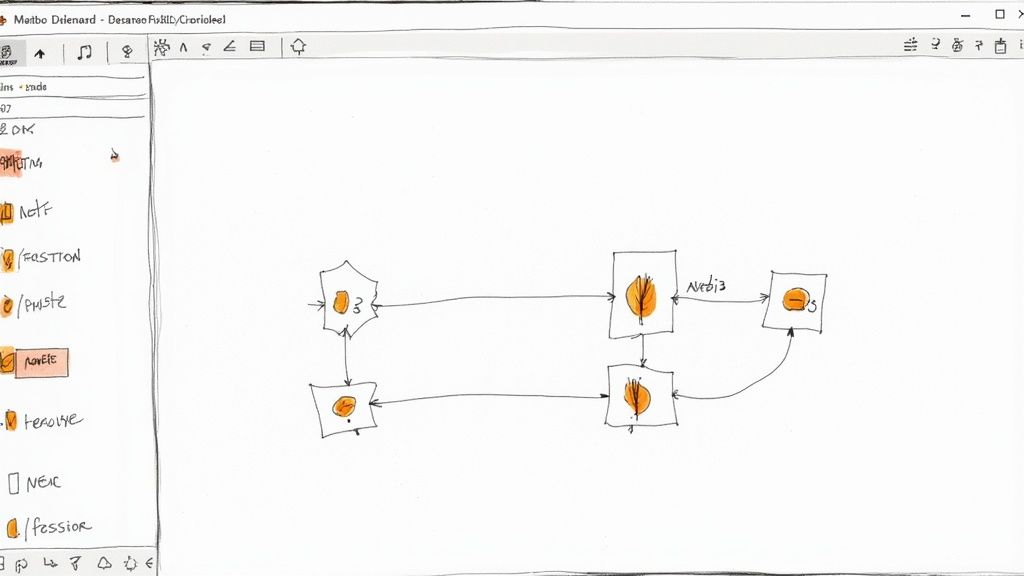
With n8n, each row in that sheet can automatically turn into a scheduled social post in Postiz. Your workflow might start with a Google Sheets Trigger that fires whenever a new row is added. A simple Function node can clean up text or remove empty fields.
Finally, the Postiz node receives three mapped values — Channel ID, Content, and Media URL — and sends the post directly to your connected social platforms. This “first workflow” takes only a few minutes to build and instantly shows how powerful the Postiz + n8n connection can be.
Advanced Workflow Scenarios with Postiz and n8n
The true power of combining Postiz and n8n is unlocked when you start building multi-step workflows. For instance, you can design a complete content supply chain that starts by fetching approved post ideas from a Google Sheets calendar. The workflow can then pass that raw idea to an AI model node (like OpenAI or Gemini) to automatically generate unique, platform-optimized captions and hashtags for X, Instagram, and LinkedIn. Finally, before the Postiz node schedules the content, you can implement an optional human-in-the-loop approval step using an email or Slack node. This robust system ensures content is always on-brand, tailored to the platform, and approved before it goes live, eliminating hours of manual cross-posting and coordination.
Make Each Platform Feel Native with Switch Nodes
Even when you’re posting the same idea across multiple platforms, each channel has its own rules, formatting quirks, and audience expectations. With n8n’s Switch node, you can tailor content for each platform before it reaches Postiz.
For example, you can shorten captions for X, add hashtags for Instagram, format links for LinkedIn, or adjust tone for Threads or BlueSky. When the workflow runs, n8n automatically routes your content through different branches, applies the right platform-specific transformations, and then merges everything back into the final Postiz node.
This ensures your posts feel native everywhere, without managing separate publishing workflows or manually editing variations.
Postiz and n8n Integration at a Glance
Component
Role in the Workflow
Primary Benefit
n8n Trigger
Initiates the automation
Starts a process based on an event (e.g., schedule, webhook).
n8n Workflow
Executes the core logic
Performs automated tasks like data processing or API calls.
Postiz Node
Sends the post to socials
Pushes a customized message into a specific Postiz channel.
Social Media
Post scheduled
You can see the post on social media
Unmatched Platform Reach and Workflow Reliability
Postiz doesn’t just connect to the major social platforms; it provides unmatched reach by supporting niche networks like Warpcast, Nostr, Dribbble, and Lemmy, You can also schedule Discord posts easily using the Discord Post Scheduler.
Allowing you to consolidate all your unique community needs into a single workflow. This comprehensive platform support ensures you can run truly unified content strategies that other tools cannot handle. Furthermore, the combination of n8n and Postiz allows for robust error monitoring and reliability.
You can use n8n’s native error handling to be instantly notified via email or Telegram if a post fails to schedule, ensuring you have full visibility and control to intervene immediately, protecting your social media cadence.
Inside the Postiz Node: Essential Parameters
When configuring the Postiz node in your workflow, you gain precise control over the scheduling and content. The node typically requires three essential pieces of data, which can be dynamically pulled from any preceding node in your workflow (like a data processor or an AI agent).
These parameters are:
1. Channel ID: Specifies which Postiz channel (and thus which social profiles) will receive the post;
2. Content: The main text of the social post, including any emojis or mentions;
3. Media URL (Optional): A publicly accessible URL for any image or video you wish to include.
Because Postiz handles the final scheduling, the n8n workflow simply sends this payload of information, allowing you to use n8n’s Cron or Schedule nodes to determine the exact date and time of the API call.
Getting Started: How to Install and Configure the Postiz Node in n8n
Let’s connect these two powerful tools. The integration is made possible by a community-built node called n8n-nodes-postiz. This package adds a dedicated Postiz node to your n8n workspace, making it as easy to use as any native integration.
Step 1: Install the Community Node
First, you need to install the node. The process is straightforward and can be done directly from your n8n dashboard.
Navigate to Settings > Community Nodes.
Click the Install button.
Search for the official package name: n8n-nodes-postiz.
Click Install next to the correct node.
After installation, you must restart your n8n instance for the new node to appear in your workflow editor. For version history or other details, you can always refer to the official n8n community node page.
This page is a valuable resource for confirming you have the right package and provides the installation command if you ever need a quick reference.
Step 2: Set Up Your Postiz API Credentials
With the node installed, the next critical step is authentication. Your n8n workflow needs credentials to prove it has permission to send messages through your Postiz account. This is handled using an API key from Postiz.
Follow these steps to get your key:
Log in to your Postiz account.
Navigate to the API Tokens section in your account settings.
Copy the Api Key.
Security Best Practice: Treat this API key like a password. Store it securely in a password manager and never expose it in public repositories or client-side code.
Now, return to n8n. Go to the Credentials section and click Add Credential. Search for “Postiz API,” select it, and paste your key into the designated field.
Once saved, the connection is complete. Any time you add a Postiz node to a workflow, you can simply select these saved credentials from the dropdown menu. You are now ready to use Postiz with n8n and automate your team notifications.
Learn how the new LinkedIn algorithm works and what boosts reach today, from expertise signals to meaningful engagement and top-performing content formats.
How operators are using Hermes Agent, an AI clipping tool, and Postiz to turn one long video into 60 captioned, scheduled clips a day — and why the publishing layer is the part that has to be rock-solid.